


Typora+GitHub+PicGo设置(自用防丢失)
Typora + GitHub + PicGo
创建GitHub图像存储仓库
-
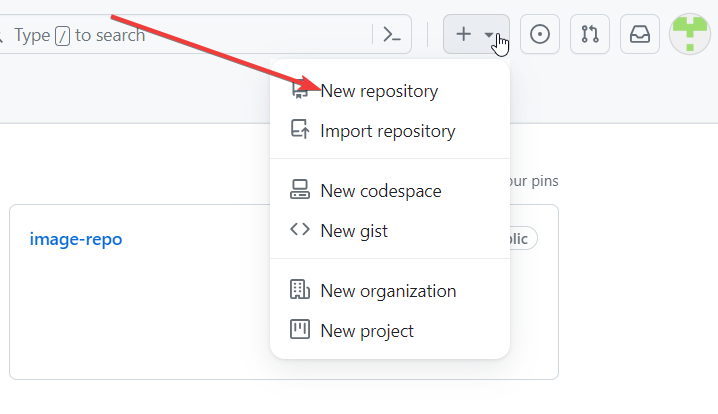
新建仓库
![image-20230808171609154]()
-
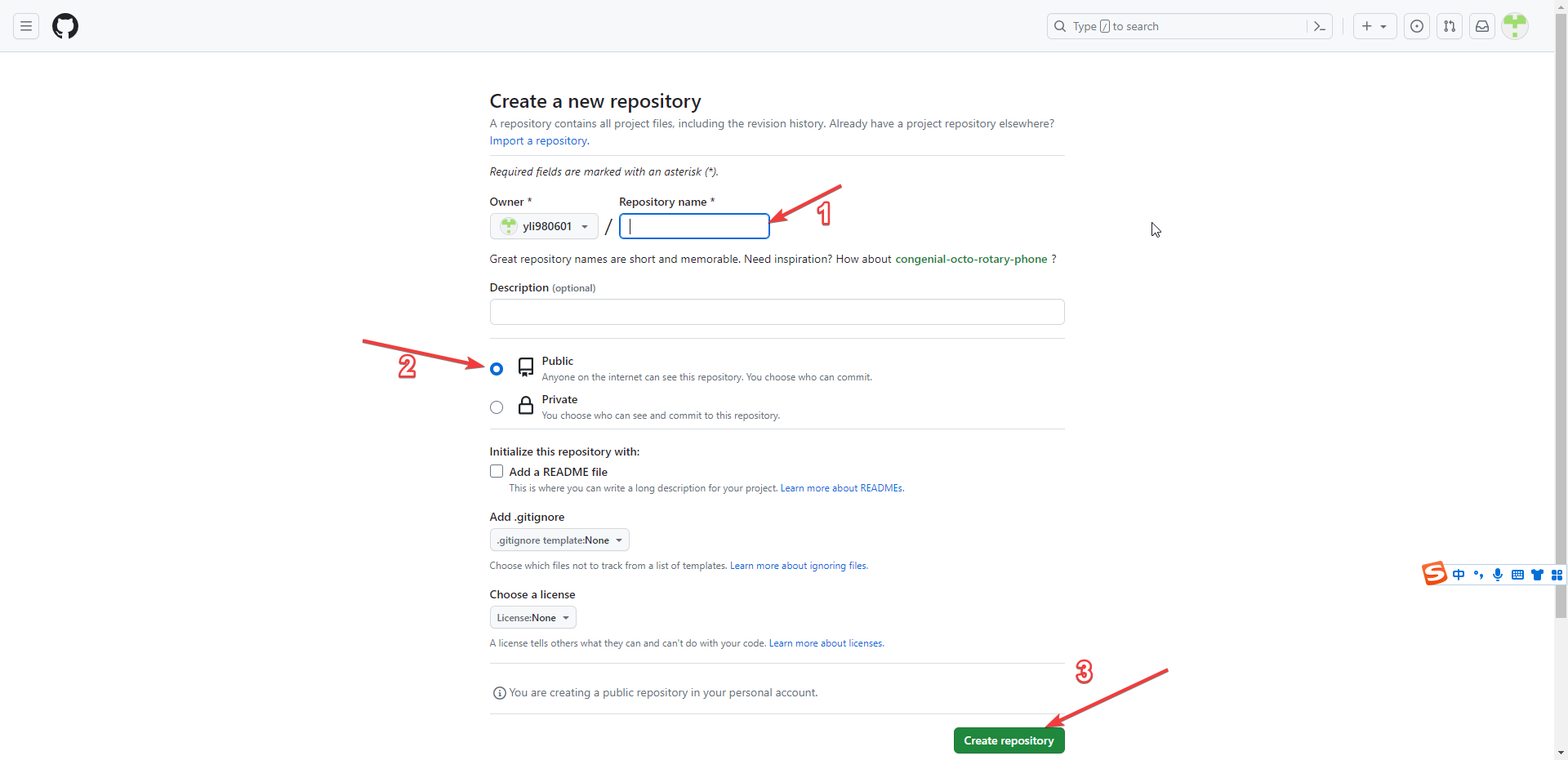
输入仓库名称
image-repo选择public公开属性![image-20230808171729556]()
-
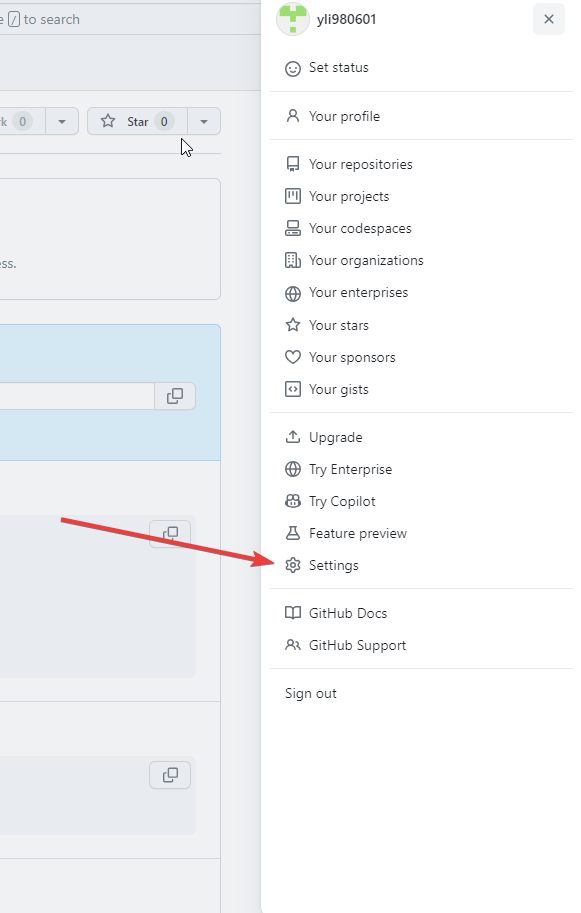
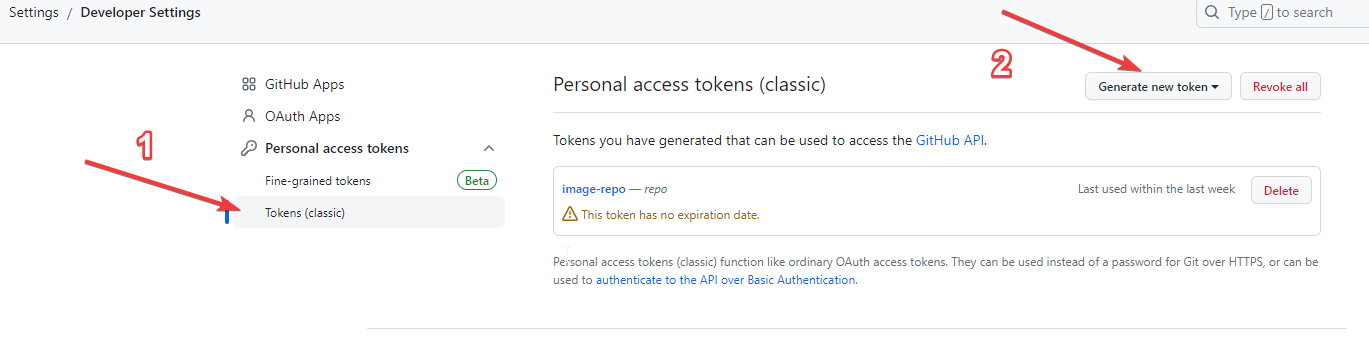
用户设置
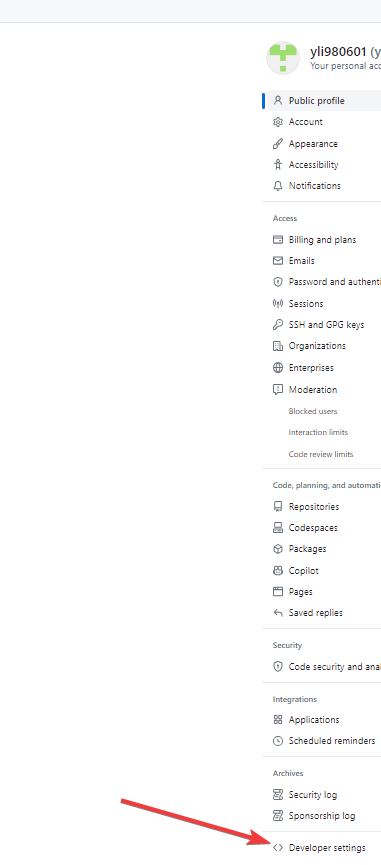
settings找到developer settings![image-20230808172324058]()
![image-20230808172455167]()
-
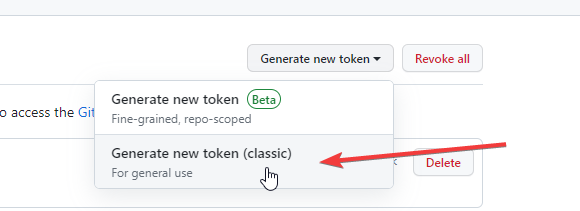
创建
token选择classic![image-20230808172626974]()
![image-20230808172645717]()
-
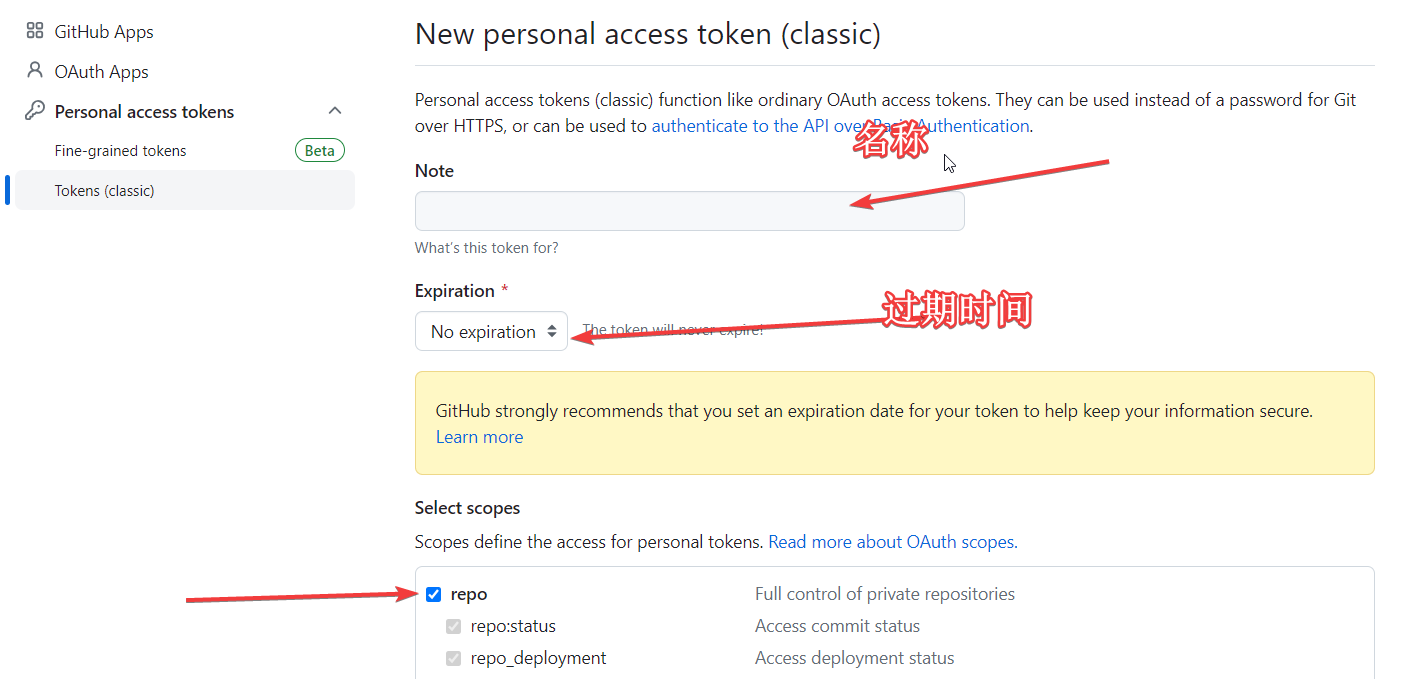
输入名称,
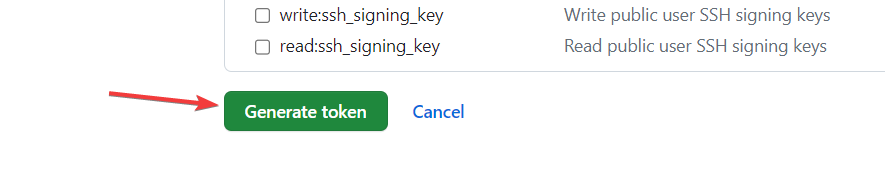
token过期时间,和repo,点击创建token![image-20230808172800636]()
![image-20230808172830565]()
-
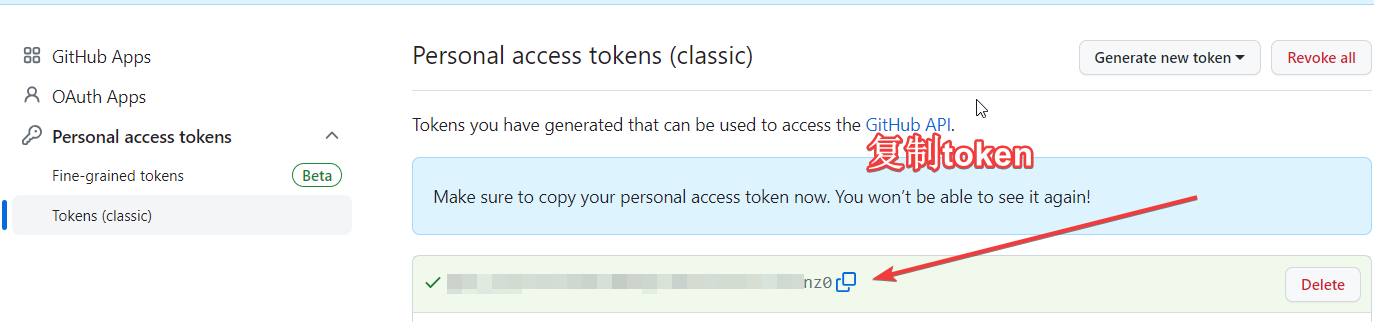
复制保存
token,后面要用
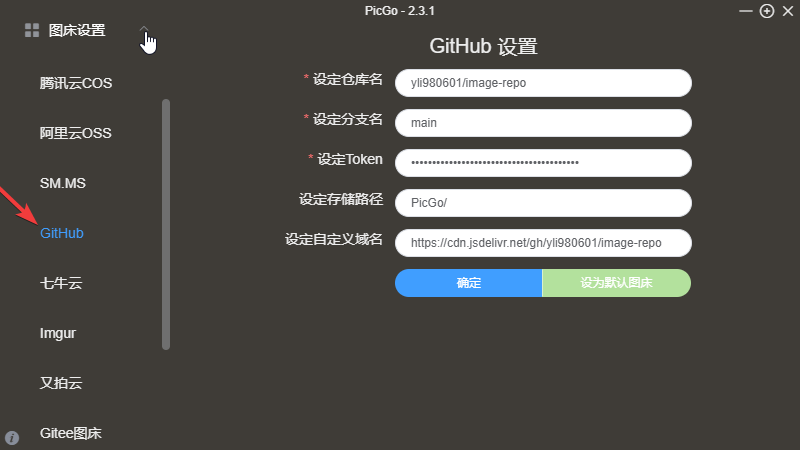
PicGo设置
下载地址:https://github.com/Molunerfinn/PicGo
仓库名:github[name]/github[仓库名]
分支名:master(或者main)
token:粘贴刚才复制的token
存储路径:自行设置
(cdn加速)自定义域名:https://cdn.jsdelivr.net/gh/github[用户名]/github[仓库名]
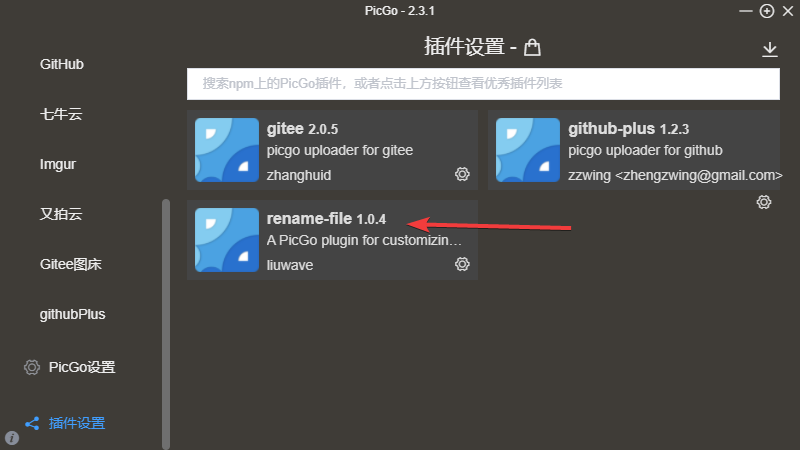
下载rename-file插件
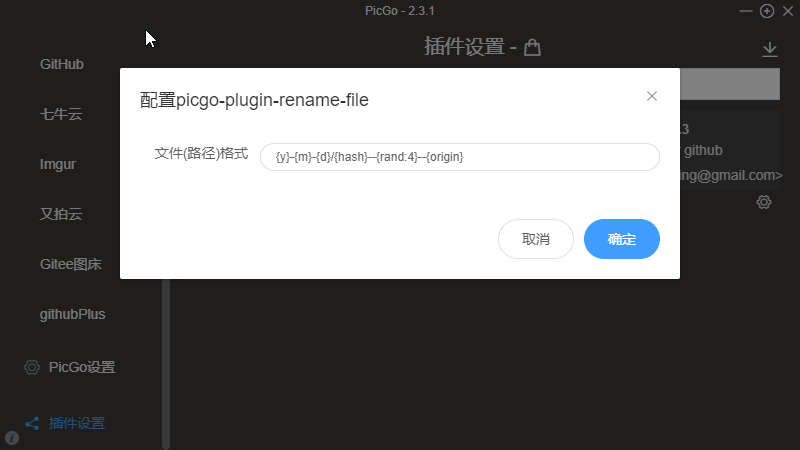
配置rename-file插件
{y}-{m}-{d}/{hash}--{rand:4}--{origin}
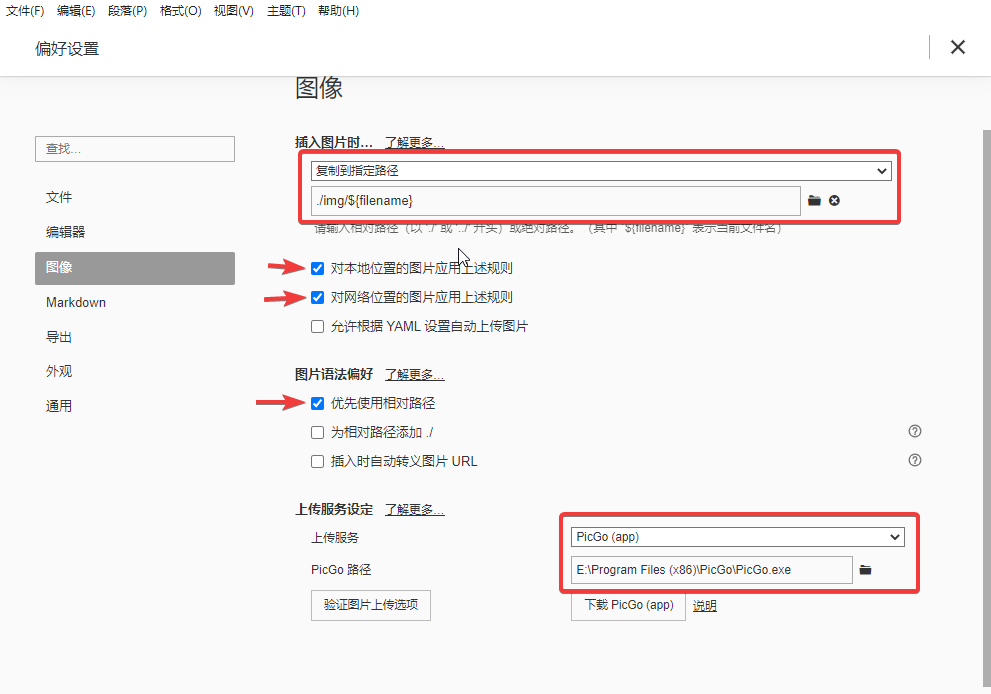
Typora设置
下载地址:https://typoraio.cn/
文件--->偏好设置

 浙公网安备 33010602011771号