第 8 章:服务治理 Istio
01、Service Mesh,Isito 概述,架构
Service Mesh
Service Mesh的中文译为“服务网格”,是一个用于处理服务和服务之间通信的基础设施层,它负责为构建复杂的云原生应用传递可靠的网络请求,并为服务通信实现了微服务所需的基本组件功能,
例如服务发现、负载均衡、监控、流量管理、访问控制等。在实践中,服务网格通常实现为一组和应用程序部署在一起的轻量级的网络代理,但对应用程序来说是透明的。
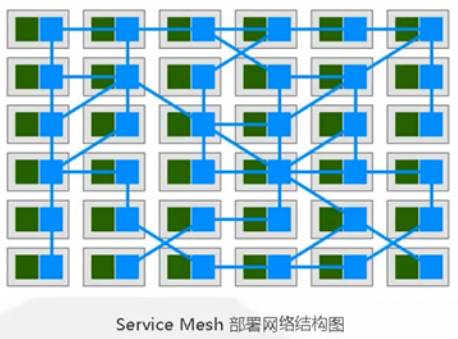
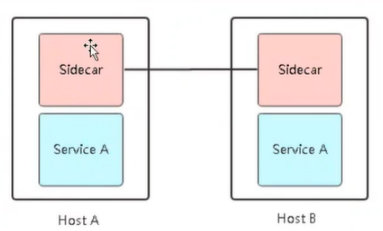
治理能力独立(Sidecar)
应用程序无感知
服务通信的基础设施层
解耦应用程序的重试/超时、监控、追踪和服务发现
Isto概述
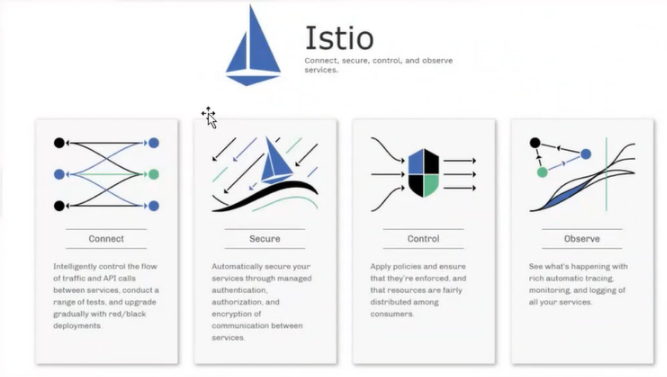
Isito是 Service Mesh 的产品化落地,是目前最受欢迎的服务网格,功能丰富、成熟度高。
Linkerd 是世界上第一个服务网格类的产品
连接(Connect)
-流量管理
-负载均衡
-灰度发布
安全(Secure)
-认证
-鉴权
控制(Control)
-限流
-ACL
观察(Observe)
-监控
-调用链
Istio
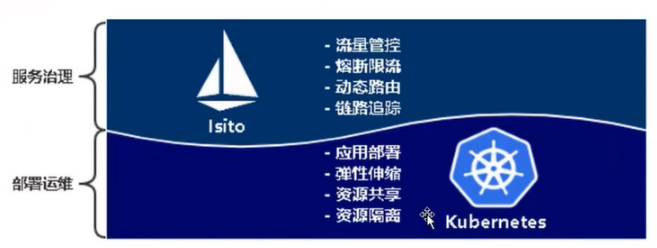
流量管控
熔断限流
动态路由
链路追踪
k8s
应用部署
弹性伸缩
资源共享
资源隔离
Isito架构与组件
数据平面:由一组代理组成,这些代理微服务所有网络通信,并接收和实施来自Mixer的策略。
Proxy:负责高效转发与策略实现。(envoy)
控制平面:管理和配置代理来路由流量。此外,通过mxier实施策略与收集来自边缘代理的数据。
Mixer:适配组件,数据平面与控制平面通过它交互,为 Proxy提供策略和数据上报。
Pilot:策略配置组件,为Proxy提供服务发现、智能路由、错误处理等。
Citadel:安全组件,提供证书生成下发加密通信、访问控制。
Galley:配置管理、验证、分发。
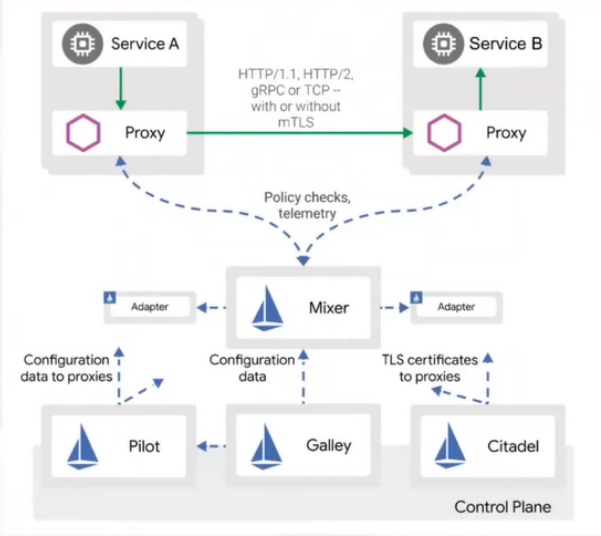
Istio 基本概念
Istio有4个配置资源,落地所有流量管理需求:
Virtualservice:实现服务请求路由规则的功能。
Destination rule:实现目标服务的负载均衡、服务发现、故障处理和故障注入的功能
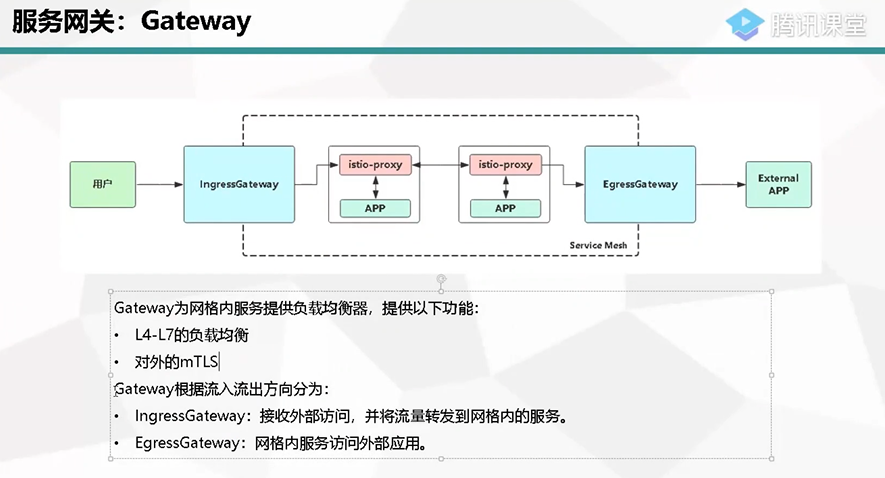
Gateway:让服务网格内的服务,可以被全世界看到
ServiceEntry:让服务网格内的服务,可以看到外面的世界。
02、微服务接入 Isito,Ingress Gateway,Bookinfo案例
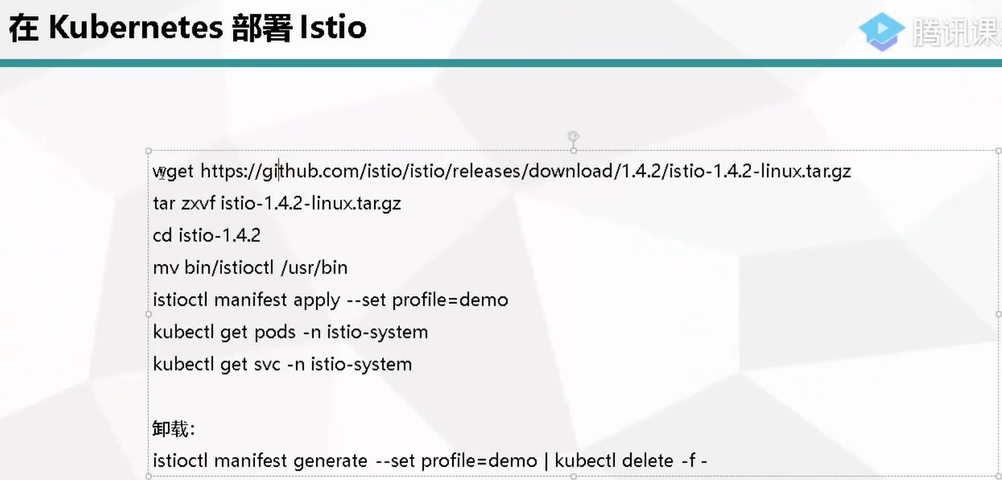
istioctl manifest apply --set profile=demo

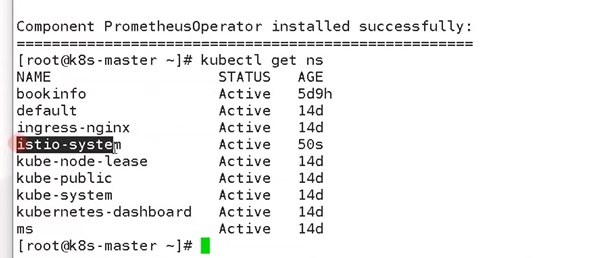
[root@k8s-m1 istio-1.4.2]# kubectl get pods -n istio-system
NAME                                      READY   STATUS              RESTARTS   AGE
grafana-b64886fff-cqcj5                   0/1     ContainerCreating   0          42s
istio-citadel-856f69777b-h22wq            1/1     Running             0          44s
istio-egressgateway-75fff48654-wrrr9      0/1     ContainerCreating   0          43s
istio-galley-57f5cdf87d-p8f9f             0/1     ContainerCreating   0          42s
istio-ingressgateway-694c98878-l2cv6      0/1     ContainerCreating   0          43s
istio-pilot-85fb68b7bf-2q6w5              0/1     ContainerCreating   0          43s
istio-policy-5c588db847-ml4jt             0/1     ContainerCreating   0          43s
istio-sidecar-injector-578466d5fb-lbv66   0/1     ContainerCreating   0          42s
istio-telemetry-64dc6d6cdc-xdmwk          0/1     ContainerCreating   0          42s
istio-tracing-857496f799-fwd4d            1/1     Running             0          45s
kiali-579dd86496-k96sp                    0/1     ContainerCreating   0          42s
prometheus-946f9f9d8-rfc82                0/1     ContainerCreating   0          43s
部署一个demo服务
[root@k8s-m1 httpbin]# kubectl apply -f httpbin-nodeport.yaml
service/httpbin created
deployment.apps/httpbin created
[root@k8s-m1 httpbin]# pwd
/root/k8s-gj/istio-1.4.2/samples/httpbin
[root@k8s-m1 httpbin]# kubectl get svc httpbin
NAME TYPE CLUSTER-IP EXTERNAL-IP PORT(S) AGE
httpbin NodePort 10.105.89.211 <none> 8000:30722/TCP 79s
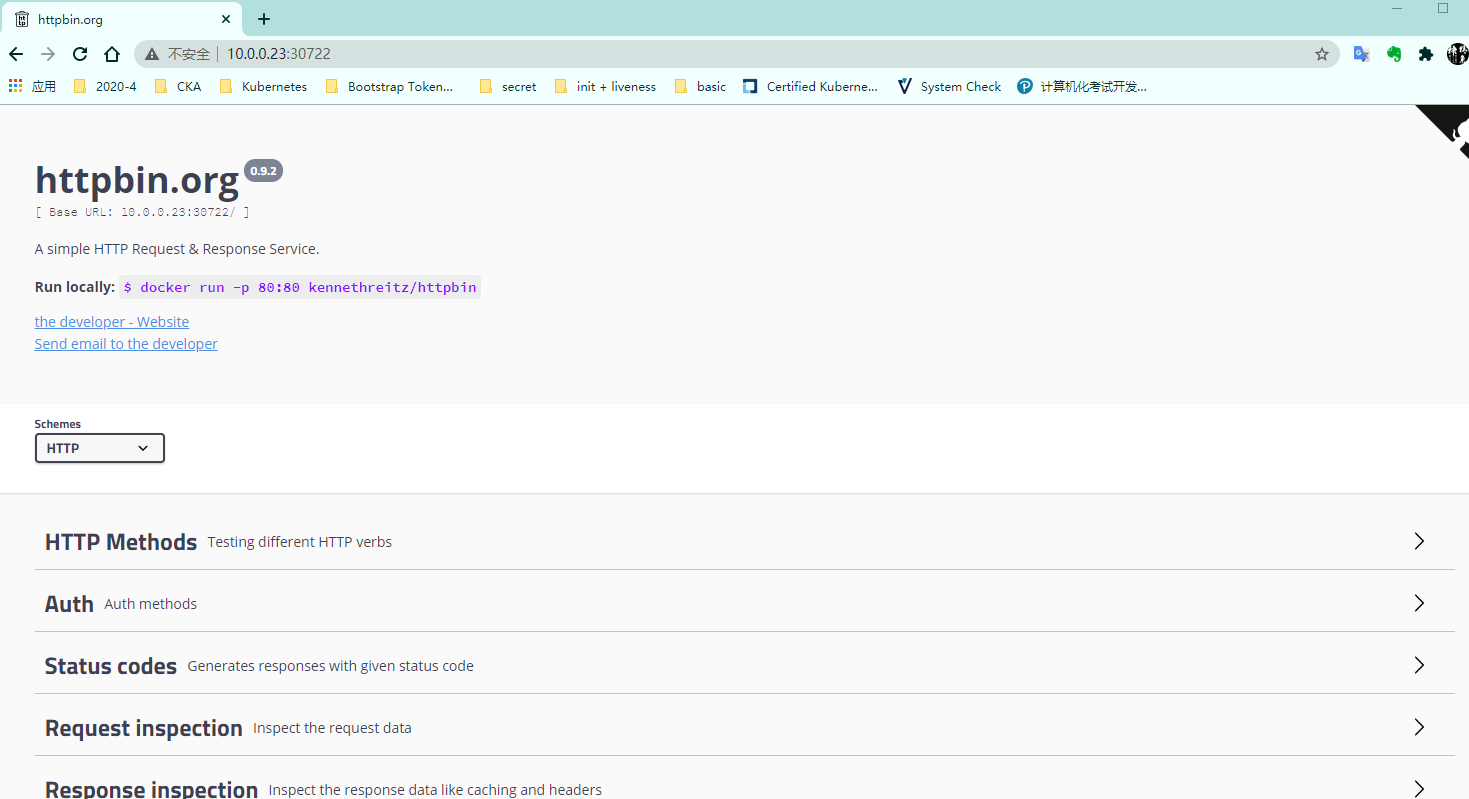
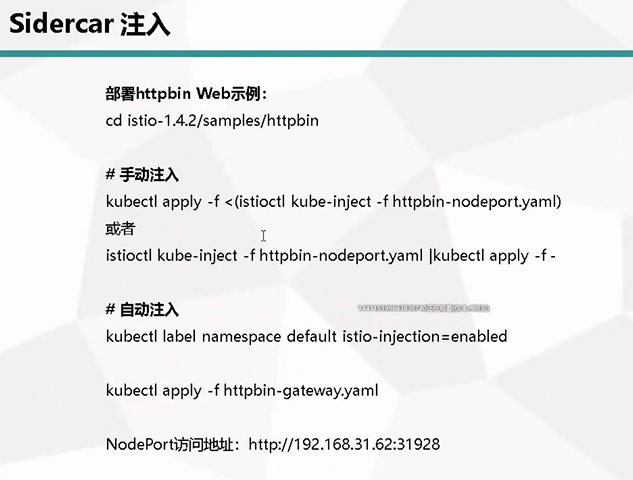
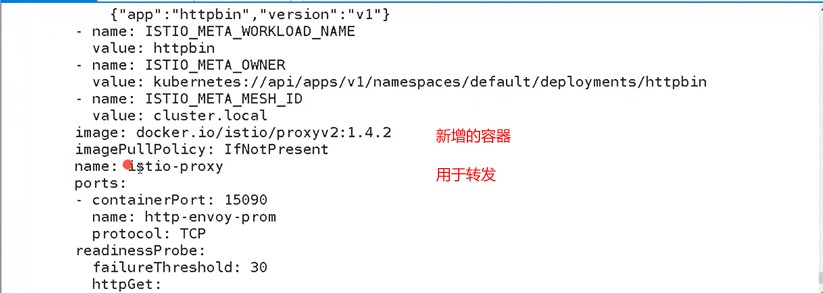
[root@k8s-m1 httpbin]# istioctl kube-inject -f httpbin-nodeport.yaml|kubectl apply -f -
service/httpbin unchanged
deployment.apps/httpbin configured
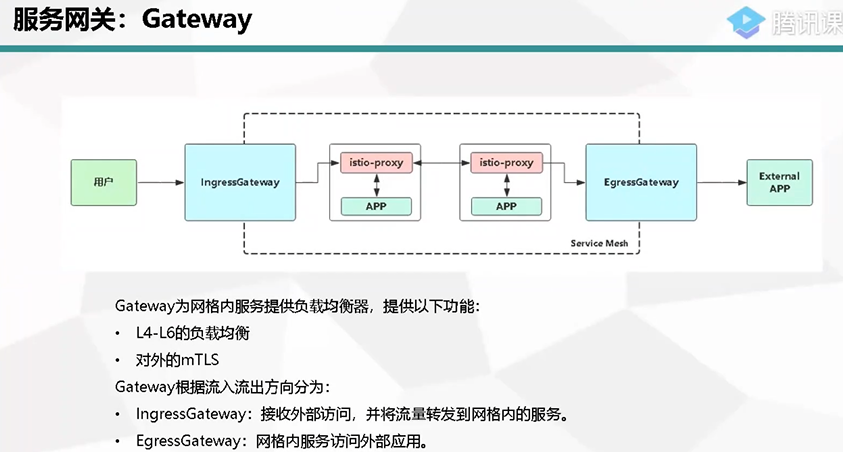
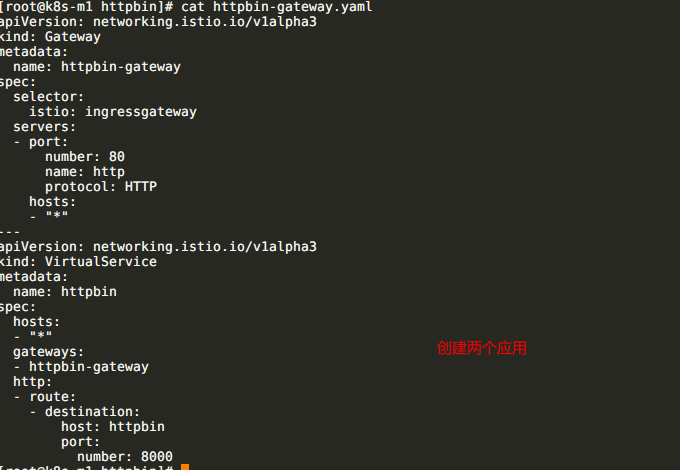
[root@k8s-m1 httpbin]# kubectl apply -f httpbin-gateway.yaml
gateway.networking.istio.io/httpbin-gateway created
virtualservice.networking.istio.io/httpbin created
[root@k8s-m1 httpbin]# kubectl get gateway
NAME AGE
httpbin-gateway 22s
[root@k8s-m1 httpbin]# kubectl get pods -n istio-system |grep gateway
istio-egressgateway-75fff48654-wrrr9 1/1 Running 0 28m
istio-ingressgateway-694c98878-l2cv6 1/1 Running 0 28m
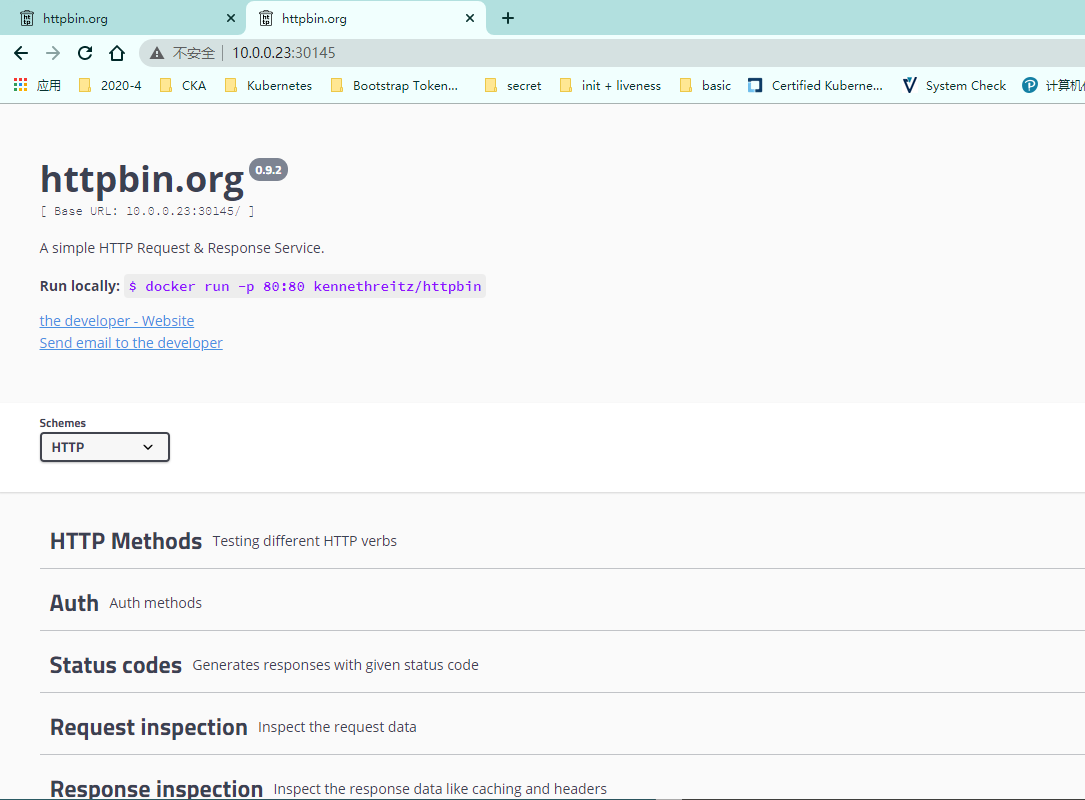
[root@k8s-m1 httpbin]# kubectl get svc -n istio-system |grep ingress
istio-ingressgateway LoadBalancer 10.107.234.243 <pending> 15020:31208/TCP,80:30145/TCP,443:31871/TCP,15029:30949/TCP,15030:30680/TCP,15031:32747/TCP,15032:30218/TCP,15443:31244/TCP 31m

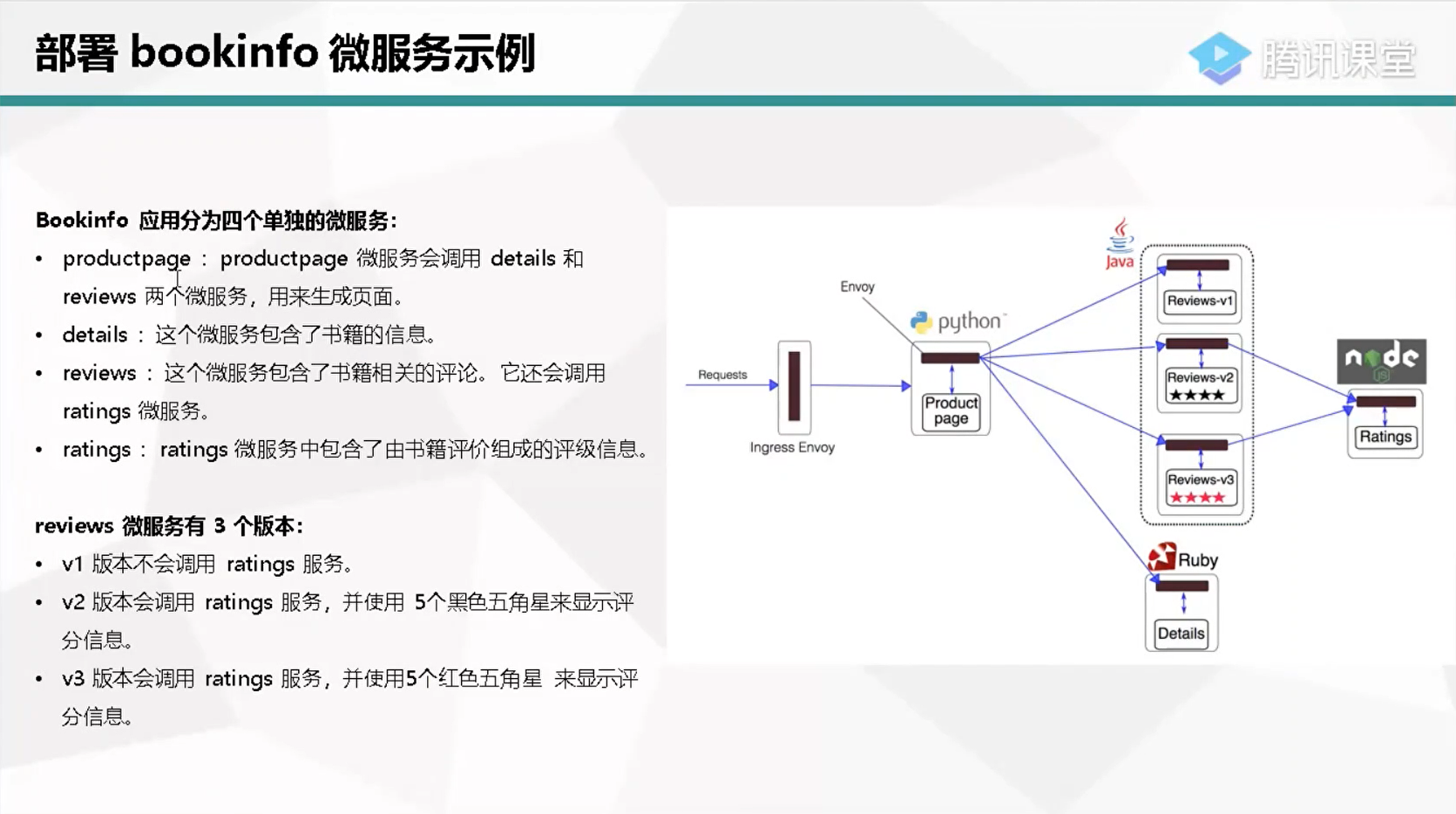
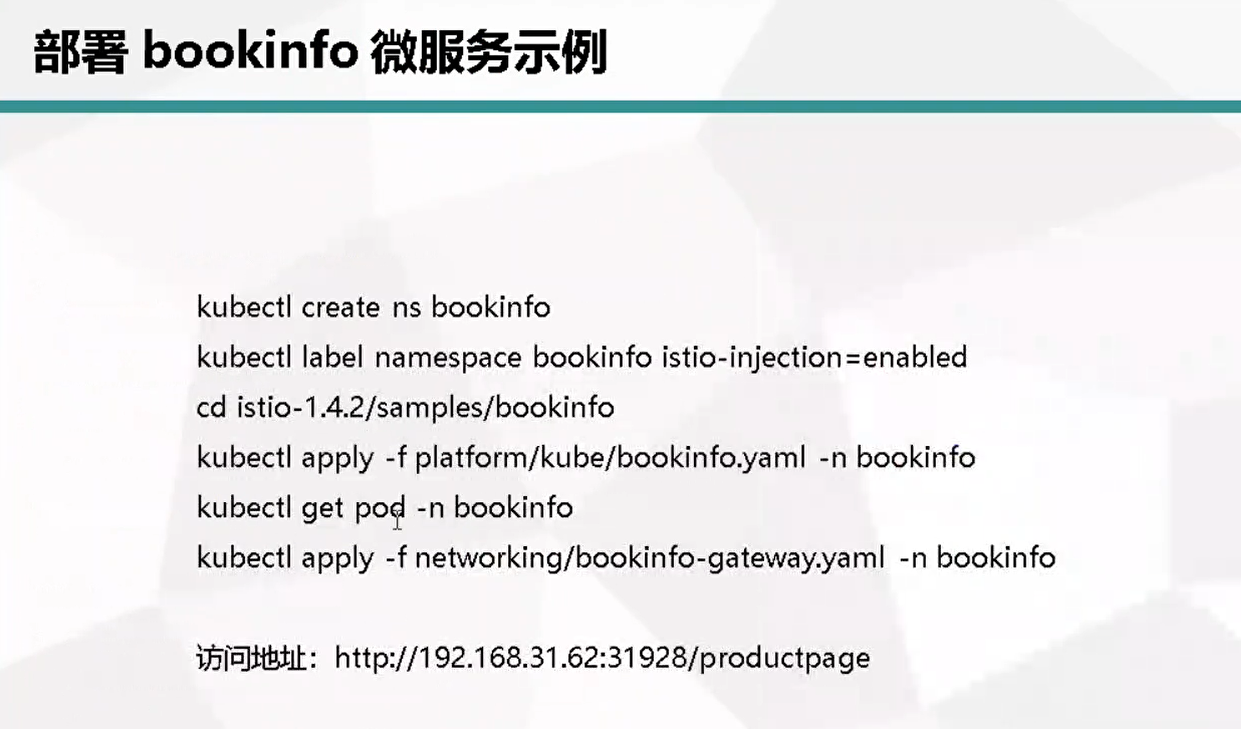
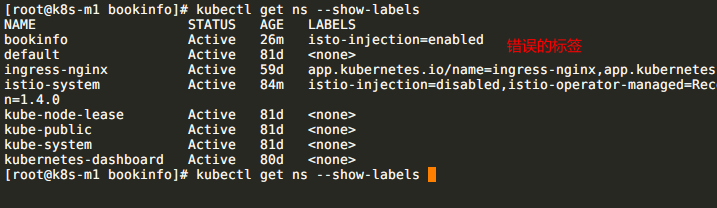
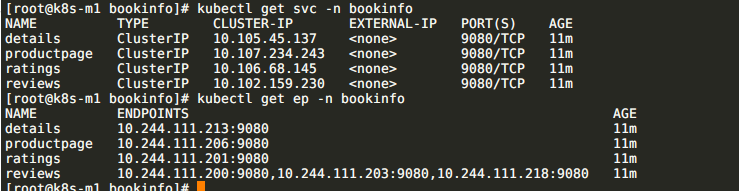
[root@k8s-m1 bookinfo]# kubectl create ns bookinfo
namespace/bookinfo created
[root@k8s-m1 bookinfo]# kubectl label namespaces bookinfo istio-injection=enabled
namespace/bookinfo labeled
[root@k8s-m1 bookinfo]# kubectl apply -f platform/kube/bookinfo.yaml -n bookinfo
istioctl install --set profile=demo
[root@k8s-m1 bookinfo]# kubectl get pods -n bookinfo
NAME READY STATUS RESTARTS AGE
details-v1-558b8b4b76-t8mwg 0/2 PodInitializing 0 12s
productpage-v1-6987489c74-k96sp 0/2 PodInitializing 0 12s
ratings-v1-7dc98c7588-wrrr9 0/2 PodInitializing 0 12s
reviews-v1-7f99cc4496-rfc82 0/2 PodInitializing 0 12s
reviews-v2-7d79d5bd5d-ccgmx 0/2 PodInitializing 0 12s
reviews-v3-7dbcdcbc56-ml4jt 0/2 PodInitializing 0 12s
[root@k8s-m1 bookinfo]# kubectl get pods -n bookinfo
NAME READY STATUS RESTARTS AGE
details-v1-558b8b4b76-t8mwg 2/2 Running 0 6m43s
productpage-v1-6987489c74-k96sp 2/2 Running 0 6m43s
ratings-v1-7dc98c7588-wrrr9 2/2 Running 0 6m43s
reviews-v1-7f99cc4496-rfc82 2/2 Running 0 6m43s
reviews-v2-7d79d5bd5d-ccgmx 2/2 Running 0 6m43s
reviews-v3-7dbcdcbc56-ml4jt 2/2 Running 0 6m43s
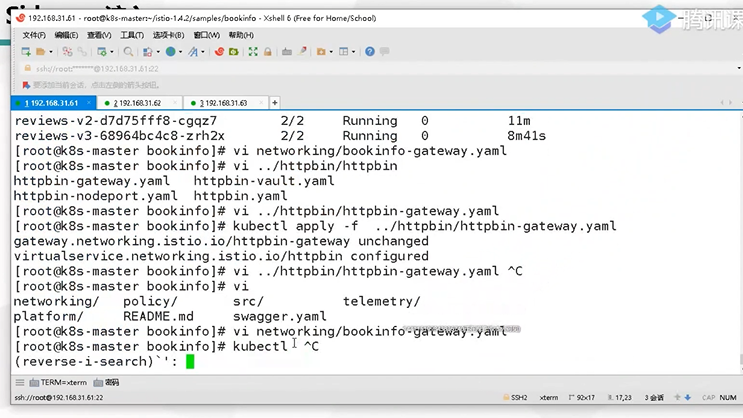
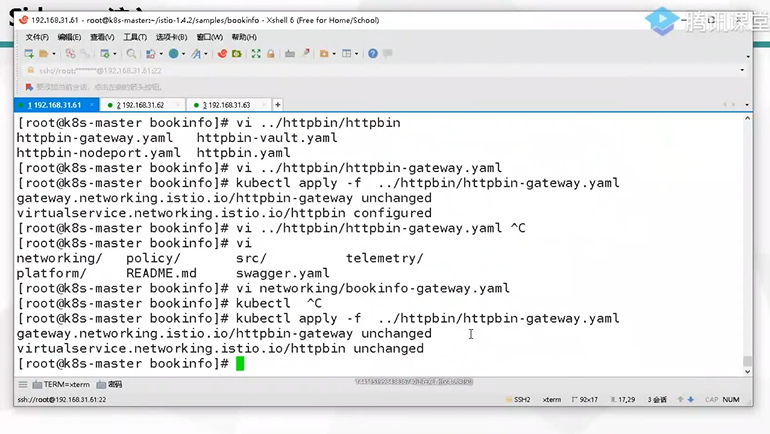
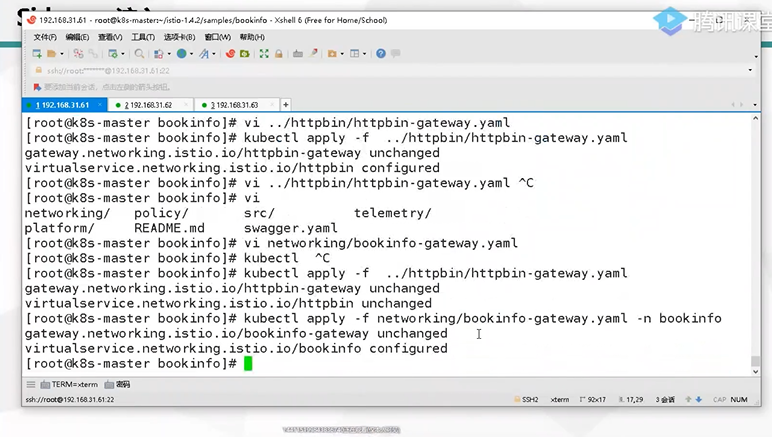
[root@k8s-m1 bookinfo]# kubectl apply -f networking/bookinfo-gateway.yaml -n bookinfo
gateway.networking.istio.io/bookinfo-gateway created
virtualservice.networking.istio.io/bookinfo created

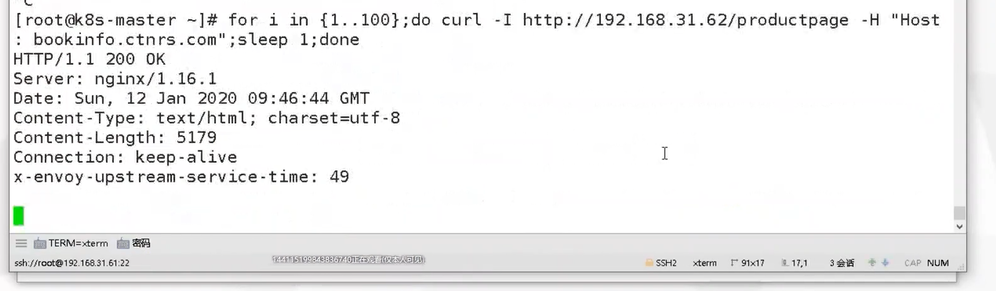
http://10.0.0.23:30145/productpage
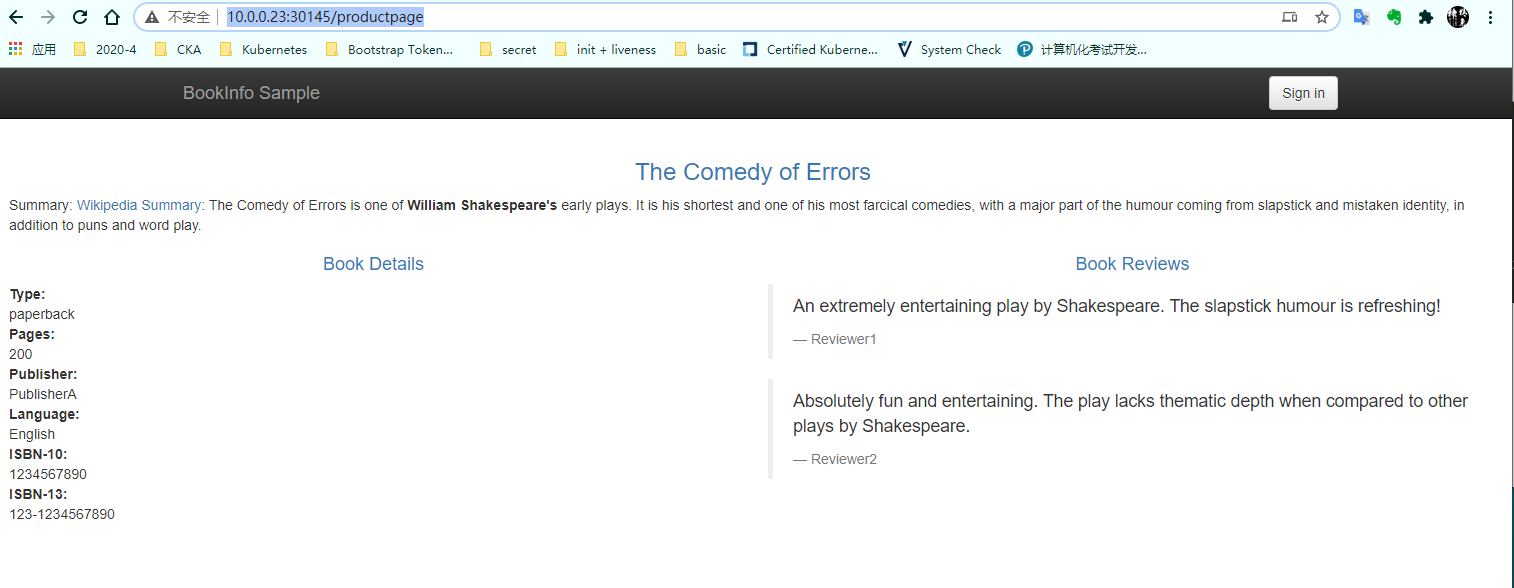
三个版本都可以访问
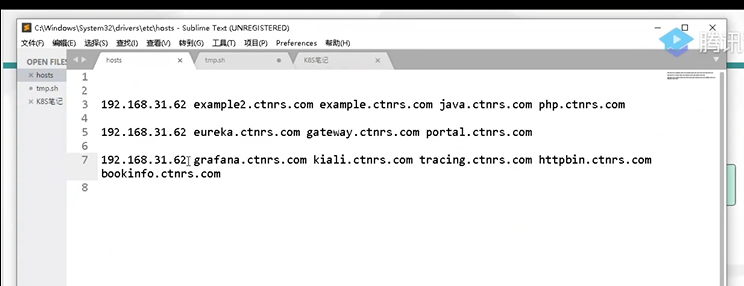
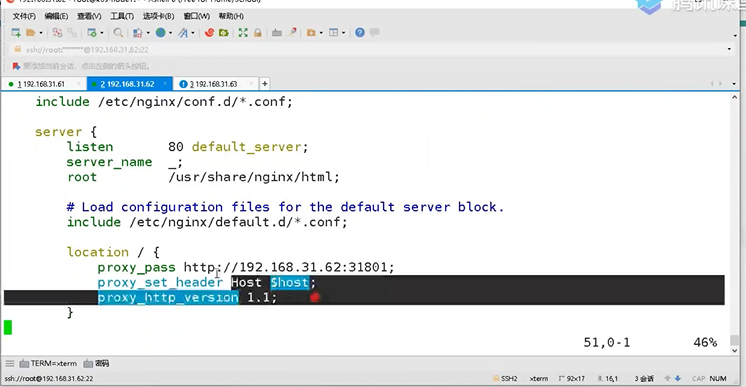
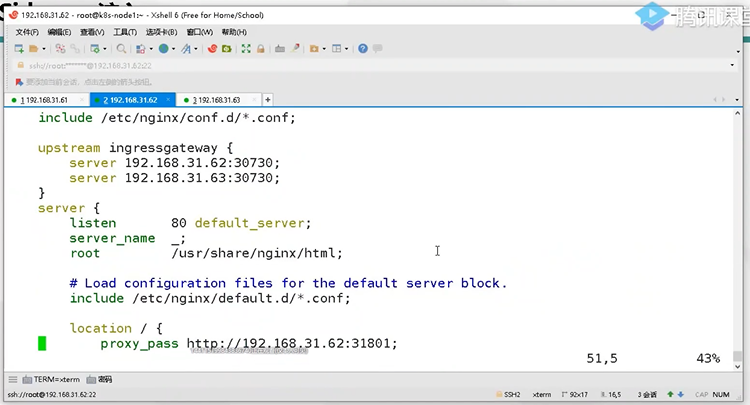
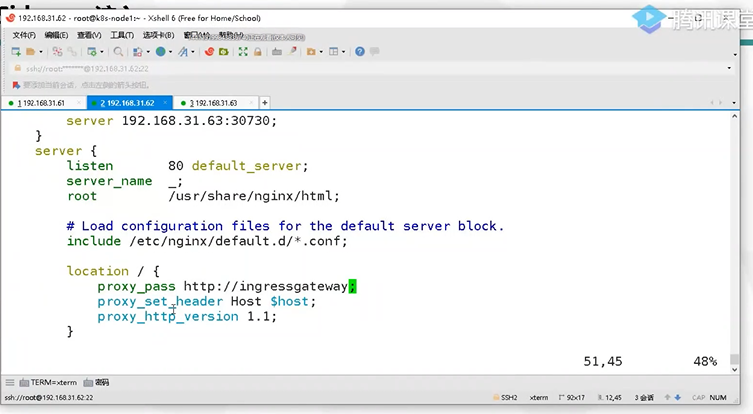
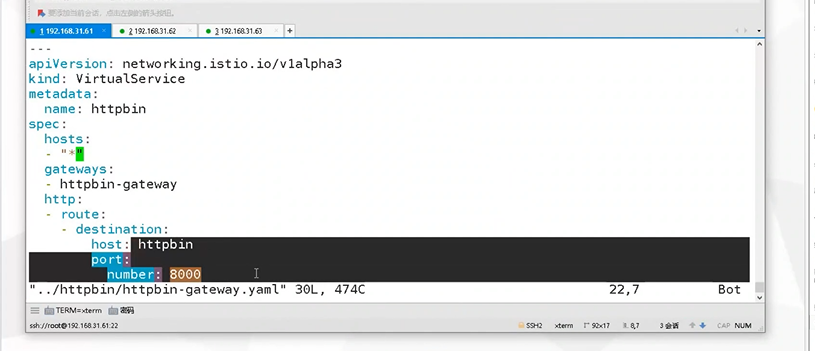
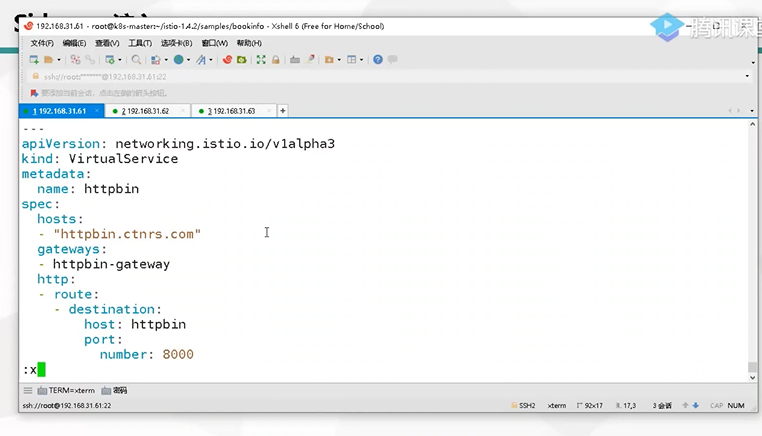
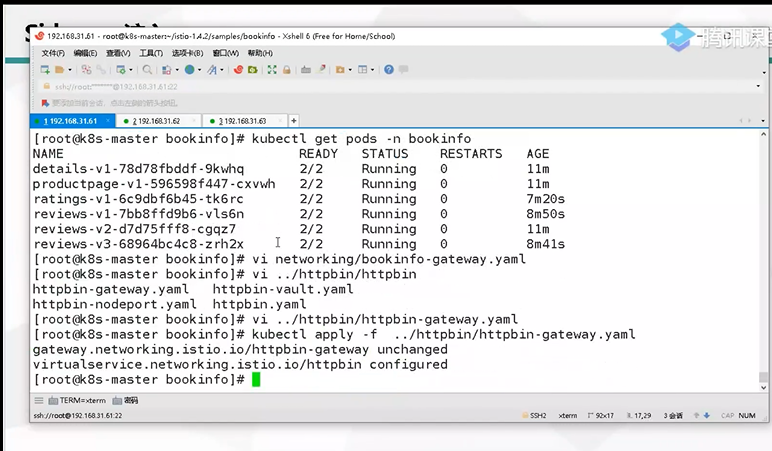
基于域名分流
03、Istio 发布策略及实现
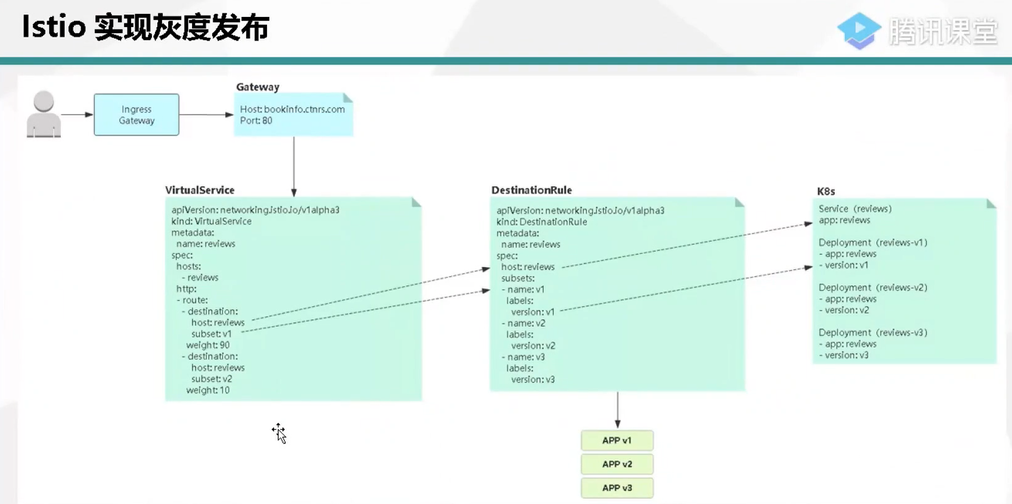
Isto实现灰度发布
主流发布方案
蓝绿发布
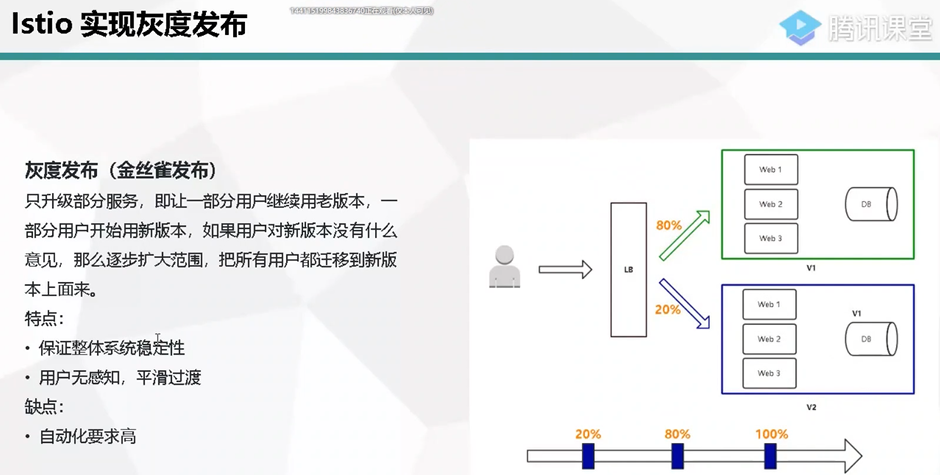
灰度发布(金丝雀发布)
A/B Test
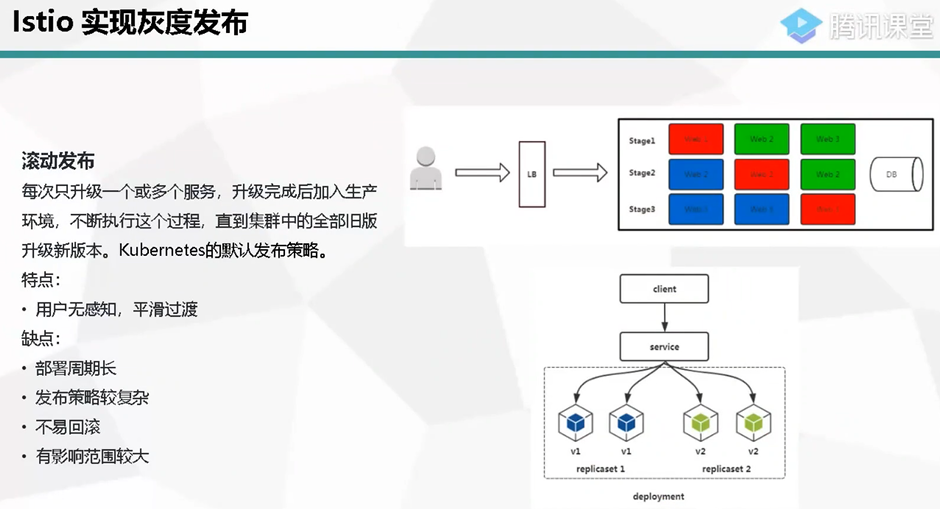
滚动发布
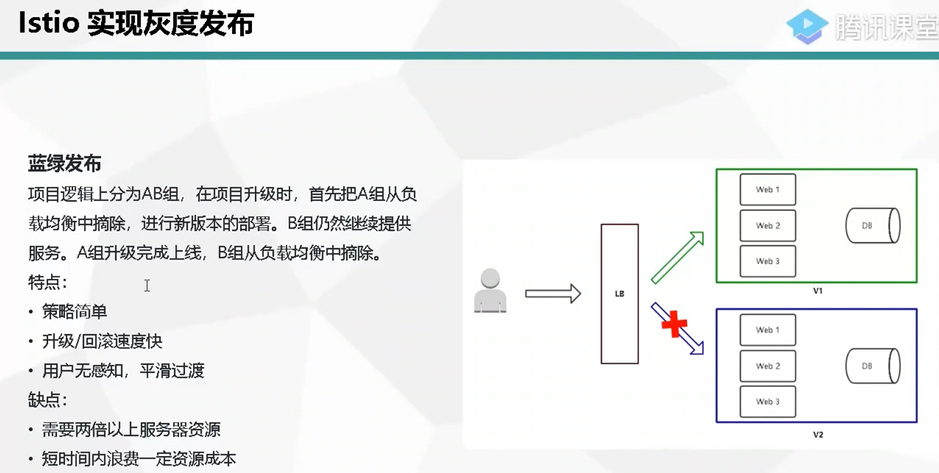
蓝绿发布
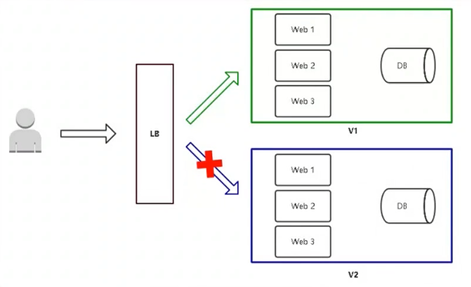
项目逻辑上分为AB组,在项目升级时,首先把A组从负载均衡中摘除,进行新版本的部署。B组仍然继续提供服务。A组升级完成上线,B组从负载均衡中摘除。
特点:
·策略简单
·升级/回滚速度快
·用户无感知,平滑过渡
缺点:
·需要两倍以上服务器资源
·短时间内浪费一定资源成本
有问题影响范围大

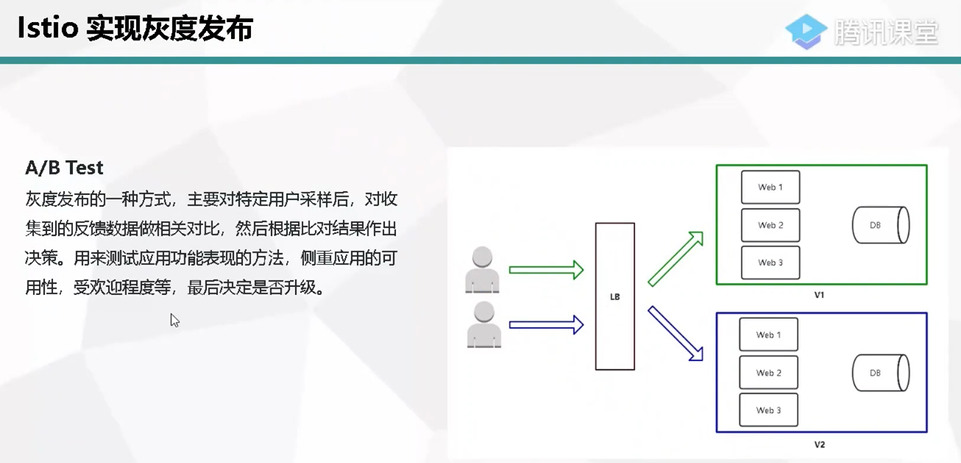
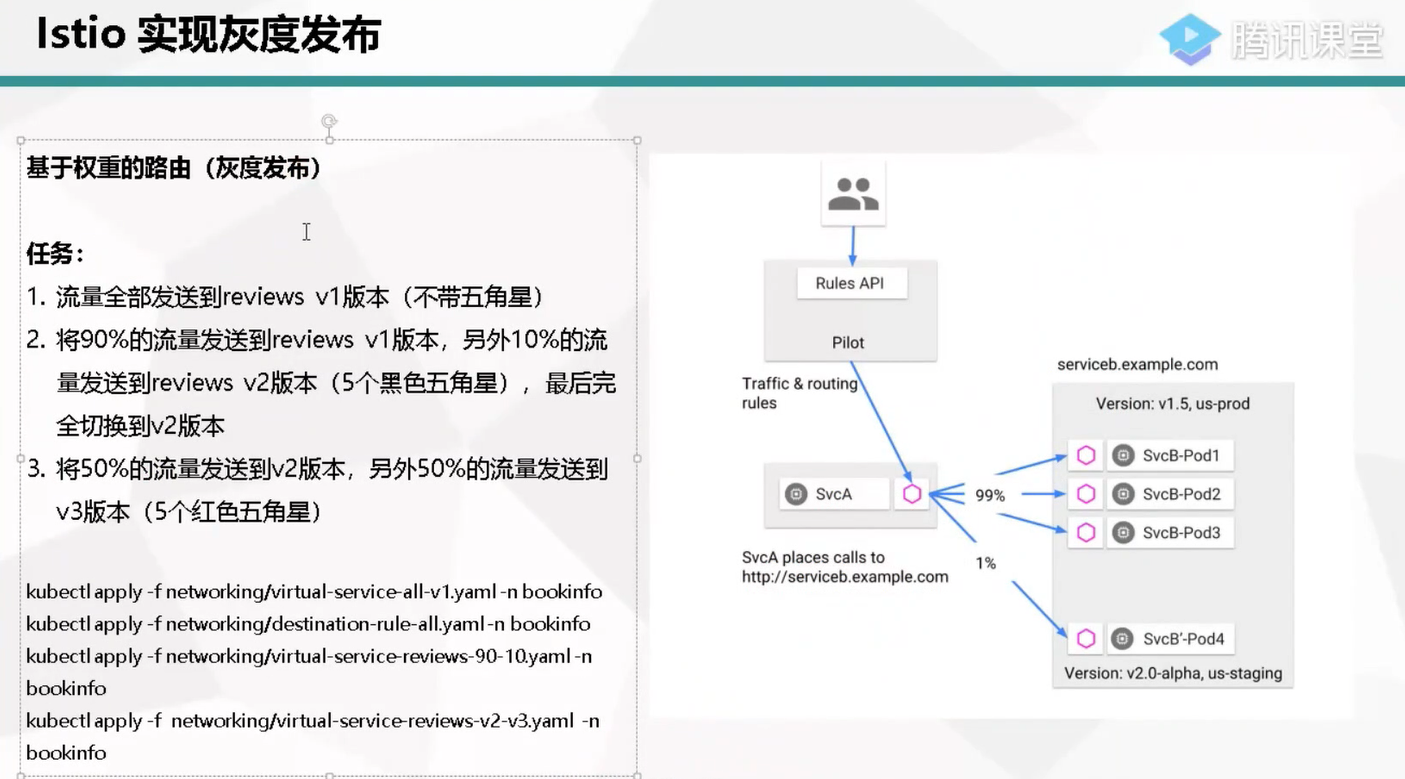
[root@k8s-m1 bookinfo]# vim networking/virtual-service-all-v1.yaml
[root@k8s-m1 bookinfo]# kubectl apply -f networking/virtual-service-all-v1.yaml -n bookinfo
virtualservice.networking.istio.io/productpage created
virtualservice.networking.istio.io/reviews created
virtualservice.networking.istio.io/ratings created
virtualservice.networking.istio.io/details created
[root@k8s-m1 bookinfo]# vim networking/destination-rule-all
destination-rule-all-mtls.yaml destination-rule-all.yaml
[root@k8s-m1 bookinfo]# vim networking/destination-rule-all.yaml
[root@k8s-m1 bookinfo]# kubectl apply -f networking/destination-rule-all.yaml -n bookinfo
destinationrule.networking.istio.io/productpage created
destinationrule.networking.istio.io/reviews created
destinationrule.networking.istio.io/ratings created
destinationrule.networking.istio.io/details created
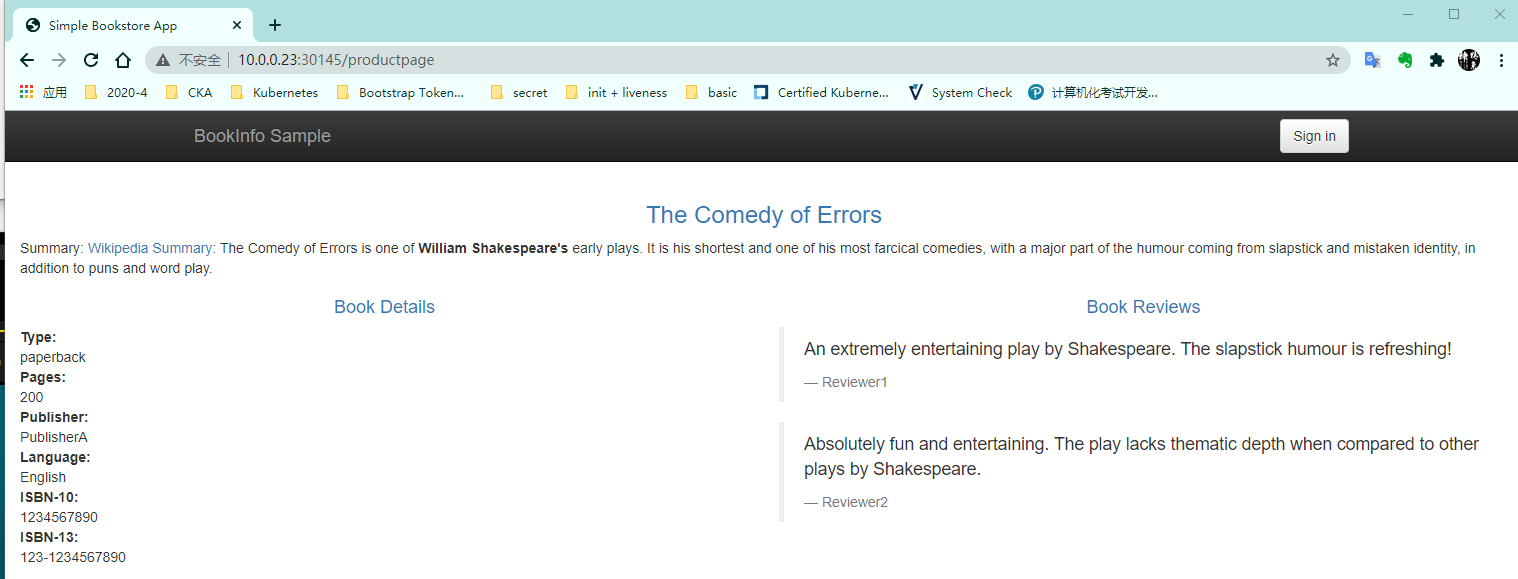
[root@k8s-m1 bookinfo]# kubectl apply -f networking/virtual-service-reviews-90-10.yaml -n bookinfo
virtualservice.networking.istio.io/reviews configured
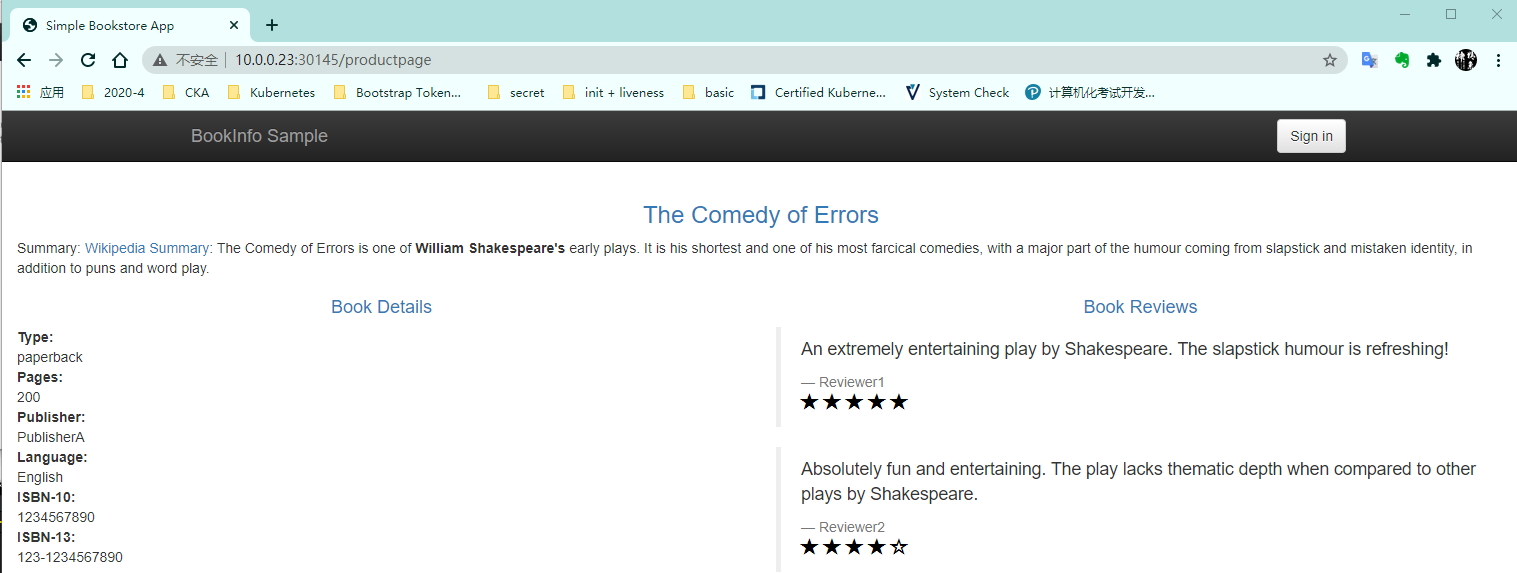
[root@k8s-m1 bookinfo]# kubectl apply -f networking/virtual-service-reviews-v2-v3.yaml -n bookinfo
virtualservice.networking.istio.io/reviews configured
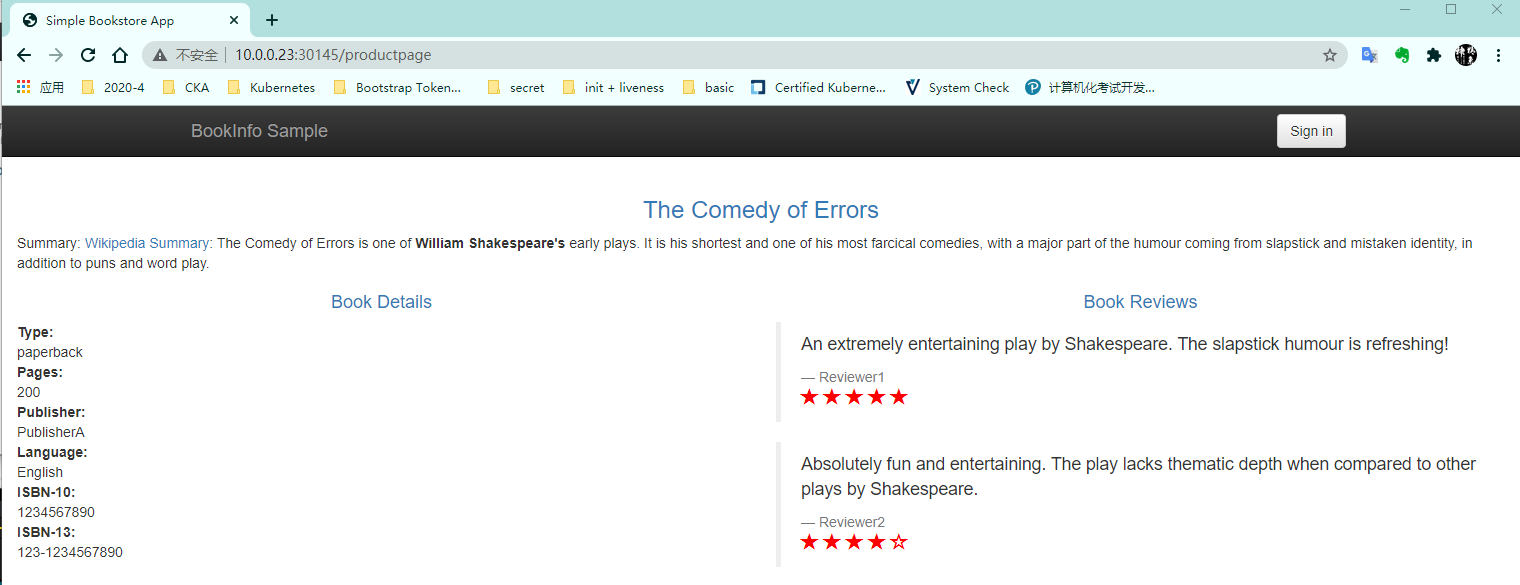
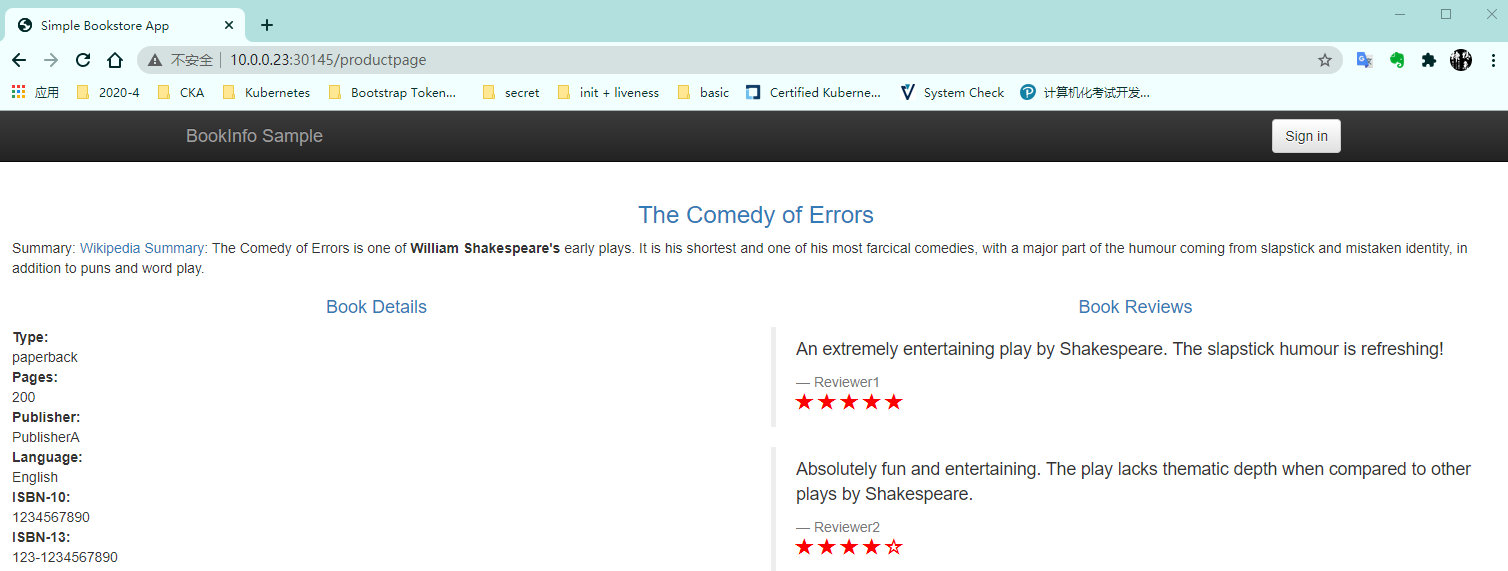
[root@k8s-m1 bookinfo]# kubectl apply -f networking/virtual-service-reviews-v3.yaml -n bookinfo
virtualservice.networking.istio.io/reviews configured
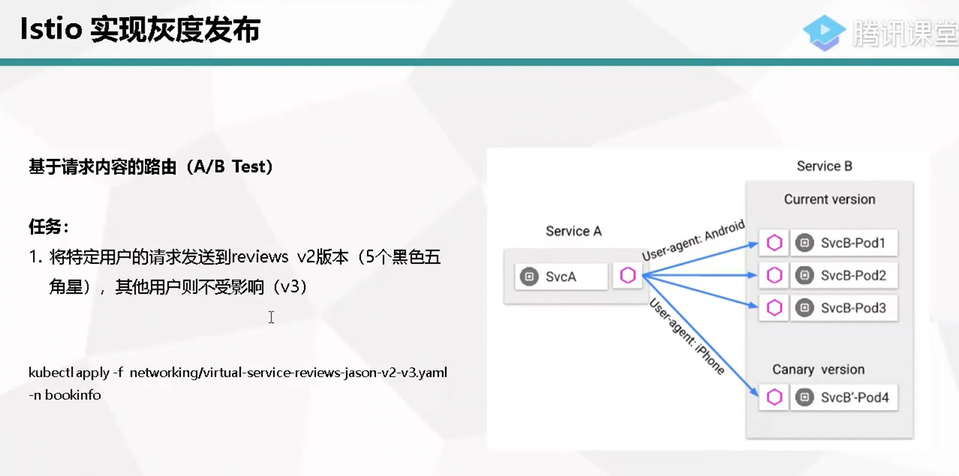
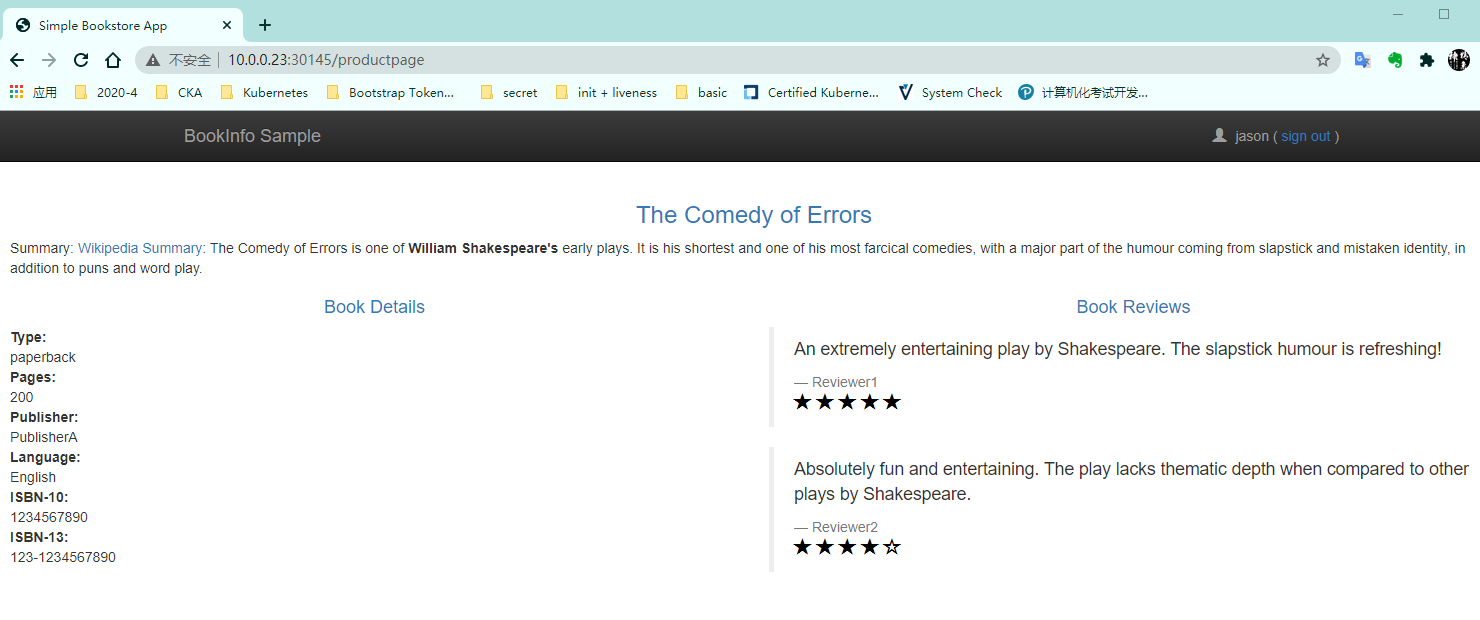
[root@k8s-m1 bookinfo]# kubectl apply -f networking/virtual-service-reviews-jason-v2-v3.yaml -n bookinfo
virtualservice.networking.istio.io/reviews configured
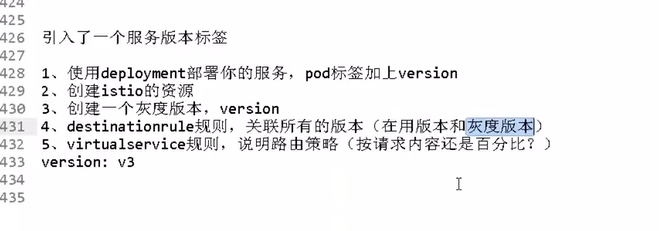
服务版本标签
标签
version:3
04、微服务可视化监控
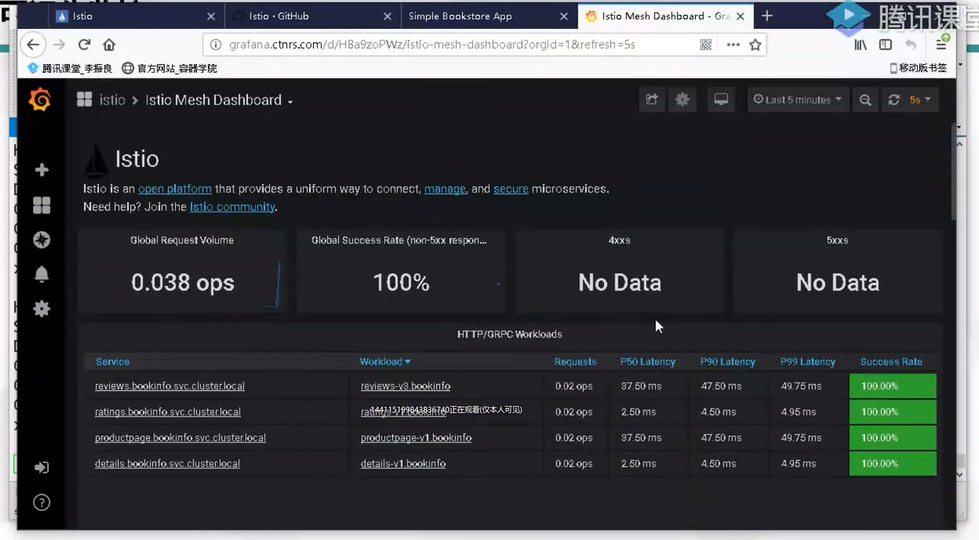
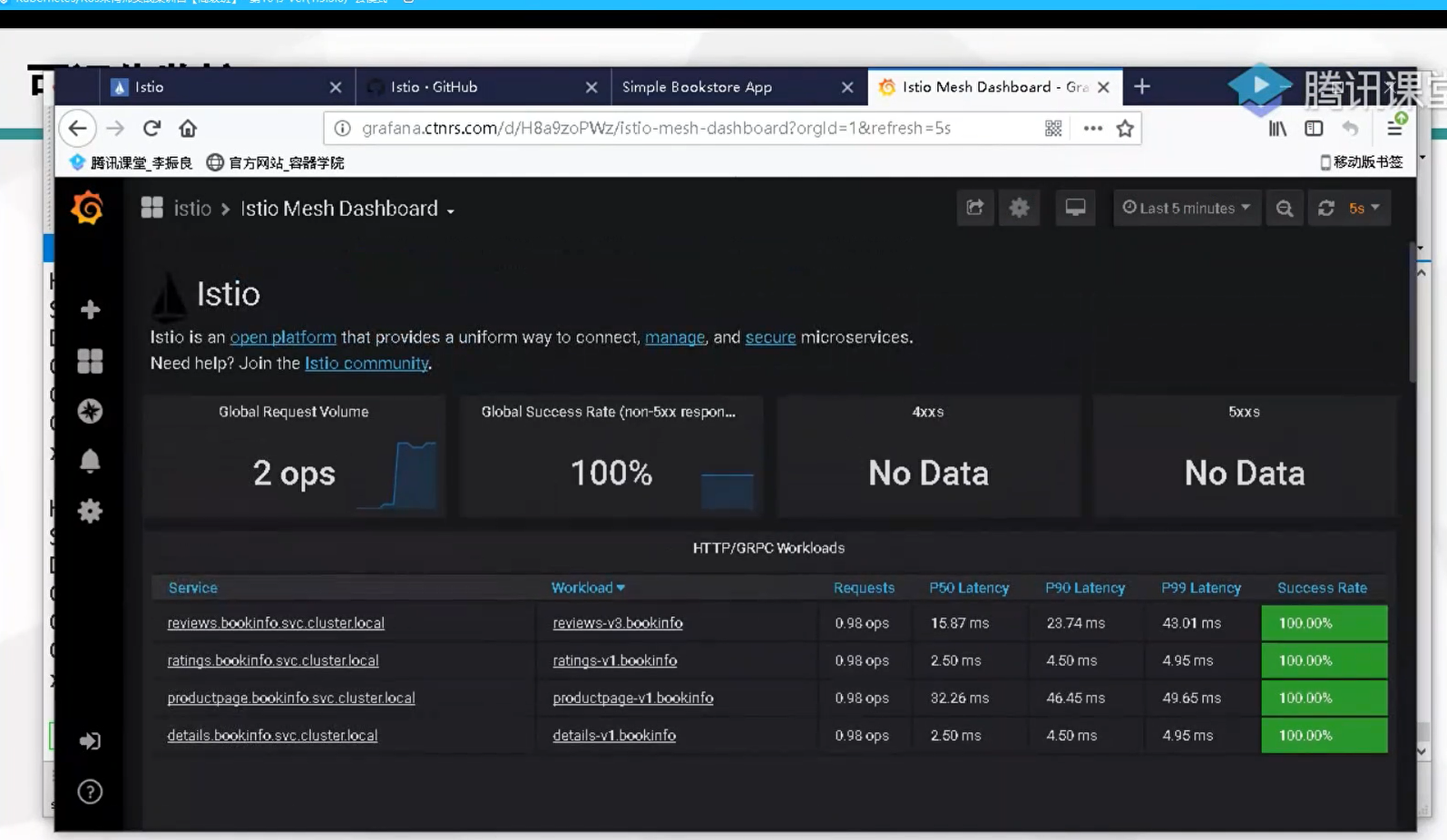
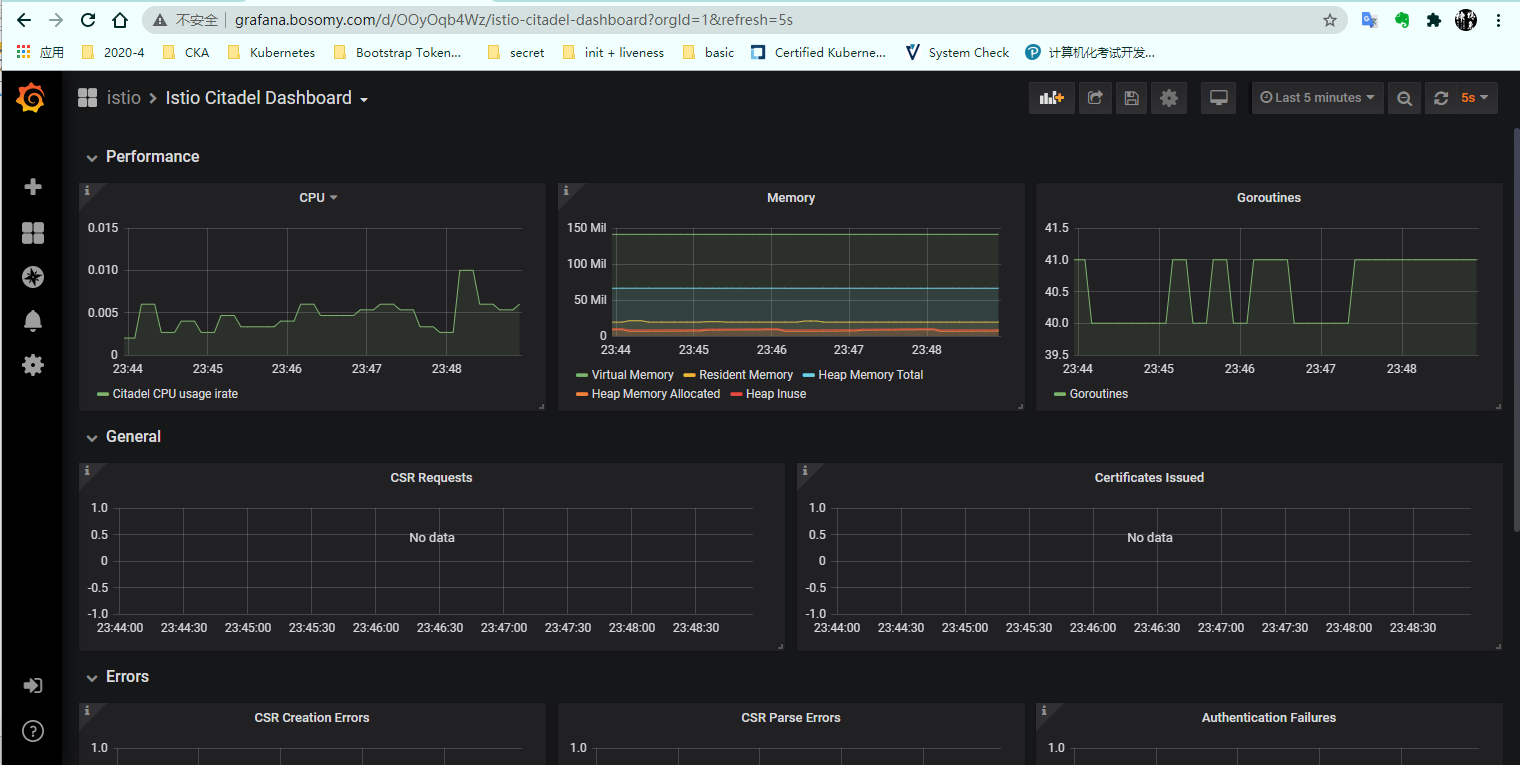
监控指标( Grafana)
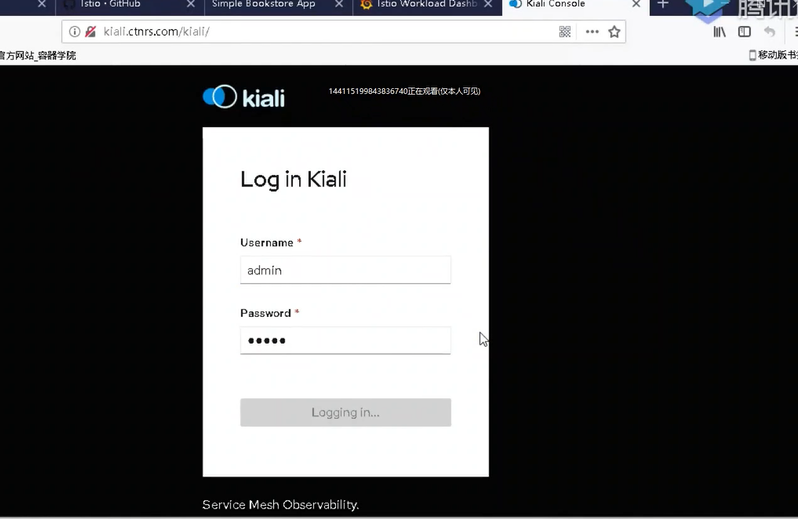
网格可视化(Kiai)
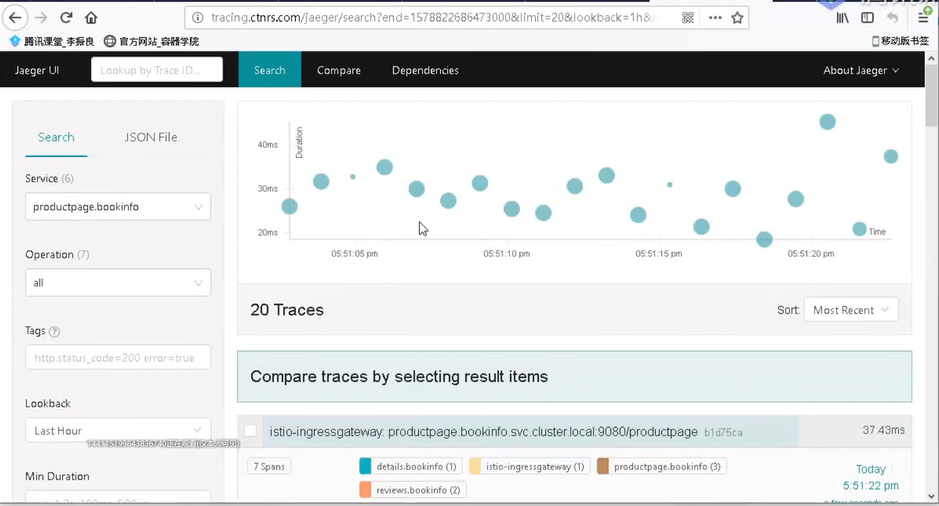
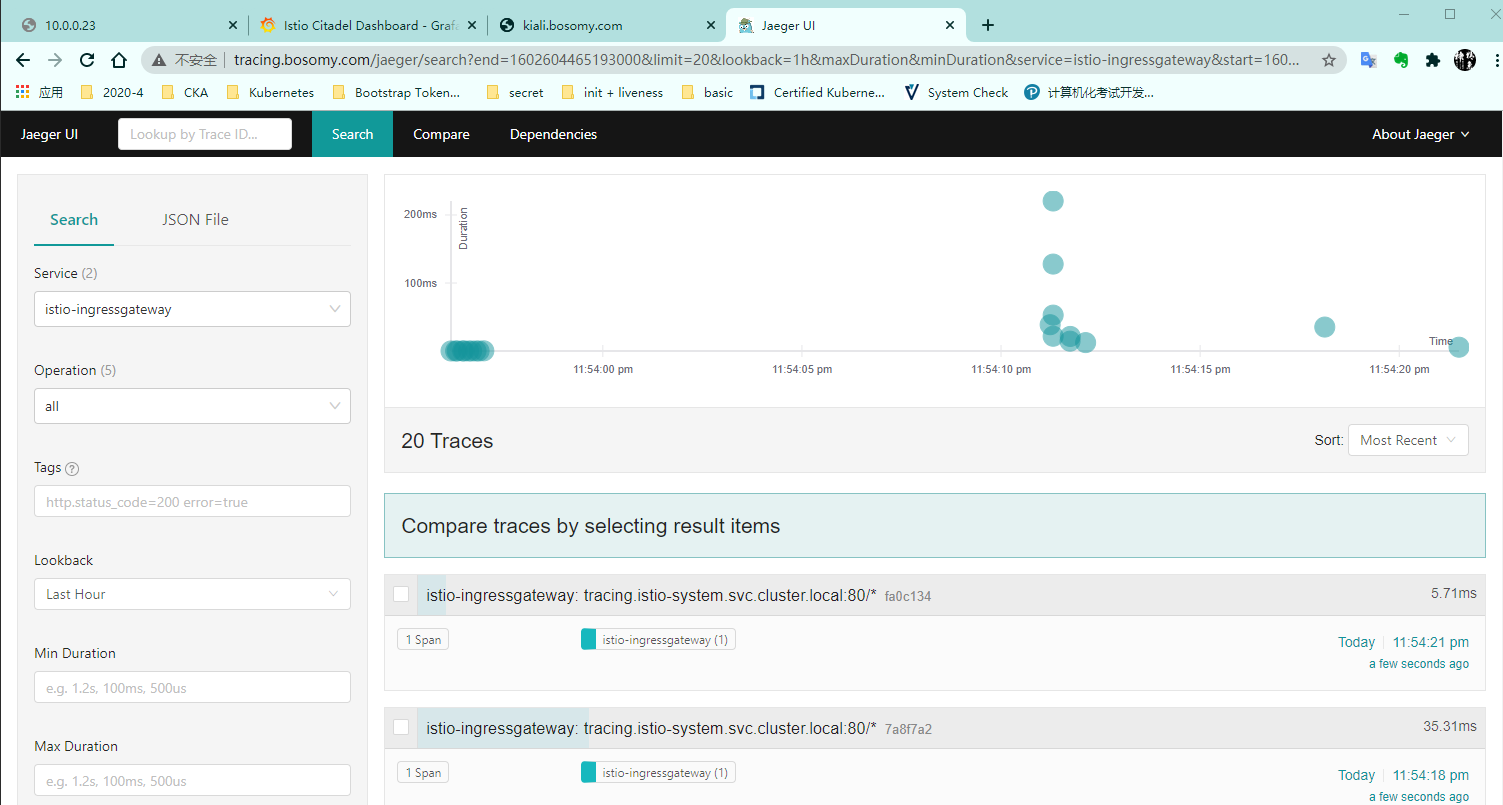
调用链跟踪( Jaeger)
[root@k8s-m1 bookinfo]# cat monitor-gateway.yaml
apiVersion: networking.istio.io/v1alpha3
kind: Gateway
metadata:
  name: grafana-gateway
  namespace: istio-system
spec:
  selector:
    istio: ingressgateway
  servers:
  - port:
      number: 80
      name: http
      protocol: HTTP
    hosts:
    - "*"
---
apiVersion: networking.istio.io/v1alpha3
kind: VirtualService
metadata:
  name: grafana
spec:
  hosts:
  - "grafana.bosomy.com"
  gateways:
  - grafana-gateway
  http:
  - route:
    - destination:
        host: grafana
        port:
          number: 3000
---
apiVersion: networking.istio.io/v1alpha3
kind: Gateway
metadata:
  name: kiali-gateway
  namespace: istio-system
spec:
  selector:
    istio: ingressgateway
  servers:
  - port:
      number: 80
      name: http
      protocol: HTTP
    hosts:
    - "*"
---
apiVersion: networking.istio.io/v1alpha3
kind: VirtualService
metadata:
  name: kiali
spec:
  hosts:
  - "kiali.bosomy.com"
  gateways:
  - kiali-gateway
  http:
  - route:
    - destination:
        host: kiali
        port:
          number: 20001
---
apiVersion: networking.istio.io/v1alpha3
kind: Gateway
metadata:
  name: tracing-gateway
  namespace: istio-system
spec:
  selector:
    istio: ingressgateway
  servers:
  - port:
      number: 80
      name: http
      protocol: HTTP
    hosts:
    - "*"
---
apiVersion: networking.istio.io/v1alpha3
kind: VirtualService
metadata:
  name: tracing
spec:
  hosts:
  - "tracing.bosomy.com"
  gateways:
  - tracing-gateway
  http:
  - route:
    - destination:
        host: tracing
        port:
          number: 80
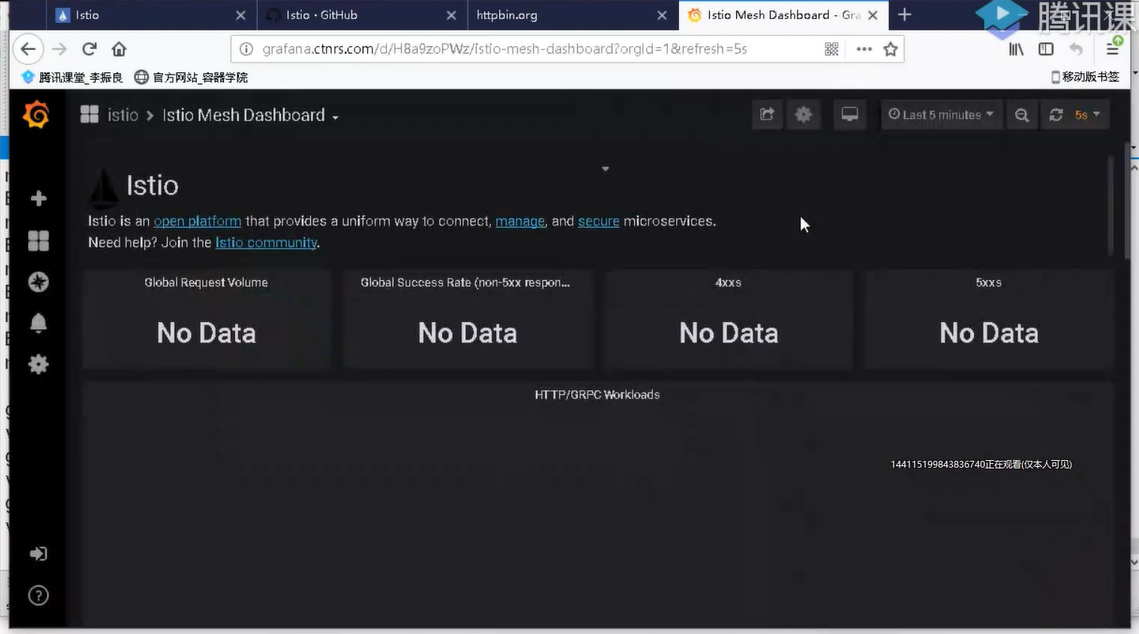
grafana
1、请求错误率
2、请求时延(响应时间)
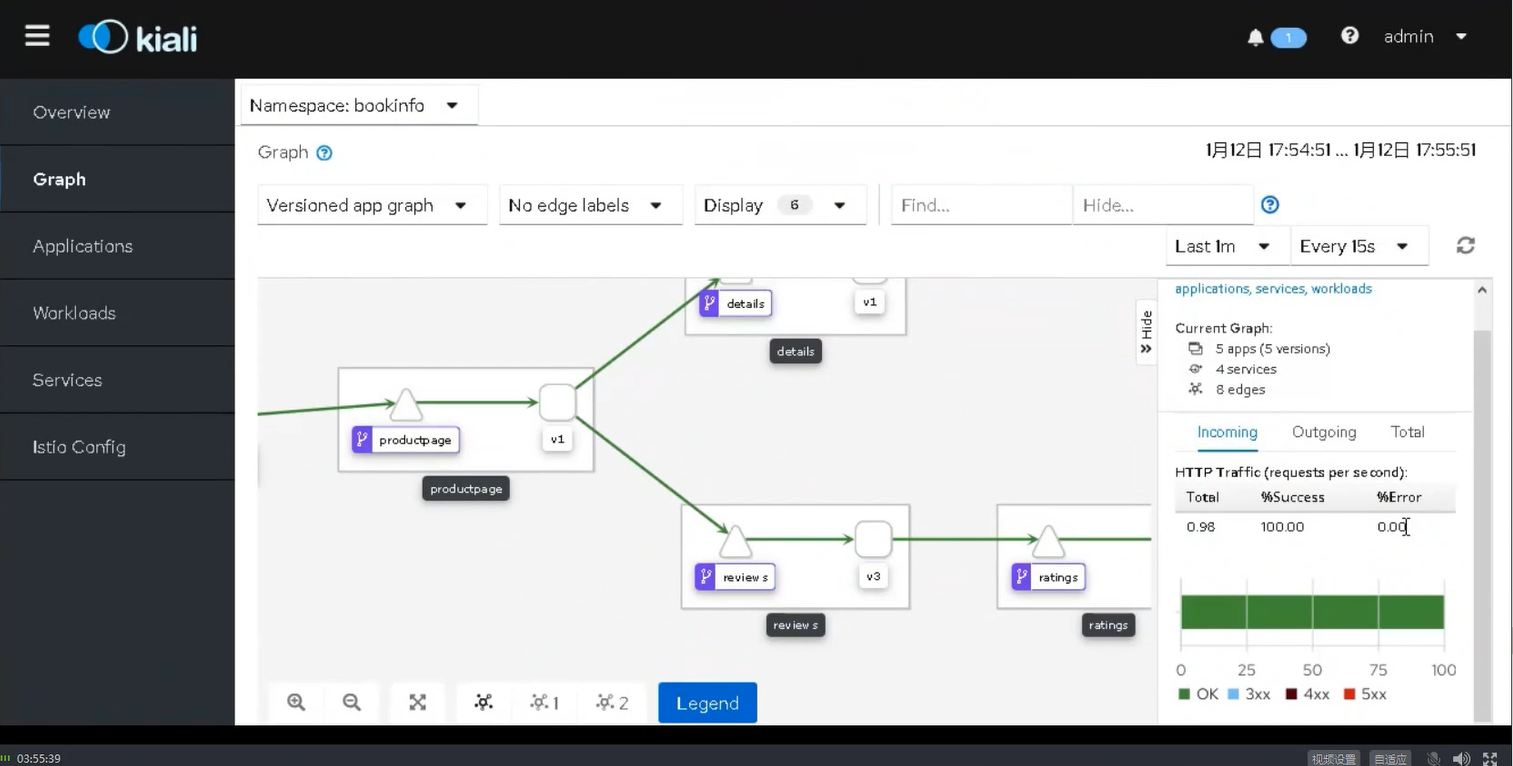
kiali
3、链路调用拓扑图
4、RPS(每秒请求),也有请求错误率
5、请求/响应数据包大小
6、查看Pod日志
7、istio配置资源在线编辑
Jeager
8、一个服务涉及的调用情况
9、分析数据包中具体请求/响应信息
18、也有响应时间
主要针对流量获取
详细的规划,人力的支持
性能
service 四层
user 访问NodePort节点 <NodeIP:PORT> 作为流量的入口
-->ipvs 做分发
--> 后端的endpoint PodIP:Port
占用端口
Ingress 七层
user 访问ingress-pod所在的节点 该节点的 <IP:80> 作为流量入口
-->ingress 内部基于域名的分发
-->分发后端的服务
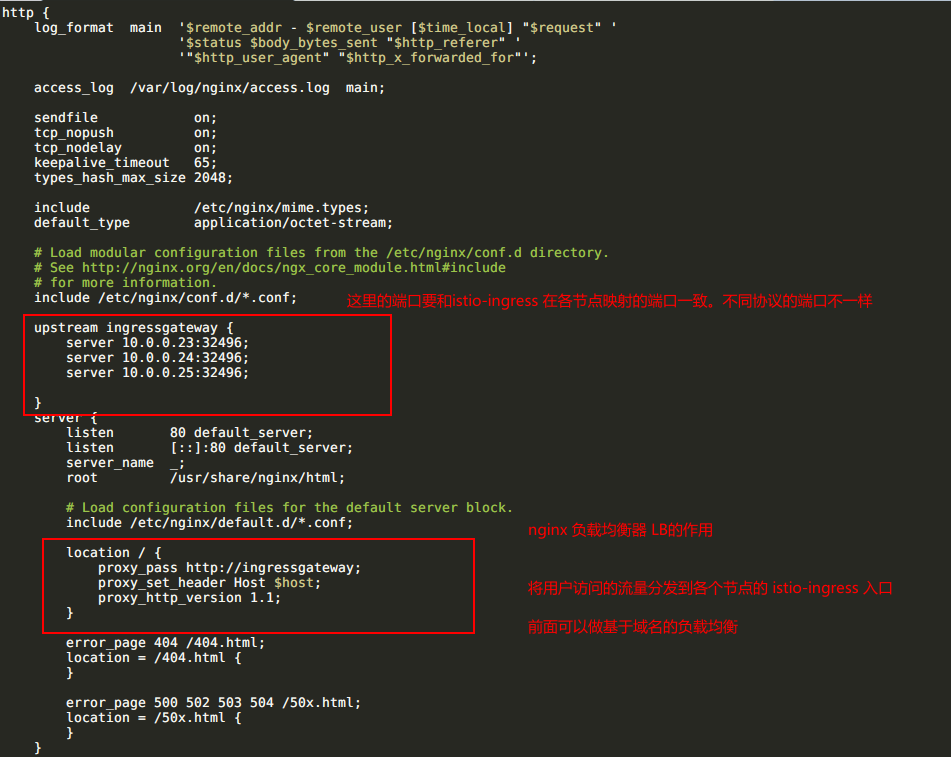
某个节点作为流量入口,采用nginx进行负载均衡
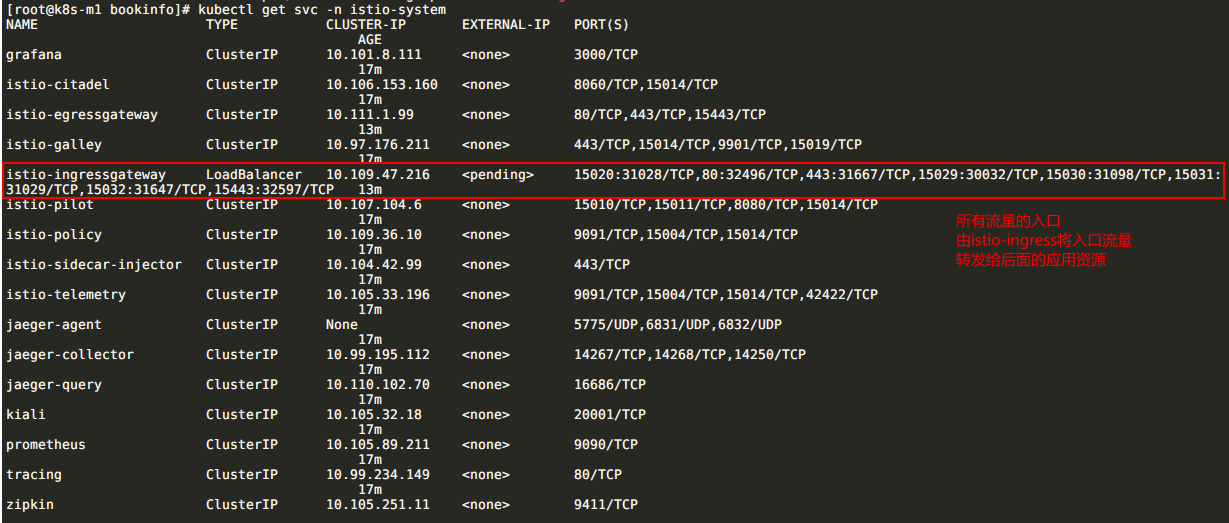
Istio
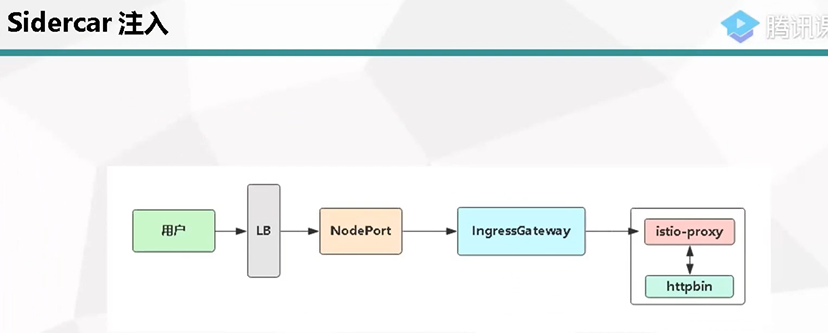
user 访问位于每个节点的istio映射端口 <NodeIP:Port> 该节点做了路由分发。 真正做到负载均衡
-->istio-ingressgateway(每个节点都有监听端口,接受流量)
-->virtualservice(基于域名的分发。有点像ingress。将流量进行分发) 七层的负载均衡
-->应用服务资源端口
将10.0.0.23 master 用作LB
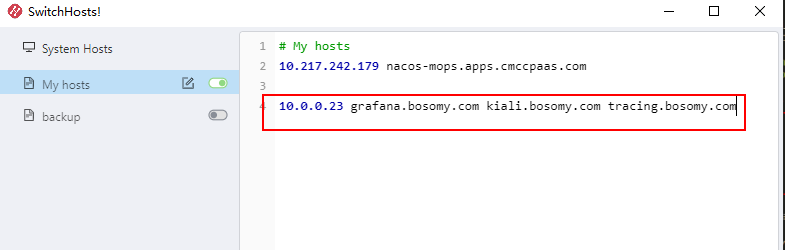
本地hosts解析
本文来自博客园,作者:元贞,转载请注明原文链接:https://www.cnblogs.com/yuleicoder/articles/13900849.html

 浙公网安备 33010602011771号