
学号20192314 2020-2021-1 《数据结构与面向对象程序设计》实验五报告
1.Android Stuidio的安装测试:
参考《Java和Android开发学习指南(第二版)(EPUBIT,Java for Android 2nd)》第二十四章:
参考 http://www.cnblogs.com/rocedu/p/6371315.html#SECANDROID ,安装 Android Stuidio
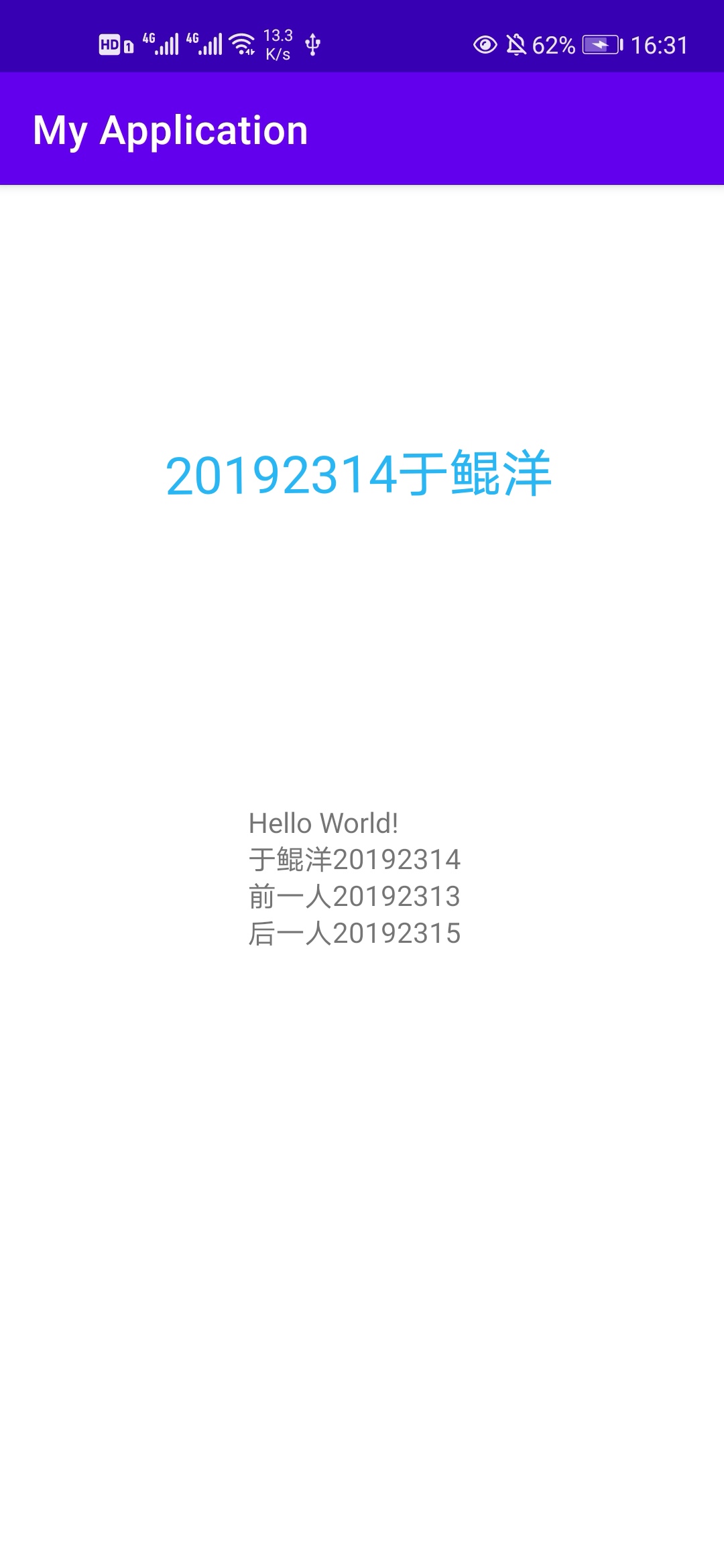
完成Hello World, 要求修改res目录中的内容,Hello World后要显示自己的学号,自己学号前后一名同学的学号,提交代码运行截图和码云Git链接,截图没有学号要扣分
学习Android Stuidio调试应用程序
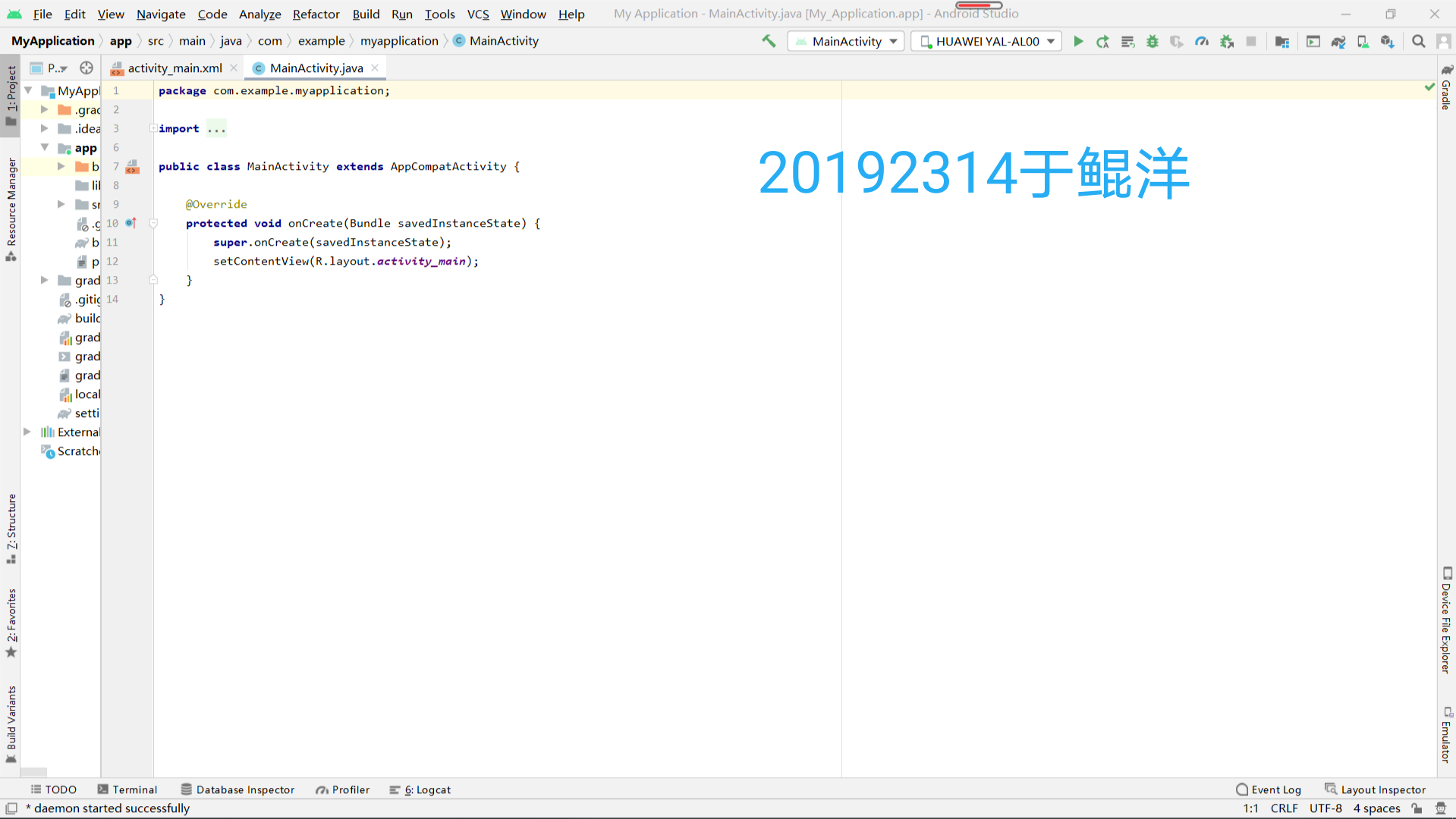
1.Mainactivity
import androidx.appcompat.app.AppCompatActivity;
import android.os.Bundle;
public class MainActivity extends AppCompatActivity {
@Override
protected void onCreate(Bundle savedInstanceState) {
super.onCreate(savedInstanceState);
setContentView(R.layout.activity_main);
}
}
2.activity_main
<androidx.constraintlayout.widget.ConstraintLayout xmlns:android="http://schemas.android.com/apk/res/android"
xmlns:app="http://schemas.android.com/apk/res-auto"
xmlns:tools="http://schemas.android.com/tools"
android:layout_width="match_parent"
android:layout_height="match_parent"
tools:context=".MainActivity">
</androidx.constraintlayout.widget.ConstraintLayout>
3.运行截图

2.Activity测试
参考《Java和Android开发学习指南(第二版)(EPUBIT,Java for Android 2nd)》第二十五章:
构建项目,运行教材相关代码
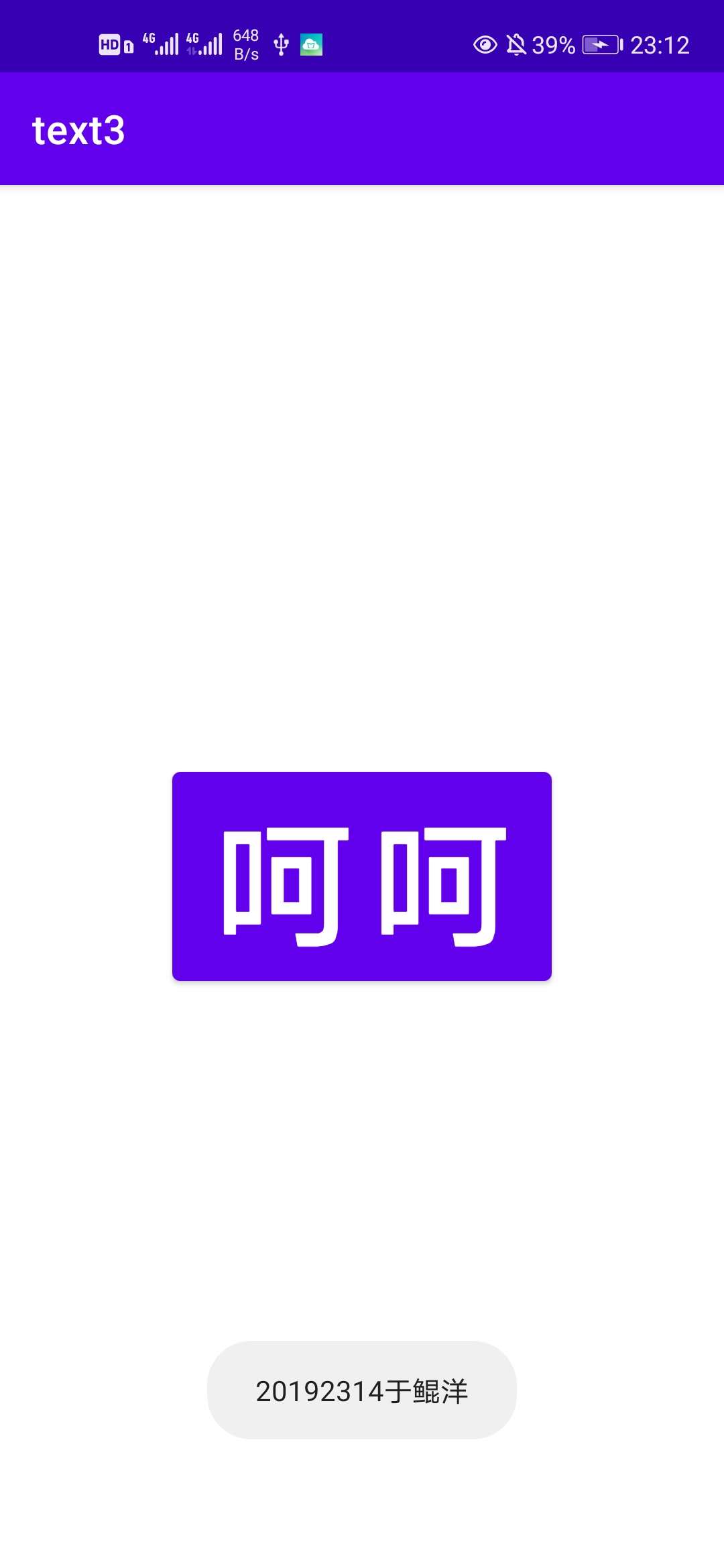
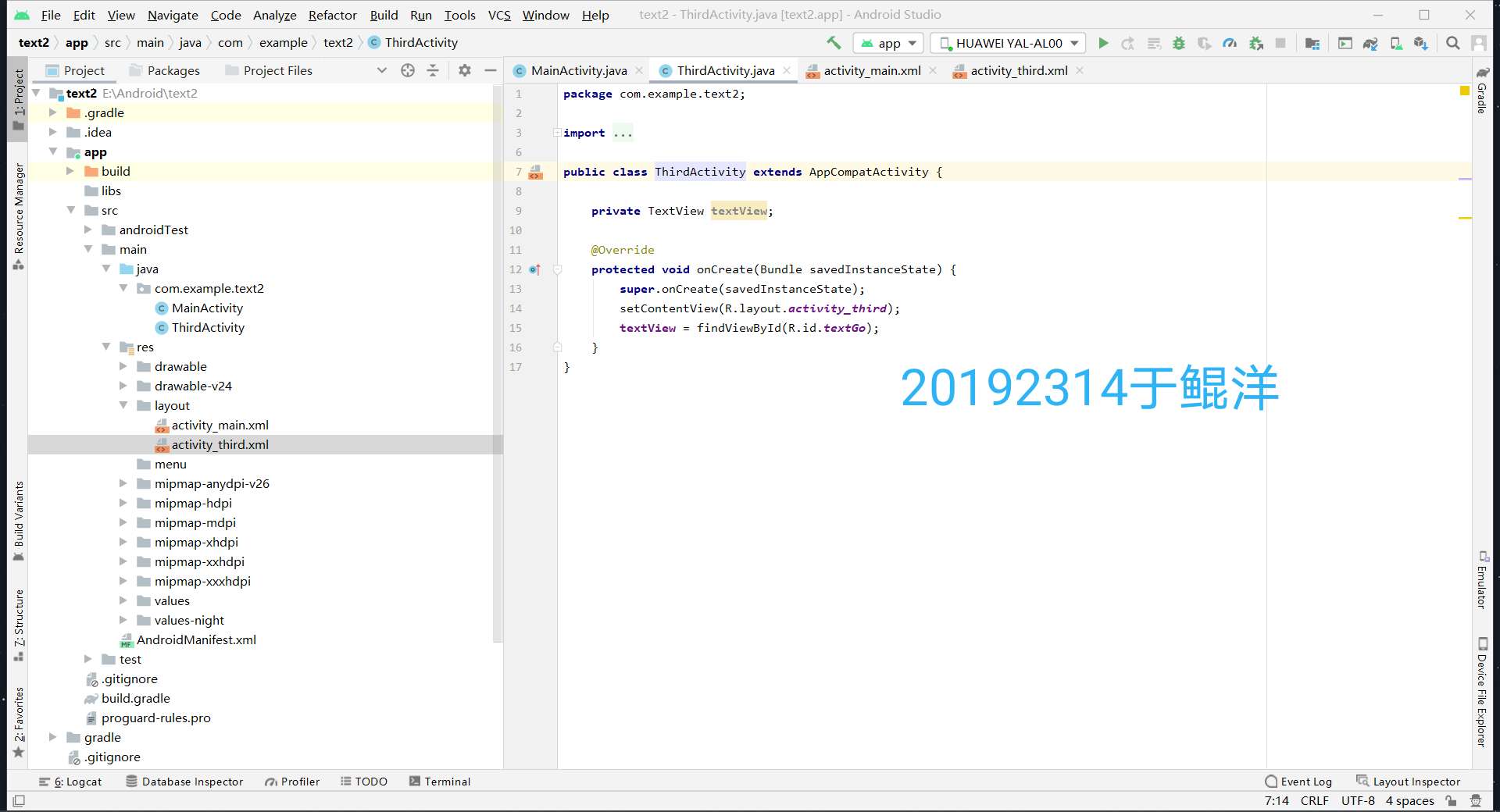
创建 ThirdActivity, 在ThirdActivity中显示自己的学号,修改代码让MainActivity启动ThirdActivity
1.代码
import androidx.appcompat.app.AppCompatActivity;
import android.content.Intent;
import android.os.Bundle;
import android.view.View;
import android.widget.Button;
public class MainActivity extends AppCompatActivity {
private Button Go;
@Override
protected void onCreate(Bundle savedInstanceState) {
super.onCreate(savedInstanceState);
setContentView(R.layout.activity_main);
Go = findViewById(R.id.textGo);
Go.setOnClickListener(new View.OnClickListener() {
@Override
public void onClick(View v) {
//跳转到ThirdActivity演示界面
Intent intent = new Intent(MainActivity.this, ThirdActivity.class);
startActivity(intent);
}
});
}
}
import androidx.appcompat.app.AppCompatActivity;
import android.os.Bundle;
import android.widget.TextView;
public class ThirdActivity extends AppCompatActivity {
private TextView textView;
@Override
protected void onCreate(Bundle savedInstanceState) {
super.onCreate(savedInstanceState);
setContentView(R.layout.activity_third);
textView = findViewById(R.id.textGo);
}
}
2.运行截图

3.UI测试
参考《Java和Android开发学习指南(第二版)(EPUBIT,Java for Android 2nd)》第二十六章:
构建项目,运行教材相关代码
修改代码让Toast消息中显示自己的学号信息
1.程序代码
<androidx.constraintlayout.widget.ConstraintLayout xmlns:android="http://schemas.android.com/apk/res/android"
xmlns:app="http://schemas.android.com/apk/res-auto"
xmlns:tools="http://schemas.android.com/tools"
android:layout_width="match_parent"
android:layout_height="match_parent"
tools:context=".MainActivity">

 浙公网安备 33010602011771号