


Total Commander 弹出U盘,移动硬盘的方法
方法一(无效):在Total Commander按键栏上指定一个按键绑定如下命令,但是对移动硬盘无效
RunDll32.exe shell32.dll,Control_RunDLL hotplug.dll

方法二:利用Total Commander第三方script功能写脚本实现
| Title | SafeUnplug |
| File Name | SafeUnplug.txt |
| Description | Safely unplug any USB device |
| Author | Vochomurka |
| Parameters | - |
| Plugins Called | win, childwin, tc |
| Icon |  |
| Version | 1.1 |
| Updated on | 05.06.2008 |
local Flash = "f"
local SafePath = "c:\"
local hwnd = win.handle("c=TTOTAL_CMD")
local TMPl = childwin.handle(hwnd, "TMyPanel", 2)
local TMPr = childwin.handle(hwnd, "TMyPanel", 3)
local TMTCl = childwin.handle(TMPl, "TMyTabControl")
local TMTCr = childwin.handle(TMPr, "TMyTabControl")
local LeftPath = childwin.gettext(TMTCl, "TMyPanel", 2)
local RightPath = childwin.gettext(TMTCr, "TMyPanel", 2)
if(not find(LeftPath, Flash))
tc.cd(hwnd, "left", SafePath)
if(not find(RightPath, Flash))
tc.cd(hwnd, "right", SafePath)
do("path to application that unplugs", "parameters")
Comments:
This script is written by request of one of users. Just replace the "f" letter (variable Flash) to the drive letter of USB for your computer. Then in the last script line put the full path to the application that performs the unplugging, and parameters, if any. For example, I use the following line:
do("d:\Utils\DevEject\deveject.exe", "-EjectDrive:f:")
If one or both Total Commander panels correspond to the USB path, it will be first changed to "c:\" path that is always valid, and only afterwards the very unplugging command is executed. It allows to avoid the "Drive not found" error message.
来源: http://ppro.totalcmd.net/Scripts/SafeUnplug.htm
方法三(最优):借助命令行工具RemoveDrive实现(成功弹出后与用原生Windows tray icon弹出后的状态一致)
来源: https://www.uwe-sieber.de/drivetools_e.html
| RemoveDrive V3.2.0 - Safe removal of drives |
| RemoveDrive prepares drives for "Safe Removal" by commandline. It works with drives only but not for other device types. RemoveDrive DriveSpec: [-v][-d][-l][-t][-e][-vhd][-h][-a][-b][-i][-s][-w:nnnn][-na] DriveSpec is the drive to remove, e.g. U: or an NTFS mountpoint as "C:\CardReader\Multi Reader SD" or . for the current drive or \ for the drive of the RemoveDrive.exe or a volume name like \\?\Volume{433619ed-c6ea-11d9-a3b2-806d6172696f} or a kernel name like \Device\HarddiskVolume2 (Volume) or a kernel name like \Device\Harddisk2\DR0 (Disk) or a partition name like \Device\Harddisk2\Partition1 or a device ID or a friendly name like 'Corsair Voyager' or a volume label like 'Backup01' Wildcards can be used. [-47] perform safe removal resulting in problem code 47 [-v] remove the volume only instead of the drive or whole device [-d] remove the drive only instead of the whole device [-L] loop until success [-e] try to dismount and eject if the removal fails [-t] release TrueCrypt and VeraCrypt volumes hosted by the drive to remove [-e] try to dismount and eject if the removal fails [-vhd] detach VHD/VHDX/ISO (Win7+) if the the removed drive is VHD hosted [-h] show open handles [-h:X] show open handles on a different drive (e.g. a TrueCrypt volume whose container is on the drive to remove, not required if -t -h is used) [-a] activates Windows of applications owning the open handles, requires -h [-w:nnnn] wait nnnn milliseconds before closing the program (time to read its output) [-s] self delete removedrive.exe [-b] let Windows show the "Safe To Remove Hardware" balloon tip (may lead to long delays) -i stop Windows indexing service (XP: CiSvc, Vista+: WSearch) for a moment if required (admins) -na no about info [-dbg] show debug information Caution: With V2.4 the parmeter for showing debug information changed to -dbg. -d is now for removing the drive only instead the whole device.RemoveDrive can be used with all types of drives. Started with -L it tries to remove the drive in an endless loop until success or until canceled. removedrive u: -Lwould try to prepare drive U: for safe removal in an endless loop until success. For drives mounted into NTFS folders the full or relative path of the folder can be used: removedrive "E:\_CardReader\USB20 CF" -LUsed with multislot-cardreaders it would remove the whole reader, regardless of the given slot. For removing a card only, use my EjectMedia tool, see below. Instead the drive letter one of the drive's device ID strings can be used. The friendly name can be used as "SanDisk Extreme" or the hardware ID of the USB device, like USB\VID_1234&PID_5678... removedrive "Sandisk Extreme" -L removedrive "USBSTOR\DISK&VEN_SANDISK&PROD_EXTREME*" -L removedrive "USB\VID_0781&PID_5580\*" -L If started with admin privileges or the USBDLM command interface available, then a removed USB drive ends up with problem code 21 and can be reactivated by means of RestartSrDev or UsbDriveInfo. RemoveDrive can be started from the drive to remove. Because a running EXE on a drive prevents a drive being prepared for safe removal it creates a temporary, self deleting copy and starts it with the same parameters. The returned errorlevel is 4 then. To be drive letter independent, use . instead a drive letter. The current drive is removed then. To remove the drive of the RemoveDrive.exe use \ as drive. If the removal fails then someone still accesses the drive. This can be something obvious like an open Word document or a mounted TrueCrypt container or some kind of monitoring tool like a virus scanner. A network share on the drive that has been used makes the removal fail too. When started with parameter -L and the removal failed then the E key can be pressed to perform a media eject after locking and dismounting the volume. Download: removedrive.zip Last update: 30 Dec 2018 For programmers I've made a demo project which shows the essentials: A free alternative to the Windows tray icon is "HotSwap": |
方法四:借助命令行工具HotSwap(这个工具也有图形界面,但据我观察即使通过UI成功的弹出了硬盘,硬盘依然在运转状态,与用原生Windows tray icon弹出后的状态不同)实现
HotSwap!
Copyright (c) 2004-2019 Kazuyuki Nakayama. All Rights Reserved.

Visitors since 11/18/2004 :
Last modified 01/07/2019
The latest version 6.3.0.0 (01/07/2019 Updated!)
About HotSwap!
This software is developed based on the information Knowledge Base Article #10744 - SATA: Hot Plugging Drives under Win2000/XP (Internet Archive) provided by Silicon Image.
It does the same thing as you can remove device from Device Manager but it provides much friendly user interface as you remove the removable device from the "Safely Remove Hardware" icon in the notification area. It also ensures that all data are written and flushed to the disk before the device to be hot-swapped, so you can use SATA/eSATA drive as a removable device much alike USB/IEEE1394 drive.
Features
Friendly user interface equivalent to the "Safely Remove Hardware" icon in the notification area.
Ensures all volumes on the drive are not in use before removing it.
Spin-down the drive to remove the drive in safe.
Also support a drive other than fixed disk drive.
Supports the command line mode to run without graphical user interface.
Multilingual user interface.
Supported Hardware and OS
Windows Vista / 7 / Server 2008 / 8 / 10 (32-bit and 64-bit)
Silicon Image SATA Host Controller (SiI3112A, SiI3114, SiI3132, etc)
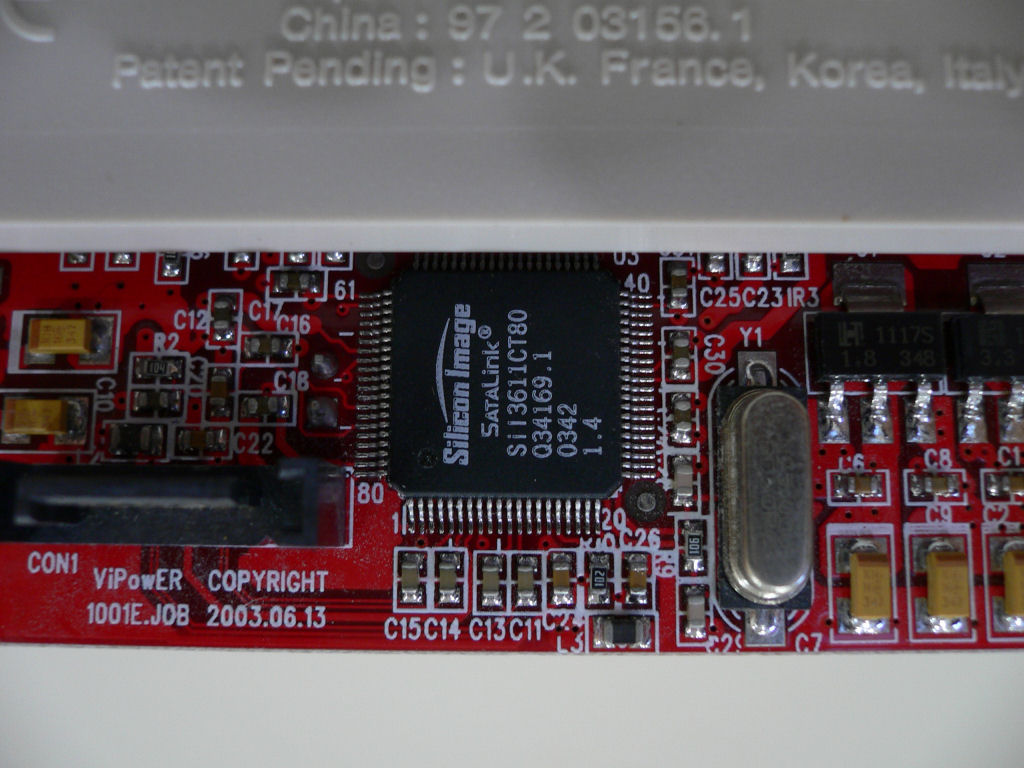
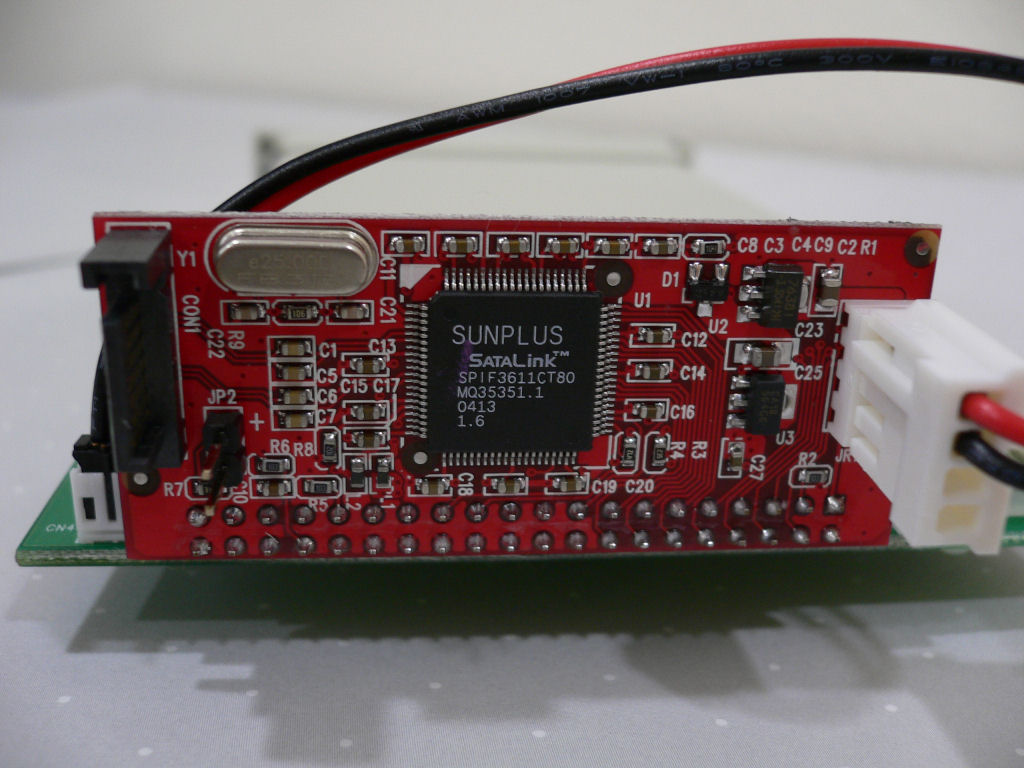
Silicon Image SATA-PATA (Parallel ATA) Bridge Controller (SiI3611)
SATA Host Controller (AHCI mode enabled in BIOS) (e.g. Intel Controller Hub (ICH), JMicron JMB363)
If Silicon Image controller is used, the driver will spin-down the drive upon device removable.
Tested Hardware
The following hardware have been tested to work.
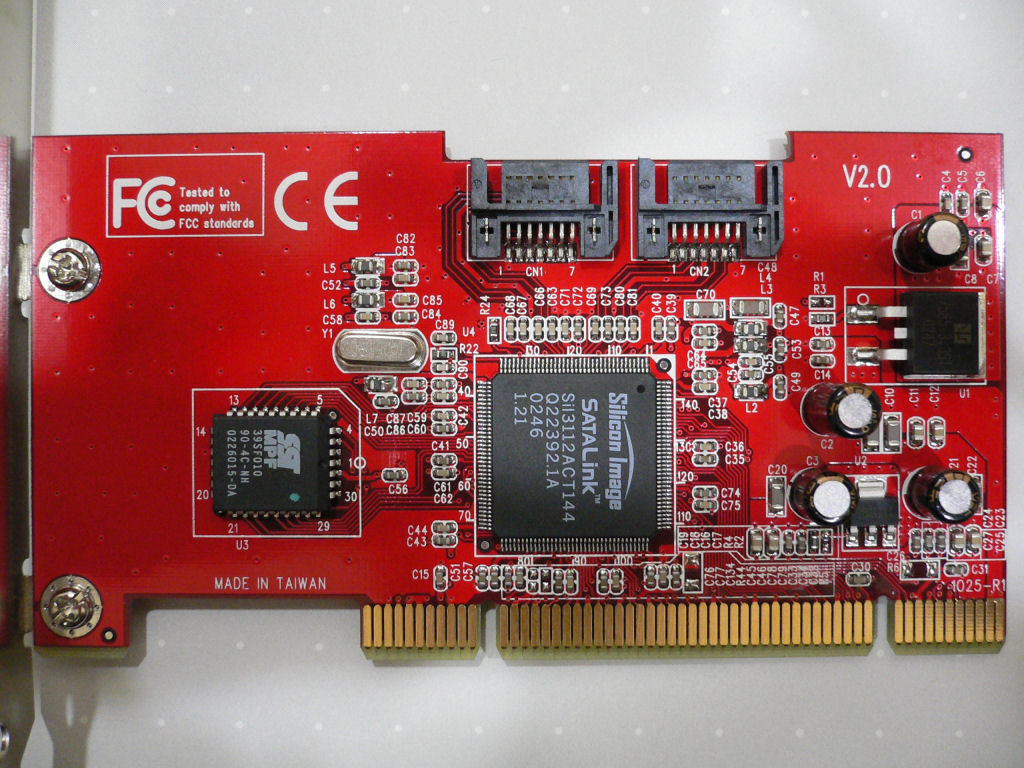
SIIG SATA Host Adapter Serial ATA PCI : SC-SAT212
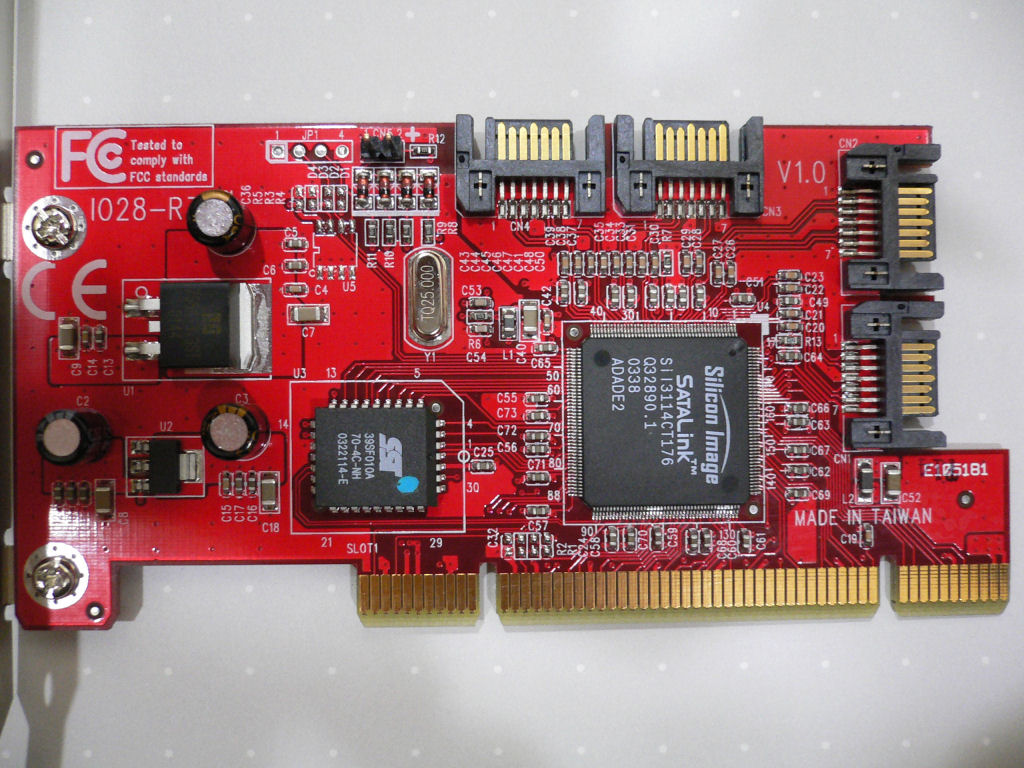
SIIG SATA Host Adapter Serial ATA 4-Channel PCI : SC-SA4011
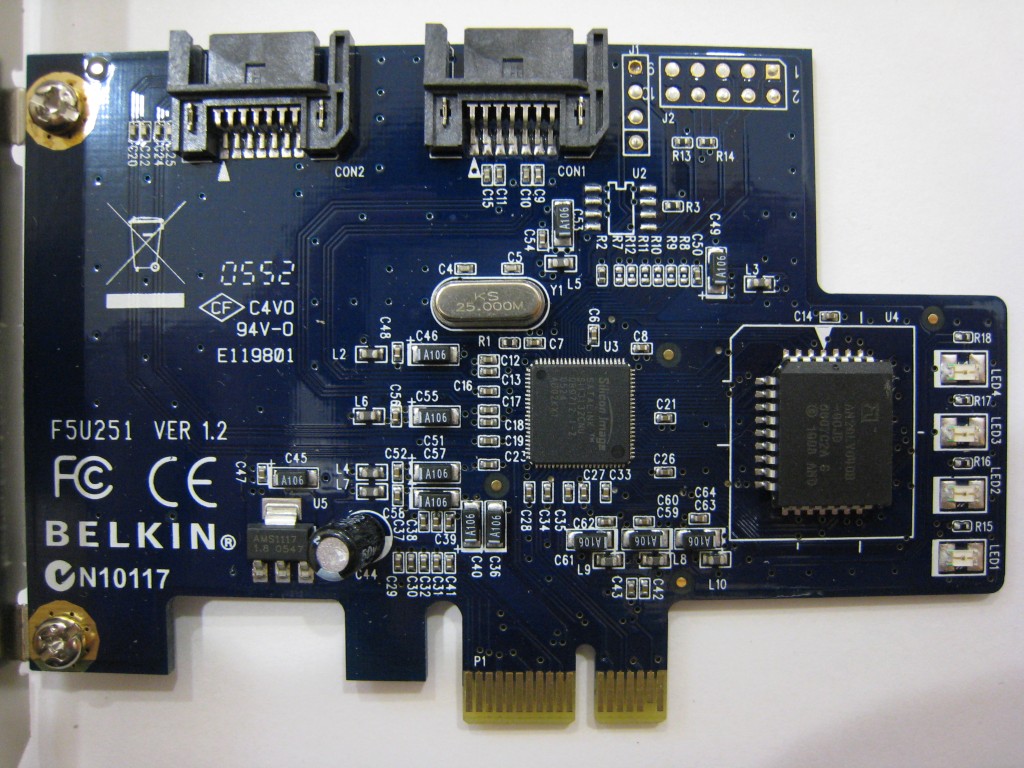
BELKIN SATA Host Adapter SATA II RAID 2-Port PCI Express Card : F5U251 (Need to flash to non-RAID BIOS)
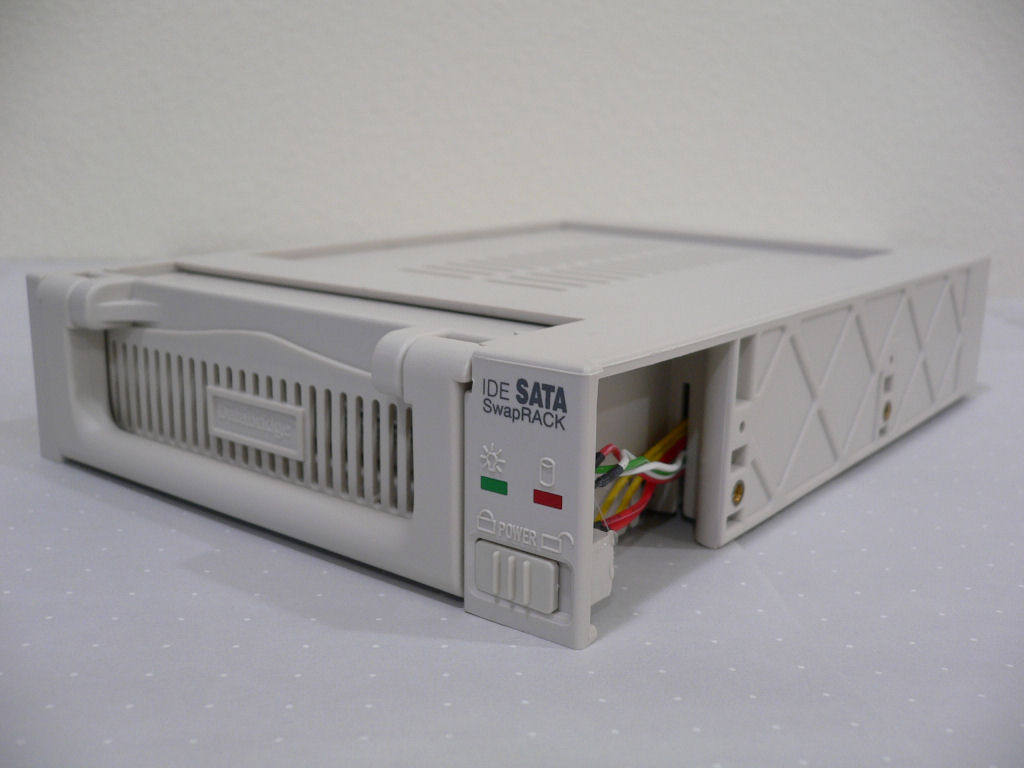
ViPowER IDE to SATA SwapRACK : VP-1001LSF
Addonics Technologies Mobile Rack25SA : AERHD25SAW

Directions for use
Extract the downloaded file and run HotSwap!.EXE, the icon  will appear in the notification area. The program will automatically start up when user logs on.
Left click the icon, a menu will pop up listing drives.

To remove a drive, select the drive from the popup menu. A balloon will pop up saying that the device is safely hot-swapped and you can power off the drive to remove it from the system. The drive listed in grey is either selected as non-hotswap device or in use by Windows therefore cannot be removed.

Left click the icon while pressing Ctrl key, another menu will pop up and you can select a drive. Once the drive is selected in this menu, it won't appear in the drive listing menu.

Right click the icon, the configuration menu will pop up.


Configuration Menu
Scan for hardware changes
Does the same thing as you can do on Device Manager. This is used if the system doesn't automatially recognize new device.
[Device type]
Fixed disk drives
Removable disk drives
BD/DVD/CD-ROM drives
Safely removable devices
Non-hotswap devices
By default, only Fixed disk drives are listed in the popup menu. You can configure other type of devices to be included in the popup menu. The drives removable from the "Safely Remove Hardware" icon can be included. The non-hotswap devices also can be included but not selectable for removable.
[Language]
Chinese - Simplified
Chinese - Traditional
Czech
Dutch
English
French
German
Greek
Hebrew (01/07/2019 Updated!)
Hungarian
Italian
Japanese
Korean
Polish (01/07/2019 Updated!)
Portuguese
Russian
Spanish
Swedish
Select the language for the user interface.
Autostart
Starts automatically when the user logs on.
Display PDO
Display Physical Device Object (PDO) name instead and it is uniquely assigned to the deivce by Windows.
Spindown
Spin-down the drive upon the device removable.
Offline
Take the drive offline before removing the device.
Uninstall
Deletes the registry, disables the auto startup and then closes the program. You can then remove the program file.
Usage
Pops up a dialog showing the usage along with listing devices removable from the command line mode therefore only devices that have drive letter assigned. Invalid command line switch will also result popping up the usage dialog.
Homepage
Opens this homepage.
About
Displays version information.
Exit
Closes the program.
Command line mode examples
Remove a device for hot-swapping
HotSwap! C:
HotSwap! C:\MountPoint
HotSwap! \Device\00000080
HotSwap! \Device\Ide\IdeDeviceP1T0L0-1
HotSwap! DISK=7
HotSwap! \?\Volume{d2361e8a-2978-10dc-9c18-816e6f6a6963}\
Suppress message popup
HotSwap! C: -Q
Scan for hardware changes
HotSwap! -S
Wildcard characters for PDO
HotSwap! \Device\Ide\IdeDeviceP1T0L0-?
HotSwap! \Device\Ide\IdeDeviceP1*
HotSwap! *\Ide*P1T0L0*
HotSwap! *P1T0L0??
ERRORLEVEL
ERRORLEVEL 0
The requested operation completed successfully.
ERRORLEVEL 1
The requested operation failed.
ERRORLEVEL 2
The command line switch was invalid.
ERRORLEVEL 3
The device was not found.
ERRORLEVEL 4
The requested operation was not supported.
ERRORLEVEL 5
The requested operation failed unexpectedly.
FAQ
What's the advantage of SATA/eSATA drives over USB/IEEE1394 drives?
The performance is much better than when converting to USB or IEEE1394. Generally speaking, USB maxes out at around 35MB/sec and IEEE1394(S400) maxes out at around 40MB/sec, whereas SATA/eSATA can go higher as much as 150MB/sec or 300MB/sec. Also the "Turn off hard disks" setting in the Power Schemes is applicable to SATA/eSATA drives.
What's the problem hot-swapping the drives without first removing them?
Windows doesn't expect the drive to be removed therefore the volume and the files may get corrupted if the drive is removed inappropriately. The followings are the typical system events indicationing the problem.
"{Delayed Write Failed} Windows was unable to save all the data for the file . The data has been lost. This error may be caused by a failure of your computer hardware or network connection. Please try to save this file elsewhere."
"The system failed to flush data to the transaction log. Corruption may occur."
"The device disappeared from the system without first being prepared for removal."
Why "The device 'X' cannot be stopped because a program is still accessing it." warning pops up?
This represents that HotSwap! failed to lock the volumes for exclusive access therefore the device cannot be removed because someone else is still accessing to the volumes. Try closing folders and files on the volume, then try again.
As of Version 6.0.0.0, the volumes are taken offline before the device being removed, the device is now more successfully removed.
Why "The device 'X' cannot be uninstalled right now because the device requested a system restart." error pops up?
Although HotSwap! ensures that the volumes are not in use before attempting to remove the device, however, Windows will deny removing the device if there is any reference remains on the device. This is often caused by the file system filter driver not handling the detach request appropriately but it is also caused by the file system itself. If this problem persists, you have to restart the system. If you have anti-virus software installed on your system, you may try uninstalling it to see if it fixes the problem.
As of Version 6.0.0.0, the volumes are taken offline before the device being removed, the device is now more successfully removed.
Why Windows locks up for seconds after the drive is plugged in?
Windows locks up (for 7 to 10 sec with 3.5" hard disk drives and 3 sec with 2.5" hard disk drives) while the disk spins up and the drive being recognized after the drive is powered on. It is unconfirmed, however, looks like the driver is holding the system while it is recognizing the drive.
Why Windows gets hard hang after the drive is powered on?
It is confirmed to happen when the hard drives are sharing the same power cable in which case if Windows is installed on one of the hard drives sharing the power cable, the hard drive becomes unstable and Windows stops working. This can be fixed by connecting the hard drives to individual power cables.
Why the drive doesn't spin-down after the drive is removed?
HotSwap! sends ATA standby command to the device through ATA pass through I/O request. However, there are requirements to get ATA pass through I/O request to work.
ATA pass through I/O request is available in Windows XP Service Pack 2, Windows XP x64 Edition, Windows Server 2003 and later.
ATA pass through I/O request is available only for IDE miniport driver like Windows inbox ATA/ATAPI drivers atapi.sys and msahci.sys but not SCSI miniport driver used by the most 3rd party storage driver.
The drive has to support ATA standby command.
Does HotSwap! support Windows 2000?
Windows 2000 is no longer supported as of Version 3.0.0.0. Please use Version 2.0.0.0.
Does HotSwap! support Windows XP and Server 2003?
Windows XP and Server 2003 are no longer supported as of Version 6.0.0.0. Please use Version 5.0.0.0.
Why Windows Defender blocks to autostart and UAC requests for permission to run?
Autostart was changed to use Task Scheduler as of Version 6.0.0.0. Please upgrade to Version 6.0.0.0 or later.
Why the drive doesn't appear in HotSwap! while Explorer can see the volumes on the drive?
This is often caused by the drive being recognized as unknown class device rather than disk class device and CD/DVD class device. Once the drive is recognized as an unknown class device, it persists across the system reboot. You can fix this problem by uninstalling "Disk Drive" from Device Manager and then performs "Scan for hardware changes".
Why not only eSATA drive but also internal drive appear in the drive listing menu?
HotSwap! cannot distinguish the drive whether internal or external from the information available from Windows. If you don't want the drive to appear in the drive listing menu, you can do so by marking the drive as non-hotswap device.
Why Windows asks "Do You Want To Scan And Fix Removable Disk" for the drive removed on Windows 8?
Windows 8 seems leaving the dirty bit on the volume when the drive is taken offline. Try turning off the offline option from the configuration menu.
Why the balloon [device can now be safely hotswapped] doesn't show up when removing the device on certain configuration (e.g. running under WinXShell on Windows PE)? (01/07/2019 Updated!)
You can enable a workaround by adding the following registry so that HotSwap! uses the dialog instead of the balloon to show [device can now be safely hotswapped] message.
[HKEY_LOCAL_MACHINE\SOFTWARE\HotSwap!]
"NoBalloon"=dword:00000001
Download
HotSwap! Version 6.3.0.0
HotSwap! Version 6.2.0.0
HotSwap! Version 6.1.0.0
HotSwap! Version 6.0.0.0
HotSwap! Version 5.0.0.0
HotSwap! Version 4.5.0.0
HotSwap! Version 4.1.1.0
HotSwap! Version 4.1.0.1
HotSwap! Version 4.1.0.0
HotSwap! Version 4.0.0.0
HotSwap! Version 3.0.0.1
HotSwap! Version 3.0.0.0
HotSwap! Version 2.0.0.0
HotSwap! Version 1.1.0.2
HotSwap! Version 1.1.0.1
HotSwap! Version 1.0.0.0
History
Version 6.3.0.0 (01/07/2019)
New feature to workaround an issue where the balloon [device can now be safely hotswapped] doesn't show up when removing the device.
New feature to support Hebrew. (Thanks to Geula for Hebrew translation)
New feature to support Polish. (Thanks to Dmocha and Adam for Polish translation)
Version 6.2.0.0 (02/13/2017)
New feature to support Windows 10.
New feature to change offline option.
New feature to support Czech. (Thanks to MartinKa for Czech translation)
New feature to support Greek. (Thanks to Dennis Johnson for Greek translation)
Changed the development to Windows 10 SDK/WDK.
Version 6.1.0.0 (06/22/2012)
New feature to support volume GUID path (\?\Volume{GUID}) in command line mode.
Fixed autostart not working on German Windows.
Fixed wrong icon showing up in the balloon.
New feature to support Korean. (Thanks to Zames Dean for Korean translation)
New feature to support Swedish. (Thanks to Henrik Ginstmark for Swedish translation)
Version 6.0.0.0 (03/09/2012)
New feature to support Windows 8 Consumer Preview.
Windows XP and Server 2003 are no longer supported.
New feature to support Dutch. (Thanks to Erwin Hazenberg for Dutch translation)
New feature to support Hungarian. (Thanks to Zsolt Bernhardt for Hungarian translation)
New feature to support Portuguese. (Thanks to Rui Ferreira for Portuguese translation)
New feature to support Russian. (Thanks to Alexander Belozerov for Russian translation)
New feature to use Task Scheduler for autostart.
New feature to take offline the volumes before removing the device.
New feature to support disk number (DISK=#) in command line mode.
Corrected some translated messages.
Version 5.0.0.0 (11/11/2009)
New feature to support Windows 7.
New feature to support Chinese. (Thanks to Justin Tsai for Chinese translation)
New feature to support Italian. (Thanks to Luca Longone for Italian translation)
New feature to support Spanish. (Thanks to Esteban Fernández for Spanish translation)
New feature to support ERRORLEVEL in the command line mode.
New feature to support wildcard characters (*) and (?) for Physical Device Object (PDO) name in command line mode.
Corrected typo in translated messages.
Changed device type and language configuration from popup menu root to sub menu.
Changed language name from localized name to native name.
Changed the development to Windows 7 SDK/DDK.
Changed contact information.
Moved homepage to new domain.
Version 4.5.0.0 (01/10/2009)
New feature to support Windows 7 Beta.
New feature to support German. (Thanks to Tobias Bauer for German translation)
New feature to display Physical Device Object (PDO) name.
New feature to support Physical Device Object (PDO) name in command line mode.
Changed spin-down feature selectable.
Changed menu to pop up even if no drive to select.
Corrected some messages.
Fixed problem that the registry key is created at startup.
Fixed problem that the autostart path isn't enclosed with double quotes.
Changed command line mode to honor the settings in the configuration menu.
Version 4.1.1.0 (02/09/2008)
Fixed problem that the icon doesn't appear in the notification area after Explorer crashed and restarted on Windows Vista.
Version 4.1.0.1 (01/04/2008)
Fixed problem that the icon sometime doesn't appear in the notification area when started from Task Scheduler.
Version 4.1.0.0 (12/08/2007)
New feature to configure autostart. (workaround for Windows Defender and UAC)
New feature to support a path (e.g. mount point) in command line mode.
Fixed problem that balloon sometime doesn't pop up on Windows Vista.
Version 4.0.0.0 (09/17/2007)
New feature to spin-down the drive after the drive is removed.
New feature to support French. (Thanks to Alexandre Lautel for French translation)
New feature to display the icon in the balloon popup. (small icon on XP SP2 and 2003/XP64 SP1, large icon on Vista)
Changed the language menu to display the check mark.
Version 3.0.0.1 (06/17/2007)
Fixed problem that dialog pops up saying "Entry Point Not Found" when starts up on Windows 2000.
Fixed problem that command line doesn't allow extra spaces.
Changed the development to Windows Vista SDK/DDK.
Version 3.0.0.0 (10/23/2006)
Fixed problem that removable disk drives are identified as fixed disk drives on Windows Vista.
Fixed problem that safely removable device is not identified correctly on Windows Vista.
Due to the changes to fix problems above, Windows 2000 is no longer supported.
New feature to display the first found mount point if no drive letter is assigned to the volume.
Changed command line switch specifier from slash (/) to dash (-).
Revised usage dialog.
Version 2.0.0.0 (03/25/2006)
New feature to support Windows Vista and User Account Protection (UAP).
Include 64-bit version.
New feature to display the volume lavel as well as the drive letter.
Upgraded to Visual Studio 2005.
Version 1.1.0.2 (04/08/2005)
"Select non-hotswap device" menu no longer pops up when no drive to select.
Version 1.1.0.1 (01/06/2005)
New feature to select non-hot swap drives.
Version 1.0.0.0 (12/31/2004)
Official release.
Version 0.9.3.0 Beta3 (12/20/2004) - 0.9.3.2 Beta3.2 (12/23/2004)
Improved debugging information.
Version 0.9.2.0 Beta2 (11/20/2004) - 0.9.2.1 Beta2.1 (11/28/2004)
Limited release.
Drive enumeration is changed from drive letter basis to volume basis.
Improved drive enumeration speed.
Version 0.9.1.0 Beta1 (11/04/2004) - 0.9.1.3 Beta1.3 (11/21/2004)
New feature to command line mode.
Version 0.4.0.0 Alpha4 (10/29/2004)
Improved command line mode.
Version 0.3.0.0 Alpha3 (10/15/2004)
English and Japanese bilingual user interface.
Version 0.2.0.0 Alpha2 (10/11/2004)
Icon in the notification area.
Version 0.1.0.0 Alpha1 (10/09/2004)
Command line mode only.
Dismount (10/01/2004)
Simple drive unmount tool.
Test (09/30/2004)
Evaluation started.
Software License and Disclaimer
Permission is hereby granted, free of charge, to any person obtaining a copy of the "HotSwap!" software (the "Software"), to deal in the Software without restriction, including without limitation the rights to use, copy, distribute, sublicense, and/or sell copies of the Software, and to permit persons to whom the Software is furnished to do so.
THE SOFTWARE IS PROVIDED "AS IS", WITHOUT WARRANTY OF ANY KIND, EXPRESS OR IMPLIED, INCLUDING BUT NOT LIMITED TO THE WARRANTIES OF MERCHANTABILITY, FITNESS FOR A PARTICULAR PURPOSE AND NONINFRINGEMENT. IN NO EVENT SHALL THE AUTHOR BE LIABLE FOR ANY CLAIM, DAMAGES OR OTHER LIABILITY, WHETHER IN AN ACTION OF CONTRACT, TORT OR OTHERWISE, ARISING FROM, OUT OF OR IN CONNECTION WITH THE SOFTWARE OR THE USE OR OTHER DEALINGS IN THE SOFTWARE.
Donation
Contact
Suggestion, question or comment? Please send a mail at kazuyuki.nakayama+HotSwap@gmail.com. Thanks!

 浙公网安备 33010602011771号