

57.使用MAT和JProfiler查看GC Roots
1.使用MAT查看GC Roots
MAT简介
下载:https://www.eclipse.org/mat/downloads.php![在这里插入图片描述]()
- 生成
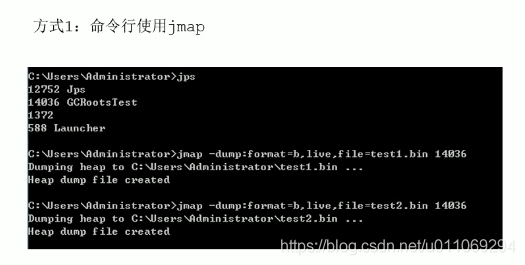
dump文件的两种方式a)使用jmap命令![在这里插入图片描述]()
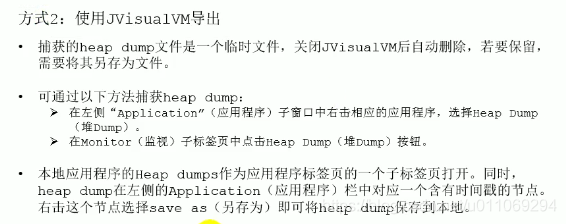
b)使用JVisualVM生成dump![在这里插入图片描述]()
演示:package jvn; import java.util.ArrayList; import java.util.Date; import java.util.List; import java.util.Scanner; public class GCRootsTest { public static void main(String[] args) { List<Object> numList = new ArrayList<>(); Date birth = new Date(); for (int i = 0; i < 100; i++) { numList.add(String.valueOf(i)); try { Thread.sleep(10); } catch (InterruptedException e) { e.printStackTrace(); } } System.out.println("数据添加完毕,请操作:"); new Scanner(System.in).next(); numList = null; birth = null; System.out.println("numList、birth已置空,请操作:"); new Scanner(System.in).next(); System.out.println("结束"); } }
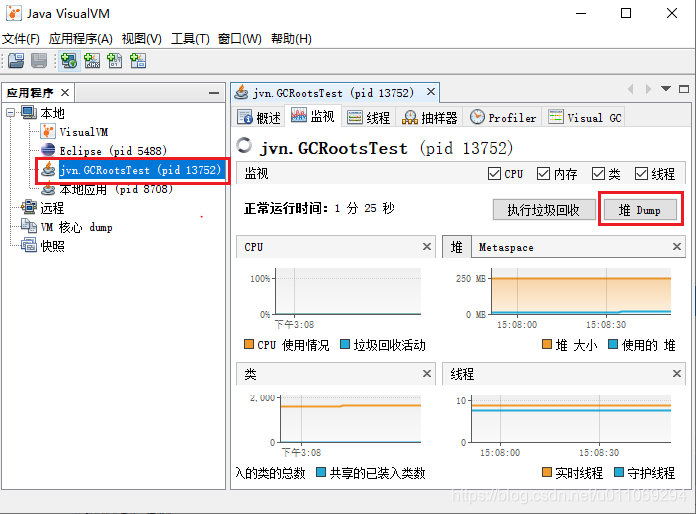
- 运行上面的代码,打开
JVisualVM,找到对应的进程,点击堆 Dump如下图![在这里插入图片描述]()
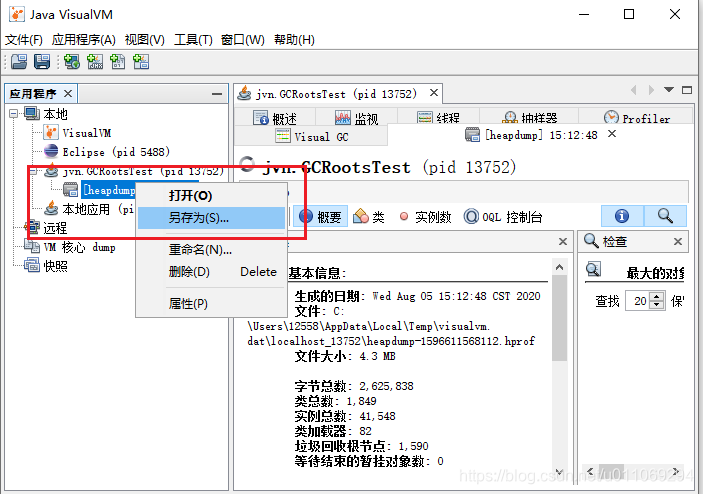
- 保存生成的
dump文件,这样就生成了dump文件![在这里插入图片描述]()
- 使用
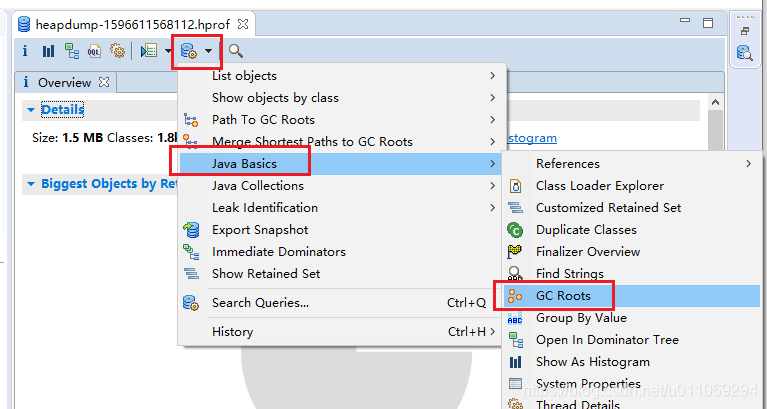
MAT查看dump文件的GC Roots。如下图所示,使用MAT打开上面产生的dump文件,然后选择Java Basics -> GC Roots![在这里插入图片描述]()
- 找到
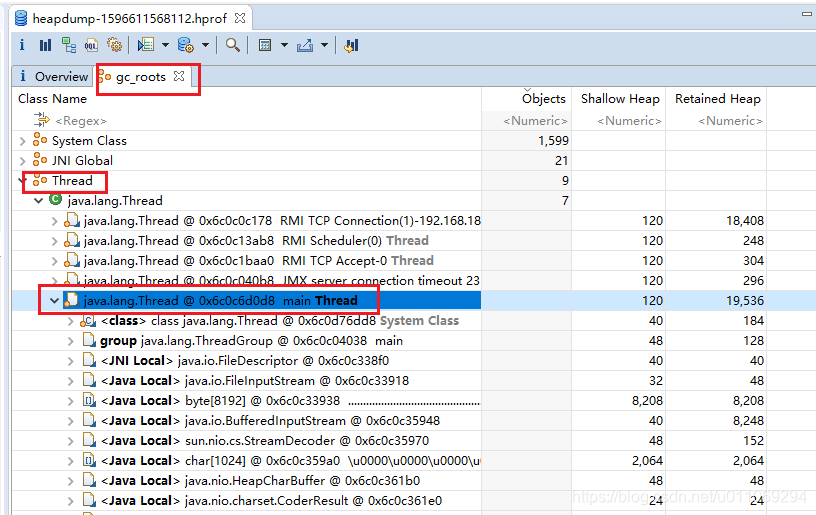
Thread里面的mian thread。如下图所示。![在这里插入图片描述]()
- 可以看到
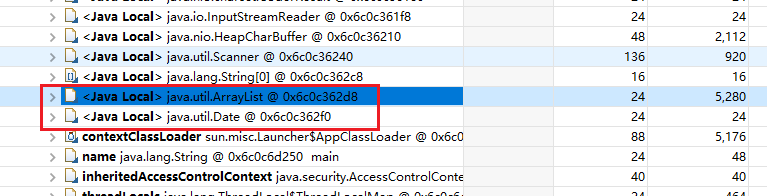
ArrayList变量numList和Date变量birth都是GC Roots。![在这里插入图片描述]()
2.使用
JProfiler查看GC Roots在日常工作中,通常不需要区查看所有的
GC Roots,一般是针对某一个对象去查看它的GC Roots。- 运行上面的程序,点击
Eclipse里面的JProfiler![在这里插入图片描述]()
- 选择
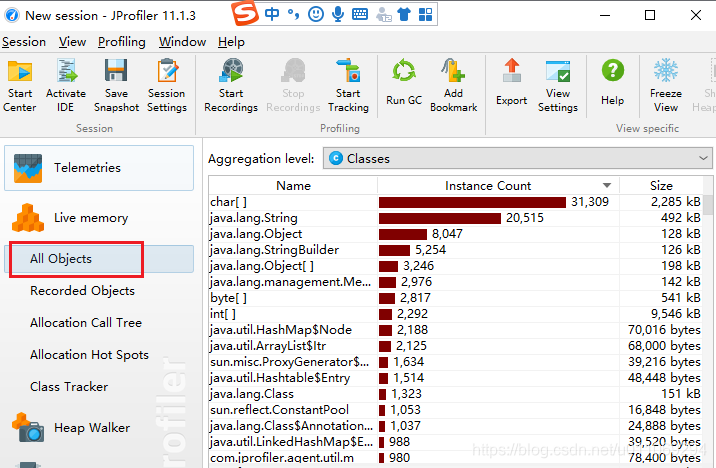
All Objects查看所有的对象。![在这里插入图片描述]()
- 选择
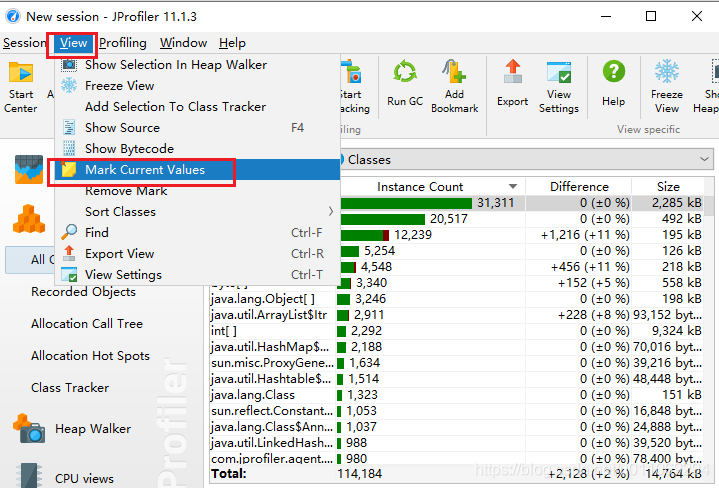
View->Mark Current Values![在这里插入图片描述]()
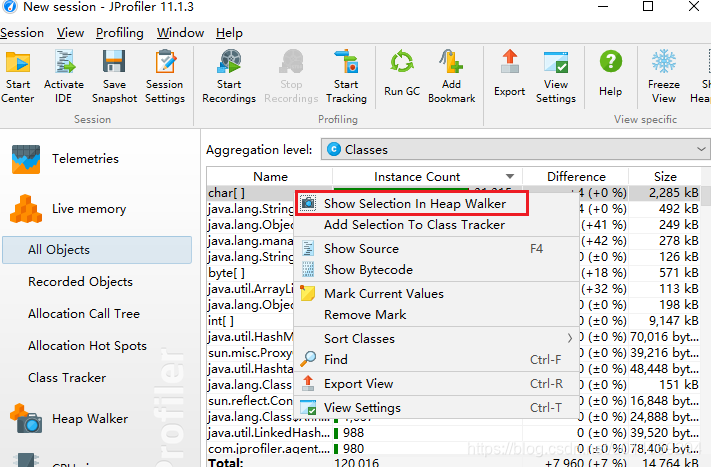
4.选中想要查看GC Roots的对象,比如第一个char数组对象。右击然后选中Show Selection In Heap Walker![在这里插入图片描述]()
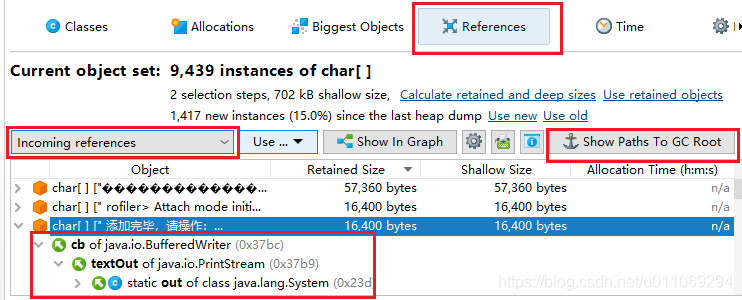
5.如下图所示,在打开的Heap Walker中,选中References,然后选择一个对应的一个char[]。最后选择Incoming references,点击Show Paths To GC Root。就可以查看到对应这个char数组对象,它的GC Roots是静态变量Static Out of class java.lang.System。![在这里插入图片描述]()
- 运行上面的代码,打开



 浙公网安备 33010602011771号