![]()
<view class='sudoku'>
  <view class='canvas-box'>
    <canvas canvas-id='canvasIn' id='canvas' class='canvas canvas-in' style='{{canvasWH}}' wx:if='{{canvasIn}}'></canvas>
    <canvas canvas-id='canvasOut' id='canvasOut' class='canvas canvas-out' style='{{canvasWH}}' bindtap='saveImg'></canvas>
  </view>
  <cover-view class='btns-box'>
    <button bindtap='uploadImg' class='btn btn-cut'>上传</button>
  </cover-view>
  <view style="padding-top: 430rpx;"></view>
  <view style="position: relative;z-index: 9999;width:{{windowWidth}}rpx;margin: 0 auto;">
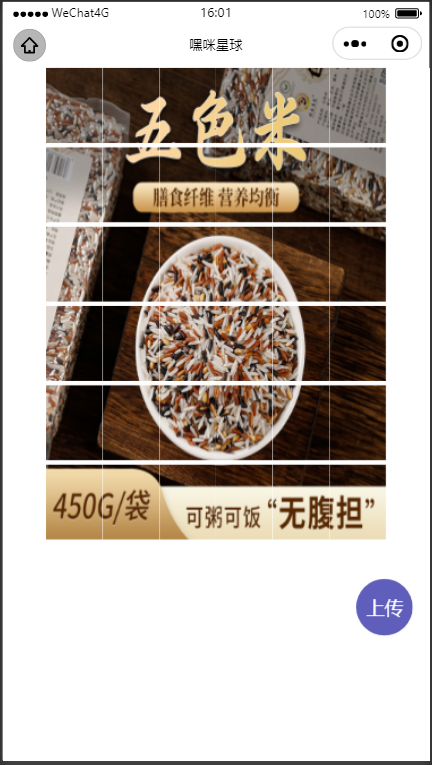
    <image wx:for="{{picList}}" wx:key="index" src="{{item}}" style="width: {{windowWidth/divisionType}}rpx;height: {{windowHeight/divisionType}}rpx;"/>
  </view>
</view>
  .sudoku {
    display: grid;
    grid-template-columns: 100%;
    grid-template-rows: auto 0;
  }

  .canvas-box {
    position: relative;
  }

  .canvas {
    min-width: 100%;
    height: 100%;
    position: absolute;
    top: 0;
  }

  .canvas-in {
    z-index: 0;
  }

  .canvas-out {
    z-index: 99;
    background-color: #fff;
  }

  .btns-box {
    position: fixed;
    right: 30rpx;
    bottom: 120rpx;
    z-index: 999;
    display: flex;
    justify-content: space-evenly;
    flex-direction: column;
    height: 300rpx;
  }

  .btn {
    color: #fff;
    width: 100rpx;
    height: 100rpx;
    border: none;
    border-radius: 50%;
  }

  .wx-button-cover-view-wrapper {
    width: 100%;
    height: 100%;
    display: flex;
    justify-content: center;
    align-items: center;
  }

  .btn::after {
    border: none;
  }

  .btn-cut {
    background-color: rgba(44, 42, 165, 0.5);
  }

  .btn-save {
    background-color: rgba(43, 206, 51, 0.5);
  }
const windowWidth = 600
const windowHeight = 800
Page({

    /**
     * 页面的初始数据
     */
    data: {
        windowWidth,
        windowHeight,
        picList: [] as any,
        //切割类型
        divisionType: 6,
        canvasInWH: '',
        cutGap: 1, //切割间隔
        imgW: 0,
        imgH: 0,
        uploadFlag: false,
        canvasIn: true,
     //生命周期执行先看效果,imgUrl赋值即可查看效果
        imgUrl: '',
        canvasWH:''
    },
    initCanvas() {
        const that=this
        const { imgUrl } = that.data
        that.setData({
            canvasIn: true
        })
        const ctx = wx.createCanvasContext('canvasIn', that)
        /* 获取图片信息 */
        wx.getImageInfo({
            src: imgUrl,
            success(imgInfo) {
                console.log({ imgInfo })
                const imgW = 300
                const imgH = 400
                that.setData({
                    canvasWH: `width: ${imgW}px;height: ${imgH}px`,
                    imgW,
                    imgH
                })
                console.log("this.data.canvasWH",that.data.canvasWH)
                /* 获取图片的大小 */
                ctx.drawImage(imgInfo.path, 0, 0, imgW, imgH)
                ctx.draw()
                const query = wx.createSelectorQuery()
                query.select('#canvasOut').boundingClientRect(function (resOut) {
                    /* 清除上一次绘图 */
                    const ctxOut = wx.createCanvasContext('canvasOut', that)
                    ctxOut.rect(10, 10, resOut.width, resOut.width)
                    ctxOut.fillStyle = '#fff'
                    ctxOut.fill()
                    ctxOut.draw()
                    /* 开始图片裁剪 */
                    that.cutImgHandle(imgW, imgH)
                })
                query.exec()
            },
            fail() {

            }
        })

    },
    /* 点击裁剪动作 */
    cutImgHandle(imgW:number, imgH:number) {
        const that=this
        const { divisionType } = that.data
        let x = 0,y = 0,picList=[] as any;
        const cutW = imgW/divisionType
        const cutH = imgH/divisionType
        /* 循环裁剪 */
        const timer = setInterval(function () {
            const cfg = {
                x: x * cutW,
                y: y * cutH,
                width: cutW,
                height: cutH
            }
            wx.canvasToTempFilePath({
                canvasId: 'canvasIn',
                ...cfg,
                success(res:any) {
                    console.log('执行了', res)
                    picList.push(res.tempFilePath)
                    that.setData({
                        picList
                    })
                },
                fail(err: any) {
                    console.log("切割失败", err)
                },
                complete(){
                    x++
                    if (x===divisionType) {
                        y++
                        x = 0
                        if (y === divisionType) {
                            that.setData({
                                uploadFlag: true,
                                canvasIn: false
                            })
                            clearInterval(timer)
                        }
                    }
                }
            })
        }, 220)
    },

    /**
     * 生命周期函数--监听页面加载
     */
    onLoad: function () {
    },

    /**
     * 生命周期函数--监听页面初次渲染完成
     */
    onReady: function () {

    },

    /**
     * 生命周期函数--监听页面显示
     */
    onShow: function () {
        this.initCanvas()
    },

    /**
     * 生命周期函数--监听页面隐藏
     */
    onHide: function () {

    },

    /**
     * 生命周期函数--监听页面卸载
     */
    onUnload: function () {

    },

    /**
     * 页面相关事件处理函数--监听用户下拉动作
     */
    onPullDownRefresh: function () {

    },

    /**
     * 页面上拉触底事件的处理函数
     */
    onReachBottom: function () {

    },

    /**
     * 用户点击右上角分享
     */
    onShareAppMessage: function () {

    },
    /* 上传图片 */
    uploadImg() {
        that.setData({
            canvasIn: true
        })
        const ctx = wx.createCanvasContext('canvasIn', that)
        wx.chooseImage({
            count: 1,
            sizeType: ['original', 'compressed'],
            sourceType: ['album', 'camera'],
            success(res) {
                /* 获取图片信息 */
                wx.getImageInfo({
                    src: res.tempFilePaths[0],
                    success() {
                        const imgW = 300
                        const imgH = 400
                        that.setData({
                            canvasWH: `width: ${imgW}px;height: ${imgH}px`,
                            // canvasWH: `width: 100%;height: 300px`,
                            imgW,
                            imgH
                        })
                        /* 获取图片的大小 */
                        ctx.drawImage(res.tempFilePaths[0], 0, 0, imgW, imgH)
                        ctx.draw()
                        const query = wx.createSelectorQuery()
                        query.select('#canvasOut').boundingClientRect(function (resOut) {
                            /* 清除上一次绘图 */
                            const ctxOut = wx.createCanvasContext('canvasOut', that)
                            ctxOut.rect(10, 10, resOut.width, resOut.width)
                            ctxOut.fillStyle = '#fff'
                            ctxOut.fill()
                            ctxOut.draw()
                            /* 开始图片裁剪 */
                            that.cutImgHandle(imgW, imgH)
                        })
                        query.exec()
                    },
                    fail() {
                        wx.showModal({
                            title: '温馨提示',
                            content: '暂不支持此图片格式',
                            showCancel: false
                        })
                    }
                })
            }
        })
    },
    /* 保存图片 */
    saveImg(e:any) {
       const that = this
        wx.showModal({
            title: '温馨提示',
            content: '要将图片保存到相册',
            success(confirm) {
                if (confirm.confirm) {
                    that.saveImgHandle(e)
                }
            }
        })

    },
    saveImgHandle(e:any) {
       const that = this
        const {
            cutGap,
            imgW,
            imgH,
            uploadFlag,
            divisionType
        } = that.data
        const cutW = imgW / divisionType
        const cutH = imgH / divisionType
        /* 判断点击的位置坐标 */
        const tapX = e.detail.x
        const tapY = e.detail.y
        /* 判断是否已上传图片 */
        if (uploadFlag) {
            const cfgSave = {
                x: 0,
                y: 0,
                width: cutW,
                height: cutH,
                destWidth: cutW,
                destHeight: cutH,
                canvasId: 'canvasOut',
            }
            for (let x = 0; x < divisionType; x++) {
                for (let y = 0; y < divisionType; y++) {
                    if (
                        parseInt(((cutW + cutGap) * x)+'') < tapX && parseInt(((cutW + cutGap) * (x + 1))+'') &&
                        parseInt(((cutH + cutGap) * y)+'') < tapY && parseInt(((cutH + cutGap) * (y + 1))+'')
                    ) {
                        cfgSave.x = (cutW + cutGap) * x
                        cfgSave.y = (cutH + cutGap) * y
                    }
                }
            }
            wx.canvasToTempFilePath({
                ...cfgSave,
                success(res) {
                    wx.saveImageToPhotosAlbum({
                        filePath: res.tempFilePath,
                        success() {
                            wx.showToast({
                                title: '保存成功'
                            })
                        }
                    })
                }
            })
        } else {
            wx.showModal({
                title: '温馨提示',
                content: '请先上传图片',
                showCancel: false
            })
        }
    },

})



 浙公网安备 33010602011771号