

chrome浏览器插件 & 油猴
1. chrome浏览器插件
最重要的 manifest.json https://developer.chrome.com/docs/extensions/mv3/manifest/
然后是content_scripts配置, https://developer.chrome.com/docs/extensions/mv3/content_scripts/
{
  "manifest_version": 3,
  "name": "Hello Extensions",
  "description": "Base Level Extension",
  "version": "1.0",
  "action": {
    "default_popup": "hello.html",
    "default_icon": "hello_extensions.png"
  },
  "content_scripts": [
    {
      "matches": [
        "https://*/*"
      ],
      "css": [
        "my-styles.css"
      ],
      "js": [
        "content-script.js"
      ]
    }
  ]
}
document.body.insertAdjacentHTML('beforeend', `
<div style="width:50px;height:50px;background-color:#dabfbf;position:fixed;right:50px;bottom:50px;">
aaaaaaaaaaa
aaaaaaaaaa
</div>
`)
2. 油猴脚本
直接在当前域名下 新建脚本
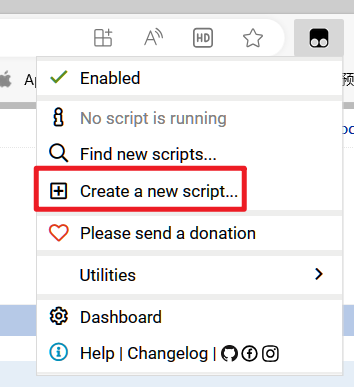
function removeElementsByClass(className){
    const elements = document.getElementsByClassName(className);
    while(elements.length > 0){
        elements[0].parentNode.removeChild(elements[0]);
    }
}

(function() {
    'use strict';
    removeElementsByClass("QuestionHeader-main")
})();
重命名 是在脚本里面的注释里
// ==UserScript==
// @name         第一个脚本
3. dev console里的脚本
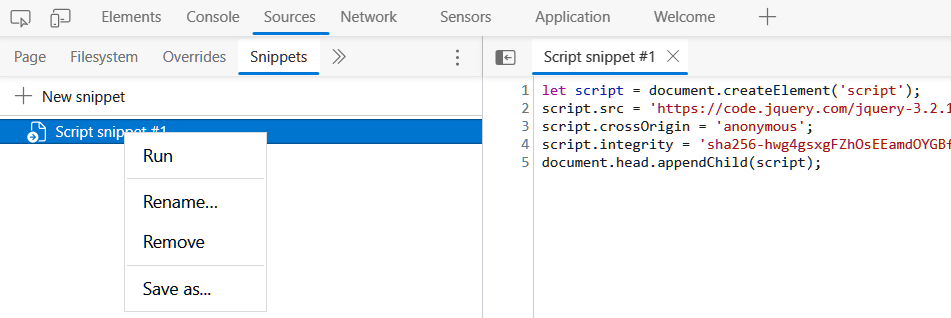
这个要手动run,在所有tabs里共享
自动打开chrome/edge的开发者控制台 快捷方式上加参数 --auto-open-devtools-for-tabs, 必须是首次打开加上才有效。
@@@build beautiful things, share happiness@@@

 浙公网安备 33010602011771号