
emwin自定义字库
一.用到软件
1.FontCvtST.exe
2.U2C.exe
下载地址:https://i.cnblogs.com/Files.aspx
二.转换
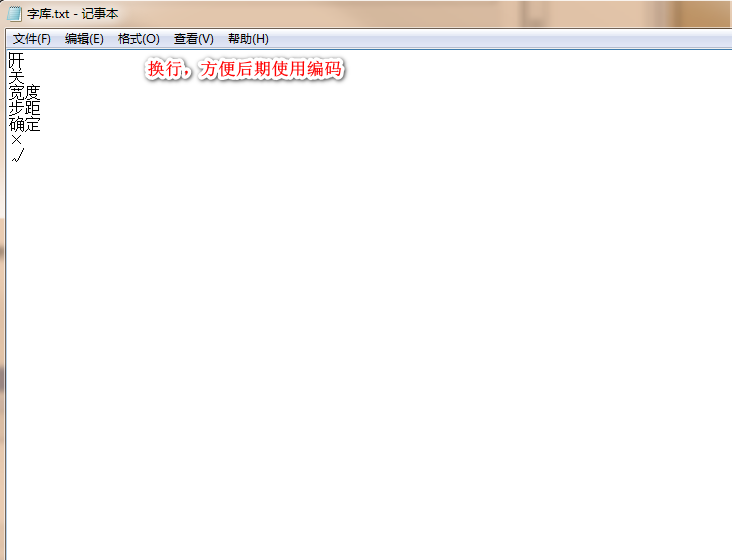
1.新建文本文档,在文本文档中写入所需要用的字或词语,注意:根据用到的字或者词语,每个换行,方便后面使用,如下图
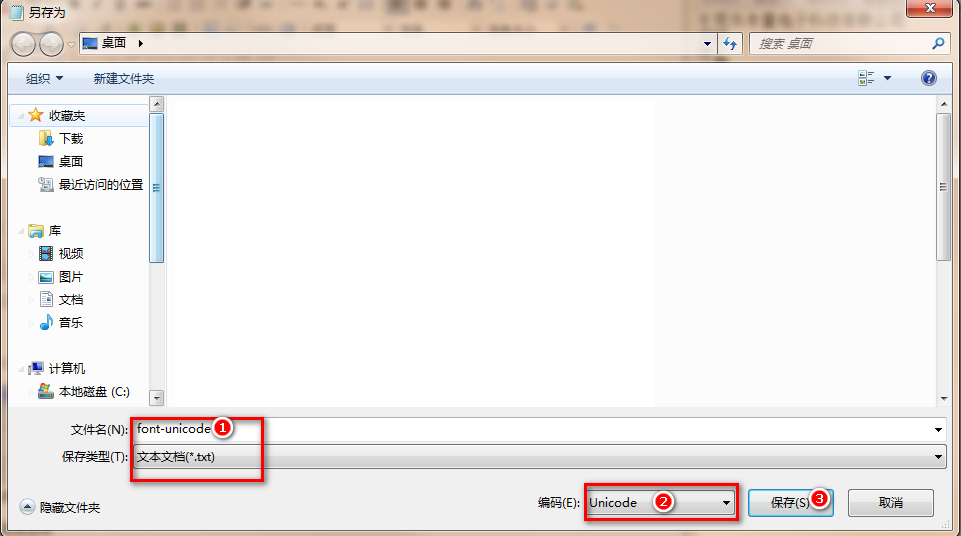
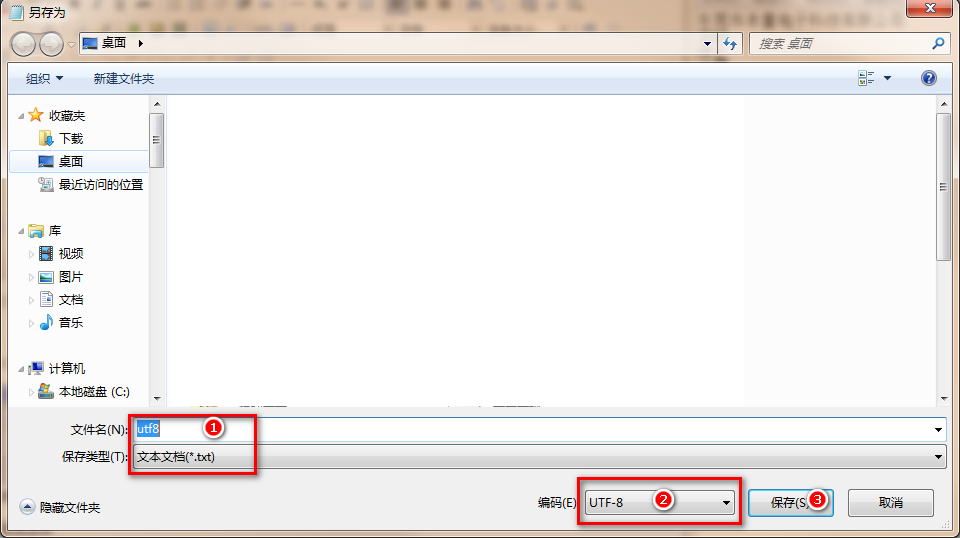
2.将文本文档另存为UNICODE格式的新文本文档,备用;并将原文档再另存为UTF-8格式的新文本文档,备用
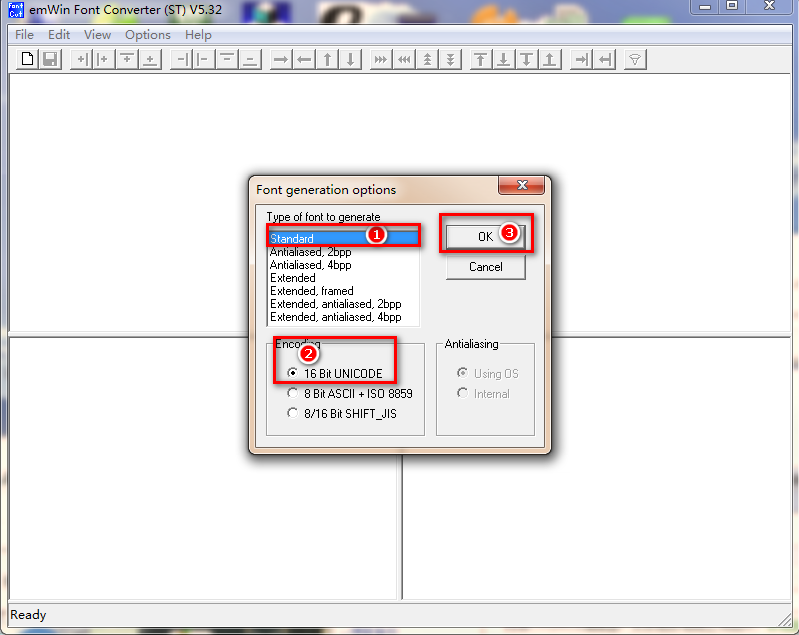
3.打开FontCvtST.exe,选择如图
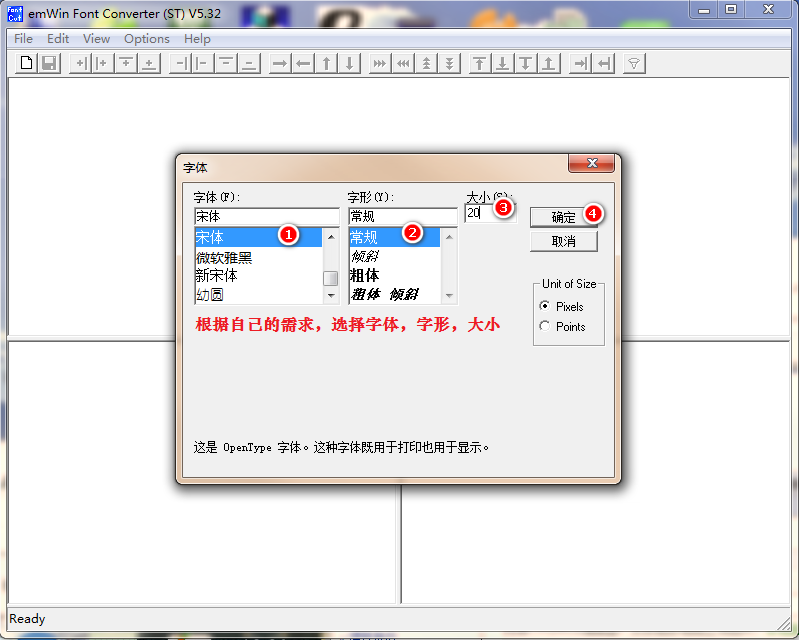
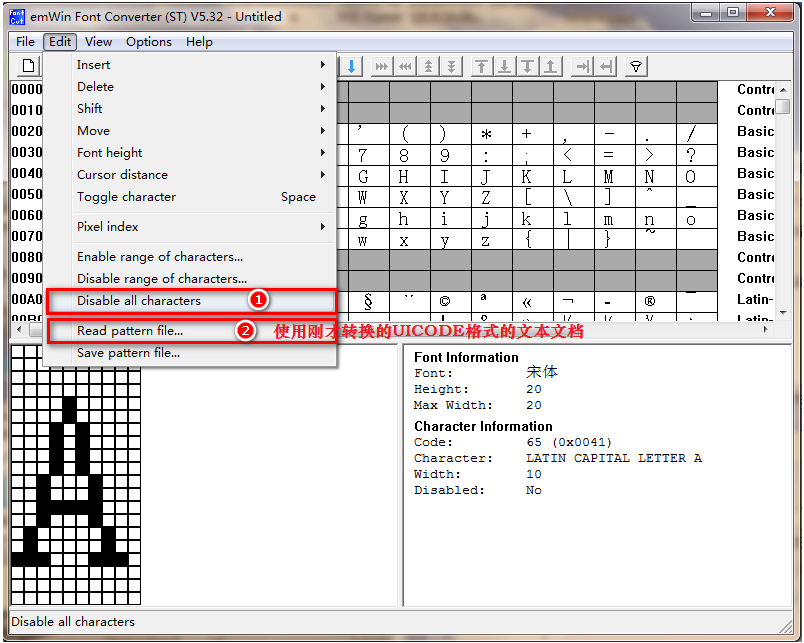

4.打开U2C.exe,
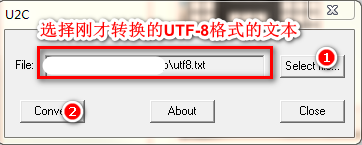
5.将转换完成的Font_20.c文件导入开发工具,并用开发工具打开utf8.c文件
看到utf8.c中为下图
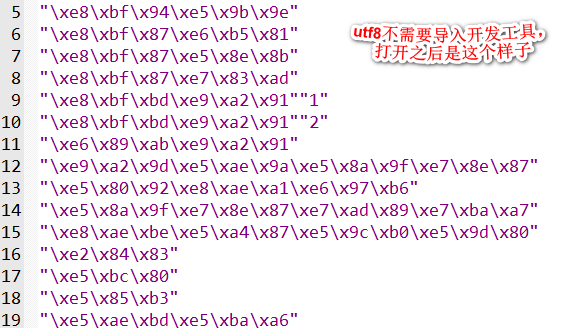
6.使用utf8.c文件中的编码,创建一个空的C文件
 //关
 const char Font_Close[] = {
     "\xe5\x85\xb3"
 };
7.在.h文件中
extern const char Font_Close[]; //关
8.在需要用到的地方加上
#include utf8.h

extern GUI_CONST_STORAGE GUI_FONT GUI_FontFont_20;

void MainTask(void) {
    GUI_Init();
    GUI_UC_SetEncodeUTF8();

    GUI_SetFont(&GUI_FontFont_20);
    GUI_DispStringAt(Font_Colse, 70, 40);
    while (1) {
        GUI_Delay(150);
    }
}
到此为止,就可以显示自定义的字库了

 浙公网安备 33010602011771号