
第一个微信小程序(一)
今天看到一个随机获取网易云热评的APP,正好最近在学习微信小程序,于是便想开发一个类似的小程序
APP是这样的
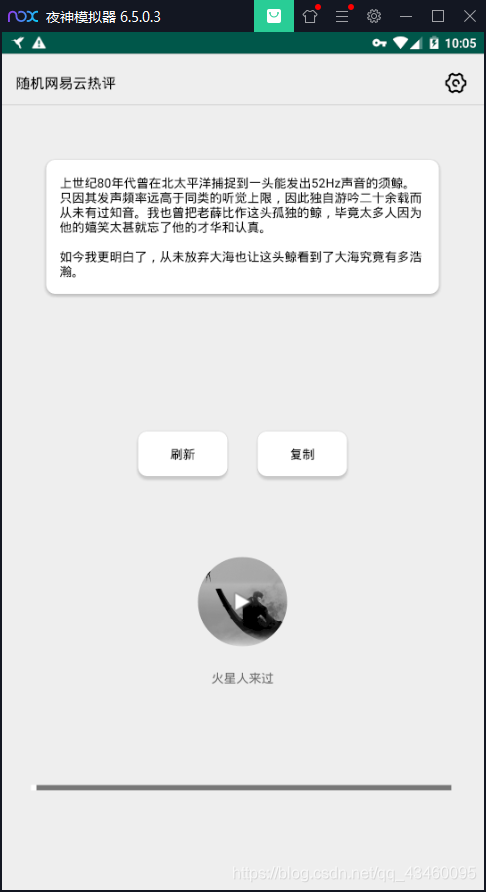
只有一个界面,所以比较简单
首先是页面布局wxml和样式xwss,都比较简单,css学的不太好,所以界面有点将就。。。。
index.wxml
<!--pages/index/index.wxml-->
<view class="containerv">
<!-- 顶部热评 -->
  <view class="index_top">
    <!-- <image src="/images/top_bg.png"></image> -->
    <text class="top_text">{{content}}</text>
  </view>

  <!-- 中间按钮 -->
  <view class="btn">
    <button bindtap="reLoad">刷新</button>
    <button bindtap="btn_copy">复制</button>
  </view>
  <!-- 封面和名字 -->
  <view class="index_center">
    <!-- 歌曲封面 -->
    <image src="{{picurl}}" class="iconImage"></image>
    <!-- 歌曲名称 -->
    <text>{{name}}</text>
  </view>
    <!-- 暂停播放按钮 -->
  <image src="{{shifouplay?'/images/zt.png':'/images/bf.png'}}" class='playImg' catchtap='onMusicTap'></image>
    <!-- 进度条 -->
    <view class="bottom_pg">
    <progress></progress>
  </view>
</view>
index.wxss
/* pages/index/index.wxss */
.container{
  display: flex;
  flex-direction: column;
  height: 100%;
}
text{
  text-align: center;
  justify-content: center;
}
.index_top{
  margin: 40rpx;
  height: 400rpx;
}
.top_text{
  text-align: left;
}
/*
中间
 */
.index_center{
  display: flex;
  flex-direction: column;
  justify-content: center;
}
.index_center image{
  justify-self: center;
  margin: 10rpx auto;
  border-radius: 50%;
}

/* 刷新复制按钮 */
button{
  height: 100rpx;
  width: 100%;
  border-radius: 20rpx;
  background-color: #dd0000;
  color: #fff;
  text-align: center;
  margin: 0 50rpx;
  border: 1rpx solid #222;
}
/* 歌曲图标 */
.iconImage{
  height: 200rpx;
  width: 200rpx;
}
.btn{
  padding: 0 40rpx;
  display: flex;
  flex-direction: row;
}
/* 播放暂停图标 */
.playImg{
  height: 80rpx;
  width: 80rpx;
}
/* 下方播放暂停 + 进度条 */
.bottom{
  display: flex;
  flex-direction: row;
}
.bottom progress{
  margin-left: 30rpx;
}
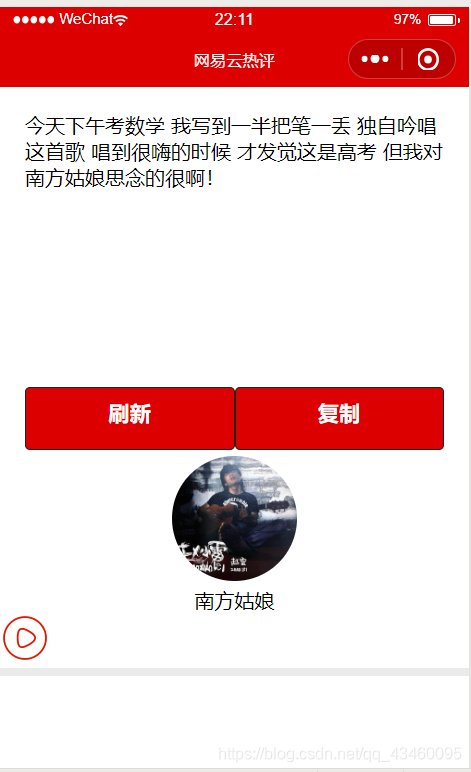
小程序页面大概是这样的:

 浙公网安备 33010602011771号