


git记住用户名和密码适用于git bash 和码云
在HOME目录中,一般为C:\users\Administrator,也可以是你自己创建的系统用户名目录,反正都在C:\users***中。
创建.git-credentials文件。
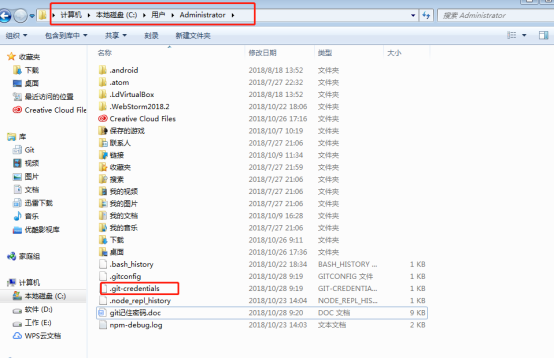
使用git bash 输入下面命令行即可创建
touch .git-credentials
创建完成后,
如果是github在该文件中输入:
https://username:password@github.com
如果是码云的为:
https://username:password@gitee.com
注:username对应你的用户名,password对应你的密码
然后再进入git bash中输入下面命令行
git config --global credential.helper store
store为永久存储,当然也可以设置临时的
git config –global credential.helper cache
默认为15分钟,如果想设置保存时间的话,可以输入:
git config credential.helper ‘cache –timeout=3600’

 浙公网安备 33010602011771号