

【Android】Activity和Fragment之间的通讯 - 指南

三三要成为安卓糕手
一:Activity往Fragment中传递数据
1:UserInfoModifyActivity类
public class UserInfoModifyActivity
extends AppCompatActivity {
private EditText etMobile;
private ReturnInfoFragment fragment;
@Override
protected void onCreate(Bundle savedInstanceState) {
super.onCreate(savedInstanceState);
setContentView(R.layout.activity_user_info_modify);
fragment = new ReturnInfoFragment();
Bundle bundle = new Bundle();
bundle.putLong("key_mobile",1234567890);
fragment.setArguments(bundle);
FragmentTransaction ft = getSupportFragmentManager().beginTransaction();
ft.add(R.id.fcv, fragment,"my_ReturnInfoFragment");
ft.commit();
etMobile = findViewById(R.id.et_nick_name);
findViewById(R.id.btn_send).setOnClickListener(new View.OnClickListener() {
@Override
public void onClick(View v) {
String string = etMobile.getText().toString();
if(string != null){
fragment.setMobile(Long.valueOf(string));
}
}
});
}
}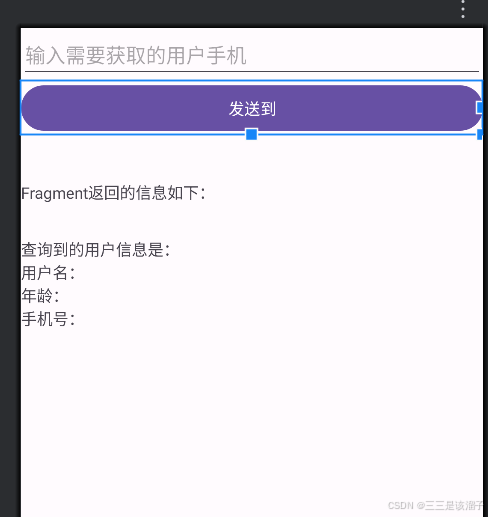
<?xml version="1.0" encoding="utf-8"?>
    <LinearLayout xmlns:android="http://schemas.android.com/apk/res/android"
    xmlns:app="http://schemas.android.com/apk/res-auto"
    xmlns:tools="http://schemas.android.com/tools"
    android:id="@+id/main"
    android:layout_width="match_parent"
    android:layout_height="match_parent"
    android:orientation="vertical"
    tools:context=".usermodify.UserInfoModifyActivity">
  <EditText
    android:id="@+id/et_nick_name"
    android:layout_width="match_parent"
    android:layout_height="wrap_content"
    android:hint="输入需要获取的用户手机"
    android:inputType="phone" />
  <Button
    android:id="@+id/btn_send"
    android:layout_width="match_parent"
    android:layout_height="wrap_content"
    android:text="发送到" />
  <androidx.fragment.app.FragmentContainerView
    android:id="@+id/fcv"
    android:name="com.xlong.androidcomponentbyjavaproject.usermodify.ReturnInfoFragment"
    android:layout_width="match_parent"
    android:layout_height="wrap_content"
    android:layout_marginTop="20dp" />
  <TextView
    android:id="@+id/tv_query"
    android:layout_width="wrap_content"
    android:layout_height="wrap_content"
    android:layout_marginTop="20dp"
    android:text="Fragment返回的信息如下:" />
  <TextView
    android:id="@+id/tv_info"
    android:layout_width="match_parent"
    android:layout_height="wrap_content"
    android:layout_marginTop="30dp"
    android:text="查询到的用户信息是:\n用户名:\n年龄:\n手机号:" />
</LinearLayout>
2:ReturnInfoFragment类
public class ReturnInfoFragment
extends Fragment {
private static final String TAG = "ReturnInfoFragment";
private long mobile;
private TextView tvQuery;
/**
* 创建Fragment的时候就会用这个方法,接收Activity传递的参数
*/
@Override
public void onCreate(@Nullable Bundle savedInstanceState) {
super.onCreate(savedInstanceState);
Bundle bundle = getArguments();
if(bundle != null){
mobile = bundle.getLong("key_mobile");
}
}
@Nullable
@Override
public View onCreateView(@NonNull LayoutInflater inflater, @Nullable ViewGroup container, @Nullable Bundle savedInstanceState) {
View view = inflater.inflate(R.layout.layout_return_info, container, false);
tvQuery = view.findViewById(R.id.tv_query);
tvQuery.setText("当前正在查询的手机号:" + mobile);
return view;
}
public void setMobile(long mobile){
this.mobile = mobile;
Log.i(TAG, "setMobile: mobile " + mobile);
if(mobile != 0){
tvQuery.setText("当前正在查询的手机号:" + mobile);
}
}
}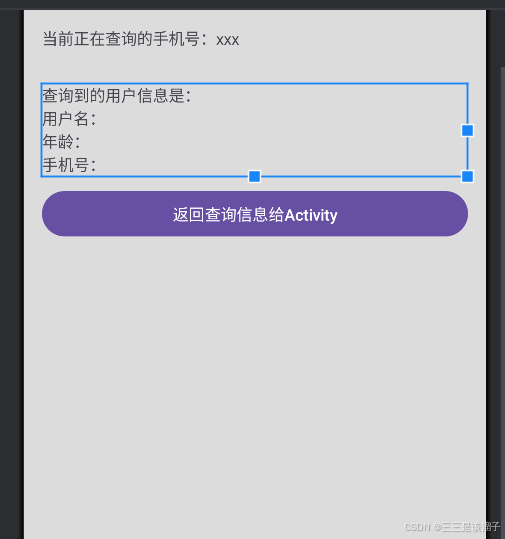
<?xml version="1.0" encoding="utf-8"?>
    <LinearLayout xmlns:android="http://schemas.android.com/apk/res/android"
    android:layout_width="match_parent"
    android:orientation="vertical"
    android:padding="16dp"
    android:background="#DCDCDC"
    android:layout_height="match_parent">
  <TextView
    android:id="@+id/tv_query"
    android:layout_width="wrap_content"
    android:layout_height="wrap_content"
    android:text="当前正在查询的手机号:xxx"/>
  <TextView
    android:id="@+id/tv_info"
    android:layout_width="match_parent"
    android:layout_height="wrap_content"
    android:layout_marginTop="30dp"
    android:text="查询到的用户信息是:\n用户名:\n年龄:\n手机号:"/>
  <Button
    android:id="@+id/btn_return"
    android:layout_width="match_parent"
    android:layout_marginTop="10dp"
    android:layout_height="wrap_content"
    android:text="返回查询信息给Activity" />
</LinearLayout>
二:自定义set方法传递数据
1:需求分析
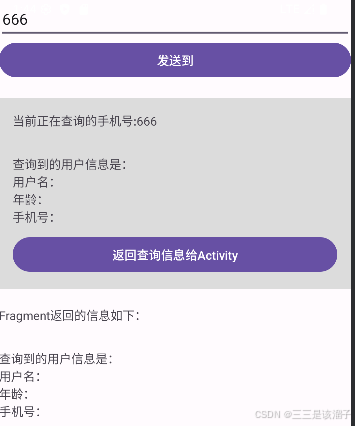
- 手机号查询个人信息操作,Fragment拿到手机号查询返回信息,显示;
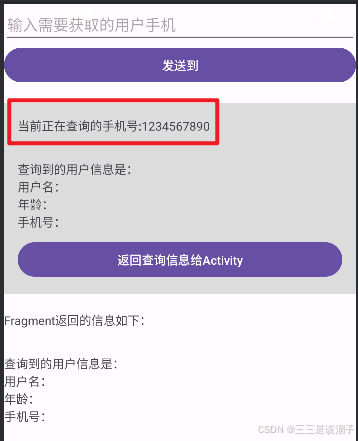
- 默认有一个查询的手机号
2:细节处理
(1)关联Fragment

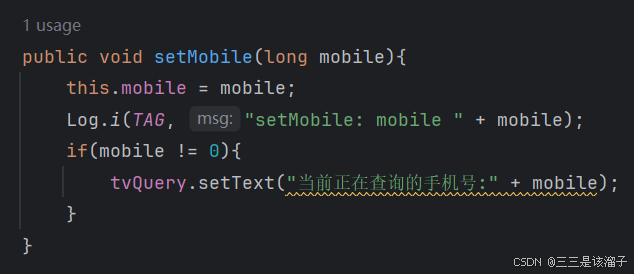
(2)setMobile方法建立通信
这里其实蛮巧妙的,在Fragment中定义了一个setMobile方法,把输入框中的text传递进我们实例化的fragment中去,good
mobile设置为成员变量
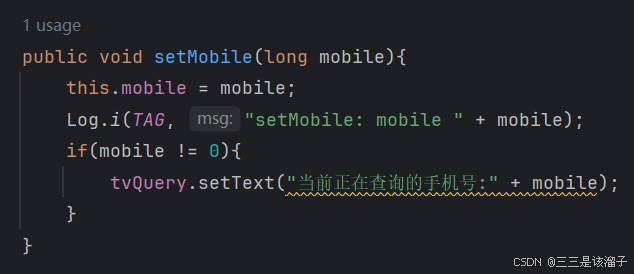
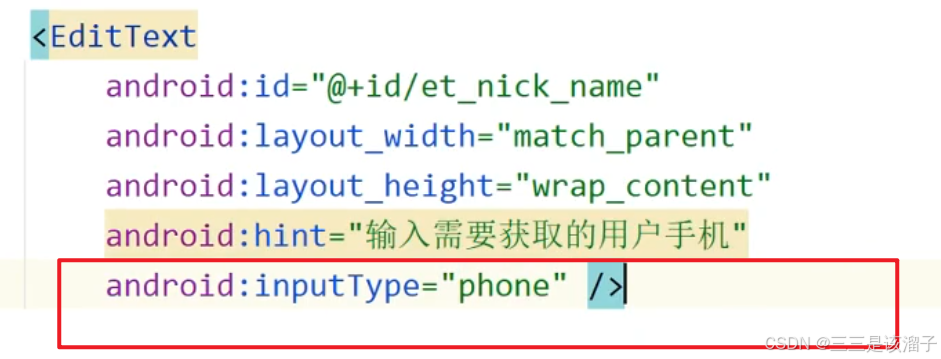
(3)输入类型为phone
(4)mobile的类型设置为long
否则超过int范围会报错,app崩溃

三:使用Argument传递数据
核心作用:在类创建好的时候数据就已经准备完毕
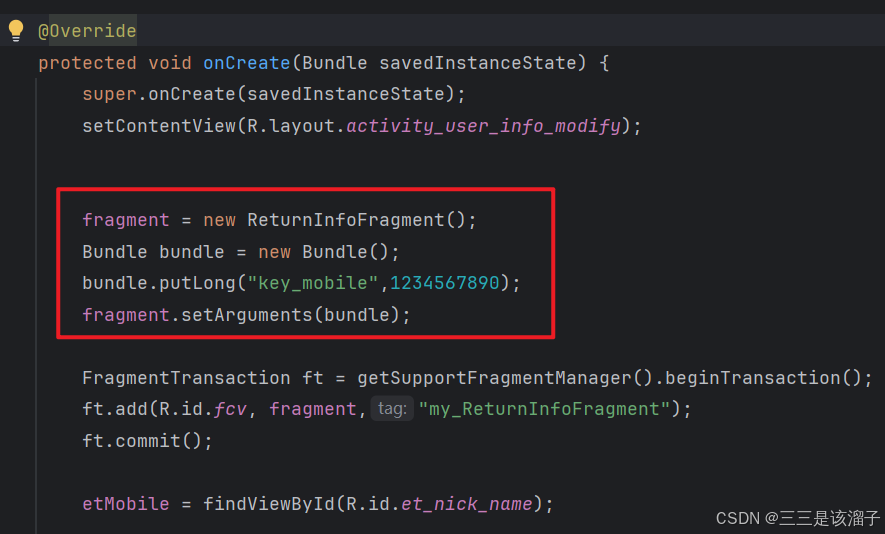
1:setArguments设置参数
Argument翻译为参数
传递一个数据包bundle,bundle中可以放数据,key_value格式这样子的
2:如何接收
在Fragment中,生命周期选择onCreate,使用getArgument方法接收数据包bundle;
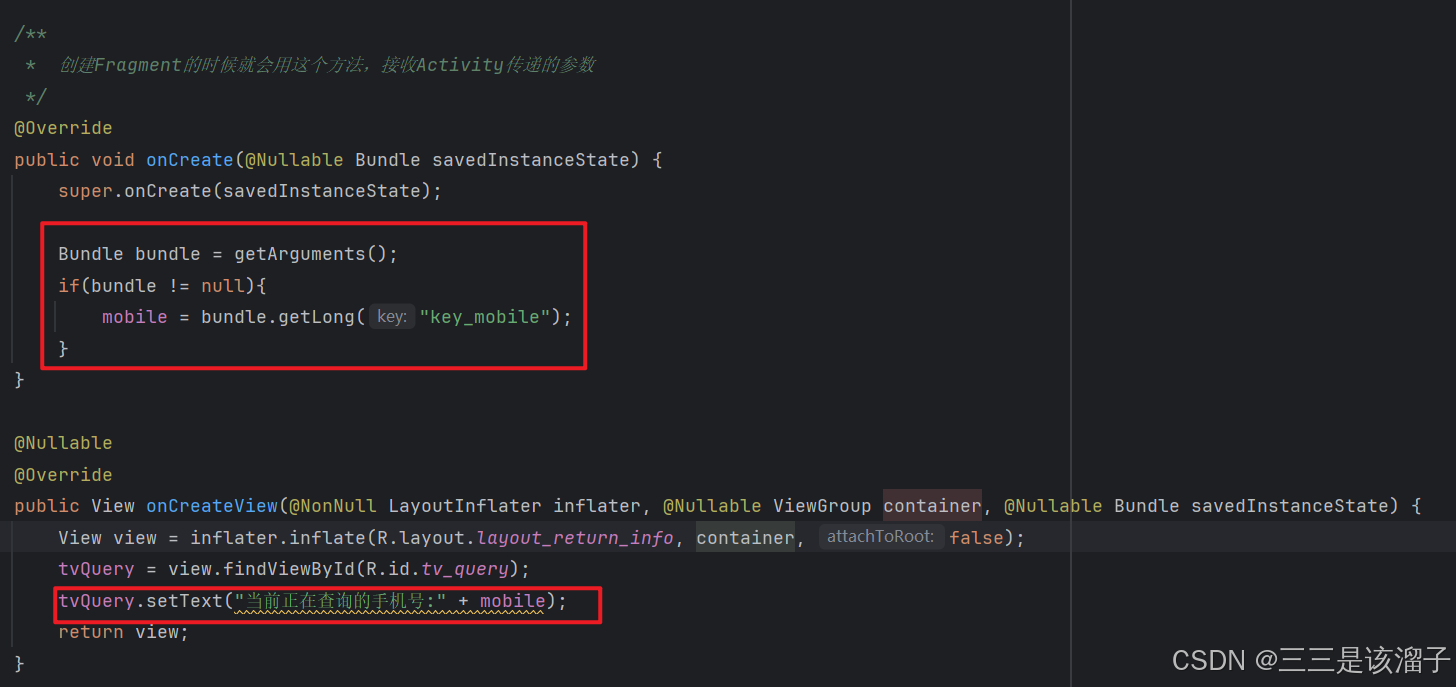
这里注意判空,否则运行不起来无语了

四:Fragment往Activity中回传数据
1:整体代码
public class UserInfoModifyActivity
extends AppCompatActivity implements ReturnInfoFragment.onFragmentCallBack {
private EditText etMobile;
private ReturnInfoFragment fragment;
private TextView tvInfo;
@Override
protected void onCreate(Bundle savedInstanceState) {
super.onCreate(savedInstanceState);
setContentView(R.layout.activity_user_info_modify);
//设置默认的手机号
fragment = new ReturnInfoFragment();
Bundle bundle = new Bundle();
bundle.putLong("key_mobile",1234567890);
fragment.setArguments(bundle);
//设置回调
fragment.setCallBack(this);
//关联Fragment
FragmentTransaction ft = getSupportFragmentManager().beginTransaction();
ft.add(R.id.fcv, fragment,"my_ReturnInfoFragment");
ft.commit();
tvInfo = findViewById(R.id.tv_info);
etMobile = findViewById(R.id.et_nick_name);
findViewById(R.id.btn_send).setOnClickListener(new View.OnClickListener() {
@Override
public void onClick(View v) {
String string = etMobile.getText().toString();
if(string != null){
fragment.setMobile(Long.valueOf(string));
}
}
});
}
@Override
public void onQuery(String name, int age, long mobile) {
tvInfo.setText("查询到的用户信息是:\n用户名:" + name + "\n年龄:" + age + "\n手机号:" + mobile);
}
@Override
public void onResultNotFound(String result) {
Toast.makeText(this, result, Toast.LENGTH_SHORT).show();
}
}
public class ReturnInfoFragment
extends Fragment {
private static final String TAG = "ReturnInfoFragment";
private long mobile;
private TextView tvQuery;
private onFragmentCallBack callBack;
/**
* 创建Fragment的时候就会用这个方法,接收Activity传递的参数
*/
@Override
public void onCreate(@Nullable Bundle savedInstanceState) {
super.onCreate(savedInstanceState);
Bundle bundle = getArguments();
if (bundle != null) {
mobile = bundle.getLong("key_mobile");
}
}
@Nullable
@Override
public View onCreateView(@NonNull LayoutInflater inflater, @Nullable ViewGroup container, @Nullable Bundle savedInstanceState) {
View view = inflater.inflate(R.layout.layout_return_info, container, false);
tvQuery = view.findViewById(R.id.tv_query);
tvQuery.setText("当前正在查询的手机号:" + mobile);
return view;
}
@Override
public void onViewCreated(@NonNull View view, @Nullable Bundle savedInstanceState) {
super.onViewCreated(view, savedInstanceState);
view.findViewById(R.id.btn_return).setOnClickListener(new View.OnClickListener() {
@Override
public void onClick(View v) {
if (mobile == 12345) {
//表示有这个用户
callBack.onQuery("张三",18,110);
}else{
callBack.onResultNotFound("查无此人");
}
}
});
}
public void setMobile(long mobile) {
this.mobile = mobile;
Log.i(TAG, "setMobile: mobile " + mobile);
if (mobile != 0) {
tvQuery.setText("当前正在查询的手机号:" + mobile);
}
}
public void setCallBack(onFragmentCallBack callBack) {
this.callBack = callBack;
}
public interface onFragmentCallBack {
void onQuery(String name, int age, long mobile);
void onResultNotFound(String result);
}
}2:核心代码逻辑梳理
还是接口回调思想
①先处理Fragment类,定义接口和接口方法
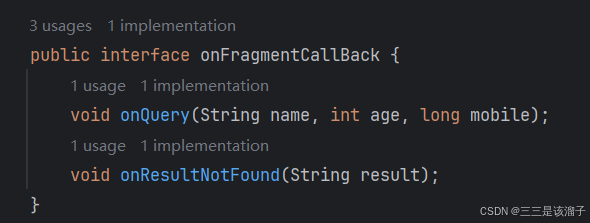
②生成成员变量

③监听数据返回按钮,调用相应的接口方法
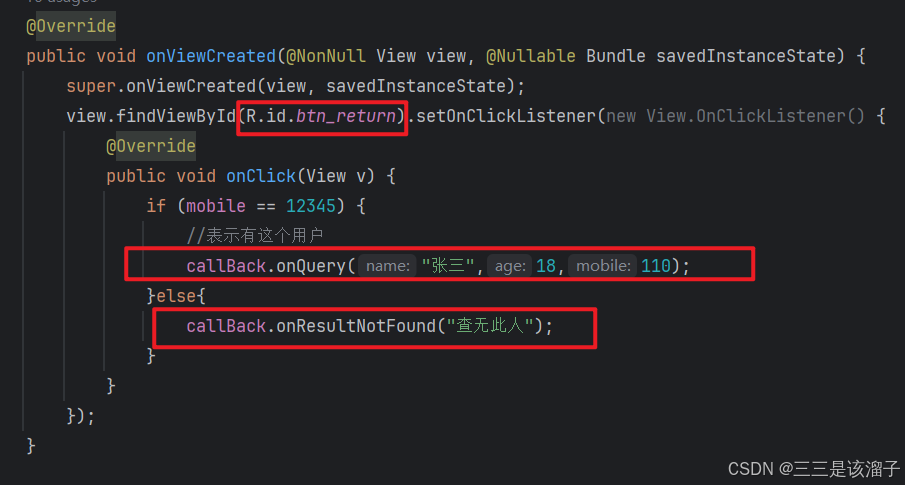
④封装好了,提供给外部一个访问设置callback的方法

⑤Activity中接收回调,为了让代码干净整洁,不在setCallBack()方法中new接口;这里我们传入this,让Activity类实现接口,重写方法
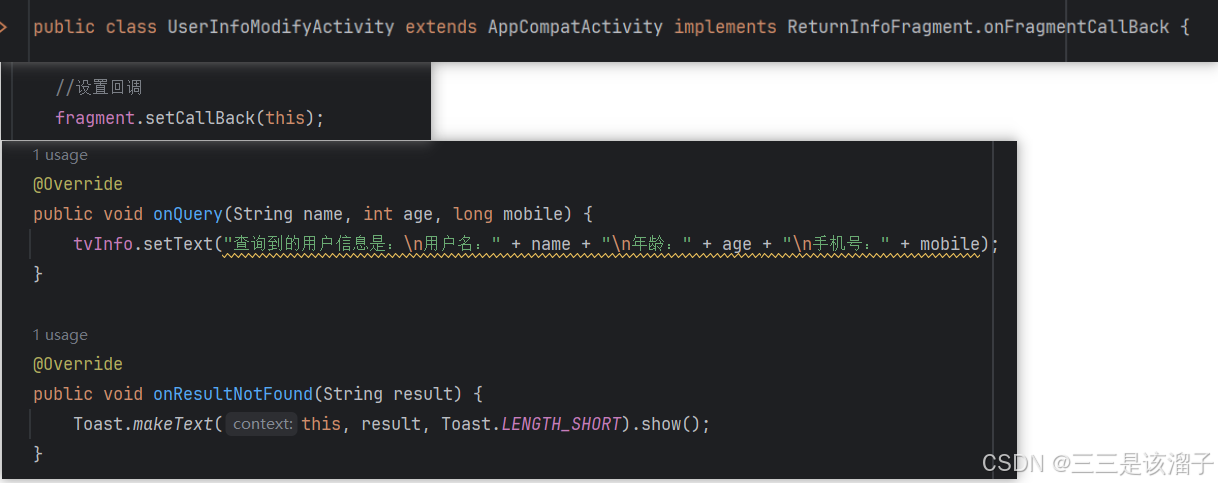
五:效果
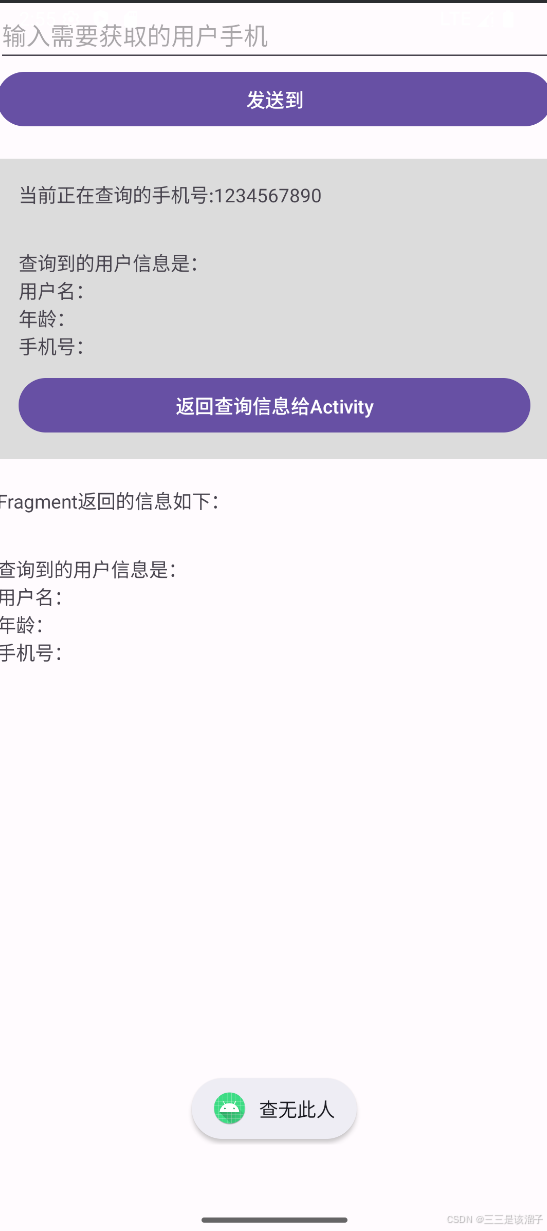
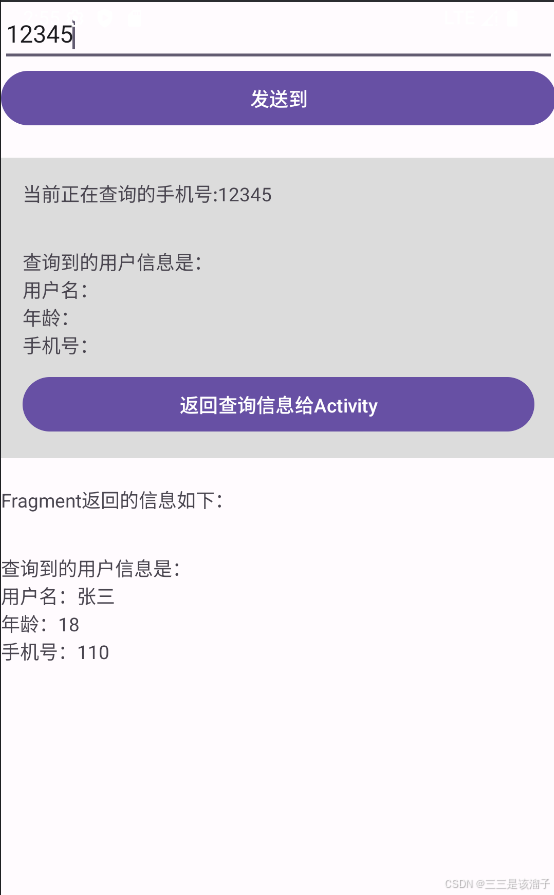
在设置 Fragment 的回调(fragment.setCallBack(this))时,建议在提交事务(****ft.commit())之前完成
- 生命周期时序问题:在 commit 之后设置回调,可能 Fragment 已经开始执行生命周期方法(如
onCreate()),此时如果 Fragment 内部在早期生命周期就需要调用回调方法,可能会因为回调还未设置而导致空指针异常。 - 一致性保证:在 commit 前设置好回调,能确保 Fragment 从创建之初就持有正确的回调引用,避免在 Fragment 初始化过程中出现回调未就绪的状态。
六:FragMent中页面跳转
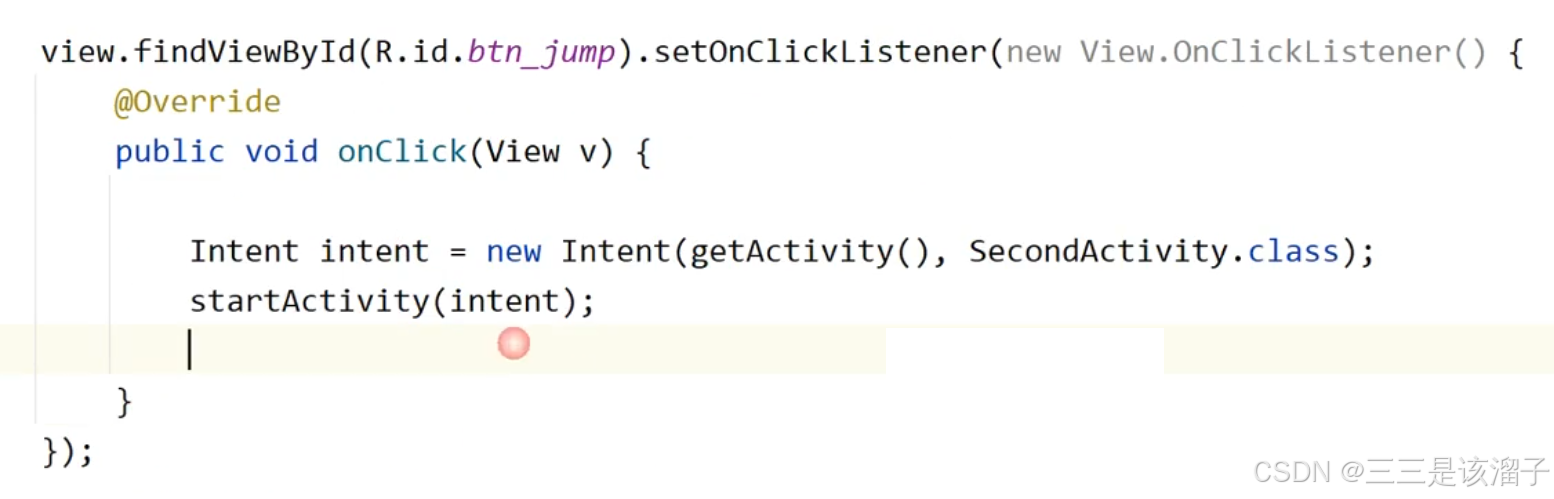
再跳页面的时候也会涉及到参数传递的过程,在传递数据的时候使用Activitylanch
在fragment中怎么把参数传递给另外一个Activity(比如说我们这里的SecondActivity)中,secondActivity又怎么样把数据回传给fragment

 浙公网安备 33010602011771号