
px:就是通常我们所说的像素,绝对单位,1个单位的px在不同设备上表示是有区别的;有的设备几个颜色点表示1个像素单位
em:是相对于font-size来讲的,也就是font-size的倍数;当然font-size的值也有几种情况
rem:是相对于根元素html的font-size来计算的
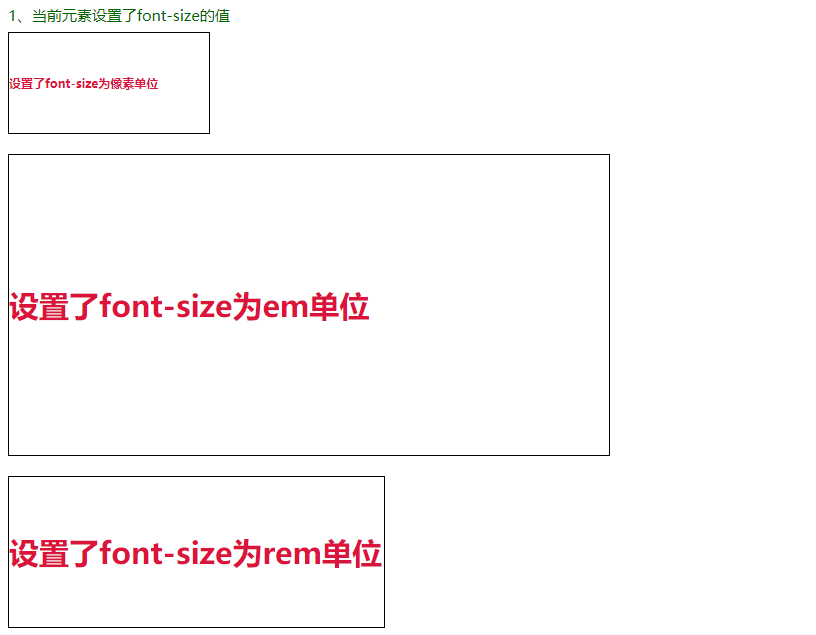
1、当前元素设置了font-size的值
font-size:px,比如当前元素设置 font-size:20px,那么 width:3em,这里的 3em = 3 * 20px;如果当前元素没有设置font-size的大小
font-size:em,比如当前元素设置font-size:2em,那么因为父级元素没有设置font-size,那么就会去找根节点的font-size大小,根节点的大小为15px;那么这里的2em,则为2*15px=30px
font-size:rem,比如当前元素设置font-size:2rem,那么不管父元素是否设置都没有关系,只会根据根元素html上的font-size大小来计算,2rem = 2*15px = 30px; 同样的height,width的rem单位也是根据根元素html的font-size大小来计算
<div style="color: darkgreen;">
    1、当前元素设置了font-size的值
    <h1 style="font-size:10px; width: 20em;height: 10em;border: 1px solid #000; color: crimson;line-height: 10em;">
        设置了font-size为像素单位
    </h1>
    <h1 style="font-size:2em; width: 20em; height: 10em;border: 1px solid #000; color: crimson;line-height: 10em;">
        设置了font-size为em单位
    </h1>
    <h1 style="font-size:2rem; width: 25rem; height: 10rem;border: 1px solid #000; color: crimson;line-height: 10rem;">
        设置了font-size为rem单位
    </h1>
</div>

<style>
    html {
        font-size: 15px;
    }
</style>
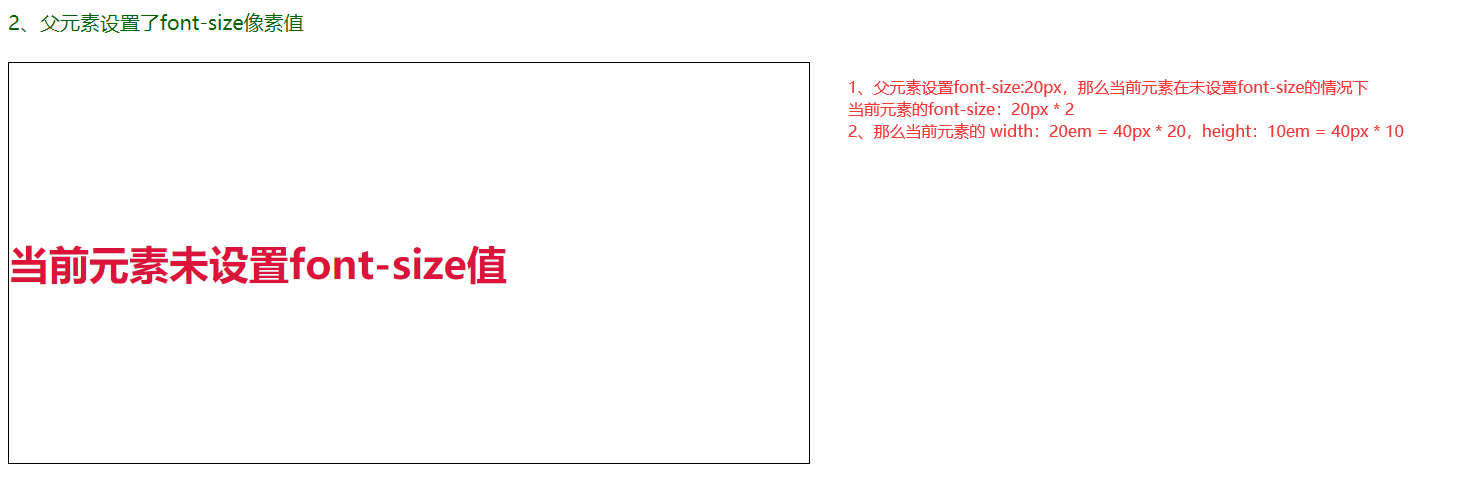
2、父级元素设置了font-size,当前元素未设置font-size
父级元素的font-size:20px,那么当前元素的font-size: 20px * 2
当前元素的 width:20em = 20px * 2 * 20,height:10em = 20px * 2 * 10
<div style="font-size:20px;color: darkgreen;">
    2、父元素设置了font-size像素值
    <h1 style="width: 20em; height: 10em; border: 1px solid #000; color: crimson;line-height: 10em;">
        当前元素未设置font-size值
    </h1>
</div>
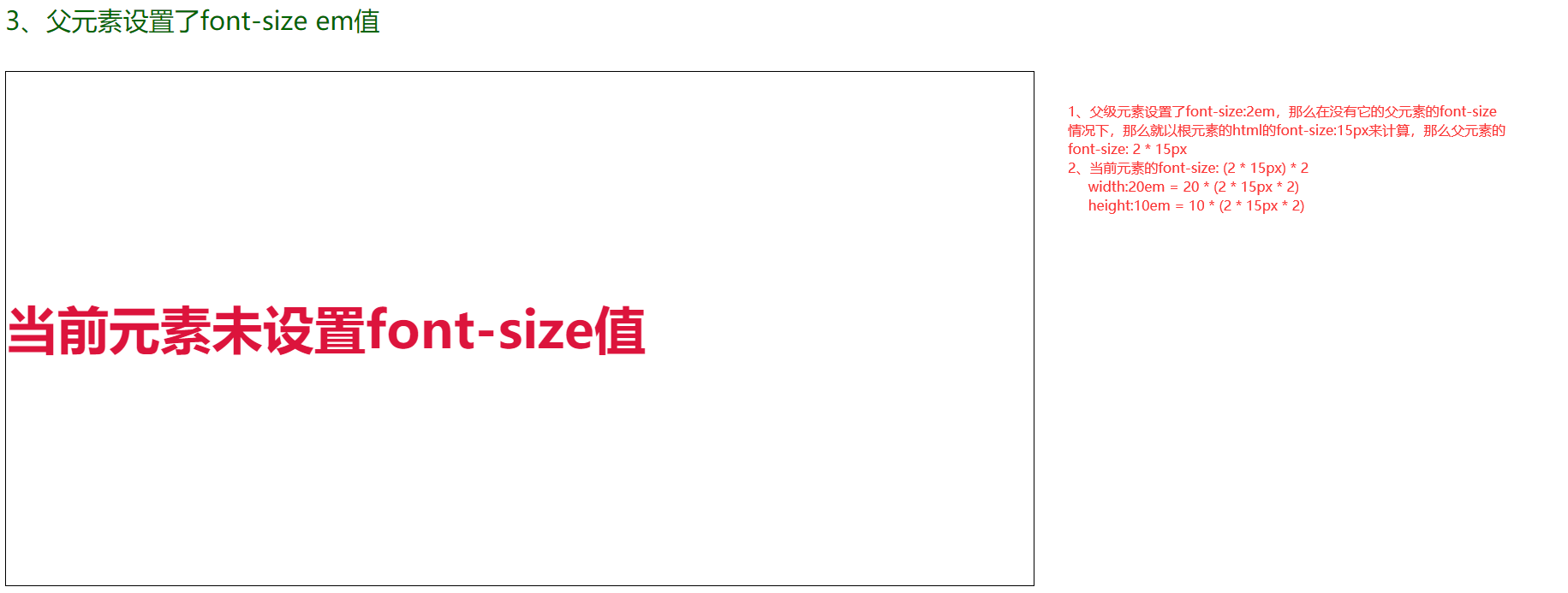
3、父级元素设置了font-size为em值,当前元素未设置
父级元素设置了font-size:2em,那么它的父元素没有设置font-size值的情况下,那么就以根元素的html的font-size:15px 来计算,那么父元素的font-size:2 * 15px
当前元素的font-size:(2 * 15px) * 2,width:20em = 20 * (2*15px*2),height:10em = 10 * (2 * 15px * 2)
<div style="font-size:2em;color: darkgreen;">
    3、父元素设置了font-size em值
    <h1 style="width: 20em; height: 10em; border: 1px solid #000; color: crimson;line-height: 10em;">
        当前元素未设置font-size值
    </h1>
</div>

 浙公网安备 33010602011771号