1、编写Playbook
cat << 'CAT_END' > install_proxy.yaml
- hosts: proxy
  tasks:
    - name: Install nginx proxy
      yum:
        name: nginx
        state: present
    - name: add nginx proxy vhost site
      template:
        src: ./conf/proxy_ansible.example.com.conf.j2
        dest: /etc/nginx/conf.d/roxy_ansible.example.com.conf
      notify: restart nginx server
    - name: system start nginx server
      systemd:
        name: nginx
        state: started
        enabled: yes
  handlers:
    - name: restart nginx server
      systemd:
        name: nginx
        state: restarted
CAT_END
2、准备配置文件
2.1、proxy_ansible.example.com.conf.j2
cat <<'CAT_END'>proxy_ansible.example.com.conf.j2
upstream ansible_php {
{% for i in groups['httpd'] %}
   server {{i}}:80;
{% endfor %}
}
server {
  listen 80;
  server_name ansible.example.com;
  location / {
    proxy_pass http://ansible_php;
    proxy_set_header Host $http_hosts;
  }
}
CAT_END
3、测试访问
3.1、修改hosts
192.168.10.16 ansible.example.com
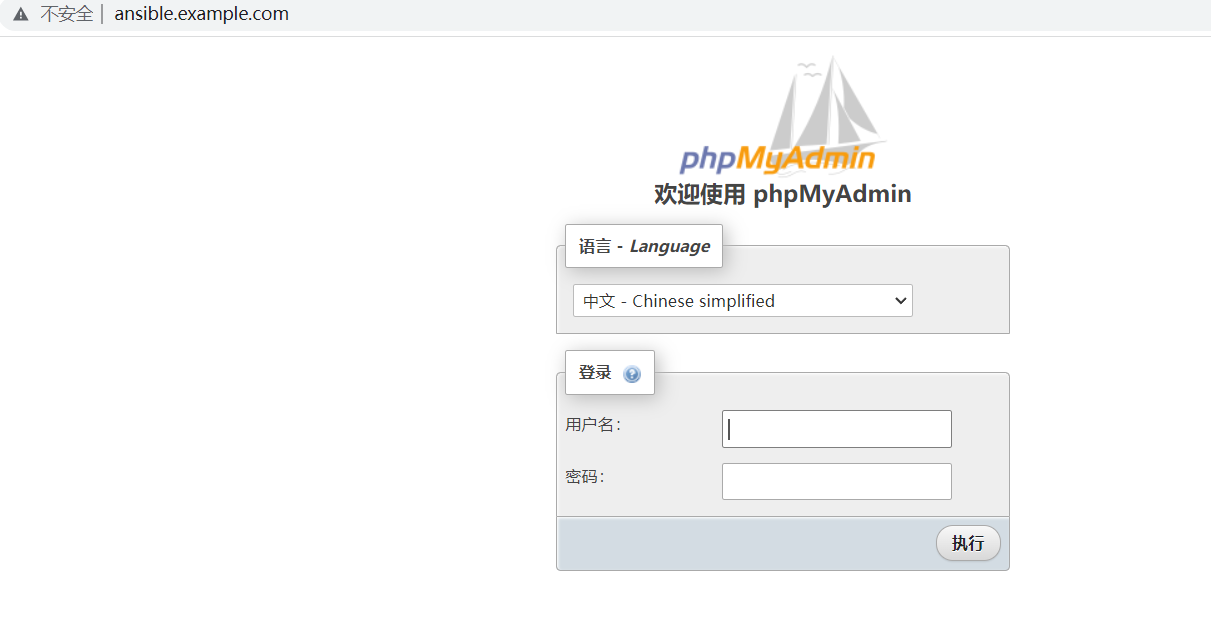
3.2、浏览访问


 浙公网安备 33010602011771号