


【Python内容采集】Python爬取小红书搜索关键词下面的所有笔记的内容、点赞数量、评论数量等数据,绘制词云图、词频分析、数据分析
Python爬取小红书搜索关键词下面的所有笔记的内容、点赞数量、评论数量等数据,绘制词云图、词频分析、数据分析
使用 Python 编写一个简单的爬虫程序来从小红书抓取与指定关键词相关的笔记数据,并对这些数据进行基本的数据分析,包括词云图和柱状图的绘制。
配套视频请看:配套视频教程
完整程序源码地址:完整程序源码地址
本教程分为两大部分:爬虫部分 和 数据分析部分。
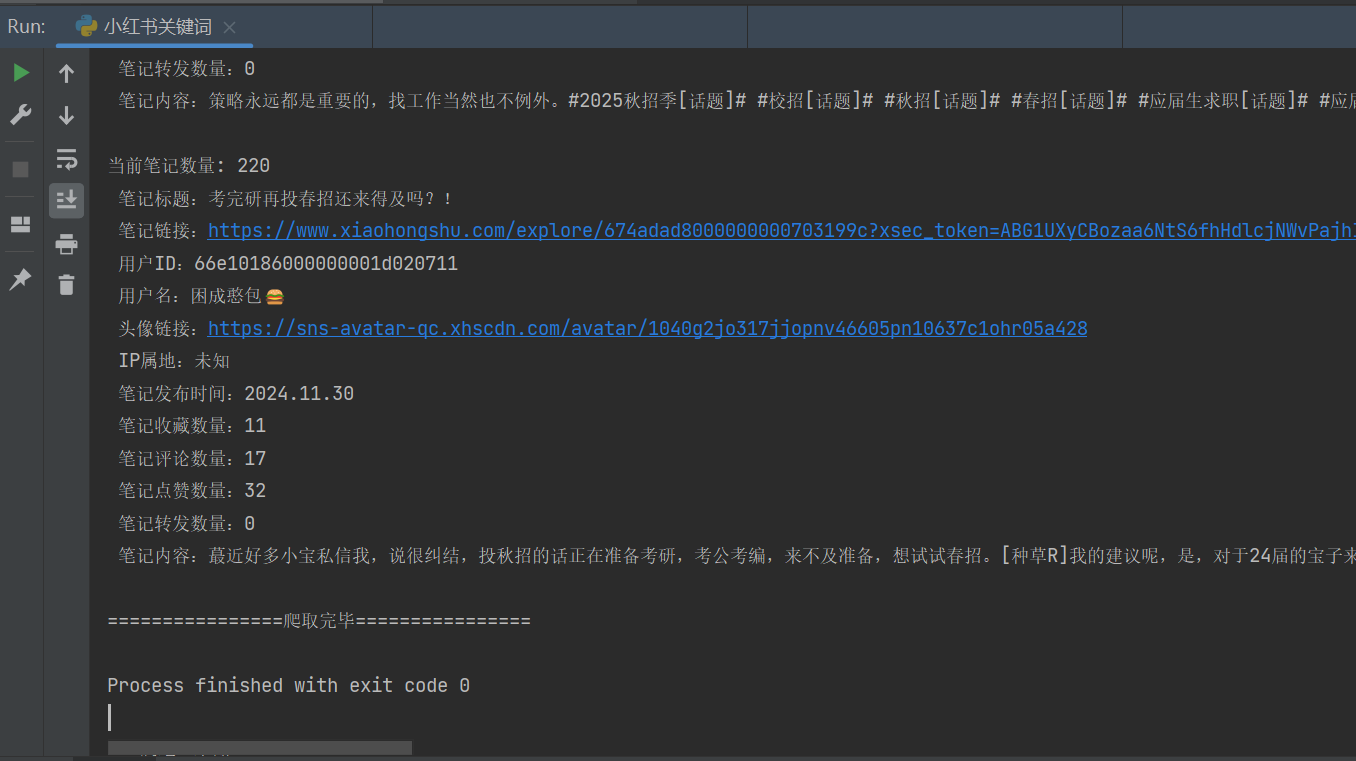
- 爬虫部分:从指定关键词的小红书中获取相关笔记的信息(如标题、链接、用户信息、互动数据等),并保存为 CSV 文件。
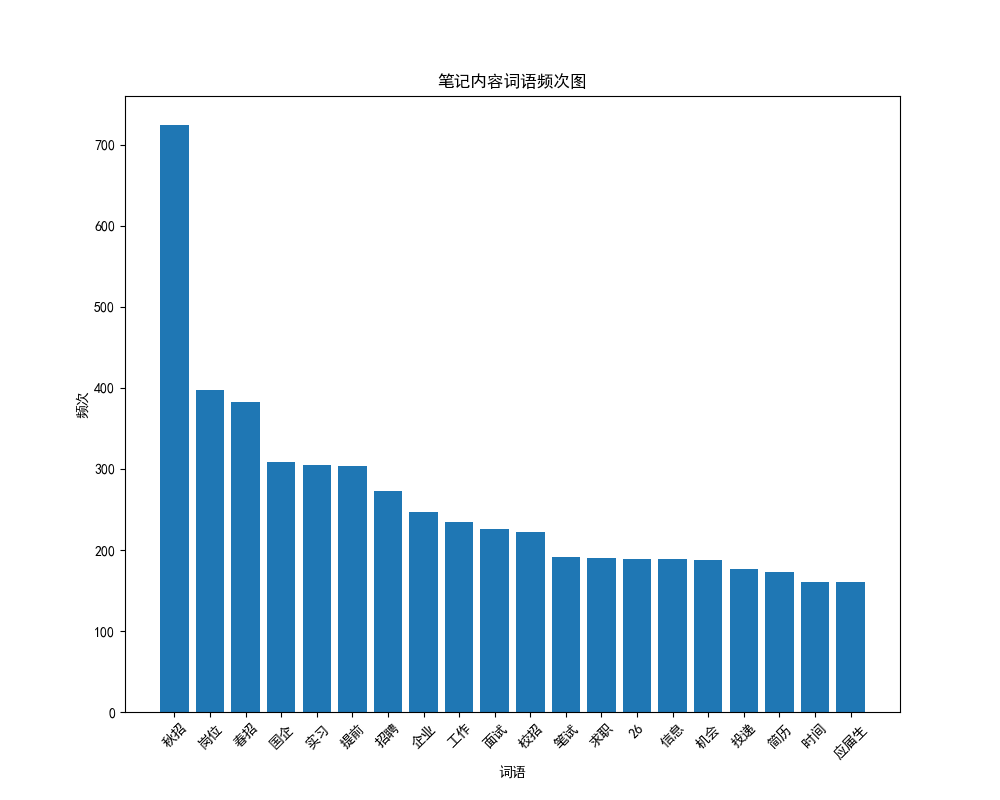
- 数据分析部分:加载生成的 CSV 文件,进行文本清洗、分词,然后生成词云图和柱状图以直观展示数据特征。
必要的第三方库
- Python
- Requests:发送 HTTP 请求
- execjs:执行 JavaScript 代码(用于 js 逆向)
- json & csv:处理 JSON 数据和 CSV 文件写入
- pandas: 数据处理
- jieba: 中文分词
- matplotlib, wordcloud: 数据可视化
文件结构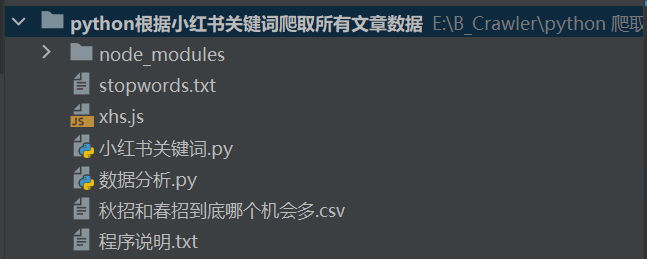
爬虫逻辑详解
小红书对请求有反爬机制,需要通过 Cookie 和 签名来模拟合法请求。
获取 Cookie 设置请求头
- 打开 小红书官网 并登录。
- 在浏览器开发者工具中找到并复制请求头中的 cookie 字段。
- 将获取到的 cookie 替换到代码中的相应位置。
- 根据需要修改 base_headers 中的 cookie 值。
base_headers = {
"accept": "application/json, text/plain, */*",
"cookie": "your_cookie_here", # 替换为你自己的cookie
...
}
使用 JavaScript 生成请求签名
使用 execjs 调用本地的 xhs.js 文件完成签名生成
xhs_sign_obj = execjs.compile(open('xhs.js', encoding='utf-8').read())
sign_header = xhs_sign_obj.call('sign', uri, data, base_headers.get('cookie', ''))
根据关键词搜索笔记,遍历多页数据
def keyword_search(keyword):
search_url = "https://edith.xiaohongshu.com/api/sns/web/v1/search/notes"
page_count = 20 # 爬取的页数, 一页有 20 条笔记 最多只能爬取220条笔记
for page in range(1, page_count + 1):
data = {
"ext_flags": [],
"image_formats": ["jpg", "webp", "avif"],
"keyword": keyword,
"note_type": 0,
"page": page,
"page_size": 20,
'search_id': xhs_sign_obj.call('searchId'),
"sort": "general"
}
response = post_request(search_url, uri='/api/sns/web/v1/search/notes', data=data)
json_data = response.json()
try:
notes = json_data['data']['items']
except:
print('================爬取完毕================')
break
for note in notes:
note_id = note['id']
xsec_token = note['xsec_token']
if len(note_id) != 24:
continue
get_note_info(note_id, xsec_token)
获取笔记详情并保存
def get_note_info(note_id, xsec_token):
note_url = 'https://edith.xiaohongshu.com/api/sns/web/v1/feed'
data = {
"source_note_id": note_id,
"image_scenes": ["jpg", "webp", "avif"],
"extra": {
"need_body_topic": "1"
},
"xsec_token": xsec_token,
"xsec_source": "pc_search"
}
response = post_request(note_url, uri='/api/sns/web/v1/feed', data=data)
json_data = response.json()
try:
note_data = json_data['data']['items'][0]
except:
print(f'笔记 {note_id
} 不允许查看')
return
save_data(note_data, note_id, xsec_token)
爬取关键词相关的小红书笔记
keyword_search(keyword)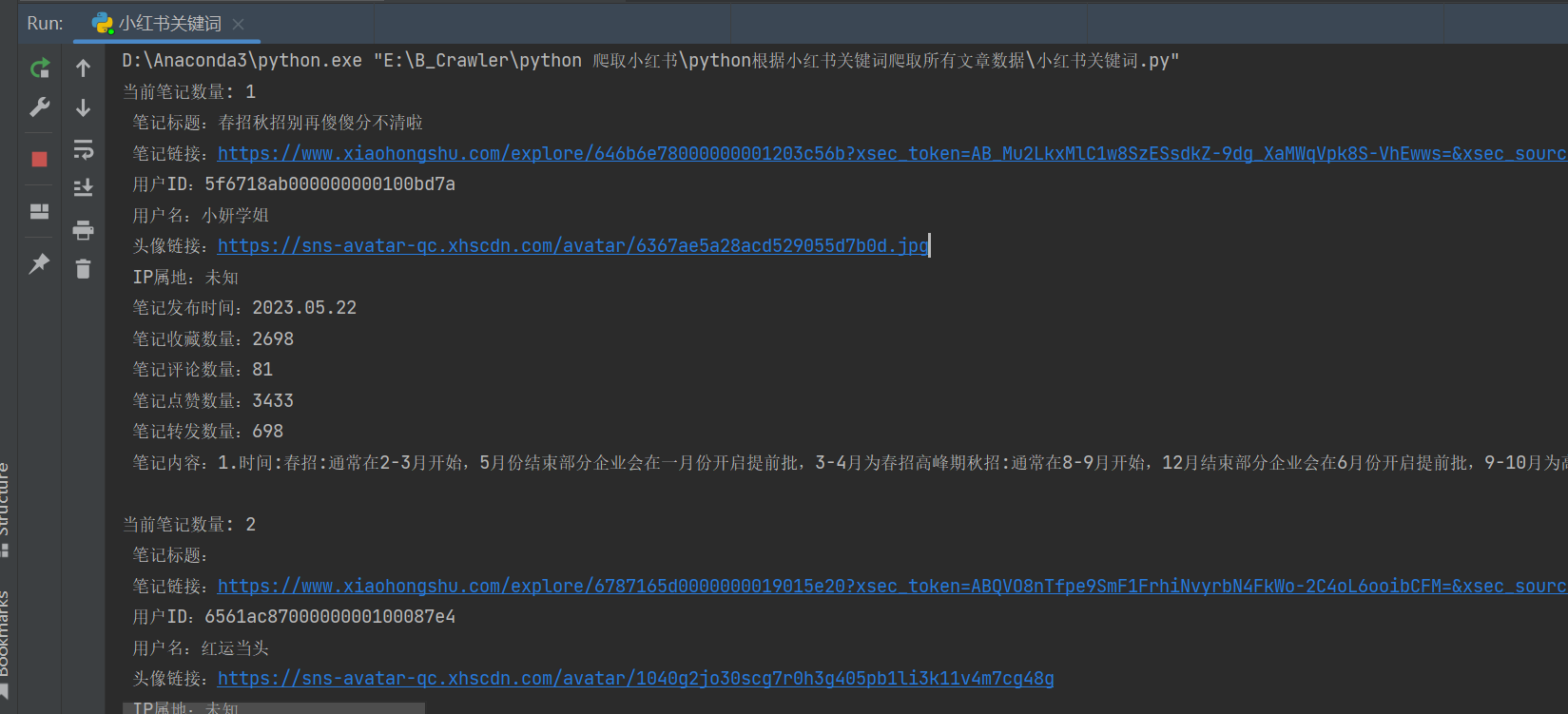
数据分析逻辑详解
加载数据由爬虫程序生成的 CSV 文件。
import pandas as pd
data = pd.read_csv(r'秋招和春招到底哪个机会多.csv')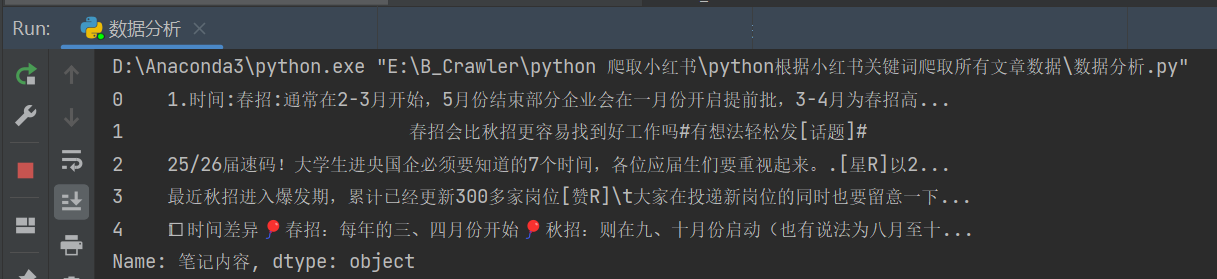
对爬取到的数据进行去重、文本清洗和中文分词。
xhs_content = data['笔记内容']
xhs_content = xhs_content.drop_duplicates()
# 数据清洗
xhs_content = xhs_content.apply(clean_text)
# 对小红书内容进行分词
segment_list = segment_text(xhs_content)
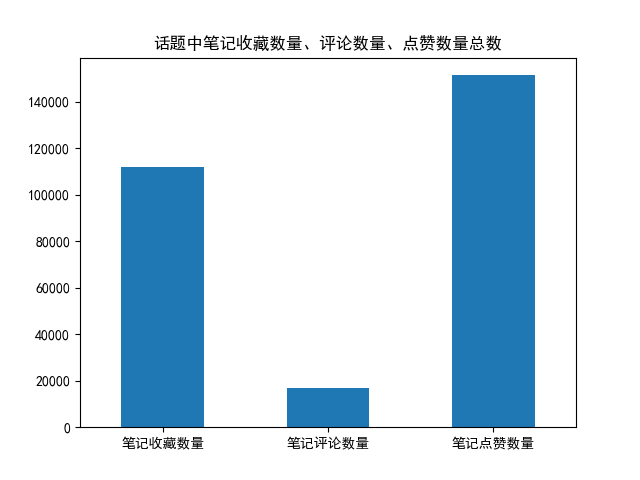
利用 matplotlib 和 wordcloud 库生成词云图和柱状图
# 绘制词云图
generate_wordcloud(segment_list)
# 绘制总的词频图
plot_word_frequency(segment_list)
绘图结果如下:
其他绘图: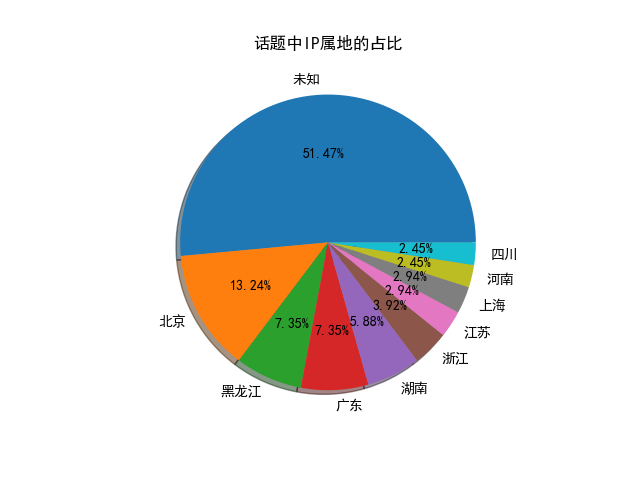

 浙公网安备 33010602011771号