

Python-wxauto微信自动发送消息或文件
1、安装wxauto和pyautogui库,pip安装即可。
pip install wxauto
pip install pyautogui
2、登录电脑微信客户端
这里有两个注意点:
(1)不能将客户端最小化。
(2)不能将客户端缩小到后台运行的小菜单。
3、编写代码
#!/usr/bin/env python
# coding:utf-8
"""
@File Name: test.py
@Version: 1.0
@Python Version:  2.7
@Author: Admin
@Created Time: 2023/1/3 17:59
@Software: PyCharm
@Desc:
"""

import time,os
from wxauto import WeChat
import pyautogui
pyautogui.FAILSAFE=False

print('请输入发送人的备注:')
who = input()

print("请选择发送消息还是文件:1.消息, 2.文件。输入1或2。")
chattype =  int(input())

print("请输入定时时间:格式(10:05:10)")
sent_time =  input()

if chattype == 1:
    print("请输入发送的消息:")
    chat_message = input()
elif chattype == 2:
    while True:
        print("请输入文件的路径:")
        chat_file_path = input()
        if os.path.exists(chat_file_path):
            if os.path.isfile(chat_file_path):
                break
            else:
                print("上传的文件不存在!")
        else:
            print("路径不存在!")

x, y = pyautogui.position()
pyautogui.click(x,y)        #返回桌面---此处需要自己获取位置
pyautogui.doubleClick(x,y)  #打开微信---此处需要自己获取位置

wx = WeChat()           # 获取当前微信客户端
wx.GetSessionList()     # 获取会话列表
wx.ChatWith(who)

while True:
    time_now = time.strftime("%H:%M:%S", time.localtime())  # 获取当前时间
    if time_now >= sent_time:
        if chattype == 1:
            wx.SendMsg(chat_message)
            print("消息发送结束!")
        elif chattype == 2:
             wx.SendFiles(chat_file_path)
             print("文件发送结束!")
        exit()
    else:
        print("还未到定时时间:",sent_time)
        time.sleep(5)
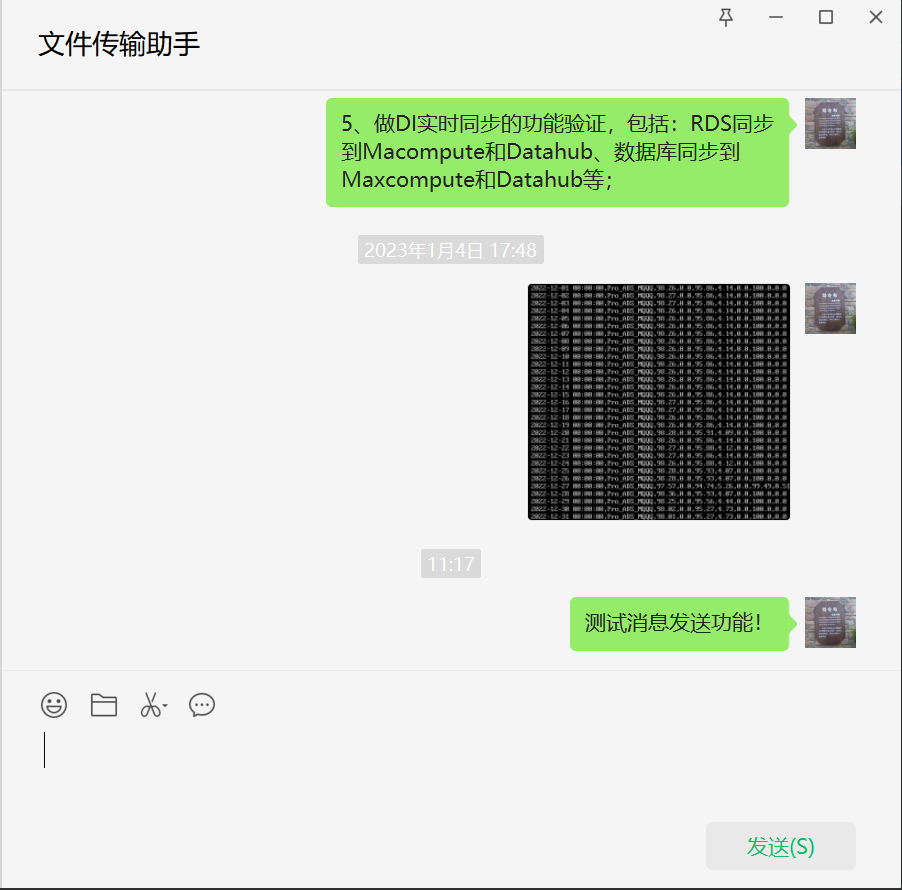
4、测试发送消息

查看PC端的微信窗口
5、测试发送文件

查看PC端的微信窗口

本文来自博客园,作者:业余砖家,转载请注明原文链接:https://www.cnblogs.com/yeyuzhuanjia/p/17046003.html

 浙公网安备 33010602011771号