nginx 部署 前端 项目 Windows
1、下载nginx
https://nginx.org/en/download.html
2、解压
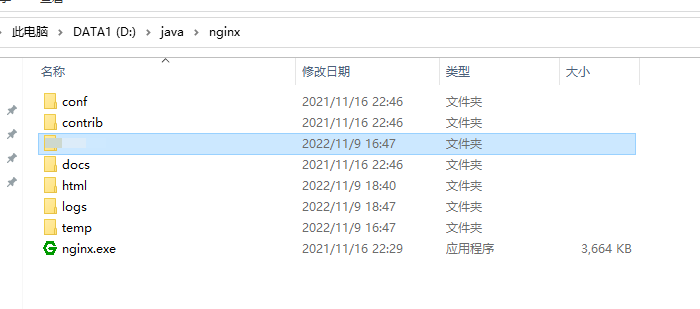
3、启动nginx,并访问http://localhost:80/
nginx 默认80端口
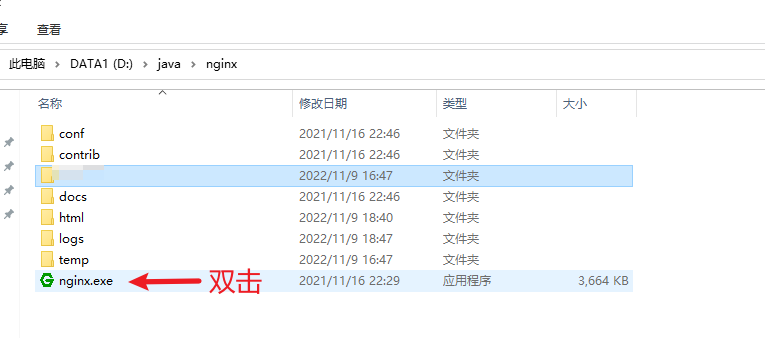
查看nginx是否启动
tasklist | find /i "nginx.exe"
查看nginx占用的端口
# 查询某个程序的PID

>tasklist | findstr "nginx.exe"

# 根据PID查看进程所占端口

>netstat -ano | findstr 20064
4、将前端包放到nginx根目录,并修改文件夹名称(修改为英文名)
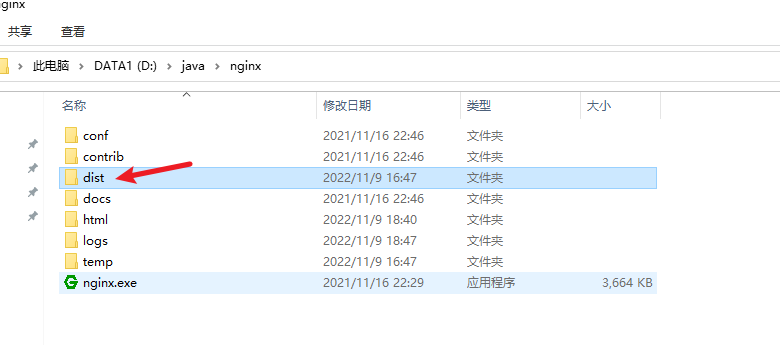
4、修改nginx.conf文件

nginx.conf


#user  nobody;
worker_processes  1;

#error_log  logs/error.log;
#error_log  logs/error.log  notice;
#error_log  logs/error.log  info;

#pid        logs/nginx.pid;


events {
    worker_connections  1024;
}


http {
    include       mime.types;
    default_type  application/octet-stream;

    #log_format  main  '$remote_addr - $remote_user [$time_local] "$request" '
    #                  '$status $body_bytes_sent "$http_referer" '
    #                  '"$http_user_agent" "$http_x_forwarded_for"';

    #access_log  logs/access.log  main;

    sendfile        on;
    #tcp_nopush     on;

    #keepalive_timeout  0;
    keepalive_timeout  65;

    #gzip  on;

    server {
        listen       80;
        server_name  localhost;

        #charset koi8-r;

        #access_log  logs/host.access.log  main;

        location /api/ {
            proxy_pass http://10.1.13.86:8080;
        }

        location /{
            root    dist;
            index   index.html;
            add_header Cache-Control 'no-cache,no-store';
        }
        #error_page  404              /404.html;

        # redirect server error pages to the static page /50x.html
        #
        error_page   500 502 503 504  /50x.html;
        location = /50x.html {
            root   html;
        }

        # proxy the PHP scripts to Apache listening on 127.0.0.1:80
        #
        #location ~ \.php$ {
        #    proxy_pass   http://127.0.0.1;
        #}

        # pass the PHP scripts to FastCGI server listening on 127.0.0.1:9000
        #
        #location ~ \.php$ {
        #    root           html;
        #    fastcgi_pass   127.0.0.1:9000;
        #    fastcgi_index  index.php;
        #    fastcgi_param  SCRIPT_FILENAME  /scripts$fastcgi_script_name;
        #    include        fastcgi_params;
        #}

        # deny access to .htaccess files, if Apache's document root
        # concurs with nginx's one
        #
        #location ~ /\.ht {
        #    deny  all;
        #}
    }


    # another virtual host using mix of IP-, name-, and port-based configuration
    #
    #server {
    #    listen       8000;
    #    listen       somename:8080;
    #    server_name  somename  alias  another.alias;

    #    location / {
    #        root   html;
    #        index  index.html index.htm;
    #    }
    #}


    # HTTPS server
    #
    #server {
    #    listen       443 ssl;
    #    server_name  localhost;

    #    ssl_certificate      cert.pem;
    #    ssl_certificate_key  cert.key;

    #    ssl_session_cache    shared:SSL:1m;
    #    ssl_session_timeout  5m;

    #    ssl_ciphers  HIGH:!aNULL:!MD5;
    #    ssl_prefer_server_ciphers  on;

    #    location / {
    #        root   html;
    #        index  index.html index.htm;
    #    }
    #}

}
5、重新启动nginx
# 进入nginx.exe所在目录,输入充cmd

nginx -s reload
停掉nginx 服务 nginx -s stop
或者先杀掉之前nginx,再启动
# 杀掉nginx

taskkill /f /t /im nginx.exe
注意:
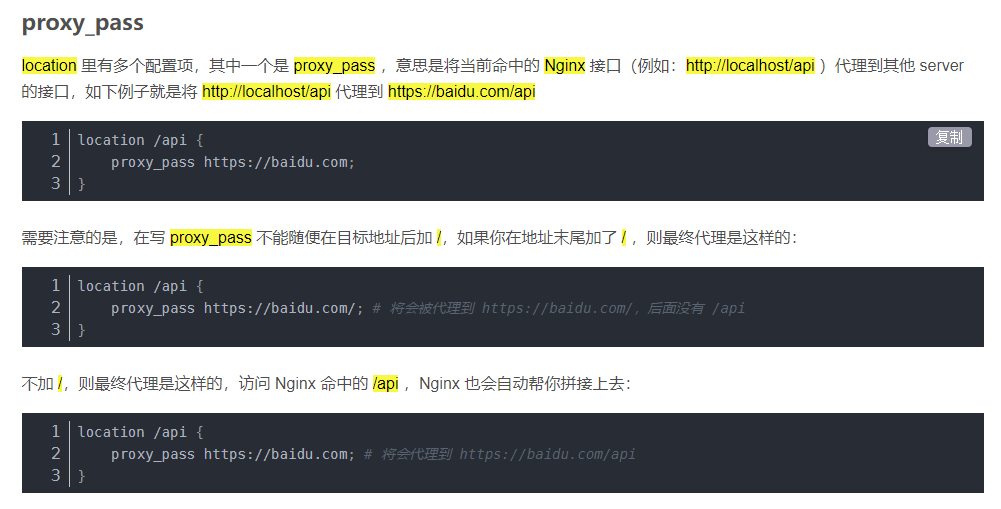
后端的ip : proxy_pass http://10.1.13.86:8080; 千万别写成http://10.1.13.86:8080/ ,多加一个/ ,会造成302
参考:https://blog.csdn.net/m0_49099550/article/details/113493189
https://blog.csdn.net/weixin_43066287/article/details/121104183

 浙公网安备 33010602011771号