springcloud剩余部分
8.5 服务降级
什么是服务降级?
服务降级是指 当服务器压力剧增的情况下,根据实际业务情况及流量,对一些服务和页面有策略的不处理,或换种简单的方式处理,从而释放服务器资源以保证核心业务正常运作或高效运作。说白了,就是尽可能的把系统资源让给优先级高的服务。
资源有限,而请求是无限的。如果在并发高峰期,不做服务降级处理,一方面肯定会影响整体服务的性能,严重的话可能会导致宕机某些重要的服务不可用。所以,一般在高峰期,为了保证核心功能服务的可用性,都要对某些服务降级处理。比如当双11活动时,把交易无关的服务统统降级,如查看蚂蚁深林,查看历史订单等等。
服务降级主要用于什么场景呢?当整个微服务架构整体的负载超出了预设的上限阈值或即将到来的流量预计将会超过预设的阈值时,为了保证重要或基本的服务能正常运行,可以将一些 不重要 或 不紧急 的服务或任务进行服务的 延迟使用 或 暂停使用。
降级的方式可以根据业务来,可以延迟服务,比如延迟给用户增加积分,只是放到一个缓存中,等服务平稳之后再执行 ;或者在粒度范围内关闭服务,比如关闭相关文章的推荐。
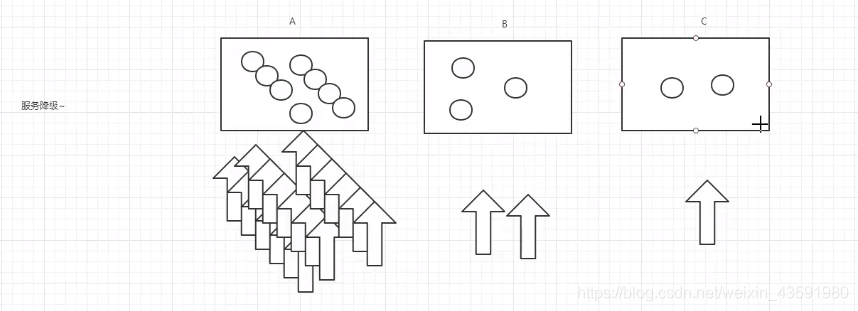
由上图可得,当某一时间内服务A的访问量暴增,而B和C的访问量较少,为了缓解A服务的压力,这时候需要B和C暂时关闭一些服务功能,去承担A的部分服务,从而为A分担压力,叫做服务降级。
服务降级需要考虑的问题
-
1)那些服务是核心服务,哪些服务是非核心服务
-
2)那些服务可以支持降级,那些服务不能支持降级,降级策略是什么
-
3)除服务降级之外是否存在更复杂的业务放通场景,策略是什么?
自动降级分类
1)超时降级:主要配置好超时时间和超时重试次数和机制,并使用异步机制探测回复情况
2)失败次数降级:主要是一些不稳定的api,当失败调用次数达到一定阀值自动降级,同样要使用异步机制探测回复情况
3)故障降级:比如要调用的远程服务挂掉了(网络故障、DNS故障、http服务返回错误的状态码、rpc服务抛出异常),则可以直接降级。降级后的处理方案有:默认值(比如库存服务挂了,返回默认现货)、兜底数据(比如广告挂了,返回提前准备好的一些静态页面)、缓存(之前暂存的一些缓存数据)
4)限流降级:秒杀或者抢购一些限购商品时,此时可能会因为访问量太大而导致系统崩溃,此时会使用限流来进行限制访问量,当达到限流阀值,后续请求会被降级;降级后的处理方案可以是:排队页面(将用户导流到排队页面等一会重试)、无货(直接告知用户没货了)、错误页(如活动太火爆了,稍后重试)。
入门案例
在springcloud-api模块下的service包中新建降级配置类DeptClientServiceFallBackFactory.java
/**
* @Auther: csp1999
* @Date: 2020/05/20/9:18
* @Description: Hystrix服务降级 ~
*/
在DeptClientService中指定降级配置类DeptClientServiceFallBackFactory
在springcloud-consumer-dept-feign模块中开启降级:
必须开这个,否则feign和Hystrix不能共用
server
先开两个服务提供者,访问出现轮询的时候,关掉一个提供者,再访问就会循环出现提示
8.6 服务熔断和降级的区别(明白点了 一个是服务崩了用,一个是主动停服务时候用)
-
服务熔断—>服务端:某个服务超时或异常,引起熔断~,类似于保险丝(自我熔断)
-
服务降级—>客户端:从整体网站请求负载考虑,当某个服务熔断或者关闭之后,服务将不再被调用,此时在客户端,我们可以准备一个 FallBackFactory ,返回一个默认的值(缺省值)。会导致整体的服务下降,但是好歹能用,比直接挂掉强。
-
触发原因不太一样,服务熔断一般是某个服务(下游服务)故障引起,而服务降级一般是从整体负荷考虑;管理目标的层次不太一样,熔断其实是一个框架级的处理,每个微服务都需要(无层级之分),而降级一般需要对业务有层级之分(比如降级一般是从最外围服务开始)
-
实现方式不太一样,服务降级具有代码侵入性(由控制器完成/或自动降级),熔断一般称为自我熔断。
熔断,降级,限流:
限流:限制并发的请求访问量,超过阈值则拒绝;
降级:服务分优先级,牺牲非核心服务(不可用),保证核心服务稳定;从整体负荷考虑;
熔断:依赖的下游服务故障触发熔断,避免引发本系统崩溃;系统自动执行和恢复
8.7 Dashboard 流监控(它与消费者有关和服务端无关的)
新建springcloud-consumer-hystrix-dashboard模块
添加依赖
<!--Hystrix依赖-->
<dependency>
    <groupId>org.springframework.cloud</groupId>
    <artifactId>spring-cloud-starter-hystrix</artifactId>
    <version>1.4.6.RELEASE</version>
</dependency>
<!--dashboard依赖-->
<dependency>
    <groupId>org.springframework.cloud</groupId>
    <artifactId>spring-cloud-starter-hystrix-dashboard</artifactId>
    <version>1.4.6.RELEASE</version>
</dependency>
<!--Ribbon-->
<dependency>
    <groupId>org.springframework.cloud</groupId>
    <artifactId>spring-cloud-starter-ribbon</artifactId>
    <version>1.4.6.RELEASE</version>
</dependency>
<!--Eureka-->
<dependency>
    <groupId>org.springframework.cloud</groupId>
    <artifactId>spring-cloud-starter-eureka</artifactId>
    <version>1.4.6.RELEASE</version>
</dependency>
<!--实体类+web-->
<dependency>
    <groupId>com.haust</groupId>
    <artifactId>springcloud-api</artifactId>
    <version>1.0-SNAPSHOT</version>
</dependency>
<dependency>
    <groupId>org.springframework.boot</groupId>
    <artifactId>spring-boot-starter-web</artifactId>
</dependency>
<!--热部署-->
<dependency>
    <groupId>org.springframework.boot</groupId>
    <artifactId>spring-boot-devtools</artifactId>
</dependency>
123456789101112131415161718192021222324252627282930313233343536373839
服务端也要有这个监控信息的依赖,同时服务器端也要导入hystrix的包
主启动类
给springcloud-provider-dept-hystrix-8001模块下的主启动类添加如下代码,添加监控
访问:http://localhost:9001/hystrix

进入监控页面:
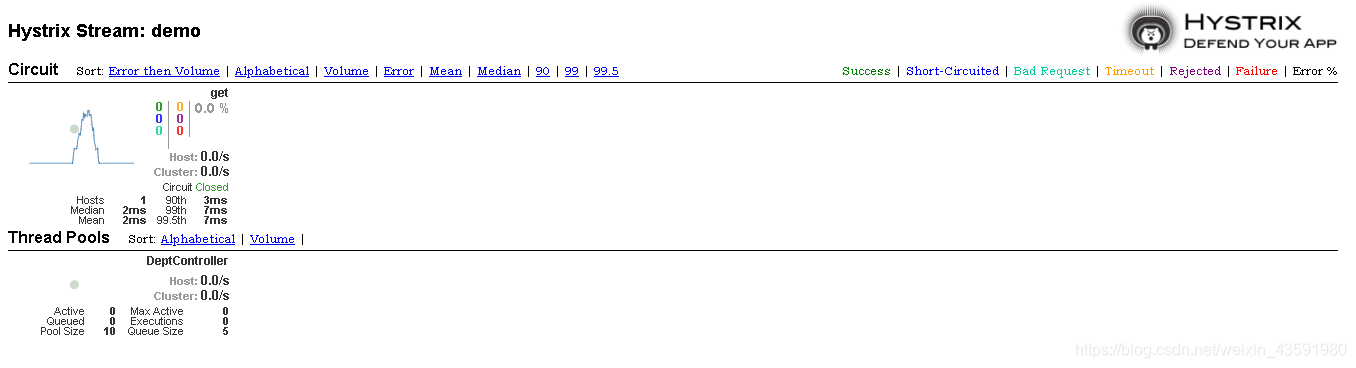
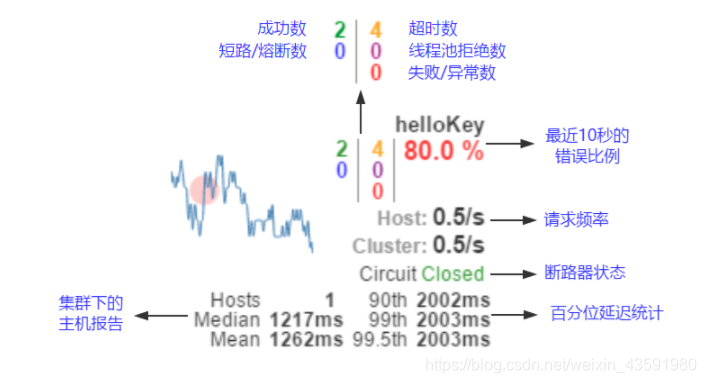
访问监视页面报 Unable to connect to Com... 可以在9001的主配置文件中添加hystrix:dashboard:proxy-stream-allow-list: "*"
9. Zull路由网关
概述
什么是zuul?
Zull包含了对请求的路由(用来跳转的)和过滤两个最主要功能:
其中路由功能负责将外部请求转发到具体的微服务实例上,是实现外部访问统一入口的基础,而过滤器功能则负责对请求的处理过程进行干预,是实现请求校验,服务聚合等功能的基础。Zuul和Eureka进行整合,将Zuul自身注册为Eureka服务治理下的应用,同时从Eureka中获得其他服务的消息,也即以后的访问微服务都是通过Zuul跳转后获得。
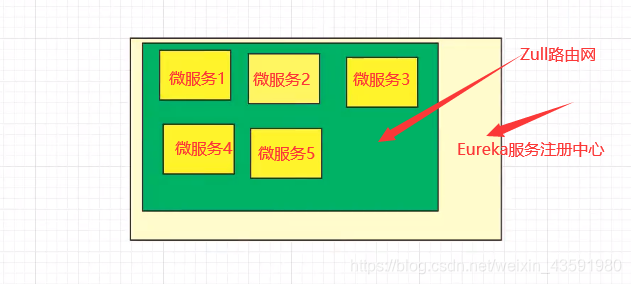
注意:Zuul 服务最终还是会注册进 Eureka,如果不注册到Eureka中,Zuul就无法获得有多少服务
提供:代理 + 路由 + 过滤 三大功能!
Zuul 能干嘛?
-
路由
-
过滤
官方文档:https://github.com/Netflix/zuul/
入门案例
新建springcloud-zuul模块,并导入依赖
<dependencies>
    <!--导入zuul依赖-->
    <dependency>
        <groupId>org.springframework.cloud</groupId>
        <artifactId>spring-cloud-starter-zuul</artifactId>
        <version>1.4.6.RELEASE</version>
    </dependency>
    <!--Hystrix依赖-->
    <dependency>
        <groupId>org.springframework.cloud</groupId>
        <artifactId>spring-cloud-starter-hystrix</artifactId>
        <version>1.4.6.RELEASE</version>
    </dependency>
    <!--dashboard依赖-->
    <dependency>
        <groupId>org.springframework.cloud</groupId>
        <artifactId>spring-cloud-starter-hystrix-dashboar</artifactId>
        <version>1.4.6.RELEASE</version>
    </dependency>
    <!--Ribbon-->
    <dependency>
        <groupId>org.springframework.cloud</groupId>
        <artifactId>spring-cloud-starter-ribbon</artifactId>
        <version>1.4.6.RELEASE</version>
    </dependency>
    <!--Eureka-->
    <dependency>
        <groupId>org.springframework.cloud</groupId>
        <artifactId>spring-cloud-starter-eureka</artifactId>
        <version>1.4.6.RELEASE</version>
    </dependency>
    <!--实体类+web-->
    <dependency>
        <groupId>com.haust</groupId>
        <artifactId>springcloud-api</artifactId>
        <version>1.0-SNAPSHOT</version>
    </dependency>
    <dependency>
        <groupId>org.springframework.boot</groupId>
        <artifactId>spring-boot-starter-web</artifactId>
    </dependency>
    <!--热部署-->
    <dependency>
        <groupId>org.springframework.boot</groupId>
        <artifactId>spring-boot-devtools</artifactId>
    </dependency>
</dependencies>
application.yml
server
主启动类
/**
* @Auther: csp1999
* @Date: 2020/05/20/20:53
* @Description: Zull路由网关主启动类
*/
测试:
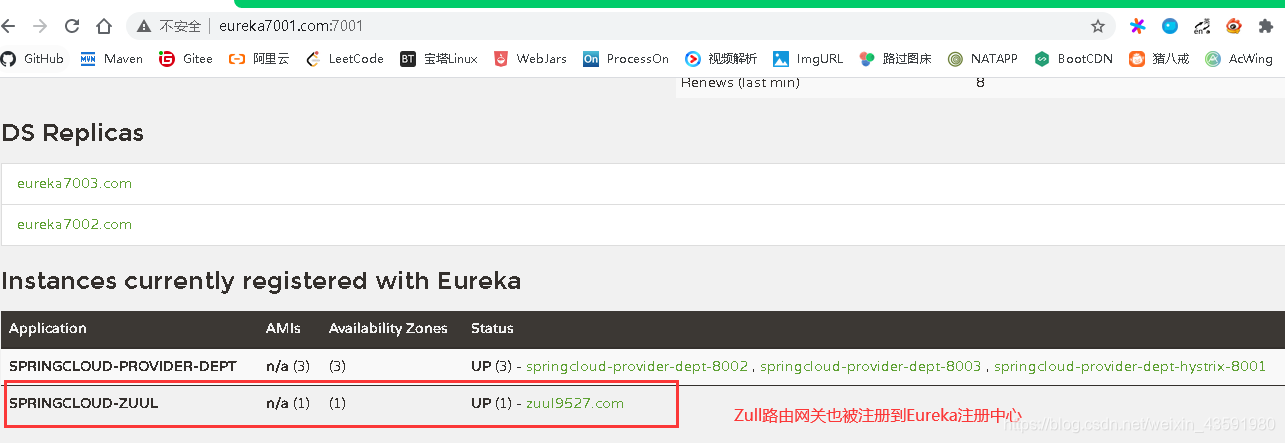
可以看出Zull路由网关被注册到Eureka注册中心中了!
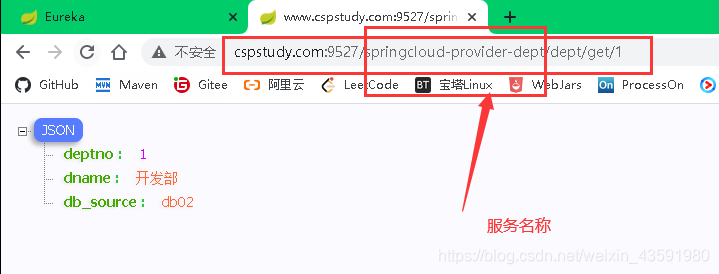
上图是没有经过Zull路由网关配置时,服务接口访问的路由,可以看出直接用微服务(服务提供方)名称去访问,这样不安全,不能将微服务名称暴露!
所以经过Zull路由网关配置后,访问的路由为:

我们看到,微服务名称被替换并隐藏,换成了我们自定义的微服务名称mydept,同时加上了前缀haust,这样就做到了对路由fan访问的加密处理!
详情参考springcloud中文社区zuul组件 :https://www.springcloud.cc/spring-cloud-greenwich.html#_router_and_filter_zuul
10. Spring Cloud Config 分布式配置
Dalston.RELEASE
Spring Cloud Config为分布式系统中的外部配置提供服务器和客户端支持。使用Config Server,您可以在所有环境中管理应用程序的外部属性。客户端和服务器上的概念映射与Spring Environment和PropertySource抽象相同,因此它们与Spring应用程序非常契合,但可以与任何以任何语言运行的应用程序一起使用。随着应用程序通过从开发人员到测试和生产的部署流程,您可以管理这些环境之间的配置,并确定应用程序具有迁移时需要运行的一切。服务器存储后端的默认实现使用git,因此它轻松支持标签版本的配置环境,以及可以访问用于管理内容的各种工具。很容易添加替代实现,并使用Spring配置将其插入。
概述
分布式系统面临的–配置文件问题
微服务意味着要将单体应用中的业务拆分成一个个子服务,每个服务的粒度相对较小,因此系统中会出现大量的服务,由于每个服务都需要必要的配置信息才能运行,所以一套集中式的,动态的配置管理设施是必不可少的。spring cloud提供了configServer来解决这个问题,我们每一个微服务自己带着一个application.yml,那上百个的配置文件修改起来,令人头疼!
什么是SpringCloud config分布式配置中心?
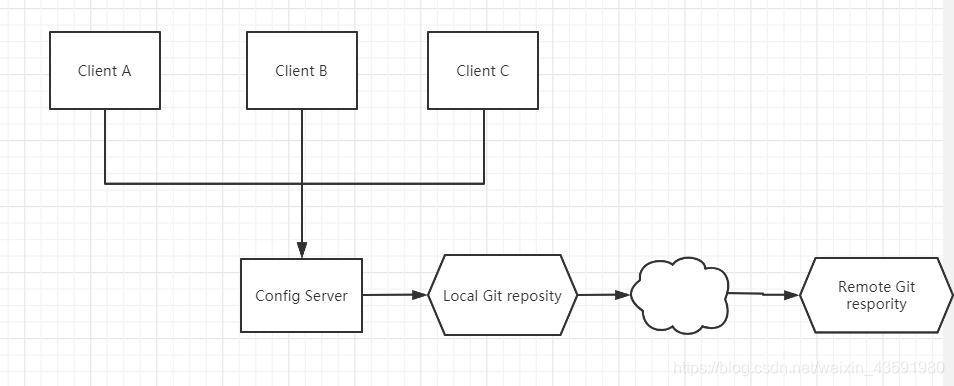
spring cloud config 为微服务架构中的微服务提供集中化的外部支持,配置服务器为各个不同微服务应用的所有环节提供了一个中心化的外部配置。
spring cloud config 分为服务端和客户端两部分。
服务端也称为 分布式配置中心,它是一个独立的微服务应用,用来连接配置服务器并为客户端提供获取配置信息,加密,解密信息等访问接口。
客户端则是通过指定的配置中心来管理应用资源,以及与业务相关的配置内容,并在启动的时候从配置中心获取和加载配置信息。配置服务器默认采用git来存储配置信息,这样就有助于对环境配置进行版本管理。并且可用通过git客户端工具来方便的管理和访问配置内容。
spring cloud config 分布式配置中心能干嘛?
-
集中式管理配置文件
-
不同环境,不同配置,动态化的配置更新,分环境部署,比如 /dev /test /prod /beta /release
-
运行期间动态调整配置,不再需要在每个服务部署的机器上编写配置文件,服务会向配置中心统一拉取配置自己的信息
-
当配置发生变动时,服务不需要重启,即可感知到配置的变化,并应用新的配置
-
将配置信息以REST接口的形式暴露
spring cloud config 分布式配置中心与GitHub整合
由于spring cloud config 默认使用git来存储配置文件 (也有其他方式,比如自持SVN 和本地文件),但是最推荐的还是git ,而且使用的是 http / https 访问的形式。
入门案例
服务端
新建springcloud-config-server-3344模块导入pom.xml依赖
<dependencies>
    <!--web-->
    <dependency>
        <groupId>org.springframework.boot</groupId>
        <artifactId>spring-boot-starter-web</artifactId>
    </dependency>
    <!--config-->
    <dependency>
        <groupId>org.springframework.cloud</groupId>
        <artifactId>spring-cloud-config-server</artifactId>
        <version>2.1.1.RELEASE</version>
    </dependency>
    <!--eureka-->
    <dependency>
        <groupId>org.springframework.cloud</groupId>
        <artifactId>spring-cloud-starter-eureka</artifactId>
        <version>1.4.6.RELEASE</version>
    </dependency>
</dependencies>
12345678910111213141516171819
resource下创建application.yml配置文件,Spring Cloud Config服务器从git存储库(必须提供)为远程客户端提供配置:
server
主启动类
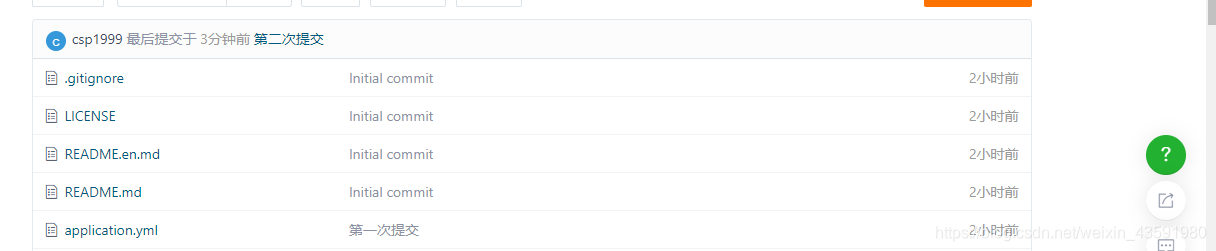
将本地git仓库springcloud-config文件夹下新建的application.yml提交到码云仓库:
定位资源的默认策略是克隆一个git仓库(在spring.cloud.config.server.git.uri),并使用它来初始化一个迷你SpringApplication。小应用程序的Environment用于枚举属性源并通过JSON端点发布。
HTTP服务具有以下格式的资源:
/{application}/{profile}[/{label}]
/{application}-{profile}.yml
/{label}/{application}-{profile}.yml
/{application}-{profile}.properties
/{label}/{application}-{profile}.properties
12345
其中“应用程序”作为SpringApplication中的spring.config.name注入(即常规的Spring Boot应用程序中通常是“应用程序”),“配置文件”是活动配置文件(或逗号分隔列表的属性),“label”是可选的git标签(默认为“master”)。
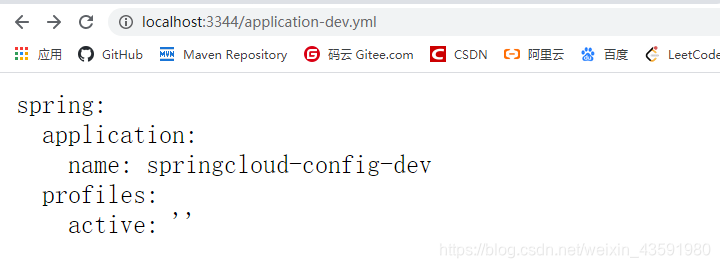
测试访问http://localhost:3344/application-dev.yml
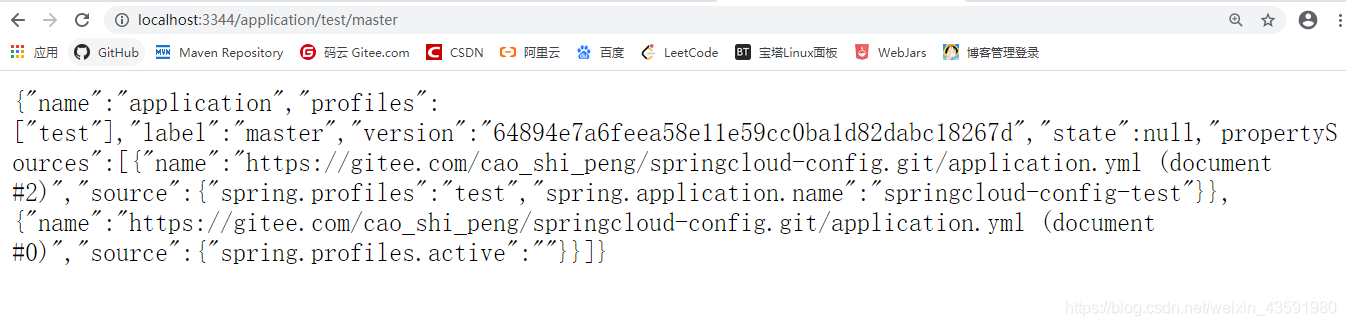
测试访问 http://localhost:3344/application/test/master
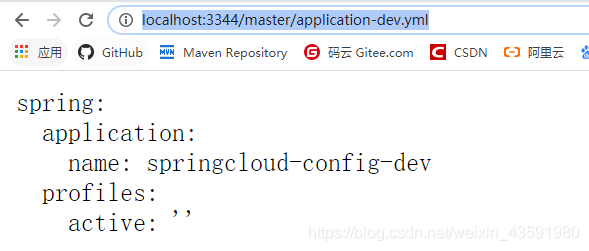
测试访问 http://localhost:3344/master/application-dev.yml
如果测试访问不存在的配置则不显示 如:http://localhost:3344/master/application-aaa.yml
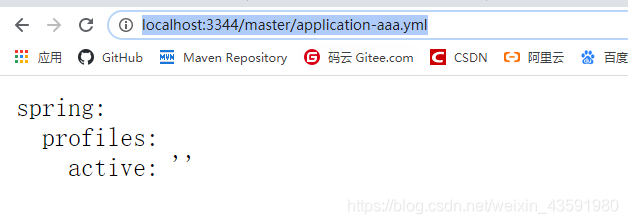
客户端
将本地git仓库springcloud-config文件夹下新建的config-client.yml提交到码云仓库:
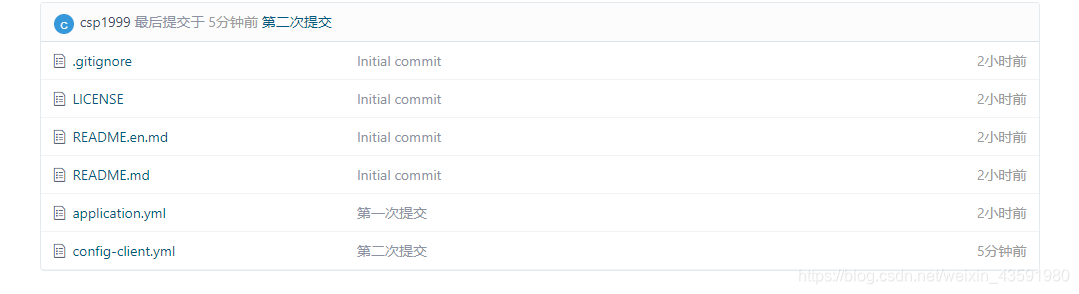
新建一个springcloud-config-client-3355模块,并导入依赖
<!--config-->
<!-- https://mvnrepository.com/artifact/org.springframework.cloud/spring-cloud-start -->
<dependency>
    <groupId>org.springframework.cloud</groupId>
    <artifactId>spring-cloud-starter-config</artifactId>
    <version>2.1.1.RELEASE</version>
</dependency>
<dependency>
    <groupId>org.springframework.boot</groupId>
    <artifactId>spring-boot-starter-actuator</artifactId>
</dependency>
<dependency>
    <groupId>org.springframework.boot</groupId>
    <artifactId>spring-boot-starter-web</artifactId>
</dependency>
123456789101112131415
resources下创建application.yml和bootstrap.yml配置文件
bootstrap.yml 是系统级别的配置
# 系统级别的配置
spring
application.yml 是用户级别的配置
# 用户级别的配置
spring
创建controller包下的ConfigClientController.java 用于测试
主启动类
测试:
启动服务端Config_server_3344 再启动客户端ConfigClient
访问:http://localhost:8201/config/

小案例
本地新建config-dept.yml和config-eureka.yml并提交到码云仓库
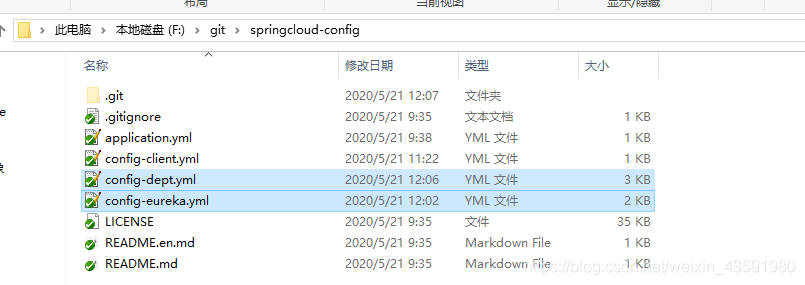
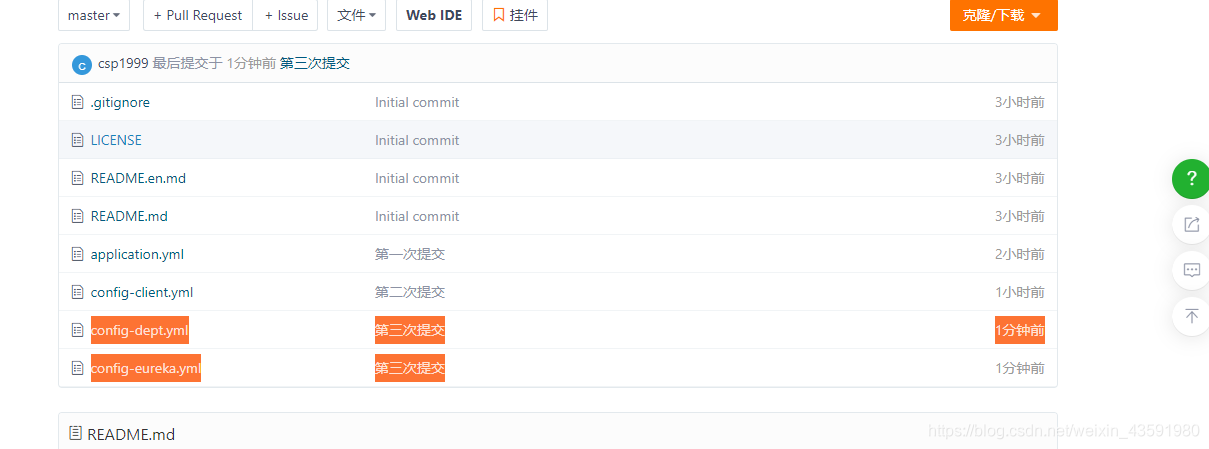
这里配置文件内容不再列举直接到代码中看把。
新建springcloud-config-eureka-7001模块,并将原来的springcloud-eureka-7001模块下的内容拷贝的该模块。
1.清空该模块的application.yml配置,并新建bootstrap.yml连接远程配置
spring
2.在pom.xml中添加spring cloud config依赖
<!--config-->
<!-- https://mvnrepository.com/artifact/org.springframework.cloud/spring-cloud-starter-config -->
<dependency>
    <groupId>org.springframework.cloud</groupId>
    <artifactId>spring-cloud-starter-config</artifactId>
    <version>2.1.1.RELEASE</version>
</dependency>
1234567
3.主启动类
4.测试
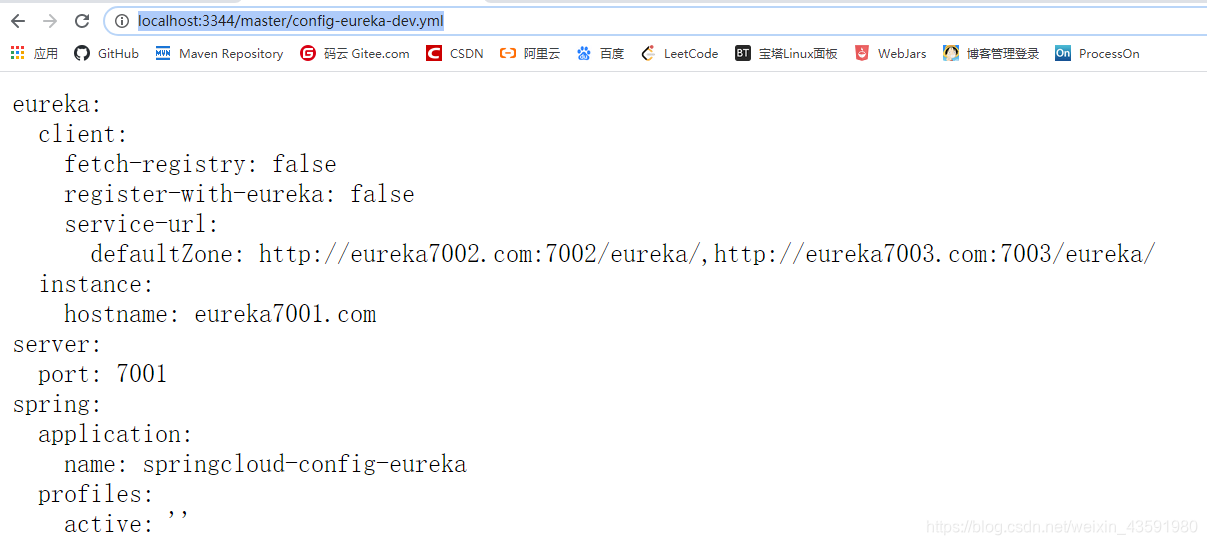
第一步:启动 Config_Server_3344,并访问 http://localhost:3344/master/config-eureka-dev.yml 测试
 第二部:启动ConfigEurekaServer_7001,访问 http://localhost:7001/ 测试
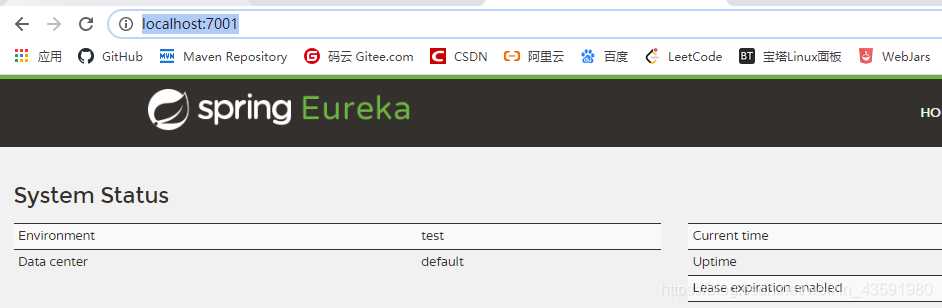 显示上图则成功
新建springcloud-config-dept-8001模块并拷贝springcloud-provider-dept-8001的内容
同理导入spring cloud config依赖、清空application.yml 、新建bootstrap.yml配置文件并配置
spring
主启动类
测试 (略)
作者:狂神说

 浙公网安备 33010602011771号