
flex 设置弹性盒子布局(使子元素动态的占据20%,30%,50%)
默认情况下,flex值为1,也就是占用弹性容器剩余位置的1份
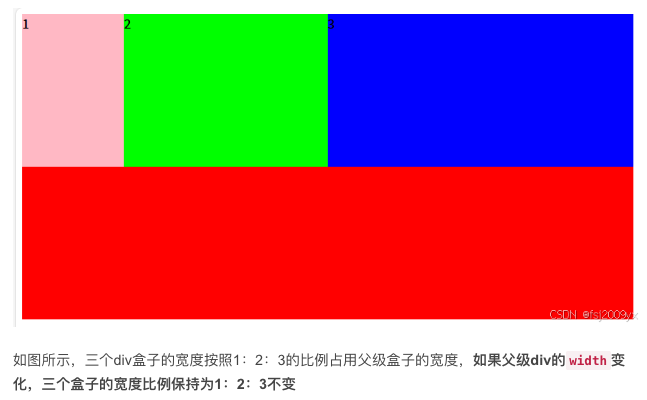
使用flex修改弹性伸缩比的示例:
<body>
    <div class="box">
        <div class="item item1">1</div>
        <div class="item item2">2</div>
        <div class="item item3">3</div>
    </div>
    <style>
        .box {
            width: 800px;
            height: 400px;
            background-color: #f00;
            display: flex;
        }
        .item {
            height: 200px;
        }
        .item1 {
            flex: 1;
            background-color: pink;
            /* 弹性伸缩比为1 */
        }
        .item2 {
            flex: 2;
            background-color: #0f0;
            /* 弹性伸缩比为2 */
        }
        .item3 {
            flex: 3;
            background-color: #00f;
            /* 弹性伸缩比为3 */
        }
    </style>
</body>

 浙公网安备 33010602011771号