
vue3+php7.2+mysql5.7.44+虚拟主机
php 版本可以切换,使用的是7.2。 可以切换至 5.3~8.3
1、webstorm, vue3:
<template>
<!--  <HelloWorld msg="Vite + Vue" />-->

  <div class="container">
    <div style="z-index: 99999">
      <button @click="btn1_click">Test PHP</button>
      <button @click="btn2_click">Test MySQL</button>
      <div class="font-bold text-[24px]">在Vue3中使用OpenLayers按住Shift实现拖拽旋转放缩效果</div>
    </div>
    <div id="map"></div>
  </div>

</template>

<script setup lang="ts">
import {ref, onMounted} from 'vue';
import 'ol/ol.css';
import {Map, View} from 'ol';
import Tile from 'ol/layer/Tile';
import TileJSON from 'ol/source/TileJSON';
import {DragRotateAndZoom, defaults as defaultInteractions} from 'ol/interaction';
import _default from "ol/layer/Property";
import axios from 'axios';

const map = ref<Map>();

onMounted(() => {
  initMap();
  maptiler('streets');
});

const btn1_click=(()=>{
  axios.get('http://ysz.cdn.cloudflare.net/example.php')
      .then(response => {
        console.log(response.data);
      })
      .catch(error => {
        console.error(error);
      });
});
const btn2_click=(()=>{
  axios.get('http://ysz.cdn.cloudflare.net/mysql1.php')
      .then(response => {
        console.log(response.data);
      })
      .catch(error => {
        console.error(error);
      });
});

const initMap = () => {
  map.value = new Map({
    target: 'map',
    layers: [],
    view: new View({
      center: [13247019.404399557, 4721671.572580107],
      zoom: 3,
    }),
    interactions: defaultInteractions().extend([new DragRotateAndZoom()]),
  });
};

const maptiler = (layername:any) => {
  // 清除所有layer
  map.value!.getLayers().getArray().forEach((layer) => {
    if (layer) {
      map.value!.removeLayer(layer);
    }
  });

  //这个资源要FQ才好浏览
  let url = 'https://api.maptiler.com/maps/' + layername + '/tiles.json?key=RbTrJIUkZr';
  let source = new TileJSON({
    url: url,
    tileSize: 512,
    crossOrigin: 'anonymous',
  });

  let maptilerMap = new Tile({
    source: source,
  });
  map.value!.addLayer(maptilerMap);
};

</script>

<style scoped>

.container {
  border: 1px solid #42B983;
  display: flex;
}
#map {
  position: absolute;
  top: 0;
  bottom: 0;
  width: 100%;
}


</style>
main.ts
import { createApp } from 'vue'
import './style.css'
import App from './App.vue'

import 'ol/ol.css'
createApp(App).mount('#app')
tsconfig.json
{
  "files": [],
  "references": [
    { "path": "./tsconfig.app.json" },
    { "path": "./tsconfig.node.json" }
  ],
  "angularCompilerOptions": {
    "strictNullChecks": false,
  }
}
vite.config.ts:
import { defineConfig } from "vite";
import vue from "@vitejs/plugin-vue";
import path from "path"; //这个path用到了这个模块需要下载  npm install @types/node --save-dev
//可能安装好了还飘红,重打开storm好了。

// https://vite.dev/config/
export default defineConfig({
  plugins: [vue()],
  resolve: {
    alias: {
      // 关键代码
      '@': path.resolve(__dirname, './src')
      //"@": path.resolve("./src"), // @代替src
    }
  },
})
npm run build/ 编译,zip
2、准备php 脚本,使用npp 编辑两文件 :
mysql1.php:
<?php
header('Content-Type: application/json');
$data = ['name' => 'John Doe2222222', 'email' => 'john.doe@example.com'];
echo json_encode($data);
$servername = "localhost";
$username = "lcyrrvfx";
$password = "lcyrrvfx";

// 创建连接
$conn = new mysqli($servername, $username, $password,"lcyrrvfx");
// 检测连接
if ($conn->connect_error) {
    die("连接失败: " . $conn->connect_error);
}
echo "连接成功";

// Perform query
if ($result = $conn->query("SELECT name1,name12 FROM stu1")){
    echo "Returned rows are: " . $result->num_rows;

    if ($result->num_rows > 0) {
        // 输出数据
        while($row = $result->fetch_assoc()) {
            echo "name1:: " . $row["name1"]. " - Name12: " . $row["name12"]. "<br>";
        }
    } else {
        echo "0 结果";
    }
    // Free result set
    $result->free_result();
}

$conn->close();
?>
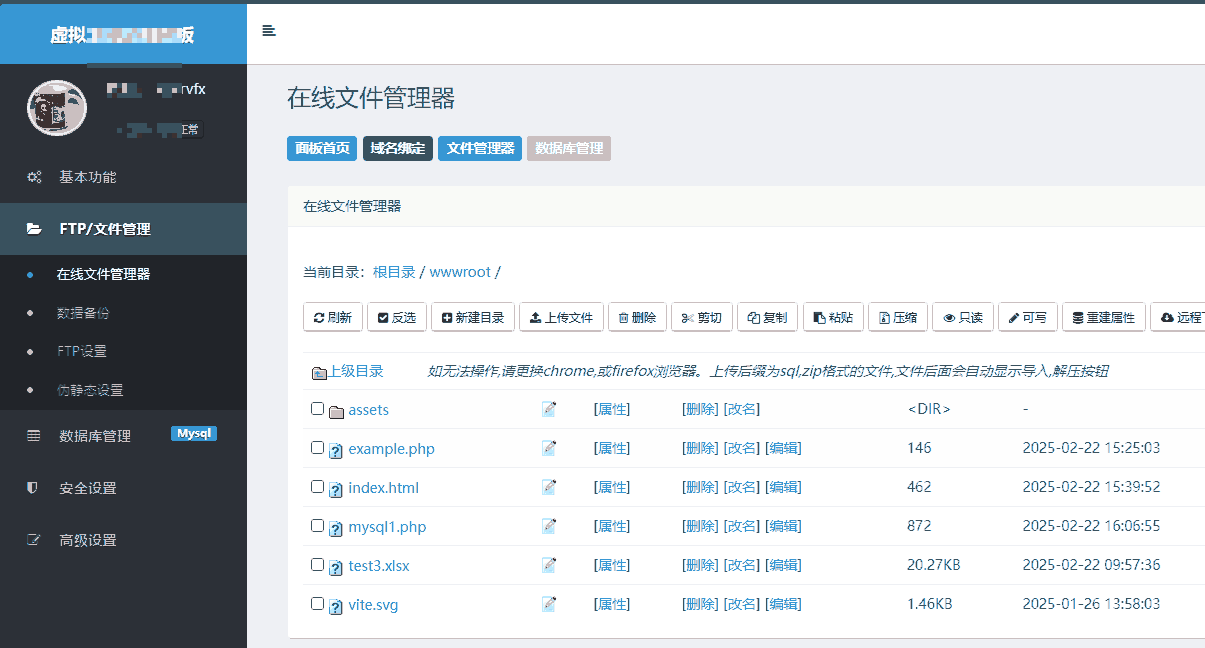
3\ 虚拟主机文件 管理上传zip ,解压;上传php 文件
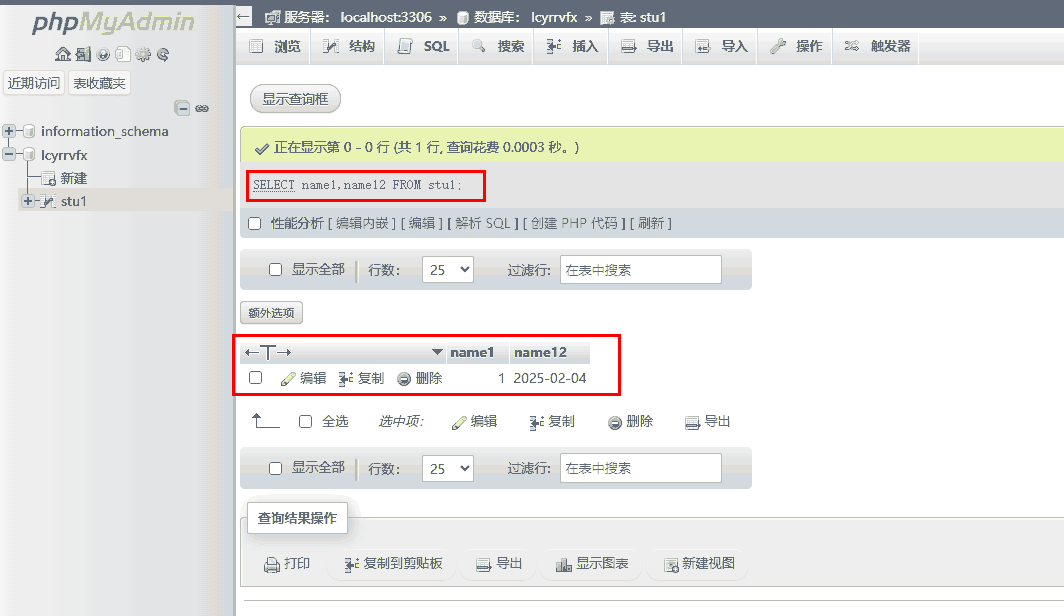
4、数据库mysql 管理面板:
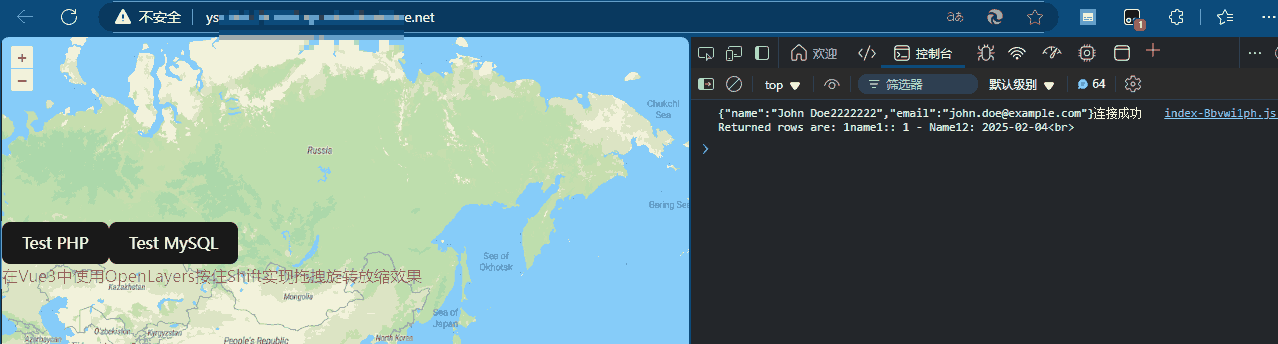
5、跑起来

 浙公网安备 33010602011771号