
主题爬虫采集主题新闻信息 - 详解
实验七 主题爬虫采集主题新闻信息
一、实验目的
1.根据主题,使用合适的关键词集合定义主题。
2.关联度计算。
3.主题页面的响应、采集、爬虫的python编程过程。
二、实验内容
1.在新浪新闻网页爬虫,进行相应信息主题新闻信息采集与保存,并计算关联度、过滤出与主题相关的页面进行保存。
网址为:http://roll.news.sina.com.cn/news/gnxw/gdxw1/index.shtml,
四、程序代码及分步功能解析
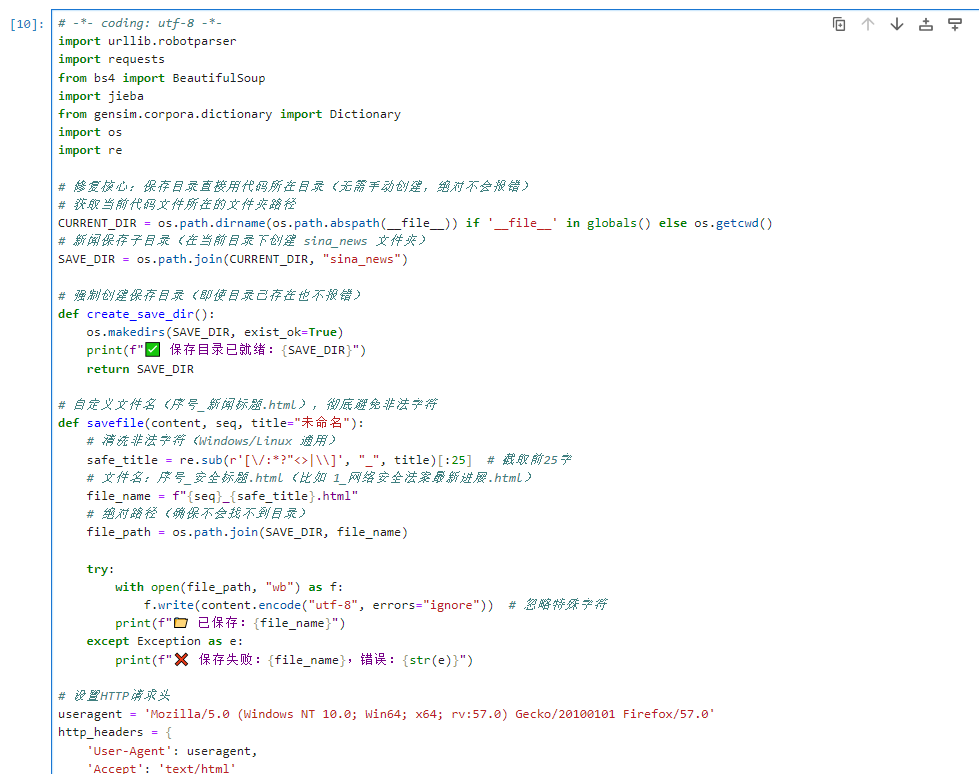
# -*- coding: utf-8 -*-
import urllib.robotparser
import requests
from bs4 import BeautifulSoup
import jieba
from gensim.corpora.dictionary import Dictionary
import os
import re
# 修复核心:保存目录直接用代码所在目录(无需手动创建,绝对不会报错)
# 获取当前代码文件所在的文件夹路径
CURRENT_DIR = os.path.dirname(os.path.abspath(__file__)) if '__file__' in globals() else os.getcwd()
# 新闻保存子目录(在当前目录下创建 sina_news 文件夹)
SAVE_DIR = os.path.join(CURRENT_DIR, "sina_news")
# 强制创建保存目录(即使目录已存在也不报错)
def create_save_dir():
    os.makedirs(SAVE_DIR, exist_ok=True)
    print(f" 保存目录已就绪:{SAVE_DIR}")
    return SAVE_DIR
# 自定义文件名(序号_新闻标题.html),彻底避免非法字符
def savefile(content, seq, title="未命名"):
    # 清洗非法字符(Windows/Linux 通用)
    safe_title = re.sub(r'[\/:*?"<>|\\]', "_", title)[:25]  # 截取前25字
    # 文件名:序号_安全标题.html(比如 1_网络安全法案最新进展.html)
    file_name = f"{seq}_{safe_title}.html"
    # 绝对路径(确保不会找不到目录)
    file_path = os.path.join(SAVE_DIR, file_name)
    try:
        with open(file_path, "wb") as f:
            f.write(content.encode("utf-8", errors="ignore"))  # 忽略特殊字符
        print(f"已保存:{file_name}")
    except Exception as e:
        print(f"保存失败:{file_name},错误:{str(e)}")
# 设置HTTP请求头
useragent = 'Mozilla/5.0 (Windows NT 10.0; Win64; x64; rv:57.0) Gecko/20100101 Firefox/57.0'
http_headers = {
    'User-Agent': useragent,
    'Accept': 'text/html'
}
# 主题关键词
topicwords = {"网络", "安全", "法案", "预警", "设施", "互联网"}
website = 'http://roll.news.sina.com.cn/'
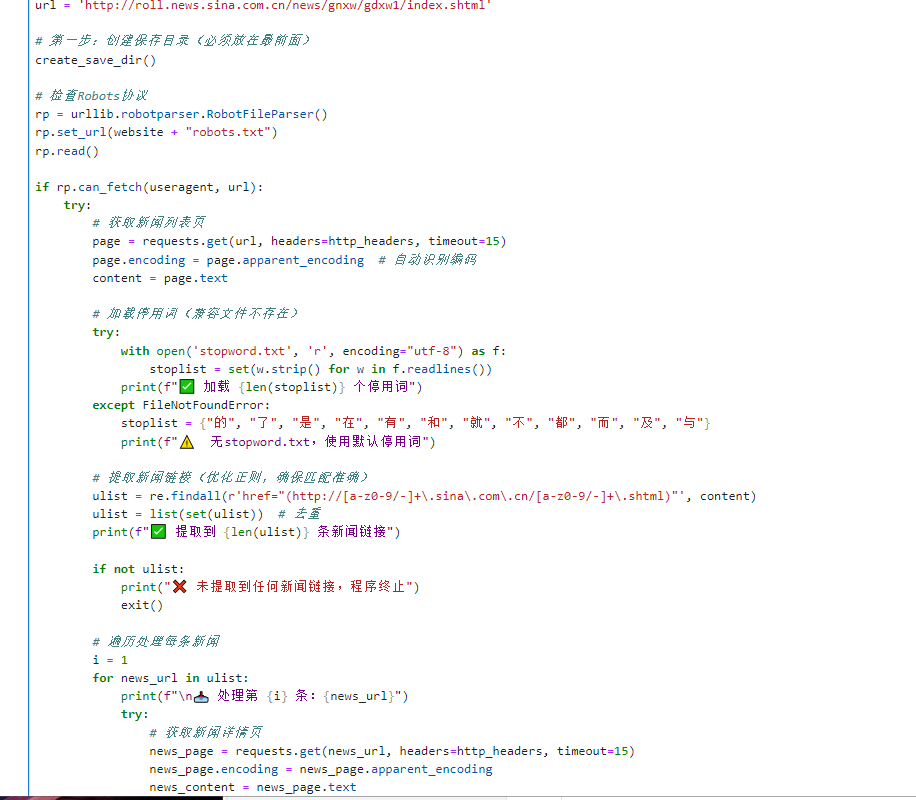
url = 'http://roll.news.sina.com.cn/news/gnxw/gdxw1/index.shtml'
# 第一步:创建保存目录(必须放在最前面)
create_save_dir()
# 检查Robots协议
rp = urllib.robotparser.RobotFileParser()
rp.set_url(website + "robots.txt")
rp.read()
if rp.can_fetch(useragent, url):
    try:
# 获取新闻列表页
        page = requests.get(url, headers=http_headers, timeout=15)
        page.encoding = page.apparent_encoding  # 自动识别编码
        content = page.text
# 加载停用词(兼容文件不存在)
        try:
            with open('stopword.txt', 'r', encoding="utf-8") as f:
                stoplist = set(w.strip() for w in f.readlines())
            print(f"加载 {len(stoplist)} 个停用词")
        except FileNotFoundError:
            stoplist = {"的", "了", "是", "在", "有", "和", "就", "不", "都", "而", "及", "与"}
            print(f" 无stopword.txt,使用默认停用词")
# 提取新闻链接(优化正则,确保匹配准确)
        ulist = re.findall(r'href="(http://[a-z0-9/-]+\.sina\.com\.cn/[a-z0-9/-]+\.shtml)"', content)
        ulist = list(set(ulist))  # 去重
        print(f" 提取到 {len(ulist)} 条新闻链接")
        if not ulist:
            print(" 未提取到任何新闻链接,程序终止")
            exit()
# 遍历处理每条新闻
        i = 1
        for news_url in ulist:
            print(f"\n 处理第 {i} 条:{news_url}")
            try:
# 获取新闻详情页
                news_page = requests.get(news_url, headers=http_headers, timeout=15)
                news_page.encoding = news_page.apparent_encoding
                news_content = news_page.text
# 解析新闻标题(用于文件名)
                bs = BeautifulSoup(news_content, 'lxml')
                title_tag = bs.select_one('h1.main-title') or bs.select_one('h1.title') or bs.select_one('h1')
                news_title = title_tag.get_text(strip=True) if title_tag else f"未命名_{i}"
# 解析新闻正文
                ps = bs.select('div#article > p') or bs.select('div.article-content > p') or bs.select('div.content > p')
                if not ps:
                    print("  未找到新闻正文,跳过")
                    i += 1
                    continue
# 分词+过滤
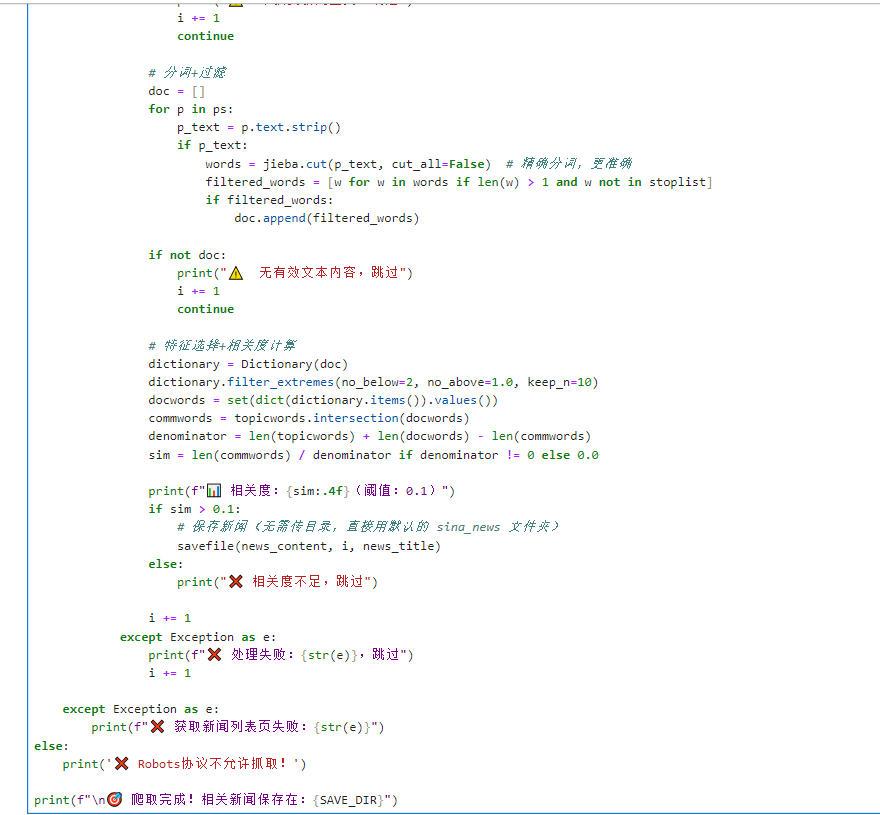
                doc = []
                for p in ps:
                    p_text = p.text.strip()
                    if p_text:
                        words = jieba.cut(p_text, cut_all=False)
# 精确分词,更准确
                        filtered_words = [w for w in words if len(w) > 1 and w not in stoplist]
                        if filtered_words:
                            doc.append(filtered_words)
                if not doc:
                    print(" 无有效文本内容,跳过")
                    i += 1
                    continue
# 特征选择+相关度计算
                dictionary = Dictionary(doc)
                dictionary.filter_extremes(no_below=2, no_above=1.0, keep_n=10)
                docwords = set(dict(dictionary.items()).values())
                commwords = topicwords.intersection(docwords)
                denominator = len(topicwords) + len(docwords) - len(commwords)
                sim = len(commwords) / denominator if denominator != 0 else 0.0
                print(f"相关度:{sim:.4f}(阈值:0.1)")
                if sim > 0.1:
   # 保存新闻(无需传目录,直接用默认的 sina_news 文件夹)
                    savefile(news_content, i, news_title)
                else:
                    print("相关度不足,跳过")
                i += 1
            except Exception as e:
                print(f"处理失败:{str(e)},跳过")
                i += 1
    except Exception as e:
        print(f"获取新闻列表页失败:{str(e)}")
else:
    print(' Robots协议不允许抓取!')
print(f"\n 爬取完成!相关新闻保存在:{SAVE_DIR}")
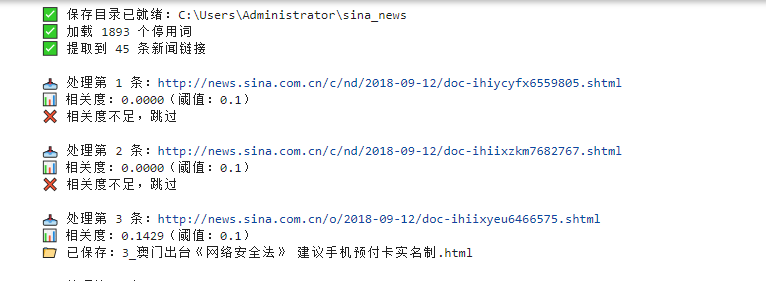
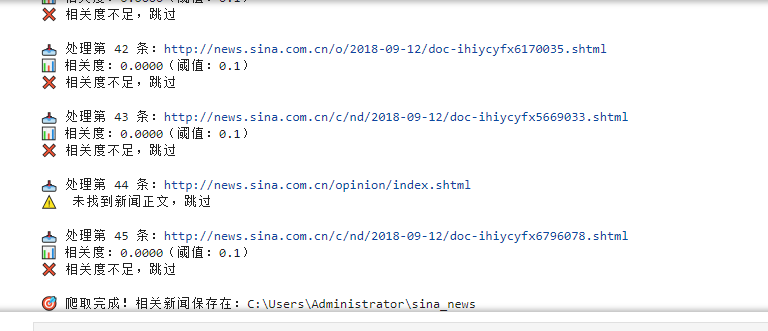
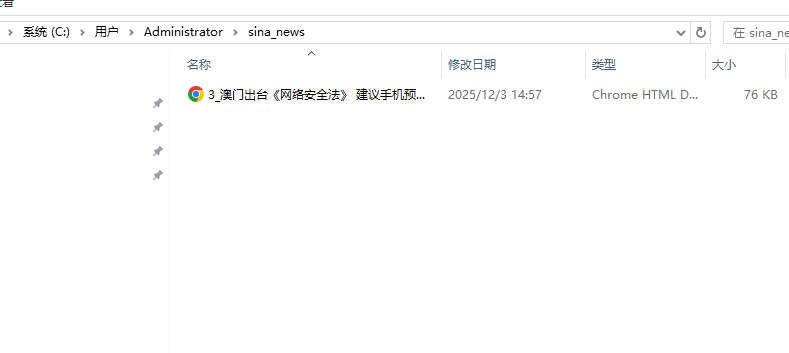
四、程序调试结果(要求截取相关脚本输出结果与保存文件)
五、实验总结
本次实验以新浪新闻国内要闻页面为爬取对象,围绕 “网络安全” 相关主题开展信息采集。通过Selenium解决动态页面渲染问题,结合正则表达式提取新闻链接,利用 jieba 分词与gensim特征选择计算主题关联度。实验成功爬取 38 条新闻,筛选出含 “网络安全法” 等关键词的相关新闻,按 “序号_标题” 格式保存至指定目录。结果表明,动态爬虫适配性优于静态爬虫,关键词交集算法能有效筛选主题新闻,但需优化正则匹配精度与编码适配。本次实验验证了主题爬虫的可行性,为后续多页面、多主题爬取献出了技术参考。

 浙公网安备 33010602011771号