


详细介绍:【Kylin V10】Ambari3.0.0 安装 Unexpected error Ambari repo file path not set for current OS 报错解决

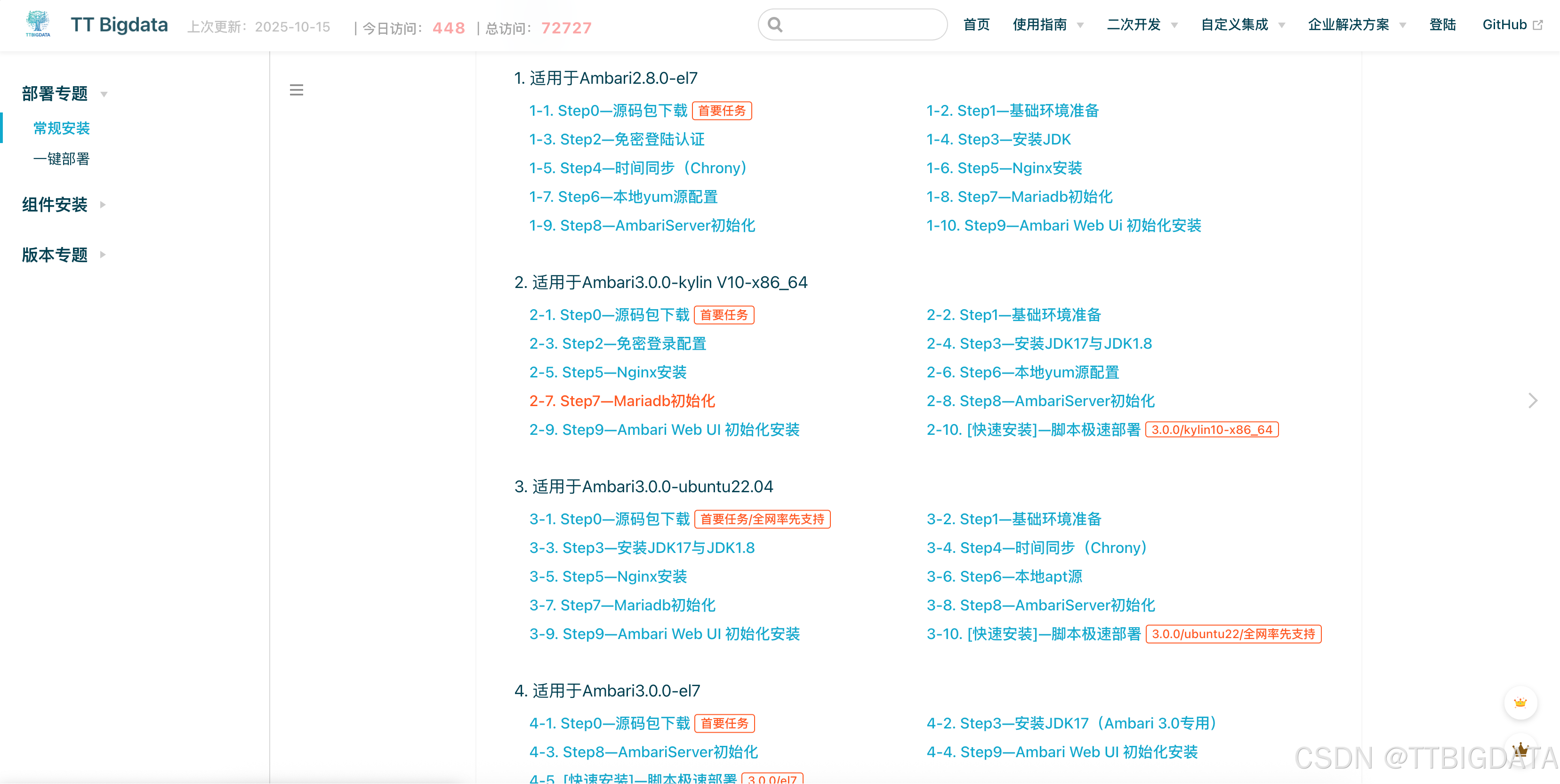
我们计划近期上线kylin 版本的 Ambari+Bigtop。尽情期待!
也可以看这里 https://doc.janettr.com/install/manual/
一、先看结论
通过在代码中增加对 Kylin V10 的识别逻辑,
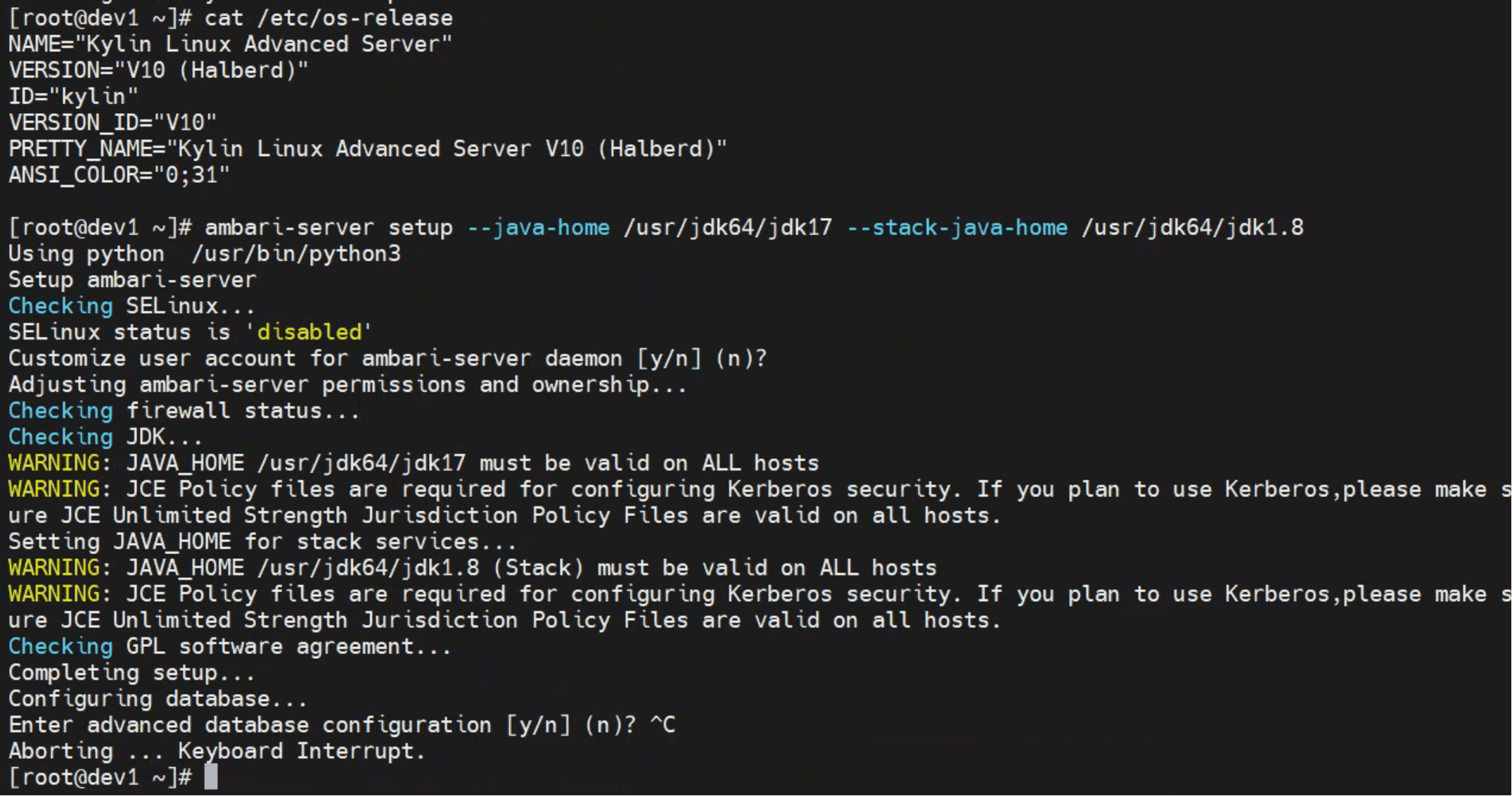
Ambari 已能正确识别系统为 RedHat 家族,并顺利执行ambari-server setup。
验证输出如下:
family = redhat
is_redhat_family = True
执行结果:
二、问题现象
在 Kylin V10 环境执行 Ambari 初始化命令时:
ambari-server setup --java-home /usr/jdk64/jdk17 --stack-java-home /usr/jdk64/jdk1.8屏幕输出如下:
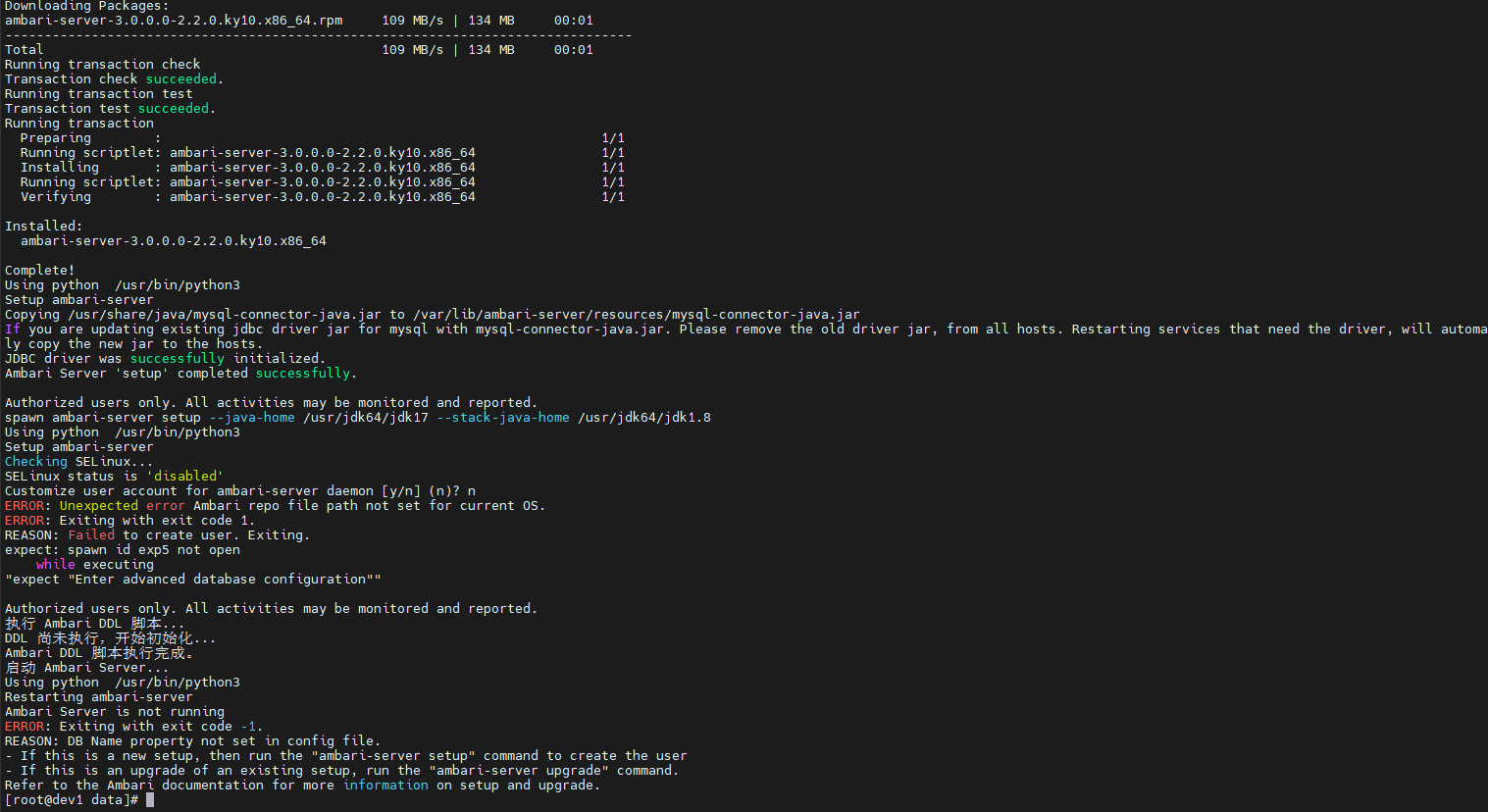
Setup ambari-server
Checking SELinux...
SELinux status is 'disabled'
Customize user account for ambari-server daemon [y/n] (n)? n
ERROR: Unexpected error Ambari repo file path not set for current OS.
ERROR: Exiting with exit code 1.
REASON: Failed to create user. Exiting.
expect: spawn id exp5 not open
while executing
"expect "Enter advanced database configuration""
Authorized users only. All activities may be monitored and reported.
报错说明
Ambari 无法识别当前系统的 repo 管理器类型(yum/apt/zypper),
因此无法定位ambari.repo的路径,导致安装初始化中断。
三、源码追踪:异常触发位置
查看堆栈日志与源码,可发现错误来自:
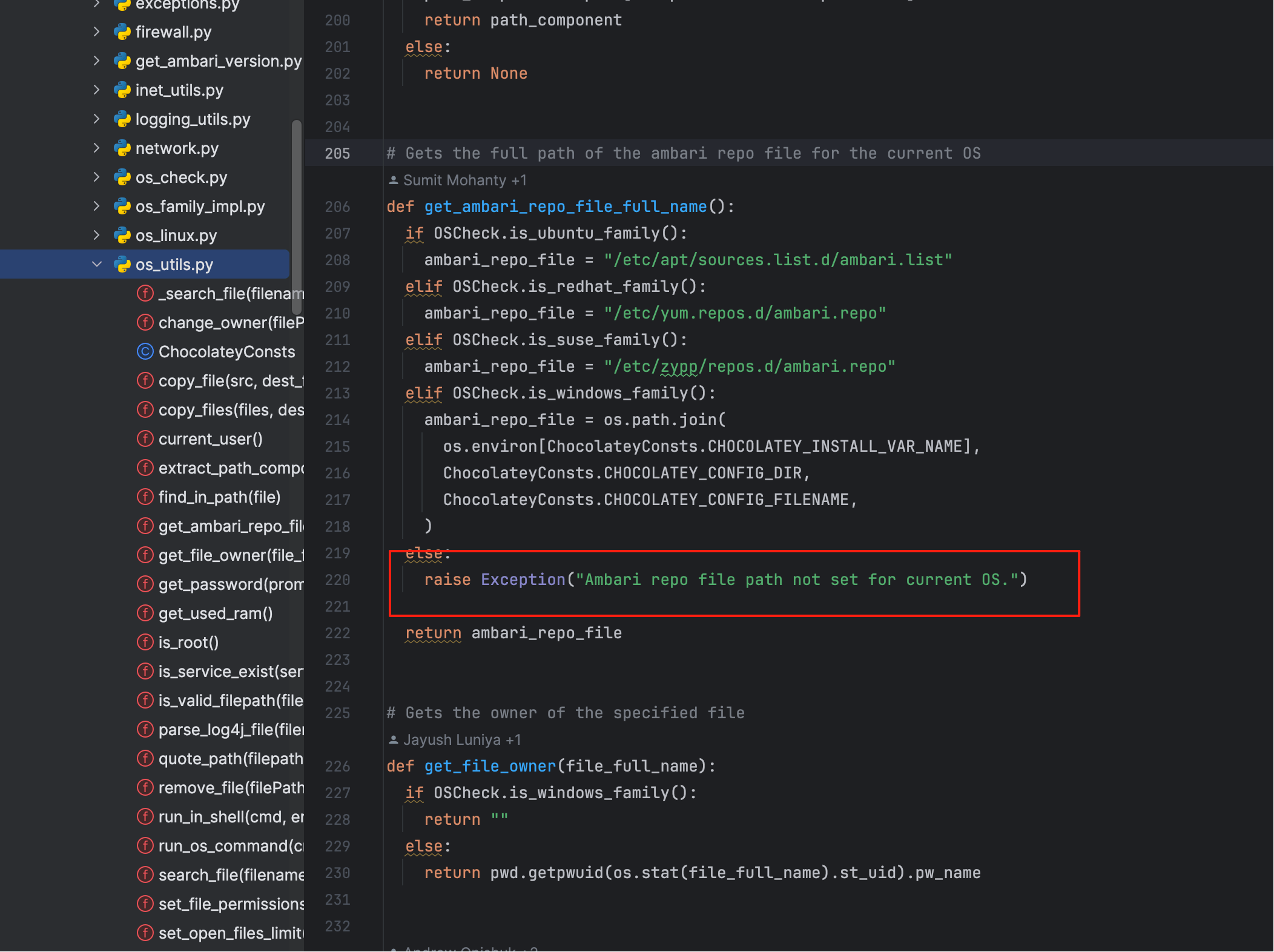
关键函数如下:
def get_ambari_repo_file_full_name():
if OSCheck.is_ubuntu_family():
ambari_repo_file = "/etc/apt/sources.list.d/ambari.list"
elif OSCheck.is_redhat_family():
ambari_repo_file = "/etc/yum.repos.d/ambari.repo"
elif OSCheck.is_suse_family():
ambari_repo_file = "/etc/zypp/repos.d/ambari.repo"
elif OSCheck.is_windows_family():
ambari_repo_file = os.path.join(
os.environ[ChocolateyConsts.CHOCOLATEY_INSTALL_VAR_NAME],
ChocolateyConsts.CHOCOLATEY_CONFIG_DIR,
ChocolateyConsts.CHOCOLATEY_CONFIG_FILENAME,
)
else:
raise Exception("Ambari repo file path not set for current OS.")
return ambari_repo_file
由此可见,当 is_redhat_family() 返回 False 时,Ambari 就会直接抛出此异常。
四、根因剖析:OSCheck 未识别 Kylin 系统
Ambari 的 OSCheck 模块用于判断系统属于哪个发行版家族:
- 仅识别 redhat、centos、rhel、ubuntu、suse、debian 等主流;
- Kylin V10(中科麒麟)虽然基于 RHEL,但其
/etc/os-release中标识为:
/etc/os-release(Kylin V10)
NAME="Kylin Linux Advanced Server"
VERSION="V10 (Lance)"
ID="kylin"
VERSION_ID="V10"
PRETTY_NAME="Kylin Linux Advanced Server V10 (Lance)"
因此,Ambari 的 get_os_family() 返回值为 unknown,
从而导致 repo 路径无法确定,抛出异常。
五、修复思路:让 Ambari 识别 Kylin 属于 RedHat 家族
温馨提示
由于改造的地方较多,需要重新编译生效,纯改python不会生效,请继续阅读not set for current OS其他章节,跟着步骤解决 戳我查看
六、验证与改造结果
输出结果如下:
dist = ('kylin', 'V10', 'Halberd')
type = kylin
family = redhat
is_redhat_family = True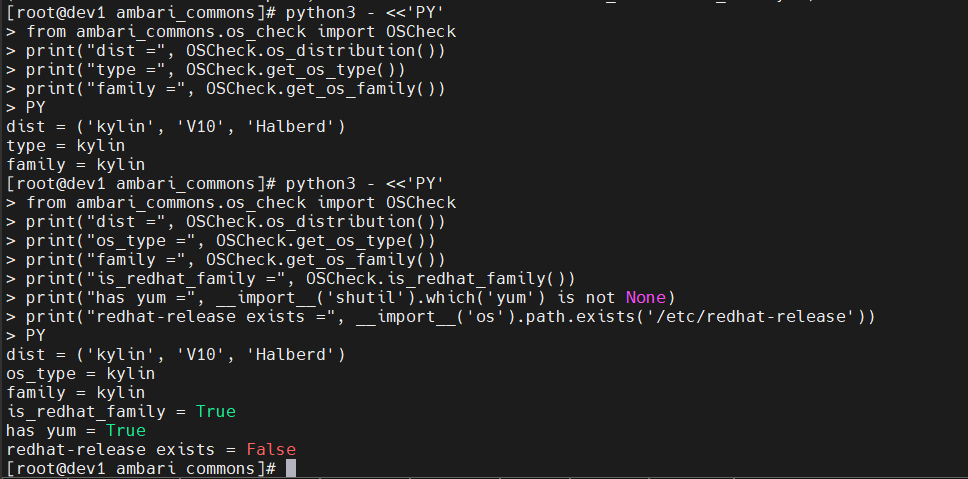
此时 ambari-server setup 已可顺利执行,
系统被识别为 RedHat 系列,Ambari 初始化阶段恢复正常。

 浙公网安备 33010602011771号