Openssh升级步骤文档
二、升级OpenSSL
# 1、安装依赖
yum install -y gcc gcc-c++ glibc make autoconf openssl openssl-devel pcre-devel pam-devel
yum install -y pam* zlib*
yum -y install perl-IPC-Cmd

# 2、下载升级包
wget https://ftp.openssl.org/source/openssl-3.0.4.tar.gz --no-check-certificate
wget https://cdn.openbsd.org/pub/OpenBSD/OpenSSH/portable/openssh-9.0p1.tar.gz --no-check-certificate

# 3、解压进入升级包目录,并备份旧版本
mv /home/cbgadmin/wtdata/open* .
tar xf openssl-3.0.4.tar.gz
cd openssl-3.0.4

mv /usr/bin/openssl /usr/bin/openssl_old
mv /usr/include/openssl /usr/include/openssl_old

# 4、编译安装
./config --prefix=/usr/local/openssl && make && make install

# 若出现‘Can't locate IPC/Cmd.pm in @INC...’错误,则
#yum -y install perl-IPC-Cmd

# 5、创建软链接,或者直接复制文件
ln -s /usr/local/openssl/bin/openssl /usr/bin/openssl
ln -s /usr/local/openssl/include/openssl /usr/include/openssl
或
cp -ar /usr/local/openssl/bin/openssl /usr/bin/
cp -ar /usr/local/openssl/include/openssl /usr/include

# 6、设置加载库
# 注意:lib库名称,旧版本是'lib',新版本编译后是'lib64',故 编译完成后检查自己安装的路径lib库名称
echo "/usr/local/openssl/lib64" >> /etc/ld.so.conf
ldconfig -v

# 7、# 验证版本
openssl version

# 8、如需卸载openssl
for i in $(rpm -qa | grep openssl);do rpm -e $i --nodeps ;done
三、升级OpenSSH
# 1、解压并进入openssh升级包目录(前面已经下载)
tar xf openssh-9.0p1.tar.gz
cd openssh-9.0p1

# 2、备份旧版ssh目录
mv /etc/ssh /etc/ssh_old

# 3、编译安装
./configure --prefix=/usr/local/openssh --sysconfdir=/etc/ssh --with-md5-passwords --with-pam --with-tcp-wrappers --with-ssl-dir=/usr/local/openssl --with-zlib=/usr/local/lib64 --without-hardening

# 注意的是,make和make install,不能使用&&符号连用,否则会安装失败,具体什么原因,本人说不上来,有知道的大佬欢迎批评指正
make && make install

# 4、备份旧版文件
mv /usr/sbin/sshd /usr/sbin/sshd_old
mv /etc/sysconfig/sshd /etc/sysconfig/sshd_old
mv /usr/lib/systemd/system/sshd.service /usr/lib/systemd/system/sshd.service_old

# 5、卸载openssh
for i in $(rpm -qa |grep openssh);do rpm -e $i --nodeps ;done

# 6、还原openssh配置文件
# 卸载后openssh配置文件会变成rpmsave后缀
# 我这里想继续使用原有sshd_config配置,则
\cp -a /etc/ssh_old/sshd_config /etc/ssh/sshd_config
# mv /etc/ssh/sshd_config.rpmsave /etc/ssh/sshd_config
mv /etc/ssh/ssh_config.rpmsave /etc/ssh/ssh_config
mv /etc/ssh/moduli.rpmsave /etc/ssh/moduli

# 7、替换新版本openssh相关命令
\cp -arf /usr/local/openssh/bin/* /usr/bin/
\cp -arf /usr/local/openssh/sbin/sshd /usr/sbin/sshd

# 8、拷贝启动脚本
\cp -a contrib/redhat/sshd.init /etc/init.d/sshd
\cp -a contrib/redhat/sshd.pam /etc/pam.d/sshd.pam
chmod +x /etc/init.d/sshd

# 9、设置sshd开机自启动,并验证版本
systemctl daemon-reload
chkconfig --add sshd && chkconfig sshd on
systemctl start sshd
ssh -V
systemctl status sshd
# 查看服务状态,若有错误警告
# Unsupported option GSSAPIAuthentication、Unsupported option GSSAPICleanupCredentials,则
# 原因:新版本不支持
sed -i 's/GSSAPIAuthentication/#&/g' /etc/ssh/sshd_config
sed -i 's/GSSAPICleanupCredentials/#&/g' /etc/ssh/sshd_config

# 允许root远程登录
sed -i '/PermitRootLogin/s/^#//g' /etc/ssh/sshd_config

# 新版本可能未开启一些加密算法,增加安全性
sed -ie ''$(grep -rn 'Ciphers and keying' /etc/ssh/sshd_config | cut -d ':' -f1)'a Ciphers aes128-ctr,aes192-ctr,aes256-ctr \n\nMACs hmac-sha2-256,hmac-sha2-512,umac-64@openssh.com,umac-128@openssh.com,hmac-sha2-256-etm@openssh.com,hmac-sha2-512-etm@openssh.com,umac-64-etm@openssh.com,umac-128-etm@openssh.com \n\nKexAlgorithms curve25519-sha256@libssh.org,diffie-hellman-group1-sha1,diffie-hellman-group14-sha1,diffie-hellman-group-exchange-sha1,diffie-hellman-group-exchange-sha256,ecdh-sha2-nistp256,ecdh-sha2-nistp384,ecdh-sha2-nistp521 \n' /etc/ssh/sshd_config

# 重启服务
systemctl restart sshd
systemctl status  sshd
附加操作
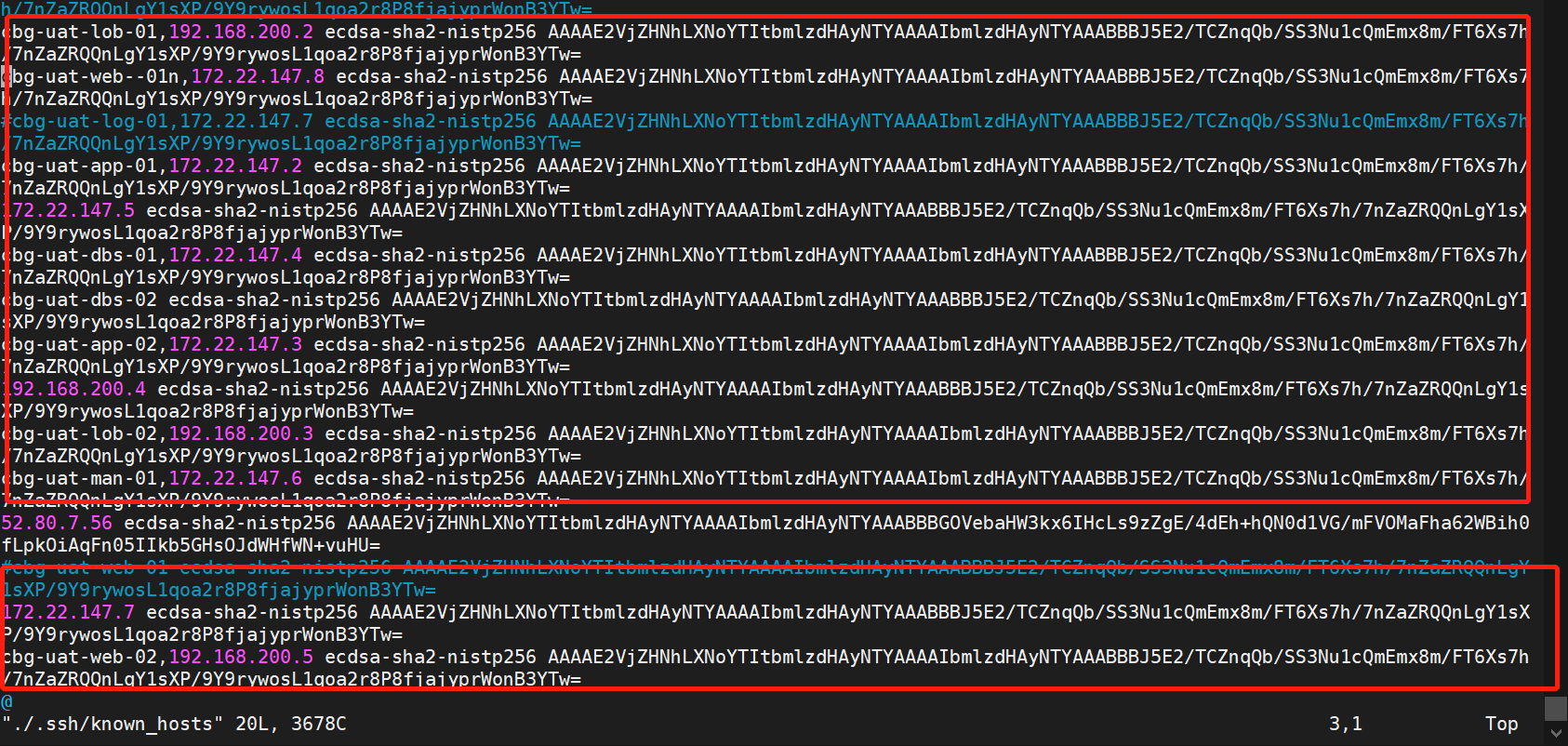
把该服务器上的有关该环境的服务器的登陆记录都删掉
vim /home/cbgadmin/.ssh/known_hosts
vim /home/cbgadmin/.ssh/known_hosts
关于升级后不能远程登陆的问题
如果在configure openssh时,如果有参数 –with-pam,会提示:
PAM is enabled. You may need to install a PAM control file for sshd, otherwise password authentication may fail. Example PAM control files can be found in the contrib/subdirectory
就是如果启用PAM,需要有一个控制文件,按照提示的路径找到redhat/sshd.pam,并复制到/etc/pam.d/sshd,在/etc/ssh/sshd_config中打开UsePAM yes。发现连接服务器被拒绝,关掉就可以登录。
直接修改/etc/pam.d/sshd
因缺少这个远程登陆文件, 需要在该目录下添加该文件
vim /etc/pam.d/sshd
%PAM-1.0
auth       required     pam_sepermit.so
auth       substack     password-auth
auth       include      postlogin
Used with polkit to reauthorize users in remote sessions
-auth      optional     pam_reauthorize.so prepare
account    required     pam_nologin.so
account    include      password-auth
password   include      password-auth
pam_selinux.so close should be the first session rule
session    required     pam_selinux.so close
session    required     pam_loginuid.so
pam_selinux.so open should only be followed by sessions to be executed in the user context
session    required     pam_selinux.so open env_params
session    required     pam_namespace.so
session    optional     pam_keyinit.so force revoke
session    include      password-auth
session    include      postlogin
Used with polkit to reauthorize users in remote sessions
-session   optional     pam_reauthorize.so prepare
sed -i 's/%PAM-1.0/#&/g' /etc/pam.d/sshd
sed -i 's/Used with polkit to reauthorize users in remote sessions/#&/g' /etc/pam.d/sshd
sed -i 's/pam_selinux.so close should be the first session rule/#&/g' /etc/pam.d/sshd
sed -i 's/pam_selinux.so open should only be followed by sessions to be executed in the user context/#&/g' /etc/pam.d/sshd
sed -i 's/Used with polkit to reauthorize users in remote sessions/#&/g' /etc/pam.d/sshd

 浙公网安备 33010602011771号