中移ML307A(4G Cat1,C-SDK,OpenCPU)模组学习开发-添加源文件和头文件,工程结构说明(用户必看)
<p><iframe name="ifd" src="https://mnifdv.cn/resource/cnblogs/ML307A_OPEN" frameborder="0" scrolling="auto" width="100%" height="1500"></iframe></p>
现在新建.c和.h文件(平时自己C语言单片机怎么写就怎么写)
因为我喜欢把.c文件和.h文件放一起, 所以我直接把.c和.h文件放到src里面
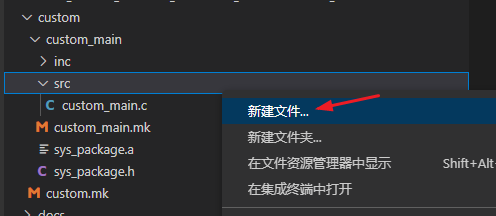
1,在src文件夹右键选择 新建文件
test.c
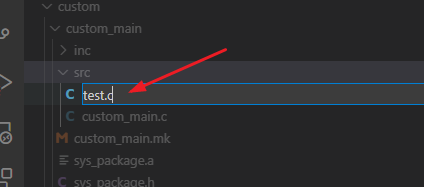
2,然后只是写上简单的日志打印

#include "cm_sys.h"
#include "cm_os.h"


void test()
{
    cm_log_printf(0,"test_fun\r\n");//日志打印
}
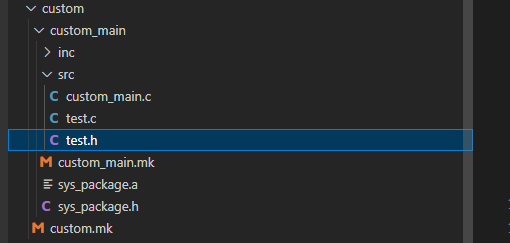
3,同样在src文件夹新建个test.h文件, 声明下 test函数

#ifndef test_h_
#define test_h_

void test(void);

#endif
4,然后如果要使用test.c 需要在 custom_main.mk 里面添加包含
OC_FILES += $(CUSTOM_MAIN_DIR)/src/test.c
INC += -I'$(CUSTOM_MAIN_DIR)/src'

5,然后在主函数里面使用

编译下载(不再重复步骤)
编译指令: ML307A_build.bat DSLN
然后可以看下日志打印

现在说一下咱都可以直接写哪些 #include xxxx.h
1,首先这就是个单片机使用的C编译器,所以C库都是可以的
#include <stdint.h>
#include <stdbool.h>
#include <string.h>
.
.
.
2,然后呢就是厂家内部封装的功能函数
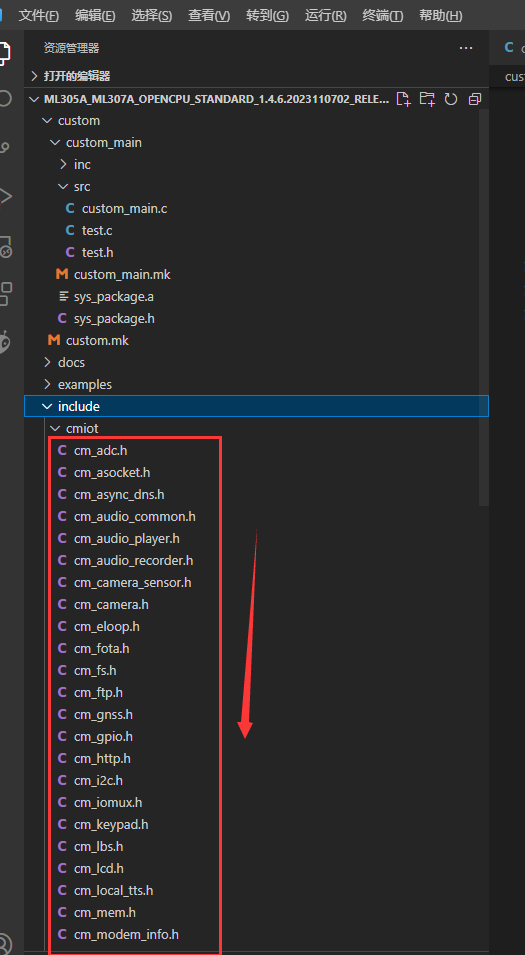
3, 除了上面的include里面的,其它地方也有几个
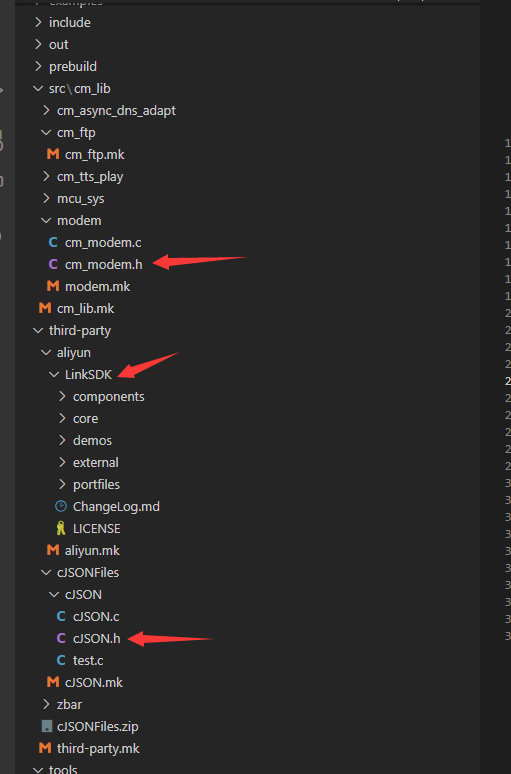
标准的思路
1,具体功能怎么使用咱们参考 examples 里面的例程就可以
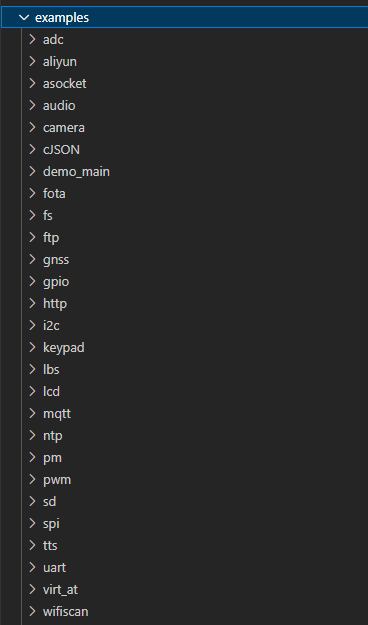
2,假设我需要ADC的功能
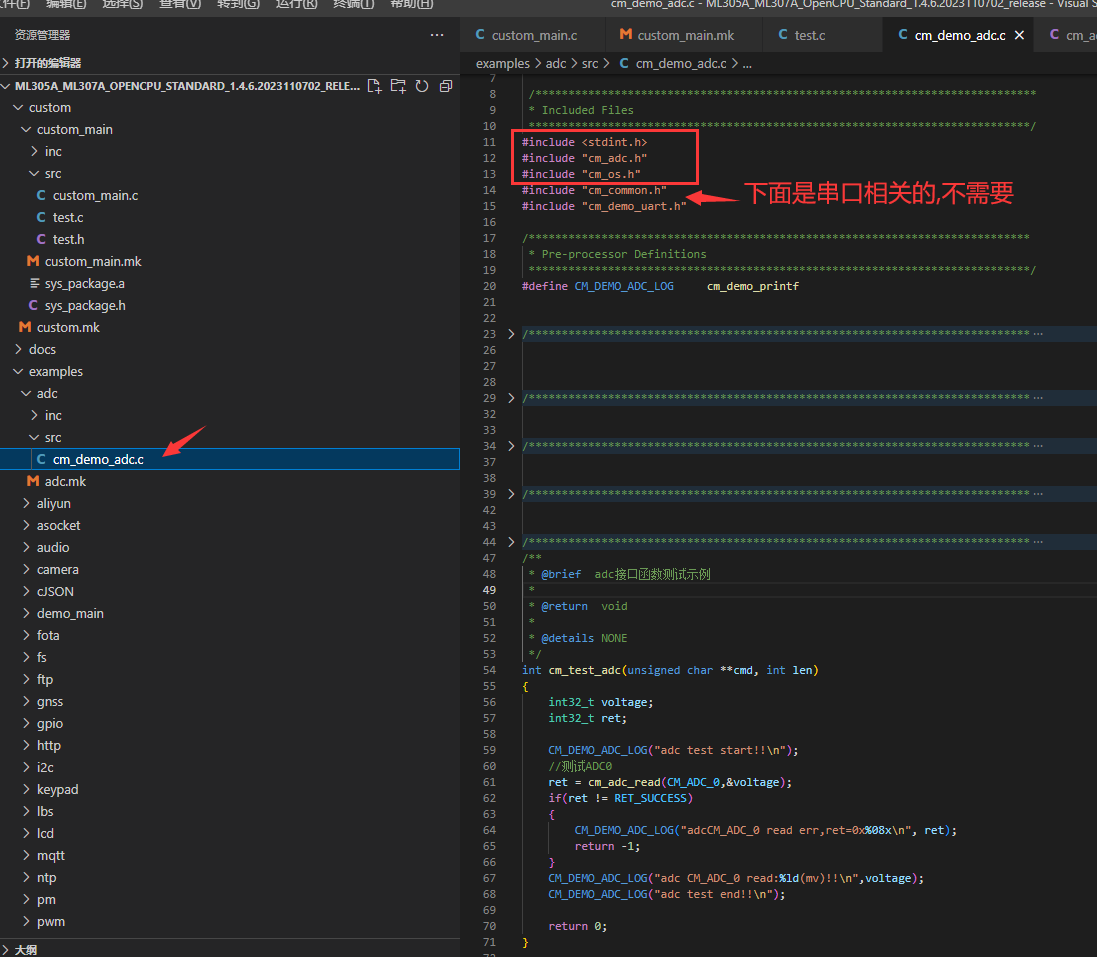
3,我就可以去掉不必要的之后把需要的拷贝过来
例程里面的日志打印使用的串口0, 我这边使用日志口,所以改了下

#include "cm_sys.h"
#include "cm_os.h"
#include "cm_mem.h"
#include "stdio.h"
#include "stdlib.h"
#include "stdarg.h"
#include <string.h>
#include "cm_gpio.h"
#include "cm_iomux.h"

#include "test.h"

#include "cm_adc.h"

osThreadId_t task_test_handle;//用于记录任务的句柄(ID码),可以用来停止任务

static void task_test_fun(void *param)
{
    int32_t voltage;
    int32_t ret;
    while (1)
    {
        ret = cm_adc_read(CM_ADC_0,&voltage);
        if(ret != 0)
        {
            cm_log_printf(0,"adcCM_ADC_0 read err,ret=0x%08x\n", ret);
        }

        cm_log_printf(0,"adc CM_ADC_0 read:%ld(mv)!!\n",voltage);

        test();
        osDelay(1000/5);//延时1S
    }
}

//相当于程序的main函数
int cm_opencpu_entry(char * param)
{
    //配置任务
    osThreadAttr_t task_test = {0};
    task_test.name  = "task_test";//任务名字-随意
    task_test.stack_size = 4096 * 2;//任务使用栈大小-写这个就可以
    task_test.priority = osPriorityNormal;//任务优先级-普通优先级
    //返回任务句柄                                 任务函数        给任务函数的参数       任务配置
    task_test_handle = osThreadNew((osThreadFunc_t)task_test_fun,      NULL,      &task_test);


    return 0;
}
.


 浙公网安备 33010602011771号