
Markdown的基础知识
Markdown是一种及其轻量级的标记语言,如今各大网站大部分都默认使用Markdown来进行文档的编写,因此学习Markdown是我们写博客的必备技能之一,本博客的所有文档皆是使用Markdown来进行编写。学习Markdown的学习成本相对大部分编辑语言少了不止一点点,并且Markdown能使用html来进行语句的修饰,能让我们快速编写的文档也能呈现出word那般的靓丽。以下是我整理的一部分Markdown基础语法简绍
Markdown 标题语法
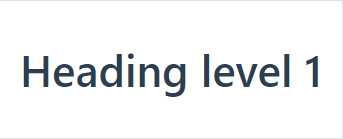
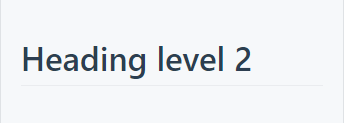
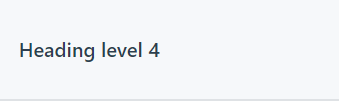
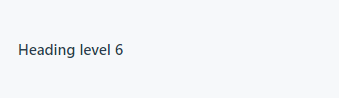
要创建标题,请在单词或短语前面添加井号 (#) 。# 的数量代表了标题的级别。例如,添加三个 # 表示创建一个三级标题 (<h3>) (例如:### My Header)。
| Markdown语法 | HTML | 预览效果 |
|---|---|---|
# Heading level 1 |
<h1>Heading level 1</h1> |
 |
## Heading level 2 |
<h2>Heading level 2</h2> |
 |
### Heading level 3 |
<h3>Heading level 3</h3> |
 |
#### Heading level 4 |
<h4>Heading level 4</h4> |
 |
##### Heading level 5 |
<h5>Heading level 5</h5> |
 |
###### Heading level 6 |
<h6>Heading level 6</h6> |
 |
可选语法
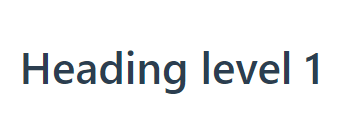
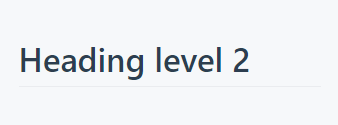
还可以在文本下方添加任意数量的 == 号来标识一级标题,或者 -- 号来标识二级标题。
| Markdown语法 | HTML | 预览效果 |
|---|---|---|
Heading level 1=============== |
<h1>Heading level 1</h1> |
 |
Heading level 2--------------- |
<h2>Heading level 2</h2> |
 |
Markdown 段落语法
要创建段落,请使用空白行将一行或多行文本进行分隔。
| Markdown语法 | HTML | 预览效果 |
|---|---|---|
I really like using Markdown.I think I'll use it to format all of my documents from now on. |
<p>I really like using Markdown.</p><p>I think I'll use it to format all of my documents from now on.</p> |
I really like using Markdown. I think I'll use it to format all of my documents from now on. |
段落(Paragraph)用法的最佳实
不要用空格(spaces)或制表符( tabs)缩进段落。
| ✅ Do this | ❌ Don't do this |
|---|---|
Don't put tabs or spaces in front of your paragraphs.Keep lines left-aligned like this. |
This can result in unexpected formatting problems. Don't add tabs or spaces in front of paragraphs. |
Markdown 换行语法
在一行的末尾添加两个或多个空格,然后按回车键,即可创建一个换行(<br>)。
| Markdown语法 | HTML | 预览效果 |
|---|---|---|
This is the first line. And this is the second line. |
<p>This is the first line.<br>And this is the second line.</p> |
This is the first line. And this is the second line. |
换行(Line Break)用法的最佳实践
几乎每个 Markdown 应用程序都支持两个或多个空格进行换行,称为 结尾空格(trailing whitespace) 的方式,但这是有争议的,因为很难在编辑器中直接看到空格,并且很多人在每个句子后面都会有意或无意地添加两个空格。由于这个原因,你可能要使用除结尾空格以外的其它方式来换行。幸运的是,几乎每个 Markdown 应用程序都支持另一种换行方式:HTML 的 <br> 标签。
为了兼容性,请在行尾添加“结尾空格”或 HTML 的 <br> 标签来实现换行。
还有两种其他方式我并不推荐使用。CommonMark 和其它几种轻量级标记语言支持在行尾添加反斜杠 (\) 的方式实现换行,但是并非所有 Markdown 应用程序都支持此种方式,因此从兼容性的角度来看,不推荐使用。并且至少有两种轻量级标记语言支持无须在行尾添加任何内容,只须键入回车键(return)即可实现换行。
| ✅ Do this | ❌ Don't do this |
|---|---|
First line with two spaces after. And the next line.First line with the HTML tag after.<br>And the next line. |
First line with a backslash after.\And the next line.First line with nothing after.And the next line. |
Markdown 强调语法
通过将文本设置为粗体或斜体来强调其重要性。
粗体(Bold)
要加粗文本,请在单词或短语的前后各添加两个星号(asterisks)或下划线(underscores)。如需加粗一个单词或短语的中间部分用以表示强调的话,请在要加粗部分的两侧各添加两个星号(asterisks)。
| Markdown语法 | HTML | 预览效果 |
|---|---|---|
I just love **bold text**. |
I just love <strong>bold text</strong>. |
I just love bold text. |
I just love __bold text__. |
I just love <strong>bold text</strong>. |
I just love bold text. |
Love**is**bold |
Love<strong>is</strong>bold |
Loveisbold |
粗体(Bold)用法最佳实践
Markdown 应用程序在如何处理单词或短语中间的下划线上并不一致。为兼容考虑,在单词或短语中间部分加粗的话,请使用星号(asterisks)。
| ✅ Do this | ❌ Don't do this |
|---|---|
Love**is**bold |
Love__is__bold |
斜体(Italic)
要用斜体显示文本,请在单词或短语前后添加一个星号(asterisk)或下划线(underscore)。要斜体突出单词的中间部分,请在字母前后各添加一个星号,中间不要带空格。
| Markdown语法 | HTML | 预览效果 |
|---|---|---|
Italicized text is the *cat's meow*. |
Italicized text is the <em>cat's meow</em>. |
Italicized text is the cat’s meow. |
Italicized text is the _cat's meow_. |
Italicized text is the <em>cat's meow</em>. |
Italicized text is the cat’s meow. |
A*cat*meow |
A<em>cat</em>meow |
Acatmeow |
斜体(Italic)用法的最佳实践
要同时用粗体和斜体突出显示文本,请在单词或短语的前后各添加三个星号或下划线。要加粗并用斜体显示单词或短语的中间部分,请在要突出显示的部分前后各添加三个星号,中间不要带空格。
| ✅ Do this | ❌ Don't do this |
|---|---|
A*cat*meow |
A_cat_meow |
粗体(Bold)和斜体(Italic)
要同时用粗体和斜体突出显示文本,请在单词或短语的前后各添加三个星号或下划线。要加粗并用斜体显示单词或短语的中间部分,请在要突出显示的部分前后各添加三个星号,中间不要带空格。
| Markdown语法 | HTML | 预览效果 |
|---|---|---|
This text is ***really important***. |
This text is <strong><em>really important</em></strong>. |
This text is *really important*. |
This text is ___really important___. |
This text is <strong><em>really important</em></strong>. |
This text is *really important*. |
This text is __*really important*__. |
This text is <strong><em>really important</em></strong>. |
This text is *really important*. |
This text is **_really important_**. |
This text is <strong><em>really important</em></strong>. |
This text is *really important*. |
This is really***very***important text. |
This is really<strong><em>very</em></strong>important text. |
This is really*very*important text. |
粗体(Bold)和斜体(Italic)用法的最佳实践
Markdown 应用程序在处理单词或短语中间添加的下划线上并不一致。为了实现兼容性,请使用星号将单词或短语的中间部分加粗并以斜体显示,以示重要。
| ✅ Do this | ❌ Don't do this |
|---|---|
This is really***very***important text. |
This is really___very___important text. |
Markdown 列表语法
可以将多个条目组织成有序或无序列表。
有序列表
要创建有序列表,请在每个列表项前添加数字并紧跟一个英文句点。数字不必按数学顺序排列,但是列表应当以数字 1 起始。
| Markdown语法 | HTML | 预览效果 |
|---|---|---|
1. First item2. Second item3. Third item4. Fourth item |
<ol><li>First item</li><li>Second item</li><li>Third item</li><li>Fourth item</li></ol> |
First itemSecond itemThird itemFourth item |
1. First item1. Second item1. Third item1. Fourth item |
<ol><li>First item</li><li>Second item</li><li>Third item</li><li>Fourth item</li></ol> |
First itemSecond itemThird itemFourth item |
1. First item8. Second item3. Third item5. Fourth item |
<ol><li>First item</li><li>Second item</li><li>Third item</li><li>Fourth item</li></ol> |
First itemSecond itemThird itemFourth item |
1. First item2. Second item3. Third item 1. Indented item 2. Indented item4. Fourth item |
<ol><li>First item</li><li>Second item</li><li>Third item<ol><li>Indented item</li><li>Indented item</li></ol></li><li>Fourth item</li></ol> |
First itemSecond itemThird itemIndented itemIndented itemFourth item |
有序列表最佳实践
CommonMark and a few other lightweight markup languages let you use a parenthesis ()) as a delimiter (e.g., 1) First item), but not all Markdown applications support this, so it isn’t a great option from a compatibility perspective. For compatibility, use periods only.
| ✅ Do this | ❌ Don't do this |
|---|---|
1. First item2. Second item |
1) First item2) Second item |
无序列表
要创建无序列表,请在每个列表项前面添加破折号 (-)、星号 (*) 或加号 (+) 。缩进一个或多个列表项可创建嵌套列表。
| Markdown语法 | HTML | 预览效果 |
|---|---|---|
- First item- Second item- Third item- Fourth item |
<ul><li>First item</li><li>Second item</li><li>Third item</li><li>Fourth item</li></ul> |
First itemSecond itemThird itemFourth item |
* First item* Second item* Third item* Fourth item |
<ul><li>First item</li><li>Second item</li><li>Third item</li><li>Fourth item</li></ul> |
First itemSecond itemThird itemFourth item |
+ First item+ Second item+ Third item+ Fourth item |
<ul><li>First item</li><li>Second item</li><li>Third item</li><li>Fourth item</li></ul> |
First itemSecond itemThird itemFourth item |
- First item- Second item- Third item - Indented item - Indented item- Fourth item |
<ul><li>First item</li><li>Second item</li><li>Third item<ul><li>Indented item</li><li>Indented item</li></ul></li><li>Fourth item</li></ul> |
First itemSecond itemThird itemIndented itemIndented itemFourth item |
无序列表最佳实践
Markdown applications don’t agree on how to handle different delimiters in the same list. For compatibility, don't mix and match delimiters in the same list — pick one and stick with it.
| ✅ Do this | ❌ Don't do this |
|---|---|
- First item- Second item- Third item- Fourth item |
+ First item* Second item- Third item+ Fourth item |
Markdown 代码语法
要将单词或短语表示为代码,请将其包裹在反引号 (```) 中。
| Markdown语法 | HTML | 预览效果 |
|---|---|---|
At the command prompt, type nano. |
At the command prompt, type <code>nano</code>. |
At the command prompt, type nano. |
转义反引号
如果你要表示为代码的单词或短语中包含一个或多个反引号,则可以通过将单词或短语包裹在双反引号(````)中。
| Markdown语法 | HTML | 预览效果 |
|---|---|---|
Use `code` in your Markdown file. |
<code>Use code in your Markdown file.</code> |
Use code in your Markdown file. |
Markdown 链接语法
链接文本放在中括号内,链接地址放在后面的括号中,链接title可选。
超链接Markdown语法代码:[超链接显示名](超链接地址 "超链接title")
Markdown 图片语法
要添加图像,请使用感叹号 (!), 然后在方括号增加替代文本,图片链接放在圆括号里,括号里的链接后可以增加一个可选的图片标题文本。
插入图片Markdown语法代码:。
对应的HTML代码:<img src="图片链接" alt="图片alt" title="图片title">
摘取于[Markdown官网语法简绍](https://markdown.com.cn/basic-syntax/)

 浙公网安备 33010602011771号