

IE8下圆角的展示,解决IE8下圆角无法显示的问题,ie8及其以下版本兼容性问题之圆角
前两天遇到一个在浏览器圆角展示按钮的设计,在IE8下遇到了难点,IE8下按钮变成了方块形状。
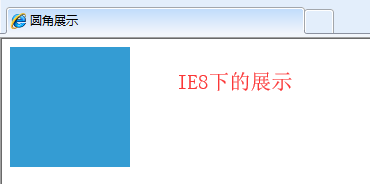 VS
VS 
一顿百度后找到了方案,采用ie-css3.htc的方式可以解决IE8下圆角功能。
下载地址: http://fetchak.com/ie-css3/
具体代码:
<!DOCTYPE html>
<html>
  <head>
    <meta http-equiv="content-type" content="text/html; charset=UTF-8">
    <meta http-equiv="X-UA-Compatible" content="IE=9; IE=8; IE=EDGE">
    <title>圆角展示</title>
    <style>
        .circle{
            background-color: #349CD3;
            -moz-border-radius: 61px;
            -webkit-border-radius: 61px;
            border-radius: 61px;
            height: 120px;
            width: 120px;
            behavior: url(ie-css3.htc);
        }
    </style>

  </head>
  <body>
        <div class="circle"></div>
  </body>
</html>
效果如下:
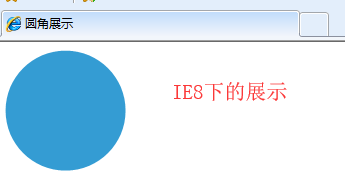 VS
VS
备注:
ie-css3的使用方法很简单,在样式里加入behavior: url(ie-css3.htc文件的路径);就可以了(括号里是ie-css3.htc的地址,千万别写错了)
ie-css3.htc不仅仅可以用来解决圆角问题,还可以解决阴影效果,有兴趣的可以试试看。

 浙公网安备 33010602011771号