
appium+selenium-grid模式
一、下载
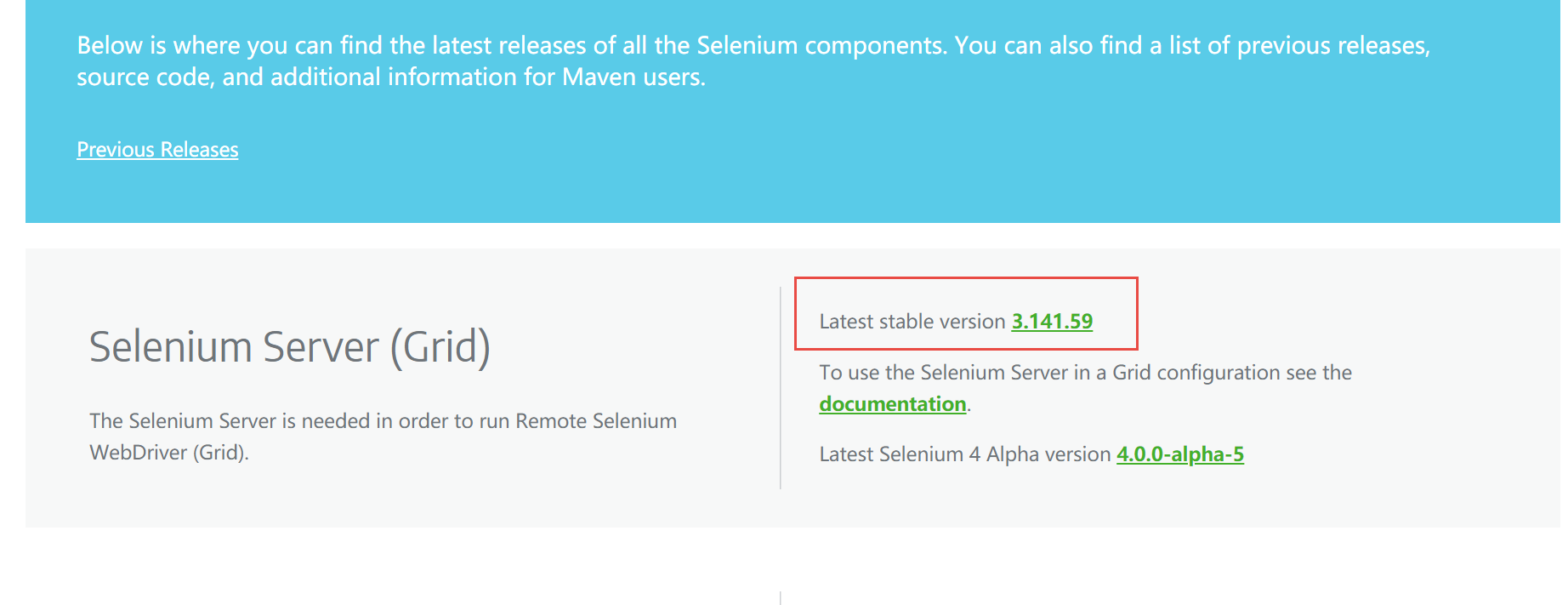
下载selenium-server-standalone-3.141.59.jar
地址:https://www.selenium.dev/downloads/
二、安装配置
1、常规用法
- hub配置(192.168.31.6)
java -jar selenium-server-standalone-3.141.59.jar -role hub

hub使用的是docker网络
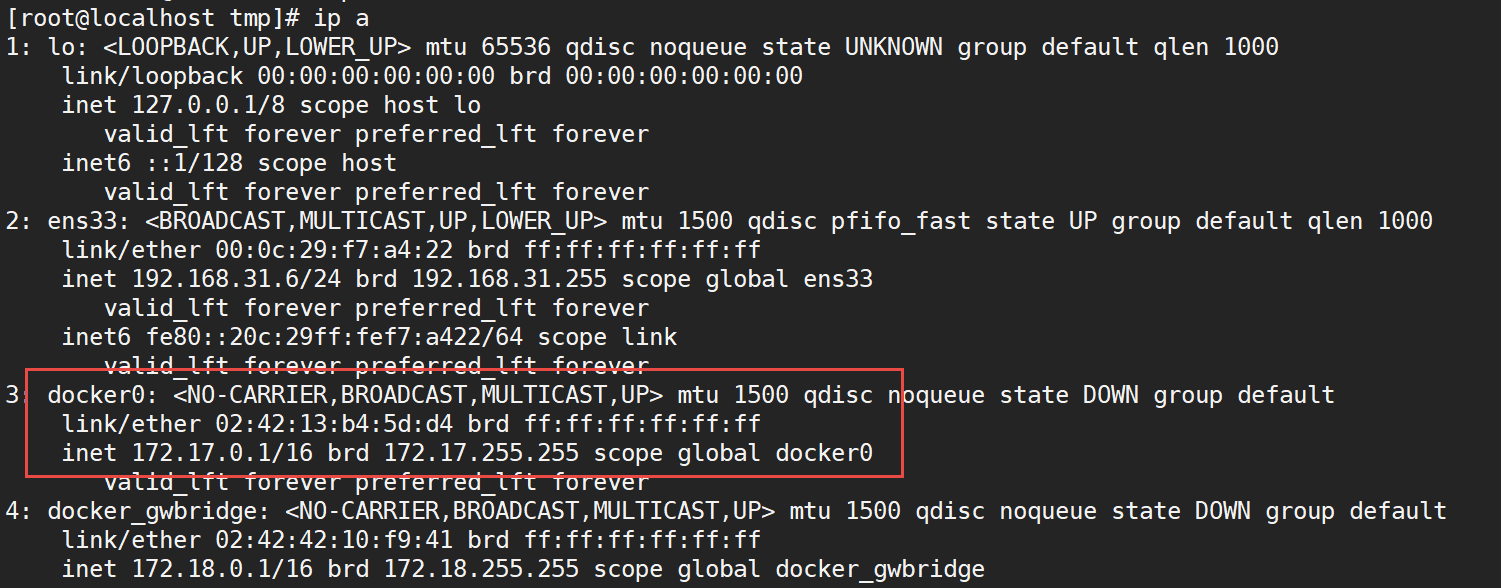
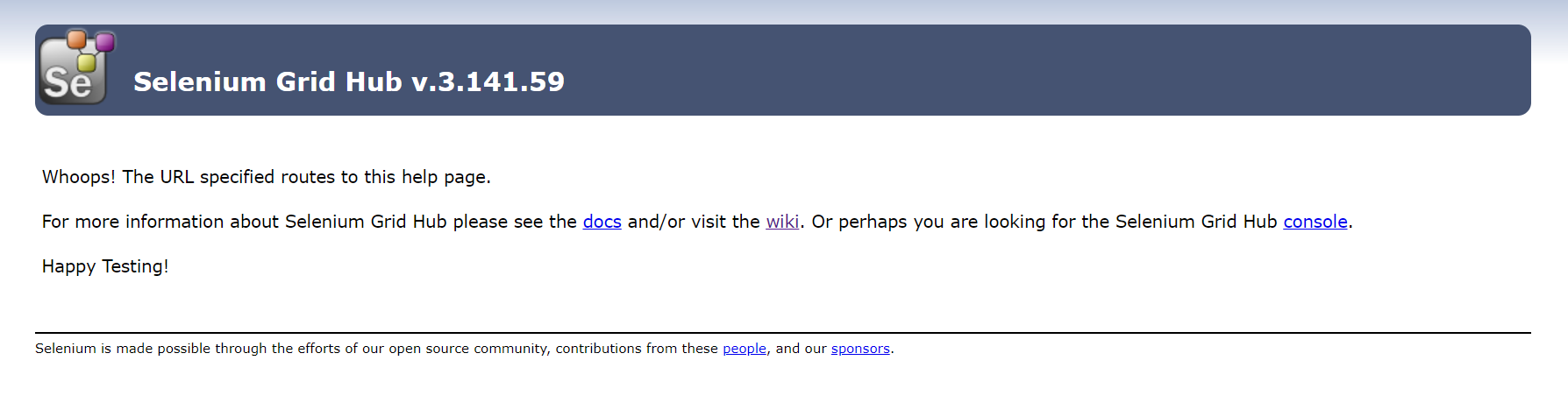
访问hub地址(http://192.168.31.6:4444/)
如果需要更高级的配置,还可以指定一个JSON格式的配置文件,为方便起见,在启动集线器时对其进行配置。
java -jar selenium-server-standalone-3.141.59.jar -role hub -hubConfig hubConfig.json -debug
hubConfig.json配置内容如下:
{
  "_comment" : "Configuration for Hub - hubConfig.json",
  "host": ip,
  "maxSession": 5,
  "port": 4444,
  "cleanupCycle": 5000,
  "timeout": 300000,
  "newSessionWaitTimeout": -1,
  "servlets": [],
  "prioritizer": null,
  "capabilityMatcher": "org.openqa.grid.internal.utils.DefaultCapabilityMatcher",
  "throwOnCapabilityNotPresent": true,
  "nodePolling": 180000,
  "platform": "WINDOWS"
}
- node配置(192.168.31.30)
无论您是要运行具有新WebDriver功能的网格,还是要运行具有Selenium 1 RC功能的grid,或者同时运行这两者,都可以使用相同的selenium-server-standalone.jar文件来启动节点:
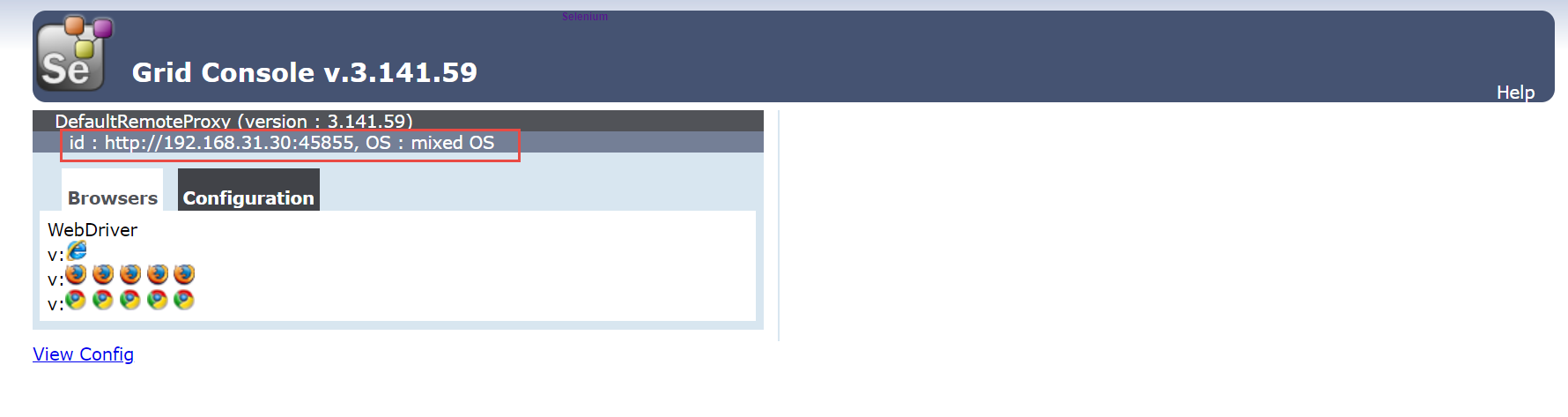
java -jar selenium-server-standalone-3.141.59.jar -role node -hub http://192.168.31.6:4444
在另外一台windows机器上注册node节点

然后,再访问hub地址(http://192.168.31.6:4444/),显示注册成功
您还可以启动使用JSON配置文件配置的网格节点
java -Dwebdriver.chrome.driver=chromedriver.exe -jar selenium-server-standalone.jar -role node -nodeConfig node1Config.json
node1Config.json配置
{
  "capabilities": [
    {
      "browserName": "firefox",
      "acceptSslCerts": true,
      "javascriptEnabled": true,
      "takesScreenshot": false,
      "firefox_profile": "",
      "browser-version": "27",
      "platform": "WINDOWS",
      "maxInstances": 5,
      "firefox_binary": "",
      "cleanSession": true
    },
    {
      "browserName": "chrome",
      "maxInstances": 5,
      "platform": "WINDOWS",
      "webdriver.chrome.driver": "C:/Program Files (x86)/Google/Chrome/Application/chrome.exe"
    },
    {
      "browserName": "internet explorer",
      "maxInstances": 1,
      "platform": "WINDOWS",
      "webdriver.ie.driver": "C:/Program Files (x86)/Internet Explorer/iexplore.exe"
    }
  ],
  "configuration": {
    "_comment" : "Configuration for Node",
    "cleanUpCycle": 2000,
    "timeout": 30000,
    "proxy": "org.openqa.grid.selenium.proxy.WebDriverRemoteProxy",
    "port": 5555,
    "host": ip,
    "register": true,
    "hubPort": 4444,
    "maxSession": 5
  }
}
2、appium 注册至selenium-grid
以上是在node节点上注册浏览器,下面注册手机节点在hub上。命令如下:
appium --nodeconfig nodeconfig.json
nodeconfig.json配置文件
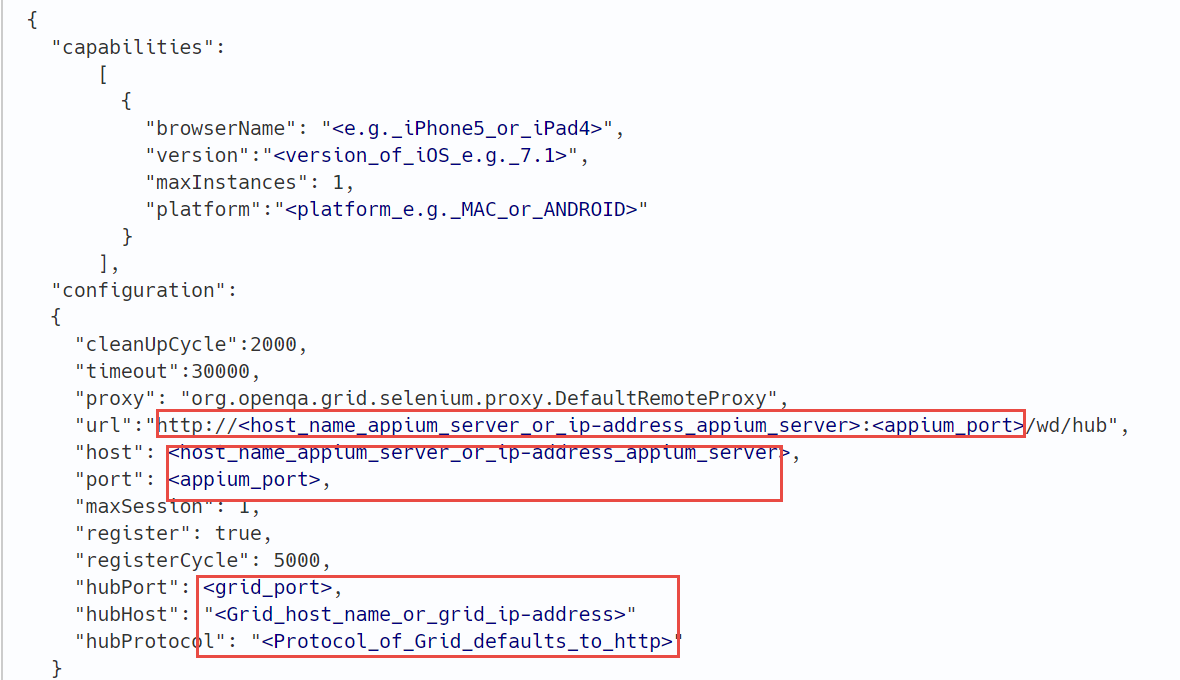
{
  "capabilities":
      [
        {
          "browserName": "android62001",
          "version":"6",
          "maxInstances": 1,
          "platform":"ANDROID"
        }
      ],
  "configuration":
  {
    "cleanUpCycle":2000,
    "timeout":30000,
    "proxy": "org.openqa.grid.selenium.proxy.DefaultRemoteProxy",
    "url":"http://192.168.31.30:4723/wd/hub", #appium服务地址
    "host":"192.168.31.30",#appium服务地址
    "port":4723, #appium服务端口
    "maxSession": 1,
    "register": true,
    "registerCycle": 5000,
    "hubPort": 4444, #hub服务端口
    "hubHost": "192.168.31.6" #hub服务地址
  }
}
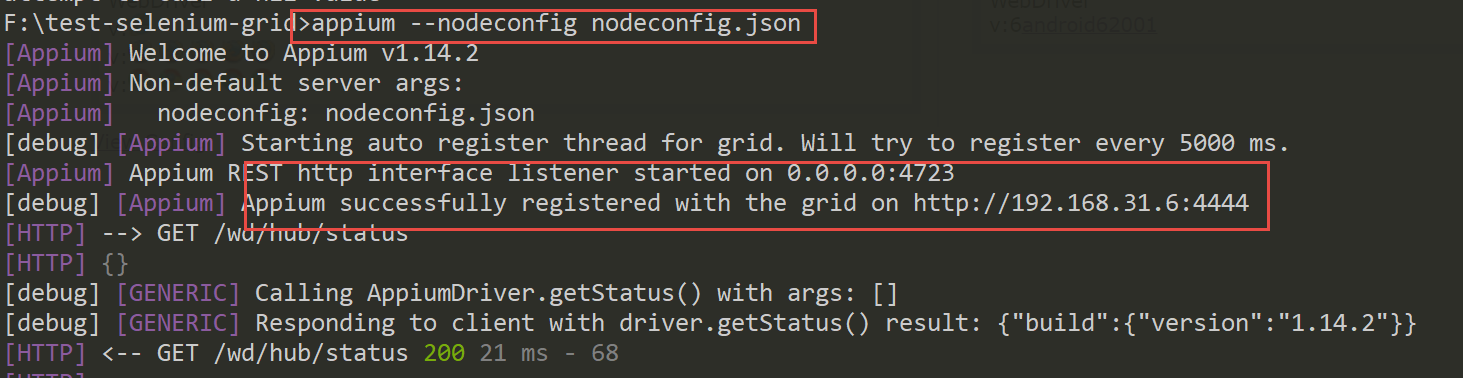
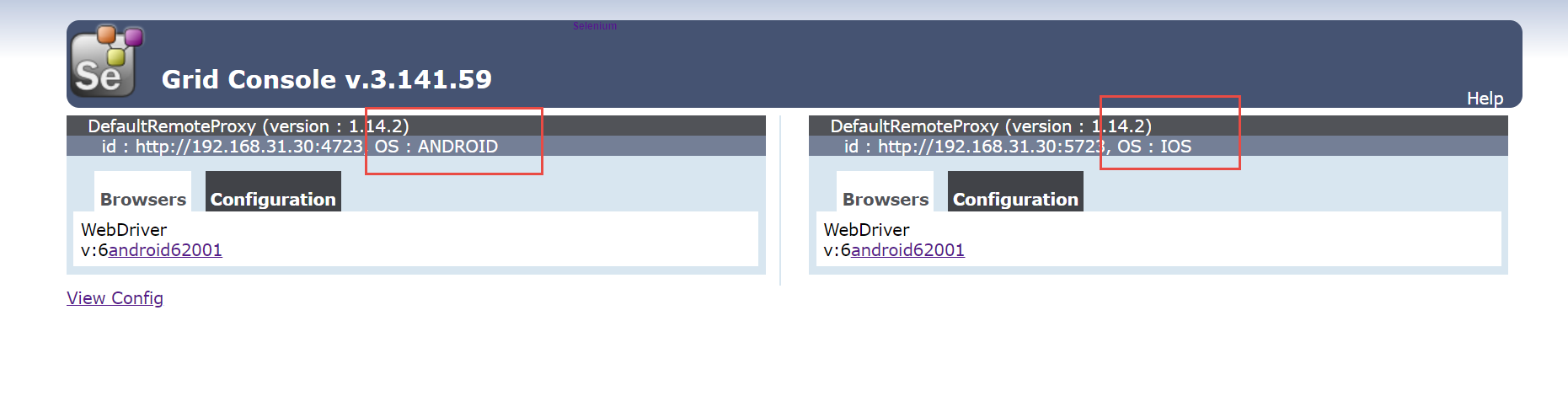
然后,再访问hub地址(http://192.168.31.6:4444/),显示注册成功
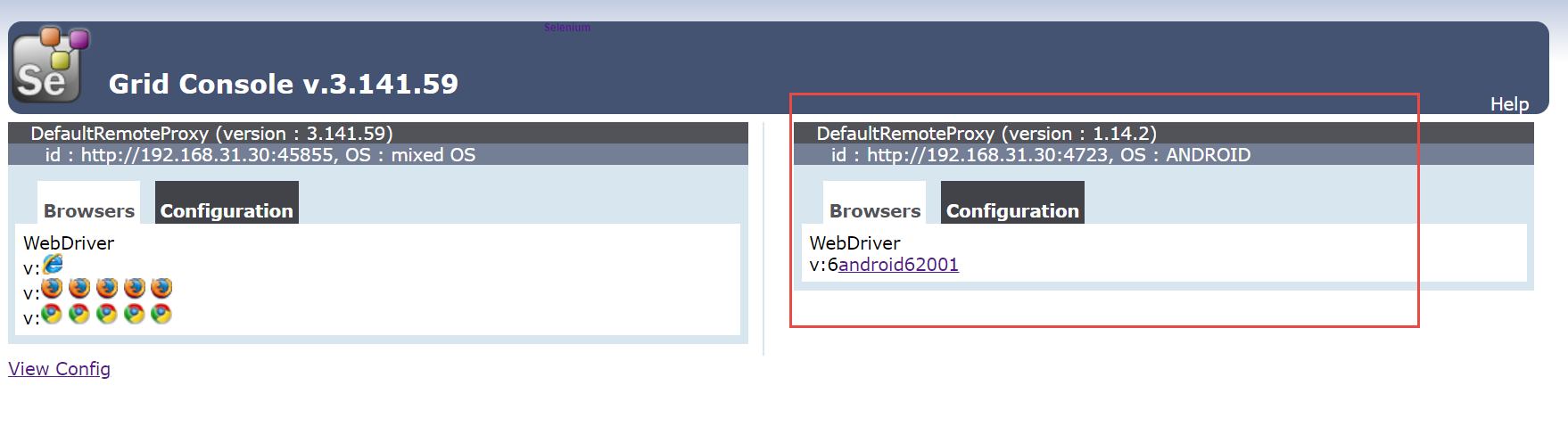
再注册一个node
appium --nodeconfig nodeconfig_ios.json -p 5723
nodeconfig_ios.json配置,与上一个node区别在于appium地址和端口以及平台名称为IOS
{
  "capabilities":
      [
        {
          "browserName": "android62001",
          "version":"6",
          "maxInstances": 1,
          "platform":"IOS"
        }
      ],
  "configuration":
  {
    "cleanUpCycle":2000,
    "timeout":30000,
    "proxy": "org.openqa.grid.selenium.proxy.DefaultRemoteProxy",
    "url":"http://192.168.31.30:5723/wd/hub",
    "host":"192.168.31.30",
    "port":5723,
    "maxSession": 1,
    "register": true,
    "registerCycle": 5000,
    "hubPort": 4444,
    "hubHost": "192.168.31.6"
  }
}
三、测试脚本
from appium import webdriver

class TestDemo:
    def setup(self):
        desired_caps = {}
        desired_caps['platformName'] = 'ANDROID'
        desired_caps['platformVersion'] = ''
        desired_caps['deviceName'] = 'android62001'
        desired_caps['appPackage'] = 'com.xueqiu.android'
        desired_caps['appActivity'] = '.common.MainActivity'
        desired_caps['autoGrantPermissions'] = True
        desired_caps['unicodeKeyboard'] = True
        desired_caps['noReset'] = True

        #地址为hub地址http://192.168.31.6:4444/wd/hub
        self.driver = webdriver.Remote("http://192.168.31.6:4444/wd/hub", desired_caps)
        self.driver.implicitly_wait(10)

    def test_demo(self):
        self.driver.find_element_by_id('com.xueqiu.android:id/tv_search').click()
        self.driver.find_element_by_id('com.xueqiu.android:id/search_input_text').send_keys('百度')

    def teardown(self):
        self.driver.quit()
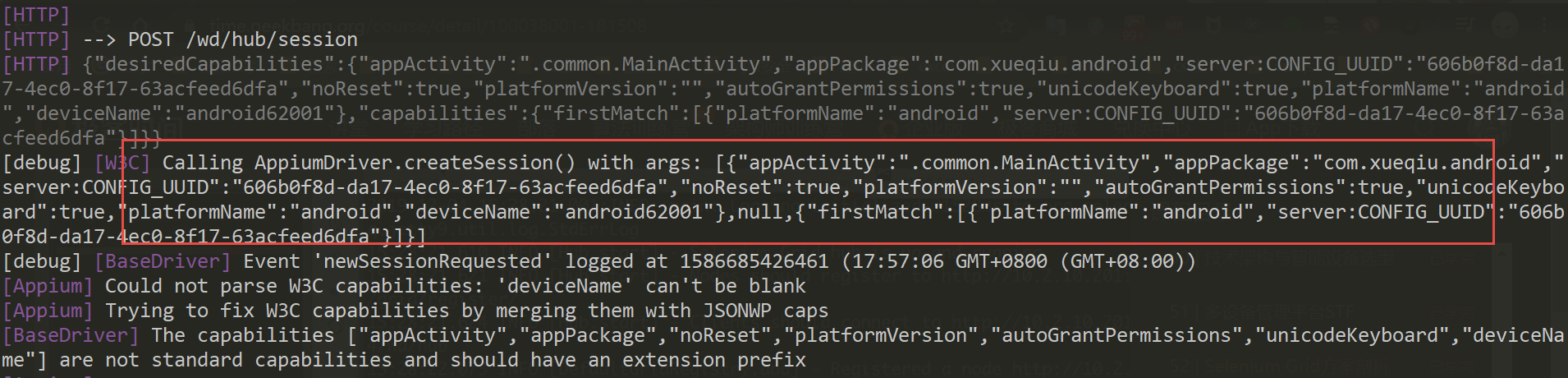
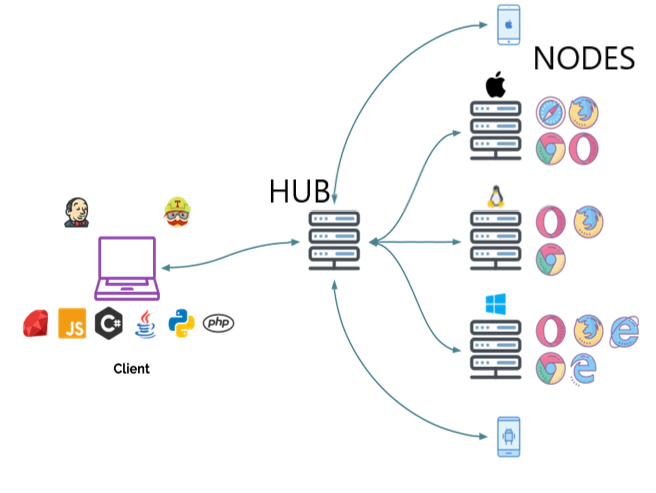
selenium-grid接收到对应参数,并进行匹配,正好发现有注册为ANDROID的node节点,然后将其发送至该节点appium服务器,然后appium服务器与其连接手机进行交互执行测试用例。
四、参考
1、appium官方:http://appium.io/docs/en/advanced-concepts/grid/
2、selenium-grid地址:https://github.com/SeleniumHQ/selenium/wiki/Grid2
3、selenium-grid下载:https://www.selenium.dev/downloads/

 浙公网安备 33010602011771号