
BOM-location对象
<!DOCTYPE html>
<html>
<head>
	<meta charset="utf-8">
	<title></title>
</head>
<body>
	<button>点击</button>
	<div></div>
	<script>
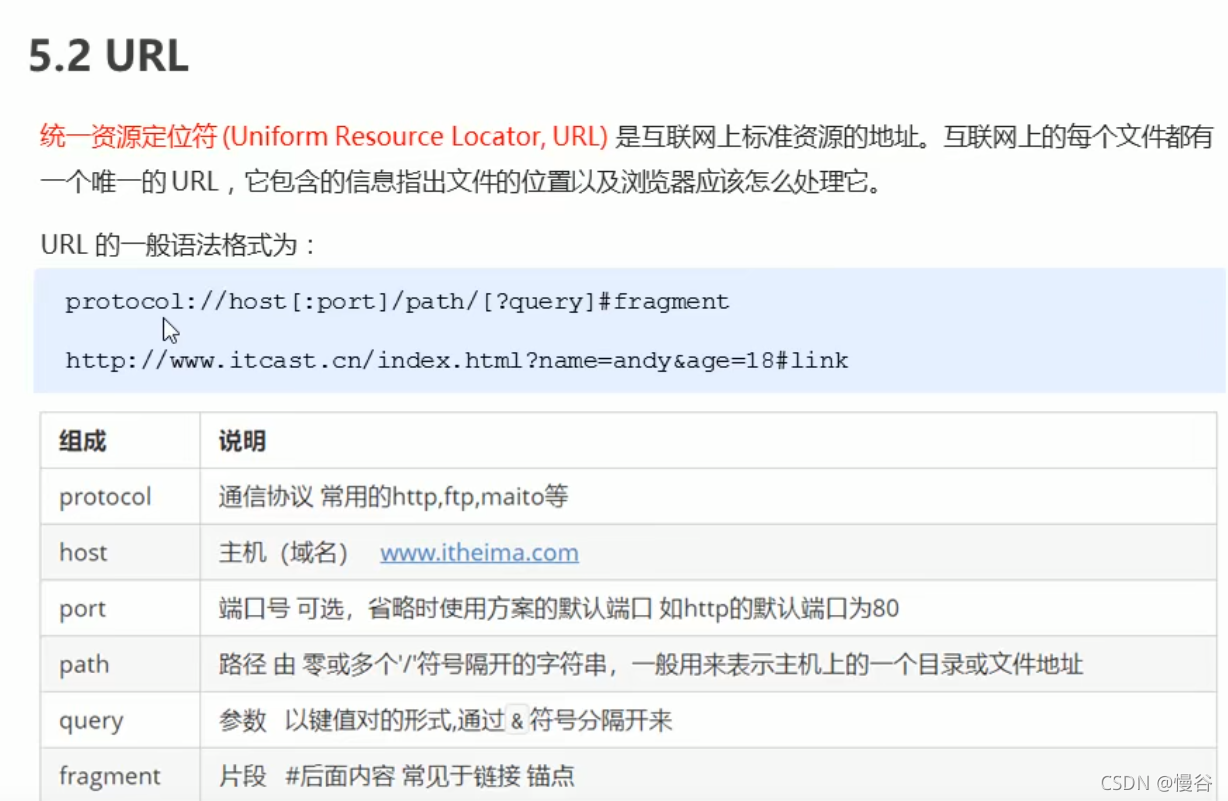
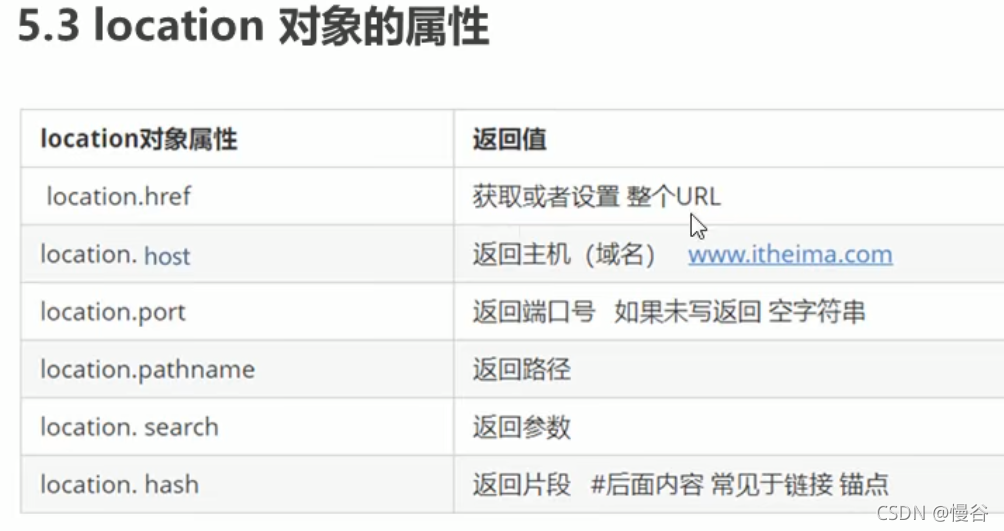
		//window对象给我们提供了一个location属性用于获取或设置窗体的URL,并且可以用于解析URL。因为这个属性返回的是一个对象,所以我们将这个属性也称为location对象。
		//URL(Unicorm Resource Locator,URL)统一资源定位符

		//5秒钟之后跳转页面
		//案例分析:1.利用定时器做倒计时效果
		//2.时间到了,就跳转页面,使用location.href
		var btn = document.querySelector('button');
		var div = document.querySelector('div');
		btn.addEventListener('click', function () {
			//console.log(location.href);

		})
		var timer = 5;
		setInterval(function () {
			if (timer == 0) {
				location.href = 'http://www.baidu.com';
			} else {
				div.innerHTML = '您将在' + timer + '秒钟之后跳转到首页';
				timer--;
			}
		}, 1000);


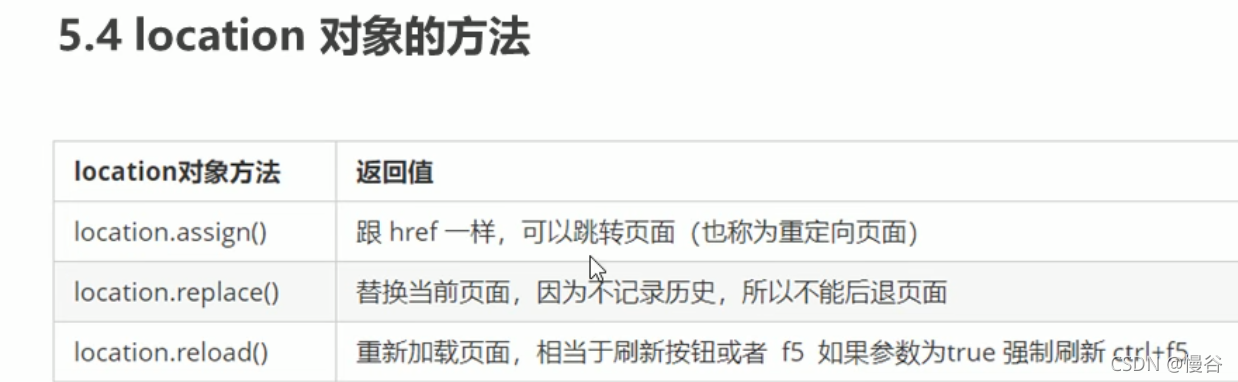
		//location常见方法
		var btn = document.querySelector('button');
		btn.addEventListener('click', function () {
			//记录浏览历史,所以可以实现后退功能
			//location.assign('http://www.baidu.com');

			//不记录浏览历史,所以不可以实现后退功能
			location.replace('http://www.baidu.com');

			//强制刷新
			location.reload(true);
		})
	</script>
</body>
</html>

 浙公网安备 33010602011771号