
strapi v4版本 快速使用 中文设置
strapi如何使用
安装
检测node版本的命令
D:\sahira>node -v
v16.0.0
安装
npx create-strapi-app@latest my-project --quickstart
报错
error An unexpected error occurred: " https://registry.npmmirror.com/create-strapi-app: Invalid URI \" https://registry.npmmirror.com/create-strapi-app\"".
info If you think this is a bug, please open a bug report with the information provided in "C:\\Users\\Mayn\\AppData\\Local\\Yarn\\Data\\global\\yarn-error.log".
info Visit https://yarnpkg.com/en/docs/cli/create for documentation about this command.
这个错误提示意味着在使用 yarn create strapi-app 命令时出现了问题,可能是由于依赖的 URL 不正确导致的。为解决此问题,可以尝试以下几个步骤:
- 清除 yarn 缓存:运行以下命令清除 yarn 缓存:
yarn cache clean
- 更换源:如果以上方法都没有成功解决问题,则可以尝试更换源,例如将默认的 registry.yarnpkg.com 更改为 taobao 的镜像,或者使用其他可靠的 yarn 镜像源。在命令行中执行以下命令即可更改为 taobao 镜像:
yarn config set registry https://registry.npm.taobao.org/
然后再次运行 yarn create strapi-app 命令。
- 检查网络连接:此外,还需要检查你的网络连接是否正常,并确保能够访问 Strapi 和相关依赖项。
总之,在遇到依赖安装问题时,可以尝试清除缓存、更换镜像源或检查网络连接等方法解决问题。
安装完成后,您的浏览器会自动打开一个新选项卡。
http://localhost:1337/admin
密码需要大小写的
这个strapi的汉化问题
开启命令
npm run develop
设置中文
然后进入后台 右下角的点击个人头像

Profile     ->  Experience  ->  Interface language 选择对应的选项
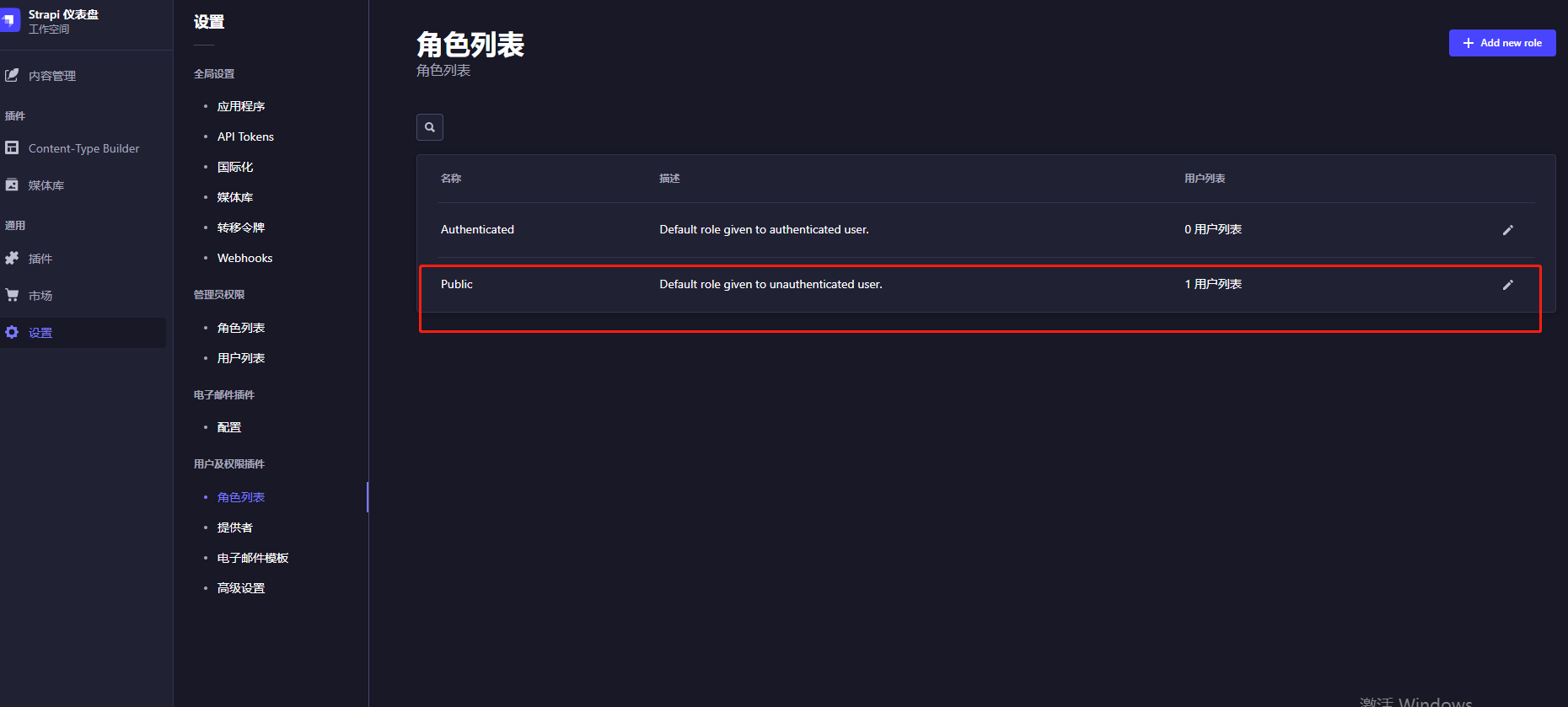
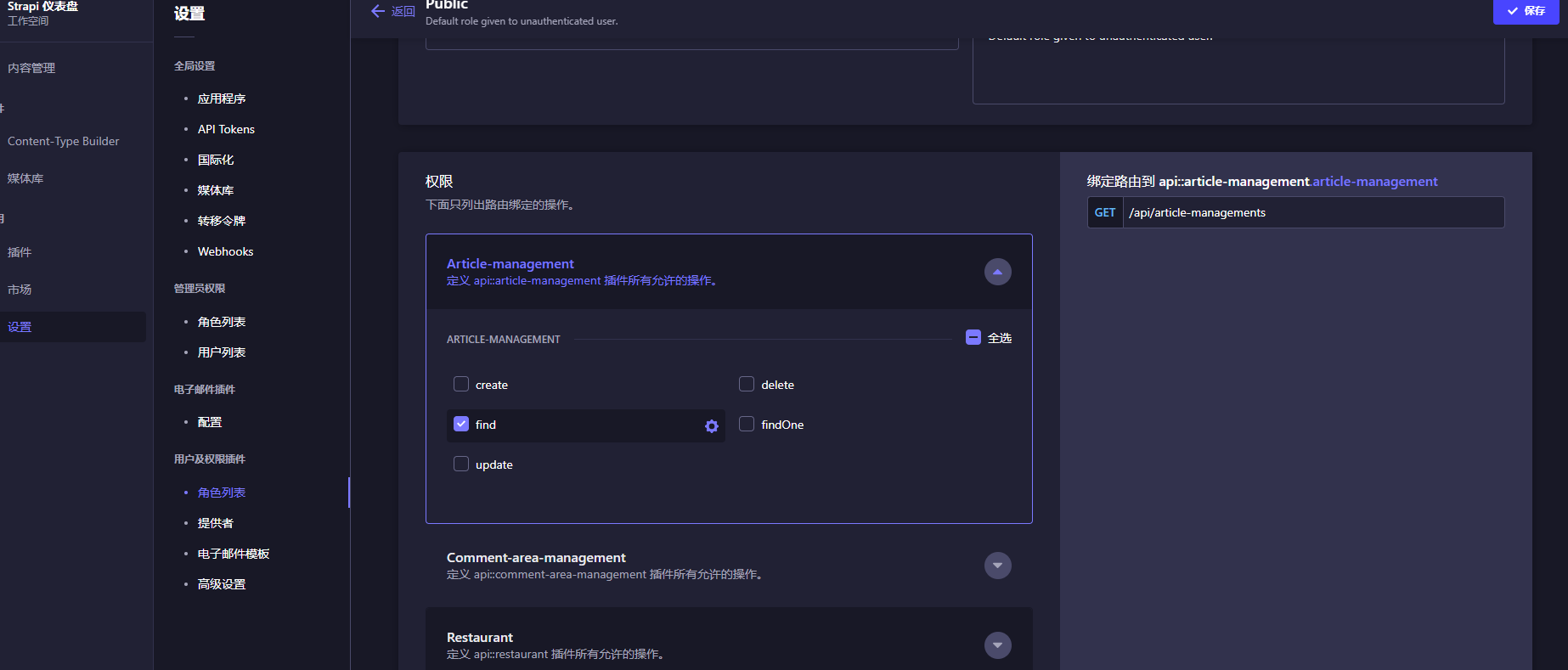
接口访问404,公开接口
strapi 的post请求
function createcommit(name,time,up,down,contant){

  const data = {
    name: name,
    time: time,
    up: up,
    down: down,
    contant: contant
  };
  const data2= {
    data:data
  }
  $.ajax({
    type: 'POST',
    url: 'http://localhost:1337/api/comment-area-managements',
    data: data2,
    success: function(response) {
      console.log(response);
    },
    error: function(error){
      console.log(error);
    }
  });
}

 浙公网安备 33010602011771号