
利用Python的turtle库来画爱心
注明:本文转载 原文链接:
python下载turtle库,在windows终端输入
pip install turtle
下载好之后,就可以利用这个库来画一个简单的爱心
这里附上代码
from turtle import *
from math import sqrt
width, height = 800, 600
screen = Screen()     # 创建窗口对象
screen.setup(width, height)    # 设置窗口的宽高
screen.delay(0)    # 设置无延时绘画
screen.bgcolor('pink')     # 设置背景颜色为粉色

# 设置画笔的统一属性
t = Turtle(visible=False, shape='circle')
t.shapesize(10, 10)
t.pencolor('red')
t.fillcolor('red')
t.penup()
# 克隆一个圆形,设置位置
circle1 = t.clone()
circle1.goto(-sqrt(10*10*160)/2, 0)
# 克隆第二个圆形,设置位置
circle2 = t.clone()
circle2.goto(sqrt(10*10*160)/2, 0)
# 克隆一个正方形,设置位置并旋转角度
square = t.clone()
square.shape("square")
square.setheading(45)
square.goto(0, -sqrt(10*10*160)/2)
# 显示图形
circle1.showturtle()
circle2.showturtle()
square.showturtle()
done()
效果如下
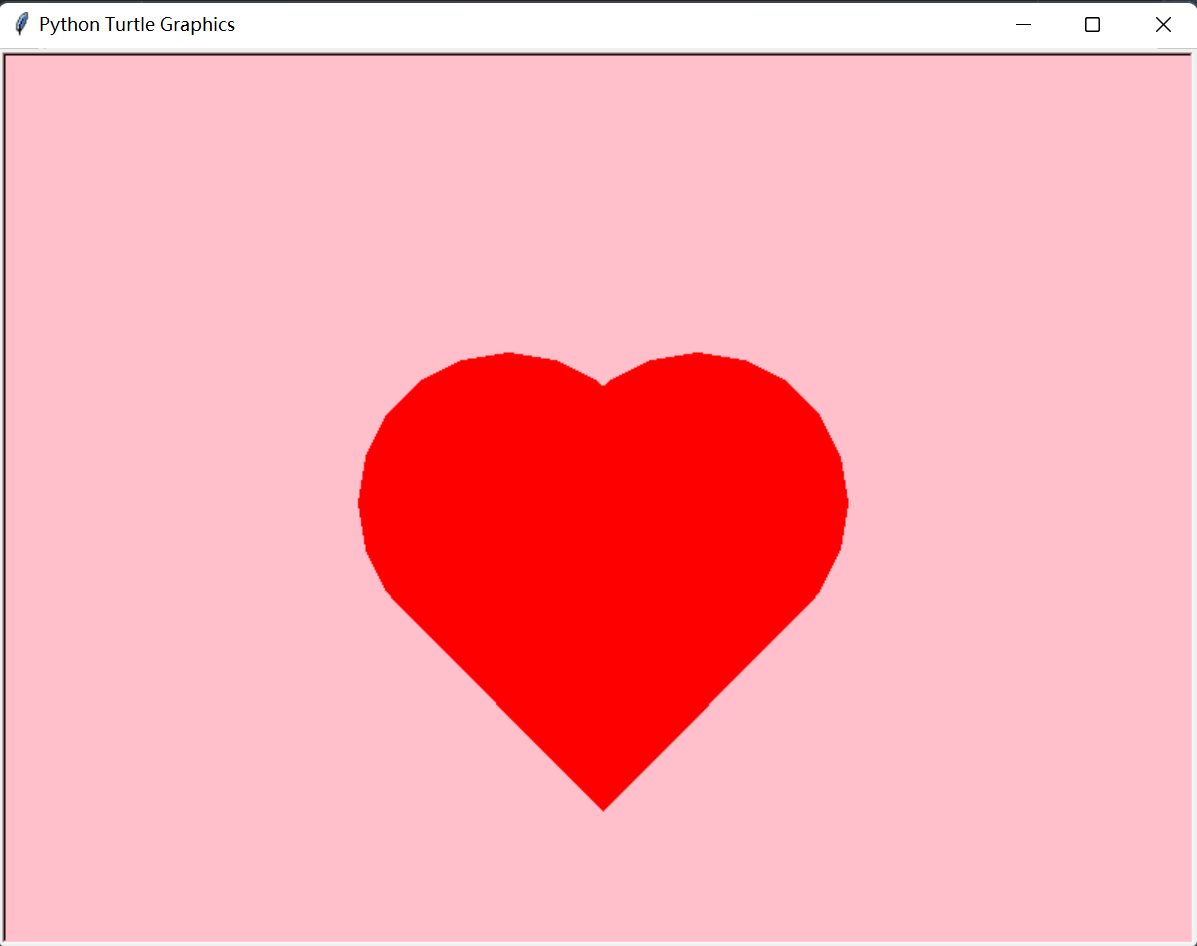
本文来自博客园,作者:小王是fw,转载请注明原文链接:https://www.cnblogs.com/xwsfw/p/16859366.html

 浙公网安备 33010602011771号