JAVA入门到精通-第44讲-IO编程
//FileOutputStream的使用
准备把它输出到d:\\ss.txt 文件,
文件不存在直接创建;
如果存在,可能会被覆盖;
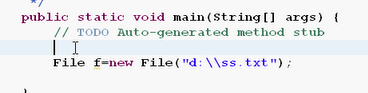
//字节流
FileOutputStream fos=null;
//输出-Output-离开内存-Output/Write
//如何把string转换成bytes数组:
s.getBytes()

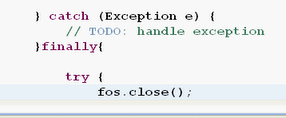
//关闭文件流
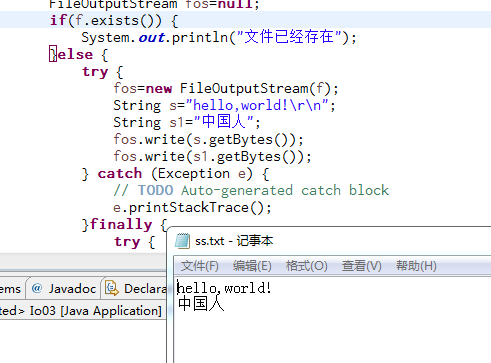
//两个字符串的换行

world\r\n
\r\n就是回车换行的意思
---------------------------------------------------
java文件编程--常用io流
常用io流--文件字节流
FileInputStream的对象把文件读入到内存
1
/**2
* File类的基本用法3
* io流--文件字节流4
* FileInputStream类的使用5
*/6
import java.io.*;7
public class Io02 {8
public static void main(String[] args) {9
//得到一个文件对象,f指向e:\ff\hsp.txt文件10
File f=new File("e:\\ff\\hsp.txt");11
FileInputStream fis=null;12
try {13
//因为File没有读写的能力,所以需要使用InputStream类14
fis=new FileInputStream(f);15
//定义一个字节数组,相当于缓存16
byte []bytes=new byte[1024];17
int n=0;//得到实际读取到的字节数18
//循环读取19
while((n=fis.read(bytes))!=-1){20
//把字节转成String21
String s=new String(bytes,0,n);22
System.out.println(s);23
}24
} catch (Exception e) {25
e.printStackTrace();26
}finally{27
//关闭文件流必需放在finally语句块中28
try {29
fis.close();30
} catch (Exception e) {31
e.printStackTrace();32
}33
}34
}35
}36
------------------------------
2、案例[Io03.java]:从键盘接收用户输入内容,并保存到文件中(文件字节输出流,目的:FileOutputStream类)
x
1
/**2
* File类的基本用法3
* io流--文件字节流4
* FileOutputStream类的使用5
*/6
import java.io.*;7
public class Io03 {8
public static void main(String[] args) {9
File f=new File("e:\\ff\\ss.txt");//直接覆盖写同一个文件10
//字节输出流11
FileOutputStream fos=null;12
if(f.exists()){13
System.out.println("文件已存在");14
}else{15
try {16
fos=new FileOutputStream(f);17
String s="hello,world!\r\n";18
String s1="中国人";19
fos.write(s.getBytes());20
fos.write(s1.getBytes());21
} catch (Exception e) {22
e.printStackTrace();23
}finally{24
try {25
fos.close();26
} catch (Exception e2) {27
e2.printStackTrace();28
}29
}30
}31
}32
}33


 浙公网安备 33010602011771号