会员
周边
新闻
博问
闪存
赞助商
Chat2DB
所有博客
当前博客
我的博客
我的园子
账号设置
会员中心
简洁模式
...
退出登录
注册
登录
xuekui-jin
博客园
首页
新随笔
联系
订阅
管理
vscode 设置tab为4个空格,并且打开显示空格
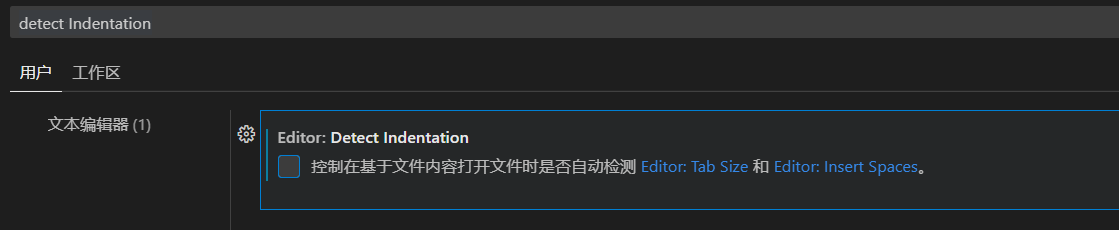
1、关闭自动检测文件功能
设置搜索detect Indentation,取消
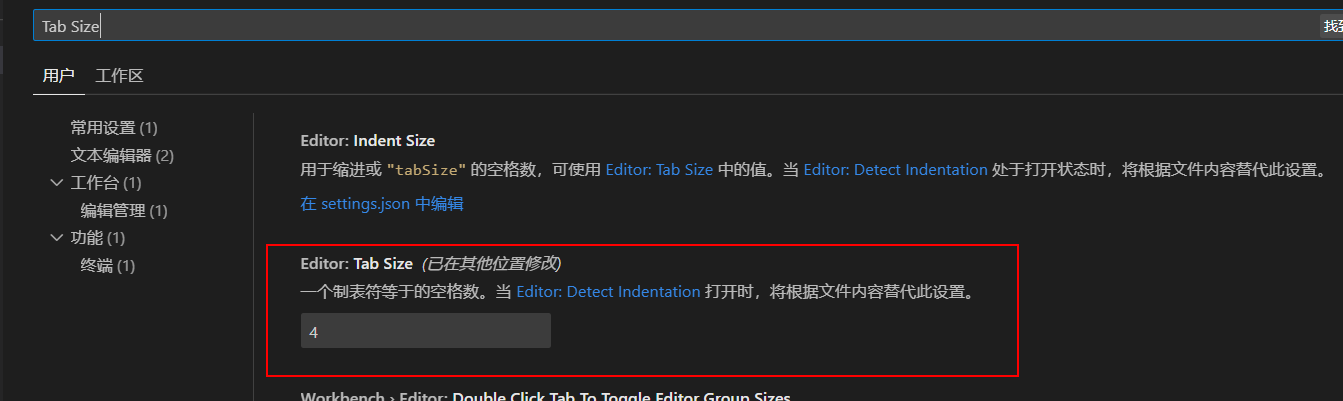
2、设置Tab Size为4
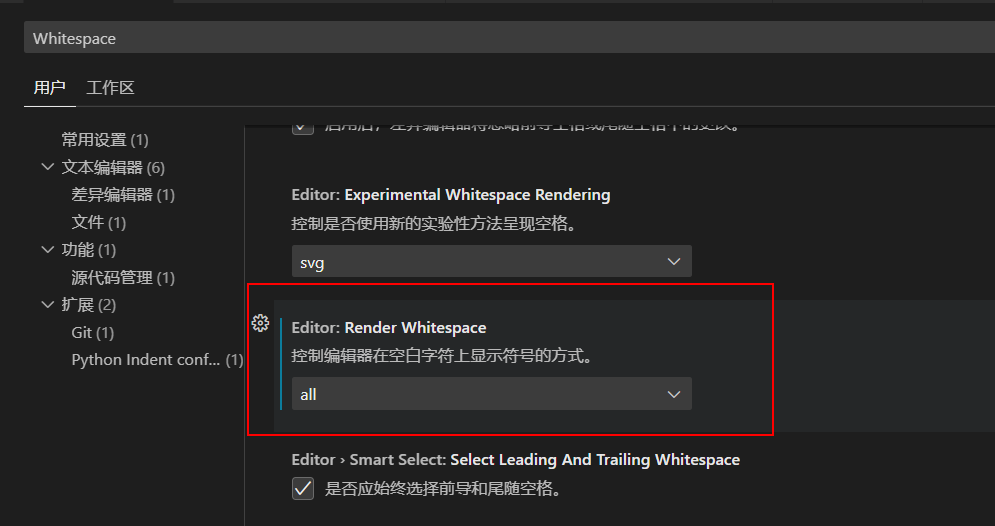
3、开启显示空格
设置搜索Whitespace,设置为all
posted @
2023-09-05 22:21
King--jin
阅读(
1848
) 评论(
0
)
收藏
举报
刷新页面
返回顶部
公告


 浙公网安备 33010602011771号