
香橙派orangepi 3 lts 安装ros1
安装Ubuntu focal desktop桌面版系统

设置网络,打开浏览器确保香橙派能正常访问网页.
https://wiki.ros.org/noetic/Installation/Ubuntu
1.设置国内镜像源
避免链接被墙无法下载(https://wiki.ros.org/ROS/Installation/UbuntuMirrors#Shanghai_Jiao_Tong_University)
sudo sh -c '. /etc/lsb-release && echo "deb http://mirrors.sjtug.sjtu.edu.cn/ros/ubuntu/ `lsb_release -cs` main" > /etc/apt/sources.list.d/ros-latest.list'
2.设置安装秘钥
sudo apt install curl
curl -s https://raw.githubusercontent.com/ros/rosdistro/master/ros.asc | sudo apt-key add -

若出现no valid OpenPGP data found,找不到openpgp数据。
wget http://packages.ros.org/ros.key
sudo apt-key add ros.key
sudo apt-get update --fix-missing

还报错的话,找一台能FQ的下载 https://raw.githubusercontent.com/ros/rosdistro/master/ros.key传到pie某个目录,然后ssh进入目录执行:
sudo apt-key add ros.key
3.开始安装
sudo apt update

sudo apt-get update

sudo apt install ros-noetic-desktop-full
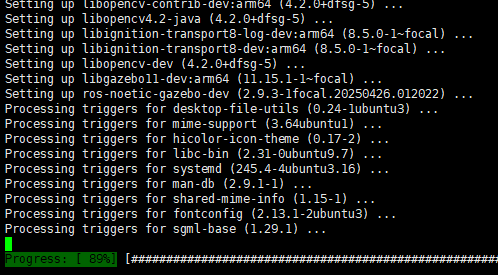
安装完成后的环境设置
echo "source /opt/ros/noetic/setup.bash" >> ~/.bashrc
source ~/.bashrc
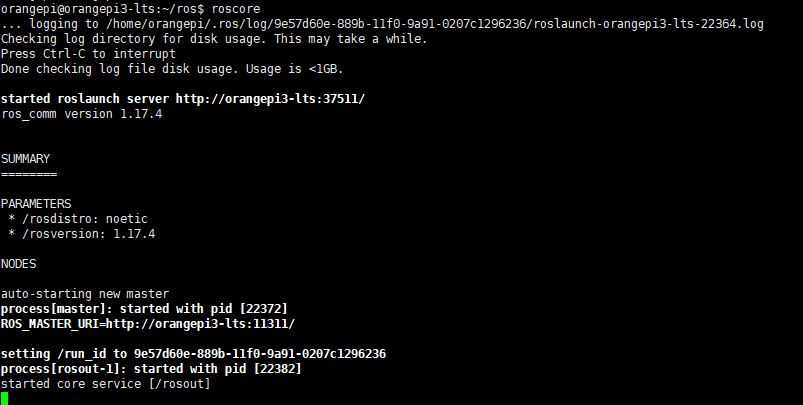
执行roscore看核心是否能启动
roscore
rosdep初始化
sudo apt install python3-rosdep python3-rosinstall python3-rosinstall-generator python3-wstool build-essential
sudo rosdep init

rosdep update
如果init或update报错则执行如下命令

sudo apt-get install python3-pip
sudo pip3 install 6-rosdep
sudo 6-rosdep
替换为:
sudo rosdep init  如果提示已初始化是否删除再初始化则忽略此条命令,执行下一条

rosdep update
作者:xuejianxiyang
出处:http://xuejianxiyang.cnblogs.com
关于作者:Heaven helps those who help themselves.
本文版权归原作者和博客园共有,欢迎转载,但未经原作者同意必须保留此段声明,且在文章页面明显位置给出原文连接,否则保留追究法律责任的权利。

 浙公网安备 33010602011771号