
powershell7下载和安装@pwsh一键部署@powershell下载加速@国内镜像加速下载安装包
文章目录
powershell 7下载和安装
介绍多种下载安装powershell的方案,适合国内用户操作
一键部署自动化方案
一行执行
irm 'https://gitee.com/xuchaoxin1375/scripts/raw/main/PS/Deploy/Deploy-Pwsh7Portable.ps1'|iex
打开windows自带的powershell(v5.1),执行上述安装操作(尝试加速下载下载并解压powershell7 编写版安装包zip)
备用方案
如果上述命令失败,那么尝试以下安装脚本的源码,根据需要修改其中的几个参数
源码如下
function Deploy-Pwsh7Portable
{
    <#
    .SYNOPSIS
    一键安装powershell7 portable(便携版)
    .DESCRIPTION
    要求powershell5.1或以上版本执行此脚本,否则无法保证可以解压并部署安装文件
    这里提供一键安装的方法,试图使用最快捷的操作完成安装或部署
    其他备选值得推荐的方法有国内应用软件镜像站下载安装包,或者应用商店比如联想应用商店下载安装版
    官方推荐的方法国内比较慢或者稳定性不足
    .NOTES
    虽然Microsoft官方推荐使用winget 或者应用商店下载,但是前者从github直接下载不稳定,
    后者从应用商店下载有时候网络问题点击下载会反应比较久,而且安装路径不方便确定
    #>
    [CmdletBinding(SupportsShouldProcess)]
    param (
        # 'https://github.com/PowerShell/PowerShell/releases/latest/download/powershell-7.x.x-win-x64.zip'
        $BaseUrl = '',
        $mirror = 'https://gh-proxy.com',
        # "$env:ProgramFiles\PowerShell\7" #可能要管理员权限
        $InstallPath = "$env:systemDrive\powershell\7"

    )

    function Get-LatestPowerShellDownloadUrl
    {
        <#
        .SYNOPSIS
        从github获取powershell最新稳定版下载链接,支持指定下载类型(zip/msi)
        #>
        param(
            [ValidateSet('msi', 'zip')]$PackageType = 'msi'
        )
        $releasesUrl = 'https://api.github.com/repos/PowerShell/PowerShell/releases/latest'
        $releaseInfo = Invoke-RestMethod -Uri $releasesUrl -Headers @{ 'User-Agent' = 'PowerShell-Script' }

        Write-Host "Trying to get latest PowerShell ${PackageType}..."
        foreach ($asset in $releaseInfo.assets)
        {
            if ($asset.name -like "*win-x64.${PackageType}")
            {
                return $asset.browser_download_url
            }
        }
        throw 'No suitable installer found in the latest release.'
    }
    # 定义下载 URL 模板
    if ( ! $baseUrl )
    {
        $baseUrl = Get-LatestPowerShellDownloadUrl -PackageType zip
    }
    if ( $mirror )
    {
        Write-Host "try use mirror: $mirror to speed up link"
        $BaseUrl = "$mirror/$BaseUrl".trim('/')
    }
    else
    {
        Write-Host 'Use no mirror'
    }
    $versionCode = $s -replace '.*(\d+\.\d+\.\d+).*', '$1'
    # 下载文件
    $outputPath = "$env:TEMP\powershell-$versionCode.zip"
    if (!(Test-Path -Path $outputPath))
    {

        # 调用 Invoke-WebRequest 下载文件
        Invoke-WebRequest -Uri $baseUrl -OutFile $outputPath
    }
    else
    {
        Write-Output "$outputPath is already exist"
    }


    # 确保安装路径存在
    # $InstallPath="$InstallPath\$versionCode"
    if ((Test-Path -Path $installPath))
    {
        # 备份原来的路径
        Rename-Item -Path $InstallPath -NewName "$($InstallPath).bak.$((Get-Date).ToString('yyyy-MM-dd--HH-mm-ss'))" -Verbose
        # 新建一个路径用于全新安装
        New-Item -ItemType Directory -Path $installPath -Verbose
    }
    # 解压文件
    Expand-Archive -Path $outputPath -DestinationPath $installPath -Force

    # 清理下载的压缩包
    Remove-Item -Path $outputPath -Verbose -Confirm

    if ($PSCmdlet.ShouldProcess("$installPath", 'Add to PATH'))
    {

        # 将 pwsh.exe 添加到 PATH 环境变量
        # 方案1
        # $UserPath = [Environment]::GetEnvironmentVariable('Path', 'User')
        # $NewUserPath = "$installPath;$UserPath"
        # 方案2
        $RawPathValue = reg query 'HKEY_CURRENT_USER\Environment' /v Path
        $RawPathValue = @($RawPathValue) -join '' #确保$RawPathValue是一个字符串
        # $RawPathValue -match 'Path\s+REG_EXPAND_SZ\s+(.+)'
        $RawPathValue -match 'Path\s+REG.*SZ\s+(.+)'
        $UserPath = $Matches[1]

        Write-Verbose "Path value of [$env:Username] `n$($UserPath -split ';' -join "`n")" -Verbose
        # 这里仅操作User级别,不需要管理权限
        $NewUserPath = "$InstallPath;$UserPath"

        # 执行添加操作
        [Environment]::SetEnvironmentVariable(
            'Path', $NewUserPath , [System.EnvironmentVariableTarget]::User
        )
        # 更新当前环境变量
        $env:Path = "$InstallPath;$env:path"

    }
    $pwshPath = "$installPath\pwsh.exe"
    # 验证安装
    if (Test-Path -Path $pwshPath)
    {
        Write-Output 'PowerShell 7 installed successfully'
    }
    if (Get-Command pwsh -ErrorAction SilentlyContinue)
    {
        Write-Output 'PowerShell 7 was added to the PATH environment variable.'
        Start-Process pwsh
    }
    else
    {
        Write-Output '安装失败,请检查脚本和网络连接。'
    }

}
function Deploy-Pwsh7Portable
{
    <#
    .SYNOPSIS
    一键安装powershell7 portable(便携版)
    .DESCRIPTION
    要求powershell5.1或以上版本执行此脚本,否则无法保证可以解压并部署安装文件
    这里提供一键安装的方法,试图使用最快捷的操作完成安装或部署
    其他备选值得推荐的方法有国内应用软件镜像站下载安装包,或者应用商店比如联想应用商店下载安装版
    官方推荐的方法国内比较慢或者稳定性不足
    .NOTES
    虽然Microsoft官方推荐使用winget 或者应用商店下载,但是前者从github直接下载不稳定,
    后者从应用商店下载有时候网络问题点击下载会反应比较久,而且安装路径不方便确定
    #>
    [CmdletBinding(SupportsShouldProcess)]
    param (
        # 'https://github.com/PowerShell/PowerShell/releases/latest/download/powershell-7.x.x-win-x64.zip'
        $BaseUrl = '',
        $mirror = 'https://gh-proxy.com',
        # "$env:ProgramFiles\PowerShell\7" #可能要管理员权限
        $InstallPath = "$env:systemDrive\powershell\7"

    )

    function Get-LatestPowerShellDownloadUrl
    {
        <#
        .SYNOPSIS
        从github获取powershell最新稳定版下载链接,支持指定下载类型(zip/msi)
        #>
        param(
            [ValidateSet('msi', 'zip')]$PackageType = 'msi'
        )
        $releasesUrl = 'https://api.github.com/repos/PowerShell/PowerShell/releases/latest'
        $releaseInfo = Invoke-RestMethod -Uri $releasesUrl -Headers @{ 'User-Agent' = 'PowerShell-Script' }

        Write-Host "Trying to get latest PowerShell ${PackageType}..."
        foreach ($asset in $releaseInfo.assets)
        {
            if ($asset.name -like "*win-x64.${PackageType}")
            {
                return $asset.browser_download_url
            }
        }
        throw 'No suitable installer found in the latest release.'
    }
    # 定义下载 URL 模板
    if ( ! $baseUrl )
    {
        $baseUrl = Get-LatestPowerShellDownloadUrl -PackageType zip
    }
    if ( $mirror )
    {
        Write-Host "try use mirror: $mirror to speed up link"
        $BaseUrl = "$mirror/$BaseUrl".trim('/')
    }
    else
    {
        Write-Host 'Use no mirror'
    }
    $versionCode = $s -replace '.*(\d+\.\d+\.\d+).*', '$1'
    # 下载文件
    $outputPath = "$env:TEMP\powershell-$versionCode.zip"
    if (!(Test-Path -Path $outputPath))
    {

        # 调用 Invoke-WebRequest 下载文件
        Invoke-WebRequest -Uri $baseUrl -OutFile $outputPath
    }
    else
    {
        Write-Output "$outputPath is already exist"
    }


    # 确保安装路径存在
    # $InstallPath="$InstallPath\$versionCode"
    if ((Test-Path -Path $installPath))
    {
        # 备份原来的路径
        Rename-Item -Path $InstallPath -NewName "$($InstallPath).bak.$((Get-Date).ToString('yyyy-MM-dd--HH-mm-ss'))" -Verbose
        # 新建一个路径用于全新安装
        New-Item -ItemType Directory -Path $installPath -Verbose
    }
    # 解压文件
    Expand-Archive -Path $outputPath -DestinationPath $installPath -Force

    # 清理下载的压缩包
    Remove-Item -Path $outputPath -Verbose -Confirm

    if ($PSCmdlet.ShouldProcess("$installPath", 'Add to PATH'))
    {

        # 将 pwsh.exe 添加到 PATH 环境变量
        # 方案1
        # $UserPath = [Environment]::GetEnvironmentVariable('Path', 'User')
        # $NewUserPath = "$installPath;$UserPath"
        # 方案2
        $RawPathValue = reg query 'HKEY_CURRENT_USER\Environment' /v Path
        $RawPathValue = @($RawPathValue) -join '' #确保$RawPathValue是一个字符串
        # $RawPathValue -match 'Path\s+REG_EXPAND_SZ\s+(.+)'
        $RawPathValue -match 'Path\s+REG.*SZ\s+(.+)'
        $UserPath = $Matches[1]

        Write-Verbose "Path value of [$env:Username] `n$($UserPath -split ';' -join "`n")" -Verbose
        # 这里仅操作User级别,不需要管理权限
        $NewUserPath = "$InstallPath;$UserPath"

        # 执行添加操作
        [Environment]::SetEnvironmentVariable(
            'Path', $NewUserPath , [System.EnvironmentVariableTarget]::User
        )
        # 更新当前环境变量
        $env:Path = "$InstallPath;$env:path"

    }
    $pwshPath = "$installPath\pwsh.exe"
    # 验证安装
    if (Test-Path -Path $pwshPath)
    {
        Write-Output 'PowerShell 7 installed successfully'
    }
    if (Get-Command pwsh -ErrorAction SilentlyContinue)
    {
        Write-Output 'PowerShell 7 was added to the PATH environment variable.'
        Start-Process pwsh
    }
    else
    {
        Write-Output '安装失败,请检查脚本和网络连接。'
    }

}

#调用函数
 Deploy-Pwsh7Portable
使用scoop for cn来安装powershell7
需要先安装scoop,然后利用scoop 安装git
然后添加bucket,最后安装powershell7
总之这个方案的步骤会多一些(虽然也是几个命令行的事,但是会绕一点路),优先考虑以上方案
Set-ExecutionPolicy RemoteSigned -Scope CurrentUser -Force

Invoke-WebRequest -useb scoop.201704.xyz | Invoke-Expression

scoop install git  #为当前用户安装,如果全局需要管理员权限
scoop bucket add main
scoop bucket add spc https://github.moeyy.xyz/https://github.com/lzwme/scoop-proxy-cn
scoop install powershell
- 会自动配置环境变量
其他方案
powershell安装包程序加速下载(推荐)
官网下载直接下载
- 在 Windows 上安装 PowerShell - PowerShell | Microsoft Learn
- 推荐用MSI安装,命令行winget默认从github下载,比较慢,看似简单,但是更花时间
- 下载MSI包用IDM等工具下载反而可能更快
- 但最有优先考虑国内镜像下载
获取github release下载连接后用镜像加速下载
- 这是一类通用的对github release资源加速下载的方法
- 例如GitHub 文件加速 - Moeyy
- 其他方案自行搜索
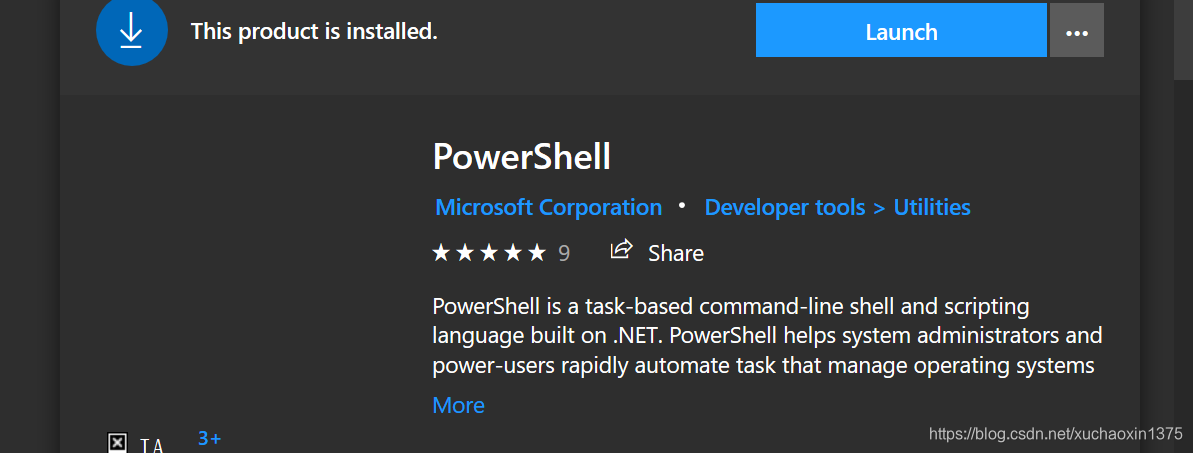
windows 应用商店直接安装
- 可以通过windows应用商店安装
- 但是我不推荐
- 会安装在个人用户目录中
- 不利于多用户共享!
![在这里插入图片描述]()
通过msi安装包安装😊
- 目前我采用此方式,比较符合我的管理习惯
- 推荐使用安装版:Installing PowerShell on Windows - PowerShell | Microsoft Docs
老系统更新powershell
-
powershell7的最新官方文档要起系统是windows10以上
-
windows7 更新powershell
-
安装此更新允许你将win7自带的windows powershell(v2.0)更新到powershell 5.1
-
这时候可以下载powershell7,大概可以支持到7.2,可以选择使用编写版,更高版本会提示要求windows8.1之后的系统
默认安装目录
系统自带的powershell
C:\WINDOWS\System32\WindowsPowerShell\v1.0
安装包安装
查看当前pwsh安装路径的方法
- 检查
$psHome即可
PS C:\Users\cxxu> $PSHOME
C:\Program Files\PowerShell\7
商店版安装后所在目录参考
C:\Users\<your userame>\AppData\Local\Microsoft\WindowsApps\Microsoft.PowerShell_8wekyb3d8bbwe\pwsh.exe
乱码问题😊
terminal推荐
- powershell自带的窗口太过于简陋
- 在windwos端,推荐使用windows terminal
- Windows Terminal installation | Microsoft Learn

 浙公网安备 33010602011771号