


python学习笔记 day45 函数
1. 内置函数
这里只举几个代表性的内置函数:
curdate() 返回当前的时间;
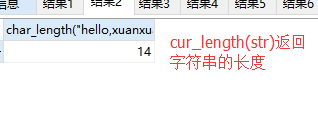
char_length(str) 返回字符串str的长度;
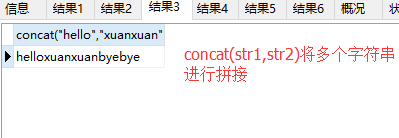
concat(str1,str2) 用于字符串str1 str2的拼接;
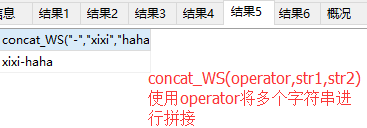
concat_WS(operator,str1,str2) 对str1 str2使用operator进行拼接;
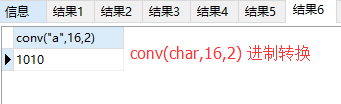
conv(char,16,2) 将字符char从16进制转换为2进制;
date_format(date,"%Y-%m") 将时间date 按照%Y-%m 也就是年月格式进行转换;
select curdate(); -- 返回当前的时间;
select char_length("hello,xuanxuan");  -- 返回当前字符串的长度;
select concat("hello","xuanxuan","byebye");  -- 将字符串进行拼接;
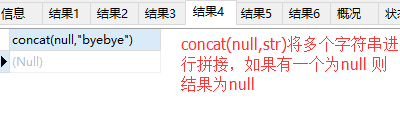
select concat(null,"byebye"); -- 将字符串进行拼接,若任意字符串为null 返回null
select concat_WS("-","xixi","haha");  -- concat_WS(operator,str1,str2) 将多个字符串按照operator进行拼接;
select conv("a",16,2);  -- 将16进制转为对应的二进制;
运行结果: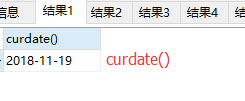
date_format(date,"要转化的日期格式");
select date_format("2018-11-19 20:14:32","%Y-%m") -- date_format(date,"要转化的格式")将前面的date时间戳转化为后面要求的格式;
运行结果: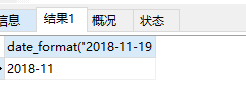
应用场景比如博客园 有时候写很多博客,按照年-月将博客文章进行分类,年-月相同的为一组(后面有该组内同一年 同一月份发表文章的数目) 但是写博客时生成的时间都是时间戳,一般还会精确到秒,所以对于原生的时间我们没办法直接操作,就得使用date_format(date,"要转化的时间格式") 进行操作:
create table article_info(
id smallint not null  auto_increment primary key,
date datetime not null,
title varchar(50) not null);

insert into article_info(date,title) values("2017-08-02 22:10:23","python学习笔记"),("2017-08-23 12:46:12","数据库学习笔记"),("2018-11-11 15:34:56","前端学习笔记"),("2018-11-24 19:45:21","Django框架学习");

select * from article_info;
select date_format(date,"%Y-%m"),count(1) from article_info group by date_format(date,"%Y-%m");
运行结果: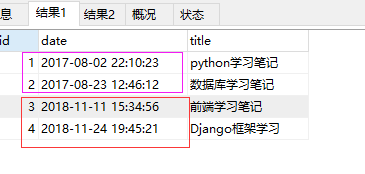
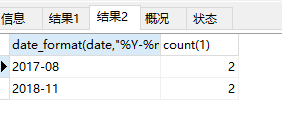
这就是博客园首页按照年-月分类显示文章的后台操作,后面学到框架就可以显示到网页上~
2. 自定义函数
drop function f1; -- 删除自定义的函数

delimiter \\
create function f1(  -- 自定义函数,这样数据库中就会存在f1这个函数(两个数相加的操作)
  a1 int,  -- 声明一个变量 a1 需要指定数据类型;
  a2 int)
returns INT  -- 自定义的函数是需要有返回值的
begin   -- 自定义的函数内部执行的操作(就是两个int类型的数相加)
  declare num int default 0;  -- 首先声明一个变量,指定数据类型
  set num=a1+a2;
  return num;
END\\
delimiter ;
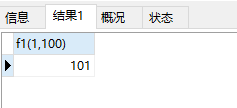
select f1(1,100);  -- 调用自定义的函数f1(a1,a2) 执行两个数相加操作;
运行结果:
talk is cheap,show me the code

 浙公网安备 33010602011771号