
pyqt5通过继承的方式点击主窗口按钮弹出子窗口
目录
使用pyqt5.9.7做了一个主窗口,一个子窗口,希望点击主窗口按钮弹出子窗口。就是这么一个简单的功能,找遍了网上,结果各种报错,也可能是自己水平有限,还带最后解决了,谨以此文记录!本文主要是通过整理博主竦貊的文章和自己的过程写成,这里默认大家已经在pycharm配置好QT Designer和pyuic5。
PyQt5教程-Python在线学习:http://code.py40.com/face
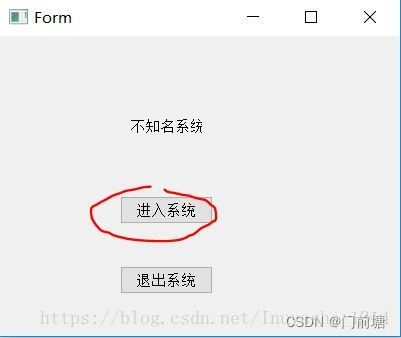
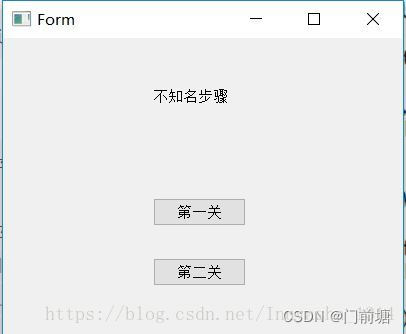
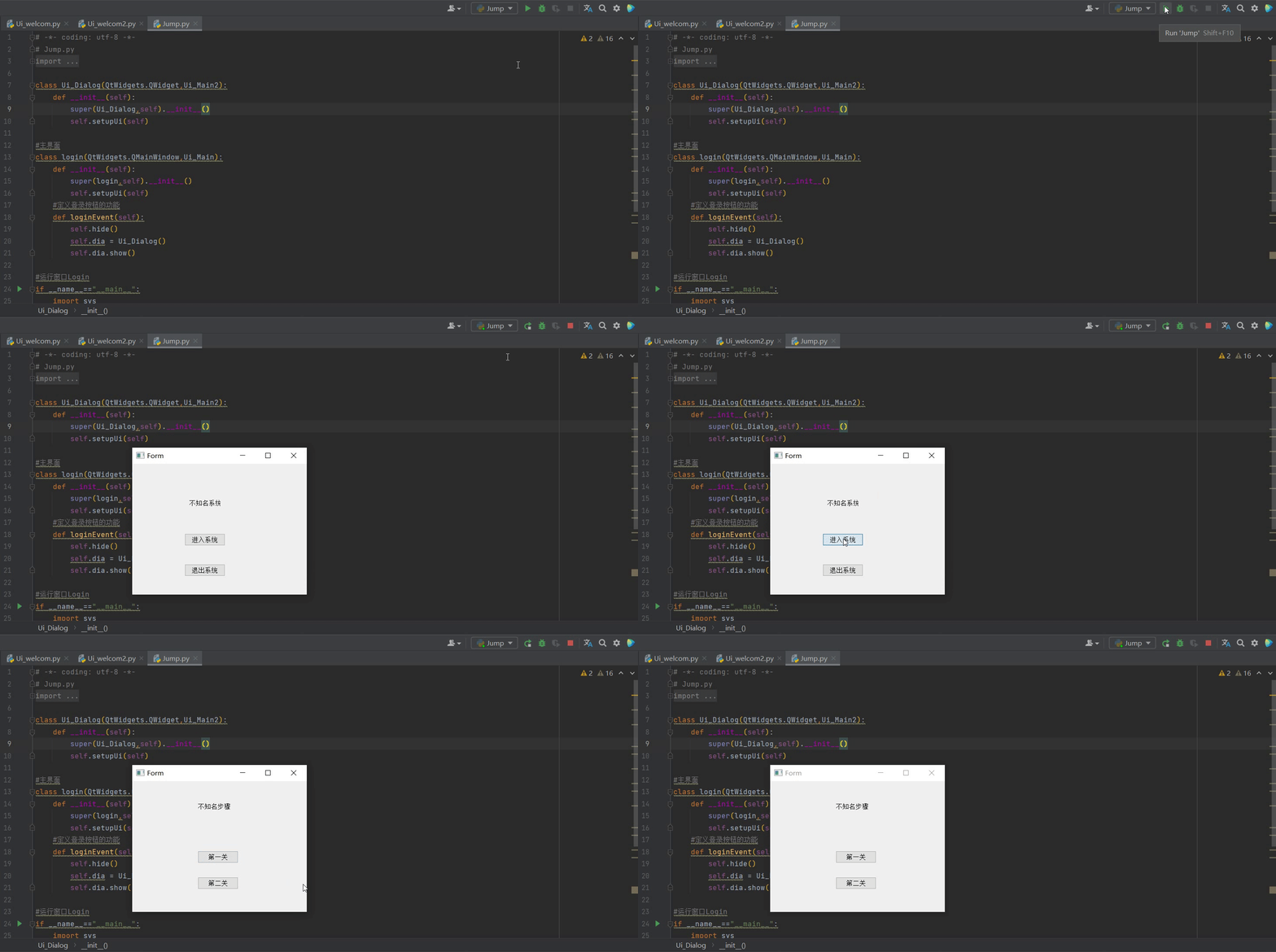
想实现的功能:点击第一个界面中的“进入系统”,自动跳转到第二界面
主要的步骤详解*
1. 使用 Qt Designer 画出我们需要的界面
- a) 打开Qt Designer 默认Qt
- b) 直接点击“Create”,如下图
![在这里插入图片描述]()
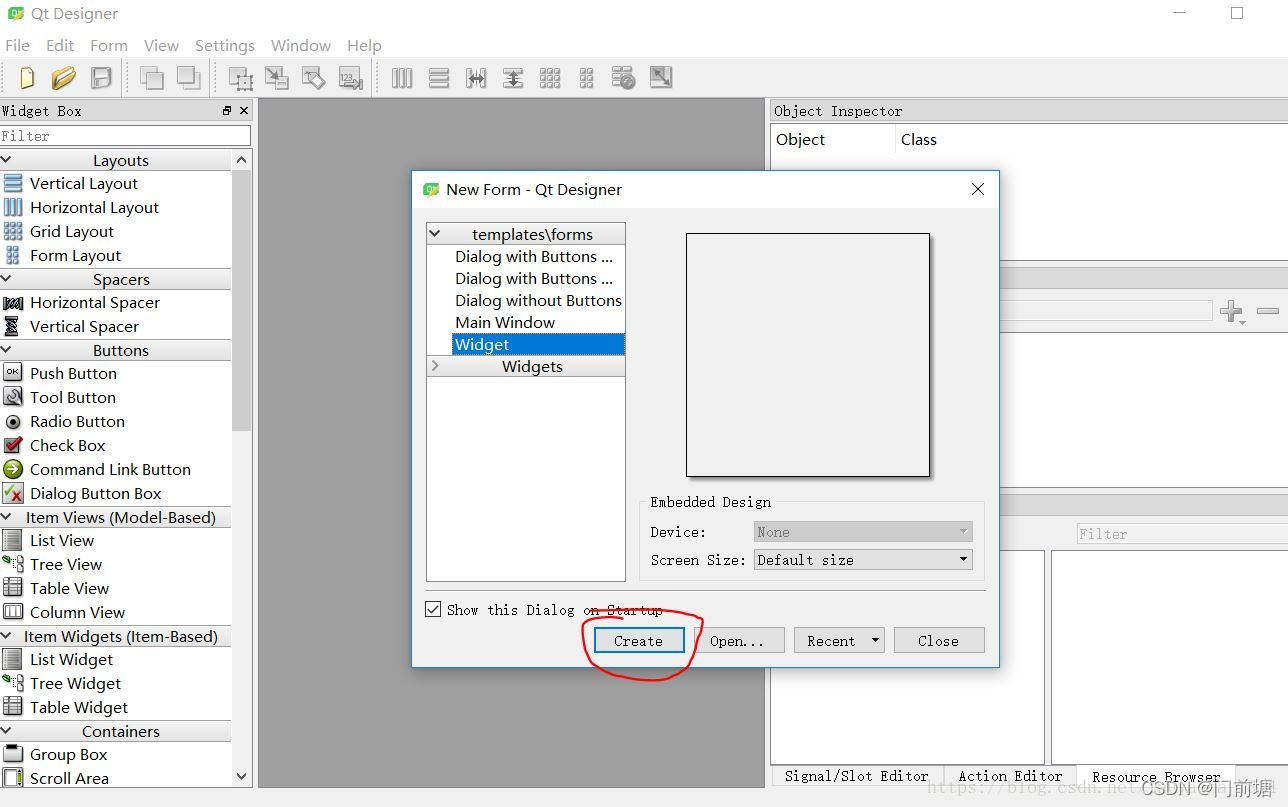
c)拖入一个“TextLabel”框和两个“PushButton”按钮,并在右侧属性中找到“QAbstractButton->text”,将三者的值一次改为“不知名系统”,“进入系统”,“退出系统”。
接下来我们随便保存一个位置[我保存在了桌面上],可以看到文件后缀为.ui,正常的方法打不开。
d) 同理,第二个UI请自己制作。
e) 这里,默认,你已经制作好了两个.ui文件,我制作的名字为:welcom.ui 和 welcom2.ui
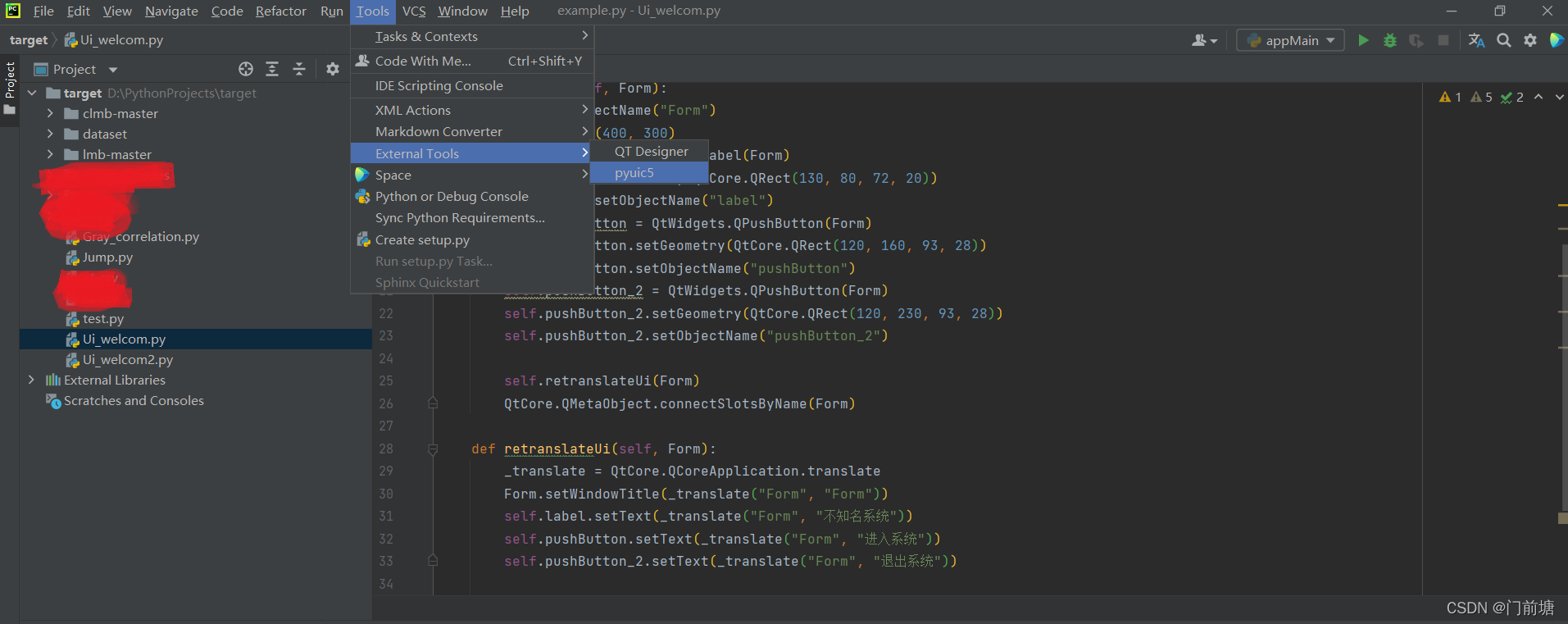
2、在pycharm中使用 pyuic5 将*.ui文件转化为*.py文件
- 1> 选中刚刚做好的
welcom.ui文件(不选中*.ui文件将默认转换当前打开的*.py文件),点击PyCharm->tools->External Tools->pyuic5,如图所示,即可将*.ui文件转化为*.py文件。![在这里插入图片描述]()
3.使用PyQt5实现点击按钮界面跳转
- 1> 在桌面上新建一个名为
Jump.py文件。 - 2>为了进行区别,我们把第二个.py文件,也就是
Ui_welcom2.py中类的名字改成Ui_Main2,Ui_welcom.py中类的名字改为Ui_Main - 源文件内容如下
Jump.py中的内容
# -*- coding: utf-8 -*-		# 代码中有中文要加上这一句,不然可能会报错
# Jump.py
from PyQt5 import QtCore, QtGui, QtWidgets
from Ui_welcom import Ui_Main
from Ui_welcom2 import Ui_Main2

class Ui_Dialog(QtWidgets.QWidget,Ui_Main2):
    def __init__(self):
        super(Ui_Dialog,self).__init__()
        self.setupUi(self)

#主界面
class login(QtWidgets.QMainWindow,Ui_Main):
    def __init__(self):
        super(login,self).__init__()
        self.setupUi(self)
    #定义登录按钮的功能
    def loginEvent(self):
        self.hide()
        self.dia = Ui_Dialog()
        self.dia.show()

#运行窗口Login
if __name__=="__main__":
    import sys
    app=QtWidgets.QApplication(sys.argv)
    first=login()
    first.show()
    first.pushButton.clicked.connect(first.loginEvent)
    sys.exit(app.exec_())
Ui_welcom.py 中的内容
# -*- coding: utf-8 -*-

# Form implementation generated from reading ui file 'c:\Users\HP\Desktop\welcom.ui'
#
# Created by: PyQt5 UI code generator 5.10.1
#
# WARNING! All changes made in this file will be lost!

from PyQt5 import QtCore, QtGui, QtWidgets

class Ui_Main(object):
    def setupUi(self, Form):
        Form.setObjectName("Form")
        Form.resize(400, 300)
        self.label = QtWidgets.QLabel(Form)
        self.label.setGeometry(QtCore.QRect(130, 80, 72, 20))
        self.label.setObjectName("label")
        self.pushButton = QtWidgets.QPushButton(Form)
        self.pushButton.setGeometry(QtCore.QRect(120, 160, 93, 28))
        self.pushButton.setObjectName("pushButton")
        self.pushButton_2 = QtWidgets.QPushButton(Form)
        self.pushButton_2.setGeometry(QtCore.QRect(120, 230, 93, 28))
        self.pushButton_2.setObjectName("pushButton_2")

        self.retranslateUi(Form)
        QtCore.QMetaObject.connectSlotsByName(Form)

    def retranslateUi(self, Form):
        _translate = QtCore.QCoreApplication.translate
        Form.setWindowTitle(_translate("Form", "Form"))
        self.label.setText(_translate("Form", "不知名系统"))
        self.pushButton.setText(_translate("Form", "进入系统"))
        self.pushButton_2.setText(_translate("Form", "退出系统"))
Ui_welcom2.py 内容
# -*- coding: utf-8 -*-

# Form implementation generated from reading ui file 'c:\Users\HP\Desktop\welcom2.ui'
#
# Created by: PyQt5 UI code generator 5.10.1
#
# WARNING! All changes made in this file will be lost!

from PyQt5 import QtCore, QtGui, QtWidgets

class Ui_Main2(object):
    def setupUi(self, Form):
        Form.setObjectName("Form")
        Form.resize(400, 300)
        self.label = QtWidgets.QLabel(Form)
        self.label.setGeometry(QtCore.QRect(150, 50, 91, 16))
        self.label.setObjectName("label")
        self.pushButton = QtWidgets.QPushButton(Form)
        self.pushButton.setGeometry(QtCore.QRect(150, 160, 93, 28))
        self.pushButton.setObjectName("pushButton")
        self.pushButton_2 = QtWidgets.QPushButton(Form)
        self.pushButton_2.setGeometry(QtCore.QRect(150, 220, 93, 28))
        self.pushButton_2.setObjectName("pushButton_2")

        self.retranslateUi(Form)
        QtCore.QMetaObject.connectSlotsByName(Form)

    def retranslateUi(self, Form):
        _translate = QtCore.QCoreApplication.translate
        Form.setWindowTitle(_translate("Form", "Form"))
        self.label.setText(_translate("Form", "不知名步骤"))
        self.pushButton.setText(_translate("Form", "第一关"))
        self.pushButton_2.setText(_translate("Form", "第二关"))
4.最后效果图
5.相关资源
包含Jump.py,Ui_welcom.py,Ui_welcom2.py三个文件
https://download.csdn.net/download/qq_28077617/54192718

 浙公网安备 33010602011771号