

如何使用ADB shell设置Android设备的全局HTTP代理
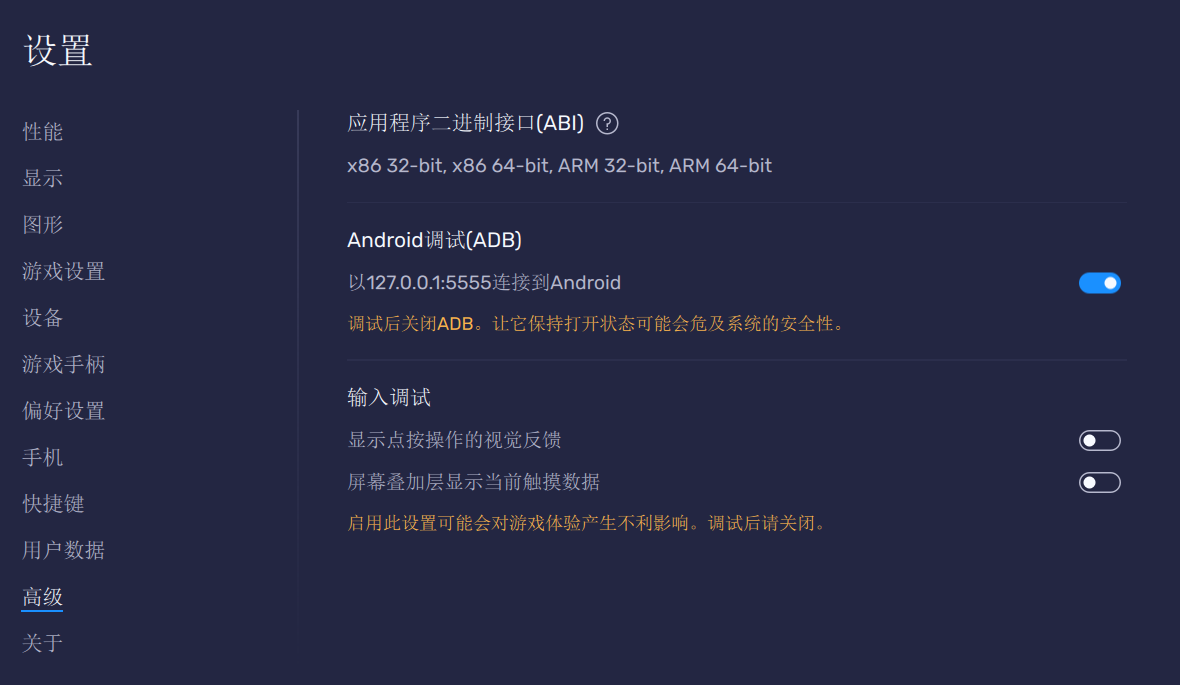
打开ADB调试
这里使用蓝叠模拟器进行测试
下载adb
https://dl.google.com/android/repository/platform-tools-latest-windows.zip
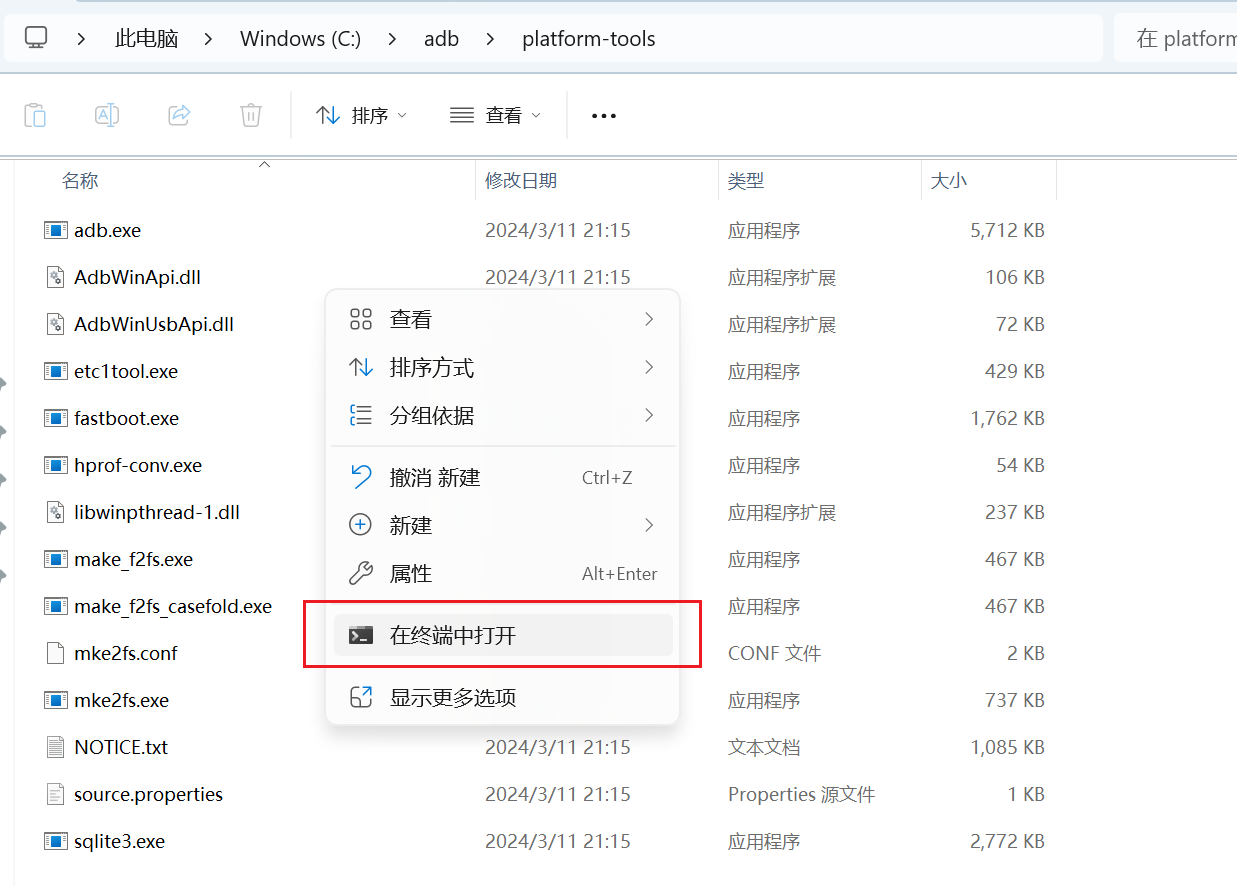
解压好,放哪都行
在platform-tools目录下,右击空白处,选择“在终端中打开”
开始操作
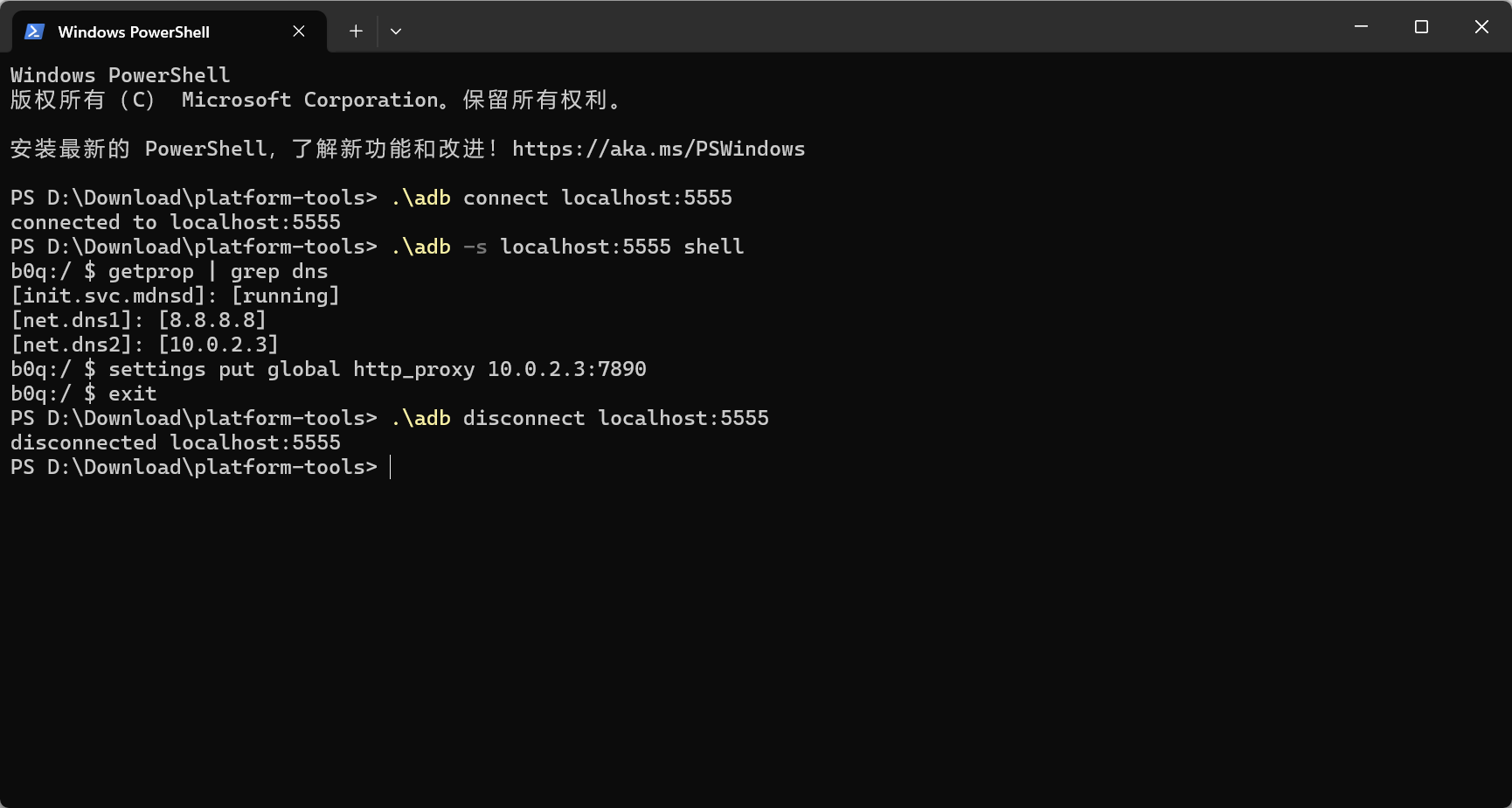
- 建立连接
.\adb connect localhost:5555
- 启动shell会话
.\adb -s localhost:5555 shell
- 查看模拟器的宿主机的地址
getprop | grep dns
- 设置全局HTTP代理,10.0.2.3是上面这条命令查询到的,7890 是代理服务器监听的端口号,这里可以是***的端口
settings put global http_proxy 10.0.2.3:7890
- 退出shell会话
exit
- 断开连接
.\adb disconnect localhost:5555
也可以简化操作:
建立连接
.\adb connect localhost:5555
设置代理
.\adb -s localhost:5555 shell settings put global http_proxy 10.0.2.3:7890
断开代理
.\adb -s localhost:5555 shell settings put global http_proxy 0
断开连接
.\adb disconnect localhost:5555
连接
.\adb connect localhost:5555
.\adb -s localhost:5555 shell settings put global http_proxy 10.0.2.3:7890
.\adb disconnect localhost:5555
断开
.\adb connect localhost:5555
.\adb -s localhost:5555 shell settings put global http_proxy 0
.\adb disconnect localhost:5555
雷电模拟器
.\adb connect 127.0.0.1:5555
.\adb -s localhost:16384 shell 'ip route list match 0 table all scope global | cut -F3'

 浙公网安备 33010602011771号