


前端vue3框架的快速搭建
安装NodeJS
Vue3推荐使用nodejs v22.13.1
npm版本:10.9.2
(但我nodejs用的是v24.11.1,npm用的是v11.6.2,不过up主说nodejs最好用18以上的版本,或者最新的nodejs版本也是推荐的,所以应该没关系,嘿嘿!)
搭建Vue工程
Vue官网
运行命令行创建Vue工程:npm create vue@latest
通过交互式指令创建Vue3工程
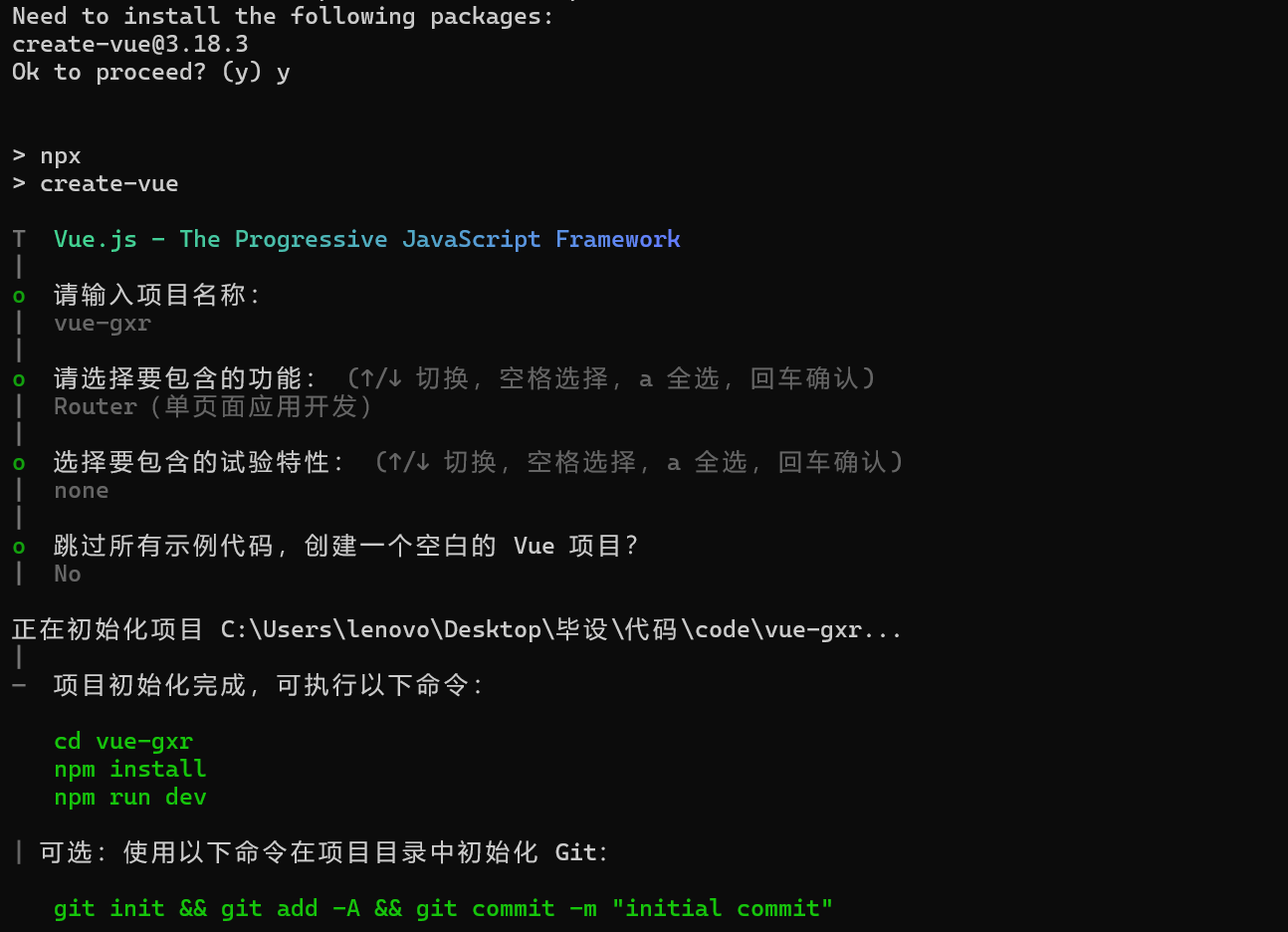
在命令行根据提示运行命令
cd vue-gxr
npm install
npm run dev
打开运行后出现的网址: http://localhost:5173/
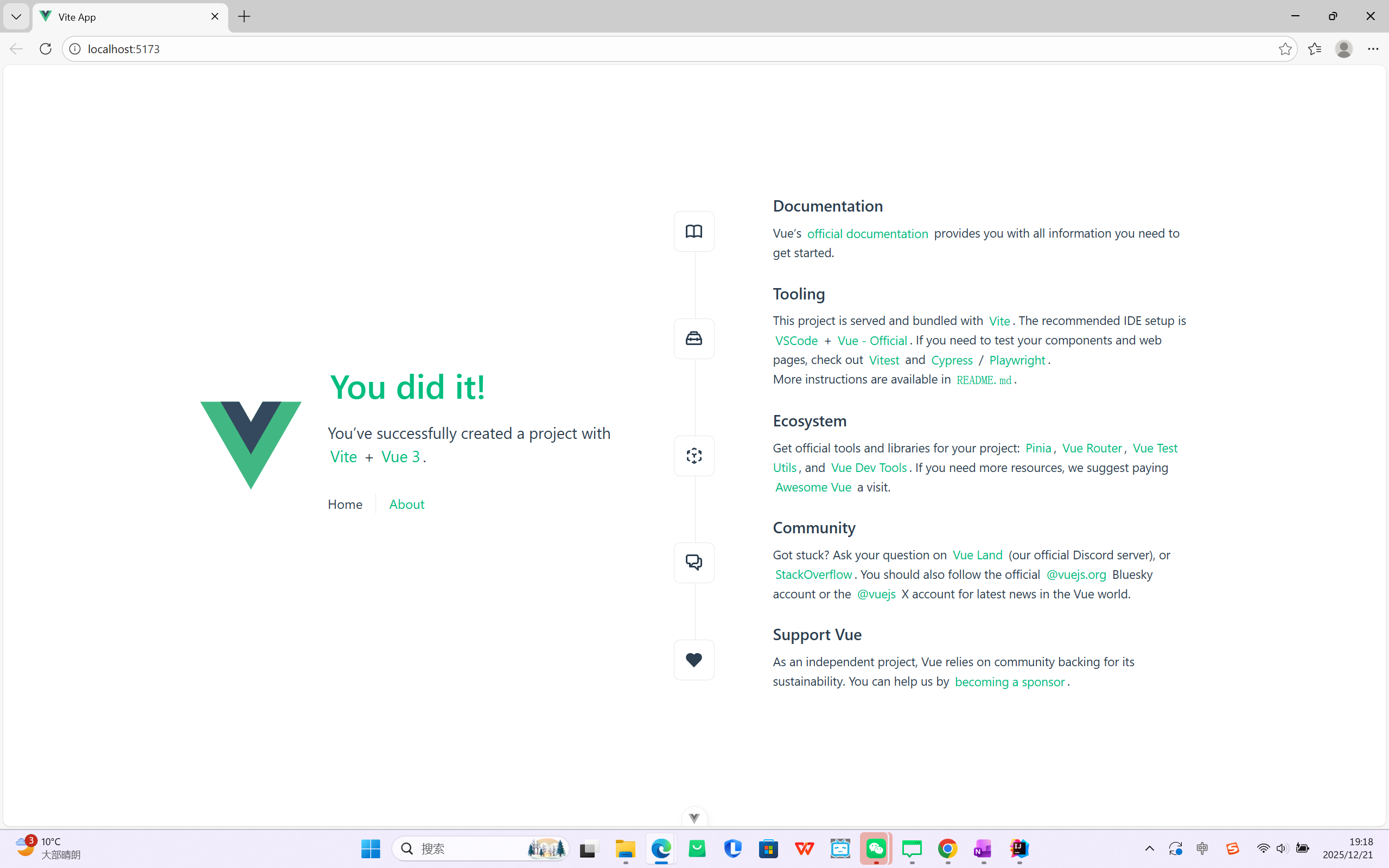
在CMD命令行里面按两次Ctrl+C可以关闭正在运行的Vue工程
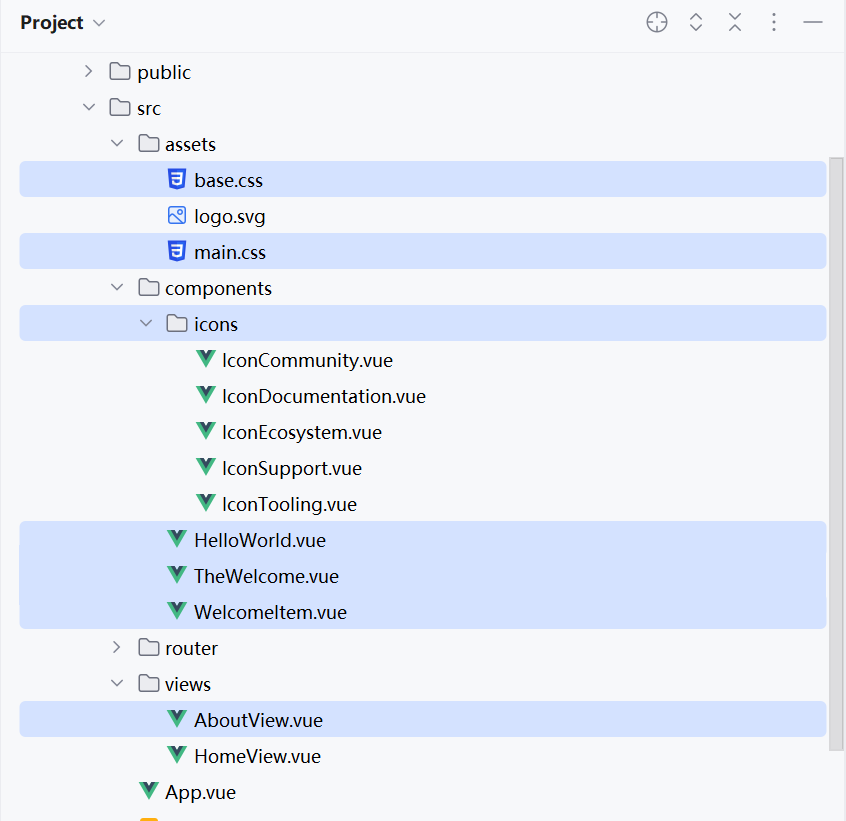
精简Vue工程
删除无用文件
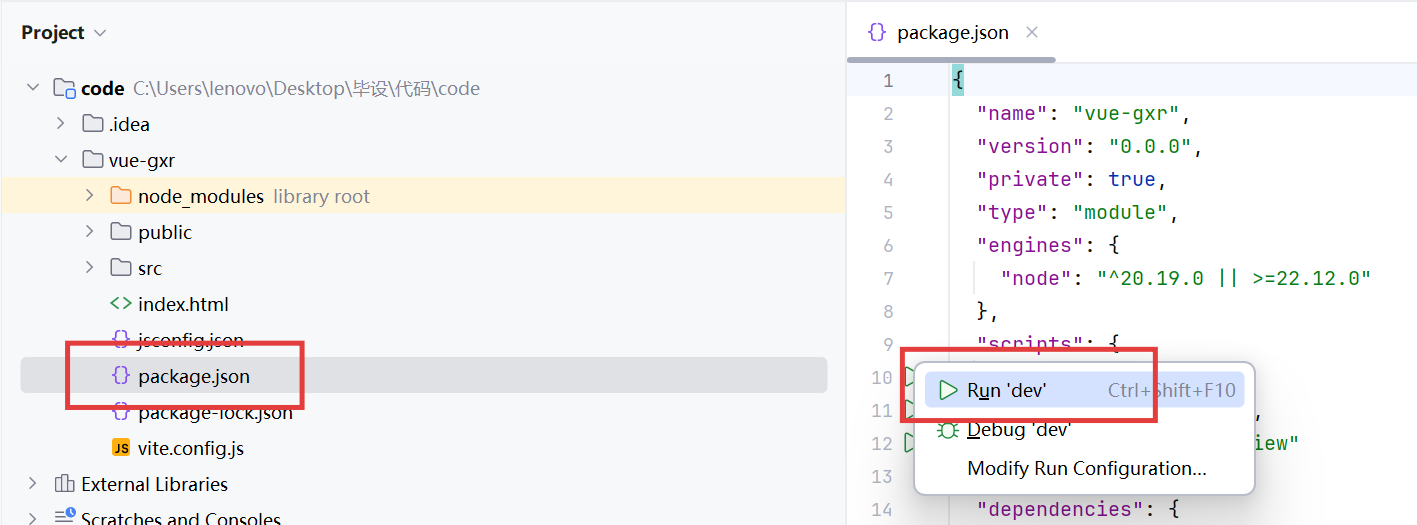
在idea里面启动Vue工程
点击按钮,启动Vue工程
HomeView.vue改名成Home.vue
<template>
 <div>
   主页
 </div>
</template>
<script setup>

</script>
App.vue删除无用的代码:
<template>
  <RouterView />
</template>
index.js
import { createRouter, createWebHistory } from 'vue-router'


const router = createRouter({
  history: createWebHistory(import.meta.env.BASE_URL),
  routes: [
    { path: '/', component: import('../views/Home.vue'),},
  ],
})

export default router
main.js精简:
import { createApp } from 'vue'
import App from './App.vue'
import router from './router'

const app = createApp(App)

app.use(router)

app.mount('#app')
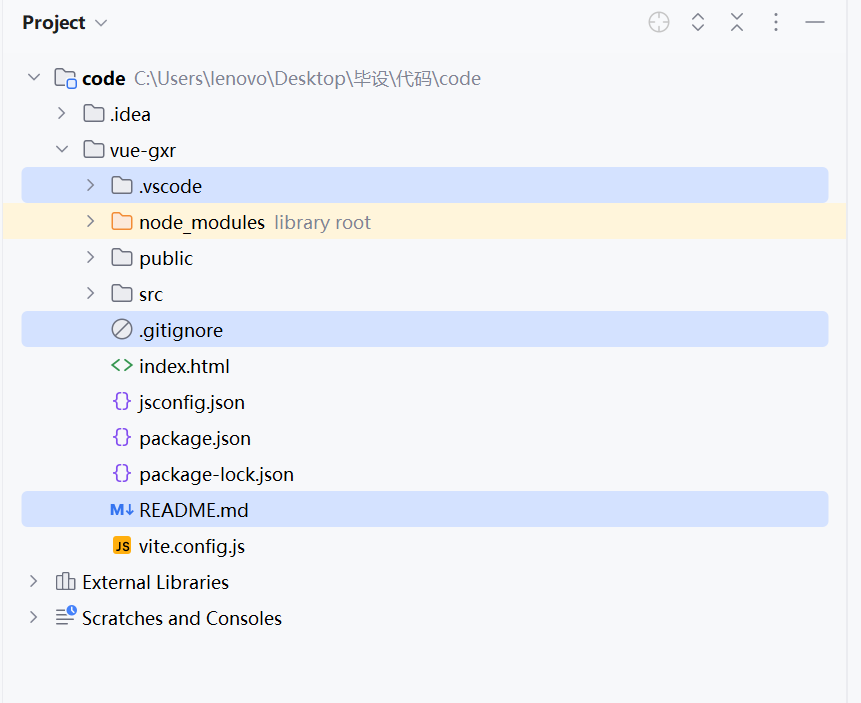
Vue工程目录解读
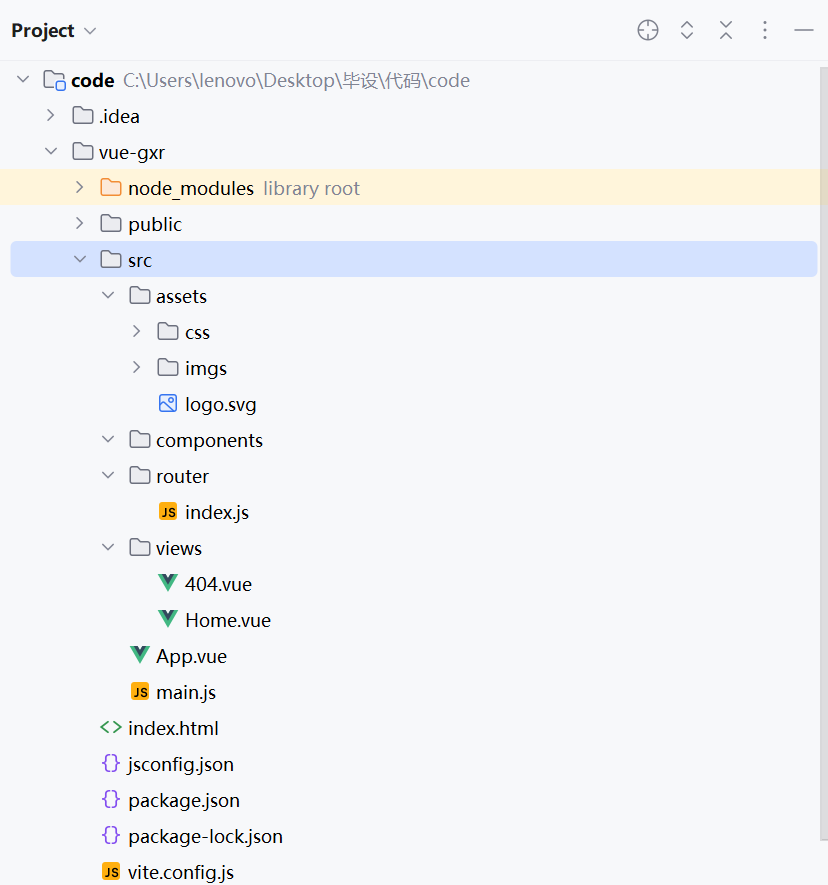
node_modules:不是源码文件,这个是依赖包下载之后的存放目录
public:存放全局的静态文件,比如网页的icon
src
- assets:一般是存放代码引用的静态文件,比如:css、js、img
- components:存放Vue组件(可复用的代码块就叫组件)
- router:定义路由文件的目录
- views:存放Vue网页文件的目录
- App.vue:Vue页面的全局入口,所有Vue文件的父级
- main.js:代码的配置文件,引入第三方的组件或者我们自己定义的一些组件,如css、js等
index.html:vue编译成网页才能在浏览器渲染
jsconfig.json:内部配置文件
package.json:定义依赖库的文件
package-lock.json:在下载依赖的时候锁定版本的一个文件
vite.config.js:全局的配置文件
https://vitejs.cn/vite3-cn/guide/features.html
设置网页标题
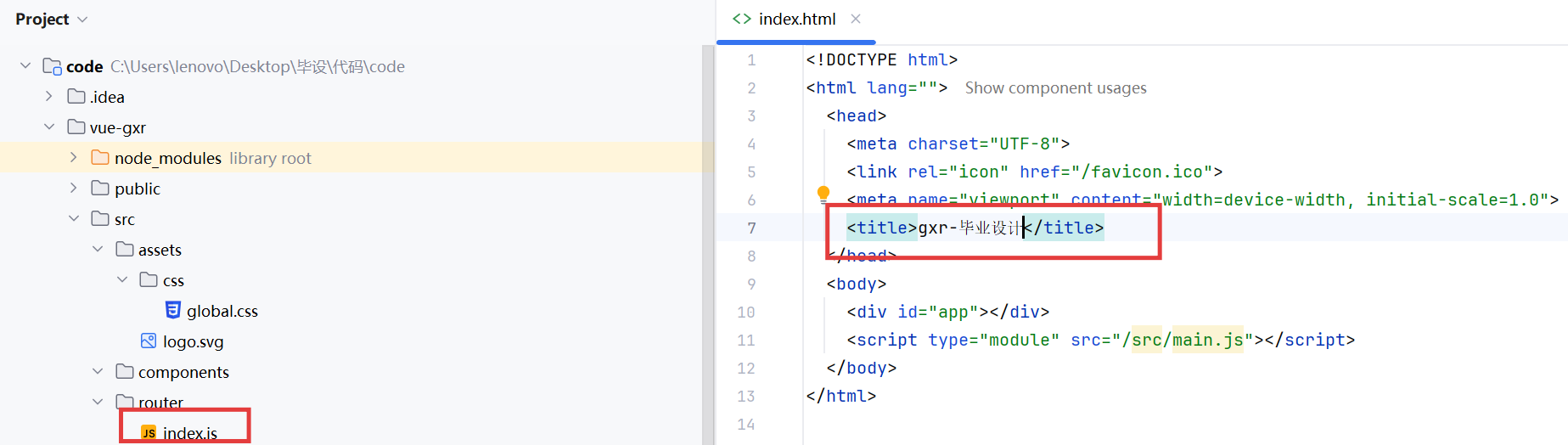
全局css global.css
*{
    box-sizing: border-box;
}

body{
    margin: 0;
    padding: 0;
    color: #333;
    font-size: 14px;
}

a{
    text-decoration: none;
}
在main.js里面引入global.css
import './assets/css/global.css'
404页面定义
<template>
  <div style="height: 100vh;display: flex;align-items: center;justify-content: center">
    <div style="width: 50%">
      <img style="width: 100%" src="@/assets/imgs/404.png" alt="">
      <div style="text-align: center;padding: 20px 0;font-size: 20px"><a style="color: blue" href="/">返回主页</a></div>
    </div>
  </div>
</template>
<script setup lang="ts">
</script>
路由配置
404页面路由配置
router/index.js
import { createRouter, createWebHistory } from 'vue-router'


const router = createRouter({
  history: createWebHistory(import.meta.env.BASE_URL),
  routes: [
    { path: '/notFound', component: import('../views/404.vue'),},
    { path: '/:pathMatch(.*)', redirect:'/notFound'},
  ],
})

export default router

 浙公网安备 33010602011771号