
MongoDB验证
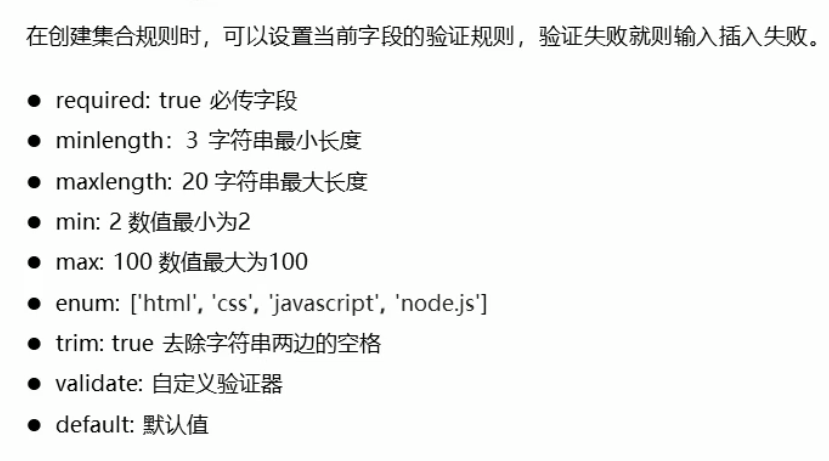
 1 // 引入mongoose第三方模块 用来操作数据库
 2 const mongoose = require('mongoose');
 3 // 数据库连接
 4 mongoose.connect('mongodb://localhost/playground', { useUnifiedTopology: true , useNewUrlParser: true })
 5     // 连接成功
 6     .then(() => console.log('数据库连接成功'))
 7     // 连接失败
 8     .catch(err => console.log(err, '数据库连接失败'));
 9
10
11     // 创建集合规则
12     const postSchema = new mongoose.Schema({
13         title: {
14             type: String,
15             // 必选字段
16             required: [true, '请传入文章标题'],
17             // 字符串的最小长度
18             minlength: [2, '文章长度不能小于2'],
19             // 字符串的最大长度
20             maxlength: [5, '文章长度最大不能超过5'],
21             // 去除字符串两边的空格
22             trim: true
23         },
24         age: {
25             type: Number,
26             // 数字的最小范围
27             min: 18,
28             // 数字的最大范围
29             max: 100
30         },
31         publishDate: {
32             type: Date,
33             // 默认值
34             default: Date.now
35         },
36         category: {
37             type: String,
38             // 枚举 列举出当前字段可以拥有的值
39             enum: {
40                 values: ['html', 'css', 'javascript', 'node.js'],
41                 message: '分类名称要在一定的范围内才可以'
42             }
43         },
44         author: {
45             type: String,
46             validate: {
47                 validator: v => {
48                     // 返回布尔值
49                     // true 验证成功
50                     // false 验证失败
51                     // v 要验证的值
52                     return v && v.length > 4
53                 },
54                 // 自定义错误信息
55                 message: '传入的值不符合验证规则'
56             }
57         }
58     });
59
60 // 使用规则创建集合
61 const Post = mongoose.model('Post', postSchema);
62
63 Post.create({title:'aa', age: 60, category: 'java', author: 'bd'})
64     .then(result => console.log(result))
65     .catch(error => {
66         // 获取错误信息对象
67         const err = error.errors;
68         // 循环错误信息对象
69         for (var attr in err) {
70             // 将错误信息打印到控制台中
71             console.log(err[attr]['message']);
72         }
73     })
当你找到内心的平静,你便成为能和别人和平共处的人

 浙公网安备 33010602011771号