238_尚硅谷_客户管理系统-显示客户列表
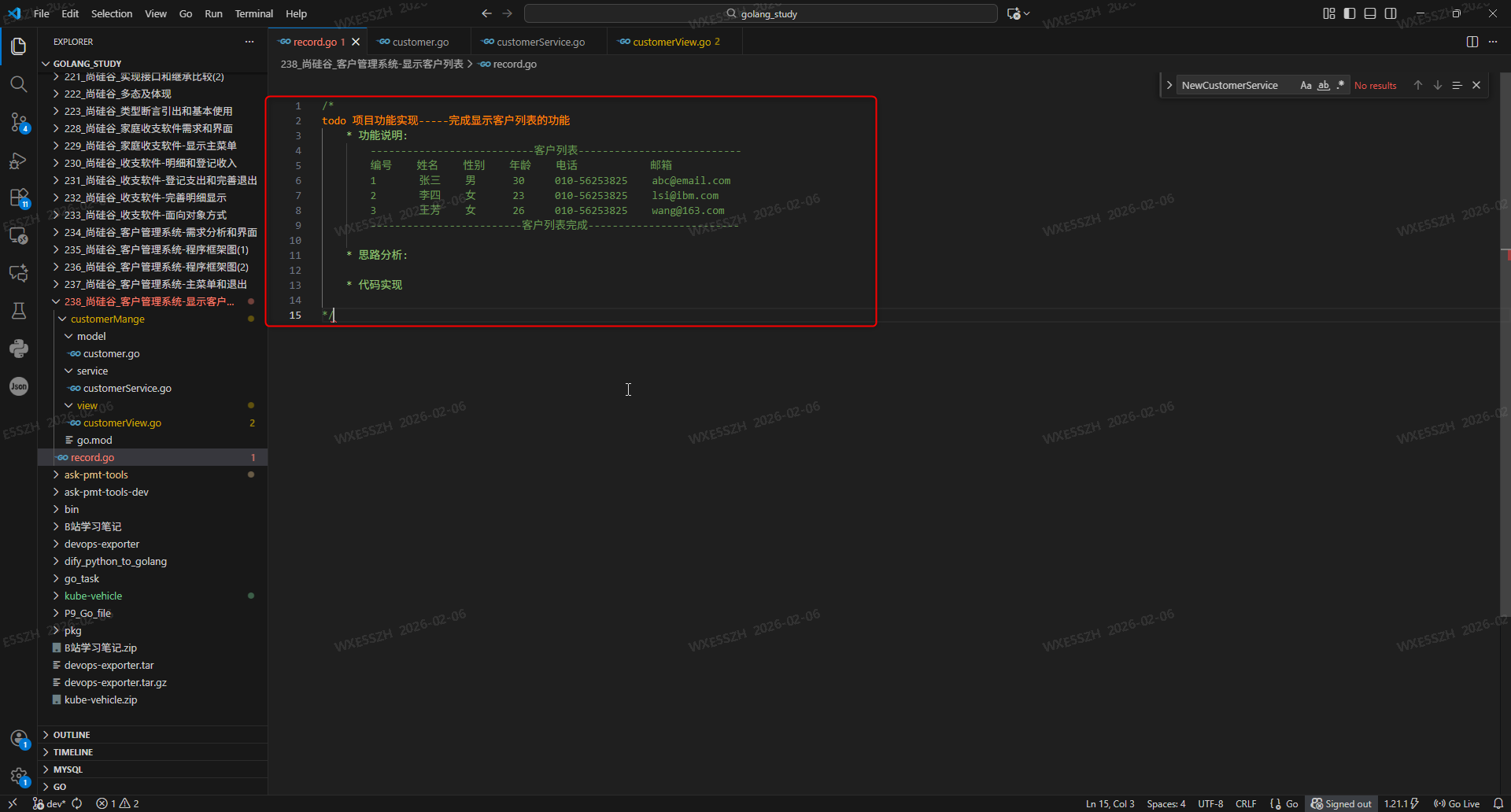
1.项目功能实现-----完成显示客户列表的功能![1.项目功能实现-----完成显示客户列表的功能]()
2.思路分析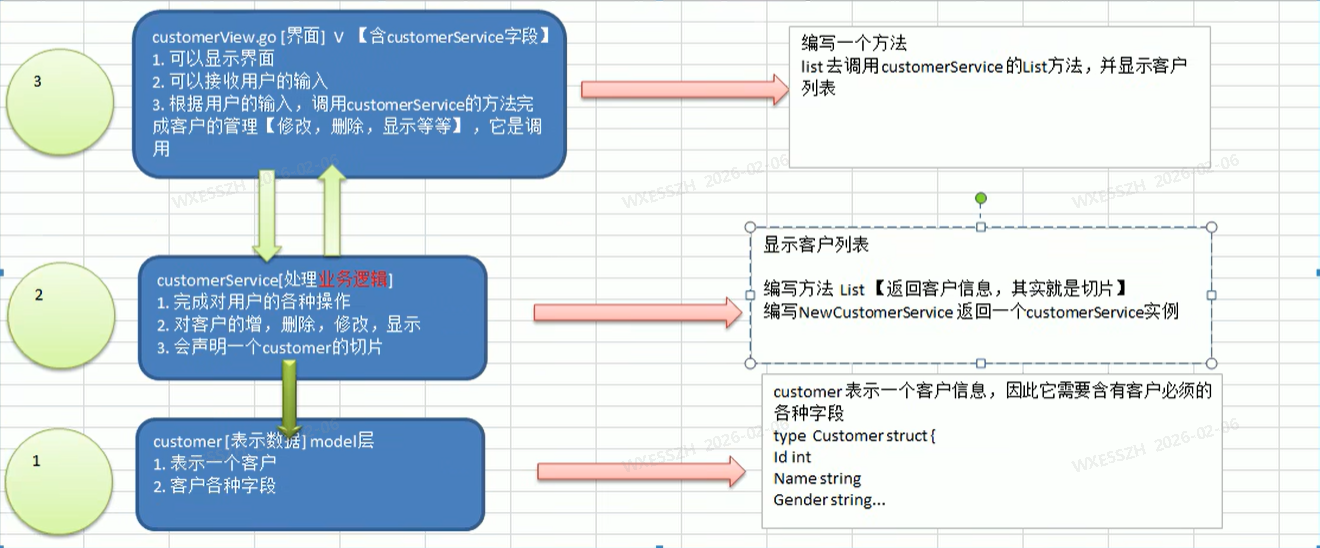
3.customer.go增加返回用户的信息, 格式化的字符串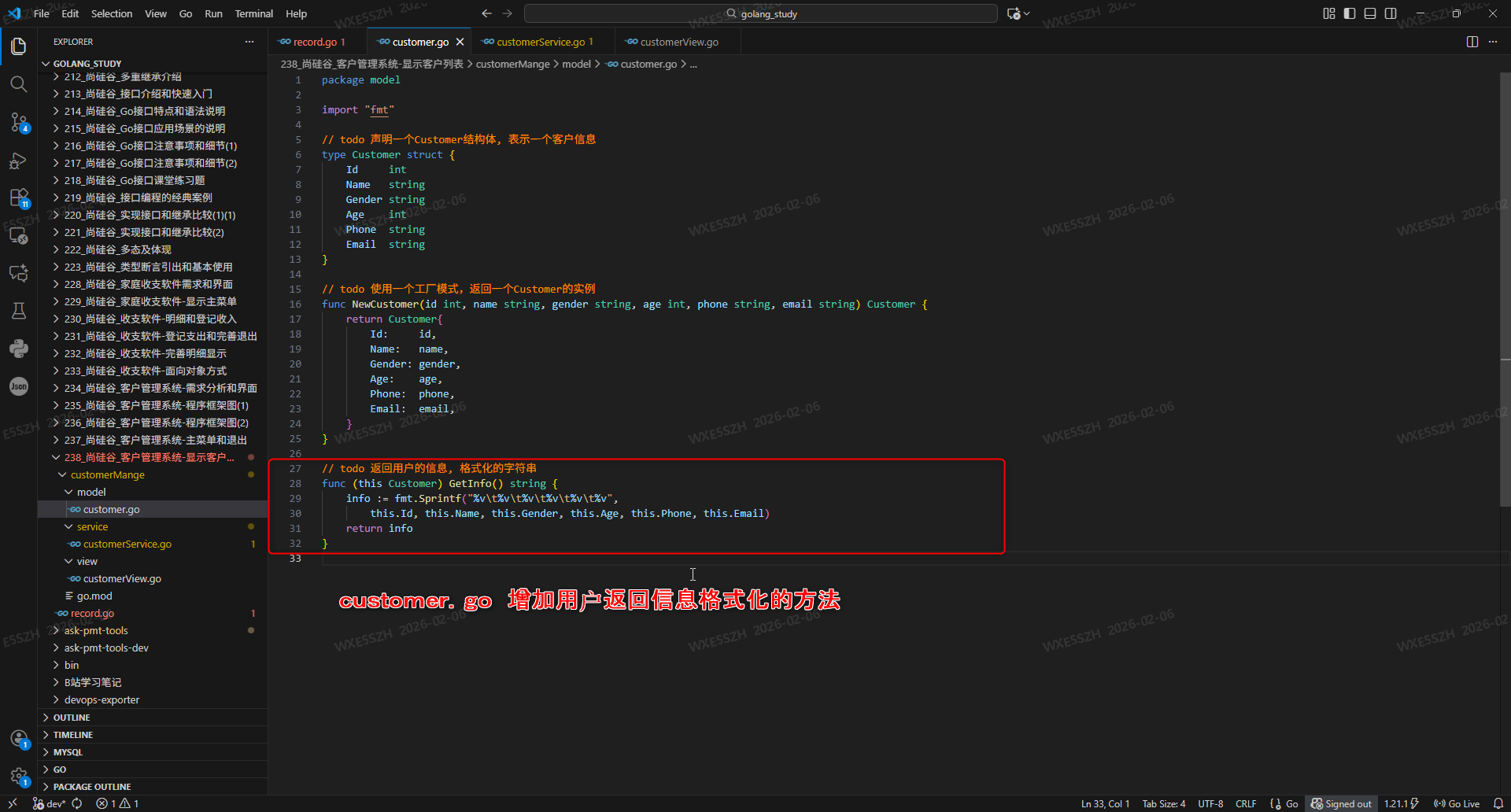
package model

import "fmt"

// todo 声明一个Customer结构体, 表示一个客户信息
type Customer struct {
	Id     int
	Name   string
	Gender string
	Age    int
	Phone  string
	Email  string
}

// todo 使用一个工厂模式,返回一个Customer的实例
func NewCustomer(id int, name string, gender string, age int, phone string, email string) Customer {
	return Customer{
		Id:     id,
		Name:   name,
		Gender: gender,
		Age:    age,
		Phone:  phone,
		Email:  email,
	}
}

// todo 返回用户的信息, 格式化的字符串
func (this Customer) GetInfo() string {
	info := fmt.Sprintf("%v\t%v\t%v\t%v\t%v\t%v",
		this.Id, this.Name, this.Gender, this.Age, this.Phone, this.Email)
	return info
}
4.customerService.go新增CustomerService 实例和信息初始化的工作_返回用户信息切片操作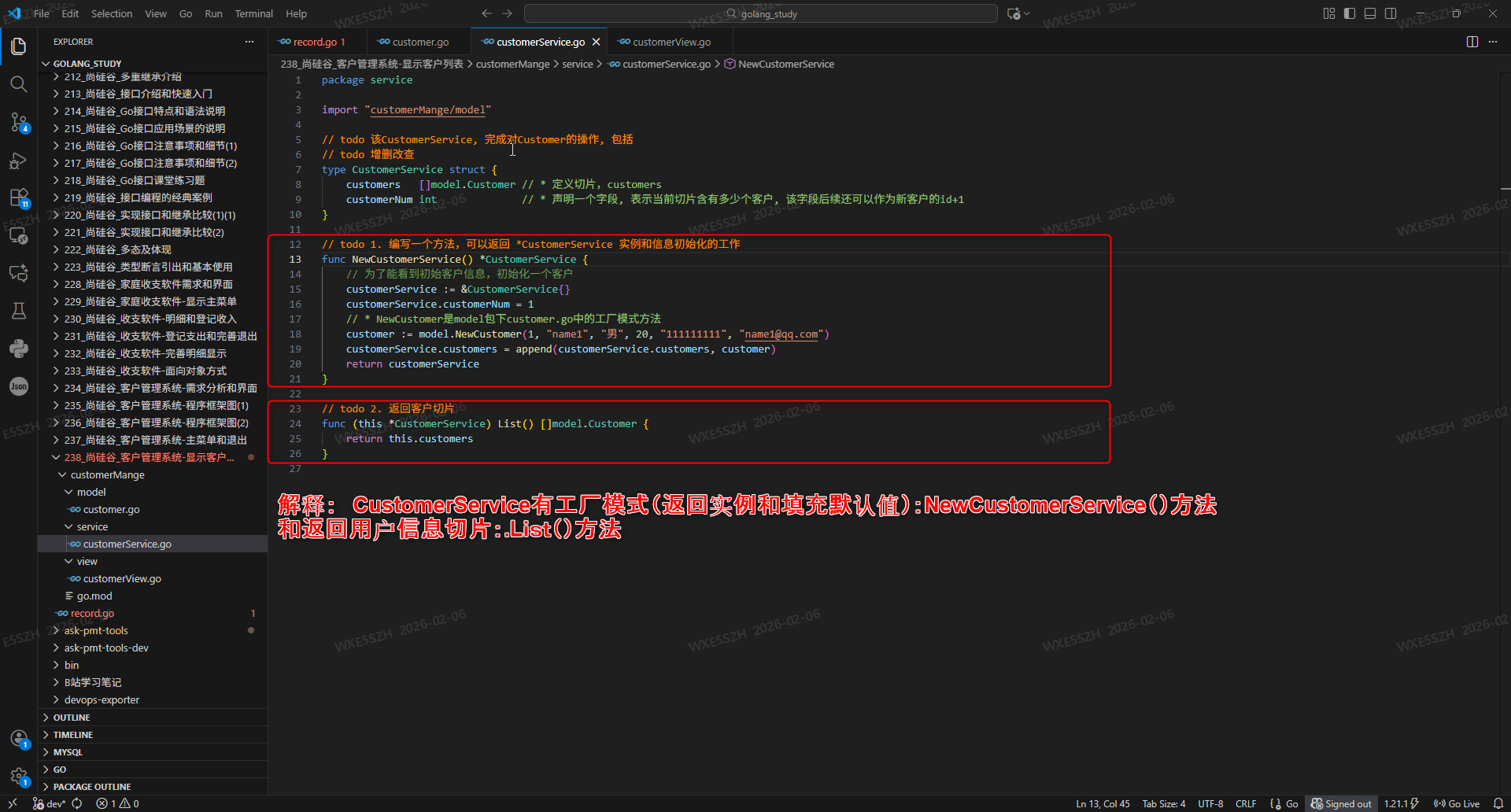
package service

import "customerMange/model"

// todo 该CustomerService, 完成对Customer的操作, 包括
// todo 增删改查
type CustomerService struct {
	customers   []model.Customer // * 定义切片,customers
	customerNum int              // * 声明一个字段, 表示当前切片含有多少个客户, 该字段后续还可以作为新客户的id+1
}

// todo 1. 编写一个方法,可以返回 *CustomerService 实例和信息初始化的工作
func NewCustomerService() *CustomerService {
	// 为了能看到初始客户信息,初始化一个客户
	customerService := &CustomerService{}
	customerService.customerNum = 1
	// * NewCustomer是model包下customer.go中的工厂模式方法
	customer := model.NewCustomer(1, "name1", "男", 20, "111111111", "name1@qq.com")
	customerService.customers = append(customerService.customers, customer)
	return customerService
}

// todo 2. 返回客户切片
func (this *CustomerService) List() []model.Customer {
	return this.customers
}
5.customerView.go中方法调用和终端输出格式化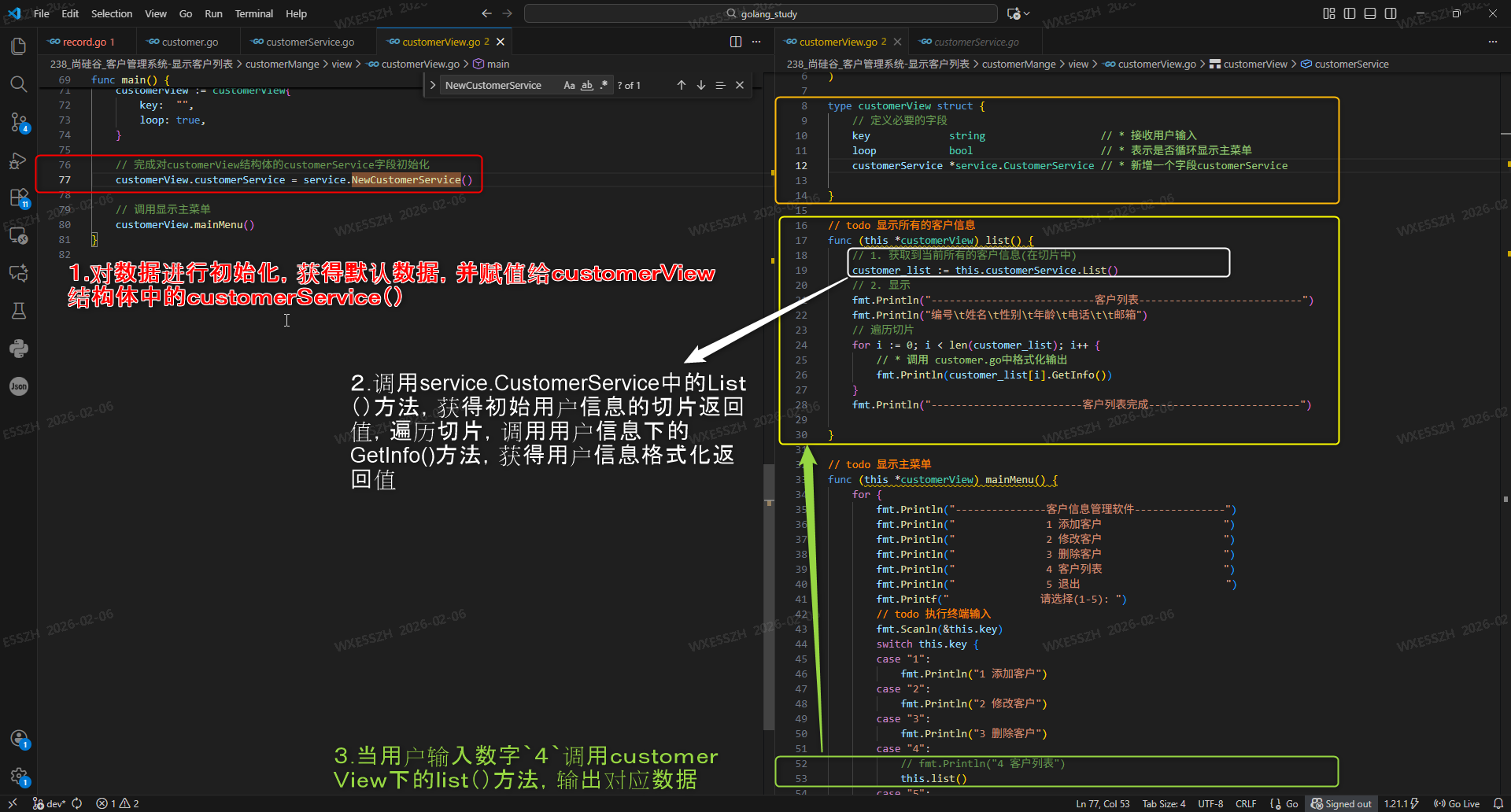
package main

import (
	"customerMange/service"
	"fmt"
)

type customerView struct {
	// 定义必要的字段
	key             string                   // * 接收用户输入
	loop            bool                     // * 表示是否循环显示主菜单
	customerService *service.CustomerService // * 新增一个字段customerService

}

// todo 显示所有的客户信息
func (this *customerView) list() {
	// 1. 获取到当前所有的客户信息(在切片中)
	customer_list := this.customerService.List()
	// 2. 显示
	fmt.Println("---------------------------客户列表---------------------------")
	fmt.Println("编号\t姓名\t性别\t年龄\t电话\t\t邮箱")
	// 遍历切片
	for i := 0; i < len(customer_list); i++ {
		// * 调用 customer.go中格式化输出
		fmt.Println(customer_list[i].GetInfo())
	}
	fmt.Println("-------------------------客户列表完成-------------------------")

}

// todo 显示主菜单
func (this *customerView) mainMenu() {
	for {
		fmt.Println("---------------客户信息管理软件---------------")
		fmt.Println("               1 添加客户                    ")
		fmt.Println("               2 修改客户                    ")
		fmt.Println("               3 删除客户                    ")
		fmt.Println("               4 客户列表                    ")
		fmt.Println("               5 退出                        ")
		fmt.Printf("               请选择(1-5): ")
		// todo 执行终端输入
		fmt.Scanln(&this.key)
		switch this.key {
		case "1":
			fmt.Println("1 添加客户")
		case "2":
			fmt.Println("2 修改客户")
		case "3":
			fmt.Println("3 删除客户")
		case "4":
			// fmt.Println("4 客户列表")
			this.list()
		case "5":
			fmt.Println("5 退出")
			this.loop = false
		default:
			fmt.Println("输入有误, 请重新输入!")
		}

		// todo this.loop默认数true, 如果为取反为false, 退出程序,终止循环
		if !this.loop {
			break
		}
	}
	fmt.Println("`客户关系管理系统`已退出")
}

func main() {
	// 在主函数中,创建一个customerView, 并运行显示主菜单......
	customerView := customerView{
		key:  "",
		loop: true,
	}

	// 完成对customerView结构体的customerService字段初始化
	customerView.customerService = service.NewCustomerService()

	// 调用显示主菜单
	customerView.mainMenu()
}
6.运行结果,查询客户列表,获取初始化用户信息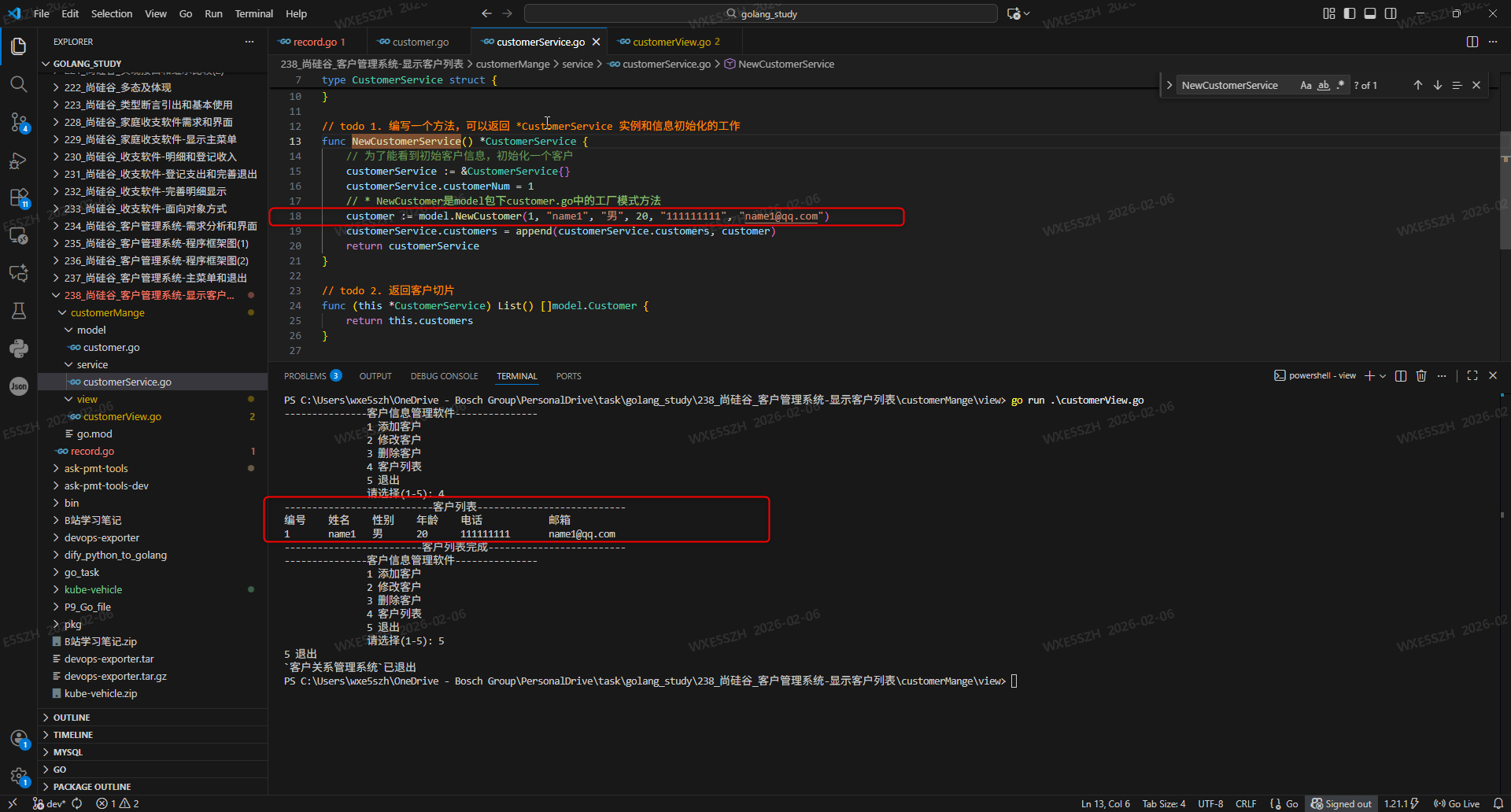

 浙公网安备 33010602011771号