<head>
<meta charset="UTF-8">
<meta name="viewport" content="width=device-width, initial-scale=1.0">
<meta http-equiv="X-UA-Compatible" content="ie=edge">
<title>Document</title>
<style>
    * {
        padding: 0;
        margin: 0;
    }

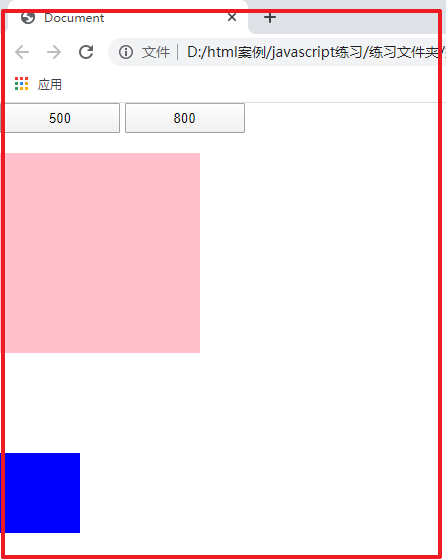
    div {
        position: absolute;
        top: 50px;
        left: 0;
        height: 200px;
        width: 200px;
        background-color: pink;

    }


    span {
        position: absolute;
        display: inline-block;
        top: 350px;
        left: 0;
        height: 80px;
        width: 80px;
        background-color: blue;
    }


    button {
        height: 30px;
        width: 120px;
    }
</style>
</head>
<body>
<div></div>
<span></span>
<button class='btn500'>500</button>
<button class='btn800'>800</button>
<script>
    var div = document.querySelector('div');
    var span = document.querySelector('span');
    var btn500 = document.querySelector('.btn500');
    var btn800 = document.querySelector('.btn800');

    // 封装定时器函数
    function animate(obj, target) {
        // 解决多次点击按钮事件触发定时器效果的叠加bug问题,在每次定时器触发之前先关闭定时器
        clearInterval(obj.timer);
        obj.timer = setInterval(function () {
            // 移动距离变速减速
            var x = (target - obj.offsetLeft) / 10;
            // 三元表达式由target - obj.offsetLeft
            // 根据盒子正向移动还是反向移动进行取整
            x = x > 0 ? Math.ceil(x) : Math.floor(x);
            if (obj.offsetLeft == target) {
                clearInterval(obj.timer);
            }
            else {
                obj.style.left = obj.offsetLeft + x + 'px';
            }

        }, 50);
    }


    btn800.addEventListener('click', function () {
        animate(div, 800);

    })


    btn500.addEventListener('click', function () {
        animate(div, 500);

    })
</script>
</body>




 浙公网安备 33010602011771号