


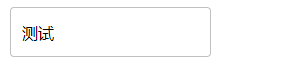
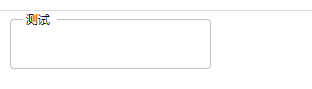
模仿 Material-UI的input点击效果
    <style>
        .MuiFormControl-root {
            border: 0;
            margin: 0;
            display: inline-flex;
            padding: 0;
            position: relative;
            min-width: 0;
            flex-direction: column;
            vertical-align: top;
        }
        input{
            font: inherit;
            color: currentColor;
            width: 100%;
            border: 0;
            height: 1.1875em;
            margin: 0;
            display: block;
            padding: 6px 0 7px;
            min-width: 0;
            background: none;
            box-sizing: content-box;
            -webkit-tap-highlight-color: transparent;
            border:none;outline:medium;
        }
        label{
            width: 100%;
            position: absolute;
            transform: translate(14px, 15px) scale(1);
            transition: color 200ms cubic-bezier(0.0, 0, 0.2, 1) 0ms ,transform 200ms cubic-bezier(0.0,0, 0.2, 1) 0ms;
        }

        .labelmove{
            transform: translate(-8px, -10px) scale(0.75);
        }
        fieldset{
            border-style: solid;
            border-width: 1px;
            border-radius: 4px;
            pointer-events: none;
        }
        legend{
            border-top: 1px solid threedface;
            transition: width 200ms cubic-bezier(0.0,0, 0.2, 1) 0ms, border-top 200ms cubic-bezier(0.0,0, 0.2, 1) 0ms;
        }
        .legendmove{
            border-top: none;
        }
    </style>


<script src="../js/jquery-2.1.4.js"></script>

<body>
<div class="MuiFormControl-root">
    <label  class=""  for="email">测试</label>
        <fieldset>
            <legend></legend>
           <input  id="email"  type="text" />
        </fieldset>
</div>

<script type="">

    $("input").focus(function () {
        $("label").addClass("labelmove") //input获得焦点时加入移动效果,效果的核心在css的transition上
        $("legend").addClass("legendmove") //fieldset和legend标签自带一个小缺口,这里给legend加一个border-top堵上
        $("legend").css("width","30px") //这里是做的粗糙的地方,点到input上时把legend的缺口放开,做的好的话应该是动态获取元素宽度
    })
    $("input").blur(function () {
        $("label").removeClass("labelmove")
        $("legend").removeClass("legendmove")
    })

</script>
</body>
初学,做的很粗糙,代码兼容性差,美化不足 欢迎各位指正

 浙公网安备 33010602011771号