
1. 课程导学
2. MyBatis-Plus
2.1 介绍

2.2 快速入门-入门案例
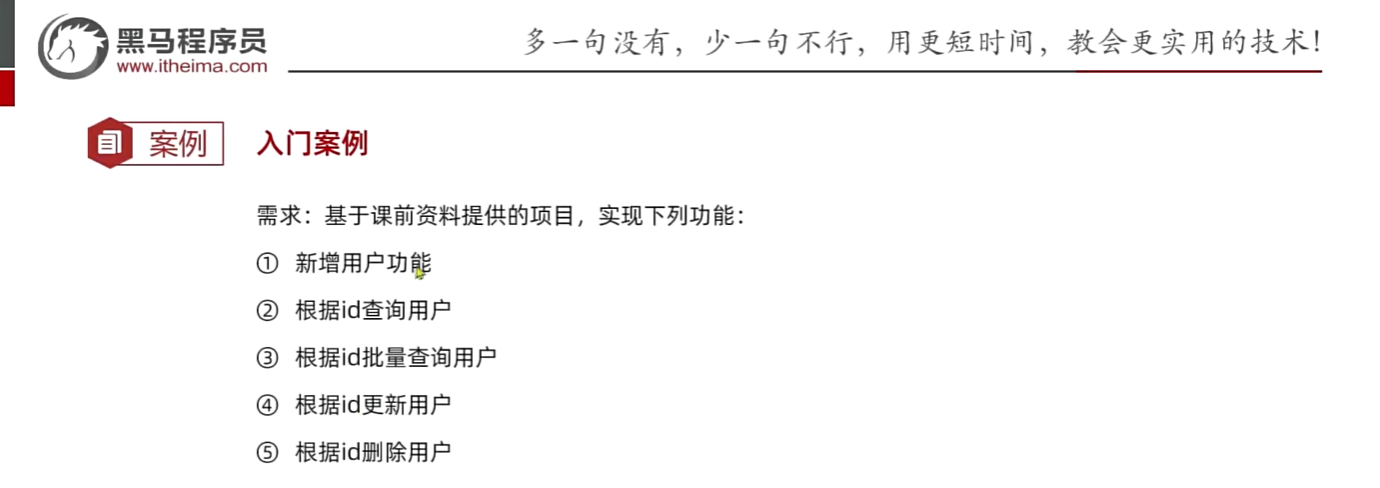
为了方便测试,我们先创建一个新的项目,并准备一些基础数据。
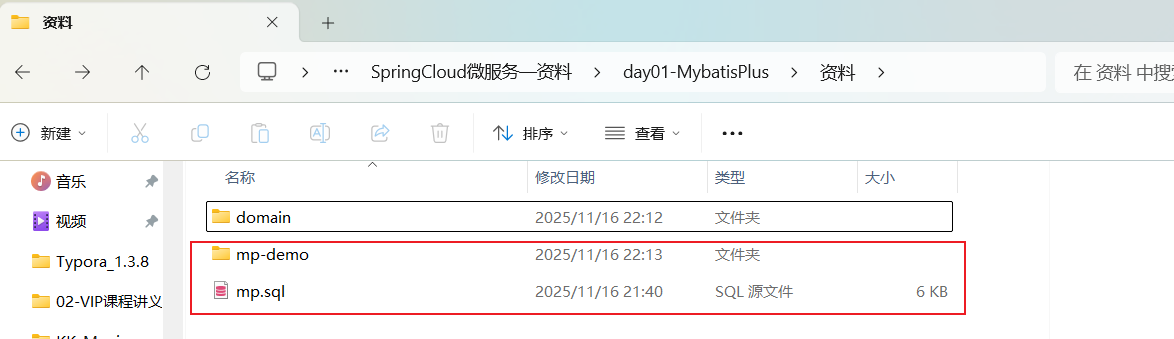
复制课前资料提供好的一个项目到你的工作空间(不要包含空格和特殊字符):
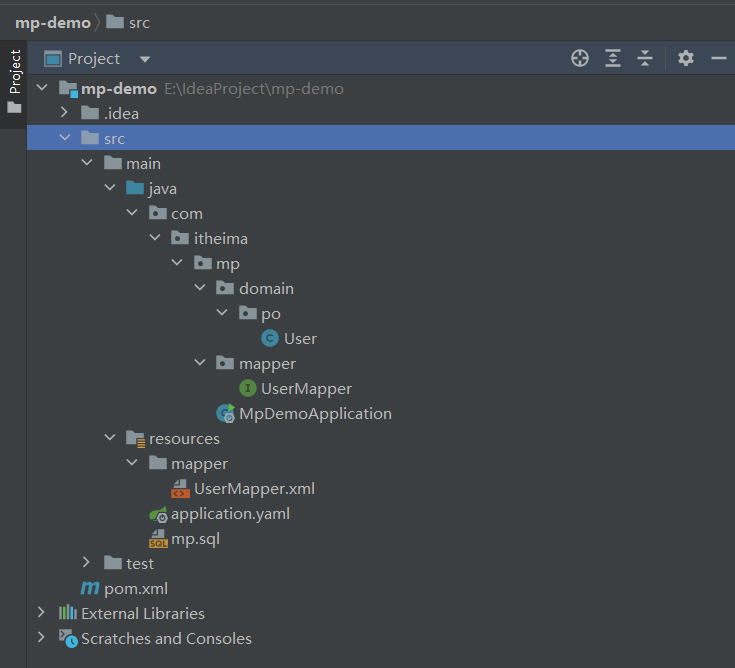
然后用你的IDEA工具打开,项目结构如下:
2.2.1 引入依赖
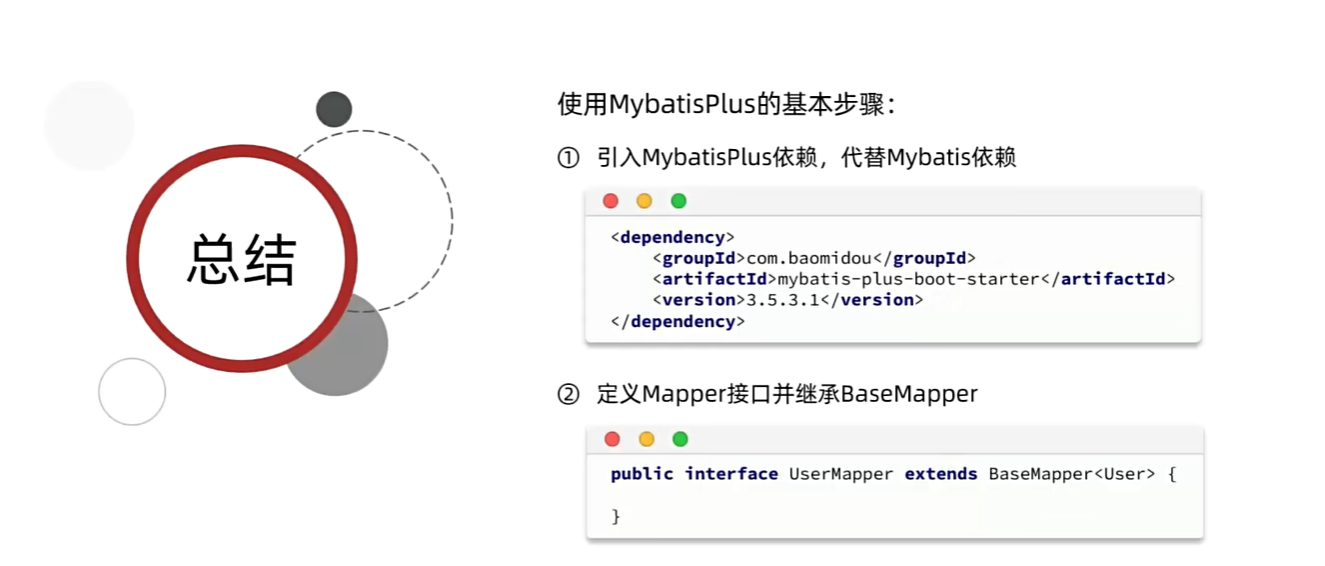
MybatisPlus提供了starter,实现了自动Mybatis以及MybatisPlus的自动装配功能,坐标如下:
<dependency>
    <groupId>com.baomidou</groupId>
    <artifactId>mybatis-plus-boot-starter</artifactId>
    <version>3.5.3.1</version>
</dependency>
由于这个starter包含对mybatis的自动装配,因此完全可以替换掉Mybatis的starter。
最终,项目的依赖如下:
    <dependencies>
        <dependency>
            <groupId>org.springframework.boot</groupId>
            <artifactId>spring-boot-starter</artifactId>
        </dependency>
        <dependency>
            <groupId>com.mysql</groupId>
            <artifactId>mysql-connector-j</artifactId>
            <scope>runtime</scope>
        </dependency>
        <dependency>
            <groupId>org.projectlombok</groupId>
            <artifactId>lombok</artifactId>
            <optional>true</optional>
        </dependency>
        <dependency>
            <groupId>org.springframework.boot</groupId>
            <artifactId>spring-boot-starter-test</artifactId>
            <scope>test</scope>
        </dependency>
<!--        <dependency>-->
<!--            <groupId>org.mybatis.spring.boot</groupId>-->
<!--            <artifactId>mybatis-spring-boot-starter</artifactId>-->
<!--            <version>2.3.1</version>-->
<!--        </dependency>-->
        <dependency>
            <groupId>com.baomidou</groupId>
            <artifactId>mybatis-plus-boot-starter</artifactId>
            <version>3.5.3.1</version>
        </dependency>
        <dependency>
            <groupId>cn.hutool</groupId>
            <artifactId>hutool-all</artifactId>
            <version>5.8.11</version>
        </dependency>
    </dependencies>
2.2.2.定义Mapper
为了简化单表CRUD,MybatisPlus提供了一个基础的BaseMapper接口,其中已经实现了单表的CRUD:
alt+7 查看接口方法,直接打开当前类的方法和属性结构图(在工具栏的侧边栏中显示)
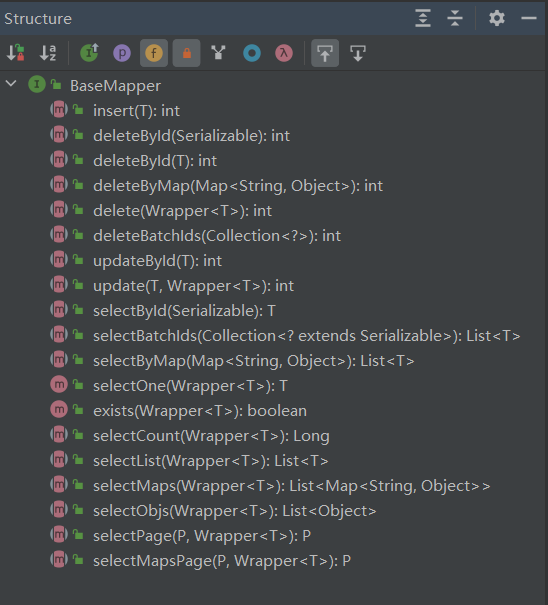
因此我们自定义的Mapper只要实现了这个BaseMapper,就无需自己实现单表CRUD了。
修改mp-demo中的com.itheima.mp.mapper包下的UserMapper接口,让其继承BaseMapper:
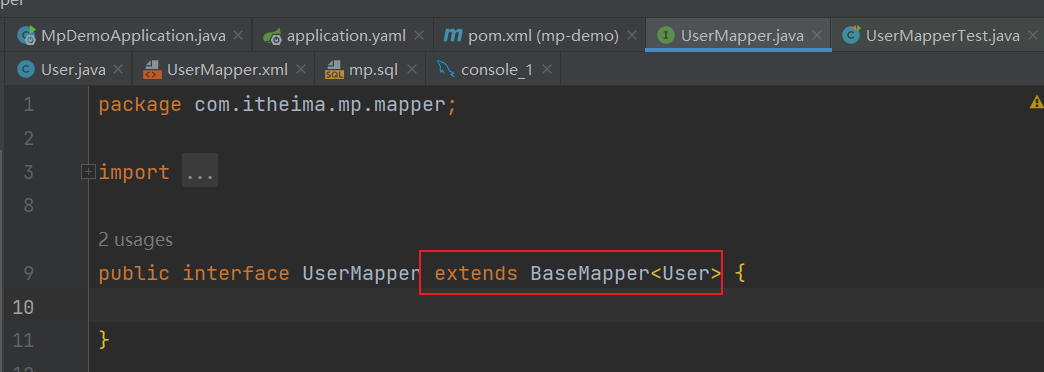
package com.itheima.mp.mapper;

import com.baomidou.mybatisplus.core.mapper.BaseMapper;
import com.itheima.mp.domain.po.User;
import org.apache.ibatis.annotations.Param;

import java.util.List;

public interface UserMapper extends BaseMapper<User> {

}
2.2.3.测试
新建一个测试类,编写几个单元测试,测试基本的CRUD功能:
package com.itheima.mp.mapper;

import com.itheima.mp.domain.po.User;
import org.junit.jupiter.api.Test;
import org.springframework.beans.factory.annotation.Autowired;
import org.springframework.boot.test.context.SpringBootTest;

import java.time.LocalDateTime;
import java.util.List;

@SpringBootTest
class UserMapperTest {

    @Autowired
    private UserMapper userMapper;

    @Test
    void testInsert() {
        User user = new User();
        user.setId(5L);
        user.setUsername("Lucy");
        user.setPassword("123");
        user.setPhone("18688990011");
        user.setBalance(200);
        user.setInfo("{\"age\": 24, \"intro\": \"英文老师\", \"gender\": \"female\"}");
        user.setCreateTime(LocalDateTime.now());
        user.setUpdateTime(LocalDateTime.now());
        userMapper.insert(user);
    }

    @Test
    void testSelectById() {
        User user = userMapper.selectById(5L);
        System.out.println("user = " + user);
    }


    @Test
    void testQueryByIds() {
        List<User> users = userMapper.selectBatchIds(List.of(1L, 2L, 3L, 4L));
        users.forEach(System.out::println);
    }

    @Test
    void testUpdateById() {
        User user = new User();
        user.setId(5L);
        user.setBalance(20000);
        userMapper.updateById(user);
    }

    @Test
    void testDeleteUser() {
        userMapper.deleteById(5L);
    }
}
可以看到,在运行过程中打印出的SQL日志,非常标准:
01:51:09 DEBUG 6568 --- [           main] com.itheima.mp.mapper.UserMapper.insert  : ==>  Preparing: INSERT INTO user ( id, username, password, phone, info, balance, create_time, update_time ) VALUES ( ?, ?, ?, ?, ?, ?, ?, ? )
01:51:09 DEBUG 6568 --- [           main] com.itheima.mp.mapper.UserMapper.insert  : ==> Parameters: 5(Long), Lucy(String), 123(String), 18688990011(String), {"age": 24, "intro": "英文老师", "gender": "female"}(String), 200(Integer), 2025-11-17T01:51:08.695203100(LocalDateTime), 2025-11-17T01:51:08.695203100(LocalDateTime)
01:51:09 DEBUG 6568 --- [           main] com.itheima.mp.mapper.UserMapper.insert  : <==    Updates: 1

只需要继承BaseMapper就能省去所有的单表CRUD,是不是非常简单!
2.3 常见注解
在刚刚的入门案例中,我们仅仅引入了依赖,继承了BaseMapper就能使用MybatisPlus,非常简单。但是问题来了:
MybatisPlus如何知道我们要查询的是哪张表?表中有哪些字段呢?
大家回忆一下,UserMapper在继承BaseMapper的时候指定了一个泛型:
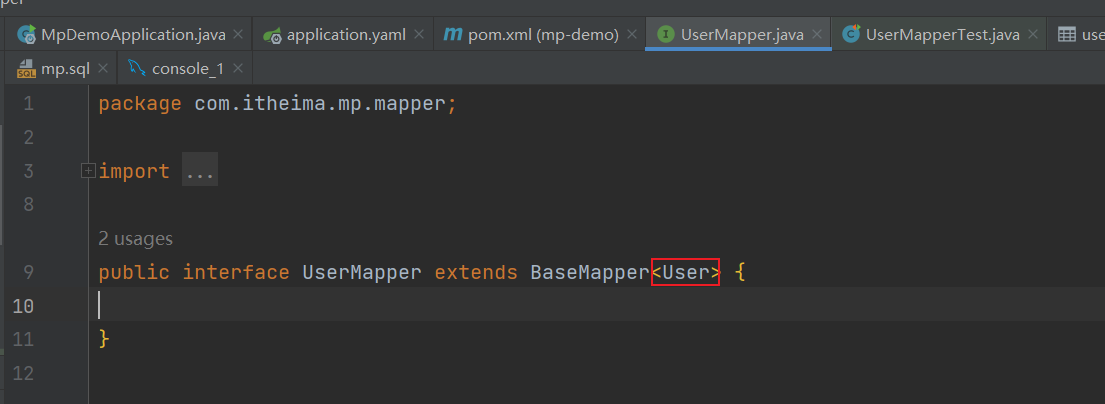
泛型中的User就是与数据库对应的PO.
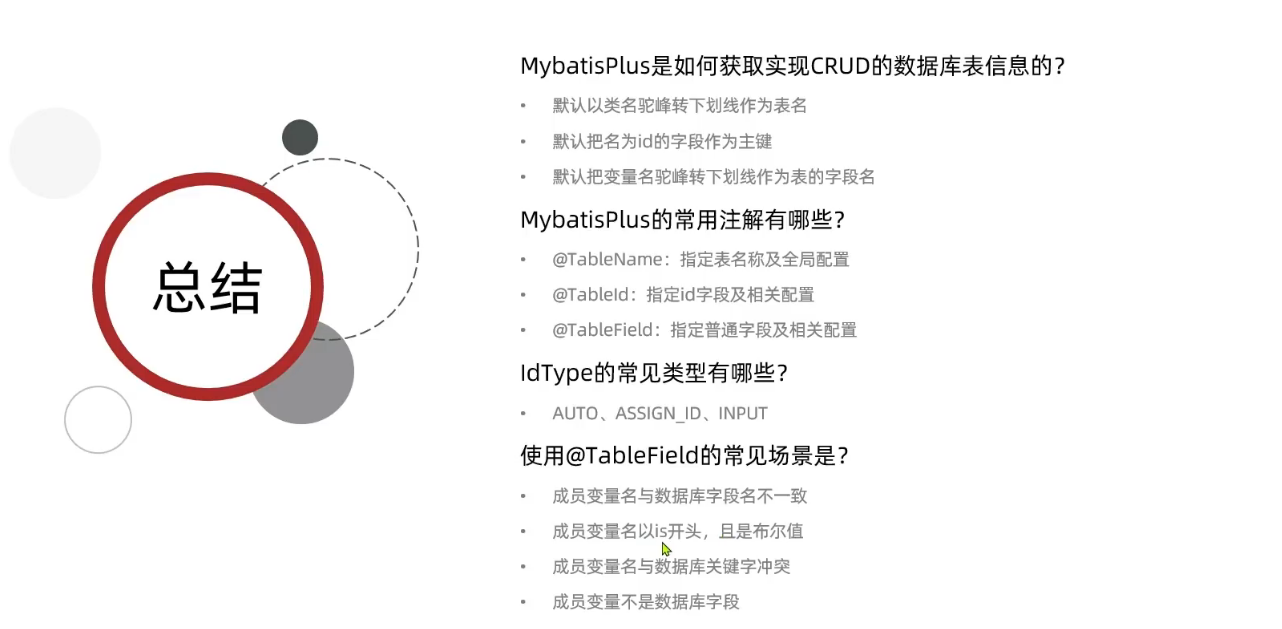
MybatisPlus就是根据PO实体的信息来推断出表的信息,从而生成SQL的。默认情况下:
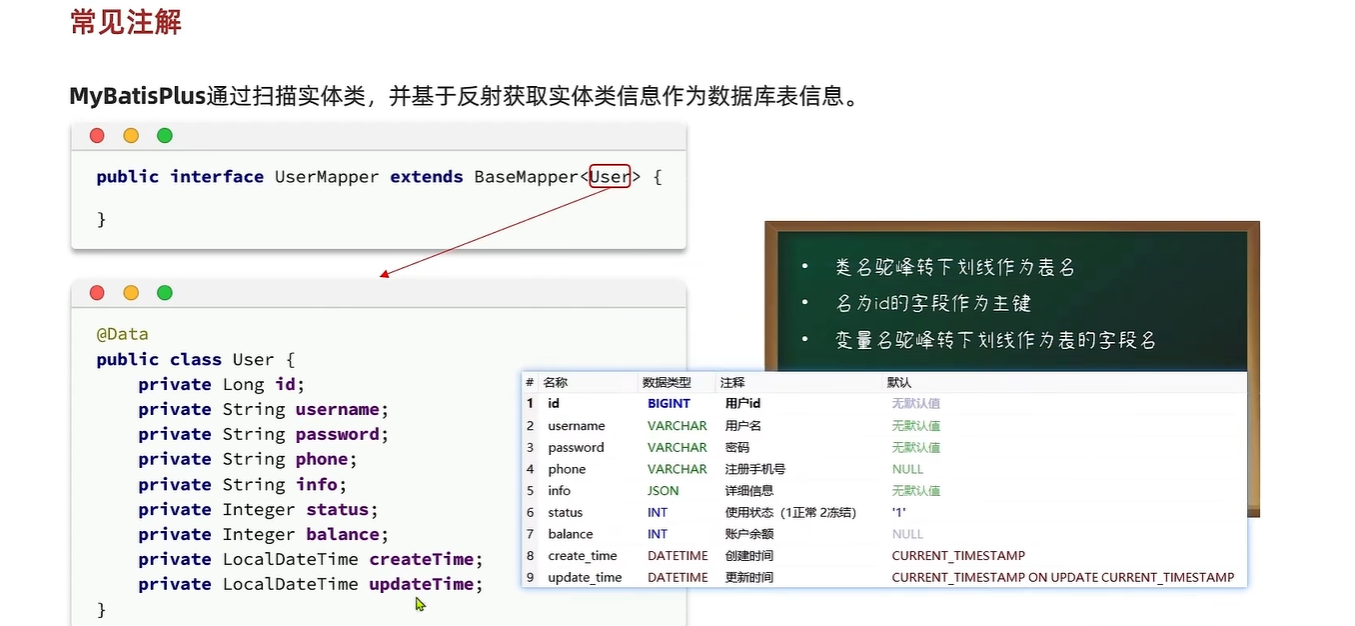
但很多情况下,默认的实现与实际场景不符,因此MybatisPlus提供了一些注解便于我们声明表信息。
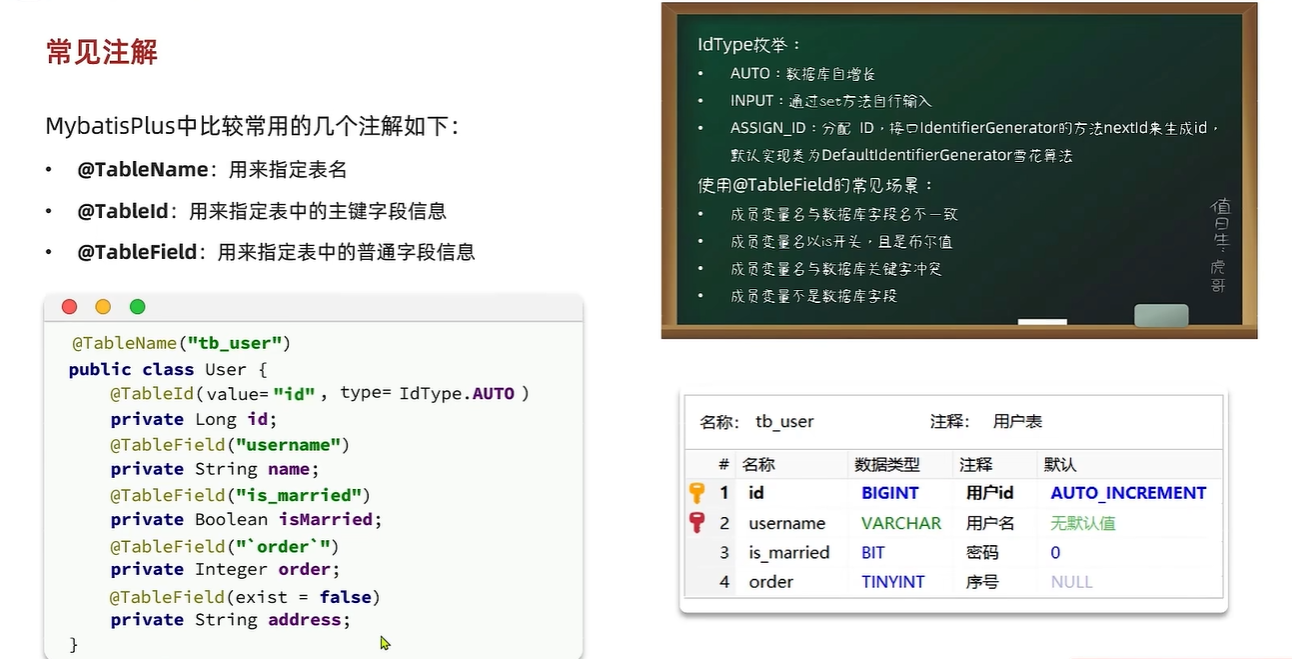
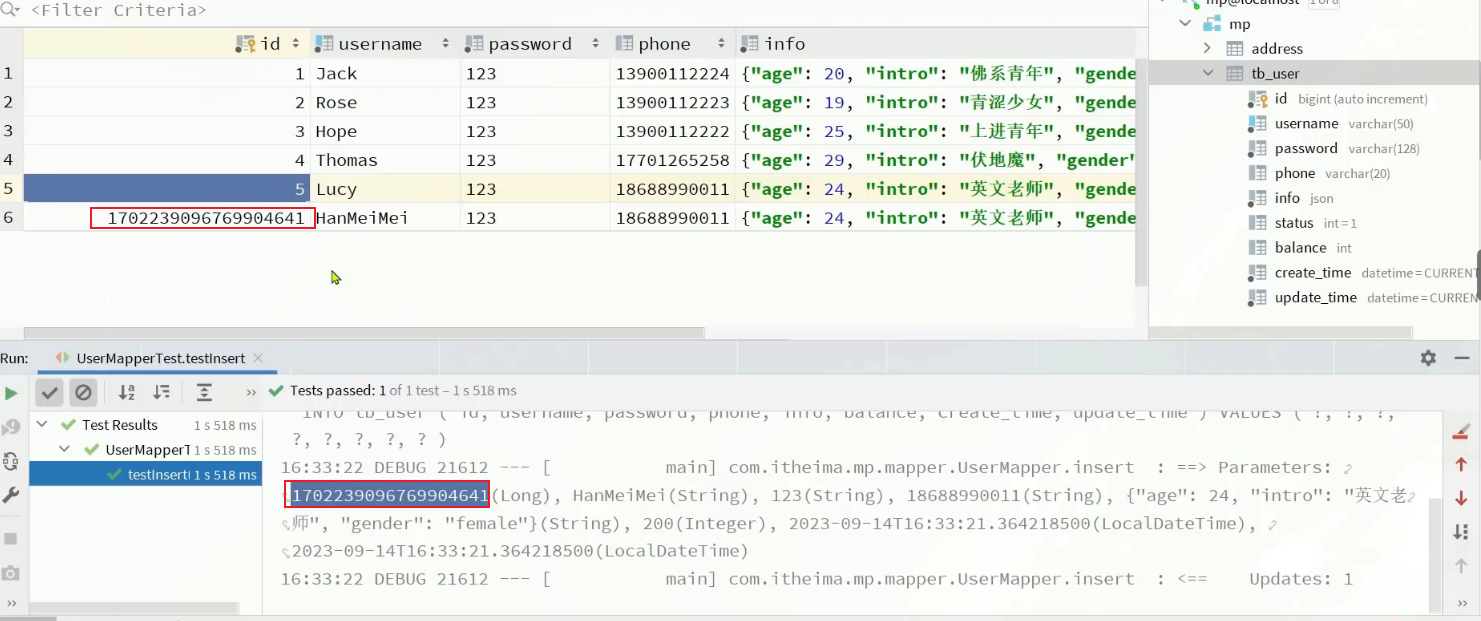
@TableId的type如果不写,默认会使用雪花算法
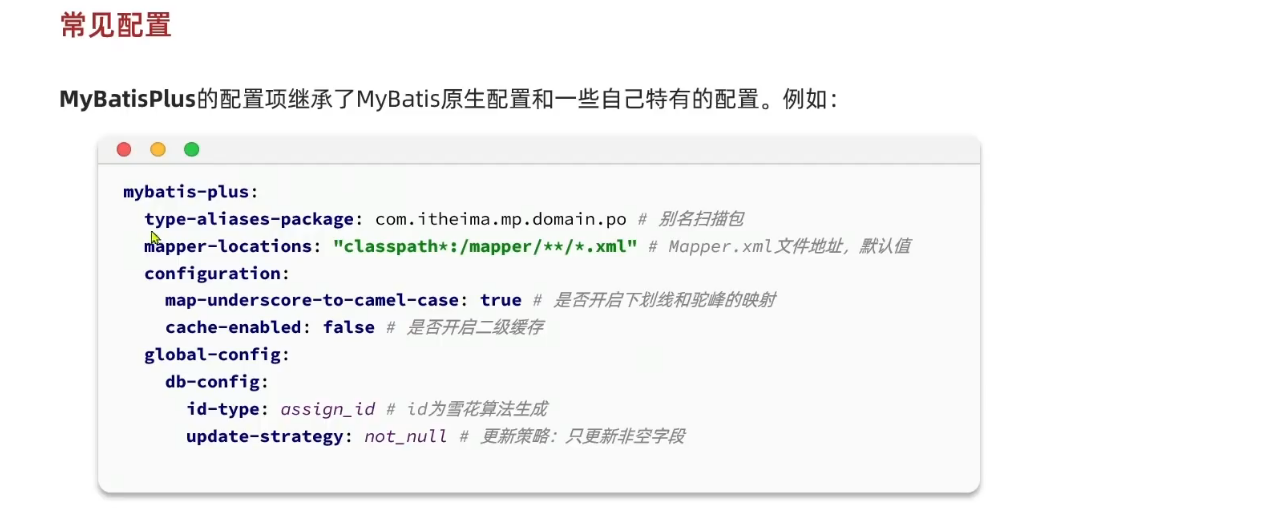
2.4 常见配置

 浙公网安备 33010602011771号