


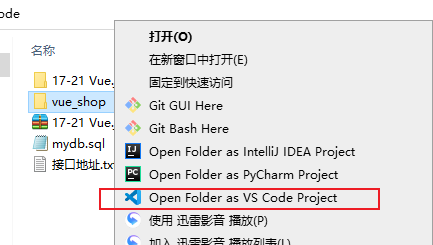
想要如下效果:
在文件上直接右键,可以选择Open with VSCode即用VSCode打开。
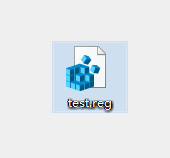
1、在桌面新建一个后缀为xxx.reg的文件:
2、用记事本打开,然后把下面文字拷贝进去:
Windows Registry Editor Version 5.00

	[HKEY_CLASSES_ROOT\*\shell\VSCode]
	@="Open with VSCode"
	"Icon"="D:\\Software\\Microsoft VS Code\\Code.exe"

	[HKEY_CLASSES_ROOT\*\shell\VSCode\command]
	@="\"D:\\Software\\Microsoft VS Code\\Code.exe\" \"%1\""

	Windows Registry Editor Version 5.00

	[HKEY_CLASSES_ROOT\Directory\shell\VSCode]
	@="Open with VSCode"
	"Icon"="D:\\Software\\Microsoft VS Code\\Code.exe"

	[HKEY_CLASSES_ROOT\Directory\shell\VSCode\command]
	@="\"D:\\Software\\Microsoft VS Code\\Code.exe\" \"%V\""

	Windows Registry Editor Version 5.00

	[HKEY_CLASSES_ROOT\Directory\Background\shell\VSCode]
	@="Open with VSCode"
	"Icon"="D:\\Software\\Microsoft VS Code\\Code.exe"

	[HKEY_CLASSES_ROOT\Directory\Background\shell\VSCode\command]
	@="\"D:\\Software\\Microsoft VS Code\\Code.exe\" \"%V\""
注意:
以上所有的 D:\Software\Microsoft VS Code\Code.exe 要改成自己vscode的安装路径。
3、然后保存文件,双击直接运行,此时右键菜单多出一个 open with VSCode。
4、大功告成~

 浙公网安备 33010602011771号