


springboot+vue前后端分离项目-项目搭建7-富文本编辑wangEditor
1. 复制书籍管理,生成新闻管理
数据库建表
create table news
(
    id      int auto_increment comment 'ID'
        primary key,
    title   varchar(255) not null comment '标题',
    content text         not null comment '内容',
    author  varchar(255) null comment '作者',
    time    datetime     null comment '发布时间'
)
    comment '新闻';
创建entity
package com.example.demo.entity;

import com.baomidou.mybatisplus.annotation.IdType;
import com.baomidou.mybatisplus.annotation.TableId;
import com.baomidou.mybatisplus.annotation.TableName;
import com.fasterxml.jackson.annotation.JsonFormat;
import lombok.Data;

import java.util.Date;

@TableName("news")
@Data
public class News {
    @TableId(value = "id",type = IdType.AUTO)
    private Integer id;
    private String title;
    private String content;
    private String author;
    @JsonFormat(pattern = "yyyy-MM-dd HH:mm:ss", timezone = "GMT+8")
    private Date time;
}
创建mapper
package com.example.demo.mapper;

import com.baomidou.mybatisplus.core.mapper.BaseMapper;
import com.example.demo.entity.News;

public interface NewsMapper extends BaseMapper<News> {
}
创建controller
package com.example.demo.controller;

import cn.hutool.core.util.StrUtil;
import com.baomidou.mybatisplus.core.conditions.query.LambdaQueryWrapper;
import com.baomidou.mybatisplus.core.toolkit.Wrappers;
import com.baomidou.mybatisplus.extension.plugins.pagination.Page;
import com.example.demo.common.Result;
import com.example.demo.entity.News;
import com.example.demo.mapper.NewsMapper;
import jakarta.annotation.Resource;
import org.springframework.web.bind.annotation.*;

@RestController
@RequestMapping("/news")
public class NewsController {

    //正常Mapper是在Service里引用,Controllerl里引用Service,本案例是为了方便调用,非正规操作
    @Resource
    NewsMapper newsMapper;

    @PostMapping
    public Result<?> save(@RequestBody News news){
        newsMapper.insert(news);
        return Result.success();
    }

    @PutMapping
    public Result<?> update(@RequestBody News news){
        newsMapper.updateById(news);
        return Result.success();
    }

    @DeleteMapping("/{id}")
    public Result<?> delete(@PathVariable Long id){
        newsMapper.deleteById(id);
        return Result.success();
    }

    @GetMapping
    public Result<?> findPage(@RequestParam(defaultValue = "1") Integer pageNum,
                              @RequestParam(defaultValue = "10") Integer pageSize,
                              @RequestParam(defaultValue = "") String search){
        LambdaQueryWrapper<News> wrapper = Wrappers.<News>lambdaQuery();
        if(StrUtil.isNotBlank(search)){
            wrapper.like(News::getTitle, search);
        }
        Page<News> newsPage = newsMapper.selectPage(new Page<>(pageNum, pageSize), wrapper);
        return Result.success(newsPage);
    }
}
创建vue/src/views/News.vue
<template>
  <div style="width: 100%; padding: 10px">
    <!--    功能区-->
    <div style="margin: 10px 0">
      <el-button type="primary" @click="add()">新增</el-button>
      <el-button type="primary">导入</el-button>
      <el-button type="primary">导出</el-button>
    </div>
    <!--    搜索区-->
    <div style="margin: 10px 0">
      <el-input v-model="search" placeholder="请输入关键字" style="width: 20%" clearable></el-input>
      <el-button type="primary" style="margin-left: 10px" @click="load">查询</el-button>
    </div>
    <el-table :data="tableData" border stripe>
      <el-table-column prop="id" label="ID"
                       sortable
      />
      <el-table-column prop="title" label="标题" />
      <el-table-column prop="author" label="作者" />
      <el-table-column prop="time" label="发布时间" />
      <div class="demo-image__preview">
      </div>
      <el-table-column fixed="right" label="操作" min-width="120">
        <template #default="scope">
          <el-button link type="primary" size="small" @click="handleEdit(scope.row)">
            编辑
          </el-button>
          <el-button link type="primary" size="small">查看</el-button>
          <el-popconfirm title="确认删除吗?" @confirm="handleDelete(scope.row.id)">
            <template #reference>
              <el-button link type="primary" size="small">删除</el-button>
            </template>
          </el-popconfirm>
        </template>
      </el-table-column>
    </el-table>
    <div style="margin: 10px 0">
      <el-pagination
          v-model:current-page="currentPage"
          v-model:page-size="pageSize"
          :page-sizes="[10, 20, 50, 100]"
          layout="total, sizes, prev, pager, next, jumper"
          :total="total"
          @size-change="handleSizeChange"
          @current-change="handleCurrentChange"
      />
    </div>
    <el-dialog v-model="dialogVisible" title="新闻编辑发布" width="30%">
      <el-form label-width="auto" :model="form" style="width: 600px">
        <el-form-item label="标题">
          <el-input v-model="form.title" style="width: 80%"></el-input>
        </el-form-item>
        <el-form-item label="内容">
          <el-input v-model="form.content" style="width: 80%"></el-input>
        </el-form-item>
      </el-form>
      <template #footer>
        <div class="dialog-footer">
          <el-button @click="dialogVisible = false">取 消</el-button>
          <el-button type="primary" @click="save()">
            确 定
          </el-button>
        </div>
      </template>
    </el-dialog>
  </div>
</template>

<script>

import request from "@/utils/request";

export default {
  name: 'News',
  components: {

  },
  data() {
    return {
      form: {},
      dialogVisible: false,
      search: '',
      currentPage: 1,
      pageSize: 10,
      total: 0,
      tableData: []
    }
  },
  created() {
    this.load()
  },
  methods: {
    load() {
      request.get("/news", {
        params:{
          pageNum: this.currentPage,
          pageSize: this.pageSize,
          search: this.search
        }
      }).then(res=>{
        console.log(res)
        this.tableData = res.data.records
        this.total = res.data.total
      })
    },
    add(){
      this.dialogVisible = true
      this.form = {}
    },
    save(){
      if(this.form.id){  //更新
        request.put("/news", this.form).then(res => {
          console.log(res)
          if(res.code === '0'){
            this.$message({
              type: "success",
              message: "更新成功"
            })
          }else {
            this.$message({
              type: "error",
              message: "res.msg"
            })
          }
          this.load()      //更新后刷新表格数据
          this.dialogVisible = false   //关闭弹窗
        })
      } else {           //新增
        request.post("/news", this.form).then(res => {
          console.log(res)
          if(res.code === '0'){
            this.$message({
              type: "success",
              message: "新增成功"
            })
          }else {
            this.$message({
              type: "error",
              message: "res.msg"
            })
          }
          this.load()      //更新后刷新表格数据
          this.dialogVisible = false   //关闭弹窗
        })
      }
    },
    handleEdit(row) {
      this.form = JSON.parse(JSON.stringify(row))
      this.dialogVisible = true
    },
    handleDelete(id) {
      console.log(id)
      request.delete("/news/" + id).then(res => {
        if(res.code === '0'){
          this.$message({
            type: "success",
            message: "删除成功"
          })
        }else {
          this.$message({
            type: "error",
            message: "res.msg"
          })
        }
        this.load()      //删除后刷新表格数据
      })
    },
    handleSizeChange() {     //改变当前每页个数触发
      this.load()
    },
    handleCurrentChange() {  //改变当前页码触发
      this.load()
    }
  }
}

</script>
修改vue/src/components/Aside.vue
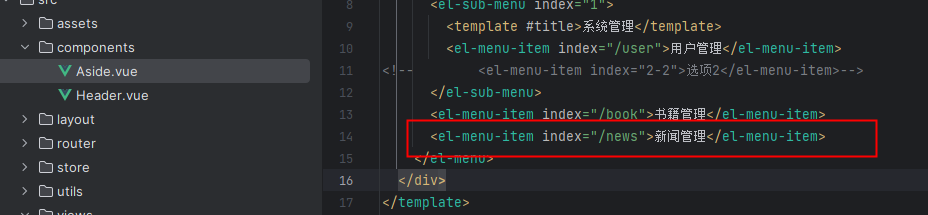
修改vue/src/router/index.js
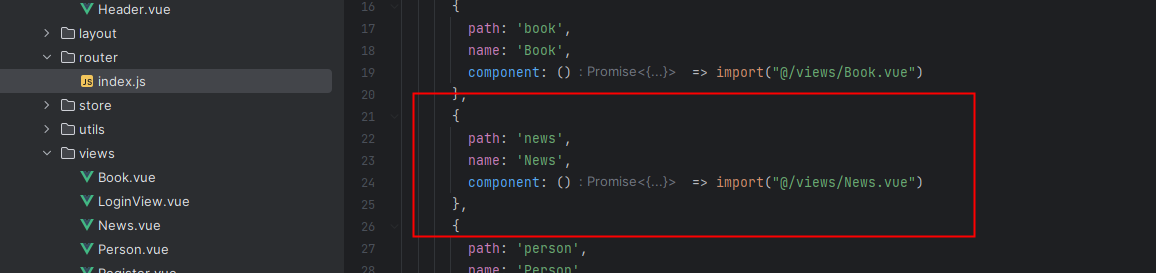
测试新增、编辑、删除可用
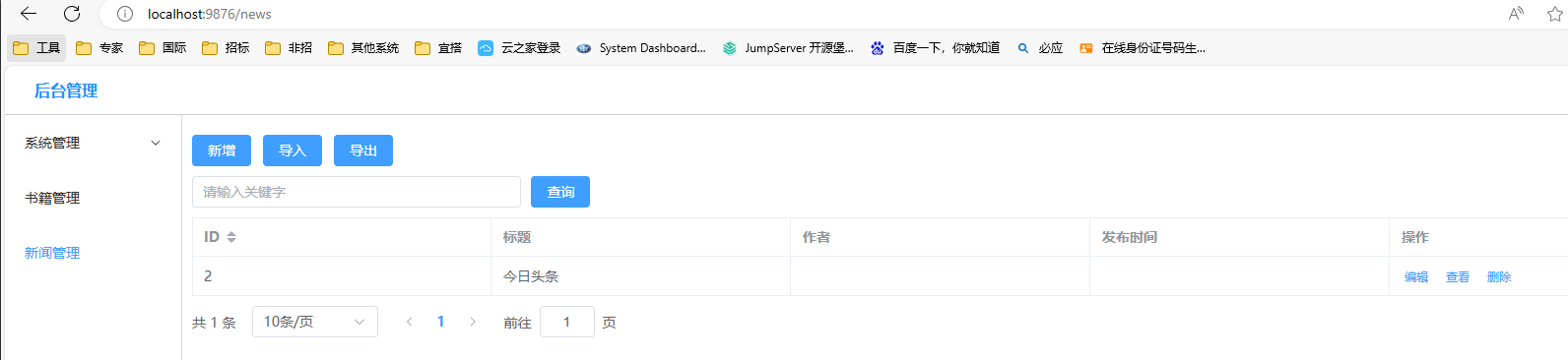
2. 使用wangeditor,官网:https://www.wangeditor.com/, 参照官网在vue项目路径下安装
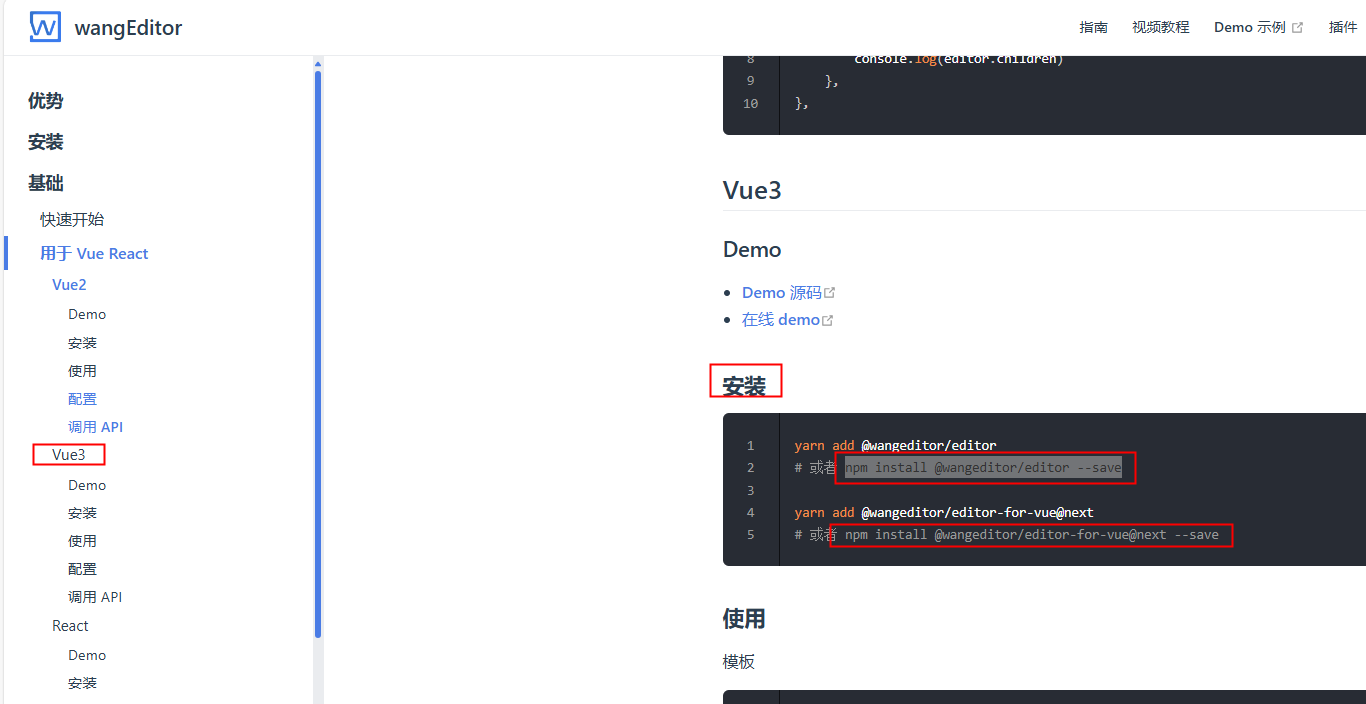


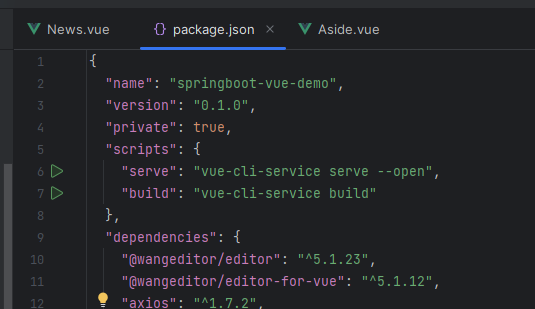
package.json里能看到安装的版本信息
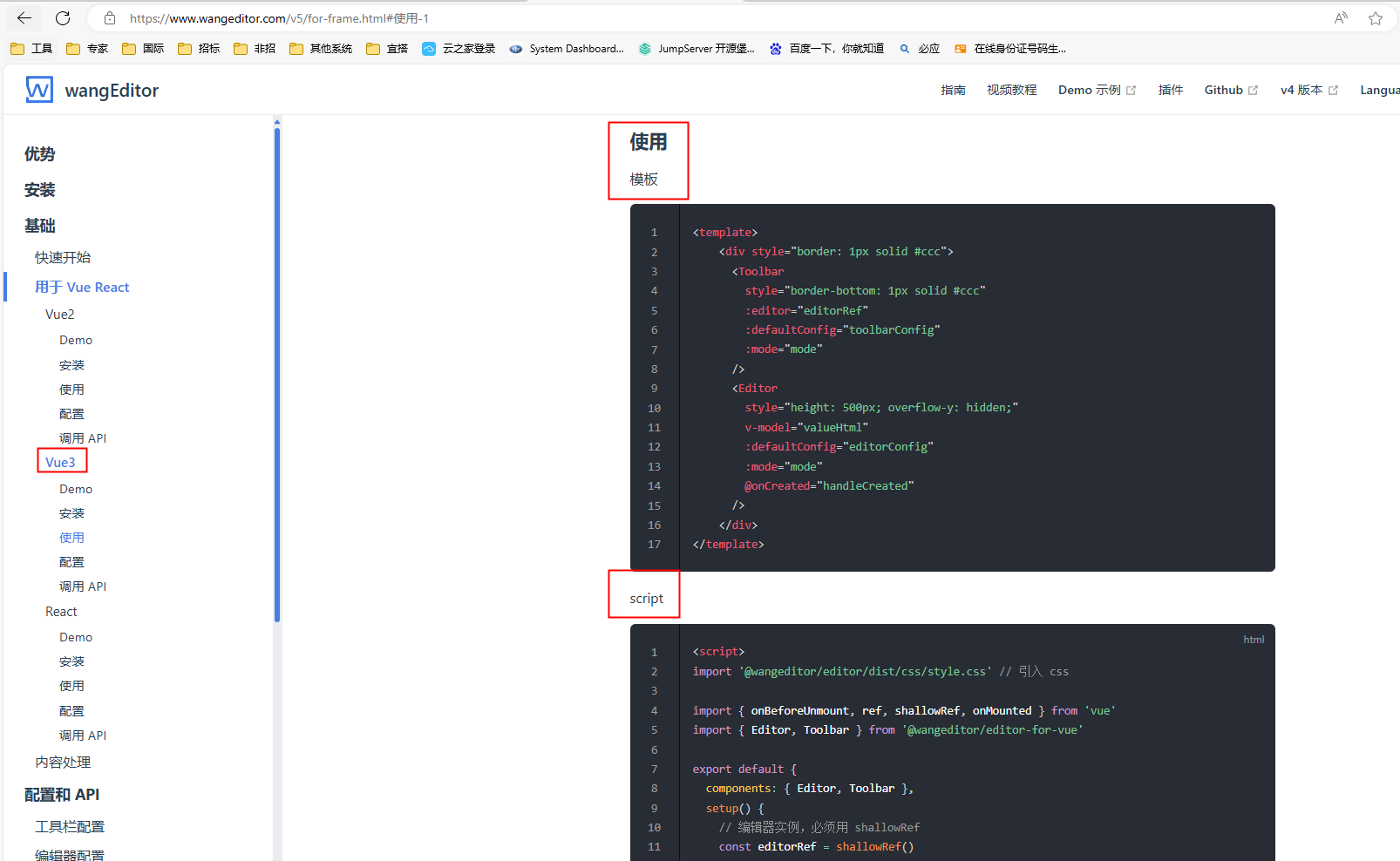
将官网中模板和script内容复制到vue/src/views/News.vue里,进行使用,不建议将wangEditor做成component再引用,涉及到父子组件传值,很麻烦
<template>
  <div style="width: 100%; padding: 10px">
    <!--    功能区-->
    <div style="margin: 10px 0">
      <el-button type="primary" @click="add()">新增</el-button>
      <el-button type="primary">导入</el-button>
      <el-button type="primary">导出</el-button>
    </div>
    <!--    搜索区-->
    <div style="margin: 10px 0">
      <el-input v-model="search" placeholder="请输入关键字" style="width: 20%" clearable></el-input>
      <el-button type="primary" style="margin-left: 10px" @click="load">查询</el-button>
    </div>
    <el-table :data="tableData" border stripe>
      <el-table-column prop="id" label="ID"
                       sortable
      />
      <el-table-column prop="title" label="标题" />
      <el-table-column prop="author" label="作者" />
      <el-table-column prop="time" label="发布时间" />
      <div class="demo-image__preview">
      </div>
      <el-table-column fixed="right" label="操作" min-width="120">
        <template #default="scope">
          <el-button link type="primary" size="small" @click="handleEdit(scope.row)">
            编辑
          </el-button>
          <el-button link type="primary" size="small">查看</el-button>
          <el-popconfirm title="确认删除吗?" @confirm="handleDelete(scope.row.id)">
            <template #reference>
              <el-button link type="primary" size="small">删除</el-button>
            </template>
          </el-popconfirm>
        </template>
      </el-table-column>
    </el-table>
    <div style="margin: 10px 0">
      <el-pagination
          v-model:current-page="currentPage"
          v-model:page-size="pageSize"
          :page-sizes="[10, 20, 50, 100]"
          layout="total, sizes, prev, pager, next, jumper"
          :total="total"
          @size-change="handleSizeChange"
          @current-change="handleCurrentChange"
      />
    </div>
    <el-dialog v-model="dialogVisible" title="新闻编辑发布" width="40%">
      <el-form label-width="auto" :model="form" style="width: 700px">
        <el-form-item label="标题">
          <el-input v-model="form.title" style="width: 80%"></el-input>
        </el-form-item>
        <el-form-item label="内容">
            <div style="border: 1px solid #ccc">
              <Toolbar
                  style="border-bottom: 1px solid #ccc"
                  :editor="editorRef"
                  :defaultConfig="toolbarConfig"
                  :mode="mode"
              />
              <Editor
                  style="height: 500px; overflow-y: hidden;"
                  v-model="valueHtml"
                  :defaultConfig="editorConfig"
                  :mode="mode"
                  @onCreated="handleCreated"
              />
            </div>
        </el-form-item>
      </el-form>
      <template #footer>
        <div class="dialog-footer">
          <el-button @click="dialogVisible = false">取 消</el-button>
          <el-button type="primary" @click="save()">
            确 定
          </el-button>
        </div>
      </template>
    </el-dialog>
  </div>
</template>

<script>
import request from "@/utils/request";
import '@wangeditor/editor/dist/css/style.css' // 引入 css
import { onBeforeUnmount, ref, shallowRef, onMounted } from 'vue'
import { Editor, Toolbar } from '@wangeditor/editor-for-vue'

export default {
  name: 'News',
  components: {
    Editor, Toolbar
  },
  data() {
    return {
      form: {},
      dialogVisible: false,
      search: '',
      currentPage: 1,
      pageSize: 10,
      total: 0,
      tableData: []
    }
  },
  created() {
    this.load()
  },
  methods: {
    load() {
      request.get("/news", {
        params:{
          pageNum: this.currentPage,
          pageSize: this.pageSize,
          search: this.search
        }
      }).then(res=>{
        console.log(res)
        this.tableData = res.data.records
        this.total = res.data.total
      })
    },
    add(){
      this.dialogVisible = true
      this.form = {}
      this.valueHtml = "" //新增时将富文本内容设置为空,防止之前点击过编辑,富文本里有内容
    },
    save(){
      if(this.form.id){  //更新
        this.form.content = this.valueHtml  //更新或新增前将富文本内容赋值给form.content
        request.put("/news", this.form).then(res => {
          console.log(res)
          if(res.code === '0'){
            this.$message({
              type: "success",
              message: "更新成功"
            })
          }else {
            this.$message({
              type: "error",
              message: "res.msg"
            })
          }
          this.load()      //更新后刷新表格数据
          this.dialogVisible = false   //关闭弹窗
        })
      } else {           //新增
        this.form.content = this.valueHtml //更新或新增前将富文本内容赋值给form.content
        request.post("/news", this.form).then(res => {
          console.log(res)
          if(res.code === '0'){
            this.$message({
              type: "success",
              message: "新增成功"
            })
          }else {
            this.$message({
              type: "error",
              message: "res.msg"
            })
          }
          this.load()      //更新后刷新表格数据
          this.dialogVisible = false   //关闭弹窗
        })
      }
    },
    handleEdit(row) {
      this.form = JSON.parse(JSON.stringify(row))
      this.dialogVisible = true
      this.valueHtml = this.form.content  //编辑前将form.content赋值给富文本内容
    },
    handleDelete(id) {
      console.log(id)
      request.delete("/news/" + id).then(res => {
        if(res.code === '0'){
          this.$message({
            type: "success",
            message: "删除成功"
          })
        }else {
          this.$message({
            type: "error",
            message: "res.msg"
          })
        }
        this.load()      //删除后刷新表格数据
      })
    },
    handleSizeChange() {     //改变当前每页个数触发
      this.load()
    },
    handleCurrentChange() {  //改变当前页码触发
      this.load()
    }
  },
  setup() {  //来自wangEditor官网
    // 编辑器实例,必须用 shallowRef
    const editorRef = shallowRef()

    // 内容 HTML
    const valueHtml = ref('')

    // 模拟 ajax 异步获取内容
    // onMounted(() => {
    //   setTimeout(() => {
    //     valueHtml.value = '<p>模拟 Ajax 异步设置内容</p>'
    //   }, 1500)
    // })

    const toolbarConfig = {}
    const editorConfig = { placeholder: '请输入内容...' }

    // 组件销毁时,也及时销毁编辑器
    onBeforeUnmount(() => {
      const editor = editorRef.value
      if (editor == null) return
      editor.destroy()
    })

    const handleCreated = (editor) => {
      editorRef.value = editor // 记录 editor 实例,重要!
    }

    return {
      editorRef,
      valueHtml,
      mode: 'default', // 或 'simple'
      toolbarConfig,
      editorConfig,
      handleCreated
    };
  }
}

</script>
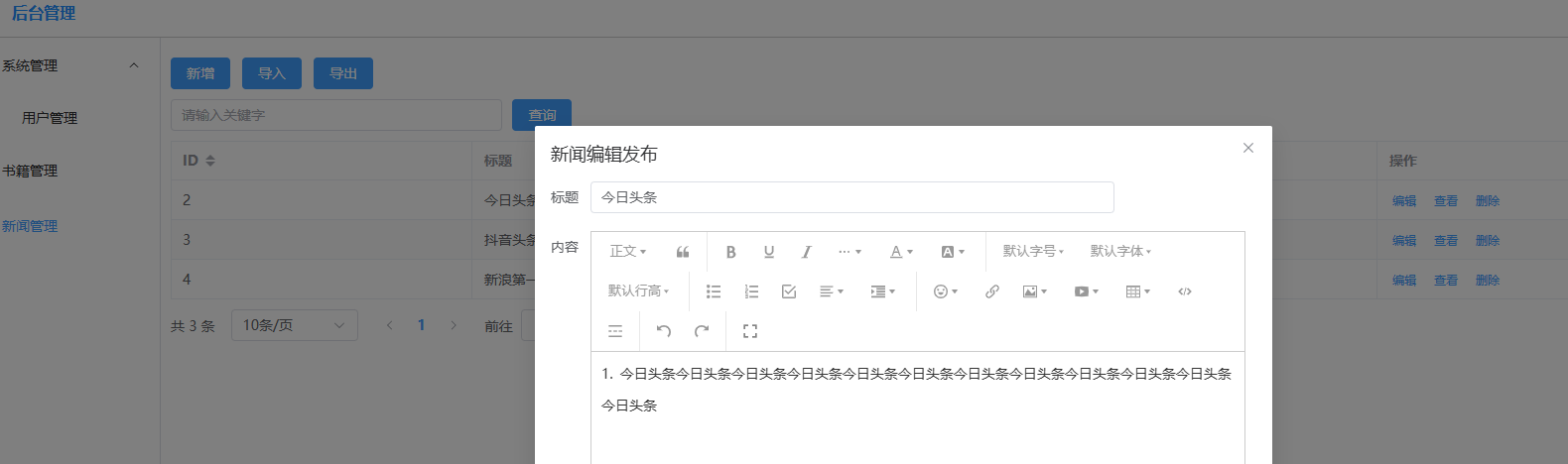
效果: 新增、编辑都正常,反复编辑、新增打开后富文本内容正常
3. 图片上传处理
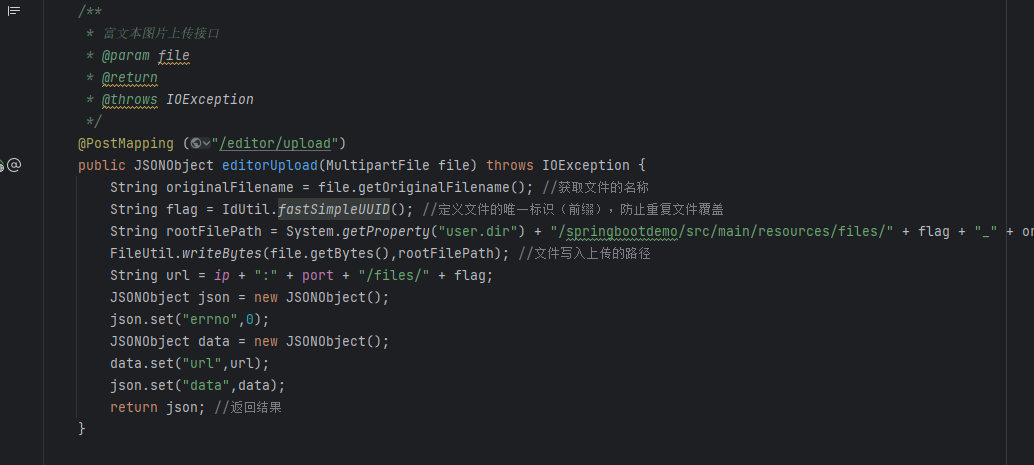
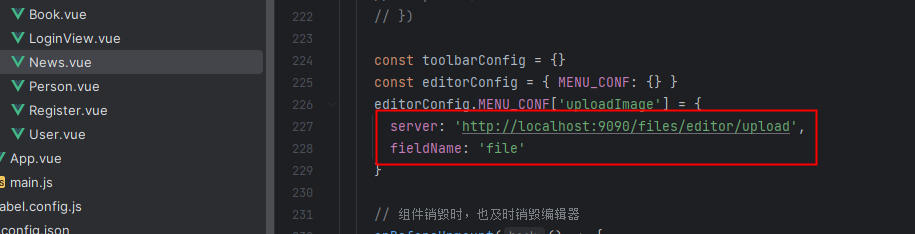
FileController.java文件里新增editorUpload方法,接收图片上传和返回url
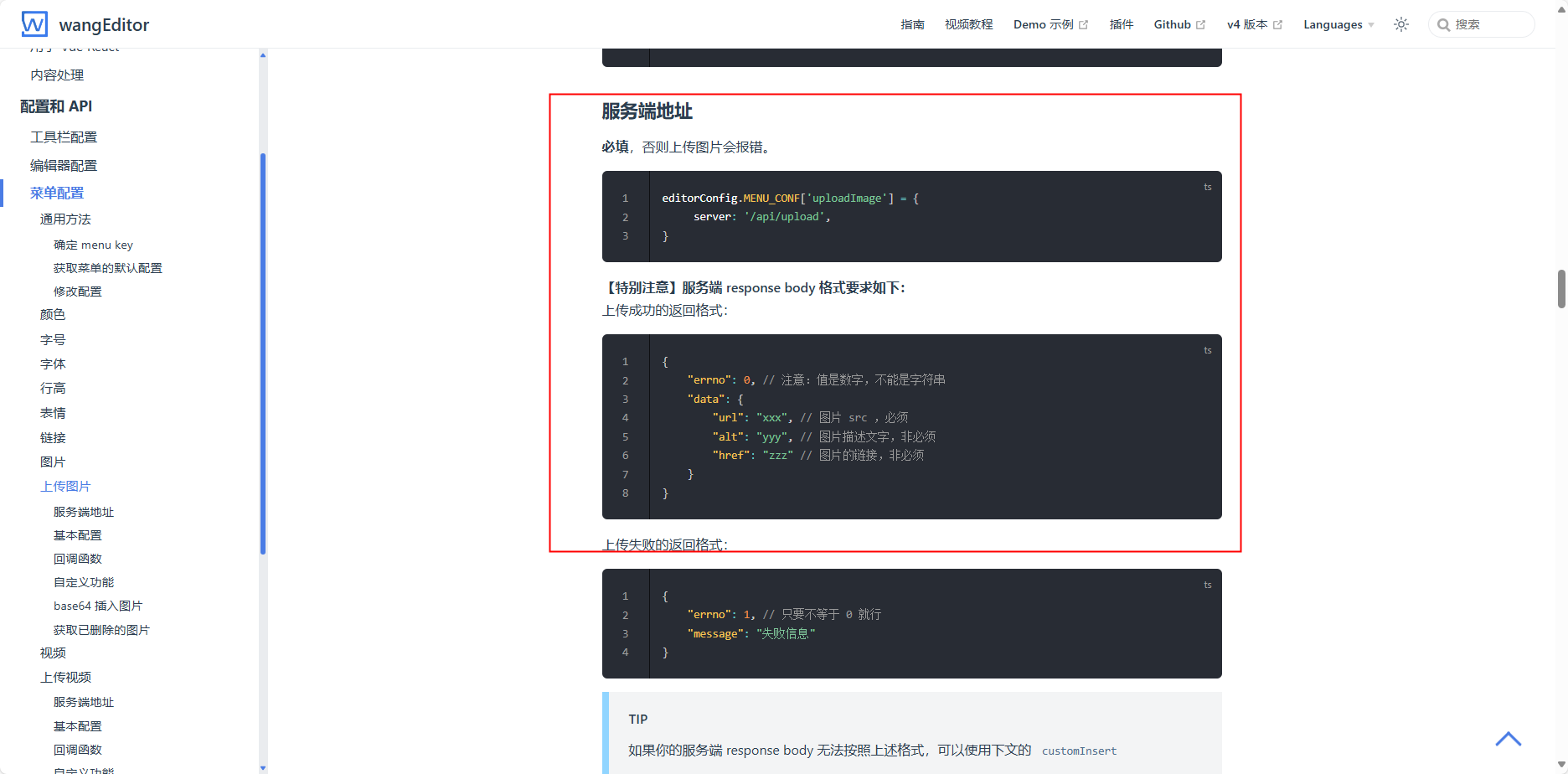
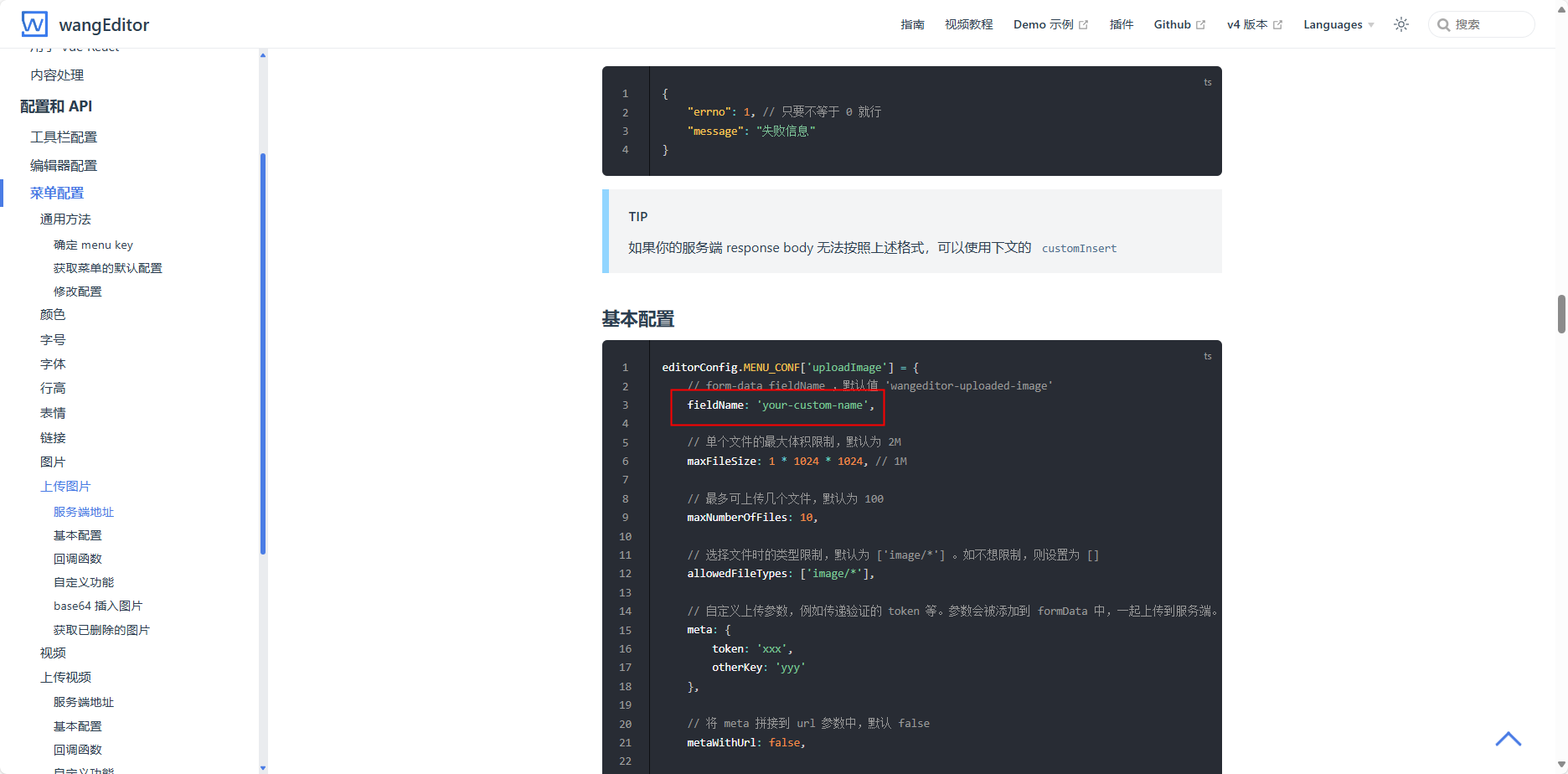
参照官网修改vue/src/views/News.vue
效果:
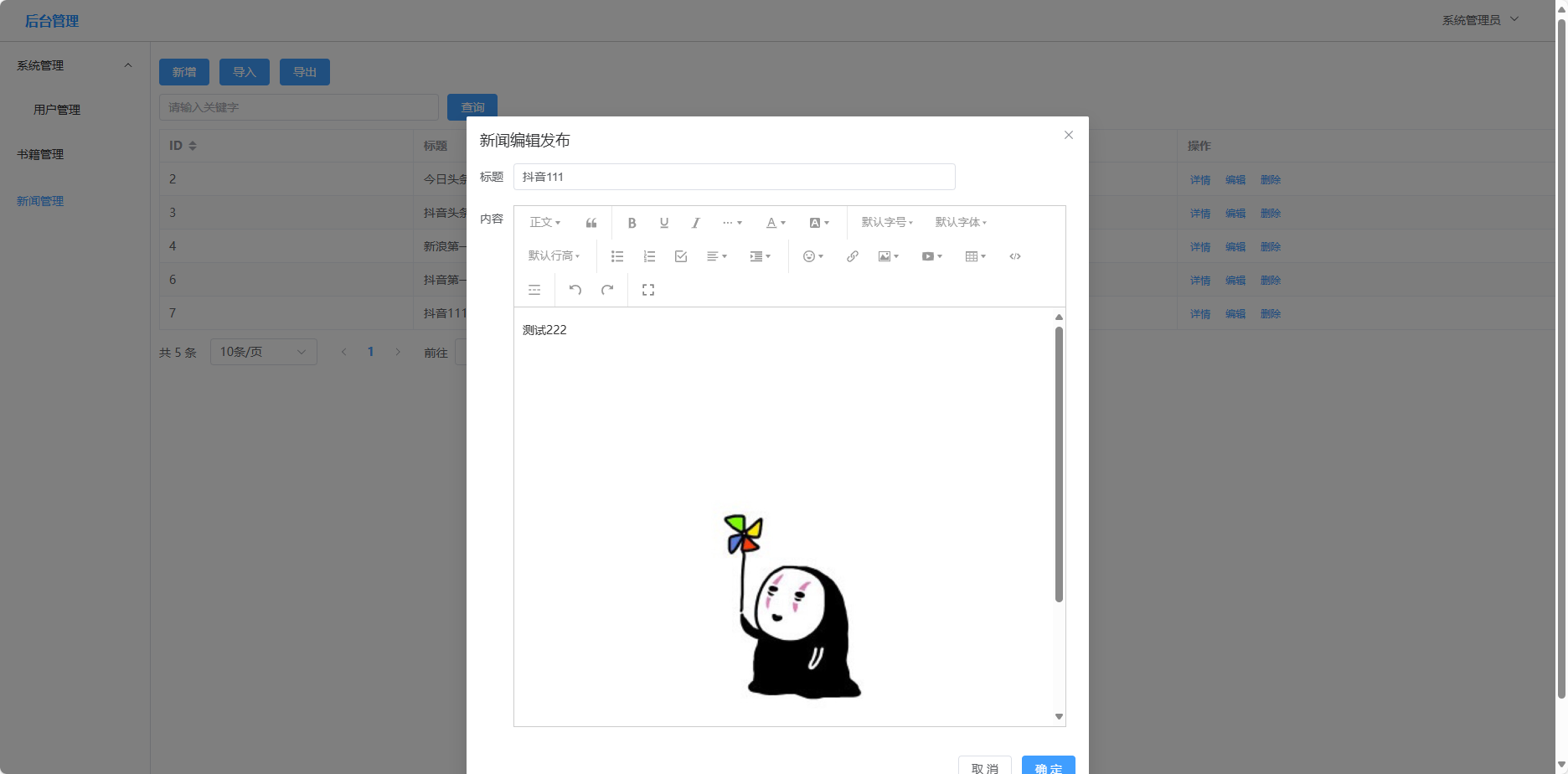
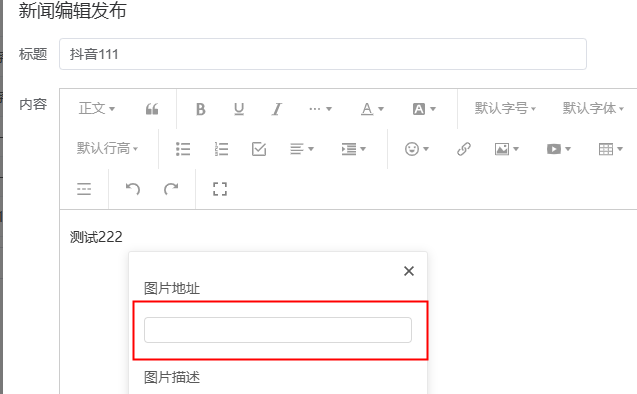
使用网络图片要注意图片地址位置放网络的访问地址
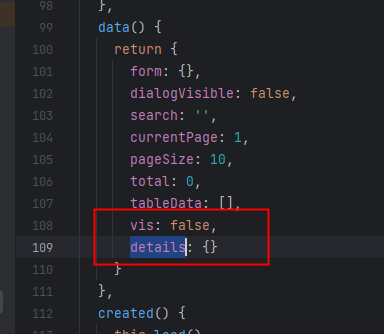
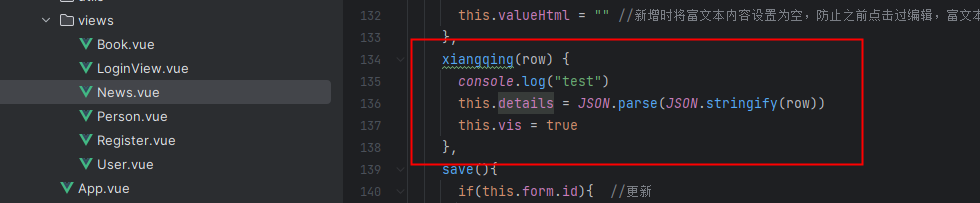
4.增加详情查看


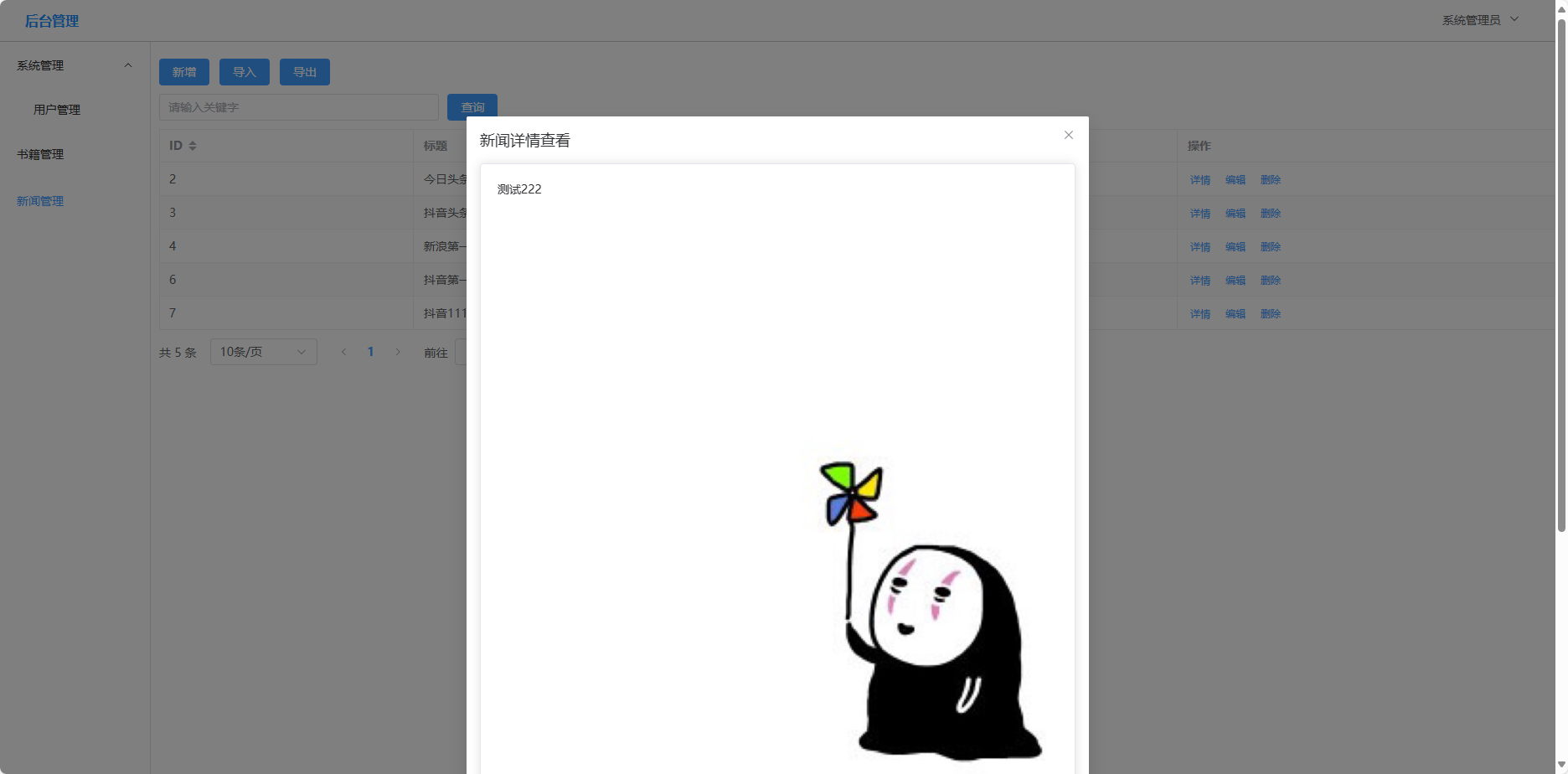
效果:
以上仅供参考,如有疑问,留言联系

 浙公网安备 33010602011771号